---
layout: default
title: {{ site.name }}
---
## Installation
#### via curl
```bash
bash <(curl -fsSL https://raw.githubusercontent.com/tboox/xmake/master/scripts/get.sh)
```
#### via wget
```bash
bash <(wget https://raw.githubusercontent.com/tboox/xmake/master/scripts/get.sh -O -)
```
#### via powershell
```bash
Invoke-Expression (Invoke-Webrequest 'https://raw.githubusercontent.com/tboox/xmake/master/scripts/get.ps1' -UseBasicParsing).Content
```
## Simple description
 ## Package dependences
 An official xmake package repository: [xmake-repo](https://github.com/xmake-io/xmake-repo)
## Build project
```bash
$ xmake
```
## Run target
```bash
$ xmake run console
```
## Debug target
```bash
$ xmake run -d console
```
## Configure platform
```bash
$ xmake f -p [windows|linux|macosx|android|iphoneos ..] -a [x86|arm64 ..] -m [debug|release]
$ xmake
```
## Menu configuration
```bash
$ xmake f --menu
```
An official xmake package repository: [xmake-repo](https://github.com/xmake-io/xmake-repo)
## Build project
```bash
$ xmake
```
## Run target
```bash
$ xmake run console
```
## Debug target
```bash
$ xmake run -d console
```
## Configure platform
```bash
$ xmake f -p [windows|linux|macosx|android|iphoneos ..] -a [x86|arm64 ..] -m [debug|release]
$ xmake
```
## Menu configuration
```bash
$ xmake f --menu
```
 ## Package management
 ## Support platforms
* Windows (x86, x64)
* Macosx (i386, x86_64)
* Linux (i386, x86_64, cross-toolchains ...)
* Android (armv5te, armv6, armv7-a, armv8-a, arm64-v8a)
* iPhoneOS (armv7, armv7s, arm64, i386, x86_64)
* WatchOS (armv7k, i386)
* Mingw (i386, x86_64)
## Support Languages
* C/C++
* Objc/Objc++
* Swift
* Assembly
* Golang
* Rust
* Dlang
* Cuda
## Support Projects
* Static Library
* Shared Library
* Console
* Cuda Program
* Qt Application
* WDK Driver (umdf/kmdf/wdm)
* WinSDK Application
## Builtin Plugins
#### Macros script plugin
```bash
$ xmake m -b # start to record
$ xmake f -p iphoneos -m debug
$ xmake
$ xmake f -p android --ndk=~/files/android-ndk-r16b
$ xmake
$ xmake m -e # stop to record
$ xmake m . # playback commands
```
#### Run the custom lua script plugin
```bash
$ xmake l ./test.lua
$ xmake l -c "print('hello xmake!')"
$ xmake l lib.detect.find_tool gcc
```
#### Generate IDE project file plugin(makefile, vs2002 - vs2017 .. )
```bash
$ xmake project -k vs2017 -m "debug,release"
```
#### Generate doxygen document plugin
```bash
$ xmake doxygen [srcdir]
```
## More Plugins
Please download and install from the plugins repository [xmake-plugins](https://github.com/xmake-io/xmake-plugins).
## IDE/Editor Integration
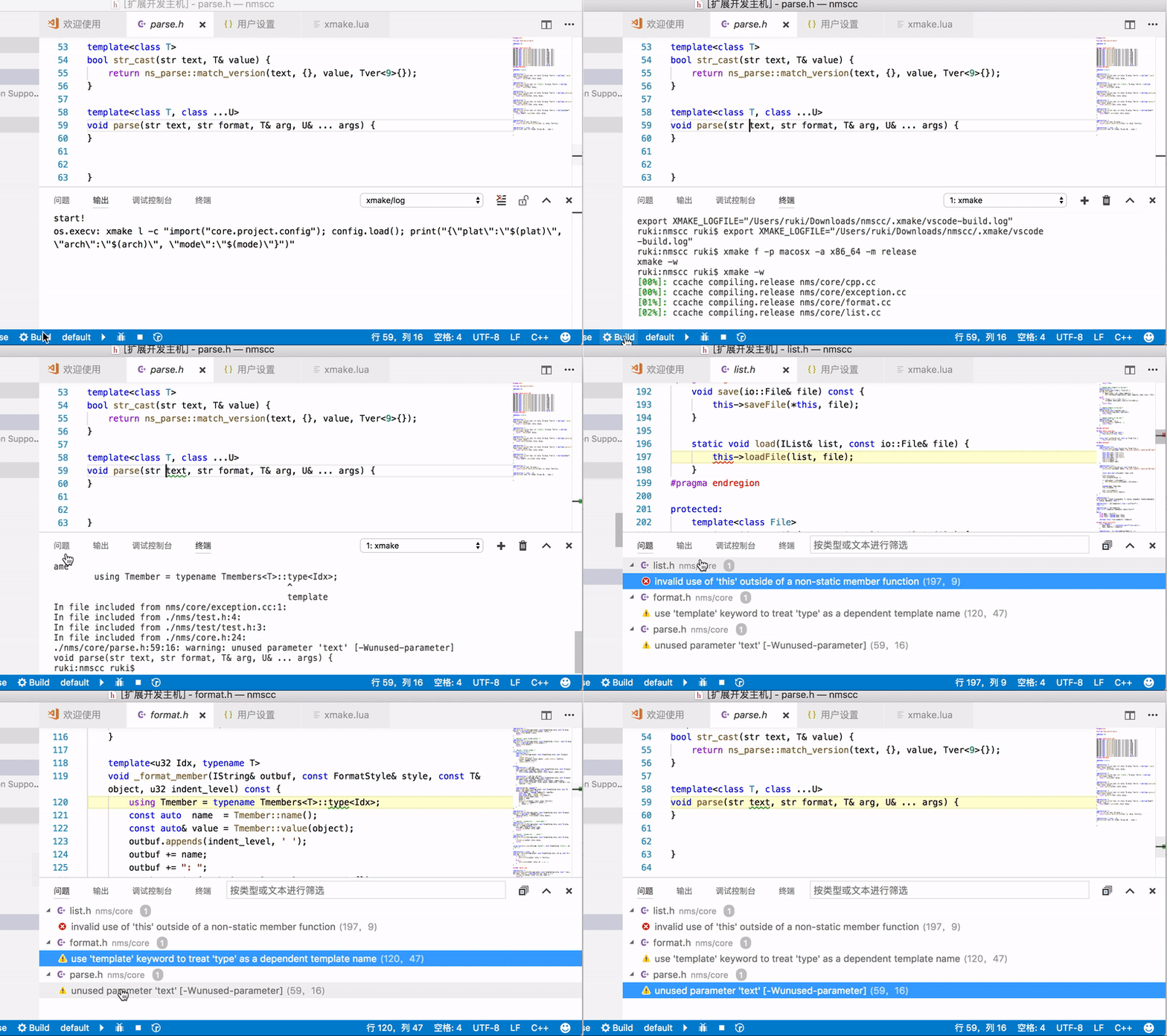
* [xmake-vscode](https://github.com/xmake-io/xmake-vscode)
## Support platforms
* Windows (x86, x64)
* Macosx (i386, x86_64)
* Linux (i386, x86_64, cross-toolchains ...)
* Android (armv5te, armv6, armv7-a, armv8-a, arm64-v8a)
* iPhoneOS (armv7, armv7s, arm64, i386, x86_64)
* WatchOS (armv7k, i386)
* Mingw (i386, x86_64)
## Support Languages
* C/C++
* Objc/Objc++
* Swift
* Assembly
* Golang
* Rust
* Dlang
* Cuda
## Support Projects
* Static Library
* Shared Library
* Console
* Cuda Program
* Qt Application
* WDK Driver (umdf/kmdf/wdm)
* WinSDK Application
## Builtin Plugins
#### Macros script plugin
```bash
$ xmake m -b # start to record
$ xmake f -p iphoneos -m debug
$ xmake
$ xmake f -p android --ndk=~/files/android-ndk-r16b
$ xmake
$ xmake m -e # stop to record
$ xmake m . # playback commands
```
#### Run the custom lua script plugin
```bash
$ xmake l ./test.lua
$ xmake l -c "print('hello xmake!')"
$ xmake l lib.detect.find_tool gcc
```
#### Generate IDE project file plugin(makefile, vs2002 - vs2017 .. )
```bash
$ xmake project -k vs2017 -m "debug,release"
```
#### Generate doxygen document plugin
```bash
$ xmake doxygen [srcdir]
```
## More Plugins
Please download and install from the plugins repository [xmake-plugins](https://github.com/xmake-io/xmake-plugins).
## IDE/Editor Integration
* [xmake-vscode](https://github.com/xmake-io/xmake-vscode)
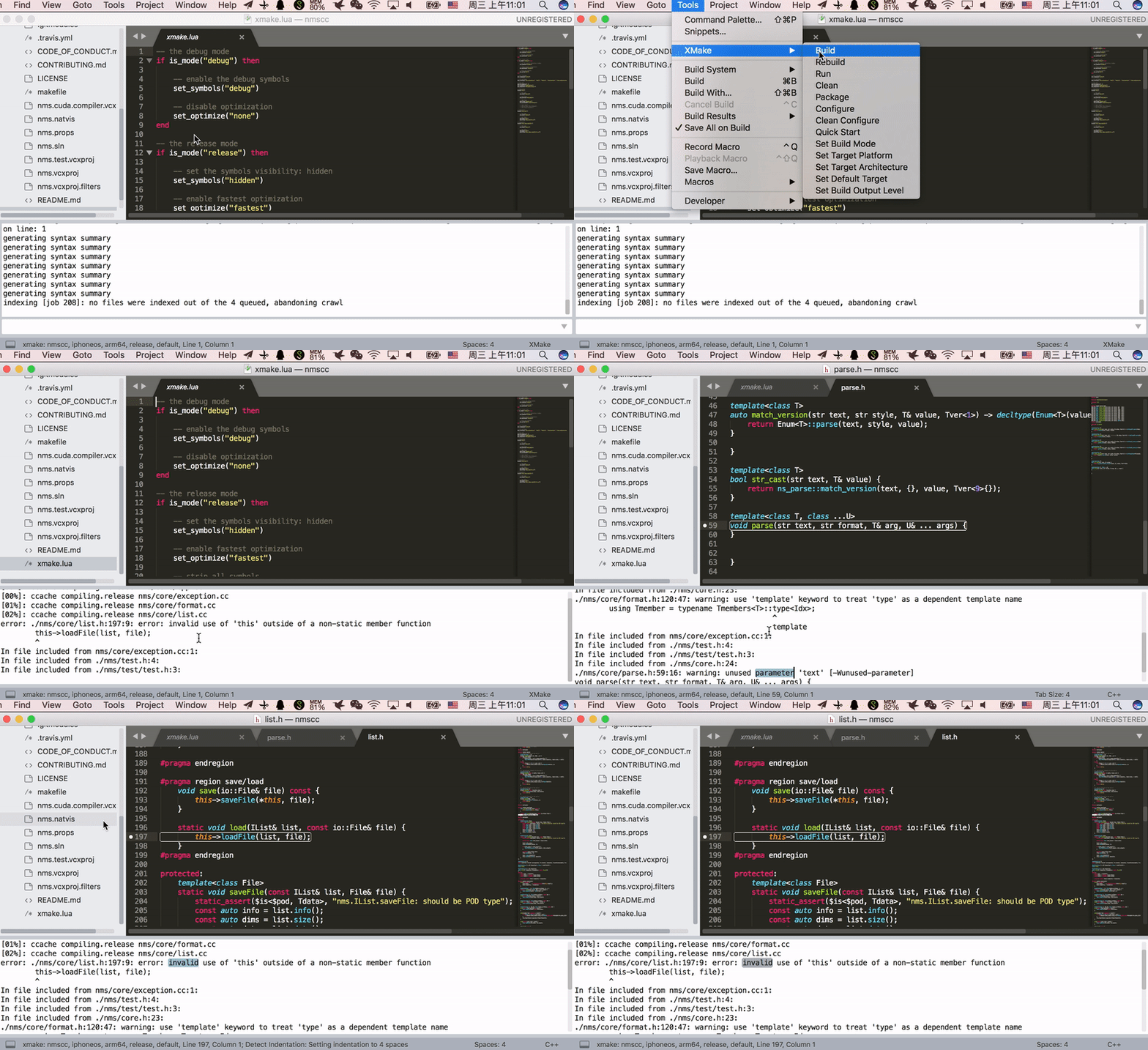
 * [xmake-sublime](https://github.com/xmake-io/xmake-sublime)
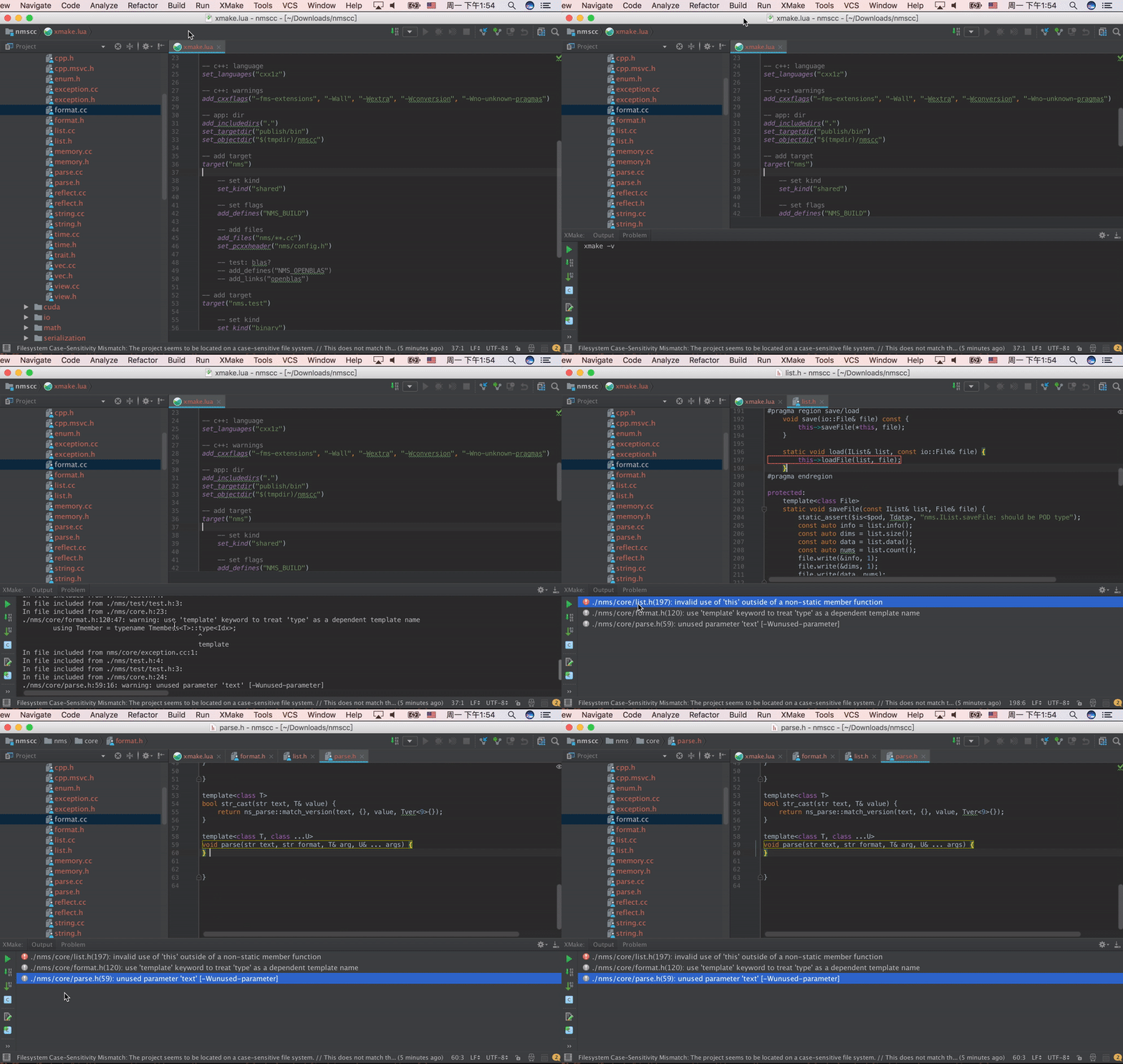
 * [xmake-idea](https://github.com/xmake-io/xmake-idea)
 * [xmake.vim](https://github.com/luzhlon/xmake.vim) (third-party, thanks [@luzhlon](https://github.com/luzhlon))
## More Examples
Debug and release modes:
```lua
add_rules("mode.debug", "mode.release")
target("console")
set_kind("binary")
add_files("src/*.c")
if is_mode("debug") then
add_defines("DEBUG")
end
```
Download and use remote packages:
```lua
add_requires("libuv master", "ffmpeg", "zlib 1.20.*")
add_requires("tbox >1.6.1", {optional = true, debug = true})
target("test")
set_kind("shared")
add_files("src/*.c")
add_packages("libuv", "ffmpeg", "tbox", "zlib")
```
Find and use local packages:
```lua
target("test")
set_kind("shared")
add_files("src/*.c")
on_load(function (target)
import("lib.detect.find_package")
target:add(find_package("zlib"))
target:add(find_package("openssl"))
end)
```
## Project Examples
Some projects using xmake:
* [tbox](https://github.com/tboox/tbox)
* [gbox](https://github.com/tboox/gbox)
* [vm86](https://github.com/tboox/vm86)
* [more](https://github.com/tboox/awesome-xmake)
## Example Video
* [xmake.vim](https://github.com/luzhlon/xmake.vim) (third-party, thanks [@luzhlon](https://github.com/luzhlon))
## More Examples
Debug and release modes:
```lua
add_rules("mode.debug", "mode.release")
target("console")
set_kind("binary")
add_files("src/*.c")
if is_mode("debug") then
add_defines("DEBUG")
end
```
Download and use remote packages:
```lua
add_requires("libuv master", "ffmpeg", "zlib 1.20.*")
add_requires("tbox >1.6.1", {optional = true, debug = true})
target("test")
set_kind("shared")
add_files("src/*.c")
add_packages("libuv", "ffmpeg", "tbox", "zlib")
```
Find and use local packages:
```lua
target("test")
set_kind("shared")
add_files("src/*.c")
on_load(function (target)
import("lib.detect.find_package")
target:add(find_package("zlib"))
target:add(find_package("openssl"))
end)
```
## Project Examples
Some projects using xmake:
* [tbox](https://github.com/tboox/tbox)
* [gbox](https://github.com/tboox/gbox)
* [vm86](https://github.com/tboox/vm86)
* [more](https://github.com/tboox/awesome-xmake)
## Example Video
 ## Contacts
* Email:[waruqi@gmail.com](mailto:waruqi@gmail.com)
* Homepage:[tboox.org](https://tboox.org)
* Community:[/r/tboox on reddit](https://www.reddit.com/r/tboox/)
* ChatRoom:[Char on telegram](https://t.me/tbooxorg), [Chat on gitter](https://gitter.im/tboox/tboox?utm_source=badge&utm_medium=badge&utm_campaign=pr-badge&utm_content=badge)
* Source Code:[Github](https://github.com/xmake-io/xmake), [Gitee](https://gitee.com/tboox/xmake)
## Contacts
* Email:[waruqi@gmail.com](mailto:waruqi@gmail.com)
* Homepage:[tboox.org](https://tboox.org)
* Community:[/r/tboox on reddit](https://www.reddit.com/r/tboox/)
* ChatRoom:[Char on telegram](https://t.me/tbooxorg), [Chat on gitter](https://gitter.im/tboox/tboox?utm_source=badge&utm_medium=badge&utm_campaign=pr-badge&utm_content=badge)
* Source Code:[Github](https://github.com/xmake-io/xmake), [Gitee](https://gitee.com/tboox/xmake)