
diff options
| author | ruki <waruqi@gmail.com> | 2017-08-31 09:08:38 +0800 |
|---|---|---|
| committer | ruki <waruqi@gmail.com> | 2017-08-31 09:08:38 +0800 |
| commit | 9078c01303c065fbf6e6cefbddcb462adede7bfb (patch) | |
| tree | c33052b914aeaca00186e6cc83df6f88f4e1c1b4 | |
| download | xmake-docs-9078c01303c065fbf6e6cefbddcb462adede7bfb.tar.gz xmake-docs-9078c01303c065fbf6e6cefbddcb462adede7bfb.zip | |
first commit


56 files changed, 19332 insertions, 0 deletions
diff --git a/.gitignore b/.gitignore new file mode 100644 index 00000000..503e79d4 --- /dev/null +++ b/.gitignore @@ -0,0 +1,35 @@ +*.a +*.b +*.o +*.exe +*.obj +*.dll +*.lib +*.out +*.suo +*~ +*.swp +*.swo +*.bak +*.orig +*.pdb +*.idb +*.ilk +*.stackdump +*.manifest +.ccache +.demo +.svn +.DS_Store +.xmake +*.deb +*.zip +*.gch +*.gch.d +cscope.* +gmon.out +other +tags +doc +install.log +build diff --git a/.nojekyll b/.nojekyll new file mode 100644 index 00000000..e69de29b --- /dev/null +++ b/.nojekyll @@ -0,0 +1 @@ +xmake.io diff --git a/LICENSE.md b/LICENSE.md new file mode 100644 index 00000000..c23b324d --- /dev/null +++ b/LICENSE.md @@ -0,0 +1,238 @@ + + Apache License + Version 2.0, January 2004 + http://www.apache.org/licenses/ + + TERMS AND CONDITIONS FOR USE, REPRODUCTION, AND DISTRIBUTION + + 1. Definitions. + + "License" shall mean the terms and conditions for use, reproduction, + and distribution as defined by Sections 1 through 9 of this document. + + "Licensor" shall mean the copyright owner or entity authorized by + the copyright owner that is granting the License. + + "Legal Entity" shall mean the union of the acting entity and all + other entities that control, are controlled by, or are under common + control with that entity. For the purposes of this definition, + "control" means (i) the power, direct or indirect, to cause the + direction or management of such entity, whether by contract or + otherwise, or (ii) ownership of fifty percent (50%) or more of the + outstanding shares, or (iii) beneficial ownership of such entity. + + "You" (or "Your") shall mean an individual or Legal Entity + exercising permissions granted by this License. + + "Source" form shall mean the preferred form for making modifications, + including but not limited to software source code, documentation + source, and configuration files. + + "Object" form shall mean any form resulting from mechanical + transformation or translation of a Source form, including but + not limited to compiled object code, generated documentation, + and conversions to other media types. + + "Work" shall mean the work of authorship, whether in Source or + Object form, made available under the License, as indicated by a + copyright notice that is included in or attached to the work + (an example is provided in the Appendix below). + + "Derivative Works" shall mean any work, whether in Source or Object + form, that is based on (or derived from) the Work and for which the + editorial revisions, annotations, elaborations, or other modifications + represent, as a whole, an original work of authorship. For the purposes + of this License, Derivative Works shall not include works that remain + separable from, or merely link (or bind by name) to the interfaces of, + the Work and Derivative Works thereof. + + "Contribution" shall mean any work of authorship, including + the original version of the Work and any modifications or additions + to that Work or Derivative Works thereof, that is intentionally + submitted to Licensor for inclusion in the Work by the copyright owner + or by an individual or Legal Entity authorized to submit on behalf of + the copyright owner. For the purposes of this definition, "submitted" + means any form of electronic, verbal, or written communication sent + to the Licensor or its representatives, including but not limited to + communication on electronic mailing lists, source code control systems, + and issue tracking systems that are managed by, or on behalf of, the + Licensor for the purpose of discussing and improving the Work, but + excluding communication that is conspicuously marked or otherwise + designated in writing by the copyright owner as "Not a Contribution." + + "Contributor" shall mean Licensor and any individual or Legal Entity + on behalf of whom a Contribution has been received by Licensor and + subsequently incorporated within the Work. + + 2. Grant of Copyright License. Subject to the terms and conditions of + this License, each Contributor hereby grants to You a perpetual, + worldwide, non-exclusive, no-charge, royalty-free, irrevocable + copyright license to reproduce, prepare Derivative Works of, + publicly display, publicly perform, sublicense, and distribute the + Work and such Derivative Works in Source or Object form. + + 3. Grant of Patent License. Subject to the terms and conditions of + this License, each Contributor hereby grants to You a perpetual, + worldwide, non-exclusive, no-charge, royalty-free, irrevocable + (except as stated in this section) patent license to make, have made, + use, offer to sell, sell, import, and otherwise transfer the Work, + where such license applies only to those patent claims licensable + by such Contributor that are necessarily infringed by their + Contribution(s) alone or by combination of their Contribution(s) + with the Work to which such Contribution(s) was submitted. If You + institute patent litigation against any entity (including a + cross-claim or counterclaim in a lawsuit) alleging that the Work + or a Contribution incorporated within the Work constitutes direct + or contributory patent infringement, then any patent licenses + granted to You under this License for that Work shall terminate + as of the date such litigation is filed. + + 4. Redistribution. You may reproduce and distribute copies of the + Work or Derivative Works thereof in any medium, with or without + modifications, and in Source or Object form, provided that You + meet the following conditions: + + (a) You must give any other recipients of the Work or + Derivative Works a copy of this License; and + + (b) You must cause any modified files to carry prominent notices + stating that You changed the files; and + + (c) You must retain, in the Source form of any Derivative Works + that You distribute, all copyright, patent, trademark, and + attribution notices from the Source form of the Work, + excluding those notices that do not pertain to any part of + the Derivative Works; and + + (d) If the Work includes a "NOTICE" text file as part of its + distribution, then any Derivative Works that You distribute must + include a readable copy of the attribution notices contained + within such NOTICE file, excluding those notices that do not + pertain to any part of the Derivative Works, in at least one + of the following places: within a NOTICE text file distributed + as part of the Derivative Works; within the Source form or + documentation, if provided along with the Derivative Works; or, + within a display generated by the Derivative Works, if and + wherever such third-party notices normally appear. The contents + of the NOTICE file are for informational purposes only and + do not modify the License. You may add Your own attribution + notices within Derivative Works that You distribute, alongside + or as an addendum to the NOTICE text from the Work, provided + that such additional attribution notices cannot be construed + as modifying the License. + + You may add Your own copyright statement to Your modifications and + may provide additional or different license terms and conditions + for use, reproduction, or distribution of Your modifications, or + for any such Derivative Works as a whole, provided Your use, + reproduction, and distribution of the Work otherwise complies with + the conditions stated in this License. + + 5. Submission of Contributions. Unless You explicitly state otherwise, + any Contribution intentionally submitted for inclusion in the Work + by You to the Licensor shall be under the terms and conditions of + this License, without any additional terms or conditions. + Notwithstanding the above, nothing herein shall supersede or modify + the terms of any separate license agreement you may have executed + with Licensor regarding such Contributions. + + 6. Trademarks. This License does not grant permission to use the trade + names, trademarks, service marks, or product names of the Licensor, + except as required for reasonable and customary use in describing the + origin of the Work and reproducing the content of the NOTICE file. + + 7. Disclaimer of Warranty. Unless required by applicable law or + agreed to in writing, Licensor provides the Work (and each + Contributor provides its Contributions) on an "AS IS" BASIS, + WITHOUT WARRANTIES OR CONDITIONS OF ANY KIND, either express or + implied, including, without limitation, any warranties or conditions + of TITLE, NON-INFRINGEMENT, MERCHANTABILITY, or FITNESS FOR A + PARTICULAR PURPOSE. You are solely responsible for determining the + appropriateness of using or redistributing the Work and assume any + risks associated with Your exercise of permissions under this License. + + 8. Limitation of Liability. In no event and under no legal theory, + whether in tort (including negligence), contract, or otherwise, + unless required by applicable law (such as deliberate and grossly + negligent acts) or agreed to in writing, shall any Contributor be + liable to You for damages, including any direct, indirect, special, + incidental, or consequential damages of any character arising as a + result of this License or out of the use or inability to use the + Work (including but not limited to damages for loss of goodwill, + work stoppage, computer failure or malfunction, or any and all + other commercial damages or losses), even if such Contributor + has been advised of the possibility of such damages. + + 9. Accepting Warranty or Additional Liability. While redistributing + the Work or Derivative Works thereof, You may choose to offer, + and charge a fee for, acceptance of support, warranty, indemnity, + or other liability obligations and/or rights consistent with this + License. However, in accepting such obligations, You may act only + on Your own behalf and on Your sole responsibility, not on behalf + of any other Contributor, and only if You agree to indemnify, + defend, and hold each Contributor harmless for any liability + incurred by, or claims asserted against, such Contributor by reason + of your accepting any such warranty or additional liability. + + END OF TERMS AND CONDITIONS + + APPENDIX: How to apply the Apache License to your work. + + To apply the Apache License to your work, attach the following + boilerplate notice, with the fields enclosed by brackets "[]" + replaced with your own identifying information. (Don't include + the brackets!) The text should be enclosed in the appropriate + comment syntax for the file format. We also recommend that a + file or class name and description of purpose be included on the + same "printed page" as the copyright notice for easier + identification within third-party archives. + + Copyright 2016-2017 TBOOX Open Source Group + + Licensed under the Apache License, Version 2.0 (the "License"); + you may not use this file except in compliance with the License. + You may obtain a copy of the License at + + http://www.apache.org/licenses/LICENSE-2.0 + + Unless required by applicable law or agreed to in writing, software + distributed under the License is distributed on an "AS IS" BASIS, + WITHOUT WARRANTIES OR CONDITIONS OF ANY KIND, either express or implied. + See the License for the specific language governing permissions and + limitations under the License. + +------------------------------------------------------------------------------- +## SUBCOMPONENTS + +The XMake project contains subcomponents with separate copyright +notices and license terms. Your use of the source code for the these +subcomponents is subject to the terms and conditions of the following +licenses. + +#### LuaJIT license + +=============================================================================== +LuaJIT -- a Just-In-Time Compiler for Lua. http://luajit.org/ + +Copyright (C) 2005-2014 Mike Pall. All rights reserved. + +Permission is hereby granted, free of charge, to any person obtaining a copy +of this software and associated documentation files (the "Software"), to deal +in the Software without restriction, including without limitation the rights +to use, copy, modify, merge, publish, distribute, sublicense, and/or sell +copies of the Software, and to permit persons to whom the Software is +furnished to do so, subject to the following conditions: + +The above copyright notice and this permission notice shall be included in +all copies or substantial portions of the Software. + +THE SOFTWARE IS PROVIDED "AS IS", WITHOUT WARRANTY OF ANY KIND, EXPRESS OR +IMPLIED, INCLUDING BUT NOT LIMITED TO THE WARRANTIES OF MERCHANTABILITY, +FITNESS FOR A PARTICULAR PURPOSE AND NONINFRINGEMENT. IN NO EVENT SHALL THE +AUTHORS OR COPYRIGHT HOLDERS BE LIABLE FOR ANY CLAIM, DAMAGES OR OTHER +LIABILITY, WHETHER IN AN ACTION OF CONTRACT, TORT OR OTHERWISE, ARISING FROM, +OUT OF OR IN CONNECTION WITH THE SOFTWARE OR THE USE OR OTHER DEALINGS IN +THE SOFTWARE. + +[ MIT license: http://www.opensource.org/licenses/mit-license.php ] + diff --git a/README.md b/README.md new file mode 100644 index 00000000..eb729ca2 --- /dev/null +++ b/README.md @@ -0,0 +1,602 @@ +--- +search: en +--- + +<p> +<div align="center"> + <a href="http://xmake.io"> + <img width="200" heigth="200" src="http://tboox.org/static/img/xmake/logo256c.png"> + </a> + + <h1>xmake</h1> + + <div> + <a href="https://travis-ci.org/tboox/xmake"> + <img src="https://img.shields.io/travis/tboox/xmake/master.svg?style=flat-square" alt="travis-ci" /> + </a> + <a href="https://ci.appveyor.com/project/waruqi/xmake/branch/master"> + <img src="https://img.shields.io/appveyor/ci/waruqi/xmake/master.svg?style=flat-square" alt="appveyor-ci" /> + </a> + <a href="https://codecov.io/gh/tboox/xmake"> + <img src="https://img.shields.io/codecov/c/github/tboox/xmake/master.svg?style=flat-square" alt="Coverage" /> + </a> + <a href="https://github.com/tboox/xmake/releases"> + <img src="https://img.shields.io/github/release/tboox/xmake.svg?style=flat-square" alt="Github All Releases" /> + </a> + <a href="https://aur.archlinux.org/packages/xmake"> + <img src="https://img.shields.io/aur/votes/xmake.svg?style=flat-square" alt="AUR votes" /> + </a> + </div> + <div> + <a href="https://github.com/tboox/xmake/blob/master/LICENSE.md"> + <img src="https://img.shields.io/github/license/tboox/xmake.svg?colorB=f48041&style=flat-square" alt="license" /> + </a> + <a href="https://gitter.im/tboox/tboox?utm_source=badge&utm_medium=badge&utm_campaign=pr-badge&utm_content=badge"> + <img src="https://img.shields.io/gitter/room/tboox/tboox.svg?style=flat-square&colorB=96c312" alt="Gitter" /> + </a> + <a href="http://xmake.io/pages/donation.html#donate"> + <img src="https://img.shields.io/badge/donate-us-orange.svg?style=flat-square" alt="Donate" /> + </a> + </div> + + <p>A cross-platform build utility based on Lua</p> +</div> +</p> + +## Introduction + +xmake is a cross-platform build utility based on lua. + +The project focuses on making development and building easier and provides many features (.e.g package, install, plugin, macro, action, option, task ...), +so that any developer can quickly pick it up and enjoy the productivity boost when developing and building project. + +## Installation + +#### Master + +##### via curl + +```bash +bash <(curl -fsSL https://raw.githubusercontent.com/tboox/xmake/master/scripts/get.sh) +``` + +##### via wget + +```bash +bash <(wget https://raw.githubusercontent.com/tboox/xmake/master/scripts/get.sh -O -) +``` + +##### via powershell + +```bash +Invoke-Expression (Invoke-Webrequest 'https://raw.githubusercontent.com/tboox/xmake/master/scripts/get.ps1' -UseBasicParsing).Content +``` + +#### Windows + +1. Download xmake windows installer from [Releases](https://github.com/tboox/xmake/releases) +2. Run xmake-[version].exe + +#### MacOS + +```bash +$ brew install xmake +``` + +#### Linux + +On Archlinux: + +```bash +$ yaourt xmake +``` + +On Ubuntu: + +```bash +$ sudo add-apt-repository ppa:tboox/xmake +$ sudo apt update +$ sudo apt install xmake +``` + +Or add xmake package source manually: + +``` +deb http://ppa.launchpad.net/tboox/xmake/ubuntu yakkety main +deb-src http://ppa.launchpad.net/tboox/xmake/ubuntu yakkety main +``` + +Then we run: + +```bash +$ sudo apt update +$ sudo apt install xmake +``` + +Or download deb package to install it: + +1. Download xmake `.deb` install package from [Releases](https://github.com/tboox/xmake/releases) +2. Run `dpkg -i xmake-xxxx.deb` + +#### Compilation + +```bash +$ git clone git@github.com:waruqi/xmake.git +$ cd ./xmake +$ ./scripts/get.sh __local__ +``` + +## Quick Start + +[](https://asciinema.org/a/133693) + +#### Create Project + +```bash +$ xmake create -l c -P ./hello +``` + +And xmake will generate some files for c language project: + +``` +hello +├── src +│ └── main.c +└── xmake.lua +``` + +It is a simple console program only for printing `hello xmake!` + +The content of `xmake.lua` is very simple: + +```lua +target("hello") + set_kind("binary") + add_files("src/*.c") +``` + +Support languages: + +* c/c++ +* objc/c++ +* asm +* swift +* dlang +* golang +* rust + +<p class="tip"> + If you want to known more options, please run: `xmake create --help` +</p> + +#### Build Project + +```bash +$ xmake +``` + +#### Run Program + +```bash +$ xmake run hello +``` + +#### Debug Program + +```bash +$ xmake run -d hello +``` + +It will start the debugger (.e.g lldb, gdb, windbg, vsjitdebugger, ollydbg ..) to load our program. + +```bash +[lldb]$target create "build/hello" +Current executable set to 'build/hello' (x86_64). +[lldb]$b main +Breakpoint 1: where = hello`main, address = 0x0000000100000f50 +[lldb]$r +Process 7509 launched: '/private/tmp/hello/build/hello' (x86_64) +Process 7509 stopped +* thread #1: tid = 0x435a2, 0x0000000100000f50 hello`main, queue = 'com.apple.main-thread', stop reason = breakpoint 1.1 + frame #0: 0x0000000100000f50 hello`main +hello`main: +-> 0x100000f50 <+0>: pushq %rbp + 0x100000f51 <+1>: movq %rsp, %rbp + 0x100000f54 <+4>: leaq 0x2b(%rip), %rdi ; "hello world!" + 0x100000f5b <+11>: callq 0x100000f64 ; symbol stub for: puts +[lldb]$ +``` + +<p class="tip"> + You can also use short command option, for exmaple: `xmake r` or `xmake run` +</p> + +## Configuration + +Set compilation configuration before building project with command `xmake f|config`. + +And if you want to known more options, please run: `xmake f --help`。 + +<p class="tip"> + You can use short or long command option, for exmaple: <br> + `xmake f` or `xmake config`.<br> + `xmake f -p linux` or `xmake config --plat=linux`. +</p> + +#### Target Platforms + +##### Current Host + +```bash +$ xmake +``` + +<p class="tip"> + XMake will detect the current host platform automatically and build project. +</p> + +##### Linux + +```bash +$ xmake f -p linux [-a i386|x86_64] +$ xmake +``` + +##### Android + +```bash +$ xmake f -p android --ndk=~/files/android-ndk-r10e/ [-a armv5te|armv6|armv7-a|armv8-a|arm64-v8a] +$ xmake +``` + +If you want to set the other android toolchains, you can use [--toolchains](#-toolchains) option. + +For example: + +```bash +$ xmake f -p android --ndk=~/files/android-ndk-r10e/ -a arm64-v8a --toolchains=~/files/android-ndk-r10e/toolchains/aarch64-linux-android-4.9/prebuilt/darwin-x86_64/bin +``` + +The [--toolchains](#-toolchains) option is used to set `bin` directory of toolchains. + +<p class="tip"> +Please attempt to set `--arch=` option if it had failed to check compiler. +</p> + +##### iPhoneOS + +```bash +$ xmake f -p iphoneos [-a armv7|armv7s|arm64|i386|x86_64] +$ xmake +``` + +##### Windows + +```bash +$ xmake f -p windows [-a x86|x64] +$ xmake +``` + +##### Mingw + +```bash +$ xmake f -p mingw --sdk=/usr/local/i386-mingw32-4.3.0/ [-a i386|x86_64] +$ xmake +``` + +##### Apple WatchOS + +```bash +$ xmake f -p watchos [-a i386|armv7k] +$ xmake +``` + +##### Cross Compilation + +For linux platform: + +```bash +$ xmake f -p linux --sdk=/usr/local/arm-linux-gcc/ [--toolchains=/sdk/bin] [--cross=arm-linux-] +$ xmake +``` + +Fro other cross platform: + +```bash +$ xmake f -p cross --sdk=/usr/local/arm-xxx-gcc/ [--toolchains=/sdk/bin] [--cross=arm-linux-] +$ xmake +``` + +For custem cross platform (`is_plat("myplat")`): + +```bash +$ xmake f -p myplat --sdk=/usr/local/arm-xxx-gcc/ [--toolchains=/sdk/bin] [--cross=arm-linux-] +$ xmake +``` + +| Configuration Option | Description | +| ---------------------------- | -------------------------------------------- | +| [--sdk](#-sdk) | Set the sdk root directory of toolchains | +| [--toolchains](#-toolchains) | Set the `bin` directory of toolchains | +| [--cross](#-cross) | Set the prefix of compilation tools | +| [--as](#-as) | Set `asm` assembler | +| [--cc](#-cc) | Set `c` compiler | +| [--cxx](#-cxx) | Set `c++` compiler | +| [--mm](#-mm) | Set `objc` compiler | +| [--mxx](#-mxx) | Set `objc++` compiler | +| [--sc](#-sc) | Set `swift` compiler | +| [--gc](#-gc) | Set `golang` compiler | +| [--dc](#-dc) | Set `dlang` compiler | +| [--rc](#-rc) | Set `rust` compiler | +| [--ld](#-ld) | Set `c/c++/objc/asm` linker | +| [--sh](#-sh) | Set `c/c++/objc/asm` shared library linker | +| [--ar](#-ar) | Set `c/c++/objc/asm` static library archiver | +| [--sc-ld](#-sc-ld) | Set `swift` linker | +| [--sc-sh](#-sc-sh) | Set `swift` shared library linker | +| [--gc-ld](#-gc-ld) | Set `golang` linker | +| [--gc-ar](#-gc-ar) | Set `golang` static library archiver | +| [--dc-ld](#-dc-ld) | Set `dlang` linker | +| [--dc-sh](#-dc-sh) | Set `dlang` shared library linker | +| [--dc-ar](#-dc-ar) | Set `dlang` static library archiver | +| [--rc-ld](#-rc-ld) | Set `rust` linker | +| [--rc-sh](#-rc-sh) | Set `rust` shared library linker | +| [--rc-ar](#-rc-ar) | Set `rust` static library archiver | +| [--asflags](#-asflags) | Set `asm` assembler option | +| [--cflags](#-cflags) | Set `c` compiler option | +| [--cxflags](#-cxflags) | Set `c/c++` compiler option | +| [--cxxflags](#-cxxflags) | Set `c++` compiler option | +| [--mflags](#-mflags) | Set `objc` compiler option | +| [--mxflags](#-mxflags) | Set `objc/c++` compiler option | +| [--mxxflags](#-mxxflags) | Set `objc++` compiler option | +| [--scflags](#-scflags) | Set `swift` compiler option | +| [--gcflags](#-gcflags) | Set `golang` compiler option | +| [--dcflags](#-dcflags) | Set `dlang` compiler option | +| [--rcflags](#-rcflags) | Set `rust` compiler option | +| [--ldflags](#-ldflags) | Set linker option | +| [--shflags](#-shflags) | Set shared library linker option | +| [--arflags](#-arflags) | Set static library archiver option | + +<p class="tip"> +if you want to known more options, please run: `xmake f --help`。 +</p> + +###### --sdk + +- Set the sdk root directory of toolchains + +xmake provides a convenient and flexible cross-compiling support. +In most cases, we need not to configure complex toolchains prefix, for example: `arm-linux-` + +As long as this toolchains meet the following directory structure: + +``` +/home/toolchains_sdkdir + - bin + - arm-linux-gcc + - arm-linux-ld + - ... + - lib + - libxxx.a + - include + - xxx.h +``` + +Then,we can only configure the sdk directory and build it. + +```bash +$ xmake f -p linux --sdk=/home/toolchains_sdkdir +$ xmake +``` + +xmake will detect the prefix: arm-linux- and add the include and library search directory automatically. + +``` +-I/home/toolchains_sdkdir/include -L/home/toolchains_sdkdir/lib +``` + +###### --toolchains + +- Set the `bin` directory of toolchains + +We need set it manually if the toolchains /bin directory is in other places, for example: + +```bash +$ xmake f -p linux --sdk=/home/toolchains_sdkdir --toolchains=/usr/opt/bin +$ xmake +``` + +###### --cross + +- Set the prefix of compilation tools + +For example, under the same toolchains directory at the same time, there are two different compilers: + +``` +/opt/bin + - armv7-linux-gcc + - aarch64-linux-gcc +``` + +If we want to use the `armv7-linux-gcc` compiler, we can run the following command: + +```bash +$ xmake f -p linux --sdk=/usr/toolsdk --toolchains=/opt/bin --cross=armv7-linux- +``` + +###### --as + +- Set `asm` assembler + +```bash +$ xmake f -p linux --sdk=/user/toolsdk --as=armv7-linux-as +``` + +If the 'AS' environment variable exists, it will use the values specified in the current environment variables. + +###### --cc + +- Set c compiler + +```bash +$ xmake f -p linux --sdk=/user/toolsdk --cc=armv7-linux-clang +``` + +If the 'CC' environment variable exists, it will use the values specified in the current environment variables. + +###### --cxx + +- Set `c++` compiler + +```bash +$ xmake f -p linux --sdk=/user/toolsdk --cxx=armv7-linux-clang++ +``` + +If the 'CXX' environment variable exists, it will use the values specified in the current environment variables. + +###### --ld + +- Set `c/c++/objc/asm` linker + +```bash +$ xmake f -p linux --sdk=/user/toolsdk --ld=armv7-linux-clang++ +``` + +If the 'LD' environment variable exists, it will use the values specified in the current environment variables. + +###### --sh + +- Set `c/c++/objc/asm` shared library linker + +```bash +$ xmake f -p linux --sdk=/user/toolsdk --sh=armv7-linux-clang++ +``` + +If the 'SH' environment variable exists, it will use the values specified in the current environment variables. + +###### --ar + +- Set `c/c++/objc/asm` static library archiver + +```bash +$ xmake f -p linux --sdk=/user/toolsdk --ar=armv7-linux-ar +``` + +If the 'AR' environment variable exists, it will use the values specified in the current environment variables. + +#### Global Configuration + +You can save to the global configuration for simplfying operation. + +For example: + +```bash +$ xmake g --ndk=~/files/android-ndk-r10e/ +``` + +Now, we config and build project for android again. + +```bash +$ xmake f -p android +$ xmake +``` + +<p class="tip"> + You can use short or long command option, for exmaple: `xmake g` or `xmake global`.<br> +</p> + +#### Clean Configuration + +We can clean all cached configuration and re-configure projecct. + +```bash +$ xmake f -c +$ xmake +``` + +or + +```bash +$ xmake f -p iphoneos -c +$ xmake +``` + +## FAQ + +#### How to get verbose command-line arguments info? + +Get the help info of the main command. + +```bash +$ xmake [-h|--help] +``` + +Get the help info of the configuration command. + +```bash +$ xmake f [-h|--help] +``` + +Get the help info of the givent action or plugin command. + +```bash +$ xmake [action|plugin] [-h|--help] +``` + +For example: + +```bash +$ xmake run --help +``` + +#### How to suppress all output info? + +```bash +$ xmake [-q|--quiet] +``` + +#### How to do if xmake fails? + +Please attempt to clean configuration and rebuild it first. + +```bash +$ xmake f -c +$ xmake +``` + +If it fails again, please add `-v` or `--verbose` options to get more verbose info. + +For exmaple: + +```hash +$ xmake -v +$ xmake --verbose +``` + +And add `--backtrace` to get the verbose backtrace info, then you can submit these infos to [issues](https://github.com/tboox/xmake/issues). + +```bash +$ xmake -v --backtrace +``` + +## Backers + +Thank you to all our backers! 🙏 [[Become a backer](https://opencollective.com/xmake#backer)] + +<a href="https://opencollective.com/xmake#backers" target="_blank"><img src="https://opencollective.com/xmake/backers.svg?width=890"></a> + +## Sponsors + +Support this project by becoming a sponsor. Your logo will show up here with a link to your website. [[Become a sponsor](https://opencollective.com/xmake#sponsor)] + +<a href="https://opencollective.com/xmake/sponsor/0/website" target="_blank"><img src="https://opencollective.com/xmake/sponsor/0/avatar.svg"></a> +<a href="https://opencollective.com/xmake/sponsor/1/website" target="_blank"><img src="https://opencollective.com/xmake/sponsor/1/avatar.svg"></a> +<a href="https://opencollective.com/xmake/sponsor/2/website" target="_blank"><img src="https://opencollective.com/xmake/sponsor/2/avatar.svg"></a> +<a href="https://opencollective.com/xmake/sponsor/3/website" target="_blank"><img src="https://opencollective.com/xmake/sponsor/3/avatar.svg"></a> +<a href="https://opencollective.com/xmake/sponsor/4/website" target="_blank"><img src="https://opencollective.com/xmake/sponsor/4/avatar.svg"></a> +<a href="https://opencollective.com/xmake/sponsor/5/website" target="_blank"><img src="https://opencollective.com/xmake/sponsor/5/avatar.svg"></a> +<a href="https://opencollective.com/xmake/sponsor/6/website" target="_blank"><img src="https://opencollective.com/xmake/sponsor/6/avatar.svg"></a> +<a href="https://opencollective.com/xmake/sponsor/7/website" target="_blank"><img src="https://opencollective.com/xmake/sponsor/7/avatar.svg"></a> +<a href="https://opencollective.com/xmake/sponsor/8/website" target="_blank"><img src="https://opencollective.com/xmake/sponsor/8/avatar.svg"></a> +<a href="https://opencollective.com/xmake/sponsor/9/website" target="_blank"><img src="https://opencollective.com/xmake/sponsor/9/avatar.svg"></a> + + diff --git a/assets/css/cayman.css b/assets/css/cayman.css new file mode 100644 index 00000000..b67d1e8f --- /dev/null +++ b/assets/css/cayman.css @@ -0,0 +1,320 @@ +* { + box-sizing: border-box; } + +body { + padding: 0; + margin: 0; + font-family: "Open Sans", "Helvetica Neue", Helvetica, Arial, sans-serif; + font-size: 16px; + line-height: 1.5; + color: #606c71; } + +a { + color: #1e6bb8; + text-decoration: none; } + a:hover { + text-decoration: underline; } + +.btn { + display: inline-block; + margin-bottom: 1rem; + color: rgba(255, 255, 255, 0.7); + background-color: rgba(255, 255, 255, 0.08); + border-color: rgba(255, 255, 255, 0.2); + border-style: solid; + border-width: 1px; + border-radius: 0.3rem; + transition: color 0.2s, background-color 0.2s, border-color 0.2s; } + .btn:hover { + color: rgba(255, 255, 255, 0.8); + text-decoration: none; + background-color: rgba(255, 255, 255, 0.2); + border-color: rgba(255, 255, 255, 0.3); } + .btn + .btn { + margin-left: 1rem; } + @media screen and (min-width: 64em) { + .btn { + padding: 0.75rem 1rem; } } + @media screen and (min-width: 42em) and (max-width: 64em) { + .btn { + padding: 0.6rem 0.9rem; + font-size: 0.9rem; } } + @media screen and (max-width: 42em) { + .btn { + display: block; + width: 100%; + padding: 0.75rem; + font-size: 0.9rem; } + .btn + .btn { + margin-top: 1rem; + margin-left: 0; } } + +.page-header { + color: #fff; + text-align: center; + background-color: #159957; + background-image: linear-gradient(120deg, #155799, #159957); } + @media screen and (min-width: 64em) { + .page-header { + padding: 5rem 6rem; } } + @media screen and (min-width: 42em) and (max-width: 64em) { + .page-header { + padding: 3rem 4rem; } } + @media screen and (max-width: 42em) { + .page-header { + padding: 2rem 1rem; } } + +.project-name { + margin-top: 0; + margin-bottom: 0.1rem; } + @media screen and (min-width: 64em) { + .project-name { + font-size: 3.25rem; } } + @media screen and (min-width: 42em) and (max-width: 64em) { + .project-name { + font-size: 2.25rem; } } + @media screen and (max-width: 42em) { + .project-name { + font-size: 1.75rem; } } + +.project-tagline { + margin-bottom: 2rem; + font-weight: normal; + opacity: 0.7; } + @media screen and (min-width: 64em) { + .project-tagline { + font-size: 1.25rem; } } + @media screen and (min-width: 42em) and (max-width: 64em) { + .project-tagline { + font-size: 1.15rem; } } + @media screen and (max-width: 42em) { + .project-tagline { + font-size: 1rem; } } + +.main-content { + word-wrap: break-word; } + .main-content :first-child { + margin-top: 0; } + @media screen and (min-width: 64em) { + .main-content { + max-width: 64rem; + padding: 2rem 6rem; + margin: 0 auto; + font-size: 1.1rem; } } + @media screen and (min-width: 42em) and (max-width: 64em) { + .main-content { + padding: 2rem 4rem; + font-size: 1.1rem; } } + @media screen and (max-width: 42em) { + .main-content { + padding: 2rem 1rem; + font-size: 1rem; } } + .main-content img { + max-width: 100%; } + .main-content h1, + .main-content h2, + .main-content h3, + .main-content h4, + .main-content h5, + .main-content h6 { + margin-top: 2rem; + margin-bottom: 1rem; + font-weight: normal; + color: #159957; } + .main-content p { + margin-bottom: 1em; } + .main-content code { + padding: 2px 4px; + font-family: Consolas, "Liberation Mono", Menlo, Courier, monospace; + font-size: 0.9rem; + color: #567482; + background-color: #f3f6fa; + border-radius: 0.3rem; } + .main-content pre { + padding: 0.8rem; + margin-top: 0; + margin-bottom: 1rem; + font: 1rem Consolas, "Liberation Mono", Menlo, Courier, monospace; + color: #567482; + word-wrap: normal; + background-color: #f3f6fa; + border: solid 1px #dce6f0; + border-radius: 0.3rem; } + .main-content pre > code { + padding: 0; + margin: 0; + font-size: 0.9rem; + color: #567482; + word-break: normal; + white-space: pre; + background: transparent; + border: 0; } + .main-content .highlight { + margin-bottom: 1rem; } + .main-content .highlight pre { + margin-bottom: 0; + word-break: normal; } + .main-content .highlight pre, + .main-content pre { + padding: 0.8rem; + overflow: auto; + font-size: 0.9rem; + line-height: 1.45; + border-radius: 0.3rem; + -webkit-overflow-scrolling: touch; } + .main-content pre code, + .main-content pre tt { + display: inline; + max-width: initial; + padding: 0; + margin: 0; + overflow: initial; + line-height: inherit; + word-wrap: normal; + background-color: transparent; + border: 0; } + .main-content pre code:before, .main-content pre code:after, + .main-content pre tt:before, + .main-content pre tt:after { + content: normal; } + .main-content ul, + .main-content ol { + margin-top: 0; } + .main-content blockquote { + padding: 0 1rem; + margin-left: 0; + color: #819198; + border-left: 0.3rem solid #dce6f0; } + .main-content blockquote > :first-child { + margin-top: 0; } + .main-content blockquote > :last-child { + margin-bottom: 0; } + .main-content table { + display: block; + width: 100%; + overflow: auto; + word-break: normal; + word-break: keep-all; + -webkit-overflow-scrolling: touch; } + .main-content table th { + font-weight: bold; } + .main-content table th, + .main-content table td { + padding: 0.5rem 1rem; + border: 1px solid #e9ebec; } + .main-content dl { + padding: 0; } + .main-content dl dt { + padding: 0; + margin-top: 1rem; + font-size: 1rem; + font-weight: bold; } + .main-content dl dd { + padding: 0; + margin-bottom: 1rem; } + .main-content hr { + height: 2px; + padding: 0; + margin: 1rem 0; + background-color: #eff0f1; + border: 0; } + +.site-footer { + padding-top: 2rem; + margin-top: 2rem; + border-top: solid 1px #eff0f1; } + @media screen and (min-width: 64em) { + .site-footer { + font-size: 1rem; } } + @media screen and (min-width: 42em) and (max-width: 64em) { + .site-footer { + font-size: 1rem; } } + @media screen and (max-width: 42em) { + .site-footer { + font-size: 0.9rem; } } + +.site-footer-owner { + display: block; + text-align:center; + font-weight: bold; } + +.site-footer-power { + display: block; + font-size: 0.6rem; + text-align:center;} + +.site-footer-credits { + color: #819198; } + +.donate { + vertical-align: top; + height: 20px; + border: 1px solid #d4d4d4; + display: inline-block; + box-sizing: border-box; + line-height: 16px; + border-radius: 3px; + cursor: pointer; + background-image: linear-gradient(to bottom, #fcfcfc 0, #eee 100%); + position: relative; + width: 72px; +} +.donate:hover { + border-color: #ccc; + background-image: linear-gradient(to bottom, #eee 0, #ddd 100%); +} +.donate img { + width: 14px; + height: 14px; + position: absolute; + top: 2px; + left: 5px; +} +.donate a { + font: 700 11px/14px 'Helvetica Neue', Helvetica, Arial, sans-serif; + color: #333; + text-shadow: 0 1px 0 #fff; + position: absolute; + top: 2px; + left: 24px; +} + +#nav, +#translations { + list-style-type: none; + text-align: center; + padding: 0; + margin: 0; +} +#nav li, +#translations li { + display: inline-block; + position: relative; + line-height: 40px; +} +#nav li:last-child .nav-link, +#translations li:last-child .nav-link { + margin-right: 0; +} +#translations { + margin-bottom: 0em; +} +#translations .delimiter { + color: #7f8c8d; + margin: 0 5px; +} +#translations .nav-link { + margin: 0; +} +.nav-link { + color: #7f8c8d; + padding-bottom: 3px; + margin: 0 1.5em; +} +.nav-link:first-child { + margin-left: 0; +} +.nav-link:hover, +.nav-link.current { + border-bottom: 3px solid #42b983; +} diff --git a/assets/css/docute.css b/assets/css/docute.css new file mode 100644 index 00000000..839c335c --- /dev/null +++ b/assets/css/docute.css @@ -0,0 +1,4 @@ +.announcement{padding-top:10px;padding-bottom:10px;border-bottom:1px solid #e2e2e2;position:relative;font-size:16px;display:flex;align-items:center}.announcement:before{position:absolute;content:"";width:4px;top:0;bottom:0;left:0;background-color:#333}.announcement.announcement-primary,.announcement.announcement-primary a{color:#81b3d6}.announcement.announcement-primary:before{background-color:#81b3d6}.announcement.announcement-danger,.announcement.announcement-danger a{color:#d43f3a}.announcement.announcement-danger:before{background-color:#d43f3a}.announcement.announcement-success,.announcement.announcement-success a{color:#42b983}.announcement.announcement-success:before{background-color:#42b983}.announcement.announcement-warning,.announcement.announcement-warning a{color:#f7d24c}.announcement.announcement-warning:before{background-color:#f7d24c}/*! Hint.css - v2.5.0 - 2017-04-23 +* http://kushagragour.in/lab/hint/ +* Copyright (c) 2017 Kushagra Gour */[class*=hint--]{position:relative;display:inline-block}[class*=hint--]:after,[class*=hint--]:before{position:absolute;-webkit-transform:translateZ(0);-moz-transform:translateZ(0);transform:translateZ(0);visibility:hidden;opacity:0;z-index:1000000;pointer-events:none;-webkit-transition:.3s ease;-moz-transition:.3s ease;transition:.3s ease;-webkit-transition-delay:0ms;-moz-transition-delay:0ms;transition-delay:0ms}[class*=hint--]:hover:after,[class*=hint--]:hover:before{visibility:visible;opacity:1;-webkit-transition-delay:.1s;-moz-transition-delay:.1s;transition-delay:.1s}[class*=hint--]:before{content:"";position:absolute;background:transparent;border:6px solid transparent;z-index:1000001}[class*=hint--]:after{background:#383838;color:#fff;padding:8px 10px;font-size:12px;font-family:Helvetica Neue,Helvetica,Arial,sans-serif;line-height:12px;white-space:nowrap}[class*=hint--][aria-label]:after{content:attr(aria-label)}[class*=hint--][data-hint]:after{content:attr(data-hint)}[aria-label=""]:after,[aria-label=""]:before,[data-hint=""]:after,[data-hint=""]:before{display:none!important}.hint--top-left:before,.hint--top-right:before,.hint--top:before{border-top-color:#383838}.hint--bottom-left:before,.hint--bottom-right:before,.hint--bottom:before{border-bottom-color:#383838}.hint--left:before{border-left-color:#383838}.hint--right:before{border-right-color:#383838}.hint--top:before{margin-bottom:-11px}.hint--top:after,.hint--top:before{bottom:100%;left:50%}.hint--top:before{left:calc(50% - 6px)}.hint--top:after{-webkit-transform:translateX(-50%);-moz-transform:translateX(-50%);transform:translateX(-50%)}.hint--top:hover:before{-webkit-transform:translateY(-8px);-moz-transform:translateY(-8px);transform:translateY(-8px)}.hint--top:hover:after{-webkit-transform:translateX(-50%) translateY(-8px);-moz-transform:translateX(-50%) translateY(-8px);transform:translateX(-50%) translateY(-8px)}.hint--bottom:before{margin-top:-11px}.hint--bottom:after,.hint--bottom:before{top:100%;left:50%}.hint--bottom:before{left:calc(50% - 6px)}.hint--bottom:after{-webkit-transform:translateX(-50%);-moz-transform:translateX(-50%);transform:translateX(-50%)}.hint--bottom:hover:before{-webkit-transform:translateY(8px);-moz-transform:translateY(8px);transform:translateY(8px)}.hint--bottom:hover:after{-webkit-transform:translateX(-50%) translateY(8px);-moz-transform:translateX(-50%) translateY(8px);transform:translateX(-50%) translateY(8px)}.hint--right:before{margin-left:-11px;margin-bottom:-6px}.hint--right:after{margin-bottom:-14px}.hint--right:after,.hint--right:before{left:100%;bottom:50%}.hint--right:hover:after,.hint--right:hover:before{-webkit-transform:translateX(8px);-moz-transform:translateX(8px);transform:translateX(8px)}.hint--left:before{margin-right:-11px;margin-bottom:-6px}.hint--left:after{margin-bottom:-14px}.hint--left:after,.hint--left:before{right:100%;bottom:50%}.hint--left:hover:after,.hint--left:hover:before{-webkit-transform:translateX(-8px);-moz-transform:translateX(-8px);transform:translateX(-8px)}.hint--top-left:before{margin-bottom:-11px}.hint--top-left:after,.hint--top-left:before{bottom:100%;left:50%}.hint--top-left:before{left:calc(50% - 6px)}.hint--top-left:after{-webkit-transform:translateX(-100%);-moz-transform:translateX(-100%);transform:translateX(-100%);margin-left:12px}.hint--top-left:hover:before{-webkit-transform:translateY(-8px);-moz-transform:translateY(-8px);transform:translateY(-8px)}.hint--top-left:hover:after{-webkit-transform:translateX(-100%) translateY(-8px);-moz-transform:translateX(-100%) translateY(-8px);transform:translateX(-100%) translateY(-8px)}.hint--top-right:before{margin-bottom:-11px}.hint--top-right:after,.hint--top-right:before{bottom:100%;left:50%}.hint--top-right:before{left:calc(50% - 6px)}.hint--top-right:after{-webkit-transform:translateX(0);-moz-transform:translateX(0);transform:translateX(0);margin-left:-12px}.hint--top-right:hover:after,.hint--top-right:hover:before{-webkit-transform:translateY(-8px);-moz-transform:translateY(-8px);transform:translateY(-8px)}.hint--bottom-left:before{margin-top:-11px}.hint--bottom-left:after,.hint--bottom-left:before{top:100%;left:50%}.hint--bottom-left:before{left:calc(50% - 6px)}.hint--bottom-left:after{-webkit-transform:translateX(-100%);-moz-transform:translateX(-100%);transform:translateX(-100%);margin-left:12px}.hint--bottom-left:hover:before{-webkit-transform:translateY(8px);-moz-transform:translateY(8px);transform:translateY(8px)}.hint--bottom-left:hover:after{-webkit-transform:translateX(-100%) translateY(8px);-moz-transform:translateX(-100%) translateY(8px);transform:translateX(-100%) translateY(8px)}.hint--bottom-right:before{margin-top:-11px}.hint--bottom-right:after,.hint--bottom-right:before{top:100%;left:50%}.hint--bottom-right:before{left:calc(50% - 6px)}.hint--bottom-right:after{-webkit-transform:translateX(0);-moz-transform:translateX(0);transform:translateX(0);margin-left:-12px}.hint--bottom-right:hover:after,.hint--bottom-right:hover:before{-webkit-transform:translateY(8px);-moz-transform:translateY(8px);transform:translateY(8px)}.hint--large:after,.hint--medium:after,.hint--small:after{white-space:normal;line-height:1.4em;word-wrap:break-word}.hint--small:after{width:80px}.hint--medium:after{width:150px}.hint--large:after{width:300px}[class*=hint--]:after{text-shadow:0 -1px 0 #000;box-shadow:4px 4px 8px rgba(0,0,0,.3)}.hint--error:after{background-color:#b34e4d;text-shadow:0 -1px 0 #592726}.hint--error.hint--top-left:before,.hint--error.hint--top-right:before,.hint--error.hint--top:before{border-top-color:#b34e4d}.hint--error.hint--bottom-left:before,.hint--error.hint--bottom-right:before,.hint--error.hint--bottom:before{border-bottom-color:#b34e4d}.hint--error.hint--left:before{border-left-color:#b34e4d}.hint--error.hint--right:before{border-right-color:#b34e4d}.hint--warning:after{background-color:#c09854;text-shadow:0 -1px 0 #6c5328}.hint--warning.hint--top-left:before,.hint--warning.hint--top-right:before,.hint--warning.hint--top:before{border-top-color:#c09854}.hint--warning.hint--bottom-left:before,.hint--warning.hint--bottom-right:before,.hint--warning.hint--bottom:before{border-bottom-color:#c09854}.hint--warning.hint--left:before{border-left-color:#c09854}.hint--warning.hint--right:before{border-right-color:#c09854}.hint--info:after{background-color:#3986ac;text-shadow:0 -1px 0 #1a3c4d}.hint--info.hint--top-left:before,.hint--info.hint--top-right:before,.hint--info.hint--top:before{border-top-color:#3986ac}.hint--info.hint--bottom-left:before,.hint--info.hint--bottom-right:before,.hint--info.hint--bottom:before{border-bottom-color:#3986ac}.hint--info.hint--left:before{border-left-color:#3986ac}.hint--info.hint--right:before{border-right-color:#3986ac}.hint--success:after{background-color:#458746;text-shadow:0 -1px 0 #1a321a}.hint--success.hint--top-left:before,.hint--success.hint--top-right:before,.hint--success.hint--top:before{border-top-color:#458746}.hint--success.hint--bottom-left:before,.hint--success.hint--bottom-right:before,.hint--success.hint--bottom:before{border-bottom-color:#458746}.hint--success.hint--left:before{border-left-color:#458746}.hint--success.hint--right:before{border-right-color:#458746}.hint--always:after,.hint--always:before{opacity:1;visibility:visible}.hint--always.hint--top:before{-webkit-transform:translateY(-8px);-moz-transform:translateY(-8px);transform:translateY(-8px)}.hint--always.hint--top:after{-webkit-transform:translateX(-50%) translateY(-8px);-moz-transform:translateX(-50%) translateY(-8px);transform:translateX(-50%) translateY(-8px)}.hint--always.hint--top-left:before{-webkit-transform:translateY(-8px);-moz-transform:translateY(-8px);transform:translateY(-8px)}.hint--always.hint--top-left:after{-webkit-transform:translateX(-100%) translateY(-8px);-moz-transform:translateX(-100%) translateY(-8px);transform:translateX(-100%) translateY(-8px)}.hint--always.hint--top-right:after,.hint--always.hint--top-right:before{-webkit-transform:translateY(-8px);-moz-transform:translateY(-8px);transform:translateY(-8px)}.hint--always.hint--bottom:before{-webkit-transform:translateY(8px);-moz-transform:translateY(8px);transform:translateY(8px)}.hint--always.hint--bottom:after{-webkit-transform:translateX(-50%) translateY(8px);-moz-transform:translateX(-50%) translateY(8px);transform:translateX(-50%) translateY(8px)}.hint--always.hint--bottom-left:before{-webkit-transform:translateY(8px);-moz-transform:translateY(8px);transform:translateY(8px)}.hint--always.hint--bottom-left:after{-webkit-transform:translateX(-100%) translateY(8px);-moz-transform:translateX(-100%) translateY(8px);transform:translateX(-100%) translateY(8px)}.hint--always.hint--bottom-right:after,.hint--always.hint--bottom-right:before{-webkit-transform:translateY(8px);-moz-transform:translateY(8px);transform:translateY(8px)}.hint--always.hint--left:after,.hint--always.hint--left:before{-webkit-transform:translateX(-8px);-moz-transform:translateX(-8px);transform:translateX(-8px)}.hint--always.hint--right:after,.hint--always.hint--right:before{-webkit-transform:translateX(8px);-moz-transform:translateX(8px);transform:translateX(8px)}.hint--rounded:after{border-radius:4px}.hint--no-animate:after,.hint--no-animate:before{-webkit-transition-duration:0ms;-moz-transition-duration:0ms;transition-duration:0ms}.hint--bounce:after,.hint--bounce:before{-webkit-transition:opacity .3s ease,visibility .3s ease,-webkit-transform .3s cubic-bezier(.71,1.7,.77,1.24);-moz-transition:opacity .3s ease,visibility .3s ease,-moz-transform .3s cubic-bezier(.71,1.7,.77,1.24);transition:opacity .3s ease,visibility .3s ease,transform .3s cubic-bezier(.71,1.7,.77,1.24)}.markdown-body{-ms-text-size-adjust:100%;-webkit-text-size-adjust:100%;color:#24292e;font-size:16px;line-height:1.5;word-wrap:break-word}.markdown-body .pl-c{color:#969896}.markdown-body .pl-c1,.markdown-body .pl-s .pl-v{color:#0086b3}.markdown-body .pl-e,.markdown-body .pl-en{color:#795da3}.markdown-body .pl-s .pl-s1,.markdown-body .pl-smi{color:#333}.markdown-body .pl-ent{color:#63a35c}.markdown-body .pl-k{color:#a71d5d}.markdown-body .pl-pds,.markdown-body .pl-s,.markdown-body .pl-s .pl-pse .pl-s1,.markdown-body .pl-sr,.markdown-body .pl-sr .pl-cce,.markdown-body .pl-sr .pl-sra,.markdown-body .pl-sr .pl-sre{color:#183691}.markdown-body .pl-smw,.markdown-body .pl-v{color:#ed6a43}.markdown-body .pl-bu{color:#b52a1d}.markdown-body .pl-c2,.markdown-body .pl-ii{color:#f8f8f8;background-color:#b52a1d}.markdown-body .pl-c2:before{content:"^M"}.markdown-body .pl-sr .pl-cce{font-weight:700;color:#63a35c}.markdown-body .pl-ml{color:#693a17}.markdown-body .pl-mh,.markdown-body .pl-mh .pl-en,.markdown-body .pl-ms{font-weight:700;color:#1d3e81}.markdown-body .pl-mq{color:teal}.markdown-body .pl-mi{font-style:italic;color:#333}.markdown-body .pl-mb{font-weight:700;color:#333}.markdown-body .pl-md{color:#bd2c00;background-color:#ffecec}.markdown-body .pl-mi1{color:#55a532;background-color:#eaffea}.markdown-body .pl-mc{color:#ef9700;background-color:#ffe3b4}.markdown-body .pl-mi2{color:#d8d8d8;background-color:gray}.markdown-body .pl-mdr{font-weight:700;color:#795da3}.markdown-body .pl-mo{color:#1d3e81}.markdown-body .pl-ba{color:#595e62}.markdown-body .pl-sg{color:silver}.markdown-body .pl-corl{text-decoration:underline;color:#183691}.markdown-body .octicon{display:inline-block;vertical-align:text-top;fill:currentColor}.markdown-body a{background-color:transparent;-webkit-text-decoration-skip:objects}.markdown-body a:active,.markdown-body a:hover{outline-width:0}.markdown-body strong{font-weight:inherit;font-weight:bolder}.markdown-body h1{margin:.67em 0}.markdown-body img{border-style:none}.markdown-body svg:not(:root){overflow:hidden}.markdown-body code,.markdown-body kbd,.markdown-body pre{font-family:monospace,monospace;font-size:1em}.markdown-body hr{box-sizing:content-box;overflow:visible}.markdown-body input{font:inherit;margin:0;overflow:visible}.markdown-body [type=checkbox]{box-sizing:border-box;padding:0}.markdown-body *{box-sizing:border-box}.markdown-body input{font-family:inherit;font-size:inherit;line-height:inherit}.markdown-body a{color:#0366d6;text-decoration:none}.markdown-body a:hover{text-decoration:underline}.markdown-body strong{font-weight:600}.markdown-body hr{height:0;margin:15px 0;overflow:hidden;background:transparent;border-bottom:1px solid #dfe2e5}.markdown-body hr:after,.markdown-body hr:before{display:table;content:""}.markdown-body hr:after{clear:both}.markdown-body table{border-spacing:0;border-collapse:collapse}.markdown-body td,.markdown-body th{padding:0}.markdown-body h1,.markdown-body h2,.markdown-body h3,.markdown-body h4,.markdown-body h5,.markdown-body h6{margin-top:0;margin-bottom:0}.markdown-body h1{font-size:32px;font-weight:600}.markdown-body h2{font-size:24px;font-weight:600}.markdown-body h3{font-size:20px;font-weight:600}.markdown-body h4{font-size:16px;font-weight:600}.markdown-body h5{font-size:14px;font-weight:600}.markdown-body h6{font-size:12px;font-weight:600}.markdown-body p{margin-top:0;margin-bottom:10px}.markdown-body blockquote{margin:0}.markdown-body ol,.markdown-body ul{padding-left:0;margin-top:0;margin-bottom:0}.markdown-body ol ol,.markdown-body ul ol{list-style-type:lower-roman}.markdown-body ol ol ol,.markdown-body ol ul ol,.markdown-body ul ol ol,.markdown-body ul ul ol{list-style-type:lower-alpha}.markdown-body dd{margin-left:0}.markdown-body code{font-family:SFMono-Regular,Consolas,Liberation Mono,Menlo,Courier,monospace;font-size:12px}.markdown-body pre{margin-top:0;margin-bottom:0;font:12px SFMono-Regular,Consolas,Liberation Mono,Menlo,Courier,monospace}.markdown-body .octicon{vertical-align:text-bottom}.markdown-body .pl-0{padding-left:0!important}.markdown-body .pl-1{padding-left:4px!important}.markdown-body .pl-2{padding-left:8px!important}.markdown-body .pl-3{padding-left:16px!important}.markdown-body .pl-4{padding-left:24px!important}.markdown-body .pl-5{padding-left:32px!important}.markdown-body .pl-6{padding-left:40px!important}.markdown-body:after,.markdown-body:before{display:table;content:""}.markdown-body:after{clear:both}.markdown-body>:first-child{margin-top:0!important}.markdown-body>:last-child{margin-bottom:0!important}.markdown-body a:not([href]){color:inherit;text-decoration:none}.markdown-body .anchor{float:left;padding-right:4px;margin-left:-20px;line-height:1}.markdown-body .anchor:focus{outline:none}.markdown-body blockquote,.markdown-body dl,.markdown-body ol,.markdown-body p,.markdown-body pre,.markdown-body table,.markdown-body ul{margin-top:0;margin-bottom:16px}.markdown-body hr{height:.25em;padding:0;margin:24px 0;background-color:#e1e4e8;border:0}.markdown-body blockquote{padding:0 1em;color:#6a737d;border-left:.25em solid #dfe2e5}.markdown-body blockquote>:first-child{margin-top:0}.markdown-body blockquote>:last-child{margin-bottom:0}.markdown-body kbd{font-size:11px;background-color:#fafbfc}.markdown-body h1,.markdown-body h2,.markdown-body h3,.markdown-body h4,.markdown-body h5,.markdown-body h6{margin-top:24px;margin-bottom:16px;font-weight:600;line-height:1.25}.markdown-body h1 .octicon-link,.markdown-body h2 .octicon-link,.markdown-body h3 .octicon-link,.markdown-body h4 .octicon-link,.markdown-body h5 .octicon-link,.markdown-body h6 .octicon-link{color:#1b1f23;vertical-align:middle;visibility:hidden}.markdown-body h1:hover .anchor,.markdown-body h2:hover .anchor,.markdown-body h3:hover .anchor,.markdown-body h4:hover .anchor,.markdown-body h5:hover .anchor,.markdown-body h6:hover .anchor{text-decoration:none}.markdown-body h1:hover .anchor .octicon-link,.markdown-body h2:hover .anchor .octicon-link,.markdown-body h3:hover .anchor .octicon-link,.markdown-body h4:hover .anchor .octicon-link,.markdown-body h5:hover .anchor .octicon-link,.markdown-body h6:hover .anchor .octicon-link{visibility:visible}.markdown-body h1{font-size:2em}.markdown-body h1,.markdown-body h2{padding-bottom:.3em;border-bottom:1px solid #eaecef}.markdown-body h2{font-size:1.5em}.markdown-body h3{font-size:1.25em}.markdown-body h4{font-size:1em}.markdown-body h5{font-size:.875em}.markdown-body h6{font-size:.85em;color:#6a737d}.markdown-body ol,.markdown-body ul{padding-left:2em}.markdown-body ol ol,.markdown-body ol ul,.markdown-body ul ol,.markdown-body ul ul{margin-top:0;margin-bottom:0}.markdown-body li>p{margin-top:16px}.markdown-body li+li{margin-top:.25em}.markdown-body dl{padding:0}.markdown-body dl dt{padding:0;margin-top:16px;font-size:1em;font-style:italic;font-weight:600}.markdown-body dl dd{padding:0 16px;margin-bottom:16px}.markdown-body table{display:block;width:100%;overflow:auto}.markdown-body table th{font-weight:600}.markdown-body table td,.markdown-body table th{padding:6px 13px;border:1px solid #dfe2e5}.markdown-body table tr{background-color:#fff;border-top:1px solid #c6cbd1}.markdown-body table tr:nth-child(2n){background-color:#f6f8fa}.markdown-body img{max-width:100%;box-sizing:content-box;background-color:#fff}.markdown-body code{padding:0;padding-top:.2em;padding-bottom:.2em;margin:0;font-size:85%;background-color:rgba(27,31,35,.05);border-radius:3px}.markdown-body code:after,.markdown-body code:before{letter-spacing:-.2em;content:"\A0"}.markdown-body pre{word-wrap:normal}.markdown-body pre>code{padding:0;margin:0;font-size:100%;word-break:normal;white-space:pre;background:transparent;border:0}.markdown-body .highlight{margin-bottom:16px}.markdown-body .highlight pre{margin-bottom:0;word-break:normal}.markdown-body .highlight pre,.markdown-body pre{padding:16px;overflow:auto;font-size:85%;line-height:1.45;background-color:#f6f8fa;border-radius:3px}.markdown-body pre code{display:inline;max-width:auto;padding:0;margin:0;overflow:visible;line-height:inherit;word-wrap:normal;background-color:transparent;border:0}.markdown-body pre code:after,.markdown-body pre code:before{content:normal}.markdown-body .full-commit .btn-outline:not(:disabled):hover{color:#005cc5;border-color:#005cc5}.markdown-body kbd{display:inline-block;padding:3px 5px;font:11px SFMono-Regular,Consolas,Liberation Mono,Menlo,Courier,monospace;line-height:10px;color:#444d56;vertical-align:middle;background-color:#fcfcfc;border:1px solid #c6cbd1;border-bottom-color:#959da5;border-radius:3px;box-shadow:inset 0 -1px 0 #959da5}.markdown-body :checked+.radio-label{position:relative;z-index:1;border-color:#0366d6}.markdown-body .task-list-item{list-style-type:none}.markdown-body .task-list-item+.task-list-item{margin-top:3px}.markdown-body .task-list-item input{margin:0 .2em .25em -1.6em;vertical-align:middle}.markdown-body hr{border-bottom-color:#eee}#nprogress{pointer-events:none;position:relative;z-index:9999999}#nprogress .bar{background:#42b983;position:fixed;z-index:9999;top:0;left:0;width:100%;height:2px}#nprogress .peg{display:block;position:absolute;right:0;width:100px;height:100%;box-shadow:0 0 10px #29d,0 0 5px #29d;opacity:1;z-index:9999;-webkit-transform:rotate(3deg) translateY(-4px);-ms-transform:rotate(3deg) translateY(-4px);transform:rotate(3deg) translateY(-4px)}#nprogress .spinner{display:block;position:fixed;z-index:9999;top:15px;right:15px}#nprogress .spinner-icon{width:18px;height:18px;box-sizing:border-box;border:2px solid transparent;border-top-color:#42b983;border-left-color:#42b983;border-radius:50%;-webkit-animation:nprogress-spinner .4s linear infinite;animation:nprogress-spinner .4s linear infinite}.nprogress-custom-parent{overflow:hidden;position:relative}.nprogress-custom-parent #nprogress .bar,.nprogress-custom-parent #nprogress .spinner{position:absolute}@-webkit-keyframes nprogress-spinner{0%{-webkit-transform:rotate(0deg)}to{-webkit-transform:rotate(1turn)}}@keyframes nprogress-spinner{0%{transform:rotate(0deg)}to{transform:rotate(1turn)}}code[class*=language-],pre[class*=language-]{color:#000;background:none;text-shadow:0 1px #fff;font-family:Consolas,Monaco,Andale Mono,Ubuntu Mono,monospace;text-align:left;white-space:pre;word-spacing:normal;word-break:normal;word-wrap:normal;line-height:1.5;-moz-tab-size:4;-o-tab-size:4;tab-size:4;-webkit-hyphens:none;-moz-hyphens:none;-ms-hyphens:none;hyphens:none}code[class*=language-]::-moz-selection,code[class*=language-] ::-moz-selection,pre[class*=language-]::-moz-selection,pre[class*=language-] ::-moz-selection{text-shadow:none;background:#b3d4fc}code[class*=language-]::selection,code[class*=language-] ::selection,pre[class*=language-]::selection,pre[class*=language-] ::selection{text-shadow:none;background:#b3d4fc}@media print{code[class*=language-],pre[class*=language-]{text-shadow:none}}pre[class*=language-]{padding:1em;margin:.5em 0;overflow:auto}:not(pre)>code[class*=language-],pre[class*=language-]{background:#f5f2f0}:not(pre)>code[class*=language-]{padding:.1em;border-radius:.3em;white-space:normal}.token.cdata,.token.comment,.token.doctype,.token.prolog{color:#708090}.token.punctuation{color:#999}.namespace{opacity:.7}.token.boolean,.token.constant,.token.deleted,.token.number,.token.property,.token.symbol,.token.tag{color:#905}.token.attr-name,.token.builtin,.token.char,.token.inserted,.token.selector,.token.string{color:#690}.token.string{color:#42b983}.language-css .token.string,.style .token.string,.token.entity,.token.operator,.token.url{color:#a67f59;background:transparent}.token.atrule,.token.attr-value,.token.keyword{color:#07a}.token.function{color:#dd4a68}.token.important,.token.regex,.token.variable{color:#e90}.token.bold,.token.important{font-weight:700}.token.italic{font-style:italic}.token.entity{cursor:help}.markdown-body{padding:0 30px}.markdown-body h1{border-bottom:none}.markdown-body h2{margin-top:50px;margin-bottom:20px}.markdown-body h3{margin-top:40px;margin-bottom:20px}.markdown-body .markdown-heading .anchor{float:left;padding-right:5px;margin-left:-20px;cursor:pointer}.markdown-body .markdown-heading .anchor:focus{outline:none}.markdown-body .markdown-heading .anchor svg{width:15px;height:15px;vertical-align:middle;visibility:hidden}.markdown-body .markdown-heading .anchor:hover svg,.markdown-body .markdown-heading:hover .anchor svg{visibility:visible}.markdown-body .markdown-heading:focus{color:#42b983;outline:none}.markdown-body pre{position:relative}.markdown-body pre:after{content:attr(data-lang);position:absolute;top:0;right:0;color:#ccc;text-align:right;font-size:.75em;padding:5px 10px 0;line-height:15px;height:15px}p.danger,p.tip,p.warning{padding:12px 24px 12px 20px;margin:2em 0;border-left:4px solid;position:relative;border-bottom-right-radius:2px;border-top-right-radius:2px}p.danger:before,p.tip:before,p.warning:before{content:"!";position:absolute;top:14px;left:-12px;color:#fff;width:20px;height:20px;border-radius:100%;text-align:center;line-height:20px;font-weight:700;font-family:Dosis,Source Sans Pro,Helvetica Neue,Arial,sans-serif}p.danger.no-bg,p.tip.no-bg,p.warning.no-bg{background-color:#f8f8f8}p.warning{border-left-color:#f7d24c;background-color:#fefbed}p.warning:before{background-color:#f7d24c}p.danger{border-left-color:#f66;background-color:hsla(0,100%,70%,.06)}p.danger:before{background-color:#f66}p.tip{border-left-color:#3c763d;background-color:rgba(241,249,241,.83)}p.tip:before{background-color:#3c763d}@media screen and (max-width:768px){.markdown-body{padding:0 10px}}*{box-sizing:border-box}#app,.page,body,html{height:100%}body{margin:0;font:14px/1.4 -apple-system,BlinkMacSystemFont,Segoe UI,Roboto,Oxygen,Ubuntu,Cantarell,Fira Sans,Droid Sans,Helvetica Neue,sans-serif;text-rendering:geometricPrecision}a{color:#34495e;text-decoration:none}.inner-x{padding-left:20px;padding-right:20px}.inner-2x{padding-left:30px;padding-right:30px}.inner-y{padding-top:20px;padding-bottom:20px}@media screen and (max-width:768px){.inner-2x,.inner-x,.inner-y{padding-left:10px;padding-right:10px}}[aria-label]{text-rendering:optimizeSpeed}[jump-to-id],[router-link]{cursor:pointer;color:#4078c0}[jump-to-id]:hover,[router-link]:hover{text-decoration:underline}.link:hover{color:#42b983}.pull-left{float:left}.pull-right{float:right}.docute-button{border:2px solid #333;background-color:#fff;cursor:pointer;outline:none;border-radius:33px;padding:5px 16px;font-size:13px;font-weight:700;transition:background-color .3s ease}.docute-button:hover{color:#fff;background-color:#333}.docute-button.docute-button-mini{padding:3px 14px;font-size:12px}.docute-button.docute-button-primary{border-color:#81b3d6;color:#81b3d6}.docute-button.docute-button-primary:hover{color:#fff;background-color:#81b3d6}.docute-button.docute-button-success{border-color:#42b983;color:#42b983}.docute-button.docute-button-success:hover{color:#fff;background-color:#42b983}.docute-button.docute-button-danger{border-color:#d43f3a;color:#d43f3a}.docute-button.docute-button-danger:hover{color:#fff;background-color:#d43f3a}.docute-button.docute-button-warning{border-color:#f7d24c;color:#f7d24c}.docute-button.docute-button-warning:hover{color:#fff;background-color:#f7d24c}.page{max-width:1280px;margin:0 auto;display:flex}.sidebar{margin:0;width:280px;border-right:1px solid rgba(0,0,0,.07);overflow-y:auto;padding:0 0 70px}.main,.sidebar{background-color:#fff}.main{height:100%;max-width:1000px;width:calc(100% - 280px);margin:0 auto}.content-wrap{height:calc(100% - 40px);overflow:auto;-webkit-overflow-scrolling:touch}.content{padding-top:20px;padding-bottom:20px;margin-top:20px}[class*=is-mobile]{display:none!important}@media screen and (min-width:768px){.no-sidebar .main{border:1px solid rgba(0,0,0,.07);border-top:none;border-bottom:none}}@media screen and (min-width:1280px){.page:not(.no-sidebar){border:1px solid rgba(0,0,0,.07);border-top:none;border-bottom:none}}@media screen and (max-width:768px){.main{width:100%;padding-top:50px}.main .content-wrap{height:100%}.is-desktop{display:none!important}.is-mobile{display:block!important}.is-mobile-flex{display:flex!important}.page{left:0}.sidebar{width:calc(100% - 50px);padding-bottom:10px;top:50px;bottom:0;left:0;position:fixed;border-right:none;z-index:1000;box-shadow:0 0 10px rgba(0,0,0,.2);transform:translateX(-120%);transition:transform .3s cubic-bezier(.4,0,0,1);-webkit-overflow-scrolling:touch}.sidebar.visible{transform:translateX(0)}}.header{height:40px;border-bottom:1px solid rgba(0,0,0,.07);background-color:#fff}.header:empty{display:none}.header .header-container{display:flex;justify-content:space-between;align-items:center;height:100%;padding:0 30px}.header .header-container,.no-sidebar .header{max-width:1000px;margin:0 auto}.header-right{display:flex;align-items:center}@media screen and (max-width:768px){.header{padding:0 10px}}.header-nav{display:flex;align-items:center}.header-nav.is-mobile .nav-list{margin-top:10px;height:auto;line-height:auto}.header-nav.is-mobile .nav-list .nav-item{float:none}.header-nav.is-mobile .nav-list .nav-item>a,.header-nav.is-mobile .nav-list .nav-item>div{border-bottom:none;height:auto;line-height:30px}.header-nav.is-mobile .nav-list .nav-item>a.router-link-active,.header-nav.is-mobile .nav-list .nav-item>div.router-link-active{color:#42b983}.header-nav.is-mobile .nav-list .dropdown-list{background-color:transparent}.header-nav.is-mobile .nav-list .nav-item-dropdown .dropdown-list{position:static;display:block;transform:none;border:none;padding:0}.nav-list{list-style:none;padding-left:0;margin:0;line-height:40px;height:40px}.nav-list .sep{height:1px;background-color:#f0f0f0;display:block;margin:8px 0}.nav-list .label{display:block;margin-top:5px;font-weight:700;font-size:14px}.nav-list .nav-item{float:left;margin-right:20px}.nav-list .nav-item>a,.nav-list .nav-item>div{color:#666;height:40px;border-bottom:3px solid transparent;display:block}.nav-list .nav-item>a.router-link-active,.nav-list .nav-item>div.router-link-active{border-bottom-color:#42b983;color:#333}.nav-list .nav-item>a:hover,.nav-list .nav-item>div:hover{color:#333}.nav-list .nav-item>a:hover:not(.router-link-active),.nav-list .nav-item>div:hover:not(.router-link-active){border-bottom-color:#e2e2e2}.nav-list .nav-item .arrow{display:inline-block;vertical-align:middle;margin-top:-1px;margin-left:6px;width:0;height:0;border-left:4px solid transparent;border-right:4px solid transparent;border-top:5px solid #ccc}.nav-list .nav-item-dropdown{position:relative}.nav-list .nav-item-dropdown .dropdown-list{position:absolute;z-index:9999;top:100%;left:50%;transform:translateX(-50%);display:none;background-color:#fff;margin:0;list-style-type:none;border:1px solid #e2e2e2;border-radius:3px;white-space:nowrap;padding:10px 0}.nav-list .nav-item-dropdown .dropdown-list .dropdown-item{font-size:13px;line-height:28px}.nav-list .nav-item-dropdown .dropdown-list .dropdown-item .router-link-active,.nav-list .nav-item-dropdown .dropdown-list .dropdown-item .router-link:hover{color:#42b983}.nav-list .nav-item-dropdown:hover .dropdown-list{display:block}.svg-icon{align-items:center;justify-content:center}.header-icons,.svg-icon{display:flex}.header-icons .header-icon{display:flex;align-items:center;justify-content:center;text-align:center;color:#666}.header-icons .header-icon:not(:first-child){margin-left:20px}.header-icons .header-icon:hover,.header-icons .header-icon:hover svg{color:#333}.header-icons svg{width:22px;height:22px;color:#666}.mobile-header{box-shadow:0 0 2px rgba(0,0,0,.25);padding:0 10px;display:flex;justify-content:space-between;align-items:center;position:fixed;top:0;height:50px;left:0;right:0;z-index:9900;background-color:#fff}.mobile-header .site-title{margin:0;font-weight:300;font-size:20px;display:flex;align-items:center;-webkit-user-select:none;-moz-user-select:none;user-select:none}.mobile-header .header-left{cursor:pointer;user-select:none}.mobile-header .header-left .svg-icon{margin-right:10px;color:#999;width:24px}.sidebar-headings{list-style:none;margin:0;margin-top:10px;padding-left:0}.sidebar-headings .sidebar-heading{line-height:1.4}.sidebar-headings .sidebar-heading:not(.visible){display:none}.sidebar-headings .sidebar-heading[data-level="2"]{font-weight:700}.sidebar-headings .sidebar-heading[data-level="2"] .sidebar-heading-anchor{color:#333}.sidebar-headings .sidebar-heading[data-level="4"]{font-size:13px}.sidebar-headings .sidebar-heading[data-level="4"] .sidebar-heading-anchor{padding-left:35px}.sidebar-headings .sidebar-heading[data-level="5"]{font-size:13px}.sidebar-headings .sidebar-heading[data-level="5"] .sidebar-heading-anchor{padding-left:50px}.sidebar-headings .sidebar-heading[data-level="6"]{font-size:12px}.sidebar-headings .sidebar-heading[data-level="6"] .sidebar-heading-anchor{padding-left:66px}.sidebar-headings .sidebar-heading .sidebar-heading-anchor{color:#666;padding:7px 20px;display:block}.sidebar-headings .sidebar-heading .sidebar-heading-anchor.active,.sidebar-headings .sidebar-heading .sidebar-heading-anchor:hover{color:#42b983}@media screen and (max-width:768px){.sidebar-headings{border-top:1px solid #e2e2e2;padding-top:10px}.sidebar-heading-anchor{padding:7px 10px!important}}.search-form{position:relative;border-bottom:1px solid rgba(0,0,0,.07);height:40px}.search-form.focus .svg-icon{color:#333}.search-form .svg-icon{cursor:pointer;top:0;height:40px;width:40px;position:absolute;right:0;color:rgba(0,0,0,.22)}.search-form .svg-icon svg{width:14px;height:14px}.search-form .svg-icon.close:hover{color:#f66}.search-form .svg-icon.do-search:hover{color:#42b983}.search-box{height:100%;border:none;width:100%;outline:none;font-size:14px;padding-right:45px}.search-result .empty-search-result{padding-bottom:10px;color:#8a8a8a}.search-result .result-item{cursor:pointer;padding-top:20px;padding-bottom:20px;border-bottom:1px solid rgba(0,0,0,.07)}.search-result .result-item:last-child{margin-bottom:20px}.search-result .result-item:hover{background-color:#f9f9f9}.search-result .result-item.active{border-left:3px solid #42b983}.search-result .result-item .result-title{color:#42b983}.search-result .result-item .result-content{margin-top:5px;color:#666}.search-result .empty-search-result{padding-top:10px;color:#666}.sidebar-toggle{position:fixed;bottom:0;width:260px;height:50px;z-index:7000;background-color:hsla(0,0%,99%,.83);display:flex;align-items:center;user-select:none}.sidebar-toggle .toggle-trigger{color:#666;cursor:pointer}.sidebar-toggle .toggle-trigger:hover{color:#333}.sidebar-toggle .toggle-trigger svg{width:22px}.no-sidebar .sidebar-toggle{background-color:transparent;width:auto}@media screen and (max-width:768px){.sidebar-toggle{display:none}}._13JmIB1emdpmGGUjth0wc2_0 ul{list-style:none;margin:0;margin-top:10px;padding-left:0;font-weight:700}._13JmIB1emdpmGGUjth0wc2_0 ul ul{margin-top:0;font-weight:400}._13JmIB1emdpmGGUjth0wc2_0 ul ul a{color:#666}._13JmIB1emdpmGGUjth0wc2_0 ul a{padding:7px 20px;display:block;color:#333}._13JmIB1emdpmGGUjth0wc2_0 ul a:hover{color:#42b98d;text-decoration:none}.not-found[data-v-ebc5a04e]{height:100%;background-color:#f0f0f0;display:flex;align-items:center;justify-content:center;text-align:center}.message{font-size:30px;text-shadow:0 1px #fff}.message a{color:#42b983} +/*# sourceMappingURL=docute.css.map*/
\ No newline at end of file diff --git a/assets/css/normalize.css b/assets/css/normalize.css new file mode 100644 index 00000000..30366a6e --- /dev/null +++ b/assets/css/normalize.css @@ -0,0 +1,424 @@ +/*! normalize.css v3.0.2 | MIT License | git.io/normalize */ + +/** + * 1. Set default font family to sans-serif. + * 2. Prevent iOS text size adjust after orientation change, without disabling + * user zoom. + */ + +html { + font-family: sans-serif; /* 1 */ + -ms-text-size-adjust: 100%; /* 2 */ + -webkit-text-size-adjust: 100%; /* 2 */ +} + +/** + * Remove default margin. + */ + +body { + margin: 0; +} + +/* HTML5 display definitions + ========================================================================== */ + +/** + * Correct `block` display not defined for any HTML5 element in IE 8/9. + * Correct `block` display not defined for `details` or `summary` in IE 10/11 + * and Firefox. + * Correct `block` display not defined for `main` in IE 11. + */ + +article, +aside, +details, +figcaption, +figure, +footer, +header, +hgroup, +main, +menu, +nav, +section, +summary { + display: block; +} + +/** + * 1. Correct `inline-block` display not defined in IE 8/9. + * 2. Normalize vertical alignment of `progress` in Chrome, Firefox, and Opera. + */ + +audio, +canvas, +progress, +video { + display: inline-block; /* 1 */ + vertical-align: baseline; /* 2 */ +} + +/** + * Prevent modern browsers from displaying `audio` without controls. + * Remove excess height in iOS 5 devices. + */ + +audio:not([controls]) { + display: none; + height: 0; +} + +/** + * Address `[hidden]` styling not present in IE 8/9/10. + * Hide the `template` element in IE 8/9/11, Safari, and Firefox < 22. + */ + +[hidden], +template { + display: none; +} + +/* Links + ========================================================================== */ + +/** + * Remove the gray background color from active links in IE 10. + */ + +a { + background-color: transparent; +} + +/** + * Improve readability when focused and also mouse hovered in all browsers. + */ + +a:active, +a:hover { + outline: 0; +} + +/* Text-level semantics + ========================================================================== */ + +/** + * Address styling not present in IE 8/9/10/11, Safari, and Chrome. + */ + +abbr[title] { + border-bottom: 1px dotted; +} + +/** + * Address style set to `bolder` in Firefox 4+, Safari, and Chrome. + */ + +b, +strong { + font-weight: bold; +} + +/** + * Address styling not present in Safari and Chrome. + */ + +dfn { + font-style: italic; +} + +/** + * Address variable `h1` font-size and margin within `section` and `article` + * contexts in Firefox 4+, Safari, and Chrome. + */ + +h1 { + font-size: 2em; + margin: 0.67em 0; +} + +/** + * Address styling not present in IE 8/9. + */ + +mark { + background: #ff0; + color: #000; +} + +/** + * Address inconsistent and variable font size in all browsers. + */ + +small { + font-size: 80%; +} + +/** + * Prevent `sub` and `sup` affecting `line-height` in all browsers. + */ + +sub, +sup { + font-size: 75%; + line-height: 0; + position: relative; + vertical-align: baseline; +} + +sup { + top: -0.5em; +} + +sub { + bottom: -0.25em; +} + +/* Embedded content + ========================================================================== */ + +/** + * Remove border when inside `a` element in IE 8/9/10. + */ + +img { + border: 0; +} + +/** + * Correct overflow not hidden in IE 9/10/11. + */ + +svg:not(:root) { + overflow: hidden; +} + +/* Grouping content + ========================================================================== */ + +/** + * Address margin not present in IE 8/9 and Safari. + */ + +figure { + margin: 1em 40px; +} + +/** + * Address differences between Firefox and other browsers. + */ + +hr { + box-sizing: content-box; + height: 0; +} + +/** + * Contain overflow in all browsers. + */ + +pre { + overflow: auto; +} + +/** + * Address odd `em`-unit font size rendering in all browsers. + */ + +code, +kbd, +pre, +samp { + font-family: monospace, monospace; + font-size: 1em; +} + +/* Forms + ========================================================================== */ + +/** + * Known limitation: by default, Chrome and Safari on OS X allow very limited + * styling of `select`, unless a `border` property is set. + */ + +/** + * 1. Correct color not being inherited. + * Known issue: affects color of disabled elements. + * 2. Correct font properties not being inherited. + * 3. Address margins set differently in Firefox 4+, Safari, and Chrome. + */ + +button, +input, +optgroup, +select, +textarea { + color: inherit; /* 1 */ + font: inherit; /* 2 */ + margin: 0; /* 3 */ +} + +/** + * Address `overflow` set to `hidden` in IE 8/9/10/11. + */ + +button { + overflow: visible; +} + +/** + * Address inconsistent `text-transform` inheritance for `button` and `select`. + * All other form control elements do not inherit `text-transform` values. + * Correct `button` style inheritance in Firefox, IE 8/9/10/11, and Opera. + * Correct `select` style inheritance in Firefox. + */ + +button, +select { + text-transform: none; +} + +/** + * 1. Avoid the WebKit bug in Android 4.0.* where (2) destroys native `audio` + * and `video` controls. + * 2. Correct inability to style clickable `input` types in iOS. + * 3. Improve usability and consistency of cursor style between image-type + * `input` and others. + */ + +button, +html input[type="button"], /* 1 */ +input[type="reset"], +input[type="submit"] { + -webkit-appearance: button; /* 2 */ + cursor: pointer; /* 3 */ +} + +/** + * Re-set default cursor for disabled elements. + */ + +button[disabled], +html input[disabled] { + cursor: default; +} + +/** + * Remove inner padding and border in Firefox 4+. + */ + +button::-moz-focus-inner, +input::-moz-focus-inner { + border: 0; + padding: 0; +} + +/** + * Address Firefox 4+ setting `line-height` on `input` using `!important` in + * the UA stylesheet. + */ + +input { + line-height: normal; +} + +/** + * It's recommended that you don't attempt to style these elements. + * Firefox's implementation doesn't respect box-sizing, padding, or width. + * + * 1. Address box sizing set to `content-box` in IE 8/9/10. + * 2. Remove excess padding in IE 8/9/10. + */ + +input[type="checkbox"], +input[type="radio"] { + box-sizing: border-box; /* 1 */ + padding: 0; /* 2 */ +} + +/** + * Fix the cursor style for Chrome's increment/decrement buttons. For certain + * `font-size` values of the `input`, it causes the cursor style of the + * decrement button to change from `default` to `text`. + */ + +input[type="number"]::-webkit-inner-spin-button, +input[type="number"]::-webkit-outer-spin-button { + height: auto; +} + +/** + * 1. Address `appearance` set to `searchfield` in Safari and Chrome. + * 2. Address `box-sizing` set to `border-box` in Safari and Chrome + * (include `-moz` to future-proof). + */ + +input[type="search"] { + -webkit-appearance: textfield; /* 1 */ /* 2 */ + box-sizing: content-box; +} + +/** + * Remove inner padding and search cancel button in Safari and Chrome on OS X. + * Safari (but not Chrome) clips the cancel button when the search input has + * padding (and `textfield` appearance). + */ + +input[type="search"]::-webkit-search-cancel-button, +input[type="search"]::-webkit-search-decoration { + -webkit-appearance: none; +} + +/** + * Define consistent border, margin, and padding. + */ + +fieldset { + border: 1px solid #c0c0c0; + margin: 0 2px; + padding: 0.35em 0.625em 0.75em; +} + +/** + * 1. Correct `color` not being inherited in IE 8/9/10/11. + * 2. Remove padding so people aren't caught out if they zero out fieldsets. + */ + +legend { + border: 0; /* 1 */ + padding: 0; /* 2 */ +} + +/** + * Remove default vertical scrollbar in IE 8/9/10/11. + */ + +textarea { + overflow: auto; +} + +/** + * Don't inherit the `font-weight` (applied by a rule above). + * NOTE: the default cannot safely be changed in Chrome and Safari on OS X. + */ + +optgroup { + font-weight: bold; +} + +/* Tables + ========================================================================== */ + +/** + * Remove most spacing between table cells. + */ + +table { + border-collapse: collapse; + border-spacing: 0; +} + +td, +th { + padding: 0; +} diff --git a/assets/css/opensans.css b/assets/css/opensans.css new file mode 100644 index 00000000..ebac7ce8 --- /dev/null +++ b/assets/css/opensans.css @@ -0,0 +1,112 @@ +/* cyrillic-ext */ +@font-face { + font-family: 'Open Sans'; + font-style: normal; + font-weight: 400; + src: local('Open Sans'), local('OpenSans'), url(https://fonts.gstatic.com/s/opensans/v13/K88pR3goAWT7BTt32Z01m4X0hVgzZQUfRDuZrPvH3D8.woff2) format('woff2'); + unicode-range: U+0460-052F, U+20B4, U+2DE0-2DFF, U+A640-A69F; +} +/* cyrillic */ +@font-face { + font-family: 'Open Sans'; + font-style: normal; + font-weight: 400; + src: local('Open Sans'), local('OpenSans'), url(https://fonts.gstatic.com/s/opensans/v13/RjgO7rYTmqiVp7vzi-Q5UYX0hVgzZQUfRDuZrPvH3D8.woff2) format('woff2'); + unicode-range: U+0400-045F, U+0490-0491, U+04B0-04B1, U+2116; +} +/* greek-ext */ +@font-face { + font-family: 'Open Sans'; + font-style: normal; + font-weight: 400; + src: local('Open Sans'), local('OpenSans'), url(https://fonts.gstatic.com/s/opensans/v13/LWCjsQkB6EMdfHrEVqA1KYX0hVgzZQUfRDuZrPvH3D8.woff2) format('woff2'); + unicode-range: U+1F00-1FFF; +} +/* greek */ +@font-face { + font-family: 'Open Sans'; + font-style: normal; + font-weight: 400; + src: local('Open Sans'), local('OpenSans'), url(https://fonts.gstatic.com/s/opensans/v13/xozscpT2726on7jbcb_pAoX0hVgzZQUfRDuZrPvH3D8.woff2) format('woff2'); + unicode-range: U+0370-03FF; +} +/* vietnamese */ +@font-face { + font-family: 'Open Sans'; + font-style: normal; + font-weight: 400; + src: local('Open Sans'), local('OpenSans'), url(https://fonts.gstatic.com/s/opensans/v13/59ZRklaO5bWGqF5A9baEEYX0hVgzZQUfRDuZrPvH3D8.woff2) format('woff2'); + unicode-range: U+0102-0103, U+1EA0-1EF9, U+20AB; +} +/* latin-ext */ +@font-face { + font-family: 'Open Sans'; + font-style: normal; + font-weight: 400; + src: local('Open Sans'), local('OpenSans'), url(https://fonts.gstatic.com/s/opensans/v13/u-WUoqrET9fUeobQW7jkRYX0hVgzZQUfRDuZrPvH3D8.woff2) format('woff2'); + unicode-range: U+0100-024F, U+1E00-1EFF, U+20A0-20AB, U+20AD-20CF, U+2C60-2C7F, U+A720-A7FF; +} +/* latin */ +@font-face { + font-family: 'Open Sans'; + font-style: normal; + font-weight: 400; + src: local('Open Sans'), local('OpenSans'), url(https://fonts.gstatic.com/s/opensans/v13/cJZKeOuBrn4kERxqtaUH3ZBw1xU1rKptJj_0jans920.woff2) format('woff2'); + unicode-range: U+0000-00FF, U+0131, U+0152-0153, U+02C6, U+02DA, U+02DC, U+2000-206F, U+2074, U+20AC, U+2212, U+2215; +} +/* cyrillic-ext */ +@font-face { + font-family: 'Open Sans'; + font-style: normal; + font-weight: 700; + src: local('Open Sans Bold'), local('OpenSans-Bold'), url(https://fonts.gstatic.com/s/opensans/v13/k3k702ZOKiLJc3WVjuplzA7aC6SjiAOpAWOKfJDfVRY.woff2) format('woff2'); + unicode-range: U+0460-052F, U+20B4, U+2DE0-2DFF, U+A640-A69F; +} +/* cyrillic */ +@font-face { + font-family: 'Open Sans'; + font-style: normal; + font-weight: 700; + src: local('Open Sans Bold'), local('OpenSans-Bold'), url(https://fonts.gstatic.com/s/opensans/v13/k3k702ZOKiLJc3WVjuplzBdwxCXfZpKo5kWAx_74bHs.woff2) format('woff2'); + unicode-range: U+0400-045F, U+0490-0491, U+04B0-04B1, U+2116; +} +/* greek-ext */ +@font-face { + font-family: 'Open Sans'; + font-style: normal; + font-weight: 700; + src: local('Open Sans Bold'), local('OpenSans-Bold'), url(https://fonts.gstatic.com/s/opensans/v13/k3k702ZOKiLJc3WVjuplzJ6vnaPZw6nYDxM4SVEMFKg.woff2) format('woff2'); + unicode-range: U+1F00-1FFF; +} +/* greek */ +@font-face { + font-family: 'Open Sans'; + font-style: normal; + font-weight: 700; + src: local('Open Sans Bold'), local('OpenSans-Bold'), url(https://fonts.gstatic.com/s/opensans/v13/k3k702ZOKiLJc3WVjuplzPy1_HTwRwgtl1cPga3Fy3Y.woff2) format('woff2'); + unicode-range: U+0370-03FF; +} +/* vietnamese */ +@font-face { + font-family: 'Open Sans'; + font-style: normal; + font-weight: 700; + src: local('Open Sans Bold'), local('OpenSans-Bold'), url(https://fonts.gstatic.com/s/opensans/v13/k3k702ZOKiLJc3WVjuplzPgrLsWo7Jk1KvZser0olKY.woff2) format('woff2'); + unicode-range: U+0102-0103, U+1EA0-1EF9, U+20AB; +} +/* latin-ext */ +@font-face { + font-family: 'Open Sans'; + font-style: normal; + font-weight: 700; + src: local('Open Sans Bold'), local('OpenSans-Bold'), url(https://fonts.gstatic.com/s/opensans/v13/k3k702ZOKiLJc3WVjuplzIjoYw3YTyktCCer_ilOlhE.woff2) format('woff2'); + unicode-range: U+0100-024F, U+1E00-1EFF, U+20A0-20AB, U+20AD-20CF, U+2C60-2C7F, U+A720-A7FF; +} +/* latin */ +@font-face { + font-family: 'Open Sans'; + font-style: normal; + font-weight: 700; + src: local('Open Sans Bold'), local('OpenSans-Bold'), url(https://fonts.gstatic.com/s/opensans/v13/k3k702ZOKiLJc3WVjuplzBampu5_7CjHW5spxoeN3Vs.woff2) format('woff2'); + unicode-range: U+0000-00FF, U+0131, U+0152-0153, U+02C6, U+02DA, U+02DC, U+2000-206F, U+2074, U+20AC, U+2212, U+2215; +} diff --git a/assets/img/alipay.png b/assets/img/alipay.png Binary files differnew file mode 100644 index 00000000..bc1088d0 --- /dev/null +++ b/assets/img/alipay.png diff --git a/assets/img/donate.gif b/assets/img/donate.gif Binary files differnew file mode 100644 index 00000000..d6df5107 --- /dev/null +++ b/assets/img/donate.gif diff --git a/assets/img/patreon.png b/assets/img/patreon.png Binary files differnew file mode 100644 index 00000000..aa0e4aee --- /dev/null +++ b/assets/img/patreon.png diff --git a/assets/img/paypal.png b/assets/img/paypal.png Binary files differnew file mode 100644 index 00000000..780c84f6 --- /dev/null +++ b/assets/img/paypal.png diff --git a/assets/img/weixin.png b/assets/img/weixin.png Binary files differnew file mode 100644 index 00000000..1b1880b9 --- /dev/null +++ b/assets/img/weixin.png diff --git a/assets/js/docsearch.js b/assets/js/docsearch.js new file mode 100644 index 00000000..60592c31 --- /dev/null +++ b/assets/js/docsearch.js @@ -0,0 +1,2 @@ +(function(t,e){"object"==typeof exports&&"object"==typeof module?module.exports=e():"function"==typeof define&&define.amd?define([],e):"object"==typeof exports?exports.docsearch=e():t.docsearch=e()})(this,function(){return function(t){function e(o){if(r[o])return r[o].exports;var n=r[o]={i:o,l:!1,exports:{}};return t[o].call(n.exports,n,n.exports,e),n.l=!0,n.exports}var r={};return e.m=t,e.c=r,e.i=function(t){return t},e.d=function(t,r,o){e.o(t,r)||Object.defineProperty(t,r,{configurable:!1,enumerable:!0,get:o})},e.n=function(t){var r=t&&t.__esModule?function(){return t.default}:function(){return t};return e.d(r,"a",r),r},e.o=function(t,e){return Object.prototype.hasOwnProperty.call(t,e)},e.p="/",e(e.s=37)}([function(t,e){var r=Object.prototype.hasOwnProperty,o=Object.prototype.toString;t.exports=function(t,e,n){if("[object Function]"!==o.call(e))throw new TypeError("iterator must be a function");var s=t.length;if(s===+s)for(var i=0;i<s;i++)e.call(n,t[i],i,t);else for(var a in t)r.call(t,a)&&e.call(n,t[a],a,t)}},function(t,e){t.exports=function(t){return JSON.parse(JSON.stringify(t))}},function(t,e,r){"use strict";function o(t,e){var o=r(0),n=this;"function"==typeof Error.captureStackTrace?Error.captureStackTrace(this,this.constructor):n.stack=(new Error).stack||"Cannot get a stacktrace, browser is too old",this.name="AlgoliaSearchError",this.message=t||"Unknown error",e&&o(e,function(t,e){n[e]=t})}function n(t,e){function r(){var r=Array.prototype.slice.call(arguments,0);"string"!=typeof r[0]&&r.unshift(e),o.apply(this,r),this.name="AlgoliaSearch"+t+"Error"}return s(r,o),r}var s=r(8);s(o,Error),t.exports={AlgoliaSearchError:o,UnparsableJSON:n("UnparsableJSON","Could not parse the incoming response as JSON, see err.more for details"),RequestTimeout:n("RequestTimeout","Request timedout before getting a response"),Network:n("Network","Network issue, see err.more for details"),JSONPScriptFail:n("JSONPScriptFail","<script> was loaded but did not call our provided callback"),JSONPScriptError:n("JSONPScriptError","<script> unable to load due to an `error` event on it"),Unknown:n("Unknown","Unknown error occured")}},function(t,e,r){function o(){return"undefined"!=typeof document&&"WebkitAppearance"in document.documentElement.style||window.console&&(console.firebug||console.exception&&console.table)||navigator.userAgent.toLowerCase().match(/firefox\/(\d+)/)&&parseInt(RegExp.$1,10)>=31}function n(){var t=arguments,r=this.useColors;if(t[0]=(r?"%c":"")+this.namespace+(r?" %c":" ")+t[0]+(r?"%c ":" ")+"+"+e.humanize(this.diff),!r)return t;var o="color: "+this.color;t=[t[0],o,"color: inherit"].concat(Array.prototype.slice.call(t,1));var n=0,s=0;return t[0].replace(/%[a-z%]/g,function(t){"%%"!==t&&(n++,"%c"===t&&(s=n))}),t.splice(s,0,o),t}function s(){return"object"==typeof console&&console.log&&Function.prototype.apply.call(console.log,console,arguments)}function i(t){try{null==t?e.storage.removeItem("debug"):e.storage.debug=t}catch(t){}}function a(){try{return e.storage.debug}catch(t){}if("env"in r.i({env:r.i({NODE_ENV:"production"})}))return r.i({NODE_ENV:"production"}).DEBUG}e=t.exports=r(26),e.log=s,e.formatArgs=n,e.save=i,e.load=a,e.useColors=o,e.storage="undefined"!=typeof chrome&&void 0!==chrome.storage?chrome.storage.local:function(){try{return window.localStorage}catch(t){}}(),e.colors=["lightseagreen","forestgreen","goldenrod","dodgerblue","darkorchid","crimson"],e.formatters.j=function(t){try{return JSON.stringify(t)}catch(t){return"[UnexpectedJSONParseError]: "+t.message}},e.enable(a())},function(t,e,r){var o=r(0);t.exports=function(t,e){var r=[];return o(t,function(o,n){r.push(e(o,n,t))}),r}},function(t,e){var r={}.toString;t.exports=Array.isArray||function(t){return"[object Array]"==r.call(t)}},function(t,e){var r;r=function(){return this}();try{r=r||Function("return this")()||(0,eval)("this")}catch(t){"object"==typeof window&&(r=window)}t.exports=r},function(t,e,r){function o(t,e){return function(r,o,s){if("function"==typeof r&&"object"==typeof o||"object"==typeof s)throw new n.AlgoliaSearchError("index.search usage is index.search(query, params, cb)");0===arguments.length||"function"==typeof r?(s=r,r=""):1!==arguments.length&&"function"!=typeof o||(s=o,o=void 0),"object"==typeof r&&null!==r?(o=r,r=void 0):void 0!==r&&null!==r||(r="");var i="";void 0!==r&&(i+=t+"="+encodeURIComponent(r));var a;return void 0!==o&&(o.additionalUA&&(a=o.additionalUA,delete o.additionalUA),i=this.as._getSearchParams(o,i)),this._search(i,e,s,a)}}t.exports=o;var n=r(2)},function(t,e){"function"==typeof Object.create?t.exports=function(t,e){t.super_=e,t.prototype=Object.create(e.prototype,{constructor:{value:t,enumerable:!1,writable:!0,configurable:!0}})}:t.exports=function(t,e){t.super_=e;var r=function(){};r.prototype=e.prototype,t.prototype=new r,t.prototype.constructor=t}},function(t,e,r){var o=r(12),n=r(33);t.exports=function(){var t=arguments.length>0&&void 0!==arguments[0]?arguments[0]:{},e=t.apiKey,r=t.indexName,s=t.url;return function(t){var i=t.store,a=t.registerComponent,c=s||i.state.config.url;if(!c)return console.error("docsearch requires a `url` option");if(/^http:\/\/localhost/.test(c))return console.error("`url` option cannot be localhost");"/"===c.slice(-1)&&(c=c.replace(/\/$/,""));var u=new RegExp("^"+c+"(/#)?");a("sidebar:start",n),i.registerModule("pluginSearch",{actions:{search:function(t,n){var s=(t.commit,t.dispatch),i=(t.rootState,t.getters);if(s("updateSearchKeyword",n),!n)return void s("stopSearching",null);s("startSearching");var a=i.currentTags;o("BH4D9OD16A",e).search([{indexName:r,query:n,params:{filters:a.length>0?"("+a.map(function(t){return t=/^.+:.+$/.test(t)?t:"tags:"+t,t=t.replace(/\\:/g,":")}).join(" OR ")+")":""}}]).then(function(t){var e=t.results[0];s("stopSearching",e.hits.map(function(t){var e=t.url.replace(u,""),r=Object.keys(t.hierarchy).sort();return r.length>3&&r.shift(),r=r.filter(function(e){return Boolean(t.hierarchy[e])}).map(function(e){return t.hierarchy[e]}).join(" > "),{title:r,path:e,id:t.anchor,content:t.content}}))})}}})}}},function(t,e,r){function o(t,e,o){var s=r(3)("algoliasearch"),i=r(1),a=r(5),u=r(4),l="Usage: algoliasearch(applicationID, apiKey, opts)";if(!0!==o._allowEmptyCredentials&&!t)throw new c.AlgoliaSearchError("Please provide an application ID. "+l);if(!0!==o._allowEmptyCredentials&&!e)throw new c.AlgoliaSearchError("Please provide an API key. "+l);this.applicationID=t,this.apiKey=e,this.hosts={read:[],write:[]},o=o||{};var p=o.protocol||"https:";if(this._timeouts=o.timeouts||{connect:1e3,read:2e3,write:3e4},o.timeout&&(this._timeouts.connect=this._timeouts.read=this._timeouts.write=o.timeout),/:$/.test(p)||(p+=":"),"http:"!==o.protocol&&"https:"!==o.protocol)throw new c.AlgoliaSearchError("protocol must be `http:` or `https:` (was `"+o.protocol+"`)");if(this._checkAppIdData(),o.hosts)a(o.hosts)?(this.hosts.read=i(o.hosts),this.hosts.write=i(o.hosts)):(this.hosts.read=i(o.hosts.read),this.hosts.write=i(o.hosts.write));else{var f=u(this._shuffleResult,function(e){return t+"-"+e+".algolianet.com"});this.hosts.read=[this.applicationID+"-dsn.algolia.net"].concat(f),this.hosts.write=[this.applicationID+".algolia.net"].concat(f)}this.hosts.read=u(this.hosts.read,n(p)),this.hosts.write=u(this.hosts.write,n(p)),this.extraHeaders=[],this.cache=o._cache||{},this._ua=o._ua,this._useCache=!(void 0!==o._useCache&&!o._cache)||o._useCache,this._useFallback=void 0===o.useFallback||o.useFallback,this._setTimeout=o._setTimeout,s("init done, %j",this)}function n(t){return function(e){return t+"//"+e.toLowerCase()}}function s(t){if(void 0===Array.prototype.toJSON)return JSON.stringify(t);var e=Array.prototype.toJSON;delete Array.prototype.toJSON;var r=JSON.stringify(t);return Array.prototype.toJSON=e,r}function i(t){for(var e,r,o=t.length;0!==o;)r=Math.floor(Math.random()*o),o-=1,e=t[o],t[o]=t[r],t[r]=e;return t}function a(t){var e={};for(var r in t)if(Object.prototype.hasOwnProperty.call(t,r)){var o;o="x-algolia-api-key"===r||"x-algolia-application-id"===r?"**hidden for security purposes**":t[r],e[r]=o}return e}t.exports=o;var c=r(2),u=r(19),l=r(11),p=r(23),f=r.i({NODE_ENV:"production"}).RESET_APP_DATA_TIMER&&parseInt(r.i({NODE_ENV:"production"}).RESET_APP_DATA_TIMER,10)||12e4;o.prototype.initIndex=function(t){return new l(this,t)},o.prototype.setExtraHeader=function(t,e){this.extraHeaders.push({name:t.toLowerCase(),value:e})},o.prototype.addAlgoliaAgent=function(t){-1===this._ua.indexOf(";"+t)&&(this._ua+=";"+t)},o.prototype._jsonRequest=function(t){function e(r,u){function g(t){var e=t&&t.body&&t.body.message&&t.body.status||t.statusCode||t&&t.body&&200;i("received response: statusCode: %s, computed statusCode: %d, headers: %j",t.statusCode,e,t.headers);var r=2===Math.floor(e/100),s=new Date;if(m.push({currentHost:S,headers:a(n),content:o||null,contentLength:void 0!==o?o.length:null,method:u.method,timeouts:u.timeouts,url:u.url,startTime:x,endTime:s,duration:s-x,statusCode:e}),r)return f._useCache&&p&&(p[w]=t.responseText),t.body;if(4!==Math.floor(e/100))return h+=1,b();i("unrecoverable error");var l=new c.AlgoliaSearchError(t.body&&t.body.message,{debugData:m,statusCode:e});return f._promise.reject(l)}function v(e){i("error: %s, stack: %s",e.message,e.stack);var r=new Date;return m.push({currentHost:S,headers:a(n),content:o||null,contentLength:void 0!==o?o.length:null,method:u.method,timeouts:u.timeouts,url:u.url,startTime:x,endTime:r,duration:r-x}),e instanceof c.AlgoliaSearchError||(e=new c.Unknown(e&&e.message,e)),h+=1,e instanceof c.Unknown||e instanceof c.UnparsableJSON||h>=f.hosts[t.hostType].length&&(d||!y)?(e.debugData=m,f._promise.reject(e)):e instanceof c.RequestTimeout?_():b()}function b(){return i("retrying request"),f._incrementHostIndex(t.hostType),e(r,u)}function _(){return i("retrying request with higher timeout"),f._incrementHostIndex(t.hostType),f._incrementTimeoutMultipler(),u.timeouts=f._getTimeoutsForRequest(t.hostType),e(r,u)}f._checkAppIdData();var w,x=new Date;if(f._useCache&&(w=t.url),f._useCache&&o&&(w+="_body_"+u.body),f._useCache&&p&&void 0!==p[w])return i("serving response from cache"),f._promise.resolve(JSON.parse(p[w]));if(h>=f.hosts[t.hostType].length)return!y||d?(i("could not get any response"),f._promise.reject(new c.AlgoliaSearchError("Cannot connect to the AlgoliaSearch API. Send an email to support@algolia.com to report and resolve the issue. Application id was: "+f.applicationID,{debugData:m}))):(i("switching to fallback"),h=0,u.method=t.fallback.method,u.url=t.fallback.url,u.jsonBody=t.fallback.body,u.jsonBody&&(u.body=s(u.jsonBody)),n=f._computeRequestHeaders(l),u.timeouts=f._getTimeoutsForRequest(t.hostType),f._setHostIndexByType(0,t.hostType),d=!0,e(f._request.fallback,u));var S=f._getHostByType(t.hostType),j=S+u.url,O={body:u.body,jsonBody:u.jsonBody,method:u.method,headers:n,timeouts:u.timeouts,debug:i};return i("method: %s, url: %s, headers: %j, timeouts: %d",O.method,j,O.headers,O.timeouts),r===f._request.fallback&&i("using fallback"),r.call(f,j,O).then(g,v)}this._checkAppIdData();var o,n,i=r(3)("algoliasearch:"+t.url),l=t.additionalUA||"",p=t.cache,f=this,h=0,d=!1,y=f._useFallback&&f._request.fallback&&t.fallback;this.apiKey.length>500&&void 0!==t.body&&(void 0!==t.body.params||void 0!==t.body.requests)?(t.body.apiKey=this.apiKey,n=this._computeRequestHeaders(l,!1)):n=this._computeRequestHeaders(l),void 0!==t.body&&(o=s(t.body)),i("request start");var m=[],g=e(f._request,{url:t.url,method:t.method,body:o,jsonBody:t.body,timeouts:f._getTimeoutsForRequest(t.hostType)});if(!t.callback)return g;g.then(function(e){u(function(){t.callback(null,e)},f._setTimeout||setTimeout)},function(e){u(function(){t.callback(e)},f._setTimeout||setTimeout)})},o.prototype._getSearchParams=function(t,e){if(void 0===t||null===t)return e;for(var r in t)null!==r&&void 0!==t[r]&&t.hasOwnProperty(r)&&(e+=""===e?"":"&",e+=r+"="+encodeURIComponent("[object Array]"===Object.prototype.toString.call(t[r])?s(t[r]):t[r]));return e},o.prototype._computeRequestHeaders=function(t,e){var o=r(0),n=t?this._ua+";"+t:this._ua,s={"x-algolia-agent":n,"x-algolia-application-id":this.applicationID};return!1!==e&&(s["x-algolia-api-key"]=this.apiKey),this.userToken&&(s["x-algolia-usertoken"]=this.userToken),this.securityTags&&(s["x-algolia-tagfilters"]=this.securityTags),this.extraHeaders&&o(this.extraHeaders,function(t){s[t.name]=t.value}),s},o.prototype.search=function(t,e,o){var n=r(5),s=r(4);if(!n(t))throw new Error("Usage: client.search(arrayOfQueries[, callback])");"function"==typeof e?(o=e,e={}):void 0===e&&(e={});var i=this,a={requests:s(t,function(t){var e="";return void 0!==t.query&&(e+="query="+encodeURIComponent(t.query)),{indexName:t.indexName,params:i._getSearchParams(t.params,e)}})},c=s(a.requests,function(t,e){return e+"="+encodeURIComponent("/1/indexes/"+encodeURIComponent(t.indexName)+"?"+t.params)}).join("&"),u="/1/indexes/*/queries";return void 0!==e.strategy&&(u+="?strategy="+e.strategy),this._jsonRequest({cache:this.cache,method:"POST",url:u,body:a,hostType:"read",fallback:{method:"GET",url:"/1/indexes/*",body:{params:c}},callback:o})},o.prototype.setSecurityTags=function(t){if("[object Array]"===Object.prototype.toString.call(t)){for(var e=[],r=0;r<t.length;++r)if("[object Array]"===Object.prototype.toString.call(t[r])){for(var o=[],n=0;n<t[r].length;++n)o.push(t[r][n]);e.push("("+o.join(",")+")")}else e.push(t[r]);t=e.join(",")}this.securityTags=t},o.prototype.setUserToken=function(t){this.userToken=t},o.prototype.clearCache=function(){this.cache={}},o.prototype.setRequestTimeout=function(t){t&&(this._timeouts.connect=this._timeouts.read=this._timeouts.write=t)},o.prototype.setTimeouts=function(t){this._timeouts=t},o.prototype.getTimeouts=function(){return this._timeouts},o.prototype._getAppIdData=function(){var t=p.get(this.applicationID);return null!==t&&this._cacheAppIdData(t),t},o.prototype._setAppIdData=function(t){return t.lastChange=(new Date).getTime(),this._cacheAppIdData(t),p.set(this.applicationID,t)},o.prototype._checkAppIdData=function(){var t=this._getAppIdData(),e=(new Date).getTime();return null===t||e-t.lastChange>f?this._resetInitialAppIdData(t):t},o.prototype._resetInitialAppIdData=function(t){var e=t||{};return e.hostIndexes={read:0,write:0},e.timeoutMultiplier=1,e.shuffleResult=e.shuffleResult||i([1,2,3]),this._setAppIdData(e)},o.prototype._cacheAppIdData=function(t){this._hostIndexes=t.hostIndexes,this._timeoutMultiplier=t.timeoutMultiplier,this._shuffleResult=t.shuffleResult},o.prototype._partialAppIdDataUpdate=function(t){var e=r(0),o=this._getAppIdData();return e(t,function(t,e){o[e]=t}),this._setAppIdData(o)},o.prototype._getHostByType=function(t){return this.hosts[t][this._getHostIndexByType(t)]},o.prototype._getTimeoutMultiplier=function(){return this._timeoutMultiplier},o.prototype._getHostIndexByType=function(t){return this._hostIndexes[t]},o.prototype._setHostIndexByType=function(t,e){var o=r(1),n=o(this._hostIndexes);return n[e]=t,this._partialAppIdDataUpdate({hostIndexes:n}),t},o.prototype._incrementHostIndex=function(t){return this._setHostIndexByType((this._getHostIndexByType(t)+1)%this.hosts[t].length,t)},o.prototype._incrementTimeoutMultipler=function(){var t=Math.max(this._timeoutMultiplier+1,4);return this._partialAppIdDataUpdate({timeoutMultiplier:t})},o.prototype._getTimeoutsForRequest=function(t){return{connect:this._timeouts.connect*this._timeoutMultiplier,complete:this._timeouts[t]*this._timeoutMultiplier}}},function(t,e,r){function o(t,e){this.indexName=e,this.as=t,this.typeAheadArgs=null,this.typeAheadValueOption=null,this.cache={}}var n=r(7),s=r(17),i=r(18);t.exports=o,o.prototype.clearCache=function(){this.cache={}},o.prototype.search=n("query"),o.prototype.similarSearch=n("similarQuery"),o.prototype.browse=function(t,e,o){var n,s,i=r(20),a=this;0===arguments.length||1===arguments.length&&"function"==typeof arguments[0]?(n=0,o=arguments[0],t=void 0):"number"==typeof arguments[0]?(n=arguments[0],"number"==typeof arguments[1]?s=arguments[1]:"function"==typeof arguments[1]&&(o=arguments[1],s=void 0),t=void 0,e=void 0):"object"==typeof arguments[0]?("function"==typeof arguments[1]&&(o=arguments[1]),e=arguments[0],t=void 0):"string"==typeof arguments[0]&&"function"==typeof arguments[1]&&(o=arguments[1],e=void 0),e=i({},e||{},{page:n,hitsPerPage:s,query:t});var c=this.as._getSearchParams(e,"");return this.as._jsonRequest({method:"POST",url:"/1/indexes/"+encodeURIComponent(a.indexName)+"/browse",body:{params:c},hostType:"read",callback:o})},o.prototype.browseFrom=function(t,e){return this.as._jsonRequest({method:"POST",url:"/1/indexes/"+encodeURIComponent(this.indexName)+"/browse",body:{cursor:t},hostType:"read",callback:e})},o.prototype.searchForFacetValues=function(t,e){var o=r(1),n=r(21);if(void 0===t.facetName||void 0===t.facetQuery)throw new Error("Usage: index.searchForFacetValues({facetName, facetQuery, ...params}[, callback])");var s=t.facetName,i=n(o(t),function(t){return"facetName"===t}),a=this.as._getSearchParams(i,"");return this.as._jsonRequest({method:"POST",url:"/1/indexes/"+encodeURIComponent(this.indexName)+"/facets/"+encodeURIComponent(s)+"/query",hostType:"read",body:{params:a},callback:e})},o.prototype.searchFacet=s(function(t,e){return this.searchForFacetValues(t,e)},i("index.searchFacet(params[, callback])","index.searchForFacetValues(params[, callback])")),o.prototype._search=function(t,e,r,o){return this.as._jsonRequest({cache:this.cache,method:"POST",url:e||"/1/indexes/"+encodeURIComponent(this.indexName)+"/query",body:{params:t},hostType:"read",fallback:{method:"GET",url:"/1/indexes/"+encodeURIComponent(this.indexName),body:{params:t}},callback:r,additionalUA:o})},o.prototype.getObject=function(t,e,r){var o=this;1!==arguments.length&&"function"!=typeof e||(r=e,e=void 0);var n="";if(void 0!==e){n="?attributes=";for(var s=0;s<e.length;++s)0!==s&&(n+=","),n+=e[s]}return this.as._jsonRequest({method:"GET",url:"/1/indexes/"+encodeURIComponent(o.indexName)+"/"+encodeURIComponent(t)+n,hostType:"read",callback:r})},o.prototype.getObjects=function(t,e,o){var n=r(5),s=r(4);if(!n(t))throw new Error("Usage: index.getObjects(arrayOfObjectIDs[, callback])");var i=this;1!==arguments.length&&"function"!=typeof e||(o=e,e=void 0);var a={requests:s(t,function(t){var r={indexName:i.indexName,objectID:t};return e&&(r.attributesToRetrieve=e.join(",")),r})};return this.as._jsonRequest({method:"POST",url:"/1/indexes/*/objects",hostType:"read",body:a,callback:o})},o.prototype.as=null,o.prototype.indexName=null,o.prototype.typeAheadArgs=null,o.prototype.typeAheadValueOption=null},function(t,e,r){"use strict";var o=r(10),n=r(13);t.exports=n(o,"(lite) ")},function(t,e,r){"use strict";var o=r(28),n=o.Promise||r(27).Promise;t.exports=function(t,e){function s(t,e,o){var n=r(1),a=r(14);return o=n(o||{}),void 0===o.protocol&&(o.protocol=a()),o._ua=o._ua||s.ua,new i(t,e,o)}function i(){t.apply(this,arguments)}var a=r(8),c=r(2),u=r(15),l=r(16),p=r(22);e=e||"",s.version=r(24),s.ua="Algolia for vanilla JavaScript "+e+s.version,s.initPlaces=p(s),o.__algolia={debug:r(3),algoliasearch:s};var f={hasXMLHttpRequest:"XMLHttpRequest"in o,hasXDomainRequest:"XDomainRequest"in o};return f.hasXMLHttpRequest&&(f.cors="withCredentials"in new XMLHttpRequest),a(i,t),i.prototype._request=function(t,e){return new n(function(r,o){function n(){if(!d){clearTimeout(h);var t;try{t={body:JSON.parse(m.responseText),responseText:m.responseText,statusCode:m.status,headers:m.getAllResponseHeaders&&m.getAllResponseHeaders()||{}}}catch(e){t=new c.UnparsableJSON({more:m.responseText})}t instanceof c.UnparsableJSON?o(t):r(t)}}function s(t){d||(clearTimeout(h),o(new c.Network({more:t})))}function i(){d=!0,m.abort(),o(new c.RequestTimeout)}function a(){g=!0,clearTimeout(h),h=setTimeout(i,e.timeouts.complete)}function l(){g||a()}function p(){!g&&m.readyState>1&&a()}if(!f.cors&&!f.hasXDomainRequest)return void o(new c.Network("CORS not supported"));t=u(t,e.headers);var h,d,y=e.body,m=f.cors?new XMLHttpRequest:new XDomainRequest,g=!1;h=setTimeout(i,e.timeouts.connect),m.onprogress=l,"onreadystatechange"in m&&(m.onreadystatechange=p),m.onload=n,m.onerror=s,m instanceof XMLHttpRequest?m.open(e.method,t,!0):m.open(e.method,t),f.cors&&(y&&("POST"===e.method?m.setRequestHeader("content-type","application/x-www-form-urlencoded"):m.setRequestHeader("content-type","application/json")),m.setRequestHeader("accept","application/json")),m.send(y)})},i.prototype._request.fallback=function(t,e){return t=u(t,e.headers),new n(function(r,o){l(t,e,function(t,e){if(t)return void o(t);r(e)})})},i.prototype._promise={reject:function(t){return n.reject(t)},resolve:function(t){return n.resolve(t)},delay:function(t){return new n(function(e){setTimeout(e,t)})}},s}},function(t,e,r){"use strict";function o(){var t=window.document.location.protocol;return"http:"!==t&&"https:"!==t&&(t="http:"),t}t.exports=o},function(t,e,r){"use strict";function o(t,e){return/\?/.test(t)?t+="&":t+="?",t+n(e)}t.exports=o;var n=r(32)},function(t,e,r){"use strict";function o(t,e,r){function o(){e.debug("JSONP: success"),m||f||(m=!0,p||(e.debug("JSONP: Fail. Script loaded but did not call the callback"),a(),r(new n.JSONPScriptFail)))}function i(){"loaded"!==this.readyState&&"complete"!==this.readyState||o()}function a(){clearTimeout(g),d.onload=null,d.onreadystatechange=null,d.onerror=null,h.removeChild(d)}function c(){try{delete window[y],delete window[y+"_loaded"]}catch(t){window[y]=window[y+"_loaded"]=void 0}}function u(){e.debug("JSONP: Script timeout"),f=!0,a(),r(new n.RequestTimeout)}function l(){e.debug("JSONP: Script error"),m||f||(a(),r(new n.JSONPScriptError))}if("GET"!==e.method)return void r(new Error("Method "+e.method+" "+t+" is not supported by JSONP."));e.debug("JSONP: start");var p=!1,f=!1;s+=1;var h=document.getElementsByTagName("head")[0],d=document.createElement("script"),y="algoliaJSONP_"+s,m=!1;window[y]=function(t){if(c(),f)return void e.debug("JSONP: Late answer, ignoring");p=!0,a(),r(null,{body:t})},t+="&callback="+y,e.jsonBody&&e.jsonBody.params&&(t+="&"+e.jsonBody.params);var g=setTimeout(u,e.timeouts.complete);d.onreadystatechange=i,d.onload=o,d.onerror=l,d.async=!0,d.defer=!0,d.src=t,h.appendChild(d)}t.exports=o;var n=r(2),s=0},function(t,e){t.exports=function(t,e){function r(){return o||(console.log(e),o=!0),t.apply(this,arguments)}var o=!1;return r}},function(t,e){t.exports=function(t,e){return"algoliasearch: `"+t+"` was replaced by `"+e+"`. Please see https://github.com/algolia/algoliasearch-client-js/wiki/Deprecated#"+t.toLowerCase().replace(".","").replace("()","")}},function(t,e){t.exports=function(t,e){e(t,0)}},function(t,e,r){var o=r(0);t.exports=function t(e){var r=Array.prototype.slice.call(arguments);return o(r,function(r){for(var o in r)r.hasOwnProperty(o)&&("object"==typeof e[o]&&"object"==typeof r[o]?e[o]=t({},e[o],r[o]):void 0!==r[o]&&(e[o]=r[o]))}),e}},function(t,e,r){t.exports=function(t,e){var o=r(30),n=r(0),s={};return n(o(t),function(r){!0!==e(r)&&(s[r]=t[r])}),s}},function(t,e,r){function o(t){return function(e,o,s){var i=r(1);s=s&&i(s)||{},s.hosts=s.hosts||["places-dsn.algolia.net","places-1.algolianet.com","places-2.algolianet.com","places-3.algolianet.com"],0!==arguments.length&&"object"!=typeof e&&void 0!==e||(e="",o="",s._allowEmptyCredentials=!0);var a=t(e,o,s),c=a.initIndex("places");return c.search=n("query","/1/places/query"),c}}t.exports=o;var n=r(7)},function(t,e,r){(function(e){function o(t,e){return c("localStorage failed with",e),i(),a=l,a.get(t)}function n(t,e){return 1===arguments.length?a.get(t):a.set(t,e)}function s(){try{return"localStorage"in e&&null!==e.localStorage&&(e.localStorage[u]||e.localStorage.setItem(u,JSON.stringify({})),!0)}catch(t){return!1}}function i(){try{e.localStorage.removeItem(u)}catch(t){}}var a,c=r(3)("algoliasearch:src/hostIndexState.js"),u="algoliasearch-client-js",l={state:{},set:function(t,e){return this.state[t]=e,this.state[t]},get:function(t){return this.state[t]||null}},p={set:function(t,r){l.set(t,r);try{var n=JSON.parse(e.localStorage[u]);return n[t]=r,e.localStorage[u]=JSON.stringify(n),n[t]}catch(e){return o(t,e)}},get:function(t){try{return JSON.parse(e.localStorage[u])[t]||null}catch(e){return o(t,e)}}};a=s()?p:l,t.exports={get:n,set:n,supportsLocalStorage:s}}).call(e,r(6))},function(t,e,r){"use strict";t.exports="3.22.1"},function(t,e,r){"use strict";Object.defineProperty(e,"__esModule",{value:!0}),e.default={computed:{showLogo:function(){return Boolean(this.$store.state.searchResult)}}}},function(t,e,r){function o(){return e.colors[l++%e.colors.length]}function n(t){function r(){}function n(){var t=n,r=+new Date,s=r-(u||r);t.diff=s,t.prev=u,t.curr=r,u=r,null==t.useColors&&(t.useColors=e.useColors()),null==t.color&&t.useColors&&(t.color=o());for(var i=new Array(arguments.length),a=0;a<i.length;a++)i[a]=arguments[a];i[0]=e.coerce(i[0]),"string"!=typeof i[0]&&(i=["%o"].concat(i));var c=0;i[0]=i[0].replace(/%([a-z%])/g,function(r,o){if("%%"===r)return r;c++;var n=e.formatters[o];if("function"==typeof n){var s=i[c];r=n.call(t,s),i.splice(c,1),c--}return r}),i=e.formatArgs.apply(t,i),(n.log||e.log||console.log.bind(console)).apply(t,i)}r.enabled=!1,n.enabled=!0;var s=e.enabled(t)?n:r;return s.namespace=t,s}function s(t){e.save(t);for(var r=(t||"").split(/[\s,]+/),o=r.length,n=0;n<o;n++)r[n]&&(t=r[n].replace(/[\\^$+?.()|[\]{}]/g,"\\$&").replace(/\*/g,".*?"),"-"===t[0]?e.skips.push(new RegExp("^"+t.substr(1)+"$")):e.names.push(new RegExp("^"+t+"$")))}function i(){e.enable("")}function a(t){var r,o;for(r=0,o=e.skips.length;r<o;r++)if(e.skips[r].test(t))return!1;for(r=0,o=e.names.length;r<o;r++)if(e.names[r].test(t))return!0;return!1}function c(t){return t instanceof Error?t.stack||t.message:t}e=t.exports=n.debug=n,e.coerce=c,e.disable=i,e.enable=s,e.enabled=a,e.humanize=r(29),e.names=[],e.skips=[],e.formatters={};var u,l=0},function(t,e,r){(function(e){(function(e,r){t.exports=r()})(0,function(){"use strict";function t(t){return"function"==typeof t||"object"==typeof t&&null!==t}function o(t){return"function"==typeof t}function n(t){L=t}function s(t){V=t}function i(){return void 0!==B?function(){B(c)}:a()}function a(){var t=setTimeout;return function(){return t(c,1)}}function c(){for(var t=0;t<F;t+=2){(0,Q[t])(Q[t+1]),Q[t]=void 0,Q[t+1]=void 0}F=0}function u(t,e){var r=arguments,o=this,n=new this.constructor(p);void 0===n[Z]&&N(n);var s=o._state;return s?function(){var t=r[s-1];V(function(){return A(s,n,t,o._result)})}():S(o,n,t,e),n}function l(t){var e=this;if(t&&"object"==typeof t&&t.constructor===e)return t;var r=new e(p);return b(r,t),r}function p(){}function f(){return new TypeError("You cannot resolve a promise with itself")}function h(){return new TypeError("A promises callback cannot return that same promise.")}function d(t){try{return t.then}catch(t){return ot.error=t,ot}}function y(t,e,r,o){try{t.call(e,r,o)}catch(t){return t}}function m(t,e,r){V(function(t){var o=!1,n=y(r,e,function(r){o||(o=!0,e!==r?b(t,r):w(t,r))},function(e){o||(o=!0,x(t,e))},"Settle: "+(t._label||" unknown promise"));!o&&n&&(o=!0,x(t,n))},t)}function g(t,e){e._state===et?w(t,e._result):e._state===rt?x(t,e._result):S(e,void 0,function(e){return b(t,e)},function(e){return x(t,e)})}function v(t,e,r){e.constructor===t.constructor&&r===u&&e.constructor.resolve===l?g(t,e):r===ot?(x(t,ot.error),ot.error=null):void 0===r?w(t,e):o(r)?m(t,e,r):w(t,e)}function b(e,r){e===r?x(e,f()):t(r)?v(e,r,d(r)):w(e,r)}function _(t){t._onerror&&t._onerror(t._result),j(t)}function w(t,e){t._state===tt&&(t._result=e,t._state=et,0!==t._subscribers.length&&V(j,t))}function x(t,e){t._state===tt&&(t._state=rt,t._result=e,V(_,t))}function S(t,e,r,o){var n=t._subscribers,s=n.length;t._onerror=null,n[s]=e,n[s+et]=r,n[s+rt]=o,0===s&&t._state&&V(j,t)}function j(t){var e=t._subscribers,r=t._state;if(0!==e.length){for(var o=void 0,n=void 0,s=t._result,i=0;i<e.length;i+=3)o=e[i],n=e[i+r],o?A(r,o,n,s):n(s);t._subscribers.length=0}}function O(){this.error=null}function T(t,e){try{return t(e)}catch(t){return nt.error=t,nt}}function A(t,e,r,n){var s=o(r),i=void 0,a=void 0,c=void 0,u=void 0;if(s){if(i=T(r,n),i===nt?(u=!0,a=i.error,i.error=null):c=!0,e===i)return void x(e,h())}else i=n,c=!0;e._state!==tt||(s&&c?b(e,i):u?x(e,a):t===et?w(e,i):t===rt&&x(e,i))}function k(t,e){try{e(function(e){b(t,e)},function(e){x(t,e)})}catch(e){x(t,e)}}function I(){return st++}function N(t){t[Z]=st++,t._state=void 0,t._result=void 0,t._subscribers=[]}function R(t,e){this._instanceConstructor=t,this.promise=new t(p),this.promise[Z]||N(this.promise),H(e)?(this._input=e,this.length=e.length,this._remaining=e.length,this._result=new Array(this.length),0===this.length?w(this.promise,this._result):(this.length=this.length||0,this._enumerate(),0===this._remaining&&w(this.promise,this._result))):x(this.promise,E())}function E(){return new Error("Array Methods must be provided an Array")}function C(t){return new R(this,t).promise}function q(t){var e=this;return new e(H(t)?function(r,o){for(var n=t.length,s=0;s<n;s++)e.resolve(t[s]).then(r,o)}:function(t,e){return e(new TypeError("You must pass an array to race."))})}function P(t){var e=this,r=new e(p);return x(r,t),r}function D(){throw new TypeError("You must pass a resolver function as the first argument to the promise constructor")}function U(){throw new TypeError("Failed to construct 'Promise': Please use the 'new' operator, this object constructor cannot be called as a function.")}function M(t){this[Z]=I(),this._result=this._state=void 0,this._subscribers=[],p!==t&&("function"!=typeof t&&D(),this instanceof M?k(this,t):U())}function J(){var t=void 0;if(void 0!==e)t=e;else if("undefined"!=typeof self)t=self;else try{t=Function("return this")()}catch(t){throw new Error("polyfill failed because global object is unavailable in this environment")}var r=t.Promise;if(r){var o=null;try{o=Object.prototype.toString.call(r.resolve())}catch(t){}if("[object Promise]"===o&&!r.cast)return}t.Promise=M}var $=void 0;$=Array.isArray?Array.isArray:function(t){return"[object Array]"===Object.prototype.toString.call(t)};var H=$,F=0,B=void 0,L=void 0,V=function(t,e){Q[F]=t,Q[F+1]=e,2===(F+=2)&&(L?L(c):W())},X="undefined"!=typeof window?window:void 0,K=X||{},G=K.MutationObserver||K.WebKitMutationObserver,Y="undefined"==typeof self&&!0&&"[object process]"==={}.toString.call(r.i({env:r.i({NODE_ENV:"production"})})),z="undefined"!=typeof Uint8ClampedArray&&"undefined"!=typeof importScripts&&"undefined"!=typeof MessageChannel,Q=new Array(1e3),W=void 0;W=Y?function(){return function(){return r.i({env:r.i({NODE_ENV:"production"})}).nextTick(c)}}():G?function(){var t=0,e=new G(c),r=document.createTextNode("");return e.observe(r,{characterData:!0}),function(){r.data=t=++t%2}}():z?function(){var t=new MessageChannel;return t.port1.onmessage=c,function(){return t.port2.postMessage(0)}}():void 0===X?function(){try{var t=r(36);return B=t.runOnLoop||t.runOnContext,i()}catch(t){return a()}}():a();var Z=Math.random().toString(36).substring(16),tt=void 0,et=1,rt=2,ot=new O,nt=new O,st=0;return R.prototype._enumerate=function(){for(var t=this.length,e=this._input,r=0;this._state===tt&&r<t;r++)this._eachEntry(e[r],r)},R.prototype._eachEntry=function(t,e){var r=this._instanceConstructor,o=r.resolve;if(o===l){var n=d(t);if(n===u&&t._state!==tt)this._settledAt(t._state,e,t._result);else if("function"!=typeof n)this._remaining--,this._result[e]=t;else if(r===M){var s=new r(p);v(s,t,n),this._willSettleAt(s,e)}else this._willSettleAt(new r(function(e){return e(t)}),e)}else this._willSettleAt(o(t),e)},R.prototype._settledAt=function(t,e,r){var o=this.promise;o._state===tt&&(this._remaining--,t===rt?x(o,r):this._result[e]=r),0===this._remaining&&w(o,this._result)},R.prototype._willSettleAt=function(t,e){var r=this;S(t,void 0,function(t){return r._settledAt(et,e,t)},function(t){return r._settledAt(rt,e,t)})},M.all=C,M.race=q,M.resolve=l,M.reject=P,M._setScheduler=n,M._setAsap=s,M._asap=V,M.prototype={constructor:M,then:u,catch:function(t){return this.then(null,t)}},M.polyfill=J,M.Promise=M,M})}).call(e,r(6))},function(t,e,r){(function(e){var r;r="undefined"!=typeof window?window:void 0!==e?e:"undefined"!=typeof self?self:{},t.exports=r}).call(e,r(6))},function(t,e){function r(t){if(t=String(t),!(t.length>1e4)){var e=/^((?:\d+)?\.?\d+) *(milliseconds?|msecs?|ms|seconds?|secs?|s|minutes?|mins?|m|hours?|hrs?|h|days?|d|years?|yrs?|y)?$/i.exec(t);if(e){var r=parseFloat(e[1]);switch((e[2]||"ms").toLowerCase()){case"years":case"year":case"yrs":case"yr":case"y":return r*l;case"days":case"day":case"d":return r*u;case"hours":case"hour":case"hrs":case"hr":case"h":return r*c;case"minutes":case"minute":case"mins":case"min":case"m":return r*a;case"seconds":case"second":case"secs":case"sec":case"s":return r*i;case"milliseconds":case"millisecond":case"msecs":case"msec":case"ms":return r;default:return}}}}function o(t){return t>=u?Math.round(t/u)+"d":t>=c?Math.round(t/c)+"h":t>=a?Math.round(t/a)+"m":t>=i?Math.round(t/i)+"s":t+"ms"}function n(t){return s(t,u,"day")||s(t,c,"hour")||s(t,a,"minute")||s(t,i,"second")||t+" ms"}function s(t,e,r){if(!(t<e))return t<1.5*e?Math.floor(t/e)+" "+r:Math.ceil(t/e)+" "+r+"s"}var i=1e3,a=60*i,c=60*a,u=24*c,l=365.25*u;t.exports=function(t,e){e=e||{};var s=typeof t;if("string"===s&&t.length>0)return r(t);if("number"===s&&!1===isNaN(t))return e.long?n(t):o(t);throw new Error("val is not a non-empty string or a valid number. val="+JSON.stringify(t))}},function(t,e,r){"use strict";var o=Object.prototype.hasOwnProperty,n=Object.prototype.toString,s=Array.prototype.slice,i=r(31),a=Object.prototype.propertyIsEnumerable,c=!a.call({toString:null},"toString"),u=a.call(function(){},"prototype"),l=["toString","toLocaleString","valueOf","hasOwnProperty","isPrototypeOf","propertyIsEnumerable","constructor"],p=function(t){var e=t.constructor;return e&&e.prototype===t},f={$console:!0,$external:!0,$frame:!0,$frameElement:!0,$frames:!0,$innerHeight:!0,$innerWidth:!0,$outerHeight:!0,$outerWidth:!0,$pageXOffset:!0,$pageYOffset:!0,$parent:!0,$scrollLeft:!0,$scrollTop:!0,$scrollX:!0,$scrollY:!0,$self:!0,$webkitIndexedDB:!0,$webkitStorageInfo:!0,$window:!0},h=function(){if("undefined"==typeof window)return!1;for(var t in window)try{if(!f["$"+t]&&o.call(window,t)&&null!==window[t]&&"object"==typeof window[t])try{p(window[t])}catch(t){return!0}}catch(t){return!0}return!1}(),d=function(t){if("undefined"==typeof window||!h)return p(t);try{return p(t)}catch(t){return!1}},y=function(t){var e=null!==t&&"object"==typeof t,r="[object Function]"===n.call(t),s=i(t),a=e&&"[object String]"===n.call(t),p=[];if(!e&&!r&&!s)throw new TypeError("Object.keys called on a non-object");var f=u&&r;if(a&&t.length>0&&!o.call(t,0))for(var h=0;h<t.length;++h)p.push(String(h));if(s&&t.length>0)for(var y=0;y<t.length;++y)p.push(String(y));else for(var m in t)f&&"prototype"===m||!o.call(t,m)||p.push(String(m));if(c)for(var g=d(t),v=0;v<l.length;++v)g&&"constructor"===l[v]||!o.call(t,l[v])||p.push(l[v]);return p};y.shim=function(){if(Object.keys){if(!function(){return 2===(Object.keys(arguments)||"").length}(1,2)){var t=Object.keys;Object.keys=function(e){return t(i(e)?s.call(e):e)}}}else Object.keys=y;return Object.keys||y},t.exports=y},function(t,e,r){"use strict";var o=Object.prototype.toString;t.exports=function(t){var e=o.call(t),r="[object Arguments]"===e;return r||(r="[object Array]"!==e&&null!==t&&"object"==typeof t&&"number"==typeof t.length&&t.length>=0&&"[object Function]"===o.call(t.callee)),r}},function(t,e,r){"use strict";function o(t,e){if(t.map)return t.map(e);for(var r=[],o=0;o<t.length;o++)r.push(e(t[o],o));return r}var n=function(t){switch(typeof t){case"string":return t;case"boolean":return t?"true":"false";case"number":return isFinite(t)?t:"";default:return""}};t.exports=function(t,e,r,a){return e=e||"&",r=r||"=",null===t&&(t=void 0),"object"==typeof t?o(i(t),function(i){var a=encodeURIComponent(n(i))+r;return s(t[i])?o(t[i],function(t){return a+encodeURIComponent(n(t))}).join(e):a+encodeURIComponent(n(t[i]))}).join(e):a?encodeURIComponent(n(a))+r+encodeURIComponent(n(t)):""};var s=Array.isArray||function(t){return"[object Array]"===Object.prototype.toString.call(t)},i=Object.keys||function(t){var e=[];for(var r in t)Object.prototype.hasOwnProperty.call(t,r)&&e.push(r);return e}},function(t,e,r){var o=r(34)(r(25),r(35),null,null,null);o.options.__file="/Users/egoist/dev/docute/src/plugins/docsearch/Logo.vue",o.esModule&&Object.keys(o.esModule).some(function(t){return"default"!==t&&"__"!==t.substr(0,2)})&&console.error("named exports are not supported in *.vue files."),o.options.functional&&console.error("[vue-loader] Logo.vue: functional components are not supported with templates, they should use render functions."),t.exports=o.exports},function(t,e){t.exports=function(t,e,r,o,n){var s,i=t=t||{},a=typeof t.default;"object"!==a&&"function"!==a||(s=t,i=t.default);var c="function"==typeof i?i.options:i;e&&(c.render=e.render,c.staticRenderFns=e.staticRenderFns),o&&(c._scopeId=o);var u;if(n?(u=function(t){t=t||this.$vnode&&this.$vnode.ssrContext||this.parent&&this.parent.$vnode&&this.parent.$vnode.ssrContext,t||"undefined"==typeof __VUE_SSR_CONTEXT__||(t=__VUE_SSR_CONTEXT__),r&&r.call(this,t),t&&t._registeredComponents&&t._registeredComponents.add(n)},c._ssrRegister=u):r&&(u=r),u){var l=c.functional,p=l?c.render:c.beforeCreate;l?c.render=function(t,e){return u.call(e),p(t,e)}:c.beforeCreate=p?[].concat(p,u):[u]}return{esModule:s,exports:i,options:c}}},function(t,e,r){t.exports={render:function(){var t=this,e=t.$createElement,r=t._self._c||e;return t.showLogo?r("div",{staticClass:"dosearch-logo inner-x"},[t._m(0)]):t._e()},staticRenderFns:[function(){var t=this,e=t.$createElement,r=t._self._c||e;return r("a",{attrs:{href:"https://www.algolia.com/docsearch",target:"_blank"}},[r("img",{attrs:{src:"https://www.algolia.com/static_assets/images/press/downloads/search-by-algolia.svg",alt:"algolia",width:"100"}})])}]},t.exports.render._withStripped=!0},function(t,e){},function(t,e,r){t.exports=r(9)}])}); +//# sourceMappingURL=docsearch.js.map
\ No newline at end of file diff --git a/assets/js/docute.js b/assets/js/docute.js new file mode 100644 index 00000000..8068ac85 --- /dev/null +++ b/assets/js/docute.js @@ -0,0 +1,2 @@ +(function(t,e){"object"==typeof exports&&"object"==typeof module?module.exports=e():"function"==typeof define&&define.amd?define([],e):"object"==typeof exports?exports.docute=e():t.docute=e()})(this,function(){return function(t){function e(r){if(n[r])return n[r].exports;var o=n[r]={i:r,l:!1,exports:{}};return t[r].call(o.exports,o,o.exports,e),o.l=!0,o.exports}var n={};return e.m=t,e.c=n,e.i=function(t){return t},e.d=function(t,n,r){e.o(t,n)||Object.defineProperty(t,n,{configurable:!1,enumerable:!0,get:r})},e.n=function(t){var n=t&&t.__esModule?function(){return t.default}:function(){return t};return e.d(n,"a",n),n},e.o=function(t,e){return Object.prototype.hasOwnProperty.call(t,e)},e.p="/",e(e.s=132)}([function(t,e){t.exports=function(t,e,n,r,o){var i,a=t=t||{},s=typeof t.default;"object"!==s&&"function"!==s||(i=t,a=t.default);var u="function"==typeof a?a.options:a;e&&(u.render=e.render,u.staticRenderFns=e.staticRenderFns),r&&(u._scopeId=r);var c;if(o?(c=function(t){t=t||this.$vnode&&this.$vnode.ssrContext||this.parent&&this.parent.$vnode&&this.parent.$vnode.ssrContext,t||"undefined"==typeof __VUE_SSR_CONTEXT__||(t=__VUE_SSR_CONTEXT__),n&&n.call(this,t),t&&t._registeredComponents&&t._registeredComponents.add(o)},u._ssrRegister=c):n&&(c=n),c){var l=u.functional,f=l?u.render:u.beforeCreate;l?u.render=function(t,e){return c.call(e),f(t,e)}:u.beforeCreate=f?[].concat(f,c):[c]}return{esModule:i,exports:a,options:u}}},function(t,e,n){"use strict";function r(t){C&&(t._devtoolHook=C,C.emit("vuex:init",t),C.on("vuex:travel-to-state",function(e){t.replaceState(e)}),t.subscribe(function(t,e){C.emit("vuex:mutation",t,e)}))}function o(t,e){Object.keys(t).forEach(function(n){return e(t[n],n)})}function i(t){return null!==t&&"object"==typeof t}function a(t){return t&&"function"==typeof t.then}function s(t,e){if(!t)throw new Error("[vuex] "+e)}function u(t,e){if(t.update(e),e.modules)for(var n in e.modules){if(!t.getChild(n))return void console.warn("[vuex] trying to add a new module '"+n+"' on hot reloading, manual reload is needed");u(t.getChild(n),e.modules[n])}}function c(t,e){t._actions=Object.create(null),t._mutations=Object.create(null),t._wrappedGetters=Object.create(null),t._modulesNamespaceMap=Object.create(null);var n=t.state;f(t,n,[],t._modules.root,!0),l(t,n,e)}function l(t,e,n){var r=t._vm;t.getters={};var i=t._wrappedGetters,a={};o(i,function(e,n){a[n]=function(){return e(t)},Object.defineProperty(t.getters,n,{get:function(){return t._vm[n]},enumerable:!0})});var s=j.config.silent;j.config.silent=!0,t._vm=new j({data:{$$state:e},computed:a}),j.config.silent=s,t.strict&&g(t),r&&(n&&t._withCommit(function(){r._data.$$state=null}),j.nextTick(function(){return r.$destroy()}))}function f(t,e,n,r,o){var i=!n.length,a=t._modules.getNamespace(n);if(r.namespaced&&(t._modulesNamespaceMap[a]=r),!i&&!o){var s=y(e,n.slice(0,-1)),u=n[n.length-1];t._withCommit(function(){j.set(s,u,r.state)})}var c=r.context=p(t,a,n);r.forEachMutation(function(e,n){h(t,a+n,e,c)}),r.forEachAction(function(e,n){v(t,a+n,e,c)}),r.forEachGetter(function(e,n){m(t,a+n,e,c)}),r.forEachChild(function(r,i){f(t,e,n.concat(i),r,o)})}function p(t,e,n){var r=""===e,o={dispatch:r?t.dispatch:function(n,r,o){var i=b(n,r,o),a=i.payload,s=i.options,u=i.type;return s&&s.root||(u=e+u,t._actions[u])?t.dispatch(u,a):void console.error("[vuex] unknown local action type: "+i.type+", global type: "+u)},commit:r?t.commit:function(n,r,o){var i=b(n,r,o),a=i.payload,s=i.options,u=i.type;if(!(s&&s.root||(u=e+u,t._mutations[u])))return void console.error("[vuex] unknown local mutation type: "+i.type+", global type: "+u);t.commit(u,a,s)}};return Object.defineProperties(o,{getters:{get:r?function(){return t.getters}:function(){return d(t,e)}},state:{get:function(){return y(t.state,n)}}}),o}function d(t,e){var n={},r=e.length;return Object.keys(t.getters).forEach(function(o){if(o.slice(0,r)===e){var i=o.slice(r);Object.defineProperty(n,i,{get:function(){return t.getters[o]},enumerable:!0})}}),n}function h(t,e,n,r){(t._mutations[e]||(t._mutations[e]=[])).push(function(t){n(r.state,t)})}function v(t,e,n,r){(t._actions[e]||(t._actions[e]=[])).push(function(e,o){var i=n({dispatch:r.dispatch,commit:r.commit,getters:r.getters,state:r.state,rootGetters:t.getters,rootState:t.state},e,o);return a(i)||(i=Promise.resolve(i)),t._devtoolHook?i.catch(function(e){throw t._devtoolHook.emit("vuex:error",e),e}):i})}function m(t,e,n,r){if(t._wrappedGetters[e])return void console.error("[vuex] duplicate getter key: "+e);t._wrappedGetters[e]=function(t){return n(r.state,r.getters,t.state,t.getters)}}function g(t){t._vm.$watch(function(){return this._data.$$state},function(){s(t._committing,"Do not mutate vuex store state outside mutation handlers.")},{deep:!0,sync:!0})}function y(t,e){return e.length?e.reduce(function(t,e){return t[e]},t):t}function b(t,e,n){return i(t)&&t.type&&(n=e,e=t,t=t.type),s("string"==typeof t,"Expects string as the type, but found "+typeof t+"."),{type:t,payload:e,options:n}}function _(t){if(j)return void console.error("[vuex] already installed. Vue.use(Vuex) should be called only once.");j=t,$(j)}function w(t){return Array.isArray(t)?t.map(function(t){return{key:t,val:t}}):Object.keys(t).map(function(e){return{key:e,val:t[e]}})}function x(t){return function(e,n){return"string"!=typeof e?(n=e,e=""):"/"!==e.charAt(e.length-1)&&(e+="/"),t(e,n)}}function k(t,e,n){var r=t._modulesNamespaceMap[n];return r||console.error("[vuex] module namespace not found in "+e+"(): "+n),r}n.d(e,"a",function(){return P}),n.d(e,"d",function(){return L}),n.d(e,"b",function(){return N}),n.d(e,"c",function(){return I});var $=function(t){function e(){var t=this.$options;t.store?this.$store=t.store:t.parent&&t.parent.$store&&(this.$store=t.parent.$store)}if(Number(t.version.split(".")[0])>=2){var n=t.config._lifecycleHooks.indexOf("init")>-1;t.mixin(n?{init:e}:{beforeCreate:e})}else{var r=t.prototype._init;t.prototype._init=function(t){void 0===t&&(t={}),t.init=t.init?[e].concat(t.init):e,r.call(this,t)}}},C="undefined"!=typeof window&&window.__VUE_DEVTOOLS_GLOBAL_HOOK__,O=function(t,e){this.runtime=e,this._children=Object.create(null),this._rawModule=t;var n=t.state;this.state=("function"==typeof n?n():n)||{}},S={namespaced:{}};S.namespaced.get=function(){return!!this._rawModule.namespaced},O.prototype.addChild=function(t,e){this._children[t]=e},O.prototype.removeChild=function(t){delete this._children[t]},O.prototype.getChild=function(t){return this._children[t]},O.prototype.update=function(t){this._rawModule.namespaced=t.namespaced,t.actions&&(this._rawModule.actions=t.actions),t.mutations&&(this._rawModule.mutations=t.mutations),t.getters&&(this._rawModule.getters=t.getters)},O.prototype.forEachChild=function(t){o(this._children,t)},O.prototype.forEachGetter=function(t){this._rawModule.getters&&o(this._rawModule.getters,t)},O.prototype.forEachAction=function(t){this._rawModule.actions&&o(this._rawModule.actions,t)},O.prototype.forEachMutation=function(t){this._rawModule.mutations&&o(this._rawModule.mutations,t)},Object.defineProperties(O.prototype,S);var A=function(t){var e=this;this.root=new O(t,!1),t.modules&&o(t.modules,function(t,n){e.register([n],t,!1)})};A.prototype.get=function(t){return t.reduce(function(t,e){return t.getChild(e)},this.root)},A.prototype.getNamespace=function(t){var e=this.root;return t.reduce(function(t,n){return e=e.getChild(n),t+(e.namespaced?n+"/":"")},"")},A.prototype.update=function(t){u(this.root,t)},A.prototype.register=function(t,e,n){var r=this;void 0===n&&(n=!0);var i=this.get(t.slice(0,-1)),a=new O(e,n);i.addChild(t[t.length-1],a),e.modules&&o(e.modules,function(e,o){r.register(t.concat(o),e,n)})},A.prototype.unregister=function(t){var e=this.get(t.slice(0,-1)),n=t[t.length-1];e.getChild(n).runtime&&e.removeChild(n)};var j,E=function(t){var e=this;void 0===t&&(t={}),s(j,"must call Vue.use(Vuex) before creating a store instance."),s("undefined"!=typeof Promise,"vuex requires a Promise polyfill in this browser.");var n=t.state;void 0===n&&(n={});var o=t.plugins;void 0===o&&(o=[]);var i=t.strict;void 0===i&&(i=!1),this._committing=!1,this._actions=Object.create(null),this._mutations=Object.create(null),this._wrappedGetters=Object.create(null),this._modules=new A(t),this._modulesNamespaceMap=Object.create(null),this._subscribers=[],this._watcherVM=new j;var a=this,u=this,c=u.dispatch,p=u.commit;this.dispatch=function(t,e){return c.call(a,t,e)},this.commit=function(t,e,n){return p.call(a,t,e,n)},this.strict=i,f(this,n,[],this._modules.root),l(this,n),o.concat(r).forEach(function(t){return t(e)})},T={state:{}};T.state.get=function(){return this._vm._data.$$state},T.state.set=function(t){s(!1,"Use store.replaceState() to explicit replace store state.")},E.prototype.commit=function(t,e,n){var r=this,o=b(t,e,n),i=o.type,a=o.payload,s=o.options,u={type:i,payload:a},c=this._mutations[i];if(!c)return void console.error("[vuex] unknown mutation type: "+i);this._withCommit(function(){c.forEach(function(t){t(a)})}),this._subscribers.forEach(function(t){return t(u,r.state)}),s&&s.silent&&console.warn("[vuex] mutation type: "+i+". Silent option has been removed. Use the filter functionality in the vue-devtools")},E.prototype.dispatch=function(t,e){var n=b(t,e),r=n.type,o=n.payload,i=this._actions[r];return i?i.length>1?Promise.all(i.map(function(t){return t(o)})):i[0](o):void console.error("[vuex] unknown action type: "+r)},E.prototype.subscribe=function(t){var e=this._subscribers;return e.indexOf(t)<0&&e.push(t),function(){var n=e.indexOf(t);n>-1&&e.splice(n,1)}},E.prototype.watch=function(t,e,n){var r=this;return s("function"==typeof t,"store.watch only accepts a function."),this._watcherVM.$watch(function(){return t(r.state,r.getters)},e,n)},E.prototype.replaceState=function(t){var e=this;this._withCommit(function(){e._vm._data.$$state=t})},E.prototype.registerModule=function(t,e){"string"==typeof t&&(t=[t]),s(Array.isArray(t),"module path must be a string or an Array."),this._modules.register(t,e),f(this,this.state,t,this._modules.get(t)),l(this,this.state)},E.prototype.unregisterModule=function(t){var e=this;"string"==typeof t&&(t=[t]),s(Array.isArray(t),"module path must be a string or an Array."),this._modules.unregister(t),this._withCommit(function(){var n=y(e.state,t.slice(0,-1));j.delete(n,t[t.length-1])}),c(this)},E.prototype.hotUpdate=function(t){this._modules.update(t),c(this,!0)},E.prototype._withCommit=function(t){var e=this._committing;this._committing=!0,t(),this._committing=e},Object.defineProperties(E.prototype,T),"undefined"!=typeof window&&window.Vue&&_(window.Vue);var P=x(function(t,e){var n={};return w(e).forEach(function(e){var r=e.key,o=e.val;n[r]=function(){var e=this.$store.state,n=this.$store.getters;if(t){var r=k(this.$store,"mapState",t);if(!r)return;e=r.context.state,n=r.context.getters}return"function"==typeof o?o.call(this,e,n):e[o]},n[r].vuex=!0}),n}),L=x(function(t,e){var n={};return w(e).forEach(function(e){var r=e.key,o=e.val;o=t+o,n[r]=function(){for(var e=[],n=arguments.length;n--;)e[n]=arguments[n];if(!t||k(this.$store,"mapMutations",t))return this.$store.commit.apply(this.$store,[o].concat(e))}}),n}),N=x(function(t,e){var n={};return w(e).forEach(function(e){var r=e.key,o=e.val;o=t+o,n[r]=function(){if(!t||k(this.$store,"mapGetters",t))return o in this.$store.getters?this.$store.getters[o]:void console.error("[vuex] unknown getter: "+o)},n[r].vuex=!0}),n}),I=x(function(t,e){var n={};return w(e).forEach(function(e){var r=e.key,o=e.val;o=t+o,n[r]=function(){for(var e=[],n=arguments.length;n--;)e[n]=arguments[n];if(!t||k(this.$store,"mapActions",t))return this.$store.dispatch.apply(this.$store,[o].concat(e))}}),n}),M={Store:E,install:_,version:"2.3.0",mapState:P,mapMutations:L,mapGetters:N,mapActions:I};e.e=M},function(t,e){var n;n=function(){return this}();try{n=n||Function("return this")()||(0,eval)("this")}catch(t){"object"==typeof window&&(n=window)}t.exports=n},function(t,e,n){"use strict";var r=n(102);n.n(r);e.a=n.i(r.makeComponent)({github:n(87),twitter:n(91),edit:n(86),menu:n(89),link:n(20),search:n(90),close:n(85),info:n(88)})},function(t,e,n){"use strict";n.d(e,"a",function(){return o}),n.d(e,"c",function(){return i}),n.d(e,"b",function(){return a});var r="undefined"!=typeof document,o=r&&document.querySelector.bind(document),i=r&&document.querySelectorAll.bind(document),a=r&&Math.max(document.documentElement.clientWidth,window.innerWidth||0)<=768},function(t,e,n){"use strict";function r(t,e){if(!(t instanceof e))throw new TypeError("Cannot call a class as a function")}n.d(e,"a",function(){return s});var o=function(){function t(t,e){for(var n=0;n<e.length;n++){var r=e[n];r.enumerable=r.enumerable||!1,r.configurable=!0,"value"in r&&(r.writable=!0),Object.defineProperty(t,r.key,r)}}return function(e,n,r){return n&&t(e.prototype,n),r&&t(e,r),e}}(),i=function(){function t(){r(this,t),this.components={}}return o(t,[{key:"add",value:function(t,e){this.components[t]||(this.components[t]=[]),this.components[t].push(e)}},{key:"count",value:function(t){return this.components[t]?this.components[t].length:0}}]),t}(),a=new i,s=function(){a.add.apply(a,arguments)};e.b=a},function(t,e,n){"use strict";var r=n(52),o=n.n(r);e.a=o()()},function(t,e,n){t.exports=n(92)},function(t,e,n){"use strict";var r=n(5);e.a={props:{place:{validator:function(t){return["content:start","content:end","sidebar:start","sidebar:end","nav:start","nav:end","icons:start","icons:end"].indexOf(t)>-1}}},data:function(){return{components:r.b.components[this.place],className:"custom-components-"+this.place.replace(":","-")}},render:function(){var t=arguments[0];if(this.components&&0!==this.components.length)return t("div",{class:"custom-components "+this.className},[this.components.map(function(e){return t(e,null,[])})])}}},function(t,e,n){"use strict";function r(t){if(Array.isArray(t)){for(var e=0,n=Array(t.length);e<t.length;e++)n[e]=t[e];return n}return Array.from(t)}function o(t,e){var n=Math.min.apply(Math,r(t.map(function(t){return t[e]})));return t.filter(function(t){return t[e]===n})}function i(t,e){var n=Math.max.apply(Math,r(t.map(function(t){return t[e]})));return t.filter(function(t){return t[e]===n})}function a(t,e){return"[object "+e+"]"===Object.prototype.toString.call(t)}function s(t){return!(/^https?:\/\//.test(t)&&!new RegExp("^"+location.origin).test(t))&&"include"}e.d=o,e.c=i,e.b=a,e.a=s},function(t,e,n){"use strict";function r(t){this.tokens=[],this.tokens.links={},this.options=t||p.defaults,this.rules=v.normal,this.options.gfm&&(this.options.tables?this.rules=v.tables:this.rules=v.gfm)}function o(t,e){if(this.options=e||p.defaults,this.links=t,this.rules=m.normal,this.renderer=this.options.renderer||new i,this.renderer.options=this.options,!this.links)throw new Error("Tokens array requires a `links` property.");this.options.gfm?this.options.breaks?this.rules=m.breaks:this.rules=m.gfm:this.options.pedantic&&(this.rules=m.pedantic)}function i(t){this.options=t||{}}function a(t){this.tokens=[],this.token=null,this.options=t||p.defaults,this.options.renderer=this.options.renderer||new i,this.renderer=this.options.renderer,this.renderer.options=this.options}function s(t,e){return t.replace(e?/&/g:/&(?!#?\w+;)/g,"&").replace(/</g,"<").replace(/>/g,">").replace(/"/g,""").replace(/'/g,"'")}function u(t){return t.replace(/&(#(?:\d+)|(?:#x[0-9A-Fa-f]+)|(?:\w+));?/g,function(t,e){return e=e.toLowerCase(),"colon"===e?":":"#"===e.charAt(0)?"x"===e.charAt(1)?String.fromCharCode(parseInt(e.substring(2),16)):String.fromCharCode(+e.substring(1)):""})}function c(t,e){return t=t.source,e=e||"",function n(r,o){return r?(o=o.source||o,o=o.replace(/(^|[^\[])\^/g,"$1"),t=t.replace(r,o),n):new RegExp(t,e)}}function l(){}function f(t){for(var e,n,r=1;r<arguments.length;r++){e=arguments[r];for(n in e)Object.prototype.hasOwnProperty.call(e,n)&&(t[n]=e[n])}return t}function p(t,e,n){if(n||"function"==typeof e){n||(n=e,e=null),e=f({},p.defaults,e||{});var o,i,u=e.highlight,c=0;try{o=r.lex(t,e)}catch(t){return n(t)}i=o.length;var l=function(t){if(t)return e.highlight=u,n(t);var r;try{r=a.parse(o,e)}catch(e){t=e}return e.highlight=u,t?n(t):n(null,r)};if(!u||u.length<3)return l();if(delete e.highlight,!i)return l();for(;c<o.length;c++)(function(t){"code"!==t.type?--i||l():u(t.text,t.lang,function(e,n){return e?l(e):null==n||n===t.text?--i||l():(t.text=n,t.escaped=!0,void(--i||l()))})})(o[c])}else try{return e&&(e=f({},p.defaults,e)),a.parse(r.lex(t,e),e)}catch(t){if(t.message+="\nPlease report this to https://github.com/chjj/marked.",(e||p.defaults).silent)return"<p>An error occured:</p><pre>"+s(t.message+"",!0)+"</pre>";throw t}}var d=n(16),h=function(){function t(t,e){var n=[],r=!0,o=!1,i=void 0;try{for(var a,s=t[Symbol.iterator]();!(r=(a=s.next()).done)&&(n.push(a.value),!e||n.length!==e);r=!0);}catch(t){o=!0,i=t}finally{try{!r&&s.return&&s.return()}finally{if(o)throw i}}return n}return function(e,n){if(Array.isArray(e))return e;if(Symbol.iterator in Object(e))return t(e,n);throw new TypeError("Invalid attempt to destructure non-iterable instance")}}(),v={newline:/^\n+/,code:/^( {4}[^\n]+\n*)+/,fences:l,hr:/^( *[-*_]){3,} *(?:\n+|$)/,heading:/^ *(#{1,6}) *([^\n]+?) *#* *(?:\n+|$)/,nptable:l,lheading:/^([^\n]+)\n *(=|-){2,} *(?:\n+|$)/,blockquote:/^( *>[^\n]+(\n(?!def)[^\n]+)*\n*)+/,list:/^( *)(bull) [\s\S]+?(?:hr|def|\n{2,}(?! )(?!\1bull )\n*|\s*$)/,html:/^ *(?:comment *(?:\n|\s*$)|closed *(?:\n{2,}|\s*$)|closing *(?:\n{2,}|\s*$))/,def:/^ *\[([^\]]+)\]: *<?([^\s>]+)>?(?: +["(]([^\n]+)[")])? *(?:\n+|$)/,table:l,paragraph:/^((?:[^\n]+\n?(?!hr|heading|lheading|blockquote|tag|def))+)\n*/,text:/^[^\n]+/};v.checkbox=/^\[([ x])\] +/,v.bullet=/(?:[*+-]|\d+\.)/,v.item=/^( *)(bull) [^\n]*(?:\n(?!\1bull )[^\n]*)*/,v.item=c(v.item,"gm")(/bull/g,v.bullet)(),v.list=c(v.list)(/bull/g,v.bullet)("hr","\\n+(?=\\1?(?:[-*_] *){3,}(?:\\n+|$))")("def","\\n+(?="+v.def.source+")")(),v.blockquote=c(v.blockquote)("def",v.def)(),v._tag="(?!(?:a|em|strong|small|s|cite|q|dfn|abbr|data|time|code|var|samp|kbd|sub|sup|i|b|u|mark|ruby|rt|rp|bdi|bdo|span|br|wbr|ins|del|img)\\b)\\w+(?!:/|[^\\w\\s@]*@)\\b",v.html=c(v.html)("comment",/<!--[\s\S]*?-->/)("closed",/<(tag)[\s\S]+?<\/\1>/)("closing",/<tag(?:"[^"]*"|'[^']*'|[^'">])*?>/)(/tag/g,v._tag)(),v.paragraph=c(v.paragraph)("hr",v.hr)("heading",v.heading)("lheading",v.lheading)("blockquote",v.blockquote)("tag","<"+v._tag)("def",v.def)(),v.normal=f({},v),v.gfm=f({},v.normal,{fences:/^ *(`{3,}|~{3,})[ \.]*(\S+)? *\n([\s\S]*?)\s*\1 *(?:\n+|$)/,paragraph:/^/,heading:/^ *(#{1,6}) +([^\n]+?) *#* *(?:\n+|$)/}),v.gfm.paragraph=c(v.paragraph)("(?!","(?!"+v.gfm.fences.source.replace("\\1","\\2")+"|"+v.list.source.replace("\\1","\\3")+"|")(),v.tables=f({},v.gfm,{nptable:/^ *(\S.*\|.*)\n *([-:]+ *\|[-| :]*)\n((?:.*\|.*(?:\n|$))*)\n*/,table:/^ *\|(.+)\n *\|( *[-:]+[-| :]*)\n((?: *\|.*(?:\n|$))*)\n*/}),r.rules=v,r.lex=function(t,e){return new r(e).lex(t)},r.prototype.lex=function(t){return t=t.replace(/\r\n|\r/g,"\n").replace(/\t/g," ").replace(/\u00a0/g," ").replace(/\u2424/g,"\n"),this.token(t,!0)},r.prototype.token=function(t,e,n){for(var r,o,i,a,s,u,c,l,f,p,t=t.replace(/^ +$/gm,"");t;)if((i=this.rules.newline.exec(t))&&(t=t.substring(i[0].length),i[0].length>1&&this.tokens.push({type:"space"})),i=this.rules.code.exec(t))t=t.substring(i[0].length),i=i[0].replace(/^ {4}/gm,""),this.tokens.push({type:"code",text:this.options.pedantic?i:i.replace(/\n+$/,"")});else if(i=this.rules.fences.exec(t)){t=t.substring(i[0].length);var d=i[2]?/^([^{]*){?([^}]+)?}?/.exec(i[2]):[,i[2]],m=h(d,3),g=m[1],y=m[2];this.tokens.push({type:"code",lang:g,line:y,text:i[3]||""})}else if(i=this.rules.heading.exec(t))t=t.substring(i[0].length),this.tokens.push({type:"heading",depth:i[1].length,text:i[2]});else if(e&&(i=this.rules.nptable.exec(t))){for(t=t.substring(i[0].length),u={type:"table",header:i[1].replace(/^ *| *\| *$/g,"").split(/ *\| */),align:i[2].replace(/^ *|\| *$/g,"").split(/ *\| */),cells:i[3].replace(/\n$/,"").split("\n")},l=0;l<u.align.length;l++)/^ *-+: *$/.test(u.align[l])?u.align[l]="right":/^ *:-+: *$/.test(u.align[l])?u.align[l]="center":/^ *:-+ *$/.test(u.align[l])?u.align[l]="left":u.align[l]=null;for(l=0;l<u.cells.length;l++)u.cells[l]=u.cells[l].split(/ *\| */);this.tokens.push(u)}else if(i=this.rules.lheading.exec(t))t=t.substring(i[0].length),this.tokens.push({type:"heading",depth:"="===i[2]?1:2,text:i[1]});else if(i=this.rules.hr.exec(t))t=t.substring(i[0].length),this.tokens.push({type:"hr"});else if(i=this.rules.blockquote.exec(t))t=t.substring(i[0].length),this.tokens.push({type:"blockquote_start"}),i=i[0].replace(/^ *> ?/gm,""),this.token(i,e,!0),this.tokens.push({type:"blockquote_end"});else if(i=this.rules.list.exec(t)){for(t=t.substring(i[0].length),a=i[2],this.tokens.push({type:"list_start",ordered:a.length>1}),i=i[0].match(this.rules.item),r=!1,f=i.length,l=0;l<f;l++)u=i[l],c=u.length,u=u.replace(/^ *([*+-]|\d+\.) +/,""),this.options.gfm&&(p=v.checkbox.exec(u),p?(p="x"===p[1],u=u.replace(v.checkbox,"")):p=void 0),~u.indexOf("\n ")&&(c-=u.length,u=this.options.pedantic?u.replace(/^ {1,4}/gm,""):u.replace(new RegExp("^ {1,"+c+"}","gm"),"")),this.options.smartLists&&l!==f-1&&(s=v.bullet.exec(i[l+1])[0],a===s||a.length>1&&s.length>1||(t=i.slice(l+1).join("\n")+t,l=f-1)),o=r||/\n\n(?!\s*$)/.test(u),l!==f-1&&(r="\n"===u.charAt(u.length-1),o||(o=r)),this.tokens.push({checked:p,type:o?"loose_item_start":"list_item_start"}),this.token(u,!1,n),this.tokens.push({type:"list_item_end"});this.tokens.push({type:"list_end"})}else if(i=this.rules.html.exec(t))t=t.substring(i[0].length),this.tokens.push({type:this.options.sanitize?"paragraph":"html",pre:!this.options.sanitizer&&("pre"===i[1]||"script"===i[1]||"style"===i[1]),text:i[0]});else if(!n&&e&&(i=this.rules.def.exec(t)))t=t.substring(i[0].length),this.tokens.links[i[1].toLowerCase()]={href:i[2],title:i[3]};else if(e&&(i=this.rules.table.exec(t))){for(t=t.substring(i[0].length),u={type:"table",header:i[1].replace(/^ *| *\| *$/g,"").split(/ *\| */),align:i[2].replace(/^ *|\| *$/g,"").split(/ *\| */),cells:i[3].replace(/(?: *\| *)?\n$/,"").split("\n")},l=0;l<u.align.length;l++)/^ *-+: *$/.test(u.align[l])?u.align[l]="right":/^ *:-+: *$/.test(u.align[l])?u.align[l]="center":/^ *:-+ *$/.test(u.align[l])?u.align[l]="left":u.align[l]=null;for(l=0;l<u.cells.length;l++)u.cells[l]=u.cells[l].replace(/^ *\| *| *\| *$/g,"").split(/ *\| */);this.tokens.push(u)}else if(e&&(i=this.rules.paragraph.exec(t)))t=t.substring(i[0].length),this.tokens.push({type:"paragraph",text:"\n"===i[1].charAt(i[1].length-1)?i[1].slice(0,-1):i[1]});else if(i=this.rules.text.exec(t))t=t.substring(i[0].length),this.tokens.push({type:"text",text:i[0]});else if(t)throw new Error("Infinite loop on byte: "+t.charCodeAt(0));return this.tokens};var m={escape:/^\\([\\`*{}\[\]()#+\-.!_>])/,autolink:/^<([^ >]+(@|:\/)[^ >]+)>/,url:l,tag:/^<!--[\s\S]*?-->|^<\/?\w+(?:"[^"]*"|'[^']*'|[^'">])*?>/,link:/^!?\[(inside)\]\(href\)/,reflink:/^!?\[(inside)\]\s*\[([^\]]*)\]/,nolink:/^!?\[((?:\[[^\]]*\]|[^\[\]])*)\]/,strong:/^__([\s\S]+?)__(?!_)|^\*\*([\s\S]+?)\*\*(?!\*)/,em:/^\b_((?:[^_]|__)+?)_\b|^\*((?:\*\*|[\s\S])+?)\*(?!\*)/,code:/^(`+)\s*([\s\S]*?[^`])\s*\1(?!`)/,br:/^ {2,}\n(?!\s*$)/,del:l,text:/^[\s\S]+?(?=[\\<!\[_*`]| {2,}\n|$)/};m._inside=/(?:\[[^\]]*\]|[^\[\]]|\](?=[^\[]*\]))*/,m._href=/\s*<?([\s\S]*?)>?(?:\s+['"]([\s\S]*?)['"])?\s*/,m.link=c(m.link)("inside",m._inside)("href",m._href)(),m.reflink=c(m.reflink)("inside",m._inside)(),m.normal=f({},m),m.pedantic=f({},m.normal,{strong:/^__(?=\S)([\s\S]*?\S)__(?!_)|^\*\*(?=\S)([\s\S]*?\S)\*\*(?!\*)/,em:/^_(?=\S)([\s\S]*?\S)_(?!_)|^\*(?=\S)([\s\S]*?\S)\*(?!\*)/}),m.gfm=f({},m.normal,{escape:c(m.escape)("])","~|])")(),url:/^(https?:\/\/[^\s<]+[^<.,:;"')\]\s])/,del:/^~~(?=\S)([\s\S]*?\S)~~/,text:c(m.text)("]|","~]|")("|","|https?://|")()}),m.breaks=f({},m.gfm,{br:c(m.br)("{2,}","*")(),text:c(m.gfm.text)("{2,}","*")()}),o.rules=m,o.output=function(t,e,n){return new o(e,n).output(t)},o.prototype.output=function(t){for(var e,n,r,o,i="";t;)if(o=this.rules.escape.exec(t))t=t.substring(o[0].length),i+=o[1];else if(o=this.rules.autolink.exec(t))t=t.substring(o[0].length),"@"===o[2]?(n=":"===o[1].charAt(6)?this.mangle(o[1].substring(7)):this.mangle(o[1]),r=this.mangle("mailto:")+n):(n=s(o[1]),r=n),i+=this.renderer.link(r,null,n);else if(this.inLink||!(o=this.rules.url.exec(t))){if(o=this.rules.tag.exec(t))!this.inLink&&/^<a /i.test(o[0])?this.inLink=!0:this.inLink&&/^<\/a>/i.test(o[0])&&(this.inLink=!1),t=t.substring(o[0].length),i+=this.options.sanitize?this.options.sanitizer?this.options.sanitizer(o[0]):s(o[0]):o[0];else if(o=this.rules.link.exec(t))t=t.substring(o[0].length),this.inLink=!0,i+=this.outputLink(o,{href:o[2],title:o[3]}),this.inLink=!1;else if((o=this.rules.reflink.exec(t))||(o=this.rules.nolink.exec(t))){if(t=t.substring(o[0].length),e=(o[2]||o[1]).replace(/\s+/g," "),!(e=this.links[e.toLowerCase()])||!e.href){i+=o[0].charAt(0),t=o[0].substring(1)+t;continue}this.inLink=!0,i+=this.outputLink(o,e),this.inLink=!1}else if(o=this.rules.strong.exec(t))t=t.substring(o[0].length),i+=this.renderer.strong(this.output(o[2]||o[1]));else if(o=this.rules.em.exec(t))t=t.substring(o[0].length),i+=this.renderer.em(this.output(o[2]||o[1]));else if(o=this.rules.code.exec(t))t=t.substring(o[0].length),i+=this.renderer.codespan(s(o[2],!0));else if(o=this.rules.br.exec(t))t=t.substring(o[0].length),i+=this.renderer.br();else if(o=this.rules.del.exec(t))t=t.substring(o[0].length),i+=this.renderer.del(this.output(o[1]));else if(o=this.rules.text.exec(t))t=t.substring(o[0].length),i+=this.renderer.text(this.smartypants(o[0]));else if(t)throw new Error("Infinite loop on byte: "+t.charCodeAt(0))}else t=t.substring(o[0].length),n=s(o[1]),r=n,i+=this.renderer.link(r,null,n);return i},o.prototype.outputLink=function(t,e){var n=s(e.href),r=e.title?s(e.title):null;return"!"!==t[0].charAt(0)?this.renderer.link(n,r,this.output(t[1])):this.renderer.image(n,r,s(t[1]))},o.prototype.smartypants=function(t){return this.options.smartypants?t.replace(/---/g,"—").replace(/--/g,"–").replace(/(^|[-\u2014\/(\[{"\s])'/g,"$1‘").replace(/'/g,"’").replace(/(^|[-\u2014\/(\[{\u2018\s])"/g,"$1“").replace(/"/g,"”").replace(/\.{3}/g,"…"):t},o.prototype.mangle=function(t){if(!this.options.mangle)return t;for(var e,n="",r=t.length,o=0;o<r;o++)e=t.charCodeAt(o),Math.random()>.5&&(e="x"+e.toString(16)),n+="&#"+e+";";return n},i.prototype.code=function(t,e,n,r){if(this.options.highlight){var o=this.options.highlight(t,e,r);null!=o&&o!==t&&(n=!0,t=o)}var i="";return r&&(i+=' data-line="'+r+'"'),e?"<pre"+i+' data-lang="'+e+'"><code class="'+this.options.langPrefix+s(e,!0)+'">'+(n?t:s(t,!0))+"\n</code></pre>\n":"<pre"+i+"><code>"+(n?t:s(t,!0))+"\n</code></pre>"},i.prototype.blockquote=function(t){return"<blockquote>\n"+t+"</blockquote>\n"},i.prototype.html=function(t){return t},i.prototype.heading=function(t,e,n){return"<h"+e+' id="'+this.options.headerPrefix+n.toLowerCase().replace(/[^\w]+/g,"-")+'">'+t+"</h"+e+">\n"},i.prototype.hr=function(){return this.options.xhtml?"<hr/>\n":"<hr>\n"},i.prototype.list=function(t,e,n){var r=e?"ol":"ul";return"<"+r+(n?' class="task-list"':"")+">\n"+t+"</"+r+">\n"},i.prototype.listitem=function(t,e){return void 0===e?"<li>"+t+"</li>\n":'<li class="task-list-item"><input type="checkbox" disabled class="task-list-item-checkbox"'+(e?" checked":"")+"> "+t+"</li>\n"},i.prototype.paragraph=function(t){return"<p>"+t+"</p>\n"},i.prototype.table=function(t,e){return"<table>\n<thead>\n"+t+"</thead>\n<tbody>\n"+e+"</tbody>\n</table>\n"},i.prototype.tablerow=function(t){return"<tr>\n"+t+"</tr>\n"},i.prototype.tablecell=function(t,e){var n=e.header?"th":"td";return(e.align?"<"+n+' style="text-align:'+e.align+'">':"<"+n+">")+t+"</"+n+">\n"},i.prototype.strong=function(t){return"<strong>"+t+"</strong>"},i.prototype.em=function(t){return"<em>"+t+"</em>"},i.prototype.codespan=function(t){return"<code>"+t+"</code>"},i.prototype.br=function(){return this.options.xhtml?"<br/>":"<br>"},i.prototype.del=function(t){return"<del>"+t+"</del>"},i.prototype.link=function(t,e,r){if(this.options.sanitize){try{var o=decodeURIComponent(u(t)).replace(/[^\w:]/g,"").toLowerCase()}catch(t){return""}if(0===o.indexOf("javascript:")||0===o.indexOf("vbscript:"))return""}var i,a,s="jump-to-id"===t,c=t&&"#"===t.charAt(0),l=t&&"/"===t.charAt(0),f="hash"===this.options.context.routerMode?"#"+this.options.context.path:this.options.context.path;s?(i=n.i(d.a)(r),t=f+"?id="+i,a="jump-to-id"):c?(i=t.slice(1),t=f+"?id="+i,a="jump-to-id"):l&&(t=t.replace("#","?id="),i=t,a="router-link");var p='<a href="'+t+'"';return e&&(p+=' title="'+e+'"'),a&&(p+=" "+a+'="'+i+'"'),this.options.targetBlank&&!a&&(p+=' target="_blank"'),p+=">"+r+"</a>"},i.prototype.image=function(t,e,n){var r='<img src="'+t+'" alt="'+n+'"';return e&&(r+=' title="'+e+'"'),r+=this.options.xhtml?"/>":">"},i.prototype.text=function(t){return t},a.parse=function(t,e,n){return new a(e,n).parse(t)},a.prototype.parse=function(t){this.inline=new o(t.links,this.options,this.renderer),this.tokens=t.reverse();for(var e="";this.next();)e+=this.tok();return e},a.prototype.next=function(){return this.token=this.tokens.pop()},a.prototype.peek=function(){return this.tokens[this.tokens.length-1]||0},a.prototype.parseText=function(){for(var t=this.token.text;"text"===this.peek().type;)t+="\n"+this.next().text;return this.inline.output(t)},a.prototype.tok=function(){switch(this.token.type){case"space":return"";case"hr":return this.renderer.hr();case"heading":return this.renderer.heading(this.inline.output(this.token.text),this.token.depth,this.token.text);case"code":return this.renderer.code(this.token.text,this.token.lang,this.token.escaped,this.token.line);case"table":var t,e,n,r,o="",i="";for(n="",t=0;t<this.token.header.length;t++)({header:!0,align:this.token.align[t]}),n+=this.renderer.tablecell(this.inline.output(this.token.header[t]),{header:!0,align:this.token.align[t]});for(o+=this.renderer.tablerow(n),t=0;t<this.token.cells.length;t++){for(e=this.token.cells[t],n="",r=0;r<e.length;r++)n+=this.renderer.tablecell(this.inline.output(e[r]),{header:!1,align:this.token.align[r]});i+=this.renderer.tablerow(n)}return this.renderer.table(o,i);case"blockquote_start":for(var i="";"blockquote_end"!==this.next().type;)i+=this.tok();return this.renderer.blockquote(i);case"list_start":for(var i="",a=!1,s=this.token.ordered;"list_end"!==this.next().type;)void 0!==this.token.checked&&(a=!0),i+=this.tok();return this.renderer.list(i,s,a);case"list_item_start":for(var i="",u=this.token.checked;"list_item_end"!==this.next().type;)i+="text"===this.token.type?this.parseText():this.tok();return this.renderer.listitem(i,u);case"loose_item_start":for(var i="";"list_item_end"!==this.next().type;)i+=this.tok();return this.renderer.listitem(i,u);case"html":var c=this.token.pre||this.options.pedantic?this.token.text:this.inline.output(this.token.text);return this.renderer.html(c);case"paragraph":return this.renderer.paragraph(this.inline.output(this.token.text));case"text":return this.renderer.paragraph(this.parseText())}},l.exec=l,p.options=p.setOptions=function(t){return f(p.defaults,t),p},p.defaults={gfm:!0,tables:!0,breaks:!1,pedantic:!1,sanitize:!1,sanitizer:null,mangle:!0,smartLists:!1,silent:!1,highlight:null,langPrefix:"lang-",smartypants:!1,headerPrefix:"",renderer:new i,xhtml:!1,targetBlank:!0,context:{}},p.Parser=a,p.parser=a.parse,p.Renderer=i,p.Lexer=r,p.lexer=r.lex,p.InlineLexer=o,p.inlineLexer=o.output,p.parse=p,e.a=p},function(t,e,n){var r,o;(function(i,a){r=a,void 0!==(o="function"==typeof r?r.call(e,n,e,t):r)&&(t.exports=o)})(0,function(){function t(t,e,n){return t<e?e:t>n?n:t}function e(t){return 100*(-1+t)}function n(t,n,r){var o;return o="translate3d"===c.positionUsing?{transform:"translate3d("+e(t)+"%,0,0)"}:"translate"===c.positionUsing?{transform:"translate("+e(t)+"%,0)"}:{"margin-left":e(t)+"%"},o.transition="all "+n+"ms "+r,o}function r(t,e){return("string"==typeof t?t:a(t)).indexOf(" "+e+" ")>=0}function o(t,e){var n=a(t),o=n+e;r(n,e)||(t.className=o.substring(1))}function i(t,e){var n,o=a(t);r(t,e)&&(n=o.replace(" "+e+" "," "),t.className=n.substring(1,n.length-1))}function a(t){return(" "+(t.className||"")+" ").replace(/\s+/gi," ")}function s(t){t&&t.parentNode&&t.parentNode.removeChild(t)}var u={};u.version="0.2.0";var c=u.settings={minimum:.08,easing:"ease",positionUsing:"",speed:200,trickle:!0,trickleRate:.02,trickleSpeed:800,showSpinner:!0,barSelector:'[role="bar"]',spinnerSelector:'[role="spinner"]',parent:"body",template:'<div class="bar" role="bar"><div class="peg"></div></div><div class="spinner" role="spinner"><div class="spinner-icon"></div></div>'};u.configure=function(t){var e,n;for(e in t)void 0!==(n=t[e])&&t.hasOwnProperty(e)&&(c[e]=n);return this},u.status=null,u.set=function(e){var r=u.isStarted();e=t(e,c.minimum,1),u.status=1===e?null:e;var o=u.render(!r),i=o.querySelector(c.barSelector),a=c.speed,s=c.easing;return o.offsetWidth,l(function(t){""===c.positionUsing&&(c.positionUsing=u.getPositioningCSS()),f(i,n(e,a,s)),1===e?(f(o,{transition:"none",opacity:1}),o.offsetWidth,setTimeout(function(){f(o,{transition:"all "+a+"ms linear",opacity:0}),setTimeout(function(){u.remove(),t()},a)},a)):setTimeout(t,a)}),this},u.isStarted=function(){return"number"==typeof u.status},u.start=function(){u.status||u.set(0);var t=function(){setTimeout(function(){u.status&&(u.trickle(),t())},c.trickleSpeed)};return c.trickle&&t(),this},u.done=function(t){return t||u.status?u.inc(.3+.5*Math.random()).set(1):this},u.inc=function(e){var n=u.status;return n?("number"!=typeof e&&(e=(1-n)*t(Math.random()*n,.1,.95)),n=t(n+e,0,.994),u.set(n)):u.start()},u.trickle=function(){return u.inc(Math.random()*c.trickleRate)},function(){var t=0,e=0;u.promise=function(n){return n&&"resolved"!==n.state()?(0===e&&u.start(),t++,e++,n.always(function(){e--,0===e?(t=0,u.done()):u.set((t-e)/t)}),this):this}}(),u.render=function(t){if(u.isRendered())return document.getElementById("nprogress");o(document.documentElement,"nprogress-busy");var n=document.createElement("div");n.id="nprogress",n.innerHTML=c.template;var r,i=n.querySelector(c.barSelector),a=t?"-100":e(u.status||0),l=document.querySelector(c.parent);return f(i,{transition:"all 0 linear",transform:"translate3d("+a+"%,0,0)"}),c.showSpinner||(r=n.querySelector(c.spinnerSelector))&&s(r),l!=document.body&&o(l,"nprogress-custom-parent"),l.appendChild(n),n},u.remove=function(){i(document.documentElement,"nprogress-busy"),i(document.querySelector(c.parent),"nprogress-custom-parent");var t=document.getElementById("nprogress");t&&s(t)},u.isRendered=function(){return!!document.getElementById("nprogress")},u.getPositioningCSS=function(){var t=document.body.style,e="WebkitTransform"in t?"Webkit":"MozTransform"in t?"Moz":"msTransform"in t?"ms":"OTransform"in t?"O":"";return e+"Perspective"in t?"translate3d":e+"Transform"in t?"translate":"margin"};var l=function(){function t(){var n=e.shift();n&&n(t)}var e=[];return function(n){e.push(n),1==e.length&&t()}}(),f=function(){function t(t){return t.replace(/^-ms-/,"ms-").replace(/-([\da-z])/gi,function(t,e){return e.toUpperCase()})}function e(t){var e=document.body.style;if(t in e)return t;for(var n,r=o.length,i=t.charAt(0).toUpperCase()+t.slice(1);r--;)if((n=o[r]+i)in e)return n;return t}function n(n){return n=t(n),i[n]||(i[n]=e(n))}function r(t,e,r){e=n(e),t.style[e]=r}var o=["Webkit","O","Moz","ms"],i={};return function(t,e){var n,o,i=arguments;if(2==i.length)for(n in e)void 0!==(o=e[n])&&e.hasOwnProperty(n)&&r(t,n,o);else r(t,i[1],i[2])}}();return u})},function(t,e,n){"use strict";(function(t){function n(t){return void 0===t||null===t}function r(t){return void 0!==t&&null!==t}function o(t){return!0===t}function i(t){return!1===t}function a(t){return"string"==typeof t||"number"==typeof t}function s(t){return null!==t&&"object"==typeof t}function u(t){return"[object Object]"===Po.call(t)}function c(t){return"[object RegExp]"===Po.call(t)}function l(t){return null==t?"":"object"==typeof t?JSON.stringify(t,null,2):String(t)}function f(t){var e=parseFloat(t);return isNaN(e)?t:e}function p(t,e){for(var n=Object.create(null),r=t.split(","),o=0;o<r.length;o++)n[r[o]]=!0;return e?function(t){return n[t.toLowerCase()]}:function(t){return n[t]}}function d(t,e){if(t.length){var n=t.indexOf(e);if(n>-1)return t.splice(n,1)}}function h(t,e){return No.call(t,e)}function v(t){var e=Object.create(null);return function(n){return e[n]||(e[n]=t(n))}}function m(t,e){function n(n){var r=arguments.length;return r?r>1?t.apply(e,arguments):t.call(e,n):t.call(e)}return n._length=t.length,n}function g(t,e){e=e||0;for(var n=t.length-e,r=new Array(n);n--;)r[n]=t[n+e];return r}function y(t,e){for(var n in e)t[n]=e[n];return t}function b(t){for(var e={},n=0;n<t.length;n++)t[n]&&y(e,t[n]);return e}function _(){}function w(t,e){var n=s(t),r=s(e);if(!n||!r)return!n&&!r&&String(t)===String(e);try{return JSON.stringify(t)===JSON.stringify(e)}catch(n){return t===e}}function x(t,e){for(var n=0;n<t.length;n++)if(w(t[n],e))return n;return-1}function k(t){var e=!1;return function(){e||(e=!0,t.apply(this,arguments))}}function $(t){var e=(t+"").charCodeAt(0);return 36===e||95===e}function C(t,e,n,r){Object.defineProperty(t,e,{value:n,enumerable:!!r,writable:!0,configurable:!0})}function O(t){if(!Vo.test(t)){var e=t.split(".");return function(t){for(var n=0;n<e.length;n++){if(!t)return;t=t[e[n]]}return t}}}function S(t,e,n){if(Bo.errorHandler)Bo.errorHandler.call(null,t,e,n);else{if(!Ko||"undefined"==typeof console)throw t;console.error(t)}}function A(t){return"function"==typeof t&&/native code/.test(t.toString())}function j(t){fi.target&&pi.push(fi.target),fi.target=t}function E(){fi.target=pi.pop()}function T(t,e){t.__proto__=e}function P(t,e,n){for(var r=0,o=n.length;r<o;r++){var i=n[r];C(t,i,e[i])}}function L(t,e){if(s(t)){var n;return h(t,"__ob__")&&t.__ob__ instanceof gi?n=t.__ob__:mi.shouldConvert&&!ai()&&(Array.isArray(t)||u(t))&&Object.isExtensible(t)&&!t._isVue&&(n=new gi(t)),e&&n&&n.vmCount++,n}}function N(t,e,n,r){var o=new fi,i=Object.getOwnPropertyDescriptor(t,e);if(!i||!1!==i.configurable){var a=i&&i.get,s=i&&i.set,u=L(n);Object.defineProperty(t,e,{enumerable:!0,configurable:!0,get:function(){var e=a?a.call(t):n;return fi.target&&(o.depend(),u&&u.dep.depend(),Array.isArray(e)&&R(e)),e},set:function(e){var r=a?a.call(t):n;e===r||e!==e&&r!==r||(s?s.call(t,e):n=e,u=L(e),o.notify())}})}}function I(t,e,n){if(Array.isArray(t)&&"number"==typeof e)return t.length=Math.max(t.length,e),t.splice(e,1,n),n;if(h(t,e))return t[e]=n,n;var r=t.__ob__;return t._isVue||r&&r.vmCount?n:r?(N(r.value,e,n),r.dep.notify(),n):(t[e]=n,n)}function M(t,e){if(Array.isArray(t)&&"number"==typeof e)return void t.splice(e,1);var n=t.__ob__;t._isVue||n&&n.vmCount||h(t,e)&&(delete t[e],n&&n.dep.notify())}function R(t){for(var e=void 0,n=0,r=t.length;n<r;n++)e=t[n],e&&e.__ob__&&e.__ob__.dep.depend(),Array.isArray(e)&&R(e)}function D(t,e){if(!e)return t;for(var n,r,o,i=Object.keys(e),a=0;a<i.length;a++)n=i[a],r=t[n],o=e[n],h(t,n)?u(r)&&u(o)&&D(r,o):I(t,n,o);return t}function q(t,e){return e?t?t.concat(e):Array.isArray(e)?e:[e]:t}function F(t,e){var n=Object.create(t||null);return e?y(n,e):n}function U(t){var e=t.props;if(e){var n,r,o,i={};if(Array.isArray(e))for(n=e.length;n--;)"string"==typeof(r=e[n])&&(o=Io(r),i[o]={type:null});else if(u(e))for(var a in e)r=e[a],o=Io(a),i[o]=u(r)?r:{type:r};t.props=i}}function H(t){var e=t.directives;if(e)for(var n in e){var r=e[n];"function"==typeof r&&(e[n]={bind:r,update:r})}}function B(t,e,n){function r(r){var o=yi[r]||bi;u[r]=o(t[r],e[r],n,r)}"function"==typeof e&&(e=e.options),U(e),H(e);var o=e.extends;if(o&&(t=B(t,o,n)),e.mixins)for(var i=0,a=e.mixins.length;i<a;i++)t=B(t,e.mixins[i],n);var s,u={};for(s in t)r(s);for(s in e)h(t,s)||r(s);return u}function z(t,e,n,r){if("string"==typeof n){var o=t[e];if(h(o,n))return o[n];var i=Io(n);if(h(o,i))return o[i];var a=Mo(i);if(h(o,a))return o[a];return o[n]||o[i]||o[a]}}function V(t,e,n,r){var o=e[t],i=!h(n,t),a=n[t];if(K(Boolean,o.type)&&(i&&!h(o,"default")?a=!1:K(String,o.type)||""!==a&&a!==Ro(t)||(a=!0)),void 0===a){a=W(r,o,t);var s=mi.shouldConvert;mi.shouldConvert=!0,L(a),mi.shouldConvert=s}return a}function W(t,e,n){if(h(e,"default")){var r=e.default;return t&&t.$options.propsData&&void 0===t.$options.propsData[n]&&void 0!==t._props[n]?t._props[n]:"function"==typeof r&&"Function"!==G(e.type)?r.call(t):r}}function G(t){var e=t&&t.toString().match(/^\s*function (\w+)/);return e?e[1]:""}function K(t,e){if(!Array.isArray(e))return G(e)===G(t);for(var n=0,r=e.length;n<r;n++)if(G(e[n])===G(t))return!0;return!1}function J(t){return new _i(void 0,void 0,void 0,String(t))}function Z(t){var e=new _i(t.tag,t.data,t.children,t.text,t.elm,t.context,t.componentOptions);return e.ns=t.ns,e.isStatic=t.isStatic,e.key=t.key,e.isComment=t.isComment,e.isCloned=!0,e}function Y(t){for(var e=t.length,n=new Array(e),r=0;r<e;r++)n[r]=Z(t[r]);return n}function X(t){function e(){var t=arguments,n=e.fns;if(!Array.isArray(n))return n.apply(null,arguments);for(var r=0;r<n.length;r++)n[r].apply(null,t)}return e.fns=t,e}function Q(t,e,r,o,i){var a,s,u,c;for(a in t)s=t[a],u=e[a],c=$i(a),n(s)||(n(u)?(n(s.fns)&&(s=t[a]=X(s)),r(c.name,s,c.once,c.capture,c.passive)):s!==u&&(u.fns=s,t[a]=u));for(a in e)n(t[a])&&(c=$i(a),o(c.name,e[a],c.capture))}function tt(t,e,i){function a(){i.apply(this,arguments),d(s.fns,a)}var s,u=t[e];n(u)?s=X([a]):r(u.fns)&&o(u.merged)?(s=u,s.fns.push(a)):s=X([u,a]),s.merged=!0,t[e]=s}function et(t,e,o){var i=e.options.props;if(!n(i)){var a={},s=t.attrs,u=t.props;if(r(s)||r(u))for(var c in i){var l=Ro(c);nt(a,u,c,l,!0)||nt(a,s,c,l,!1)}return a}}function nt(t,e,n,o,i){if(r(e)){if(h(e,n))return t[n]=e[n],i||delete e[n],!0;if(h(e,o))return t[n]=e[o],i||delete e[o],!0}return!1}function rt(t){for(var e=0;e<t.length;e++)if(Array.isArray(t[e]))return Array.prototype.concat.apply([],t);return t}function ot(t){return a(t)?[J(t)]:Array.isArray(t)?at(t):void 0}function it(t){return r(t)&&r(t.text)&&i(t.isComment)}function at(t,e){var i,s,u,c=[];for(i=0;i<t.length;i++)s=t[i],n(s)||"boolean"==typeof s||(u=c[c.length-1],Array.isArray(s)?c.push.apply(c,at(s,(e||"")+"_"+i)):a(s)?it(u)?u.text+=String(s):""!==s&&c.push(J(s)):it(s)&&it(u)?c[c.length-1]=J(u.text+s.text):(o(t._isVList)&&r(s.tag)&&n(s.key)&&r(e)&&(s.key="__vlist"+e+"_"+i+"__"),c.push(s)));return c}function st(t,e){return s(t)?e.extend(t):t}function ut(t,e,i){if(o(t.error)&&r(t.errorComp))return t.errorComp;if(r(t.resolved))return t.resolved;if(o(t.loading)&&r(t.loadingComp))return t.loadingComp;if(!r(t.contexts)){var a=t.contexts=[i],u=!0,c=function(){for(var t=0,e=a.length;t<e;t++)a[t].$forceUpdate()},l=k(function(n){t.resolved=st(n,e),u||c()}),f=k(function(e){r(t.errorComp)&&(t.error=!0,c())}),p=t(l,f);return s(p)&&("function"==typeof p.then?n(t.resolved)&&p.then(l,f):r(p.component)&&"function"==typeof p.component.then&&(p.component.then(l,f),r(p.error)&&(t.errorComp=st(p.error,e)),r(p.loading)&&(t.loadingComp=st(p.loading,e),0===p.delay?t.loading=!0:setTimeout(function(){n(t.resolved)&&n(t.error)&&(t.loading=!0,c())},p.delay||200)),r(p.timeout)&&setTimeout(function(){n(t.resolved)&&f(null)},p.timeout))),u=!1,t.loading?t.loadingComp:t.resolved}t.contexts.push(i)}function ct(t){if(Array.isArray(t))for(var e=0;e<t.length;e++){var n=t[e];if(r(n)&&r(n.componentOptions))return n}}function lt(t){t._events=Object.create(null),t._hasHookEvent=!1;var e=t.$options._parentListeners;e&&dt(t,e)}function ft(t,e,n){n?xi.$once(t,e):xi.$on(t,e)}function pt(t,e){xi.$off(t,e)}function dt(t,e,n){xi=t,Q(e,n||{},ft,pt,t)}function ht(t,e){var n={};if(!t)return n;for(var r=[],o=0,i=t.length;o<i;o++){var a=t[o];if(a.context!==e&&a.functionalContext!==e||!a.data||null==a.data.slot)r.push(a);else{var s=a.data.slot,u=n[s]||(n[s]=[]);"template"===a.tag?u.push.apply(u,a.children):u.push(a)}}return r.every(vt)||(n.default=r),n}function vt(t){return t.isComment||" "===t.text}function mt(t,e){e=e||{};for(var n=0;n<t.length;n++)Array.isArray(t[n])?mt(t[n],e):e[t[n].key]=t[n].fn;return e}function gt(t){var e=t.$options,n=e.parent;if(n&&!e.abstract){for(;n.$options.abstract&&n.$parent;)n=n.$parent;n.$children.push(t)}t.$parent=n,t.$root=n?n.$root:t,t.$children=[],t.$refs={},t._watcher=null,t._inactive=null,t._directInactive=!1,t._isMounted=!1,t._isDestroyed=!1,t._isBeingDestroyed=!1}function yt(t,e,n){t.$el=e,t.$options.render||(t.$options.render=ki),kt(t,"beforeMount");var r;return r=function(){t._update(t._render(),n)},t._watcher=new Li(t,r,_),n=!1,null==t.$vnode&&(t._isMounted=!0,kt(t,"mounted")),t}function bt(t,e,n,r,o){var i=!!(o||t.$options._renderChildren||r.data.scopedSlots||t.$scopedSlots!==zo);if(t.$options._parentVnode=r,t.$vnode=r,t._vnode&&(t._vnode.parent=r),t.$options._renderChildren=o,e&&t.$options.props){mi.shouldConvert=!1;for(var a=t._props,s=t.$options._propKeys||[],u=0;u<s.length;u++){var c=s[u];a[c]=V(c,t.$options.props,e,t)}mi.shouldConvert=!0,t.$options.propsData=e}if(n){var l=t.$options._parentListeners;t.$options._parentListeners=n,dt(t,n,l)}i&&(t.$slots=ht(o,r.context),t.$forceUpdate())}function _t(t){for(;t&&(t=t.$parent);)if(t._inactive)return!0;return!1}function wt(t,e){if(e){if(t._directInactive=!1,_t(t))return}else if(t._directInactive)return;if(t._inactive||null===t._inactive){t._inactive=!1;for(var n=0;n<t.$children.length;n++)wt(t.$children[n]);kt(t,"activated")}}function xt(t,e){if(!(e&&(t._directInactive=!0,_t(t))||t._inactive)){t._inactive=!0;for(var n=0;n<t.$children.length;n++)xt(t.$children[n]);kt(t,"deactivated")}}function kt(t,e){var n=t.$options[e];if(n)for(var r=0,o=n.length;r<o;r++)try{n[r].call(t)}catch(n){S(n,t,e+" hook")}t._hasHookEvent&&t.$emit("hook:"+e)}function $t(){Ti=Oi.length=Si.length=0,Ai={},ji=Ei=!1}function Ct(){Ei=!0;var t,e;for(Oi.sort(function(t,e){return t.id-e.id}),Ti=0;Ti<Oi.length;Ti++)t=Oi[Ti],e=t.id,Ai[e]=null,t.run();var n=Si.slice(),r=Oi.slice();$t(),At(n),Ot(r),si&&Bo.devtools&&si.emit("flush")}function Ot(t){for(var e=t.length;e--;){var n=t[e],r=n.vm;r._watcher===n&&r._isMounted&&kt(r,"updated")}}function St(t){t._inactive=!1,Si.push(t)}function At(t){for(var e=0;e<t.length;e++)t[e]._inactive=!0,wt(t[e],!0)}function jt(t){var e=t.id;if(null==Ai[e]){if(Ai[e]=!0,Ei){for(var n=Oi.length-1;n>Ti&&Oi[n].id>t.id;)n--;Oi.splice(n+1,0,t)}else Oi.push(t);ji||(ji=!0,ci(Ct))}}function Et(t){Ni.clear(),Tt(t,Ni)}function Tt(t,e){var n,r,o=Array.isArray(t);if((o||s(t))&&Object.isExtensible(t)){if(t.__ob__){var i=t.__ob__.dep.id;if(e.has(i))return;e.add(i)}if(o)for(n=t.length;n--;)Tt(t[n],e);else for(r=Object.keys(t),n=r.length;n--;)Tt(t[r[n]],e)}}function Pt(t,e,n){Ii.get=function(){return this[e][n]},Ii.set=function(t){this[e][n]=t},Object.defineProperty(t,n,Ii)}function Lt(t){t._watchers=[];var e=t.$options;e.props&&Nt(t,e.props),e.methods&&Ft(t,e.methods),e.data?It(t):L(t._data={},!0),e.computed&&Rt(t,e.computed),e.watch&&Ut(t,e.watch)}function Nt(t,e){var n=t.$options.propsData||{},r=t._props={},o=t.$options._propKeys=[],i=!t.$parent;mi.shouldConvert=i;for(var a in e)(function(i){o.push(i);var a=V(i,e,n,t);N(r,i,a),i in t||Pt(t,"_props",i)})(a);mi.shouldConvert=!0}function It(t){var e=t.$options.data;e=t._data="function"==typeof e?Mt(e,t):e||{},u(e)||(e={});for(var n=Object.keys(e),r=t.$options.props,o=n.length;o--;)r&&h(r,n[o])||$(n[o])||Pt(t,"_data",n[o]);L(e,!0)}function Mt(t,e){try{return t.call(e)}catch(t){return S(t,e,"data()"),{}}}function Rt(t,e){var n=t._computedWatchers=Object.create(null);for(var r in e){var o=e[r],i="function"==typeof o?o:o.get;n[r]=new Li(t,i,_,Mi),r in t||Dt(t,r,o)}}function Dt(t,e,n){"function"==typeof n?(Ii.get=qt(e),Ii.set=_):(Ii.get=n.get?!1!==n.cache?qt(e):n.get:_,Ii.set=n.set?n.set:_),Object.defineProperty(t,e,Ii)}function qt(t){return function(){var e=this._computedWatchers&&this._computedWatchers[t];if(e)return e.dirty&&e.evaluate(),fi.target&&e.depend(),e.value}}function Ft(t,e){t.$options.props;for(var n in e)t[n]=null==e[n]?_:m(e[n],t)}function Ut(t,e){for(var n in e){var r=e[n];if(Array.isArray(r))for(var o=0;o<r.length;o++)Ht(t,n,r[o]);else Ht(t,n,r)}}function Ht(t,e,n){var r;u(n)&&(r=n,n=n.handler),"string"==typeof n&&(n=t[n]),t.$watch(e,n,r)}function Bt(t){var e=t.$options.provide;e&&(t._provided="function"==typeof e?e.call(t):e)}function zt(t){var e=Vt(t.$options.inject,t);e&&Object.keys(e).forEach(function(n){N(t,n,e[n])})}function Vt(t,e){if(t){for(var n=Array.isArray(t),r=Object.create(null),o=n?t:ui?Reflect.ownKeys(t):Object.keys(t),i=0;i<o.length;i++)for(var a=o[i],s=n?a:t[a],u=e;u;){if(u._provided&&s in u._provided){r[a]=u._provided[s];break}u=u.$parent}return r}}function Wt(t,e,n,o,i){var a={},s=t.options.props;if(r(s))for(var u in s)a[u]=V(u,s,e||{});else r(n.attrs)&&Gt(a,n.attrs),r(n.props)&&Gt(a,n.props);var c=Object.create(o),l=function(t,e,n,r){return Qt(c,t,e,n,r,!0)},f=t.options.render.call(null,l,{data:n,props:a,children:i,parent:o,listeners:n.on||{},injections:Vt(t.options.inject,o),slots:function(){return ht(i,o)}});return f instanceof _i&&(f.functionalContext=o,f.functionalOptions=t.options,n.slot&&((f.data||(f.data={})).slot=n.slot)),f}function Gt(t,e){for(var n in e)t[Io(n)]=e[n]}function Kt(t,e,i,a,u){if(!n(t)){var c=i.$options._base;if(s(t)&&(t=c.extend(t)),"function"==typeof t&&(!n(t.cid)||void 0!==(t=ut(t,c,i)))){de(t),e=e||{},r(e.model)&&Xt(t.options,e);var l=et(e,t,u);if(o(t.options.functional))return Wt(t,l,e,i,a);var f=e.on;e.on=e.nativeOn,o(t.options.abstract)&&(e={}),Zt(e);var p=t.options.name||u;return new _i("vue-component-"+t.cid+(p?"-"+p:""),e,void 0,void 0,void 0,i,{Ctor:t,propsData:l,listeners:f,tag:u,children:a})}}}function Jt(t,e,n,o){var i=t.componentOptions,a={_isComponent:!0,parent:e,propsData:i.propsData,_componentTag:i.tag,_parentVnode:t,_parentListeners:i.listeners,_renderChildren:i.children,_parentElm:n||null,_refElm:o||null},s=t.data.inlineTemplate;return r(s)&&(a.render=s.render,a.staticRenderFns=s.staticRenderFns),new i.Ctor(a)}function Zt(t){t.hook||(t.hook={});for(var e=0;e<Di.length;e++){var n=Di[e],r=t.hook[n],o=Ri[n];t.hook[n]=r?Yt(o,r):o}}function Yt(t,e){return function(n,r,o,i){t(n,r,o,i),e(n,r,o,i)}}function Xt(t,e){var n=t.model&&t.model.prop||"value",o=t.model&&t.model.event||"input";(e.props||(e.props={}))[n]=e.model.value;var i=e.on||(e.on={});r(i[o])?i[o]=[e.model.callback].concat(i[o]):i[o]=e.model.callback}function Qt(t,e,n,r,i,s){return(Array.isArray(n)||a(n))&&(i=r,r=n,n=void 0),o(s)&&(i=Fi),te(t,e,n,r,i)}function te(t,e,n,o,i){if(r(n)&&r(n.__ob__))return ki();if(!e)return ki();Array.isArray(o)&&"function"==typeof o[0]&&(n=n||{},n.scopedSlots={default:o[0]},o.length=0),i===Fi?o=ot(o):i===qi&&(o=rt(o));var a,s;if("string"==typeof e){var u;s=Bo.getTagNamespace(e),a=Bo.isReservedTag(e)?new _i(Bo.parsePlatformTagName(e),n,o,void 0,void 0,t):r(u=z(t.$options,"components",e))?Kt(u,n,t,o,e):new _i(e,n,o,void 0,void 0,t)}else a=Kt(e,n,t,o);return r(a)?(s&&ee(a,s),a):ki()}function ee(t,e){if(t.ns=e,"foreignObject"!==t.tag&&r(t.children))for(var o=0,i=t.children.length;o<i;o++){var a=t.children[o];r(a.tag)&&n(a.ns)&&ee(a,e)}}function ne(t,e){var n,o,i,a,u;if(Array.isArray(t)||"string"==typeof t)for(n=new Array(t.length),o=0,i=t.length;o<i;o++)n[o]=e(t[o],o);else if("number"==typeof t)for(n=new Array(t),o=0;o<t;o++)n[o]=e(o+1,o);else if(s(t))for(a=Object.keys(t),n=new Array(a.length),o=0,i=a.length;o<i;o++)u=a[o],n[o]=e(t[u],u,o);return r(n)&&(n._isVList=!0),n}function re(t,e,n,r){var o=this.$scopedSlots[t];if(o)return n=n||{},r&&y(n,r),o(n)||e;var i=this.$slots[t];return i||e}function oe(t){return z(this.$options,"filters",t,!0)||qo}function ie(t,e,n){var r=Bo.keyCodes[e]||n;return Array.isArray(r)?-1===r.indexOf(t):r!==t}function ae(t,e,n,r){if(n)if(s(n)){Array.isArray(n)&&(n=b(n));var o;for(var i in n){if("class"===i||"style"===i)o=t;else{var a=t.attrs&&t.attrs.type;o=r||Bo.mustUseProp(e,a,i)?t.domProps||(t.domProps={}):t.attrs||(t.attrs={})}i in o||(o[i]=n[i])}}else;return t}function se(t,e){var n=this._staticTrees[t];return n&&!e?Array.isArray(n)?Y(n):Z(n):(n=this._staticTrees[t]=this.$options.staticRenderFns[t].call(this._renderProxy),ce(n,"__static__"+t,!1),n)}function ue(t,e,n){return ce(t,"__once__"+e+(n?"_"+n:""),!0),t}function ce(t,e,n){if(Array.isArray(t))for(var r=0;r<t.length;r++)t[r]&&"string"!=typeof t[r]&&le(t[r],e+"_"+r,n);else le(t,e,n)}function le(t,e,n){t.isStatic=!0,t.key=e,t.isOnce=n}function fe(t){t._vnode=null,t._staticTrees=null;var e=t.$vnode=t.$options._parentVnode,n=e&&e.context;t.$slots=ht(t.$options._renderChildren,n),t.$scopedSlots=zo,t._c=function(e,n,r,o){return Qt(t,e,n,r,o,!1)},t.$createElement=function(e,n,r,o){return Qt(t,e,n,r,o,!0)}}function pe(t,e){var n=t.$options=Object.create(t.constructor.options);n.parent=e.parent,n.propsData=e.propsData,n._parentVnode=e._parentVnode,n._parentListeners=e._parentListeners,n._renderChildren=e._renderChildren,n._componentTag=e._componentTag,n._parentElm=e._parentElm,n._refElm=e._refElm,e.render&&(n.render=e.render,n.staticRenderFns=e.staticRenderFns)}function de(t){var e=t.options;if(t.super){var n=de(t.super);if(n!==t.superOptions){t.superOptions=n;var r=he(t);r&&y(t.extendOptions,r),e=t.options=B(n,t.extendOptions),e.name&&(e.components[e.name]=t)}}return e}function he(t){var e,n=t.options,r=t.extendOptions,o=t.sealedOptions;for(var i in n)n[i]!==o[i]&&(e||(e={}),e[i]=ve(n[i],r[i],o[i]));return e}function ve(t,e,n){if(Array.isArray(t)){var r=[];n=Array.isArray(n)?n:[n],e=Array.isArray(e)?e:[e];for(var o=0;o<t.length;o++)(e.indexOf(t[o])>=0||n.indexOf(t[o])<0)&&r.push(t[o]);return r}return t}function me(t){this._init(t)}function ge(t){t.use=function(t){if(t.installed)return this;var e=g(arguments,1);return e.unshift(this),"function"==typeof t.install?t.install.apply(t,e):"function"==typeof t&&t.apply(null,e),t.installed=!0,this}}function ye(t){t.mixin=function(t){return this.options=B(this.options,t),this}}function be(t){t.cid=0;var e=1;t.extend=function(t){t=t||{};var n=this,r=n.cid,o=t._Ctor||(t._Ctor={});if(o[r])return o[r];var i=t.name||n.options.name,a=function(t){this._init(t)};return a.prototype=Object.create(n.prototype),a.prototype.constructor=a,a.cid=e++,a.options=B(n.options,t),a.super=n,a.options.props&&_e(a),a.options.computed&&we(a),a.extend=n.extend,a.mixin=n.mixin,a.use=n.use,Uo.forEach(function(t){a[t]=n[t]}),i&&(a.options.components[i]=a),a.superOptions=n.options,a.extendOptions=t,a.sealedOptions=y({},a.options),o[r]=a,a}}function _e(t){var e=t.options.props;for(var n in e)Pt(t.prototype,"_props",n)}function we(t){var e=t.options.computed;for(var n in e)Dt(t.prototype,n,e[n])}function xe(t){Uo.forEach(function(e){t[e]=function(t,n){return n?("component"===e&&u(n)&&(n.name=n.name||t,n=this.options._base.extend(n)),"directive"===e&&"function"==typeof n&&(n={bind:n,update:n}),this.options[e+"s"][t]=n,n):this.options[e+"s"][t]}})}function ke(t){return t&&(t.Ctor.options.name||t.tag)}function $e(t,e){return"string"==typeof t?t.split(",").indexOf(e)>-1:!!c(t)&&t.test(e)}function Ce(t,e,n){for(var r in t){var o=t[r];if(o){var i=ke(o.componentOptions);i&&!n(i)&&(o!==e&&Oe(o),t[r]=null)}}}function Oe(t){t&&t.componentInstance.$destroy()}function Se(t){for(var e=t.data,n=t,o=t;r(o.componentInstance);)o=o.componentInstance._vnode,o.data&&(e=Ae(o.data,e));for(;r(n=n.parent);)n.data&&(e=Ae(e,n.data));return je(e)}function Ae(t,e){return{staticClass:Ee(t.staticClass,e.staticClass),class:r(t.class)?[t.class,e.class]:e.class}}function je(t){var e=t.class,n=t.staticClass;return r(n)||r(e)?Ee(n,Te(e)):""}function Ee(t,e){return t?e?t+" "+e:t:e||""}function Te(t){if(n(t))return"";if("string"==typeof t)return t;var e="";if(Array.isArray(t)){for(var o,i=0,a=t.length;i<a;i++)r(t[i])&&r(o=Te(t[i]))&&""!==o&&(e+=o+" ");return e.slice(0,-1)}if(s(t)){for(var u in t)t[u]&&(e+=u+" ");return e.slice(0,-1)}return e}function Pe(t){return fa(t)?"svg":"math"===t?"math":void 0}function Le(t){if(!Ko)return!0;if(da(t))return!1;if(t=t.toLowerCase(),null!=ha[t])return ha[t];var e=document.createElement(t);return t.indexOf("-")>-1?ha[t]=e.constructor===window.HTMLUnknownElement||e.constructor===window.HTMLElement:ha[t]=/HTMLUnknownElement/.test(e.toString())}function Ne(t){if("string"==typeof t){var e=document.querySelector(t);return e||document.createElement("div")}return t}function Ie(t,e){var n=document.createElement(t);return"select"!==t?n:(e.data&&e.data.attrs&&void 0!==e.data.attrs.multiple&&n.setAttribute("multiple","multiple"),n)}function Me(t,e){return document.createElementNS(ca[t],e)}function Re(t){return document.createTextNode(t)}function De(t){return document.createComment(t)}function qe(t,e,n){t.insertBefore(e,n)}function Fe(t,e){t.removeChild(e)}function Ue(t,e){t.appendChild(e)}function He(t){return t.parentNode}function Be(t){return t.nextSibling}function ze(t){return t.tagName}function Ve(t,e){t.textContent=e}function We(t,e,n){t.setAttribute(e,n)}function Ge(t,e){var n=t.data.ref;if(n){var r=t.context,o=t.componentInstance||t.elm,i=r.$refs;e?Array.isArray(i[n])?d(i[n],o):i[n]===o&&(i[n]=void 0):t.data.refInFor?Array.isArray(i[n])&&i[n].indexOf(o)<0?i[n].push(o):i[n]=[o]:i[n]=o}}function Ke(t,e){return t.key===e.key&&t.tag===e.tag&&t.isComment===e.isComment&&r(t.data)===r(e.data)&&Je(t,e)}function Je(t,e){if("input"!==t.tag)return!0;var n;return(r(n=t.data)&&r(n=n.attrs)&&n.type)===(r(n=e.data)&&r(n=n.attrs)&&n.type)}function Ze(t,e,n){var o,i,a={};for(o=e;o<=n;++o)i=t[o].key,r(i)&&(a[i]=o);return a}function Ye(t,e){(t.data.directives||e.data.directives)&&Xe(t,e)}function Xe(t,e){var n,r,o,i=t===ga,a=e===ga,s=Qe(t.data.directives,t.context),u=Qe(e.data.directives,e.context),c=[],l=[];for(n in u)r=s[n],o=u[n],r?(o.oldValue=r.value,en(o,"update",e,t),o.def&&o.def.componentUpdated&&l.push(o)):(en(o,"bind",e,t),o.def&&o.def.inserted&&c.push(o));if(c.length){var f=function(){for(var n=0;n<c.length;n++)en(c[n],"inserted",e,t)};i?tt(e.data.hook||(e.data.hook={}),"insert",f):f()}if(l.length&&tt(e.data.hook||(e.data.hook={}),"postpatch",function(){for(var n=0;n<l.length;n++)en(l[n],"componentUpdated",e,t)}),!i)for(n in s)u[n]||en(s[n],"unbind",t,t,a)}function Qe(t,e){var n=Object.create(null);if(!t)return n;var r,o;for(r=0;r<t.length;r++)o=t[r],o.modifiers||(o.modifiers=_a),n[tn(o)]=o,o.def=z(e.$options,"directives",o.name,!0);return n}function tn(t){return t.rawName||t.name+"."+Object.keys(t.modifiers||{}).join(".")}function en(t,e,n,r,o){var i=t.def&&t.def[e];if(i)try{i(n.elm,t,n,r,o)}catch(r){S(r,n.context,"directive "+t.name+" "+e+" hook")}}function nn(t,e){if(!n(t.data.attrs)||!n(e.data.attrs)){var o,i,a=e.elm,s=t.data.attrs||{},u=e.data.attrs||{};r(u.__ob__)&&(u=e.data.attrs=y({},u));for(o in u)i=u[o],s[o]!==i&&rn(a,o,i);Yo&&u.value!==s.value&&rn(a,"value",u.value);for(o in s)n(u[o])&&(aa(o)?a.removeAttributeNS(ia,sa(o)):ra(o)||a.removeAttribute(o))}}function rn(t,e,n){oa(e)?ua(n)?t.removeAttribute(e):t.setAttribute(e,e):ra(e)?t.setAttribute(e,ua(n)||"false"===n?"false":"true"):aa(e)?ua(n)?t.removeAttributeNS(ia,sa(e)):t.setAttributeNS(ia,e,n):ua(n)?t.removeAttribute(e):t.setAttribute(e,n)}function on(t,e){var o=e.elm,i=e.data,a=t.data;if(!(n(i.staticClass)&&n(i.class)&&(n(a)||n(a.staticClass)&&n(a.class)))){var s=Se(e),u=o._transitionClasses;r(u)&&(s=Ee(s,Te(u))),s!==o._prevClass&&(o.setAttribute("class",s),o._prevClass=s)}}function an(t){function e(){(a||(a=[])).push(t.slice(h,o).trim()),h=o+1}var n,r,o,i,a,s=!1,u=!1,c=!1,l=!1,f=0,p=0,d=0,h=0;for(o=0;o<t.length;o++)if(r=n,n=t.charCodeAt(o),s)39===n&&92!==r&&(s=!1);else if(u)34===n&&92!==r&&(u=!1);else if(c)96===n&&92!==r&&(c=!1);else if(l)47===n&&92!==r&&(l=!1);else if(124!==n||124===t.charCodeAt(o+1)||124===t.charCodeAt(o-1)||f||p||d){switch(n){case 34:u=!0;break;case 39:s=!0;break;case 96:c=!0;break;case 40:d++;break;case 41:d--;break;case 91:p++;break;case 93:p--;break;case 123:f++;break;case 125:f--}if(47===n){for(var v=o-1,m=void 0;v>=0&&" "===(m=t.charAt(v));v--);m&&$a.test(m)||(l=!0)}}else void 0===i?(h=o+1,i=t.slice(0,o).trim()):e();if(void 0===i?i=t.slice(0,o).trim():0!==h&&e(),a)for(o=0;o<a.length;o++)i=sn(i,a[o]);return i}function sn(t,e){var n=e.indexOf("(");return n<0?'_f("'+e+'")('+t+")":'_f("'+e.slice(0,n)+'")('+t+","+e.slice(n+1)}function un(t){console.error("[Vue compiler]: "+t)}function cn(t,e){return t?t.map(function(t){return t[e]}).filter(function(t){return t}):[]}function ln(t,e,n){(t.props||(t.props=[])).push({name:e,value:n})}function fn(t,e,n){(t.attrs||(t.attrs=[])).push({name:e,value:n})}function pn(t,e,n,r,o,i){(t.directives||(t.directives=[])).push({name:e,rawName:n,value:r,arg:o,modifiers:i})}function dn(t,e,n,r,o,i){r&&r.capture&&(delete r.capture,e="!"+e),r&&r.once&&(delete r.once,e="~"+e),r&&r.passive&&(delete r.passive,e="&"+e);var a;r&&r.native?(delete r.native,a=t.nativeEvents||(t.nativeEvents={})):a=t.events||(t.events={});var s={value:n,modifiers:r},u=a[e];Array.isArray(u)?o?u.unshift(s):u.push(s):a[e]=u?o?[s,u]:[u,s]:s}function hn(t,e,n){var r=vn(t,":"+e)||vn(t,"v-bind:"+e);if(null!=r)return an(r);if(!1!==n){var o=vn(t,e);if(null!=o)return JSON.stringify(o)}}function vn(t,e){var n;if(null!=(n=t.attrsMap[e]))for(var r=t.attrsList,o=0,i=r.length;o<i;o++)if(r[o].name===e){r.splice(o,1);break}return n}function mn(t,e,n){var r=n||{},o=r.number,i=r.trim,a="$$v";i&&(a="(typeof $$v === 'string'? $$v.trim(): $$v)"),o&&(a="_n("+a+")");var s=gn(e,a);t.model={value:"("+e+")",expression:'"'+e+'"',callback:"function ($$v) {"+s+"}"}}function gn(t,e){var n=yn(t);return null===n.idx?t+"="+e:"var $$exp = "+n.exp+", $$idx = "+n.idx+";if (!Array.isArray($$exp)){"+t+"="+e+"}else{$$exp.splice($$idx, 1, "+e+")}"}function yn(t){if(Wi=t,Vi=Wi.length,Ki=Ji=Zi=0,t.indexOf("[")<0||t.lastIndexOf("]")<Vi-1)return{exp:t,idx:null};for(;!_n();)Gi=bn(),wn(Gi)?kn(Gi):91===Gi&&xn(Gi);return{exp:t.substring(0,Ji),idx:t.substring(Ji+1,Zi)}}function bn(){return Wi.charCodeAt(++Ki)}function _n(){return Ki>=Vi}function wn(t){return 34===t||39===t}function xn(t){var e=1;for(Ji=Ki;!_n();)if(t=bn(),wn(t))kn(t);else if(91===t&&e++,93===t&&e--,0===e){Zi=Ki;break}}function kn(t){for(var e=t;!_n()&&(t=bn())!==e;);}function $n(t,e,n){Yi=n;var r=e.value,o=e.modifiers,i=t.tag,a=t.attrsMap.type;if("select"===i)Sn(t,r,o);else if("input"===i&&"checkbox"===a)Cn(t,r,o);else if("input"===i&&"radio"===a)On(t,r,o);else if("input"===i||"textarea"===i)An(t,r,o);else if(!Bo.isReservedTag(i))return mn(t,r,o),!1;return!0}function Cn(t,e,n){var r=n&&n.number,o=hn(t,"value")||"null",i=hn(t,"true-value")||"true",a=hn(t,"false-value")||"false";ln(t,"checked","Array.isArray("+e+")?_i("+e+","+o+")>-1"+("true"===i?":("+e+")":":_q("+e+","+i+")")),dn(t,Oa,"var $$a="+e+",$$el=$event.target,$$c=$$el.checked?("+i+"):("+a+");if(Array.isArray($$a)){var $$v="+(r?"_n("+o+")":o)+",$$i=_i($$a,$$v);if($$c){$$i<0&&("+e+"=$$a.concat($$v))}else{$$i>-1&&("+e+"=$$a.slice(0,$$i).concat($$a.slice($$i+1)))}}else{"+gn(e,"$$c")+"}",null,!0)}function On(t,e,n){var r=n&&n.number,o=hn(t,"value")||"null";o=r?"_n("+o+")":o,ln(t,"checked","_q("+e+","+o+")"),dn(t,Oa,gn(e,o),null,!0)}function Sn(t,e,n){var r=n&&n.number,o='Array.prototype.filter.call($event.target.options,function(o){return o.selected}).map(function(o){var val = "_value" in o ? o._value : o.value;return '+(r?"_n(val)":"val")+"})",i="var $$selectedVal = "+o+";";i=i+" "+gn(e,"$event.target.multiple ? $$selectedVal : $$selectedVal[0]"),dn(t,"change",i,null,!0)}function An(t,e,n){var r=t.attrsMap.type,o=n||{},i=o.lazy,a=o.number,s=o.trim,u=!i&&"range"!==r,c=i?"change":"range"===r?Ca:"input",l="$event.target.value";s&&(l="$event.target.value.trim()"),a&&(l="_n("+l+")");var f=gn(e,l);u&&(f="if($event.target.composing)return;"+f),ln(t,"value","("+e+")"),dn(t,c,f,null,!0),(s||a||"number"===r)&&dn(t,"blur","$forceUpdate()")}function jn(t){var e;r(t[Ca])&&(e=Zo?"change":"input",t[e]=[].concat(t[Ca],t[e]||[]),delete t[Ca]),r(t[Oa])&&(e=ei?"click":"change",t[e]=[].concat(t[Oa],t[e]||[]),delete t[Oa])}function En(t,e,n,r,o){if(n){var i=e,a=Xi;e=function(n){null!==(1===arguments.length?i(n):i.apply(null,arguments))&&Tn(t,e,r,a)}}Xi.addEventListener(t,e,ni?{capture:r,passive:o}:r)}function Tn(t,e,n,r){(r||Xi).removeEventListener(t,e,n)}function Pn(t,e){if(!n(t.data.on)||!n(e.data.on)){var r=e.data.on||{},o=t.data.on||{};Xi=e.elm,jn(r),Q(r,o,En,Tn,e.context)}}function Ln(t,e){if(!n(t.data.domProps)||!n(e.data.domProps)){var o,i,a=e.elm,s=t.data.domProps||{},u=e.data.domProps||{};r(u.__ob__)&&(u=e.data.domProps=y({},u));for(o in s)n(u[o])&&(a[o]="");for(o in u)if(i=u[o],"textContent"!==o&&"innerHTML"!==o||(e.children&&(e.children.length=0),i!==s[o]))if("value"===o){a._value=i;var c=n(i)?"":String(i);Nn(a,e,c)&&(a.value=c)}else a[o]=i}}function Nn(t,e,n){return!t.composing&&("option"===e.tag||In(t,n)||Mn(t,n))}function In(t,e){return document.activeElement!==t&&t.value!==e}function Mn(t,e){var n=t.value,o=t._vModifiers;return r(o)&&o.number||"number"===t.type?f(n)!==f(e):r(o)&&o.trim?n.trim()!==e.trim():n!==e}function Rn(t){var e=Dn(t.style);return t.staticStyle?y(t.staticStyle,e):e}function Dn(t){return Array.isArray(t)?b(t):"string"==typeof t?ja(t):t}function qn(t,e){var n,r={};if(e)for(var o=t;o.componentInstance;)o=o.componentInstance._vnode,o.data&&(n=Rn(o.data))&&y(r,n);(n=Rn(t.data))&&y(r,n);for(var i=t;i=i.parent;)i.data&&(n=Rn(i.data))&&y(r,n);return r}function Fn(t,e){var o=e.data,i=t.data;if(!(n(o.staticStyle)&&n(o.style)&&n(i.staticStyle)&&n(i.style))){var a,s,u=e.elm,c=i.staticStyle,l=i.normalizedStyle||i.style||{},f=c||l,p=Dn(e.data.style)||{};e.data.normalizedStyle=r(p.__ob__)?y({},p):p;var d=qn(e,!0);for(s in f)n(d[s])&&Pa(u,s,"");for(s in d)(a=d[s])!==f[s]&&Pa(u,s,null==a?"":a)}}function Un(t,e){if(e&&(e=e.trim()))if(t.classList)e.indexOf(" ")>-1?e.split(/\s+/).forEach(function(e){return t.classList.add(e)}):t.classList.add(e);else{var n=" "+(t.getAttribute("class")||"")+" ";n.indexOf(" "+e+" ")<0&&t.setAttribute("class",(n+e).trim())}}function Hn(t,e){if(e&&(e=e.trim()))if(t.classList)e.indexOf(" ")>-1?e.split(/\s+/).forEach(function(e){return t.classList.remove(e)}):t.classList.remove(e);else{for(var n=" "+(t.getAttribute("class")||"")+" ",r=" "+e+" ";n.indexOf(r)>=0;)n=n.replace(r," ");t.setAttribute("class",n.trim())}}function Bn(t){if(t){if("object"==typeof t){var e={};return!1!==t.css&&y(e,Ma(t.name||"v")),y(e,t),e}return"string"==typeof t?Ma(t):void 0}}function zn(t){za(function(){za(t)})}function Vn(t,e){(t._transitionClasses||(t._transitionClasses=[])).push(e),Un(t,e)}function Wn(t,e){t._transitionClasses&&d(t._transitionClasses,e),Hn(t,e)}function Gn(t,e,n){var r=Kn(t,e),o=r.type,i=r.timeout,a=r.propCount;if(!o)return n();var s=o===Da?Ua:Ba,u=0,c=function(){t.removeEventListener(s,l),n()},l=function(e){e.target===t&&++u>=a&&c()};setTimeout(function(){u<a&&c()},i+1),t.addEventListener(s,l)}function Kn(t,e){var n,r=window.getComputedStyle(t),o=r[Fa+"Delay"].split(", "),i=r[Fa+"Duration"].split(", "),a=Jn(o,i),s=r[Ha+"Delay"].split(", "),u=r[Ha+"Duration"].split(", "),c=Jn(s,u),l=0,f=0;return e===Da?a>0&&(n=Da,l=a,f=i.length):e===qa?c>0&&(n=qa,l=c,f=u.length):(l=Math.max(a,c),n=l>0?a>c?Da:qa:null,f=n?n===Da?i.length:u.length:0),{type:n,timeout:l,propCount:f,hasTransform:n===Da&&Va.test(r[Fa+"Property"])}}function Jn(t,e){for(;t.length<e.length;)t=t.concat(t);return Math.max.apply(null,e.map(function(e,n){return Zn(e)+Zn(t[n])}))}function Zn(t){return 1e3*Number(t.slice(0,-1))}function Yn(t,e){var o=t.elm;r(o._leaveCb)&&(o._leaveCb.cancelled=!0,o._leaveCb());var i=Bn(t.data.transition);if(!n(i)&&!r(o._enterCb)&&1===o.nodeType){for(var a=i.css,u=i.type,c=i.enterClass,l=i.enterToClass,p=i.enterActiveClass,d=i.appearClass,h=i.appearToClass,v=i.appearActiveClass,m=i.beforeEnter,g=i.enter,y=i.afterEnter,b=i.enterCancelled,_=i.beforeAppear,w=i.appear,x=i.afterAppear,$=i.appearCancelled,C=i.duration,O=Ci,S=Ci.$vnode;S&&S.parent;)S=S.parent,O=S.context;var A=!O._isMounted||!t.isRootInsert;if(!A||w||""===w){var j=A&&d?d:c,E=A&&v?v:p,T=A&&h?h:l,P=A?_||m:m,L=A&&"function"==typeof w?w:g,N=A?x||y:y,I=A?$||b:b,M=f(s(C)?C.enter:C),R=!1!==a&&!Yo,D=tr(L),q=o._enterCb=k(function(){R&&(Wn(o,T),Wn(o,E)),q.cancelled?(R&&Wn(o,j),I&&I(o)):N&&N(o),o._enterCb=null});t.data.show||tt(t.data.hook||(t.data.hook={}),"insert",function(){var e=o.parentNode,n=e&&e._pending&&e._pending[t.key];n&&n.tag===t.tag&&n.elm._leaveCb&&n.elm._leaveCb(),L&&L(o,q)}),P&&P(o),R&&(Vn(o,j),Vn(o,E),zn(function(){Vn(o,T),Wn(o,j),q.cancelled||D||(Qn(M)?setTimeout(q,M):Gn(o,u,q))})),t.data.show&&(e&&e(),L&&L(o,q)),R||D||q()}}}function Xn(t,e){function o(){$.cancelled||(t.data.show||((i.parentNode._pending||(i.parentNode._pending={}))[t.key]=t),h&&h(i),_&&(Vn(i,l),Vn(i,d),zn(function(){Vn(i,p),Wn(i,l),$.cancelled||w||(Qn(x)?setTimeout($,x):Gn(i,c,$))})),v&&v(i,$),_||w||$())}var i=t.elm;r(i._enterCb)&&(i._enterCb.cancelled=!0,i._enterCb());var a=Bn(t.data.transition);if(n(a))return e();if(!r(i._leaveCb)&&1===i.nodeType){var u=a.css,c=a.type,l=a.leaveClass,p=a.leaveToClass,d=a.leaveActiveClass,h=a.beforeLeave,v=a.leave,m=a.afterLeave,g=a.leaveCancelled,y=a.delayLeave,b=a.duration,_=!1!==u&&!Yo,w=tr(v),x=f(s(b)?b.leave:b),$=i._leaveCb=k(function(){i.parentNode&&i.parentNode._pending&&(i.parentNode._pending[t.key]=null),_&&(Wn(i,p),Wn(i,d)),$.cancelled?(_&&Wn(i,l),g&&g(i)):(e(),m&&m(i)),i._leaveCb=null});y?y(o):o()}}function Qn(t){return"number"==typeof t&&!isNaN(t)}function tr(t){if(n(t))return!1;var e=t.fns;return r(e)?tr(Array.isArray(e)?e[0]:e):(t._length||t.length)>1}function er(t,e){!0!==e.data.show&&Yn(e)}function nr(t,e,n){var r=e.value,o=t.multiple;if(!o||Array.isArray(r)){for(var i,a,s=0,u=t.options.length;s<u;s++)if(a=t.options[s],o)i=x(r,or(a))>-1,a.selected!==i&&(a.selected=i);else if(w(or(a),r))return void(t.selectedIndex!==s&&(t.selectedIndex=s));o||(t.selectedIndex=-1)}}function rr(t,e){for(var n=0,r=e.length;n<r;n++)if(w(or(e[n]),t))return!1;return!0}function or(t){return"_value"in t?t._value:t.value}function ir(t){t.target.composing=!0}function ar(t){t.target.composing&&(t.target.composing=!1,sr(t.target,"input"))}function sr(t,e){var n=document.createEvent("HTMLEvents");n.initEvent(e,!0,!0),t.dispatchEvent(n)}function ur(t){return!t.componentInstance||t.data&&t.data.transition?t:ur(t.componentInstance._vnode)}function cr(t){var e=t&&t.componentOptions;return e&&e.Ctor.options.abstract?cr(ct(e.children)):t}function lr(t){var e={},n=t.$options;for(var r in n.propsData)e[r]=t[r];var o=n._parentListeners;for(var i in o)e[Io(i)]=o[i];return e}function fr(t,e){if(/\d-keep-alive$/.test(e.tag))return t("keep-alive",{props:e.componentOptions.propsData})}function pr(t){for(;t=t.parent;)if(t.data.transition)return!0}function dr(t,e){return e.key===t.key&&e.tag===t.tag}function hr(t){t.elm._moveCb&&t.elm._moveCb(),t.elm._enterCb&&t.elm._enterCb()}function vr(t){t.data.newPos=t.elm.getBoundingClientRect()}function mr(t){var e=t.data.pos,n=t.data.newPos,r=e.left-n.left,o=e.top-n.top;if(r||o){t.data.moved=!0;var i=t.elm.style;i.transform=i.WebkitTransform="translate("+r+"px,"+o+"px)",i.transitionDuration="0s"}}function gr(t){return os=os||document.createElement("div"),os.innerHTML=t,os.textContent}function yr(t,e){var n=e?Us:Fs;return t.replace(n,function(t){return qs[t]})}function br(t,e){function n(e){l+=e,t=t.substring(e)}function r(t,n,r){var o,s;if(null==n&&(n=l),null==r&&(r=l),t&&(s=t.toLowerCase()),t)for(o=a.length-1;o>=0&&a[o].lowerCasedTag!==s;o--);else o=0;if(o>=0){for(var u=a.length-1;u>=o;u--)e.end&&e.end(a[u].tag,n,r);a.length=o,i=o&&a[o-1].tag}else"br"===s?e.start&&e.start(t,[],!0,n,r):"p"===s&&(e.start&&e.start(t,[],!1,n,r),e.end&&e.end(t,n,r))}for(var o,i,a=[],s=e.expectHTML,u=e.isUnaryTag||Do,c=e.canBeLeftOpenTag||Do,l=0;t;){if(o=t,i&&Rs(i)){var f=i.toLowerCase(),p=Ds[f]||(Ds[f]=new RegExp("([\\s\\S]*?)(</"+f+"[^>]*>)","i")),d=0,h=t.replace(p,function(t,n,r){return d=r.length,Rs(f)||"noscript"===f||(n=n.replace(/<!--([\s\S]*?)-->/g,"$1").replace(/<!\[CDATA\[([\s\S]*?)]]>/g,"$1")),e.chars&&e.chars(n),""});l+=t.length-h.length,t=h,r(f,l-d,l)}else{var v=t.indexOf("<");if(0===v){if(ms.test(t)){var m=t.indexOf("--\x3e");if(m>=0){n(m+3);continue}}if(gs.test(t)){var g=t.indexOf("]>");if(g>=0){n(g+2);continue}}var y=t.match(vs);if(y){n(y[0].length);continue}var b=t.match(hs);if(b){var _=l;n(b[0].length),r(b[1],_,l);continue}var w=function(){var e=t.match(ps);if(e){var r={tagName:e[1],attrs:[],start:l};n(e[0].length);for(var o,i;!(o=t.match(ds))&&(i=t.match(ls));)n(i[0].length),r.attrs.push(i);if(o)return r.unarySlash=o[1],n(o[0].length),r.end=l,r}}();if(w){(function(t){var n=t.tagName,o=t.unarySlash;s&&("p"===i&&us(n)&&r(i),c(n)&&i===n&&r(n));for(var l=u(n)||"html"===n&&"head"===i||!!o,f=t.attrs.length,p=new Array(f),d=0;d<f;d++){var h=t.attrs[d];ys&&-1===h[0].indexOf('""')&&(""===h[3]&&delete h[3],""===h[4]&&delete h[4],""===h[5]&&delete h[5]);var v=h[3]||h[4]||h[5]||"";p[d]={name:h[1],value:yr(v,e.shouldDecodeNewlines)}}l||(a.push({tag:n,lowerCasedTag:n.toLowerCase(),attrs:p}),i=n),e.start&&e.start(n,p,l,t.start,t.end)})(w);continue}}var x=void 0,k=void 0,$=void 0;if(v>=0){for(k=t.slice(v);!(hs.test(k)||ps.test(k)||ms.test(k)||gs.test(k)||($=k.indexOf("<",1))<0);)v+=$,k=t.slice(v);x=t.substring(0,v),n(v)}v<0&&(x=t,t=""),e.chars&&x&&e.chars(x)}if(t===o){e.chars&&e.chars(t);break}}r()}function _r(t,e){var n=e?Bs(e):Hs;if(n.test(t)){for(var r,o,i=[],a=n.lastIndex=0;r=n.exec(t);){o=r.index,o>a&&i.push(JSON.stringify(t.slice(a,o)));var s=an(r[1].trim());i.push("_s("+s+")"),a=o+r[0].length}return a<t.length&&i.push(JSON.stringify(t.slice(a))),i.join("+")}}function wr(t,e){function n(t){t.pre&&(s=!1),$s(t.tag)&&(u=!1)}bs=e.warn||un,Os=e.getTagNamespace||Do,Cs=e.mustUseProp||Do,$s=e.isPreTag||Do,xs=cn(e.modules,"preTransformNode"),ws=cn(e.modules,"transformNode"),ks=cn(e.modules,"postTransformNode"),_s=e.delimiters;var r,o,i=[],a=!1!==e.preserveWhitespace,s=!1,u=!1;return br(t,{warn:bs,expectHTML:e.expectHTML,isUnaryTag:e.isUnaryTag,canBeLeftOpenTag:e.canBeLeftOpenTag,shouldDecodeNewlines:e.shouldDecodeNewlines,start:function(t,a,c){var l=o&&o.ns||Os(t);Zo&&"svg"===l&&(a=Fr(a));var f={type:1,tag:t,attrsList:a,attrsMap:Rr(a),parent:o,children:[]};l&&(f.ns=l),qr(f)&&!ai()&&(f.forbidden=!0);for(var p=0;p<xs.length;p++)xs[p](f,e);if(s||(xr(f),f.pre&&(s=!0)),$s(f.tag)&&(u=!0),s)kr(f);else{Or(f),Sr(f),Tr(f),$r(f),f.plain=!f.key&&!a.length,Cr(f),Pr(f),Lr(f);for(var d=0;d<ws.length;d++)ws[d](f,e);Nr(f)}if(r?i.length||r.if&&(f.elseif||f.else)&&Er(r,{exp:f.elseif,block:f}):r=f,o&&!f.forbidden)if(f.elseif||f.else)Ar(f,o);else if(f.slotScope){o.plain=!1;var h=f.slotTarget||'"default"';(o.scopedSlots||(o.scopedSlots={}))[h]=f}else o.children.push(f),f.parent=o;c?n(f):(o=f,i.push(f));for(var v=0;v<ks.length;v++)ks[v](f,e)},end:function(){var t=i[i.length-1],e=t.children[t.children.length-1];e&&3===e.type&&" "===e.text&&!u&&t.children.pop(),i.length-=1,o=i[i.length-1],n(t)},chars:function(t){if(o&&(!Zo||"textarea"!==o.tag||o.attrsMap.placeholder!==t)){var e=o.children;if(t=u||t.trim()?Dr(o)?t:Ys(t):a&&e.length?" ":""){var n;!s&&" "!==t&&(n=_r(t,_s))?e.push({type:2,expression:n,text:t}):" "===t&&e.length&&" "===e[e.length-1].text||e.push({type:3,text:t})}}}}),r}function xr(t){null!=vn(t,"v-pre")&&(t.pre=!0)}function kr(t){var e=t.attrsList.length;if(e)for(var n=t.attrs=new Array(e),r=0;r<e;r++)n[r]={name:t.attrsList[r].name,value:JSON.stringify(t.attrsList[r].value)};else t.pre||(t.plain=!0)}function $r(t){var e=hn(t,"key");e&&(t.key=e)}function Cr(t){var e=hn(t,"ref");e&&(t.ref=e,t.refInFor=Ir(t))}function Or(t){var e;if(e=vn(t,"v-for")){var n=e.match(Ws);if(!n)return;t.for=n[2].trim();var r=n[1].trim(),o=r.match(Gs);o?(t.alias=o[1].trim(),t.iterator1=o[2].trim(),o[3]&&(t.iterator2=o[3].trim())):t.alias=r}}function Sr(t){var e=vn(t,"v-if");if(e)t.if=e,Er(t,{exp:e,block:t});else{null!=vn(t,"v-else")&&(t.else=!0);var n=vn(t,"v-else-if");n&&(t.elseif=n)}}function Ar(t,e){var n=jr(e.children);n&&n.if&&Er(n,{exp:t.elseif,block:t})}function jr(t){for(var e=t.length;e--;){if(1===t[e].type)return t[e];t.pop()}}function Er(t,e){t.ifConditions||(t.ifConditions=[]),t.ifConditions.push(e)}function Tr(t){null!=vn(t,"v-once")&&(t.once=!0)}function Pr(t){if("slot"===t.tag)t.slotName=hn(t,"name");else{var e=hn(t,"slot");e&&(t.slotTarget='""'===e?'"default"':e),"template"===t.tag&&(t.slotScope=vn(t,"scope"))}}function Lr(t){var e;(e=hn(t,"is"))&&(t.component=e),null!=vn(t,"inline-template")&&(t.inlineTemplate=!0)}function Nr(t){var e,n,r,o,i,a,s,u=t.attrsList;for(e=0,n=u.length;e<n;e++)if(r=o=u[e].name,i=u[e].value,Vs.test(r))if(t.hasBindings=!0,a=Mr(r),a&&(r=r.replace(Zs,"")),Js.test(r))r=r.replace(Js,""),i=an(i),s=!1,a&&(a.prop&&(s=!0,"innerHtml"===(r=Io(r))&&(r="innerHTML")),a.camel&&(r=Io(r)),a.sync&&dn(t,"update:"+Io(r),gn(i,"$event"))),s||Cs(t.tag,t.attrsMap.type,r)?ln(t,r,i):fn(t,r,i);else if(zs.test(r))r=r.replace(zs,""),dn(t,r,i,a,!1,bs);else{r=r.replace(Vs,"");var c=r.match(Ks),l=c&&c[1];l&&(r=r.slice(0,-(l.length+1))),pn(t,r,o,i,l,a)}else{fn(t,r,JSON.stringify(i))}}function Ir(t){for(var e=t;e;){if(void 0!==e.for)return!0;e=e.parent}return!1}function Mr(t){var e=t.match(Zs);if(e){var n={};return e.forEach(function(t){n[t.slice(1)]=!0}),n}}function Rr(t){for(var e={},n=0,r=t.length;n<r;n++)e[t[n].name]=t[n].value;return e}function Dr(t){return"script"===t.tag||"style"===t.tag}function qr(t){return"style"===t.tag||"script"===t.tag&&(!t.attrsMap.type||"text/javascript"===t.attrsMap.type)}function Fr(t){for(var e=[],n=0;n<t.length;n++){var r=t[n];Xs.test(r.name)||(r.name=r.name.replace(Qs,""),e.push(r))}return e}function Ur(t,e){t&&(Ss=tu(e.staticKeys||""),As=e.isReservedTag||Do,Br(t),zr(t,!1))}function Hr(t){return p("type,tag,attrsList,attrsMap,plain,parent,children,attrs"+(t?","+t:""))}function Br(t){if(t.static=Wr(t),1===t.type){if(!As(t.tag)&&"slot"!==t.tag&&null==t.attrsMap["inline-template"])return;for(var e=0,n=t.children.length;e<n;e++){var r=t.children[e];Br(r),r.static||(t.static=!1)}}}function zr(t,e){if(1===t.type){if((t.static||t.once)&&(t.staticInFor=e),t.static&&t.children.length&&(1!==t.children.length||3!==t.children[0].type))return void(t.staticRoot=!0);if(t.staticRoot=!1,t.children)for(var n=0,r=t.children.length;n<r;n++)zr(t.children[n],e||!!t.for);t.ifConditions&&Vr(t.ifConditions,e)}}function Vr(t,e){for(var n=1,r=t.length;n<r;n++)zr(t[n].block,e)}function Wr(t){return 2!==t.type&&(3===t.type||!(!t.pre&&(t.hasBindings||t.if||t.for||Lo(t.tag)||!As(t.tag)||Gr(t)||!Object.keys(t).every(Ss))))}function Gr(t){for(;t.parent;){if(t=t.parent,"template"!==t.tag)return!1;if(t.for)return!0}return!1}function Kr(t,e,n){var r=e?"nativeOn:{":"on:{";for(var o in t){r+='"'+o+'":'+Jr(o,t[o])+","}return r.slice(0,-1)+"}"}function Jr(t,e){if(!e)return"function(){}";if(Array.isArray(e))return"["+e.map(function(e){return Jr(t,e)}).join(",")+"]";var n=nu.test(e.value),r=eu.test(e.value);if(e.modifiers){var o="",i="",a=[];for(var s in e.modifiers)iu[s]?(i+=iu[s],ru[s]&&a.push(s)):a.push(s);a.length&&(o+=Zr(a)),i&&(o+=i);return"function($event){"+o+(n?e.value+"($event)":r?"("+e.value+")($event)":e.value)+"}"}return n||r?e.value:"function($event){"+e.value+"}"}function Zr(t){return"if(!('button' in $event)&&"+t.map(Yr).join("&&")+")return null;"}function Yr(t){var e=parseInt(t,10);if(e)return"$event.keyCode!=="+e;var n=ru[t];return"_k($event.keyCode,"+JSON.stringify(t)+(n?","+JSON.stringify(n):"")+")"}function Xr(t,e){t.wrapData=function(n){return"_b("+n+",'"+t.tag+"',"+e.value+(e.modifiers&&e.modifiers.prop?",true":"")+")"}}function Qr(t,e){var n=Ns,r=Ns=[],o=Is;Is=0,Ms=e,js=e.warn||un,Es=cn(e.modules,"transformCode"),Ts=cn(e.modules,"genData"),Ps=e.directives||{},Ls=e.isReservedTag||Do;var i=t?to(t):'_c("div")';return Ns=n,Is=o,{render:"with(this){return "+i+"}",staticRenderFns:r}}function to(t){if(t.staticRoot&&!t.staticProcessed)return eo(t);if(t.once&&!t.onceProcessed)return no(t);if(t.for&&!t.forProcessed)return io(t);if(t.if&&!t.ifProcessed)return ro(t);if("template"!==t.tag||t.slotTarget){if("slot"===t.tag)return bo(t);var e;if(t.component)e=_o(t.component,t);else{var n=t.plain?void 0:ao(t),r=t.inlineTemplate?null:po(t,!0);e="_c('"+t.tag+"'"+(n?","+n:"")+(r?","+r:"")+")"}for(var o=0;o<Es.length;o++)e=Es[o](t,e);return e}return po(t)||"void 0"}function eo(t){return t.staticProcessed=!0,Ns.push("with(this){return "+to(t)+"}"),"_m("+(Ns.length-1)+(t.staticInFor?",true":"")+")"}function no(t){if(t.onceProcessed=!0,t.if&&!t.ifProcessed)return ro(t);if(t.staticInFor){for(var e="",n=t.parent;n;){if(n.for){e=n.key;break}n=n.parent}return e?"_o("+to(t)+","+Is+++(e?","+e:"")+")":to(t)}return eo(t)}function ro(t){return t.ifProcessed=!0,oo(t.ifConditions.slice())}function oo(t){function e(t){return t.once?no(t):to(t)}if(!t.length)return"_e()";var n=t.shift();return n.exp?"("+n.exp+")?"+e(n.block)+":"+oo(t):""+e(n.block)}function io(t){var e=t.for,n=t.alias,r=t.iterator1?","+t.iterator1:"",o=t.iterator2?","+t.iterator2:"";return t.forProcessed=!0,"_l(("+e+"),function("+n+r+o+"){return "+to(t)+"})"}function ao(t){var e="{",n=so(t);n&&(e+=n+","),t.key&&(e+="key:"+t.key+","),t.ref&&(e+="ref:"+t.ref+","),t.refInFor&&(e+="refInFor:true,"),t.pre&&(e+="pre:true,"),t.component&&(e+='tag:"'+t.tag+'",');for(var r=0;r<Ts.length;r++)e+=Ts[r](t);if(t.attrs&&(e+="attrs:{"+wo(t.attrs)+"},"),t.props&&(e+="domProps:{"+wo(t.props)+"},"),t.events&&(e+=Kr(t.events,!1,js)+","),t.nativeEvents&&(e+=Kr(t.nativeEvents,!0,js)+","),t.slotTarget&&(e+="slot:"+t.slotTarget+","),t.scopedSlots&&(e+=co(t.scopedSlots)+","),t.model&&(e+="model:{value:"+t.model.value+",callback:"+t.model.callback+",expression:"+t.model.expression+"},"),t.inlineTemplate){var o=uo(t);o&&(e+=o+",")}return e=e.replace(/,$/,"")+"}",t.wrapData&&(e=t.wrapData(e)),e}function so(t){var e=t.directives;if(e){var n,r,o,i,a="directives:[",s=!1;for(n=0,r=e.length;n<r;n++){o=e[n],i=!0;var u=Ps[o.name]||au[o.name];u&&(i=!!u(t,o,js)),i&&(s=!0,a+='{name:"'+o.name+'",rawName:"'+o.rawName+'"'+(o.value?",value:("+o.value+"),expression:"+JSON.stringify(o.value):"")+(o.arg?',arg:"'+o.arg+'"':"")+(o.modifiers?",modifiers:"+JSON.stringify(o.modifiers):"")+"},")}return s?a.slice(0,-1)+"]":void 0}}function uo(t){var e=t.children[0];if(1===e.type){var n=Qr(e,Ms);return"inlineTemplate:{render:function(){"+n.render+"},staticRenderFns:["+n.staticRenderFns.map(function(t){return"function(){"+t+"}"}).join(",")+"]}"}}function co(t){return"scopedSlots:_u(["+Object.keys(t).map(function(e){return lo(e,t[e])}).join(",")+"])"}function lo(t,e){return e.for&&!e.forProcessed?fo(t,e):"{key:"+t+",fn:function("+String(e.attrsMap.scope)+"){return "+("template"===e.tag?po(e)||"void 0":to(e))+"}}"}function fo(t,e){var n=e.for,r=e.alias,o=e.iterator1?","+e.iterator1:"",i=e.iterator2?","+e.iterator2:"";return e.forProcessed=!0,"_l(("+n+"),function("+r+o+i+"){return "+lo(t,e)+"})"}function po(t,e){var n=t.children;if(n.length){var r=n[0];if(1===n.length&&r.for&&"template"!==r.tag&&"slot"!==r.tag)return to(r);var o=e?ho(n):0;return"["+n.map(go).join(",")+"]"+(o?","+o:"")}}function ho(t){for(var e=0,n=0;n<t.length;n++){var r=t[n];if(1===r.type){if(vo(r)||r.ifConditions&&r.ifConditions.some(function(t){return vo(t.block)})){e=2;break}(mo(r)||r.ifConditions&&r.ifConditions.some(function(t){return mo(t.block)}))&&(e=1)}}return e}function vo(t){return void 0!==t.for||"template"===t.tag||"slot"===t.tag}function mo(t){return!Ls(t.tag)}function go(t){return 1===t.type?to(t):yo(t)}function yo(t){return"_v("+(2===t.type?t.expression:xo(JSON.stringify(t.text)))+")"}function bo(t){var e=t.slotName||'"default"',n=po(t),r="_t("+e+(n?","+n:""),o=t.attrs&&"{"+t.attrs.map(function(t){return Io(t.name)+":"+t.value}).join(",")+"}",i=t.attrsMap["v-bind"];return!o&&!i||n||(r+=",null"),o&&(r+=","+o),i&&(r+=(o?"":",null")+","+i),r+")"}function _o(t,e){var n=e.inlineTemplate?null:po(e,!0);return"_c("+t+","+ao(e)+(n?","+n:"")+")"}function wo(t){for(var e="",n=0;n<t.length;n++){var r=t[n];e+='"'+r.name+'":'+xo(r.value)+","}return e.slice(0,-1)}function xo(t){return t.replace(/\u2028/g,"\\u2028").replace(/\u2029/g,"\\u2029")}function ko(t,e){var n=wr(t.trim(),e);Ur(n,e);var r=Qr(n,e);return{ast:n,render:r.render,staticRenderFns:r.staticRenderFns}}function $o(t,e){try{return new Function(t)}catch(n){return e.push({err:n,code:t}),_}}function Co(t,e){var n=(e.warn,vn(t,"class"));n&&(t.staticClass=JSON.stringify(n));var r=hn(t,"class",!1);r&&(t.classBinding=r)}function Oo(t){var e="";return t.staticClass&&(e+="staticClass:"+t.staticClass+","),t.classBinding&&(e+="class:"+t.classBinding+","),e}function So(t,e){var n=(e.warn,vn(t,"style"));if(n){t.staticStyle=JSON.stringify(ja(n))}var r=hn(t,"style",!1);r&&(t.styleBinding=r)}function Ao(t){var e="";return t.staticStyle&&(e+="staticStyle:"+t.staticStyle+","),t.styleBinding&&(e+="style:("+t.styleBinding+"),"),e}function jo(t,e){e.value&&ln(t,"textContent","_s("+e.value+")")}function Eo(t,e){e.value&&ln(t,"innerHTML","_s("+e.value+")")}function To(t){if(t.outerHTML)return t.outerHTML;var e=document.createElement("div");return e.appendChild(t.cloneNode(!0)),e.innerHTML}var Po=Object.prototype.toString,Lo=p("slot,component",!0),No=Object.prototype.hasOwnProperty,Io=v(function(t){return t.replace(/-(\w)/g,function(t,e){return e?e.toUpperCase():""})}),Mo=v(function(t){return t.charAt(0).toUpperCase()+t.slice(1)}),Ro=v(function(t){return t.replace(/([^-])([A-Z])/g,"$1-$2").replace(/([^-])([A-Z])/g,"$1-$2").toLowerCase()}),Do=function(){return!1},qo=function(t){return t},Fo="data-server-rendered",Uo=["component","directive","filter"],Ho=["beforeCreate","created","beforeMount","mounted","beforeUpdate","updated","beforeDestroy","destroyed","activated","deactivated"],Bo={optionMergeStrategies:Object.create(null),silent:!1,productionTip:!1,devtools:!1,performance:!1,errorHandler:null,ignoredElements:[],keyCodes:Object.create(null),isReservedTag:Do,isReservedAttr:Do,isUnknownElement:Do,getTagNamespace:_,parsePlatformTagName:qo,mustUseProp:Do,_lifecycleHooks:Ho},zo=Object.freeze({}),Vo=/[^\w.$]/,Wo=_,Go="__proto__"in{},Ko="undefined"!=typeof window,Jo=Ko&&window.navigator.userAgent.toLowerCase(),Zo=Jo&&/msie|trident/.test(Jo),Yo=Jo&&Jo.indexOf("msie 9.0")>0,Xo=Jo&&Jo.indexOf("edge/")>0,Qo=Jo&&Jo.indexOf("android")>0,ti=Jo&&/iphone|ipad|ipod|ios/.test(Jo),ei=Jo&&/chrome\/\d+/.test(Jo)&&!Xo,ni=!1;if(Ko)try{var ri={};Object.defineProperty(ri,"passive",{get:function(){ni=!0}}),window.addEventListener("test-passive",null,ri)}catch(t){}var oi,ii,ai=function(){return void 0===oi&&(oi=!Ko&&void 0!==t&&"server"===t.process.env.VUE_ENV),oi},si=Ko&&window.__VUE_DEVTOOLS_GLOBAL_HOOK__,ui="undefined"!=typeof Symbol&&A(Symbol)&&"undefined"!=typeof Reflect&&A(Reflect.ownKeys),ci=function(){function t(){r=!1;var t=n.slice(0);n.length=0;for(var e=0;e<t.length;e++)t[e]()}var e,n=[],r=!1;if("undefined"!=typeof Promise&&A(Promise)){var o=Promise.resolve(),i=function(t){console.error(t)};e=function(){o.then(t).catch(i),ti&&setTimeout(_)}}else if("undefined"==typeof MutationObserver||!A(MutationObserver)&&"[object MutationObserverConstructor]"!==MutationObserver.toString())e=function(){setTimeout(t,0)};else{var a=1,s=new MutationObserver(t),u=document.createTextNode(String(a));s.observe(u,{characterData:!0}),e=function(){a=(a+1)%2,u.data=String(a)}}return function(t,o){var i;if(n.push(function(){if(t)try{t.call(o)}catch(t){S(t,o,"nextTick")}else i&&i(o)}),r||(r=!0,e()),!t&&"undefined"!=typeof Promise)return new Promise(function(t,e){i=t})}}();ii="undefined"!=typeof Set&&A(Set)?Set:function(){function t(){this.set=Object.create(null)}return t.prototype.has=function(t){return!0===this.set[t]},t.prototype.add=function(t){this.set[t]=!0},t.prototype.clear=function(){this.set=Object.create(null)},t}();var li=0,fi=function(){this.id=li++,this.subs=[]};fi.prototype.addSub=function(t){this.subs.push(t)},fi.prototype.removeSub=function(t){d(this.subs,t)},fi.prototype.depend=function(){fi.target&&fi.target.addDep(this)},fi.prototype.notify=function(){for(var t=this.subs.slice(),e=0,n=t.length;e<n;e++)t[e].update()},fi.target=null;var pi=[],di=Array.prototype,hi=Object.create(di);["push","pop","shift","unshift","splice","sort","reverse"].forEach(function(t){var e=di[t];C(hi,t,function(){for(var n=arguments,r=arguments.length,o=new Array(r);r--;)o[r]=n[r];var i,a=e.apply(this,o),s=this.__ob__;switch(t){case"push":case"unshift":i=o;break;case"splice":i=o.slice(2)}return i&&s.observeArray(i),s.dep.notify(),a})});var vi=Object.getOwnPropertyNames(hi),mi={shouldConvert:!0,isSettingProps:!1},gi=function(t){if(this.value=t,this.dep=new fi,this.vmCount=0,C(t,"__ob__",this),Array.isArray(t)){(Go?T:P)(t,hi,vi),this.observeArray(t)}else this.walk(t)};gi.prototype.walk=function(t){for(var e=Object.keys(t),n=0;n<e.length;n++)N(t,e[n],t[e[n]])},gi.prototype.observeArray=function(t){for(var e=0,n=t.length;e<n;e++)L(t[e])};var yi=Bo.optionMergeStrategies;yi.data=function(t,e,n){return n?t||e?function(){var r="function"==typeof e?e.call(n):e,o="function"==typeof t?t.call(n):void 0;return r?D(r,o):o}:void 0:e?"function"!=typeof e?t:t?function(){return D(e.call(this),t.call(this))}:e:t},Ho.forEach(function(t){yi[t]=q}),Uo.forEach(function(t){yi[t+"s"]=F}),yi.watch=function(t,e){if(!e)return Object.create(t||null);if(!t)return e;var n={};y(n,t);for(var r in e){var o=n[r],i=e[r];o&&!Array.isArray(o)&&(o=[o]),n[r]=o?o.concat(i):[i]}return n},yi.props=yi.methods=yi.computed=function(t,e){if(!e)return Object.create(t||null);if(!t)return e;var n=Object.create(null);return y(n,t),y(n,e),n};var bi=function(t,e){return void 0===e?t:e},_i=function(t,e,n,r,o,i,a){this.tag=t,this.data=e,this.children=n,this.text=r,this.elm=o,this.ns=void 0,this.context=i,this.functionalContext=void 0,this.key=e&&e.key,this.componentOptions=a,this.componentInstance=void 0,this.parent=void 0,this.raw=!1,this.isStatic=!1,this.isRootInsert=!0,this.isComment=!1,this.isCloned=!1,this.isOnce=!1},wi={child:{}};wi.child.get=function(){return this.componentInstance},Object.defineProperties(_i.prototype,wi);var xi,ki=function(){var t=new _i;return t.text="",t.isComment=!0,t},$i=v(function(t){var e="&"===t.charAt(0);t=e?t.slice(1):t;var n="~"===t.charAt(0);t=n?t.slice(1):t;var r="!"===t.charAt(0);return t=r?t.slice(1):t,{name:t,once:n,capture:r,passive:e}}),Ci=null,Oi=[],Si=[],Ai={},ji=!1,Ei=!1,Ti=0,Pi=0,Li=function(t,e,n,r){this.vm=t,t._watchers.push(this),r?(this.deep=!!r.deep,this.user=!!r.user,this.lazy=!!r.lazy,this.sync=!!r.sync):this.deep=this.user=this.lazy=this.sync=!1,this.cb=n,this.id=++Pi,this.active=!0,this.dirty=this.lazy,this.deps=[],this.newDeps=[],this.depIds=new ii,this.newDepIds=new ii,this.expression="","function"==typeof e?this.getter=e:(this.getter=O(e),this.getter||(this.getter=function(){})),this.value=this.lazy?void 0:this.get()};Li.prototype.get=function(){j(this);var t,e=this.vm;if(this.user)try{t=this.getter.call(e,e)}catch(t){S(t,e,'getter for watcher "'+this.expression+'"')}else t=this.getter.call(e,e);return this.deep&&Et(t),E(),this.cleanupDeps(),t},Li.prototype.addDep=function(t){var e=t.id;this.newDepIds.has(e)||(this.newDepIds.add(e),this.newDeps.push(t),this.depIds.has(e)||t.addSub(this))},Li.prototype.cleanupDeps=function(){for(var t=this,e=this.deps.length;e--;){var n=t.deps[e];t.newDepIds.has(n.id)||n.removeSub(t)}var r=this.depIds;this.depIds=this.newDepIds,this.newDepIds=r,this.newDepIds.clear(),r=this.deps,this.deps=this.newDeps,this.newDeps=r,this.newDeps.length=0},Li.prototype.update=function(){this.lazy?this.dirty=!0:this.sync?this.run():jt(this)},Li.prototype.run=function(){if(this.active){var t=this.get();if(t!==this.value||s(t)||this.deep){var e=this.value;if(this.value=t,this.user)try{this.cb.call(this.vm,t,e)}catch(t){S(t,this.vm,'callback for watcher "'+this.expression+'"')}else this.cb.call(this.vm,t,e)}}},Li.prototype.evaluate=function(){this.value=this.get(),this.dirty=!1},Li.prototype.depend=function(){for(var t=this,e=this.deps.length;e--;)t.deps[e].depend()},Li.prototype.teardown=function(){var t=this;if(this.active){this.vm._isBeingDestroyed||d(this.vm._watchers,this);for(var e=this.deps.length;e--;)t.deps[e].removeSub(t);this.active=!1}};var Ni=new ii,Ii={enumerable:!0,configurable:!0,get:_,set:_},Mi={lazy:!0},Ri={init:function(t,e,n,r){if(!t.componentInstance||t.componentInstance._isDestroyed){(t.componentInstance=Jt(t,Ci,n,r)).$mount(e?t.elm:void 0,e)}else if(t.data.keepAlive){var o=t;Ri.prepatch(o,o)}},prepatch:function(t,e){var n=e.componentOptions;bt(e.componentInstance=t.componentInstance,n.propsData,n.listeners,e,n.children)},insert:function(t){var e=t.context,n=t.componentInstance;n._isMounted||(n._isMounted=!0,kt(n,"mounted")),t.data.keepAlive&&(e._isMounted?St(n):wt(n,!0))},destroy:function(t){var e=t.componentInstance;e._isDestroyed||(t.data.keepAlive?xt(e,!0):e.$destroy())}},Di=Object.keys(Ri),qi=1,Fi=2,Ui=0;(function(t){t.prototype._init=function(t){var e=this;e._uid=Ui++;e._isVue=!0,t&&t._isComponent?pe(e,t):e.$options=B(de(e.constructor),t||{},e),e._renderProxy=e,e._self=e,gt(e),lt(e),fe(e),kt(e,"beforeCreate"),zt(e),Lt(e),Bt(e),kt(e,"created"),e.$options.el&&e.$mount(e.$options.el)}})(me),function(t){var e={};e.get=function(){return this._data};var n={};n.get=function(){return this._props},Object.defineProperty(t.prototype,"$data",e),Object.defineProperty(t.prototype,"$props",n),t.prototype.$set=I,t.prototype.$delete=M,t.prototype.$watch=function(t,e,n){var r=this;n=n||{},n.user=!0;var o=new Li(r,t,e,n);return n.immediate&&e.call(r,o.value),function(){o.teardown()}}}(me),function(t){var e=/^hook:/;t.prototype.$on=function(t,n){var r=this,o=this;if(Array.isArray(t))for(var i=0,a=t.length;i<a;i++)r.$on(t[i],n);else(o._events[t]||(o._events[t]=[])).push(n),e.test(t)&&(o._hasHookEvent=!0);return o},t.prototype.$once=function(t,e){function n(){r.$off(t,n),e.apply(r,arguments)}var r=this;return n.fn=e,r.$on(t,n),r},t.prototype.$off=function(t,e){var n=this,r=this;if(!arguments.length)return r._events=Object.create(null),r;if(Array.isArray(t)){for(var o=0,i=t.length;o<i;o++)n.$off(t[o],e);return r}var a=r._events[t];if(!a)return r;if(1===arguments.length)return r._events[t]=null,r;for(var s,u=a.length;u--;)if((s=a[u])===e||s.fn===e){a.splice(u,1);break}return r},t.prototype.$emit=function(t){var e=this,n=e._events[t];if(n){n=n.length>1?g(n):n;for(var r=g(arguments,1),o=0,i=n.length;o<i;o++)n[o].apply(e,r)}return e}}(me),function(t){t.prototype._update=function(t,e){var n=this;n._isMounted&&kt(n,"beforeUpdate");var r=n.$el,o=n._vnode,i=Ci;Ci=n,n._vnode=t,n.$el=o?n.__patch__(o,t):n.__patch__(n.$el,t,e,!1,n.$options._parentElm,n.$options._refElm),Ci=i,r&&(r.__vue__=null),n.$el&&(n.$el.__vue__=n),n.$vnode&&n.$parent&&n.$vnode===n.$parent._vnode&&(n.$parent.$el=n.$el)},t.prototype.$forceUpdate=function(){var t=this;t._watcher&&t._watcher.update()},t.prototype.$destroy=function(){var t=this;if(!t._isBeingDestroyed){kt(t,"beforeDestroy"),t._isBeingDestroyed=!0;var e=t.$parent;!e||e._isBeingDestroyed||t.$options.abstract||d(e.$children,t),t._watcher&&t._watcher.teardown();for(var n=t._watchers.length;n--;)t._watchers[n].teardown();t._data.__ob__&&t._data.__ob__.vmCount--,t._isDestroyed=!0,t.__patch__(t._vnode,null),kt(t,"destroyed"),t.$off(),t.$el&&(t.$el.__vue__=null),t.$options._parentElm=t.$options._refElm=null}}}(me),function(t){t.prototype.$nextTick=function(t){return ci(t,this)},t.prototype._render=function(){var t=this,e=t.$options,n=e.render,r=e.staticRenderFns,o=e._parentVnode;if(t._isMounted)for(var i in t.$slots)t.$slots[i]=Y(t.$slots[i]);t.$scopedSlots=o&&o.data.scopedSlots||zo,r&&!t._staticTrees&&(t._staticTrees=[]),t.$vnode=o;var a;try{a=n.call(t._renderProxy,t.$createElement)}catch(e){S(e,t,"render function"),a=t._vnode}return a instanceof _i||(a=ki()),a.parent=o,a},t.prototype._o=ue,t.prototype._n=f,t.prototype._s=l,t.prototype._l=ne,t.prototype._t=re,t.prototype._q=w,t.prototype._i=x,t.prototype._m=se,t.prototype._f=oe,t.prototype._k=ie,t.prototype._b=ae,t.prototype._v=J,t.prototype._e=ki,t.prototype._u=mt}(me);var Hi=[String,RegExp],Bi={name:"keep-alive",abstract:!0,props:{include:Hi,exclude:Hi},created:function(){this.cache=Object.create(null)},destroyed:function(){var t=this;for(var e in t.cache)Oe(t.cache[e])},watch:{include:function(t){Ce(this.cache,this._vnode,function(e){return $e(t,e)})},exclude:function(t){Ce(this.cache,this._vnode,function(e){return!$e(t,e)})}},render:function(){var t=ct(this.$slots.default),e=t&&t.componentOptions;if(e){var n=ke(e);if(n&&(this.include&&!$e(this.include,n)||this.exclude&&$e(this.exclude,n)))return t;var r=null==t.key?e.Ctor.cid+(e.tag?"::"+e.tag:""):t.key;this.cache[r]?t.componentInstance=this.cache[r].componentInstance:this.cache[r]=t,t.data.keepAlive=!0}return t}},zi={KeepAlive:Bi};(function(t){var e={};e.get=function(){return Bo},Object.defineProperty(t,"config",e),t.util={warn:Wo,extend:y,mergeOptions:B,defineReactive:N},t.set=I,t.delete=M,t.nextTick=ci,t.options=Object.create(null),Uo.forEach(function(e){t.options[e+"s"]=Object.create(null)}),t.options._base=t,y(t.options.components,zi),ge(t),ye(t),be(t),xe(t)})(me),Object.defineProperty(me.prototype,"$isServer",{get:ai}),Object.defineProperty(me.prototype,"$ssrContext",{get:function(){return this.$vnode.ssrContext}}),me.version="2.3.3";var Vi,Wi,Gi,Ki,Ji,Zi,Yi,Xi,Qi,ta=p("style,class"),ea=p("input,textarea,option,select"),na=function(t,e,n){return"value"===n&&ea(t)&&"button"!==e||"selected"===n&&"option"===t||"checked"===n&&"input"===t||"muted"===n&&"video"===t},ra=p("contenteditable,draggable,spellcheck"),oa=p("allowfullscreen,async,autofocus,autoplay,checked,compact,controls,declare,default,defaultchecked,defaultmuted,defaultselected,defer,disabled,enabled,formnovalidate,hidden,indeterminate,inert,ismap,itemscope,loop,multiple,muted,nohref,noresize,noshade,novalidate,nowrap,open,pauseonexit,readonly,required,reversed,scoped,seamless,selected,sortable,translate,truespeed,typemustmatch,visible"),ia="http://www.w3.org/1999/xlink",aa=function(t){return":"===t.charAt(5)&&"xlink"===t.slice(0,5)},sa=function(t){return aa(t)?t.slice(6,t.length):""},ua=function(t){return null==t||!1===t},ca={svg:"http://www.w3.org/2000/svg",math:"http://www.w3.org/1998/Math/MathML"},la=p("html,body,base,head,link,meta,style,title,address,article,aside,footer,header,h1,h2,h3,h4,h5,h6,hgroup,nav,section,div,dd,dl,dt,figcaption,figure,hr,img,li,main,ol,p,pre,ul,a,b,abbr,bdi,bdo,br,cite,code,data,dfn,em,i,kbd,mark,q,rp,rt,rtc,ruby,s,samp,small,span,strong,sub,sup,time,u,var,wbr,area,audio,map,track,video,embed,object,param,source,canvas,script,noscript,del,ins,caption,col,colgroup,table,thead,tbody,td,th,tr,button,datalist,fieldset,form,input,label,legend,meter,optgroup,option,output,progress,select,textarea,details,dialog,menu,menuitem,summary,content,element,shadow,template"),fa=p("svg,animate,circle,clippath,cursor,defs,desc,ellipse,filter,font-face,foreignObject,g,glyph,image,line,marker,mask,missing-glyph,path,pattern,polygon,polyline,rect,switch,symbol,text,textpath,tspan,use,view",!0),pa=function(t){return"pre"===t},da=function(t){return la(t)||fa(t)},ha=Object.create(null),va=Object.freeze({createElement:Ie,createElementNS:Me,createTextNode:Re,createComment:De,insertBefore:qe,removeChild:Fe,appendChild:Ue,parentNode:He,nextSibling:Be,tagName:ze,setTextContent:Ve,setAttribute:We}),ma={create:function(t,e){Ge(e)},update:function(t,e){t.data.ref!==e.data.ref&&(Ge(t,!0),Ge(e))},destroy:function(t){Ge(t,!0)}},ga=new _i("",{},[]),ya=["create","activate","update","remove","destroy"],ba={create:Ye,update:Ye,destroy:function(t){Ye(t,ga)}},_a=Object.create(null),wa=[ma,ba],xa={create:nn,update:nn},ka={create:on,update:on},$a=/[\w).+\-_$\]]/,Ca="__r",Oa="__c",Sa={create:Pn,update:Pn},Aa={create:Ln,update:Ln},ja=v(function(t){var e={};return t.split(/;(?![^(]*\))/g).forEach(function(t){if(t){var n=t.split(/:(.+)/);n.length>1&&(e[n[0].trim()]=n[1].trim())}}),e}),Ea=/^--/,Ta=/\s*!important$/,Pa=function(t,e,n){if(Ea.test(e))t.style.setProperty(e,n);else if(Ta.test(n))t.style.setProperty(e,n.replace(Ta,""),"important");else{var r=Na(e);if(Array.isArray(n))for(var o=0,i=n.length;o<i;o++)t.style[r]=n[o];else t.style[r]=n}},La=["Webkit","Moz","ms"],Na=v(function(t){if(Qi=Qi||document.createElement("div"),"filter"!==(t=Io(t))&&t in Qi.style)return t;for(var e=t.charAt(0).toUpperCase()+t.slice(1),n=0;n<La.length;n++){var r=La[n]+e;if(r in Qi.style)return r}}),Ia={create:Fn,update:Fn},Ma=v(function(t){return{enterClass:t+"-enter",enterToClass:t+"-enter-to",enterActiveClass:t+"-enter-active",leaveClass:t+"-leave",leaveToClass:t+"-leave-to",leaveActiveClass:t+"-leave-active"}}),Ra=Ko&&!Yo,Da="transition",qa="animation",Fa="transition",Ua="transitionend",Ha="animation",Ba="animationend";Ra&&(void 0===window.ontransitionend&&void 0!==window.onwebkittransitionend&&(Fa="WebkitTransition",Ua="webkitTransitionEnd"),void 0===window.onanimationend&&void 0!==window.onwebkitanimationend&&(Ha="WebkitAnimation",Ba="webkitAnimationEnd"));var za=Ko&&window.requestAnimationFrame?window.requestAnimationFrame.bind(window):setTimeout,Va=/\b(transform|all)(,|$)/,Wa=Ko?{create:er,activate:er,remove:function(t,e){!0!==t.data.show?Xn(t,e):e()}}:{},Ga=[xa,ka,Sa,Aa,Ia,Wa],Ka=Ga.concat(wa),Ja=function(t){function e(t){return new _i(E.tagName(t).toLowerCase(),{},[],void 0,t)}function i(t,e){function n(){0==--n.listeners&&s(t)}return n.listeners=e,n}function s(t){var e=E.parentNode(t);r(e)&&E.removeChild(e,t)}function u(t,e,n,i,a){if(t.isRootInsert=!a,!c(t,e,n,i)){var s=t.data,u=t.children,l=t.tag;r(l)?(t.elm=t.ns?E.createElementNS(t.ns,l):E.createElement(l,t),g(t),h(t,u,e),r(s)&&m(t,e),d(n,t.elm,i)):o(t.isComment)?(t.elm=E.createComment(t.text),d(n,t.elm,i)):(t.elm=E.createTextNode(t.text),d(n,t.elm,i))}}function c(t,e,n,i){var a=t.data;if(r(a)){var s=r(t.componentInstance)&&a.keepAlive;if(r(a=a.hook)&&r(a=a.init)&&a(t,!1,n,i),r(t.componentInstance))return l(t,e),o(s)&&f(t,e,n,i),!0}}function l(t,e){r(t.data.pendingInsert)&&e.push.apply(e,t.data.pendingInsert),t.elm=t.componentInstance.$el,v(t)?(m(t,e),g(t)):(Ge(t),e.push(t))}function f(t,e,n,o){for(var i,a=t;a.componentInstance;)if(a=a.componentInstance._vnode,r(i=a.data)&&r(i=i.transition)){for(i=0;i<A.activate.length;++i)A.activate[i](ga,a);e.push(a);break}d(n,t.elm,o)}function d(t,e,n){r(t)&&(r(n)?n.parentNode===t&&E.insertBefore(t,e,n):E.appendChild(t,e))}function h(t,e,n){if(Array.isArray(e))for(var r=0;r<e.length;++r)u(e[r],n,t.elm,null,!0);else a(t.text)&&E.appendChild(t.elm,E.createTextNode(t.text))}function v(t){for(;t.componentInstance;)t=t.componentInstance._vnode;return r(t.tag)}function m(t,e){for(var n=0;n<A.create.length;++n)A.create[n](ga,t);O=t.data.hook,r(O)&&(r(O.create)&&O.create(ga,t),r(O.insert)&&e.push(t))}function g(t){for(var e,n=t;n;)r(e=n.context)&&r(e=e.$options._scopeId)&&E.setAttribute(t.elm,e,""),n=n.parent;r(e=Ci)&&e!==t.context&&r(e=e.$options._scopeId)&&E.setAttribute(t.elm,e,"")}function y(t,e,n,r,o,i){for(;r<=o;++r)u(n[r],i,t,e)}function b(t){var e,n,o=t.data;if(r(o))for(r(e=o.hook)&&r(e=e.destroy)&&e(t),e=0;e<A.destroy.length;++e)A.destroy[e](t);if(r(e=t.children))for(n=0;n<t.children.length;++n)b(t.children[n])}function _(t,e,n,o){for(;n<=o;++n){var i=e[n];r(i)&&(r(i.tag)?(w(i),b(i)):s(i.elm))}}function w(t,e){if(r(e)||r(t.data)){var n,o=A.remove.length+1;for(r(e)?e.listeners+=o:e=i(t.elm,o),r(n=t.componentInstance)&&r(n=n._vnode)&&r(n.data)&&w(n,e),n=0;n<A.remove.length;++n)A.remove[n](t,e);r(n=t.data.hook)&&r(n=n.remove)?n(t,e):e()}else s(t.elm)}function x(t,e,o,i,a){for(var s,c,l,f,p=0,d=0,h=e.length-1,v=e[0],m=e[h],g=o.length-1,b=o[0],w=o[g],x=!a;p<=h&&d<=g;)n(v)?v=e[++p]:n(m)?m=e[--h]:Ke(v,b)?(k(v,b,i),v=e[++p],b=o[++d]):Ke(m,w)?(k(m,w,i),m=e[--h],w=o[--g]):Ke(v,w)?(k(v,w,i),x&&E.insertBefore(t,v.elm,E.nextSibling(m.elm)),v=e[++p],w=o[--g]):Ke(m,b)?(k(m,b,i),x&&E.insertBefore(t,m.elm,v.elm),m=e[--h],b=o[++d]):(n(s)&&(s=Ze(e,p,h)),c=r(b.key)?s[b.key]:null,n(c)?(u(b,i,t,v.elm),b=o[++d]):(l=e[c],Ke(l,b)?(k(l,b,i),e[c]=void 0,x&&E.insertBefore(t,b.elm,v.elm),b=o[++d]):(u(b,i,t,v.elm),b=o[++d])));p>h?(f=n(o[g+1])?null:o[g+1].elm,y(t,f,o,d,g,i)):d>g&&_(t,e,p,h)}function k(t,e,i,a){if(t!==e){if(o(e.isStatic)&&o(t.isStatic)&&e.key===t.key&&(o(e.isCloned)||o(e.isOnce)))return e.elm=t.elm,void(e.componentInstance=t.componentInstance);var s,u=e.data;r(u)&&r(s=u.hook)&&r(s=s.prepatch)&&s(t,e);var c=e.elm=t.elm,l=t.children,f=e.children;if(r(u)&&v(e)){for(s=0;s<A.update.length;++s)A.update[s](t,e);r(s=u.hook)&&r(s=s.update)&&s(t,e)}n(e.text)?r(l)&&r(f)?l!==f&&x(c,l,f,i,a):r(f)?(r(t.text)&&E.setTextContent(c,""),y(c,null,f,0,f.length-1,i)):r(l)?_(c,l,0,l.length-1):r(t.text)&&E.setTextContent(c,""):t.text!==e.text&&E.setTextContent(c,e.text),r(u)&&r(s=u.hook)&&r(s=s.postpatch)&&s(t,e)}}function $(t,e,n){if(o(n)&&r(t.parent))t.parent.data.pendingInsert=e;else for(var i=0;i<e.length;++i)e[i].data.hook.insert(e[i])}function C(t,e,n){e.elm=t;var o=e.tag,i=e.data,a=e.children;if(r(i)&&(r(O=i.hook)&&r(O=O.init)&&O(e,!0),r(O=e.componentInstance)))return l(e,n),!0;if(r(o)){if(r(a))if(t.hasChildNodes()){for(var s=!0,u=t.firstChild,c=0;c<a.length;c++){if(!u||!C(u,a[c],n)){s=!1;break}u=u.nextSibling}if(!s||u)return!1}else h(e,a,n);if(r(i))for(var f in i)if(!T(f)){m(e,n);break}}else t.data!==e.text&&(t.data=e.text);return!0}var O,S,A={},j=t.modules,E=t.nodeOps;for(O=0;O<ya.length;++O)for(A[ya[O]]=[],S=0;S<j.length;++S)r(j[S][ya[O]])&&A[ya[O]].push(j[S][ya[O]]);var T=p("attrs,style,class,staticClass,staticStyle,key");return function(t,i,a,s,c,l){if(n(i))return void(r(t)&&b(t));var f=!1,p=[];if(n(t))f=!0,u(i,p,c,l);else{var d=r(t.nodeType);if(!d&&Ke(t,i))k(t,i,p,s);else{if(d){if(1===t.nodeType&&t.hasAttribute(Fo)&&(t.removeAttribute(Fo),a=!0),o(a)&&C(t,i,p))return $(i,p,!0),t;t=e(t)}var h=t.elm,m=E.parentNode(h);if(u(i,p,h._leaveCb?null:m,E.nextSibling(h)),r(i.parent)){for(var g=i.parent;g;)g.elm=i.elm,g=g.parent;if(v(i))for(var y=0;y<A.create.length;++y)A.create[y](ga,i.parent)}r(m)?_(m,[t],0,0):r(t.tag)&&b(t)}}return $(i,p,f),i.elm}}({nodeOps:va,modules:Ka});Yo&&document.addEventListener("selectionchange",function(){var t=document.activeElement;t&&t.vmodel&&sr(t,"input")});var Za={inserted:function(t,e,n){if("select"===n.tag){var r=function(){nr(t,e,n.context)};r(),(Zo||Xo)&&setTimeout(r,0)}else"textarea"!==n.tag&&"text"!==t.type&&"password"!==t.type||(t._vModifiers=e.modifiers,e.modifiers.lazy||(t.addEventListener("change",ar),Qo||(t.addEventListener("compositionstart",ir),t.addEventListener("compositionend",ar)),Yo&&(t.vmodel=!0)))},componentUpdated:function(t,e,n){if("select"===n.tag){nr(t,e,n.context);(t.multiple?e.value.some(function(e){return rr(e,t.options)}):e.value!==e.oldValue&&rr(e.value,t.options))&&sr(t,"change")}}},Ya={bind:function(t,e,n){var r=e.value;n=ur(n);var o=n.data&&n.data.transition,i=t.__vOriginalDisplay="none"===t.style.display?"":t.style.display;r&&o&&!Yo?(n.data.show=!0,Yn(n,function(){t.style.display=i})):t.style.display=r?i:"none"},update:function(t,e,n){var r=e.value;r!==e.oldValue&&(n=ur(n),n.data&&n.data.transition&&!Yo?(n.data.show=!0,r?Yn(n,function(){t.style.display=t.__vOriginalDisplay}):Xn(n,function(){t.style.display="none"})):t.style.display=r?t.__vOriginalDisplay:"none")},unbind:function(t,e,n,r,o){o||(t.style.display=t.__vOriginalDisplay)}},Xa={model:Za,show:Ya},Qa={name:String,appear:Boolean,css:Boolean,mode:String,type:String,enterClass:String,leaveClass:String,enterToClass:String,leaveToClass:String,enterActiveClass:String,leaveActiveClass:String,appearClass:String,appearActiveClass:String,appearToClass:String,duration:[Number,String,Object]},ts={name:"transition",props:Qa,abstract:!0,render:function(t){var e=this,n=this.$slots.default;if(n&&(n=n.filter(function(t){return t.tag}),n.length)){var r=this.mode,o=n[0];if(pr(this.$vnode))return o;var i=cr(o);if(!i)return o;if(this._leaving)return fr(t,o);var s="__transition-"+this._uid+"-";i.key=null==i.key?s+i.tag:a(i.key)?0===String(i.key).indexOf(s)?i.key:s+i.key:i.key;var u=(i.data||(i.data={})).transition=lr(this),c=this._vnode,l=cr(c);if(i.data.directives&&i.data.directives.some(function(t){return"show"===t.name})&&(i.data.show=!0),l&&l.data&&!dr(i,l)){var f=l&&(l.data.transition=y({},u));if("out-in"===r)return this._leaving=!0,tt(f,"afterLeave",function(){e._leaving=!1,e.$forceUpdate()}),fr(t,o);if("in-out"===r){var p,d=function(){p()};tt(u,"afterEnter",d),tt(u,"enterCancelled",d),tt(f,"delayLeave",function(t){p=t})}}return o}}},es=y({tag:String,moveClass:String},Qa);delete es.mode;var ns={props:es,render:function(t){for(var e=this.tag||this.$vnode.data.tag||"span",n=Object.create(null),r=this.prevChildren=this.children,o=this.$slots.default||[],i=this.children=[],a=lr(this),s=0;s<o.length;s++){var u=o[s];if(u.tag)if(null!=u.key&&0!==String(u.key).indexOf("__vlist"))i.push(u),n[u.key]=u,(u.data||(u.data={})).transition=a;else;}if(r){for(var c=[],l=[],f=0;f<r.length;f++){var p=r[f];p.data.transition=a,p.data.pos=p.elm.getBoundingClientRect(),n[p.key]?c.push(p):l.push(p)}this.kept=t(e,null,c),this.removed=l}return t(e,null,i)},beforeUpdate:function(){this.__patch__(this._vnode,this.kept,!1,!0),this._vnode=this.kept},updated:function(){var t=this.prevChildren,e=this.moveClass||(this.name||"v")+"-move";if(t.length&&this.hasMove(t[0].elm,e)){t.forEach(hr),t.forEach(vr),t.forEach(mr);var n=document.body;n.offsetHeight;t.forEach(function(t){if(t.data.moved){var n=t.elm,r=n.style;Vn(n,e),r.transform=r.WebkitTransform=r.transitionDuration="",n.addEventListener(Ua,n._moveCb=function t(r){r&&!/transform$/.test(r.propertyName)||(n.removeEventListener(Ua,t),n._moveCb=null,Wn(n,e))})}})}},methods:{hasMove:function(t,e){if(!Ra)return!1;if(null!=this._hasMove)return this._hasMove;var n=t.cloneNode();t._transitionClasses&&t._transitionClasses.forEach(function(t){Hn(n,t)}),Un(n,e),n.style.display="none",this.$el.appendChild(n);var r=Kn(n);return this.$el.removeChild(n),this._hasMove=r.hasTransform}}},rs={Transition:ts,TransitionGroup:ns};me.config.mustUseProp=na,me.config.isReservedTag=da,me.config.isReservedAttr=ta,me.config.getTagNamespace=Pe,me.config.isUnknownElement=Le,y(me.options.directives,Xa),y(me.options.components,rs),me.prototype.__patch__=Ko?Ja:_,me.prototype.$mount=function(t,e){return t=t&&Ko?Ne(t):void 0,yt(this,t,e)},setTimeout(function(){Bo.devtools&&si&&si.emit("init",me)},0);var os,is=!!Ko&&function(t,e){var n=document.createElement("div");return n.innerHTML='<div a="'+t+'">',n.innerHTML.indexOf(e)>0}("\n"," "),as=p("area,base,br,col,embed,frame,hr,img,input,isindex,keygen,link,meta,param,source,track,wbr"),ss=p("colgroup,dd,dt,li,options,p,td,tfoot,th,thead,tr,source"),us=p("address,article,aside,base,blockquote,body,caption,col,colgroup,dd,details,dialog,div,dl,dt,fieldset,figcaption,figure,footer,form,h1,h2,h3,h4,h5,h6,head,header,hgroup,hr,html,legend,li,menuitem,meta,optgroup,option,param,rp,rt,source,style,summary,tbody,td,tfoot,th,thead,title,tr,track"),cs=[/"([^"]*)"+/.source,/'([^']*)'+/.source,/([^\s"'=<>`]+)/.source],ls=new RegExp("^\\s*"+/([^\s"'<>\/=]+)/.source+"(?:\\s*("+/(?:=)/.source+")\\s*(?:"+cs.join("|")+"))?"),fs="[a-zA-Z_][\\w\\-\\.]*",ps=new RegExp("^<((?:"+fs+"\\:)?"+fs+")"),ds=/^\s*(\/?)>/,hs=new RegExp("^<\\/((?:"+fs+"\\:)?"+fs+")[^>]*>"),vs=/^<!DOCTYPE [^>]+>/i,ms=/^<!--/,gs=/^<!\[/,ys=!1;"x".replace(/x(.)?/g,function(t,e){ys=""===e});var bs,_s,ws,xs,ks,$s,Cs,Os,Ss,As,js,Es,Ts,Ps,Ls,Ns,Is,Ms,Rs=p("script,style,textarea",!0),Ds={},qs={"<":"<",">":">",""":'"',"&":"&"," ":"\n"},Fs=/&(?:lt|gt|quot|amp);/g,Us=/&(?:lt|gt|quot|amp|#10);/g,Hs=/\{\{((?:.|\n)+?)\}\}/g,Bs=v(function(t){var e=t[0].replace(/[-.*+?^${}()|[\]\/\\]/g,"\\$&"),n=t[1].replace(/[-.*+?^${}()|[\]\/\\]/g,"\\$&");return new RegExp(e+"((?:.|\\n)+?)"+n,"g")}),zs=/^@|^v-on:/,Vs=/^v-|^@|^:/,Ws=/(.*?)\s+(?:in|of)\s+(.*)/,Gs=/\((\{[^}]*\}|[^,]*),([^,]*)(?:,([^,]*))?\)/,Ks=/:(.*)$/,Js=/^:|^v-bind:/,Zs=/\.[^.]+/g,Ys=v(gr),Xs=/^xmlns:NS\d+/,Qs=/^NS\d+:/,tu=v(Hr),eu=/^\s*([\w$_]+|\([^)]*?\))\s*=>|^function\s*\(/,nu=/^\s*[A-Za-z_$][\w$]*(?:\.[A-Za-z_$][\w$]*|\['.*?']|\[".*?"]|\[\d+]|\[[A-Za-z_$][\w$]*])*\s*$/,ru={esc:27,tab:9,enter:13,space:32,up:38,left:37,right:39,down:40,delete:[8,46]},ou=function(t){return"if("+t+")return null;"},iu={stop:"$event.stopPropagation();",prevent:"$event.preventDefault();",self:ou("$event.target !== $event.currentTarget"),ctrl:ou("!$event.ctrlKey"),shift:ou("!$event.shiftKey"),alt:ou("!$event.altKey"),meta:ou("!$event.metaKey"),left:ou("'button' in $event && $event.button !== 0"),middle:ou("'button' in $event && $event.button !== 1"),right:ou("'button' in $event && $event.button !== 2")},au={bind:Xr,cloak:_},su=(new RegExp("\\b"+"do,if,for,let,new,try,var,case,else,with,await,break,catch,class,const,super,throw,while,yield,delete,export,import,return,switch,default,extends,finally,continue,debugger,function,arguments".split(",").join("\\b|\\b")+"\\b"),new RegExp("\\b"+"delete,typeof,void".split(",").join("\\s*\\([^\\)]*\\)|\\b")+"\\s*\\([^\\)]*\\)"),{staticKeys:["staticClass"],transformNode:Co,genData:Oo}),uu={staticKeys:["staticStyle"],transformNode:So,genData:Ao},cu=[su,uu],lu={model:$n,text:jo,html:Eo},fu={expectHTML:!0,modules:cu,directives:lu,isPreTag:pa,isUnaryTag:as,mustUseProp:na,canBeLeftOpenTag:ss,isReservedTag:da,getTagNamespace:Pe,staticKeys:function(t){return t.reduce(function(t,e){return t.concat(e.staticKeys||[])},[]).join(",")}(cu)},pu=function(t){function e(e,n){var r=Object.create(t),o=[],i=[];if(r.warn=function(t,e){(e?i:o).push(t)},n){n.modules&&(r.modules=(t.modules||[]).concat(n.modules)),n.directives&&(r.directives=y(Object.create(t.directives),n.directives));for(var a in n)"modules"!==a&&"directives"!==a&&(r[a]=n[a])}var s=ko(e,r);return s.errors=o,s.tips=i,s}function n(t,n,o){n=n||{};var i=n.delimiters?String(n.delimiters)+t:t;if(r[i])return r[i];var a=e(t,n),s={},u=[];s.render=$o(a.render,u);var c=a.staticRenderFns.length;s.staticRenderFns=new Array(c);for(var l=0;l<c;l++)s.staticRenderFns[l]=$o(a.staticRenderFns[l],u);return r[i]=s}var r=Object.create(null);return{compile:e,compileToFunctions:n}}(fu),du=pu.compileToFunctions,hu=v(function(t){var e=Ne(t);return e&&e.innerHTML}),vu=me.prototype.$mount;me.prototype.$mount=function(t,e){if((t=t&&Ne(t))===document.body||t===document.documentElement)return this;var n=this.$options;if(!n.render){var r=n.template;if(r)if("string"==typeof r)"#"===r.charAt(0)&&(r=hu(r));else{if(!r.nodeType)return this;r=r.innerHTML}else t&&(r=To(t));if(r){var o=du(r,{shouldDecodeNewlines:is,delimiters:n.delimiters},this),i=o.render,a=o.staticRenderFns;n.render=i,n.staticRenderFns=a}}return vu.call(this,t,e)},me.compile=du,e.a=me}).call(e,n(2))},function(t,e,n){"use strict";function r(t){if(Array.isArray(t)){for(var e=0,n=Array(t.length);e<t.length;e++)n[e]=t[e];return n}return Array.from(t)}function o(t){return t.map(function(t){return"dropdown"===t.type?t.items:[t]}).reduce(function(t,e){return[].concat(r(t),r(e))},[])}var i=n(12),a=n(1),s=n(17),u=n.n(s),c=n(9),l=n(31),f=n(6),p="function"==typeof Symbol&&"symbol"==typeof Symbol.iterator?function(t){return typeof t}:function(t){return t&&"function"==typeof Symbol&&t.constructor===Symbol&&t!==Symbol.prototype?"symbol":typeof t};i.a.use(a.e);var d=new a.e.Store({state:{config:{},page:{html:"",attributes:{},headings:[]},loaded:!1,showMobileSidebar:!1,jumping:!1,activeId:"",searchState:{placeHolder:"Type to search",emptyState:"No results"},searching:!1,searchResult:null,searchKeyword:"",showSidebar:!0},mutations:{SET_CONFIG:function(t,e){t.config=Object.assign({title:document.title},e),"boolean"==typeof t.config.sidebar&&(t.showSidebar=t.config.sidebar)},TOGGLE_DROPDOWN:function(t,e){t.config.nav=t.config.nav.map(function(t,n){return n===e?Object.assign({},t,{show:!t.show}):t})},UPDATE_PAGE:function(t,e){t.page={attributes:Object.assign({title:null,search:null,icons:null,sidebar:t.showSidebar},e.attributes),html:e.html,headings:e.headings},t.loaded=!0,t.activeId=""},TOGGLE_MOBILE_SIDEBAR:function(t,e){t.showMobileSidebar=void 0===e?!t.showMobileSidebar:e},TOGGLE_SIDEBAR:function(t,e){var n=void 0;if(void 0===e){n=!u()(t.page.attributes.sidebar,t.showSidebar)}else n=e;t.showSidebar=n,t.page.attributes.sidebar=n},UPDATE_JUMPING:function(t,e){t.jumping=e},UPDATE_ACTIVE_ID:function(t,e){t.activeId=e},START_SEARCHING:function(t){t.searching=!0},STOP_SEARCHING:function(t,e){t.searching=!1,t.searchResult=e},UPDATE_SEARCH_KEYWORD:function(t,e){t.searchKeyword=e}},actions:{toggleDropdown:function(t,e){(0,t.commit)("TOGGLE_DROPDOWN",e)},updatePage:function(t,e){(0,t.commit)("UPDATE_PAGE",e)},toggleMobileSidebar:function(t,e){(0,t.commit)("TOGGLE_MOBILE_SIDEBAR",e)},toggleSidebar:function(t,e){(0,t.commit)("TOGGLE_SIDEBAR",e)},startJumping:function(t){(0,t.commit)("UPDATE_JUMPING",!0)},stopJumping:function(t){(0,t.commit)("UPDATE_JUMPING",!1)},updateActiveId:function(t,e){(0,t.commit)("UPDATE_ACTIVE_ID",e)},jumpToId:function(t,e){var r=t.dispatch;r("updateActiveId",e),r("startJumping"),f.a.emit("jump:started",e),n.i(l.a)(e,function(){return setTimeout(function(){r("stopJumping"),f.a.emit("jump:stopped",e)},400)})},startSearching:function(t){(0,t.commit)("START_SEARCHING"),f.a.emit("search:started")},stopSearching:function(t,e){(0,t.commit)("STOP_SEARCHING",e),f.a.emit("search:stopped",e)},updateSearchKeyword:function(t,e){(0,t.commit)("UPDATE_SEARCH_KEYWORD",e)},searchReset:function(t){var e=t.commit;e("UPDATE_SEARCH_KEYWORD",""),e("STOP_SEARCHING",null)}},getters:{currentTitle:function(t,e){var n=e.currentNavItem;return n&&n.title},currentNavItem:function(t,e){var n=e.currentNav,r=t.route.path;return o(n).filter(function(t){return t.path===r})[0]},currentNav:function(t){var e=t.config.nav,r=t.page.attributes;return Array.isArray(e)?e:n.i(c.b)(e,"Object")?r&&r.nav?e[r.nav]:e.default:[]},documentTitle:function(t,e){var n=e.currentTitle,r=t.config.title,o=t.page.attributes;return o&&o.title?r?o.title+" - "+r:o.title:n?r?n+" - "+r:n:t.config.title},currentTags:function(t){var e=t.page.attributes;return"string"==typeof e.search?[e.search]:Array.isArray(e.search)?e.search:[]},showSidebar:function(t){return"boolean"==typeof t.page.attributes.sidebar?t.page.attributes.sidebar:t.showSidebar},showToc:function(t){var e=t.config,n=t.page.attributes,r=t.route,o=!0;return void 0!==n.toc&&(o=n.toc),void 0!==e.toc&&(o=e.toc),"function"==typeof o&&(o=o(r)),o},showCustomToc:function(t,e){var n=e.showToc;return"string"==typeof n||"object"===(void 0===n?"undefined":p(n))}}});e.a=d},function(t,e,n){"use strict";function r(t){return function(){var e=t.apply(this,arguments);return new Promise(function(t,n){function r(o,i){try{var a=e[o](i),s=a.value}catch(t){return void n(t)}if(!a.done)return Promise.resolve(s).then(function(t){r("next",t)},function(t){r("throw",t)});t(s)}return r("next")})}}function o(t){return/\.(html|md)$/.test(t)}var i=n(7),a=n.n(i),s=n(11),u=n.n(s),c=n(10),l=n(9),f="function"==typeof Symbol&&"symbol"==typeof Symbol.iterator?function(t){return typeof t}:function(t){return t&&"function"==typeof Symbol&&t.constructor===Symbol&&t!==Symbol.prototype?"symbol":typeof t};e.a=function(){var t=r(a.a.mark(function t(e){var r,i,s,p,d,h=arguments.length>1&&void 0!==arguments[1]?arguments[1]:{},v=h.fallback,m=h.progress,g=void 0===m||m,y=h.marked,b=h.componentName,_=void 0===b?"custom-resource":b;return a.a.wrap(function(t){for(;;)switch(t.prev=t.next){case 0:if(r=void 0,i=void 0,s=void 0,p=void 0,!0===e&&(e=v),"string"==typeof e?s=e:"object"===(void 0===e?"undefined":f(e))&&e.source&&(s=e.source),!o(s)){t.next=20;break}return g&&u.a.start(),t.next=10,fetch(s,{credentials:n.i(l.a)(s)});case 10:if(d=t.sent,g&&u.a.done(),404!==d.status){t.next=14;break}throw new Error(s+" not found");case 14:return t.next=16,d.text();case 16:r=t.sent,i=/\.html$/.test(s)?r:n.i(c.a)(r),t.next=21;break;case 20:"string"==typeof s&&(r=s,i=n.i(c.a)(r,y));case 21:return"object"===(void 0===e?"undefined":f(e))&&(e.markdown?(r=e.markdown,i=n.i(c.a)(r,y)):e.html&&(i=e.html),e.component&&(p=Object.assign({name:_},e.component,{template:"<div>"+i+"</div>"}))),t.abrupt("return",{component:p,html:i});case 23:case"end":return t.stop()}},t,this)}));return function(e){return t.apply(this,arguments)}}()},function(t,e,n){"use strict";function r(t,e){if(!(t instanceof e))throw new TypeError("Cannot call a class as a function")}n.d(e,"a",function(){return s}),n.d(e,"b",function(){return u});var o=function(){function t(t,e){for(var n=0;n<e.length;n++){var r=e[n];r.enumerable=r.enumerable||!1,r.configurable=!0,"value"in r&&(r.writable=!0),Object.defineProperty(t,r.key,r)}}return function(e,n,r){return n&&t(e.prototype,n),r&&t(e,r),e}}(),i=function(){function t(){r(this,t),this.beforeParseParsers=[],this.afterParseParsers=[]}return o(t,[{key:"beforeParse",value:function(t){this.beforeParseParsers.push(t)}},{key:"afterParse",value:function(t){this.afterParseParsers.push(t)}},{key:"parse",value:function(t,e){return this.beforeParseParsers.forEach(function(e){t=e(t)}),t=e(t),this.afterParseParsers.forEach(function(e){t=e(t)}),t}}]),t}(),a=new i,s=function(t){return a.beforeParse(t)},u=function(t){return a.afterParse(t)};e.c=a},function(t,e,n){"use strict";e.a=function(t){return t=t.replace(/<(?:.|\n)*?>/gm,"").replace(/[!\"#$%&'\(\)\*\+,\/:;<=>\?\@\[\\\]\^`\{\|\}~]/g,"").replace(/(\s|\.)/g,"-").replace(/-+/g,"-").toLowerCase(),/^[\d]+/.test(t)&&(t="_"+t),t}},function(t,e){t.exports=function(){for(var t=0;t<arguments.length;t++)if(void 0!==arguments[t])return arguments[t]}},function(t,e){t.exports={"custom-toc":"_13JmIB1emdpmGGUjth0wc2_0"}},function(t,e,n){"use strict";function r(t){if(null===t||void 0===t)throw new TypeError("Object.assign cannot be called with null or undefined");return Object(t)}var o=Object.getOwnPropertySymbols,i=Object.prototype.hasOwnProperty,a=Object.prototype.propertyIsEnumerable;t.exports=function(){try{if(!Object.assign)return!1;var t=new String("abc");if(t[5]="de","5"===Object.getOwnPropertyNames(t)[0])return!1;for(var e={},n=0;n<10;n++)e["_"+String.fromCharCode(n)]=n;if("0123456789"!==Object.getOwnPropertyNames(e).map(function(t){return e[t]}).join(""))return!1;var r={};return"abcdefghijklmnopqrst".split("").forEach(function(t){r[t]=t}),"abcdefghijklmnopqrst"===Object.keys(Object.assign({},r)).join("")}catch(t){return!1}}()?Object.assign:function(t,e){for(var n,s,u=r(t),c=1;c<arguments.length;c++){n=Object(arguments[c]);for(var l in n)i.call(n,l)&&(u[l]=n[l]);if(o){s=o(n);for(var f=0;f<s.length;f++)a.call(n,s[f])&&(u[s[f]]=n[s[f]])}}return u}},function(t,e){t.exports='<svg id="i-link" viewBox="0 0 32 32" width="32" height="32" fill="none" stroke="currentcolor" stroke-linecap="round" stroke-linejoin="round" stroke-width="6.25%">\n <path d="M18 8 C18 8 24 2 27 5 30 8 29 12 24 16 19 20 16 21 14 17 M14 24 C14 24 8 30 5 27 2 24 3 20 8 16 13 12 16 11 18 15" />\n</svg>\n'},function(t,e,n){"use strict";Object.defineProperty(e,"__esModule",{value:!0});var r="function"==typeof fetch?fetch:function(t,e){return e=e||{},new Promise(function(n,r){function o(){var t,e=[],n=[],r={};return i.getAllResponseHeaders().replace(/^(.*?):\s*([\s\S]*?)$/gm,function(o,i,a){e.push(i=i.toLowerCase()),n.push([i,a]),t=r[i],r[i]=t?t+","+a:a}),{ok:1==(i.status/200|0),status:i.status,statusText:i.statusText,url:i.responseURL,clone:o,text:function(){return Promise.resolve(i.responseText)},json:function(){return Promise.resolve(i.responseText).then(JSON.parse)},xml:function(){return Promise.resolve(i.responseXML)},blob:function(){return Promise.resolve(new Blob([i.response]))},headers:{keys:function(){return e},entries:function(){return n},get:function(t){return r[t.toLowerCase()]},has:function(t){return t.toLowerCase()in r}}}}var i=new XMLHttpRequest;i.open(e.method||"get",t);for(var a in e.headers)i.setRequestHeader(a,e.headers[a]);i.withCredentials="include"==e.credentials,i.onload=function(){n(o())},i.onerror=r,i.send(e.body)})};e.default=r},function(t,e,n){function r(t){o||n(62)}var o=!1,i=n(0)(n(36),n(119),r,null,null);i.options.__file="/Users/egoist/dev/docute/src/components/HeaderIcons.vue",i.esModule&&Object.keys(i.esModule).some(function(t){return"default"!==t&&"__"!==t.substr(0,2)})&&console.error("named exports are not supported in *.vue files."),i.options.functional&&console.error("[vue-loader] HeaderIcons.vue: functional components are not supported with templates, they should use render functions."),t.exports=i.exports},function(t,e,n){function r(t){o||n(70)}var o=!1,i=n(0)(n(37),n(126),r,null,null);i.options.__file="/Users/egoist/dev/docute/src/components/HeaderNav.vue",i.esModule&&Object.keys(i.esModule).some(function(t){return"default"!==t&&"__"!==t.substr(0,2)})&&console.error("named exports are not supported in *.vue files."),i.options.functional&&console.error("[vue-loader] HeaderNav.vue: functional components are not supported with templates, they should use render functions."),t.exports=i.exports},function(t,e){t.exports=function(t){return t.webpackPolyfill||(t.deprecate=function(){},t.paths=[],t.children||(t.children=[]),Object.defineProperty(t,"loaded",{enumerable:!0,get:function(){return t.l}}),Object.defineProperty(t,"id",{enumerable:!0,get:function(){return t.i}}),t.webpackPolyfill=1),t}},function(t,e,n){"use strict";function r(t){if(Array.isArray(t)){for(var e=0,n=Array(t.length);e<t.length;e++)n[e]=t[e];return n}return Array.from(t)}function o(){var t=arguments.length>0&&void 0!==arguments[0]?arguments[0]:{};if(b)throw new Error("You can only initialize Docute for once!");y.a.commit("SET_CONFIG",t),b=n.i(g.a)(t),y.a.state.config.debug&&(u.a.config.devtools=!0);for(var e=y.a.state.config.plugins||[],o=[].concat(r(f.a),r(e)),i=0;i<o.length;i++){var a=o[i];"function"==typeof a&&a({Vue:u.a,store:y.a,router:b,registerComponent:p.a,event:h.a,mapState:c.a,mapGetters:c.b,mapActions:c.c,mapMutations:c.d,beforeParse:d.a,afterParse:d.b})}n.i(l.sync)(y.a,b);var s=new u.a({store:y.a,router:b,render:function(t){return t(m.a)}});document.addEventListener("DOMContentLoaded",function(){s.$mount("#app")})}Object.defineProperty(e,"__esModule",{value:!0}),n.d(e,"version",function(){return _}),n.d(e,"router",function(){return b}),n.d(e,"init",function(){return o}),n.d(e,"isDev",function(){return w});var i=n(131),a=(n.n(i),n(97)),s=(n.n(a),n(51)),u=(n.n(s),n(12)),c=n(1),l=n(130),f=(n.n(l),n(27)),p=n(5),d=n(15),h=n(6),v=n(103),m=n.n(v),g=n(28),y=n(13);n.d(e,"store",function(){return y.a}),window.Vue=u.a;var b=void 0,_="3.4.7",w="localhost"===location.hostname},function(t,e,n){"use strict";var r=n(53),o=(n.n(r),n(17)),i=n.n(o);e.a=function(){return function(t){(0,t.registerComponent)("content:start",{name:"announcement",render:function(){var t=arguments[0],e=this.$store.state,n=e.config,r=e.page.attributes,o=i()(r.announcement,n.announcement);if(o){o="function"==typeof o?o(this.$route):o;var a=void 0,s=void 0;"string"==typeof o?s=o:(a=o.type,s=o.html);var u=["inner-2x","announcement"];return a&&u.push("announcement-"+a),t("div",{class:u,domProps:{innerHTML:s}},[])}}})}}},function(t,e,n){"use strict";var r=n(26);e.a=[n.i(r.a)()]},function(t,e,n){"use strict";var r=n(12),o=n(129),i=n(114),a=n.n(i),s=n(112),u=n.n(s),c=n(113),l=n.n(c);r.a.use(o.a),e.a=function(t){var e=t.landing,n=t.routerMode,r=[{path:e?"/home":"/",component:a.a,meta:{name:"home"}},{path:"/404",component:u.a,meta:{name:404}},{path:"/*",component:a.a,meta:{name:"page"}}];return e&&r.unshift({path:"/",component:l.a,meta:{name:"landing"}}),new o.a({mode:n,routes:r})}},function(t,e,n){"use strict";function r(t){t=t||"";var e=t.split(/(\r?\n)/);return e[0]&&/= yaml =|---/.test(e[0])?o(t):{attributes:{},body:t}}function o(t){var e=s.exec(t);if(!e)return{attributes:{},body:t};var r=e[e.length-1].replace(/^\s+|\s+$/g,"");return{attributes:n.i(i.a)(r)||{},body:t.replace(e[0],""),frontmatter:r}}var i=n(33),a="^(\\ufeff?(= yaml =|---)$([\\s\\S]*?)(?:\\2|\\.\\.\\.)$"+("win32"===n.i({env:n.i({NODE_ENV:"production"})}).platform?"\\r?":"")+"(?:\\n)?)",s=new RegExp(a,"m");e.a=r},function(t,e,n){"use strict";function r(t,e){return"function"==typeof l.a.state.config.highlight?l.a.state.config.highlight(t,e):i.a.highlight(t,i.a.languages[e]||i.a.languages.markup)}e.a=r;var o=n(79),i=n.n(o),a=n(78),s=(n.n(a),n(77)),u=(n.n(s),n(75)),c=(n.n(u),n(76)),l=(n.n(c),n(13))},function(t,e,n){"use strict";var r=n(74),o=n.n(r);n(4);e.a=function(t,e){o()("#"+t,{duration:300,a11y:!0,offset:-20,callback:e,container:".content-wrap"})}},function(t,e,n){"use strict";var r=n(10);e.a=new r.a.Renderer},function(t,e,n){"use strict";function r(t){return{parent:null,length:0,level:t,lines:[],children:[],addChild:function(t){this.children.push(t),t.parent=this,++this.length}}}function o(t){var e,n=v.regLevel,o=v.invalidLine,i=t.split("\n"),a=0,s=0,u=[],c=new r(-1),l=new r(0);c.addChild(l);var f=[],d="";u.push(l),f.push(a);for(var h=0,m=i.length;h<m;++h)if(d=i[h],!d.match(o)){if((a=(e=n.exec(d))?e[1].length:0)>s){var g=l;l=new r(a),g.addChild(l),u.push(l),f.push(a)}else if(a<s){for(var y=!1,b=f.length-1;b>=0;--b)if(f[b]==a){l=new r(a),u.push(l),f.push(a),null!=u[b].parent&&u[b].parent.addChild(l),y=!0;break}if(!y)return void p.push("Error: Invalid indentation at line "+h+": "+d)}l.lines.push(d.replace(v.trim,"")),s=a}return c}function i(t){t=t.replace(v.trim,"");var e=null;if("true"==t)return!0;if("false"==t)return!1;if(".NaN"==t)return Number.NaN;if("null"==t)return null;if(".inf"==t)return Number.POSITIVE_INFINITY;if("-.inf"==t)return Number.NEGATIVE_INFINITY;if(e=t.match(v.dashesString))return e[1];if(e=t.match(v.quotesString))return e[1];if(e=t.match(v.float))return parseFloat(e[0]);if(e=t.match(v.integer))return parseInt(e[0]);if(isNaN(e=Date.parse(t))){if(e=t.match(v.single_key_value)){var n={};return n[e[1]]=i(e[2]),n}if(e=t.match(v.array)){for(var r=0,o=" ",n=[],a="",s=!1,u=0,c=e[1].length;u<c;++u){if("'"==(o=e[1][u])||'"'==o){if(!1===s){s=o,a+=o;continue}if("'"==o&&"'"==s||'"'==o&&'"'==s){s=!1,a+=o;continue}}else if(!1!==s||"["!=o&&"{"!=o)if(!1!==s||"]"!=o&&"}"!=o){if(!1===s&&0==r&&","==o){n.push(i(a)),a="";continue}}else--r;else++r;a+=o}return a.length>0&&n.push(i(a)),n}if(e=t.match(v.map)){for(var r=0,o=" ",n=[],a="",s=!1,u=0,c=e[1].length;u<c;++u){if("'"==(o=e[1][u])||'"'==o){if(!1===s){s=o,a+=o;continue}if("'"==o&&"'"==s||'"'==o&&'"'==s){s=!1,a+=o;continue}}else if(!1!==s||"["!=o&&"{"!=o)if(!1!==s||"]"!=o&&"}"!=o){if(!1===s&&0==r&&","==o){n.push(a),a="";continue}}else--r;else++r;a+=o}a.length>0&&n.push(a);for(var l={},u=0,c=n.length;u<c;++u)(e=n[u].match(v.key_value))&&(l[e[1]]=i(e[2]));return l}return t}return new Date(e)}function a(t){for(var e=t.lines,n=t.children,r=e.join(" "),o=[r],i=0,s=n.length;i<s;++i)o.push(a(n[i]));return o.join("\n")}function s(t){for(var e=t.lines,n=t.children,r=e.join("\n"),o=0,i=n.length;o<i;++o)r+=s(n[o]);return r}function u(t){for(var e=null,n={},r=null,o=null,c=null,l=-1,f=[],h=!0,m=0,g=t.length;m<g;++m)if(-1==l||l==t[m].level){f.push(m),l=t[m].level,r=t[m].lines,o=t[m].children,c=null;for(var y=0,b=r.length;y<b;++y){var _=r[y];if(e=_.match(v.key)){var w=e[1];if("-"==w[0]&&(w=w.replace(v.item,""),h&&(h=!1,void 0===n.length&&(n=[])),null!=c&&n.push(c),c={},h=!0),void 0!==e[2]){var x=e[2].replace(v.trim,"");if("&"==x[0]){var k=u(o);null!=c?c[w]=k:n[w]=k,d[x.substr(1)]=k}else if("|"==x[0])null!=c?c[w]=s(o.shift()):n[w]=s(o.shift());else if("*"==x[0]){var $=x.substr(1),C={};if(void 0===d[$])p.push("Reference '"+$+"' not found!");else{for(var O in d[$])C[O]=d[$][O];null!=c?c[w]=C:n[w]=C}}else">"==x[0]?null!=c?c[w]=a(o.shift()):n[w]=a(o.shift()):null!=c?c[w]=i(x):n[w]=i(x)}else null!=c?c[w]=u(o):n[w]=u(o)}else{if(_.match(/^-\s*$/)){h&&(h=!1,void 0===n.length&&(n=[])),null!=c&&n.push(c),c={},h=!0;continue}if(e=_.match(/^-\s*(.*)/)){null!=c?c.push(i(e[1])):(h&&(h=!1,void 0===n.length&&(n=[])),n.push(i(e[1])));continue}}}null!=c&&(h&&(h=!1,void 0===n.length&&(n=[])),n.push(c))}for(var m=f.length-1;m>=0;--m)t.splice.call(t,f[m],1);return n}function c(t){return u(t.children)}function l(t){var e,n=t.split("\n"),r=v.comment;for(var o in n)(e=n[o].match(r))&&void 0!==e[3]&&(n[o]=e[0].substr(0,e[0].length-e[3].length));return n.join("\n")}function f(t){p=[],d=[],h=(new Date).getTime();var e=l(t),n=o(e),r=c(n);return h=(new Date).getTime()-h,r}var p=[],d=[],h=0,v={regLevel:new RegExp("^([\\s\\-]+)"),invalidLine:new RegExp("^\\-\\-\\-|^\\.\\.\\.|^\\s*#.*|^\\s*$"),dashesString:new RegExp('^\\s*\\"([^\\"]*)\\"\\s*$'),quotesString:new RegExp("^\\s*\\'([^\\']*)\\'\\s*$"),float:new RegExp("^[+-]?[0-9]+\\.[0-9]+(e[+-]?[0-9]+(\\.[0-9]+)?)?$"),integer:new RegExp("^[+-]?[0-9]+$"),array:new RegExp("\\[\\s*(.*)\\s*\\]"),map:new RegExp("\\{\\s*(.*)\\s*\\}"),key_value:new RegExp("([a-z0-9_-][ a-z0-9_-]*):( .+)","i"),single_key_value:new RegExp("^([a-z0-9_-][ a-z0-9_-]*):( .+?)$","i"),key:new RegExp("([a-z0-9_-][ a-z0-9_-]+):( .+)?","i"),item:new RegExp("^-\\s+"),trim:new RegExp("^\\s+|\\s+$"),comment:new RegExp("([^\\'\\\"#]+([\\'\\\"][^\\'\\\"]*[\\'\\\"])*)*(#.*)?")};e.a=f},function(t,e,n){"use strict";Object.defineProperty(e,"__esModule",{value:!0});var r=n(1),o=n(4),i=n(49),a=n.n(i);e.default={name:"app",computed:Object.assign({},n.i(r.a)(["jumping","config","activeId"])),mounted:function(){var t=this;this.detectClick(),this.$watch("activeId",function(){if(t.$store.state.config.syncTocPosition){var e=n.i(o.a)(".sidebar-heading-anchor.active");e&&(e.scrollIntoViewIfNeeded?e.scrollIntoViewIfNeeded():a()(e,n.i(o.a)(".sidebar"),{onlyScrollIfNeeded:!0,offsetBottom:100}))}})},methods:Object.assign({},n.i(r.c)(["jumpToId"]),{detectClick:function(){var t=this;document.addEventListener("click",function(e){t.handleNavigateAttribute(e)})},handleNavigateAttribute:function(t){var e=t.target.closest("[jump-to-id]"),n=e&&e.getAttribute("jump-to-id");if(n)return t.preventDefault(),this.$router.push({query:Object.assign({},this.$route.query,{id:n})}),this.jumpToId(n);var r=t.target.closest("[router-link]"),o=r&&r.getAttribute("router-link");return o?(t.preventDefault(),this.$router.push(o)):void 0}})}},function(t,e,n){"use strict";function r(t){return function(){var e=t.apply(this,arguments);return new Promise(function(t,n){function r(o,i){try{var a=e[o](i),s=a.value}catch(t){return void n(t)}if(!a.done)return Promise.resolve(s).then(function(t){r("next",t)},function(t){r("throw",t)});t(s)}return r("next")})}}Object.defineProperty(e,"__esModule",{value:!0});var o=n(7),i=n.n(o),a=n(14);e.default={props:{toc:{type:[String,Object],required:!0}},data:function(){return{content:{}}},created:function(){this.fetchResource()},methods:{fetchResource:function(){function t(){return e.apply(this,arguments)}var e=r(i.a.mark(function t(){return i.a.wrap(function(t){for(;;)switch(t.prev=t.next){case 0:return t.next=2,n.i(a.a)(this.toc,{progress:!1,componentName:"custom-toc-content",marked:{context:{path:this.$route.path,routerMode:this.$router.mode}}});case 2:this.content=t.sent;case 3:case"end":return t.stop()}},t,this)}));return t}()}}},function(t,e,n){"use strict";Object.defineProperty(e,"__esModule",{value:!0});var r=n(3),o=n(4);e.default={props:{currentIcons:{type:Array,default:function(){return[]}},showNav:{type:Boolean}},methods:{hintPosition:function(t){return(this.showNav||o.b)&&t===this.currentIcons.length-1?"hint--bottom-left":"hint--bottom"}},components:{SvgIcon:r.a}}},function(t,e,n){"use strict";Object.defineProperty(e,"__esModule",{value:!0});var r=n(3),o=n(107),i=n.n(o),a=n(8);e.default={props:{currentNav:{type:Array,default:function(){return[]}},hasNav:{type:Boolean},showNav:{type:Boolean}},methods:{getTitle:function(t){var e=this,n=t.items,r=n.filter(function(t){return t.matchPath&&t.matchPath.test(e.$route.path)})[0];return r?r.title:t.title}},components:{SvgIcon:r.a,NavLink:i.a,CustomComponents:a.a}}},function(t,e,n){"use strict";Object.defineProperty(e,"__esModule",{value:!0});var r=n(1),o=n(23),i=n.n(o),a=n(22),s=n.n(a),u=n(8),c=n(5);e.default={props:{currentIcons:{type:Array},hasNav:{type:Boolean},showNav:{type:Boolean}},computed:Object.assign({},n.i(r.b)(["currentNav"]),{hasComponentsAroundIcons:function(){return c.b.count("icons:start")>0||c.b.count("icons:end")>0}}),components:{HeaderNav:i.a,HeaderIcons:s.a,CustomComponents:u.a}}},function(t,e,n){"use strict";Object.defineProperty(e,"__esModule",{value:!0});var r=n(1),o=n(22),i=n.n(o),a=n(3),s=n(4);e.default={props:{currentIcons:{type:Array,default:function(){return[]}}},computed:Object.assign({},n.i(r.a)(["config","showMobileSidebar"])),mounted:function(){var t=this;this.$watch("showMobileSidebar",function(){var e=t.$refs.icon,r=n.i(s.a)(".sidebar");r.classList.contains("visible")?(r.classList.remove("visible"),e.style.color="#999"):(r.classList.add("visible"),e.style.color="#333")}),document.addEventListener("click",function(e){var r=t.$refs.header,o=n.i(s.a)(".sidebar");s.b&&r&&!o.contains(e.target)&&!r.contains(e.target)&&t.toggleMobileSidebar(!1)})},methods:Object.assign({},n.i(r.c)(["toggleMobileSidebar"])),components:{HeaderIcons:i.a,SvgIcon:a.a}}},function(t,e,n){"use strict";Object.defineProperty(e,"__esModule",{value:!0}),e.default={props:{item:{required:!0}},methods:{isExternal:function(t){return/^https?:\/\//.test(t)}}}},function(t,e,n){"use strict";Object.defineProperty(e,"__esModule",{value:!0});var r=n(1),o=n(3);e.default={data:function(){return{keyword:this.$route.query.keyword||"",focus:!1,debouncedURLChange:setTimeout(function(){},0)}},mounted:function(){var t=this;this.search(this.keyword),this.$watch("searchKeyword",function(e){t.keyword=e})},computed:Object.assign({},n.i(r.a)(["config","searchKeyword","searchState"])),methods:Object.assign({},n.i(r.c)(["search","updateSearchKeyword","searchReset"]),{handleSearch:function(t){var e=this;clearTimeout(this.debouncedURLChange),t!==this.$route.query.keyword&&(this.debouncedURLChange=setTimeout(function(){e.$router.push({query:Object.assign({},e.$route.query,{keyword:t})})},700)),this.search(t)},toggleFocus:function(){this.focus=!this.focus},handleClear:function(){this.searchReset(),this.keyword="",this.$refs.input.focus()}}),components:{SvgIcon:o.a}}},function(t,e,n){"use strict";Object.defineProperty(e,"__esModule",{value:!0});var r=n(1);e.default={computed:Object.assign({},n.i(r.a)(["pluginSearch","searchState"]),n.i(r.a)({searchResult:function(t){return t.searchResult.filter(function(t){return Boolean(t.title)||Boolean(t.content)})}})),methods:Object.assign({},n.i(r.c)(["jumpToId"]),{handleClick:function(t){var e=t.path,n=t.id;e===this.$route.path&&this.jumpToId(n),this.$router.push({path:e,query:Object.assign({},this.$route.query,{id:n})})},isActive:function(t){return t.path===this.$route.path&&t.id===this.$route.query.id}})}},function(t,e,n){"use strict";Object.defineProperty(e,"__esModule",{value:!0});var r=n(3),o=n(1);e.default={methods:Object.assign({},n.i(o.c)(["toggleSidebar"])),components:{SvgIcon:r.a}}},function(t,e,n){"use strict";Object.defineProperty(e,"__esModule",{value:!0});var r=n(1);e.default={props:{headings:{type:Array,required:!0}},computed:Object.assign({},n.i(r.a)(["activeId","config"]),{visibleBlockIndexes:function(){var t=this;if(!this.activeId)return[];var e=[],n=this.headings.filter(function(e){return t.activeId===e.slug})[0];if(!n)return[];e.push(n.index);var r=this.headings[n.index];return r&&function n(r){e.push(r.parent);var o=t.headings.filter(function(t){return t.index===r.parent})[0];o&&n(o)}(r),e.filter(function(t){return t>=0})}}),methods:Object.assign({},n.i(r.c)(["jumpToId"]),{getQuery:function(t){return Object.assign({},this.$route.query,{id:t.slug})},hasChildren:function(t){return this.headings.filter(function(e){return e.parent===t}).length>0},isVisible:function(t,e){return t<=(this.config.tocVisibleDepth||4)||-1!==this.visibleBlockIndexes.indexOf(e)},navigate:function(t){this.jumpToId(t)}})}},function(t,e,n){"use strict";Object.defineProperty(e,"__esModule",{value:!0});var r=n(11),o=n.n(r);e.default={name:"not-found",data:function(){return{from:null}},beforeRouteEnter:function(t,e,n){n(function(t){t.from=e})},mounted:function(){o.a.done()}}},function(t,e,n){"use strict";function r(t){return function(){var e=t.apply(this,arguments);return new Promise(function(t,n){function r(o,i){try{var a=e[o](i),s=a.value}catch(t){return void n(t)}if(!a.done)return Promise.resolve(s).then(function(t){r("next",t)},function(t){r("throw",t)});t(s)}return r("next")})}}Object.defineProperty(e,"__esModule",{value:!0});var o=n(7),i=n.n(o),a=n(1),s=n(14),u=n(6);e.default={name:"landing",data:function(){return{content:{html:null,component:null}}},computed:Object.assign({},n.i(a.a)(["config"])),created:function(){this.fetchLanding()},methods:{fetchLanding:function(){function t(){return e.apply(this,arguments)}var e=r(i.a.mark(function t(){return i.a.wrap(function(t){for(;;)switch(t.prev=t.next){case 0:return t.next=2,n.i(s.a)(this.config.landing,{fallback:"landing.html",componentName:"custom-landing",marked:{context:{path:this.$route.path,routerMode:this.$router.mode}}});case 2:this.content=t.sent,this.$nextTick(function(){return u.a.emit("landing:updated")});case 4:case"end":return t.stop()}},t,this)}));return t}()}}},function(t,e,n){"use strict";function r(t){return function(){var e=t.apply(this,arguments);return new Promise(function(t,n){function r(o,i){try{var a=e[o](i),s=a.value}catch(t){return void n(t)}if(!a.done)return Promise.resolve(s).then(function(t){r("next",t)},function(t){r("throw",t)});t(s)}return r("next")})}}function o(t){if(Array.isArray(t)){for(var e=0,n=Array(t.length);e<t.length;e++)n[e]=t[e];return n}return Array.from(t)}Object.defineProperty(e,"__esModule",{value:!0});var i=n(7),a=n.n(i),s=n(98),u=n.n(s),c=n(105),l=n.n(c),f=n(106),p=n.n(f),d=n(23),h=n.n(d),v=n(111),m=n.n(v),g=n(108),y=n.n(g),b=n(109),_=n.n(b),w=n(110),x=n.n(w),k=n(8),$=n(104),C=n.n($),O=n(30),S=n(29),A=n(1),j=n(11),E=n.n(j),T=n(95),P=n.n(T),L=n(4),N=n(10),I=n(32),M=n(20),R=n.n(M),D=n(16),q=n(6),F=n(9),U=n(5),H=n(15);N.a.setOptions({highlight:function(t,e){if("markdown"===e){var r=n.i(S.a)(t),o=n.i(O.a)(r.body,"markdown");if(!r.frontmatter)return o;return'<span class="token comment">---</span>\n'+n.i(O.a)(r.frontmatter,"yaml")+'\n<span class="token comment">---</span>\n'+o}return n.i(O.a)(t,e)}}),e.default={name:"page",data:function(){return{isMobile:L.b}},created:function(){this.toggleMobileSidebar(!1),this.fetchData()},mounted:function(){var t=this;this.$watch("$route.path",function(){return t.fetchData()}),q.a.on("reload",function(){return t.fetchData()}),this.scrollSpy()},computed:Object.assign({},n.i(A.a)({id:function(t){return t.route.query.id}}),n.i(A.a)(["config","page","loaded","jumping","activeId","pluginSearch","searchResult","searchKeyword"]),n.i(A.b)(["documentTitle","showSidebar","currentNav","showToc","showCustomToc","currentNavItem"]),{currentNavSource:function(){var t=this.$route,e=this.config,n=this.currentNavItem&&this.currentNavItem.source,r=t.meta&&"home"===t.meta.name&&(e.home||"./README.md"),o=/\/$/.test(t.path)?"."+t.path+"README.md":"."+t.path+".md",i=n||r||o;return/^https?:\/\//.test(i)?i:u()(e.url||".",i)},currentIcons:function(){var t=this.$store.state,e=[],r=t.config,o=r.disableDefaultIcons,i=r.icons,a=void 0===i?[]:i,s=r["edit-link"],c=r.repo,l=r.twitter,f=t.page.attributes;if(!o){if(s){var p=/^https?:\/\//.test(this.currentNavSource),d=p?this.currentNavSource:u()(s,this.currentNavSource);e.push({link:d,label:p?"View page source":"Edit this page",icon:"edit"})}c&&e.push({link:"https://github.com/"+c,label:"Star me on GitHub",icon:"github"}),l&&e.push({link:"https://twitter.com/"+l,label:"Follow me on Twitter",icon:"twitter"})}var h=void 0;return h=n.i(F.b)(a,"Object")&&f?a[f.icons]||a.default:a.default||a,e.concat(h)},hasNav:function(){return this.currentNav&&this.currentNav.length>0},showNav:function(){var t=U.b.count("nav:start")>0,e=U.b.count("nav:end")>0;return this.hasNav||t||e},docComponent:function(){if(this.currentNavItemComponent)return Object.assign({name:"custom-page"},this.currentNavItemComponent,{template:'<div class="doc-component markdown-body content">'+this.page.html+"</div>"})},currentNavItemComponent:function(){return this.currentNavItem&&this.currentNavItem.component}}),methods:Object.assign({},n.i(A.c)(["updatePage","toggleMobileSidebar","jumpToId","updateActiveId"]),{scrollSpy:function(){var t=this,e=function(){var e=t.$route.meta&&t.$route.meta.name,r=["home","page"].indexOf(e)>-1,i=n.i(L.c)(".markdown-toc-heading");if(!t.jumping&&r&&0!==i.length){var a=[].concat(o(i)).map(function(t){return{top:t.getBoundingClientRect().top,id:t.id}}),s=n.i(F.c)(a.filter(function(t){return t.top<0}),"top")[0],u=n.i(F.d)(a.filter(function(t){return t.top>0}),"top")[0],c={};c=s&&u&&u.top>100?s:u||a[a.length-1],c.id&&t.updateActiveId(c.id)}};this.$refs.contentWrap.addEventListener("scroll",P()(e,300))},fetchData:function(){function t(){return e.apply(this,arguments)}var e=r(a.a.mark(function t(){var e,r,o,i,s=this;return a.a.wrap(function(t){for(;;)switch(t.prev=t.next){case 0:if(E.a.start(),e=[],I.a.heading=function(t,r){var o=e.length,i=s.config.slugify?s.config.slugify(t):n.i(D.a)(t),a=i,u=e.filter(function(t){return t.directSlug===i});return u.length>0&&(a+=u.length),1!==r&&e.push({level:r,text:t,slug:a,directSlug:i,index:o}),"<h"+r+' id="'+a+'" class="'+(1===r?"markdown-heading":"markdown-heading markdown-toc-heading")+'">\n '+(1===r?"":' <span class="anchor" jump-to-id="'+a+'">'+R.a+"</span>")+"\n "+t+"\n </h"+r+">"},r=void 0,!this.currentNavItem||!this.currentNavItem.markdown){t.next=8;break}r=this.currentNavItem.markdown,t.next=18;break;case 8:return t.next=10,fetch(this.currentNavSource,{credentials:n.i(F.a)(this.currentNavSource)});case 10:if(o=t.sent,E.a.inc(),404!==o.status){t.next=15;break}return this.$router.replace("/404"),t.abrupt("return");case 15:return t.next=17,o.text();case 17:r=t.sent;case 18:i=n.i(S.a)(r),N.a.setOptions(Object.assign({},this.config.marked,{renderer:I.a,context:{path:this.$route.path,routerMode:this.$router.mode}})),this.updatePage({html:H.c.parse(i.body,N.a),attributes:i.attributes,headings:this.handleRelation(e)}),document.title=this.documentTitle,setTimeout(function(){E.a.done(),q.a.emit("content:updated",s),s.id?s.jumpToId(s.id):s.$refs.contentWrap.scrollTop=0,s.$refs.sidebar&&(s.$refs.sidebar.scrollTop=0)});case 23:case"end":return t.stop()}},t,this)}));return t}(),handleRelation:function(t){function e(e,n){var r=t.slice(0,n).filter(function(t){return t.level===e}),o=r[r.length-1];return o&&o.index}return t.map(function(t,n){return t.level>2&&(t.parent=e(t.level-1,n)),t})}}),components:{HomeHeader:l.a,MobileHeader:p.a,Toc:m.a,HeaderNav:h.a,SearchBox:y.a,SearchResult:_.a,SidebarToggle:x.a,CustomComponents:k.a,CustomToc:C.a}}},function(t,e,n){"use strict";function r(t,e,n){n=n||{},9===e.nodeType&&(e=o.getWindow(e));var r=n.allowHorizontalScroll,i=n.onlyScrollIfNeeded,a=n.alignWithTop,s=n.alignWithLeft,u=n.offsetTop||0,c=n.offsetLeft||0,l=n.offsetBottom||0,f=n.offsetRight||0;r=void 0===r||r;var p=o.isWindow(e),d=o.offset(t),h=o.outerHeight(t),v=o.outerWidth(t),m=void 0,g=void 0,y=void 0,b=void 0,_=void 0,w=void 0,x=void 0,k=void 0,$=void 0,C=void 0;p?(x=e,C=o.height(x),$=o.width(x),k={left:o.scrollLeft(x),top:o.scrollTop(x)},_={left:d.left-k.left-c,top:d.top-k.top-u},w={left:d.left+v-(k.left+$)+f,top:d.top+h-(k.top+C)+l},b=k):(m=o.offset(e),g=e.clientHeight,y=e.clientWidth,b={left:e.scrollLeft,top:e.scrollTop},_={left:d.left-(m.left+(parseFloat(o.css(e,"borderLeftWidth"))||0))-c,top:d.top-(m.top+(parseFloat(o.css(e,"borderTopWidth"))||0))-u},w={left:d.left+v-(m.left+y+(parseFloat(o.css(e,"borderRightWidth"))||0))+f,top:d.top+h-(m.top+g+(parseFloat(o.css(e,"borderBottomWidth"))||0))+l}),_.top<0||w.top>0?!0===a?o.scrollTop(e,b.top+_.top):!1===a?o.scrollTop(e,b.top+w.top):_.top<0?o.scrollTop(e,b.top+_.top):o.scrollTop(e,b.top+w.top):i||(a=void 0===a||!!a,a?o.scrollTop(e,b.top+_.top):o.scrollTop(e,b.top+w.top)),r&&(_.left<0||w.left>0?!0===s?o.scrollLeft(e,b.left+_.left):!1===s?o.scrollLeft(e,b.left+w.left):_.left<0?o.scrollLeft(e,b.left+_.left):o.scrollLeft(e,b.left+w.left):i||(s=void 0===s||!!s,s?o.scrollLeft(e,b.left+_.left):o.scrollLeft(e,b.left+w.left)))}var o=n(50);t.exports=r},function(t,e,n){"use strict";t.exports=n(48)},function(t,e,n){"use strict";function r(t){var e=void 0,n=void 0,r=void 0,o=t.ownerDocument,i=o.body,a=o&&o.documentElement;return e=t.getBoundingClientRect(),n=e.left,r=e.top,n-=a.clientLeft||i.clientLeft||0,r-=a.clientTop||i.clientTop||0,{left:n,top:r}}function o(t,e){var n=t["page"+(e?"Y":"X")+"Offset"],r="scroll"+(e?"Top":"Left");if("number"!=typeof n){var o=t.document;n=o.documentElement[r],"number"!=typeof n&&(n=o.body[r])}return n}function i(t){return o(t)}function a(t){return o(t,!0)}function s(t){var e=r(t),n=t.ownerDocument,o=n.defaultView||n.parentWindow;return e.left+=i(o),e.top+=a(o),e}function u(t,e,n){var r="",o=t.ownerDocument,i=n||o.defaultView.getComputedStyle(t,null);return i&&(r=i.getPropertyValue(e)||i[e]),r}function c(t,e){var n=t[$]&&t[$][e];if(x.test(n)&&!k.test(e)){var r=t.style,o=r[O],i=t[C][O];t[C][O]=t[$][O],r[O]="fontSize"===e?"1em":n||0,n=r.pixelLeft+S,r[O]=o,t[C][O]=i}return""===n?"auto":n}function l(t,e){for(var n=0;n<t.length;n++)e(t[n])}function f(t){return"border-box"===A(t,"boxSizing")}function p(t,e,n){var r={},o=t.style,i=void 0;for(i in e)e.hasOwnProperty(i)&&(r[i]=o[i],o[i]=e[i]);n.call(t);for(i in e)e.hasOwnProperty(i)&&(o[i]=r[i])}function d(t,e,n){var r=0,o=void 0,i=void 0,a=void 0;for(i=0;i<e.length;i++)if(o=e[i])for(a=0;a<n.length;a++){var s=void 0;s="border"===o?o+n[a]+"Width":o+n[a],r+=parseFloat(A(t,s))||0}return r}function h(t){return null!=t&&t==t.window}function v(t,e,n){if(h(t))return"width"===e?L.viewportWidth(t):L.viewportHeight(t);if(9===t.nodeType)return"width"===e?L.docWidth(t):L.docHeight(t);var r="width"===e?["Left","Right"]:["Top","Bottom"],o="width"===e?t.offsetWidth:t.offsetHeight,i=A(t),a=f(t,i),s=0;(null==o||o<=0)&&(o=void 0,s=A(t,e),(null==s||Number(s)<0)&&(s=t.style[e]||0),s=parseFloat(s)||0),void 0===n&&(n=a?P:E);var u=void 0!==o||a,c=o||s;if(n===E)return u?c-d(t,["border","padding"],r,i):s;if(u){var l=n===T?-d(t,["border"],r,i):d(t,["margin"],r,i);return c+(n===P?0:l)}return s+d(t,j.slice(n),r,i)}function m(t){var e=void 0,n=arguments;return 0!==t.offsetWidth?e=v.apply(void 0,n):p(t,N,function(){e=v.apply(void 0,n)}),e}function g(t,e,n){var r=n;{if("object"!==(void 0===e?"undefined":_(e)))return void 0!==r?("number"==typeof r&&(r+="px"),void(t.style[e]=r)):A(t,e);for(var o in e)e.hasOwnProperty(o)&&g(t,o,e[o])}}function y(t,e){"static"===g(t,"position")&&(t.style.position="relative");var n=s(t),r={},o=void 0,i=void 0;for(i in e)e.hasOwnProperty(i)&&(o=parseFloat(g(t,i))||0,r[i]=o+e[i]-n[i]);g(t,r)}var b=Object.assign||function(t){for(var e=1;e<arguments.length;e++){var n=arguments[e];for(var r in n)Object.prototype.hasOwnProperty.call(n,r)&&(t[r]=n[r])}return t},_="function"==typeof Symbol&&"symbol"==typeof Symbol.iterator?function(t){return typeof t}:function(t){return t&&"function"==typeof Symbol&&t.constructor===Symbol?"symbol":typeof t},w=/[\-+]?(?:\d*\.|)\d+(?:[eE][\-+]?\d+|)/.source,x=new RegExp("^("+w+")(?!px)[a-z%]+$","i"),k=/^(top|right|bottom|left)$/,$="currentStyle",C="runtimeStyle",O="left",S="px",A=void 0;"undefined"!=typeof window&&(A=window.getComputedStyle?u:c);var j=["margin","border","padding"],E=-1,T=2,P=1,L={};l(["Width","Height"],function(t){L["doc"+t]=function(e){var n=e.document;return Math.max(n.documentElement["scroll"+t],n.body["scroll"+t],L["viewport"+t](n))},L["viewport"+t]=function(e){var n="client"+t,r=e.document,o=r.body,i=r.documentElement,a=i[n];return"CSS1Compat"===r.compatMode&&a||o&&o[n]||a}});var N={position:"absolute",visibility:"hidden",display:"block"};l(["width","height"],function(t){var e=t.charAt(0).toUpperCase()+t.slice(1);L["outer"+e]=function(e,n){return e&&m(e,t,n?0:P)};var n="width"===t?["Left","Right"]:["Top","Bottom"];L[t]=function(e,r){if(void 0===r)return e&&m(e,t,E);if(e){var o=A(e);return f(e)&&(r+=d(e,["padding","border"],n,o)),g(e,t,r)}}}),t.exports=b({getWindow:function(t){var e=t.ownerDocument||t;return e.defaultView||e.parentWindow},offset:function(t,e){if(void 0===e)return s(t);y(t,e)},isWindow:h,each:l,css:g,clone:function(t){var e={};for(var n in t)t.hasOwnProperty(n)&&(e[n]=t[n]);if(t.overflow)for(var n in t)t.hasOwnProperty(n)&&(e.overflow[n]=t.overflow[n]);return e},scrollLeft:function(t,e){if(h(t)){if(void 0===e)return i(t);window.scrollTo(e,a(t))}else{if(void 0===e)return t.scrollLeft;t.scrollLeft=e}},scrollTop:function(t,e){if(h(t)){if(void 0===e)return a(t);window.scrollTo(i(t),e)}else{if(void 0===e)return t.scrollTop;t.scrollTop=e}},viewportWidth:0,viewportHeight:0},L)},function(t,e){(function(t){"function"!=typeof t.matches&&(t.matches=t.msMatchesSelector||t.mozMatchesSelector||t.webkitMatchesSelector||function(t){for(var e=this,n=(e.document||e.ownerDocument).querySelectorAll(t),r=0;n[r]&&n[r]!==e;)++r;return Boolean(n[r])}),"function"!=typeof t.closest&&(t.closest=function(t){for(var e=this;e&&1===e.nodeType;){if(e.matches(t))return e;e=e.parentNode}return null})})(window.Element.prototype)},function(t,e,n){(function(e,n){t.exports=n()})(0,function(){"use strict";function t(){function t(t){return i[t]||(i[t]=[])}function e(e,n){return t(e).push(n),function(){return r(e,n)}}function n(t,n){var o=function(){for(var e=[],i=arguments.length;i--;)e[i]=arguments[i];r(t,o),n.apply(void 0,e)};return e(t,o)}function r(e,n){var r=t(e),o=r.indexOf(n);-1!==o&&r.splice(o,1)}function o(e){for(var n=[],r=arguments.length-1;r-- >0;)n[r]=arguments[r+1];for(var o=0,i=t("*");o<i.length;o+=1){i[o].apply(void 0,[e].concat(n))}for(var a=0,s=t(e);a<s.length;a+=1){s[a].apply(void 0,n)}}var i={};return{on:e,off:r,once:n,emit:o}}return t})},function(t,e){},function(t,e){},function(t,e){},function(t,e){},function(t,e){},function(t,e){},function(t,e){},function(t,e){},function(t,e){},function(t,e){},function(t,e){},function(t,e){},function(t,e){},function(t,e){},function(t,e){},function(t,e){},function(t,e){},function(t,e){},function(t,e){},function(t,e){},function(t,e){},function(t,e,n){(function(e,n){t.exports=n()})(0,function(){"use strict";var t=function(t,e,n,r){return(t/=r/2)<1?n/2*t*t+e:(t--,-n/2*(t*(t-2)-1)+e)};return function(){function e(){return s.scrollY||s.pageYOffset||s.scrollTop||0}function n(t){return t.getBoundingClientRect().top-(s.getBoundingClientRect?s.getBoundingClientRect().top:0)+c}function r(t){s.scrollTo?s.scrollTo(0,t):s.scrollTop=t}function o(t){m||(m=t),g=t-m,y=p(g,c,h,v),r(y),g<v?window.requestAnimationFrame(o):i()}function i(){r(c+h),u&&d&&(u.setAttribute("tabindex","-1"),u.focus()),"function"==typeof b&&b(),m=!1}function a(r,i){switch(void 0===i&&(i={}),v=i.duration||1e3,f=i.offset||0,b=i.callback,p=i.easing||t,d=i.a11y||!1,typeof i.container){case"object":s=i.container;break;case"string":s=document.querySelector(i.container);break;default:s=window}switch(c=e(),typeof r){case"number":u=void 0,d=!1,l=c+r;break;case"object":u=r,l=n(u);break;case"string":u=document.querySelector(r),l=n(u)}switch(h=l-c+f,typeof i.duration){case"number":v=i.duration;break;case"function":v=i.duration(h)}window.requestAnimationFrame(o)}var s,u,c,l,f,p,d,h,v,m,g,y,b;return a}()})},function(t,e){(function(t){var e={variable:[{pattern:/\$?\(\([\w\W]+?\)\)/,inside:{variable:[{pattern:/(^\$\(\([\w\W]+)\)\)/,lookbehind:!0},/^\$\(\(/],number:/\b-?(?:0x[\dA-Fa-f]+|\d*\.?\d+(?:[Ee]-?\d+)?)\b/,operator:/--?|-=|\+\+?|\+=|!=?|~|\*\*?|\*=|\/=?|%=?|<<=?|>>=?|<=?|>=?|==?|&&?|&=|\^=?|\|\|?|\|=|\?|:/,punctuation:/\(\(?|\)\)?|,|;/}},{pattern:/\$\([^)]+\)|`[^`]+`/,inside:{variable:/^\$\(|^`|\)$|`$/}},/\$(?:[a-z0-9_#\?\*!@]+|\{[^}]+\})/i]};t.languages.bash={shebang:{pattern:/^#!\s*\/bin\/bash|^#!\s*\/bin\/sh/,alias:"important"},comment:{pattern:/(^|[^"{\\])#.*/,lookbehind:!0},string:[{pattern:/((?:^|[^<])<<\s*)(?:"|')?(\w+?)(?:"|')?\s*\r?\n(?:[\s\S])*?\r?\n\2/g,lookbehind:!0,greedy:!0,inside:e},{pattern:/(["'])(?:\\\\|\\?[^\\])*?\1/g,greedy:!0,inside:e}],variable:e.variable,function:{pattern:/(^|\s|;|\||&)(?:alias|apropos|apt-get|aptitude|aspell|awk|basename|bash|bc|bg|builtin|bzip2|cal|cat|cd|cfdisk|chgrp|chmod|chown|chroot|chkconfig|cksum|clear|cmp|comm|command|cp|cron|crontab|csplit|cut|date|dc|dd|ddrescue|df|diff|diff3|dig|dir|dircolors|dirname|dirs|dmesg|du|egrep|eject|enable|env|ethtool|eval|exec|expand|expect|export|expr|fdformat|fdisk|fg|fgrep|file|find|fmt|fold|format|free|fsck|ftp|fuser|gawk|getopts|git|grep|groupadd|groupdel|groupmod|groups|gzip|hash|head|help|hg|history|hostname|htop|iconv|id|ifconfig|ifdown|ifup|import|install|jobs|join|kill|killall|less|link|ln|locate|logname|logout|look|lpc|lpr|lprint|lprintd|lprintq|lprm|ls|lsof|make|man|mkdir|mkfifo|mkisofs|mknod|more|most|mount|mtools|mtr|mv|mmv|nano|netstat|nice|nl|nohup|notify-send|npm|nslookup|open|op|passwd|paste|pathchk|ping|pkill|popd|pr|printcap|printenv|printf|ps|pushd|pv|pwd|quota|quotacheck|quotactl|ram|rar|rcp|read|readarray|readonly|reboot|rename|renice|remsync|rev|rm|rmdir|rsync|screen|scp|sdiff|sed|seq|service|sftp|shift|shopt|shutdown|sleep|slocate|sort|source|split|ssh|stat|strace|su|sudo|sum|suspend|sync|tail|tar|tee|test|time|timeout|times|touch|top|traceroute|trap|tr|tsort|tty|type|ulimit|umask|umount|unalias|uname|unexpand|uniq|units|unrar|unshar|uptime|useradd|userdel|usermod|users|uuencode|uudecode|v|vdir|vi|vmstat|wait|watch|wc|wget|whereis|which|who|whoami|write|xargs|xdg-open|yes|zip)(?=$|\s|;|\||&)/,lookbehind:!0},keyword:{pattern:/(^|\s|;|\||&)(?:let|:|\.|if|then|else|elif|fi|for|break|continue|while|in|case|function|select|do|done|until|echo|exit|return|set|declare)(?=$|\s|;|\||&)/,lookbehind:!0},boolean:{pattern:/(^|\s|;|\||&)(?:true|false)(?=$|\s|;|\||&)/,lookbehind:!0},operator:/&&?|\|\|?|==?|!=?|<<<?|>>|<=?|>=?|=~/,punctuation:/\$?\(\(?|\)\)?|\.\.|[{}[\];]/};var n=e.variable[1].inside;n.function=t.languages.bash.function,n.keyword=t.languages.bash.keyword,n.boolean=t.languages.bash.boolean,n.operator=t.languages.bash.operator,n.punctuation=t.languages.bash.punctuation})(Prism)},function(t,e){Prism.languages.json={property:/"(?:\\.|[^|"])*"(?=\s*:)/gi,string:/"(?!:)(?:\\.|[^|"])*"(?!:)/g,number:/\b-?(0x[\dA-Fa-f]+|\d*\.?\d+([Ee][+-]?\d+)?)\b/g,punctuation:/[{}[\]);,]/g,operator:/:/g,boolean:/\b(true|false)\b/gi,null:/\bnull\b/gi},Prism.languages.jsonp=Prism.languages.json},function(t,e){Prism.languages.markdown=Prism.languages.extend("markup",{}),Prism.languages.insertBefore("markdown","prolog",{blockquote:{pattern:/^>(?:[\t ]*>)*/m,alias:"punctuation"},code:[{pattern:/^(?: {4}|\t).+/m,alias:"keyword"},{pattern:/``.+?``|`[^`\n]+`/,alias:"keyword"}],title:[{pattern:/\w+.*(?:\r?\n|\r)(?:==+|--+)/,alias:"important",inside:{punctuation:/==+$|--+$/}},{pattern:/(^\s*)#+.+/m,lookbehind:!0,alias:"important",inside:{punctuation:/^#+|#+$/}}],hr:{pattern:/(^\s*)([*-])([\t ]*\2){2,}(?=\s*$)/m,lookbehind:!0,alias:"punctuation"},list:{pattern:/(^\s*)(?:[*+-]|\d+\.)(?=[\t ].)/m,lookbehind:!0,alias:"punctuation"},"url-reference":{pattern:/!?\[[^\]]+\]:[\t ]+(?:\S+|<(?:\\.|[^>\\])+>)(?:[\t ]+(?:"(?:\\.|[^"\\])*"|'(?:\\.|[^'\\])*'|\((?:\\.|[^)\\])*\)))?/,inside:{variable:{pattern:/^(!?\[)[^\]]+/,lookbehind:!0},string:/(?:"(?:\\.|[^"\\])*"|'(?:\\.|[^'\\])*'|\((?:\\.|[^)\\])*\))$/,punctuation:/^[\[\]!:]|[<>]/},alias:"url"},bold:{pattern:/(^|[^\\])(\*\*|__)(?:(?:\r?\n|\r)(?!\r?\n|\r)|.)+?\2/,lookbehind:!0,inside:{punctuation:/^\*\*|^__|\*\*$|__$/}},italic:{pattern:/(^|[^\\])([*_])(?:(?:\r?\n|\r)(?!\r?\n|\r)|.)+?\2/,lookbehind:!0,inside:{punctuation:/^[*_]|[*_]$/}},url:{pattern:/!?\[[^\]]+\](?:\([^\s)]+(?:[\t ]+"(?:\\.|[^"\\])*")?\)| ?\[[^\]\n]*\])/,inside:{variable:{pattern:/(!?\[)[^\]]+(?=\]$)/,lookbehind:!0},string:{pattern:/"(?:\\.|[^"\\])*"(?=\)$)/}}}}),Prism.languages.markdown.bold.inside.url=Prism.util.clone(Prism.languages.markdown.url),Prism.languages.markdown.italic.inside.url=Prism.util.clone(Prism.languages.markdown.url),Prism.languages.markdown.bold.inside.italic=Prism.util.clone(Prism.languages.markdown.italic),Prism.languages.markdown.italic.inside.bold=Prism.util.clone(Prism.languages.markdown.bold)},function(t,e){Prism.languages.yaml={scalar:{pattern:/([\-:]\s*(![^\s]+)?[ \t]*[|>])[ \t]*(?:((?:\r?\n|\r)[ \t]+)[^\r\n]+(?:\3[^\r\n]+)*)/,lookbehind:!0,alias:"string"},comment:/#.*/,key:{pattern:/(\s*(?:^|[:\-,[{\r\n?])[ \t]*(![^\s]+)?[ \t]*)[^\r\n{[\]},#\s]+?(?=\s*:\s)/,lookbehind:!0,alias:"atrule"},directive:{pattern:/(^[ \t]*)%.+/m,lookbehind:!0,alias:"important"},datetime:{pattern:/([:\-,[{]\s*(![^\s]+)?[ \t]*)(\d{4}-\d\d?-\d\d?([tT]|[ \t]+)\d\d?:\d{2}:\d{2}(\.\d*)?[ \t]*(Z|[-+]\d\d?(:\d{2})?)?|\d{4}-\d{2}-\d{2}|\d\d?:\d{2}(:\d{2}(\.\d*)?)?)(?=[ \t]*($|,|]|}))/m,lookbehind:!0,alias:"number"},boolean:{pattern:/([:\-,[{]\s*(![^\s]+)?[ \t]*)(true|false)[ \t]*(?=$|,|]|})/im,lookbehind:!0,alias:"important"},null:{pattern:/([:\-,[{]\s*(![^\s]+)?[ \t]*)(null|~)[ \t]*(?=$|,|]|})/im,lookbehind:!0,alias:"important"},string:{pattern:/([:\-,[{]\s*(![^\s]+)?[ \t]*)("(?:[^"\\]|\\.)*"|'(?:[^'\\]|\\.)*')(?=[ \t]*($|,|]|}))/m,lookbehind:!0},number:{pattern:/([:\-,[{]\s*(![^\s]+)?[ \t]*)[+\-]?(0x[\da-f]+|0o[0-7]+|(\d+\.?\d*|\.?\d+)(e[\+\-]?\d+)?|\.inf|\.nan)[ \t]*(?=$|,|]|})/im,lookbehind:!0},tag:/![^\s]+/,important:/[&*][\w]+/,punctuation:/---|[:[\]{}\-,|>?]|\.\.\./}},function(t,e,n){(function(e){var n="undefined"!=typeof window?window:"undefined"!=typeof WorkerGlobalScope&&self instanceof WorkerGlobalScope?self:{},r=function(){var t=/\blang(?:uage)?-(\w+)\b/i,e=0,r=n.Prism={util:{encode:function(t){return t instanceof o?new o(t.type,r.util.encode(t.content),t.alias):"Array"===r.util.type(t)?t.map(r.util.encode):t.replace(/&/g,"&").replace(/</g,"<").replace(/\u00a0/g," ")},type:function(t){return Object.prototype.toString.call(t).match(/\[object (\w+)\]/)[1]},objId:function(t){return t.__id||Object.defineProperty(t,"__id",{value:++e}),t.__id},clone:function(t){switch(r.util.type(t)){case"Object":var e={};for(var n in t)t.hasOwnProperty(n)&&(e[n]=r.util.clone(t[n]));return e;case"Array":return t.map&&t.map(function(t){return r.util.clone(t)})}return t}},languages:{extend:function(t,e){var n=r.util.clone(r.languages[t]);for(var o in e)n[o]=e[o];return n},insertBefore:function(t,e,n,o){o=o||r.languages;var i=o[t];if(2==arguments.length){n=arguments[1];for(var a in n)n.hasOwnProperty(a)&&(i[a]=n[a]);return i}var s={};for(var u in i)if(i.hasOwnProperty(u)){if(u==e)for(var a in n)n.hasOwnProperty(a)&&(s[a]=n[a]);s[u]=i[u]}return r.languages.DFS(r.languages,function(e,n){n===o[t]&&e!=t&&(this[e]=s)}),o[t]=s},DFS:function(t,e,n,o){o=o||{};for(var i in t)t.hasOwnProperty(i)&&(e.call(t,i,t[i],n||i),"Object"!==r.util.type(t[i])||o[r.util.objId(t[i])]?"Array"!==r.util.type(t[i])||o[r.util.objId(t[i])]||(o[r.util.objId(t[i])]=!0,r.languages.DFS(t[i],e,i,o)):(o[r.util.objId(t[i])]=!0,r.languages.DFS(t[i],e,null,o)))}},plugins:{},highlightAll:function(t,e){var n={callback:e,selector:'code[class*="language-"], [class*="language-"] code, code[class*="lang-"], [class*="lang-"] code'};r.hooks.run("before-highlightall",n);for(var o,i=n.elements||document.querySelectorAll(n.selector),a=0;o=i[a++];)r.highlightElement(o,!0===t,n.callback)},highlightElement:function(e,o,i){for(var a,s,u=e;u&&!t.test(u.className);)u=u.parentNode;u&&(a=(u.className.match(t)||[,""])[1].toLowerCase(),s=r.languages[a]),e.className=e.className.replace(t,"").replace(/\s+/g," ")+" language-"+a,u=e.parentNode,/pre/i.test(u.nodeName)&&(u.className=u.className.replace(t,"").replace(/\s+/g," ")+" language-"+a);var c=e.textContent,l={element:e,language:a,grammar:s,code:c};if(r.hooks.run("before-sanity-check",l),!l.code||!l.grammar)return l.code&&(l.element.textContent=l.code),void r.hooks.run("complete",l);if(r.hooks.run("before-highlight",l),o&&n.Worker){var f=new Worker(r.filename);f.onmessage=function(t){l.highlightedCode=t.data,r.hooks.run("before-insert",l),l.element.innerHTML=l.highlightedCode,i&&i.call(l.element),r.hooks.run("after-highlight",l),r.hooks.run("complete",l)},f.postMessage(JSON.stringify({language:l.language,code:l.code,immediateClose:!0}))}else l.highlightedCode=r.highlight(l.code,l.grammar,l.language),r.hooks.run("before-insert",l),l.element.innerHTML=l.highlightedCode,i&&i.call(e),r.hooks.run("after-highlight",l),r.hooks.run("complete",l)},highlight:function(t,e,n){var i=r.tokenize(t,e);return o.stringify(r.util.encode(i),n)},tokenize:function(t,e,n){var o=r.Token,i=[t],a=e.rest;if(a){for(var s in a)e[s]=a[s];delete e.rest}t:for(var s in e)if(e.hasOwnProperty(s)&&e[s]){var u=e[s];u="Array"===r.util.type(u)?u:[u];for(var c=0;c<u.length;++c){var l=u[c],f=l.inside,p=!!l.lookbehind,d=!!l.greedy,h=0,v=l.alias;if(d&&!l.pattern.global){var m=l.pattern.toString().match(/[imuy]*$/)[0];l.pattern=RegExp(l.pattern.source,m+"g")}l=l.pattern||l;for(var g=0,y=0;g<i.length;y+=i[g].length,++g){var b=i[g];if(i.length>t.length)break t;if(!(b instanceof o)){l.lastIndex=0;var _=l.exec(b),w=1;if(!_&&d&&g!=i.length-1){if(l.lastIndex=y,!(_=l.exec(t)))break;for(var x=_.index+(p?_[1].length:0),k=_.index+_[0].length,$=g,C=y,O=i.length;$<O&&C<k;++$)C+=i[$].length,x>=C&&(++g,y=C);if(i[g]instanceof o||i[$-1].greedy)continue;w=$-g,b=t.slice(y,C),_.index-=y}if(_){p&&(h=_[1].length);var x=_.index+h,_=_[0].slice(h),k=x+_.length,S=b.slice(0,x),A=b.slice(k),j=[g,w];S&&j.push(S);var E=new o(s,f?r.tokenize(_,f):_,v,_,d);j.push(E),A&&j.push(A),Array.prototype.splice.apply(i,j)}}}}}return i},hooks:{all:{},add:function(t,e){var n=r.hooks.all;n[t]=n[t]||[],n[t].push(e)},run:function(t,e){var n=r.hooks.all[t];if(n&&n.length)for(var o,i=0;o=n[i++];)o(e)}}},o=r.Token=function(t,e,n,r,o){this.type=t,this.content=e,this.alias=n,this.length=0|(r||"").length,this.greedy=!!o};if(o.stringify=function(t,e,n){if("string"==typeof t)return t;if("Array"===r.util.type(t))return t.map(function(n){return o.stringify(n,e,t)}).join("");var i={type:t.type,content:o.stringify(t.content,e,n),tag:"span",classes:["token",t.type],attributes:{},language:e,parent:n};if("comment"==i.type&&(i.attributes.spellcheck="true"),t.alias){var a="Array"===r.util.type(t.alias)?t.alias:[t.alias];Array.prototype.push.apply(i.classes,a)}r.hooks.run("wrap",i);var s=Object.keys(i.attributes).map(function(t){return t+'="'+(i.attributes[t]||"").replace(/"/g,""")+'"'}).join(" ");return"<"+i.tag+' class="'+i.classes.join(" ")+'"'+(s?" "+s:"")+">"+i.content+"</"+i.tag+">"},!n.document)return n.addEventListener?(n.addEventListener("message",function(t){var e=JSON.parse(t.data),o=e.language,i=e.code,a=e.immediateClose;n.postMessage(r.highlight(i,r.languages[o],o)),a&&n.close()},!1),n.Prism):n.Prism;var i=document.currentScript||[].slice.call(document.getElementsByTagName("script")).pop();return i&&(r.filename=i.src,document.addEventListener&&!i.hasAttribute("data-manual")&&("loading"!==document.readyState?window.requestAnimationFrame?window.requestAnimationFrame(r.highlightAll):window.setTimeout(r.highlightAll,16):document.addEventListener("DOMContentLoaded",r.highlightAll))),n.Prism}();void 0!==t&&t.exports&&(t.exports=r),void 0!==e&&(e.Prism=r),r.languages.markup={comment:/<!--[\w\W]*?-->/,prolog:/<\?[\w\W]+?\?>/,doctype:/<!DOCTYPE[\w\W]+?>/i,cdata:/<!\[CDATA\[[\w\W]*?]]>/i,tag:{pattern:/<\/?(?!\d)[^\s>\/=$<]+(?:\s+[^\s>\/=]+(?:=(?:("|')(?:\\\1|\\?(?!\1)[\w\W])*\1|[^\s'">=]+))?)*\s*\/?>/i,inside:{tag:{pattern:/^<\/?[^\s>\/]+/i,inside:{punctuation:/^<\/?/,namespace:/^[^\s>\/:]+:/}},"attr-value":{pattern:/=(?:('|")[\w\W]*?(\1)|[^\s>]+)/i,inside:{punctuation:/[=>"']/}},punctuation:/\/?>/,"attr-name":{pattern:/[^\s>\/]+/,inside:{namespace:/^[^\s>\/:]+:/}}}},entity:/&#?[\da-z]{1,8};/i},r.hooks.add("wrap",function(t){"entity"===t.type&&(t.attributes.title=t.content.replace(/&/,"&"))}),r.languages.xml=r.languages.markup,r.languages.html=r.languages.markup,r.languages.mathml=r.languages.markup,r.languages.svg=r.languages.markup,r.languages.css={comment:/\/\*[\w\W]*?\*\//,atrule:{pattern:/@[\w-]+?.*?(;|(?=\s*\{))/i,inside:{rule:/@[\w-]+/}},url:/url\((?:(["'])(\\(?:\r\n|[\w\W])|(?!\1)[^\\\r\n])*\1|.*?)\)/i,selector:/[^\{\}\s][^\{\};]*?(?=\s*\{)/,string:{pattern:/("|')(\\(?:\r\n|[\w\W])|(?!\1)[^\\\r\n])*\1/,greedy:!0},property:/(\b|\B)[\w-]+(?=\s*:)/i,important:/\B!important\b/i,function:/[-a-z0-9]+(?=\()/i,punctuation:/[(){};:]/},r.languages.css.atrule.inside.rest=r.util.clone(r.languages.css),r.languages.markup&&(r.languages.insertBefore("markup","tag",{style:{pattern:/(<style[\w\W]*?>)[\w\W]*?(?=<\/style>)/i,lookbehind:!0,inside:r.languages.css,alias:"language-css"}}),r.languages.insertBefore("inside","attr-value",{"style-attr":{pattern:/\s*style=("|').*?\1/i,inside:{"attr-name":{pattern:/^\s*style/i,inside:r.languages.markup.tag.inside},punctuation:/^\s*=\s*['"]|['"]\s*$/,"attr-value":{pattern:/.+/i,inside:r.languages.css}},alias:"language-css"}},r.languages.markup.tag)),r.languages.clike={comment:[{pattern:/(^|[^\\])\/\*[\w\W]*?\*\//,lookbehind:!0},{pattern:/(^|[^\\:])\/\/.*/,lookbehind:!0}],string:{pattern:/(["'])(\\(?:\r\n|[\s\S])|(?!\1)[^\\\r\n])*\1/,greedy:!0},"class-name":{pattern:/((?:\b(?:class|interface|extends|implements|trait|instanceof|new)\s+)|(?:catch\s+\())[a-z0-9_\.\\]+/i,lookbehind:!0,inside:{punctuation:/(\.|\\)/}},keyword:/\b(if|else|while|do|for|return|in|instanceof|function|new|try|throw|catch|finally|null|break|continue)\b/,boolean:/\b(true|false)\b/,function:/[a-z0-9_]+(?=\()/i,number:/\b-?(?:0x[\da-f]+|\d*\.?\d+(?:e[+-]?\d+)?)\b/i,operator:/--?|\+\+?|!=?=?|<=?|>=?|==?=?|&&?|\|\|?|\?|\*|\/|~|\^|%/,punctuation:/[{}[\];(),.:]/},r.languages.javascript=r.languages.extend("clike",{keyword:/\b(as|async|await|break|case|catch|class|const|continue|debugger|default|delete|do|else|enum|export|extends|finally|for|from|function|get|if|implements|import|in|instanceof|interface|let|new|null|of|package|private|protected|public|return|set|static|super|switch|this|throw|try|typeof|var|void|while|with|yield)\b/,number:/\b-?(0x[\dA-Fa-f]+|0b[01]+|0o[0-7]+|\d*\.?\d+([Ee][+-]?\d+)?|NaN|Infinity)\b/,function:/[_$a-zA-Z\xA0-\uFFFF][_$a-zA-Z0-9\xA0-\uFFFF]*(?=\()/i,operator:/--?|\+\+?|!=?=?|<=?|>=?|==?=?|&&?|\|\|?|\?|\*\*?|\/|~|\^|%|\.{3}/}),r.languages.insertBefore("javascript","keyword",{regex:{pattern:/(^|[^\/])\/(?!\/)(\[.+?]|\\.|[^\/\\\r\n])+\/[gimyu]{0,5}(?=\s*($|[\r\n,.;})]))/,lookbehind:!0,greedy:!0}}),r.languages.insertBefore("javascript","string",{"template-string":{pattern:/`(?:\\\\|\\?[^\\])*?`/,greedy:!0,inside:{interpolation:{pattern:/\$\{[^}]+\}/,inside:{"interpolation-punctuation":{pattern:/^\$\{|\}$/,alias:"punctuation"},rest:r.languages.javascript}},string:/[\s\S]+/}}}),r.languages.markup&&r.languages.insertBefore("markup","tag",{script:{pattern:/(<script[\w\W]*?>)[\w\W]*?(?=<\/script>)/i,lookbehind:!0,inside:r.languages.javascript,alias:"language-javascript"}}),r.languages.js=r.languages.javascript,function(){"undefined"!=typeof self&&self.Prism&&self.document&&document.querySelector&&(self.Prism.fileHighlight=function(){var t={js:"javascript",py:"python",rb:"ruby",ps1:"powershell",psm1:"powershell",sh:"bash",bat:"batch",h:"c",tex:"latex"};Array.prototype.forEach&&Array.prototype.slice.call(document.querySelectorAll("pre[data-src]")).forEach(function(e){for(var n,o=e.getAttribute("data-src"),i=e,a=/\blang(?:uage)?-(?!\*)(\w+)\b/i;i&&!a.test(i.className);)i=i.parentNode;if(i&&(n=(e.className.match(a)||[,""])[1]),!n){var s=(o.match(/\.(\w+)$/)||[,""])[1];n=t[s]||s}var u=document.createElement("code");u.className="language-"+n,e.textContent="",u.textContent="Loading…",e.appendChild(u);var c=new XMLHttpRequest;c.open("GET",o,!0),c.onreadystatechange=function(){4==c.readyState&&(c.status<400&&c.responseText?(u.textContent=c.responseText,r.highlightElement(u)):c.status>=400?u.textContent="✖ Error "+c.status+" while fetching file: "+c.statusText:u.textContent="✖ Error: File does not exist or is empty")},c.send(null)})},document.addEventListener("DOMContentLoaded",self.Prism.fileHighlight))}()}).call(e,n(2))},function(t,e,n){(function(e){(function(n){function r(){}function o(t,e){return function(){t.apply(e,arguments)}}function i(t){if("object"!=typeof this)throw new TypeError("Promises must be constructed via new");if("function"!=typeof t)throw new TypeError("not a function");this._state=0,this._handled=!1,this._value=void 0,this._deferreds=[],f(t,this)}function a(t,e){for(;3===t._state;)t=t._value;if(0===t._state)return void t._deferreds.push(e);t._handled=!0,i._immediateFn(function(){var n=1===t._state?e.onFulfilled:e.onRejected;if(null===n)return void(1===t._state?s:u)(e.promise,t._value);var r;try{r=n(t._value)}catch(t){return void u(e.promise,t)}s(e.promise,r)})}function s(t,e){try{if(e===t)throw new TypeError("A promise cannot be resolved with itself.");if(e&&("object"==typeof e||"function"==typeof e)){var n=e.then;if(e instanceof i)return t._state=3,t._value=e,void c(t);if("function"==typeof n)return void f(o(n,e),t)}t._state=1,t._value=e,c(t)}catch(e){u(t,e)}}function u(t,e){t._state=2,t._value=e,c(t)}function c(t){2===t._state&&0===t._deferreds.length&&i._immediateFn(function(){t._handled||i._unhandledRejectionFn(t._value)});for(var e=0,n=t._deferreds.length;e<n;e++)a(t,t._deferreds[e]);t._deferreds=null}function l(t,e,n){this.onFulfilled="function"==typeof t?t:null,this.onRejected="function"==typeof e?e:null,this.promise=n}function f(t,e){var n=!1;try{t(function(t){n||(n=!0,s(e,t))},function(t){n||(n=!0,u(e,t))})}catch(t){if(n)return;n=!0,u(e,t)}}var p=setTimeout;i.prototype.catch=function(t){return this.then(null,t)},i.prototype.then=function(t,e){var n=new this.constructor(r);return a(this,new l(t,e,n)),n},i.all=function(t){var e=Array.prototype.slice.call(t);return new i(function(t,n){function r(i,a){try{if(a&&("object"==typeof a||"function"==typeof a)){var s=a.then;if("function"==typeof s)return void s.call(a,function(t){r(i,t)},n)}e[i]=a,0==--o&&t(e)}catch(t){n(t)}}if(0===e.length)return t([]);for(var o=e.length,i=0;i<e.length;i++)r(i,e[i])})},i.resolve=function(t){return t&&"object"==typeof t&&t.constructor===i?t:new i(function(e){e(t)})},i.reject=function(t){return new i(function(e,n){n(t)})},i.race=function(t){return new i(function(e,n){for(var r=0,o=t.length;r<o;r++)t[r].then(e,n)})},i._immediateFn="function"==typeof e&&function(t){e(t)}||function(t){p(t,0)},i._unhandledRejectionFn=function(t){"undefined"!=typeof console&&console&&console.warn("Possible Unhandled Promise Rejection:",t)},i._setImmediateFn=function(t){i._immediateFn=t},i._setUnhandledRejectionFn=function(t){i._unhandledRejectionFn=t},void 0!==t&&t.exports?t.exports=i:n.Promise||(n.Promise=i)})(this)}).call(e,n(96).setImmediate)},function(t,e,n){(function(t,r){var o;(function(i){function a(t){throw new RangeError(P[t])}function s(t,e){for(var n=t.length,r=[];n--;)r[n]=e(t[n]);return r}function u(t,e){var n=t.split("@"),r="";return n.length>1&&(r=n[0]+"@",t=n[1]),t=t.replace(T,"."),r+s(t.split("."),e).join(".")}function c(t){for(var e,n,r=[],o=0,i=t.length;o<i;)e=t.charCodeAt(o++),e>=55296&&e<=56319&&o<i?(n=t.charCodeAt(o++),56320==(64512&n)?r.push(((1023&e)<<10)+(1023&n)+65536):(r.push(e),o--)):r.push(e);return r}function l(t){return s(t,function(t){var e="";return t>65535&&(t-=65536,e+=I(t>>>10&1023|55296),t=56320|1023&t),e+=I(t)}).join("")}function f(t){return t-48<10?t-22:t-65<26?t-65:t-97<26?t-97:w}function p(t,e){return t+22+75*(t<26)-((0!=e)<<5)}function d(t,e,n){var r=0;for(t=n?N(t/C):t>>1,t+=N(t/e);t>L*k>>1;r+=w)t=N(t/L);return N(r+(L+1)*t/(t+$))}function h(t){var e,n,r,o,i,s,u,c,p,h,v=[],m=t.length,g=0,y=S,b=O;for(n=t.lastIndexOf(A),n<0&&(n=0),r=0;r<n;++r)t.charCodeAt(r)>=128&&a("not-basic"),v.push(t.charCodeAt(r));for(o=n>0?n+1:0;o<m;){for(i=g,s=1,u=w;o>=m&&a("invalid-input"),c=f(t.charCodeAt(o++)),(c>=w||c>N((_-g)/s))&&a("overflow"),g+=c*s,p=u<=b?x:u>=b+k?k:u-b,!(c<p);u+=w)h=w-p,s>N(_/h)&&a("overflow"),s*=h;e=v.length+1,b=d(g-i,e,0==i),N(g/e)>_-y&&a("overflow"),y+=N(g/e),g%=e,v.splice(g++,0,y)}return l(v)}function v(t){var e,n,r,o,i,s,u,l,f,h,v,m,g,y,b,$=[];for(t=c(t),m=t.length,e=S,n=0,i=O,s=0;s<m;++s)(v=t[s])<128&&$.push(I(v));for(r=o=$.length,o&&$.push(A);r<m;){for(u=_,s=0;s<m;++s)(v=t[s])>=e&&v<u&&(u=v);for(g=r+1,u-e>N((_-n)/g)&&a("overflow"),n+=(u-e)*g,e=u,s=0;s<m;++s)if(v=t[s],v<e&&++n>_&&a("overflow"),v==e){for(l=n,f=w;h=f<=i?x:f>=i+k?k:f-i,!(l<h);f+=w)b=l-h,y=w-h,$.push(I(p(h+b%y,0))),l=N(b/y);$.push(I(p(l,0))),i=d(n,g,r==o),n=0,++r}++n,++e}return $.join("")}function m(t){return u(t,function(t){return j.test(t)?h(t.slice(4).toLowerCase()):t})}function g(t){return u(t,function(t){return E.test(t)?"xn--"+v(t):t})}var y=("object"==typeof e&&e&&e.nodeType,"object"==typeof t&&t&&t.nodeType,"object"==typeof r&&r);var b,_=2147483647,w=36,x=1,k=26,$=38,C=700,O=72,S=128,A="-",j=/^xn--/,E=/[^\x20-\x7E]/,T=/[\x2E\u3002\uFF0E\uFF61]/g,P={overflow:"Overflow: input needs wider integers to process","not-basic":"Illegal input >= 0x80 (not a basic code point)","invalid-input":"Invalid input"},L=w-x,N=Math.floor,I=String.fromCharCode;b={version:"1.4.1",ucs2:{decode:c,encode:l},decode:h,encode:v,toASCII:g,toUnicode:m},void 0!==(o=function(){return b}.call(e,n,e,t))&&(t.exports=o)})()}).call(e,n(24)(t),n(2))},function(t,e,n){"use strict";function r(t,e){return Object.prototype.hasOwnProperty.call(t,e)}t.exports=function(t,e,n,i){e=e||"&",n=n||"=";var a={};if("string"!=typeof t||0===t.length)return a;t=t.split(e);var s=1e3;i&&"number"==typeof i.maxKeys&&(s=i.maxKeys);var u=t.length;s>0&&u>s&&(u=s);for(var c=0;c<u;++c){var l,f,p,d,h=t[c].replace(/\+/g,"%20"),v=h.indexOf(n);v>=0?(l=h.substr(0,v),f=h.substr(v+1)):(l=h,f=""),p=decodeURIComponent(l),d=decodeURIComponent(f),r(a,p)?o(a[p])?a[p].push(d):a[p]=[a[p],d]:a[p]=d}return a};var o=Array.isArray||function(t){return"[object Array]"===Object.prototype.toString.call(t)}},function(t,e,n){"use strict";function r(t,e){if(t.map)return t.map(e);for(var n=[],r=0;r<t.length;r++)n.push(e(t[r],r));return n}var o=function(t){switch(typeof t){case"string":return t;case"boolean":return t?"true":"false";case"number":return isFinite(t)?t:"";default:return""}};t.exports=function(t,e,n,s){return e=e||"&",n=n||"=",null===t&&(t=void 0),"object"==typeof t?r(a(t),function(a){var s=encodeURIComponent(o(a))+n;return i(t[a])?r(t[a],function(t){return s+encodeURIComponent(o(t))}).join(e):s+encodeURIComponent(o(t[a]))}).join(e):s?encodeURIComponent(o(s))+n+encodeURIComponent(o(t)):""};var i=Array.isArray||function(t){return"[object Array]"===Object.prototype.toString.call(t)},a=Object.keys||function(t){var e=[];for(var n in t)Object.prototype.hasOwnProperty.call(t,n)&&e.push(n);return e}},function(t,e,n){"use strict";e.decode=e.parse=n(82),e.encode=e.stringify=n(83)},function(t,e){t.exports='<svg id="i-close" viewBox="0 0 32 32" width="32" height="32" fill="none" stroke="currentcolor" stroke-linecap="round" stroke-linejoin="round" stroke-width="6.25%">\n <path d="M2 30 L30 2 M30 30 L2 2" />\n</svg>\n'},function(t,e){t.exports='<svg id="i-edit" viewBox="0 0 32 32" width="32" height="32" fill="none" stroke="currentcolor" stroke-linecap="round" stroke-linejoin="round" stroke-width="6.25%">\n <path d="M30 7 L25 2 5 22 3 29 10 27 Z M21 6 L26 11 Z M5 22 L10 27 Z" />\n</svg>\n'},function(t,e){t.exports='<svg id="i-github" viewBox="0 0 64 64" width="32" height="32">\n <path stroke-width="0" fill="currentColor" d="M32 0 C14 0 0 14 0 32 0 53 19 62 22 62 24 62 24 61 24 60 L24 55 C17 57 14 53 13 50 13 50 13 49 11 47 10 46 6 44 10 44 13 44 15 48 15 48 18 52 22 51 24 50 24 48 26 46 26 46 18 45 12 42 12 31 12 27 13 24 15 22 15 22 13 18 15 13 15 13 20 13 24 17 27 15 37 15 40 17 44 13 49 13 49 13 51 20 49 22 49 22 51 24 52 27 52 31 52 42 45 45 38 46 39 47 40 49 40 52 L40 60 C40 61 40 62 42 62 45 62 64 53 64 32 64 14 50 0 32 0 Z" />\n</svg>\n'},function(t,e){t.exports='<svg id="i-info" viewBox="0 0 32 32" width="32" height="32" fill="none" stroke="currentcolor" stroke-linecap="round" stroke-linejoin="round" stroke-width="2">\n <path d="M16 14 L16 23 M16 8 L16 10" />\n <circle cx="16" cy="16" r="14" />\n</svg>\n'},function(t,e){t.exports='<svg id="i-menu" viewBox="0 0 32 32" width="32" height="32" fill="none" stroke="currentcolor" stroke-linecap="round" stroke-linejoin="round" stroke-width="6.25%">\n <path d="M4 8 L28 8 M4 16 L28 16 M4 24 L28 24" />\n</svg>\n'},function(t,e){t.exports='<svg id="i-search" viewBox="0 0 32 32" width="32" height="32" fill="none" stroke="currentcolor" stroke-linecap="round" stroke-linejoin="round" stroke-width="6.25%">\n <circle cx="14" cy="14" r="12" />\n <path d="M23 23 L30 30" />\n</svg>\n'},function(t,e){t.exports='<svg id="i-twitter" viewBox="0 0 64 64" width="32" height="32">\n <path stroke-width="0" fill="currentColor" d="M60 16 L54 17 L58 12 L51 14 C42 4 28 15 32 24 C16 24 8 12 8 12 C8 12 2 21 12 28 L6 26 C6 32 10 36 17 38 L10 38 C14 46 21 46 21 46 C21 46 15 51 4 51 C37 67 57 37 54 21 Z" />\n</svg>\n'},function(t,e,n){(function(e){var r="object"==typeof e?e:"object"==typeof window?window:"object"==typeof self?self:this,o=r.regeneratorRuntime&&Object.getOwnPropertyNames(r).indexOf("regeneratorRuntime")>=0,i=o&&r.regeneratorRuntime;if(r.regeneratorRuntime=void 0,t.exports=n(93),o)r.regeneratorRuntime=i;else try{delete r.regeneratorRuntime}catch(t){r.regeneratorRuntime=void 0}}).call(e,n(2))},function(t,e,n){(function(e){!function(e){"use strict";function r(t,e,n,r){var o=e&&e.prototype instanceof i?e:i,a=Object.create(o.prototype),s=new h(r||[]);return a._invoke=l(t,n,s),a}function o(t,e,n){try{return{type:"normal",arg:t.call(e,n)}}catch(t){return{type:"throw",arg:t}}}function i(){}function a(){}function s(){}function u(t){["next","throw","return"].forEach(function(e){t[e]=function(t){return this._invoke(e,t)}})}function c(t){function e(n,r,i,a){var s=o(t[n],t,r);if("throw"!==s.type){var u=s.arg,c=u.value;return c&&"object"==typeof c&&b.call(c,"__await")?Promise.resolve(c.__await).then(function(t){e("next",t,i,a)},function(t){e("throw",t,i,a)}):Promise.resolve(c).then(function(t){u.value=t,i(u)},a)}a(s.arg)}function r(t,n){function r(){return new Promise(function(r,o){e(t,n,r,o)})}return i=i?i.then(r,r):r()}n.i({env:n.i({NODE_ENV:"production"})}).domain&&(e=n.i({env:n.i({NODE_ENV:"production"})}).domain.bind(e));var i;this._invoke=r}function l(t,e,n){var r=O;return function(i,a){if(r===A)throw new Error("Generator is already running");if(r===j){if("throw"===i)throw a;return m()}for(n.method=i,n.arg=a;;){var s=n.delegate;if(s){var u=f(s,n);if(u){if(u===E)continue;return u}}if("next"===n.method)n.sent=n._sent=n.arg;else if("throw"===n.method){if(r===O)throw r=j,n.arg;n.dispatchException(n.arg)}else"return"===n.method&&n.abrupt("return",n.arg);r=A;var c=o(t,e,n);if("normal"===c.type){if(r=n.done?j:S,c.arg===E)continue;return{value:c.arg,done:n.done}}"throw"===c.type&&(r=j,n.method="throw",n.arg=c.arg)}}}function f(t,e){var n=t.iterator[e.method];if(n===g){if(e.delegate=null,"throw"===e.method){if(t.iterator.return&&(e.method="return",e.arg=g,f(t,e),"throw"===e.method))return E;e.method="throw",e.arg=new TypeError("The iterator does not provide a 'throw' method")}return E}var r=o(n,t.iterator,e.arg);if("throw"===r.type)return e.method="throw",e.arg=r.arg,e.delegate=null,E;var i=r.arg;return i?i.done?(e[t.resultName]=i.value,e.next=t.nextLoc,"return"!==e.method&&(e.method="next",e.arg=g),e.delegate=null,E):i:(e.method="throw",e.arg=new TypeError("iterator result is not an object"),e.delegate=null,E)}function p(t){var e={tryLoc:t[0]};1 in t&&(e.catchLoc=t[1]),2 in t&&(e.finallyLoc=t[2],e.afterLoc=t[3]),this.tryEntries.push(e)}function d(t){var e=t.completion||{};e.type="normal",delete e.arg,t.completion=e}function h(t){this.tryEntries=[{tryLoc:"root"}],t.forEach(p,this),this.reset(!0)}function v(t){if(t){var e=t[w];if(e)return e.call(t);if("function"==typeof t.next)return t;if(!isNaN(t.length)){var n=-1,r=function e(){for(;++n<t.length;)if(b.call(t,n))return e.value=t[n],e.done=!1,e;return e.value=g,e.done=!0,e};return r.next=r}}return{next:m}}function m(){return{value:g,done:!0}}var g,y=Object.prototype,b=y.hasOwnProperty,_="function"==typeof Symbol?Symbol:{},w=_.iterator||"@@iterator",x=_.asyncIterator||"@@asyncIterator",k=_.toStringTag||"@@toStringTag",$="object"==typeof t,C=e.regeneratorRuntime;if(C)return void($&&(t.exports=C));C=e.regeneratorRuntime=$?t.exports:{},C.wrap=r;var O="suspendedStart",S="suspendedYield",A="executing",j="completed",E={},T={};T[w]=function(){return this};var P=Object.getPrototypeOf,L=P&&P(P(v([])));L&&L!==y&&b.call(L,w)&&(T=L);var N=s.prototype=i.prototype=Object.create(T);a.prototype=N.constructor=s,s.constructor=a,s[k]=a.displayName="GeneratorFunction",C.isGeneratorFunction=function(t){var e="function"==typeof t&&t.constructor;return!!e&&(e===a||"GeneratorFunction"===(e.displayName||e.name))},C.mark=function(t){return Object.setPrototypeOf?Object.setPrototypeOf(t,s):(t.__proto__=s,k in t||(t[k]="GeneratorFunction")),t.prototype=Object.create(N),t},C.awrap=function(t){return{__await:t}},u(c.prototype),c.prototype[x]=function(){return this},C.AsyncIterator=c,C.async=function(t,e,n,o){var i=new c(r(t,e,n,o));return C.isGeneratorFunction(e)?i:i.next().then(function(t){return t.done?t.value:i.next()})},u(N),N[k]="Generator",N.toString=function(){return"[object Generator]"},C.keys=function(t){var e=[];for(var n in t)e.push(n);return e.reverse(),function n(){for(;e.length;){var r=e.pop();if(r in t)return n.value=r,n.done=!1,n}return n.done=!0,n}},C.values=v,h.prototype={constructor:h,reset:function(t){if(this.prev=0,this.next=0,this.sent=this._sent=g,this.done=!1,this.delegate=null,this.method="next",this.arg=g,this.tryEntries.forEach(d),!t)for(var e in this)"t"===e.charAt(0)&&b.call(this,e)&&!isNaN(+e.slice(1))&&(this[e]=g)},stop:function(){this.done=!0;var t=this.tryEntries[0],e=t.completion;if("throw"===e.type)throw e.arg;return this.rval},dispatchException:function(t){function e(e,r){return i.type="throw",i.arg=t,n.next=e,r&&(n.method="next",n.arg=g),!!r}if(this.done)throw t;for(var n=this,r=this.tryEntries.length-1;r>=0;--r){var o=this.tryEntries[r],i=o.completion;if("root"===o.tryLoc)return e("end");if(o.tryLoc<=this.prev){var a=b.call(o,"catchLoc"),s=b.call(o,"finallyLoc");if(a&&s){if(this.prev<o.catchLoc)return e(o.catchLoc,!0);if(this.prev<o.finallyLoc)return e(o.finallyLoc)}else if(a){if(this.prev<o.catchLoc)return e(o.catchLoc,!0)}else{if(!s)throw new Error("try statement without catch or finally");if(this.prev<o.finallyLoc)return e(o.finallyLoc)}}}},abrupt:function(t,e){for(var n=this.tryEntries.length-1;n>=0;--n){var r=this.tryEntries[n];if(r.tryLoc<=this.prev&&b.call(r,"finallyLoc")&&this.prev<r.finallyLoc){var o=r;break}}o&&("break"===t||"continue"===t)&&o.tryLoc<=e&&e<=o.finallyLoc&&(o=null);var i=o?o.completion:{};return i.type=t,i.arg=e,o?(this.method="next",this.next=o.finallyLoc,E):this.complete(i)},complete:function(t,e){if("throw"===t.type)throw t.arg;return"break"===t.type||"continue"===t.type?this.next=t.arg:"return"===t.type?(this.rval=this.arg=t.arg,this.method="return",this.next="end"):"normal"===t.type&&e&&(this.next=e),E},finish:function(t){for(var e=this.tryEntries.length-1;e>=0;--e){var n=this.tryEntries[e];if(n.finallyLoc===t)return this.complete(n.completion,n.afterLoc),d(n),E}},catch:function(t){for(var e=this.tryEntries.length-1;e>=0;--e){var n=this.tryEntries[e];if(n.tryLoc===t){var r=n.completion;if("throw"===r.type){var o=r.arg;d(n)}return o}}throw new Error("illegal catch attempt")},delegateYield:function(t,e,n){return this.delegate={iterator:v(t),resultName:e,nextLoc:n},"next"===this.method&&(this.arg=g),E}}}("object"==typeof e?e:"object"==typeof window?window:"object"==typeof self?self:this)}).call(e,n(2))},function(t,e,n){(function(t){(function(t,e){"use strict";function r(t){"function"!=typeof t&&(t=new Function(""+t));for(var e=new Array(arguments.length-1),n=0;n<e.length;n++)e[n]=arguments[n+1];var r={callback:t,args:e};return c[u]=r,s(u),u++}function o(t){delete c[t]}function i(t){var n=t.callback,r=t.args;switch(r.length){case 0:n();break;case 1:n(r[0]);break;case 2:n(r[0],r[1]);break;case 3:n(r[0],r[1],r[2]);break;default:n.apply(e,r)}}function a(t){if(l)setTimeout(a,0,t);else{var e=c[t];if(e){l=!0;try{i(e)}finally{o(t),l=!1}}}}if(!t.setImmediate){var s,u=1,c={},l=!1,f=t.document,p=Object.getPrototypeOf&&Object.getPrototypeOf(t);p=p&&p.setTimeout?p:t,"[object process]"==={}.toString.call(t.process)?function(){s=function(t){n.i({env:n.i({NODE_ENV:"production"})}).nextTick(function(){a(t)})}}():!function(){if(t.postMessage&&!t.importScripts){var e=!0,n=t.onmessage;return t.onmessage=function(){e=!1},t.postMessage("","*"),t.onmessage=n,e}}()?t.MessageChannel?function(){var t=new MessageChannel;t.port1.onmessage=function(t){a(t.data)},s=function(e){t.port2.postMessage(e)}}():f&&"onreadystatechange"in f.createElement("script")?function(){var t=f.documentElement;s=function(e){var n=f.createElement("script");n.onreadystatechange=function(){a(e),n.onreadystatechange=null,t.removeChild(n),n=null},t.appendChild(n)}}():function(){s=function(t){setTimeout(a,0,t)}}():function(){var e="setImmediate$"+Math.random()+"$",n=function(n){n.source===t&&"string"==typeof n.data&&0===n.data.indexOf(e)&&a(+n.data.slice(e.length))};t.addEventListener?t.addEventListener("message",n,!1):t.attachEvent("onmessage",n),s=function(n){t.postMessage(e+n,"*")}}(),p.setImmediate=r,p.clearImmediate=o}})("undefined"==typeof self?void 0===t?this:t:self)}).call(e,n(2))},function(t,e){function n(t,e){function n(){a=0,s=+new Date,i=t.apply(r,o),r=null,o=null}var r,o,i,a,s=0;return function(){r=this,o=arguments;var t=new Date-s;return a||(t>=e?n():a=setTimeout(n,e-t)),i}}t.exports=n},function(t,e,n){function r(t,e){this._id=t,this._clearFn=e}var o=Function.prototype.apply;e.setTimeout=function(){return new r(o.call(setTimeout,window,arguments),clearTimeout)},e.setInterval=function(){return new r(o.call(setInterval,window,arguments),clearInterval)},e.clearTimeout=e.clearInterval=function(t){t&&t.close()},r.prototype.unref=r.prototype.ref=function(){},r.prototype.close=function(){this._clearFn.call(window,this._id)},e.enroll=function(t,e){clearTimeout(t._idleTimeoutId),t._idleTimeout=e},e.unenroll=function(t){clearTimeout(t._idleTimeoutId),t._idleTimeout=-1},e._unrefActive=e.active=function(t){clearTimeout(t._idleTimeoutId);var e=t._idleTimeout;e>=0&&(t._idleTimeoutId=setTimeout(function(){t._onTimeout&&t._onTimeout()},e))},n(94),e.setImmediate=setImmediate,e.clearImmediate=clearImmediate},function(t,e,n){window.fetch||(window.fetch=n(21).default||n(21))},function(t,e,n){function r(t){var e=i.call(arguments,1);return o(t,e.join("/").replace(/\/+/g,"/"))}var o=n(99).resolve,i=Array.prototype.slice;t.exports=r},function(t,e,n){"use strict";function r(){this.protocol=null,this.slashes=null,this.auth=null,this.host=null,this.port=null,this.hostname=null,this.hash=null,this.search=null,this.query=null,this.pathname=null,this.path=null,this.href=null}function o(t,e,n){if(t&&c.isObject(t)&&t instanceof r)return t;var o=new r;return o.parse(t,e,n),o}function i(t){return c.isString(t)&&(t=o(t)),t instanceof r?t.format():r.prototype.format.call(t)}function a(t,e){return o(t,!1,!0).resolve(e)}function s(t,e){return t?o(t,!1,!0).resolveObject(e):e}var u=n(81),c=n(100);e.parse=o,e.resolve=a,e.resolveObject=s,e.format=i,e.Url=r;var l=/^([a-z0-9.+-]+:)/i,f=/:[0-9]*$/,p=/^(\/\/?(?!\/)[^\?\s]*)(\?[^\s]*)?$/,d=["<",">",'"',"`"," ","\r","\n","\t"],h=["{","}","|","\\","^","`"].concat(d),v=["'"].concat(h),m=["%","/","?",";","#"].concat(v),g=["/","?","#"],y={javascript:!0,"javascript:":!0},b={javascript:!0,"javascript:":!0},_={http:!0,https:!0,ftp:!0,gopher:!0,file:!0,"http:":!0,"https:":!0,"ftp:":!0,"gopher:":!0,"file:":!0},w=n(84);r.prototype.parse=function(t,e,n){if(!c.isString(t))throw new TypeError("Parameter 'url' must be a string, not "+typeof t);var r=t.indexOf("?"),o=-1!==r&&r<t.indexOf("#")?"?":"#",i=t.split(o);i[0]=i[0].replace(/\\/g,"/"),t=i.join(o);var a=t;if(a=a.trim(),!n&&1===t.split("#").length){var s=p.exec(a);if(s)return this.path=a,this.href=a,this.pathname=s[1],s[2]?(this.search=s[2],this.query=e?w.parse(this.search.substr(1)):this.search.substr(1)):e&&(this.search="",this.query={}),this}var f=l.exec(a);if(f){f=f[0];var d=f.toLowerCase();this.protocol=d,a=a.substr(f.length)}if(n||f||a.match(/^\/\/[^@\/]+@[^@\/]+/)){var h="//"===a.substr(0,2);!h||f&&b[f]||(a=a.substr(2),this.slashes=!0)}if(!b[f]&&(h||f&&!_[f])){for(var x=-1,k=0;k<g.length;k++){var $=a.indexOf(g[k]);-1!==$&&(-1===x||$<x)&&(x=$)}var C,O;O=-1===x?a.lastIndexOf("@"):a.lastIndexOf("@",x),-1!==O&&(C=a.slice(0,O),a=a.slice(O+1),this.auth=decodeURIComponent(C)),x=-1;for(var k=0;k<m.length;k++){var $=a.indexOf(m[k]);-1!==$&&(-1===x||$<x)&&(x=$)}-1===x&&(x=a.length),this.host=a.slice(0,x),a=a.slice(x),this.parseHost(),this.hostname=this.hostname||"";var S="["===this.hostname[0]&&"]"===this.hostname[this.hostname.length-1];if(!S)for(var A=this.hostname.split(/\./),k=0,j=A.length;k<j;k++){var E=A[k];if(E&&!E.match(/^[+a-z0-9A-Z_-]{0,63}$/)){for(var T="",P=0,L=E.length;P<L;P++)E.charCodeAt(P)>127?T+="x":T+=E[P];if(!T.match(/^[+a-z0-9A-Z_-]{0,63}$/)){var N=A.slice(0,k),I=A.slice(k+1),M=E.match(/^([+a-z0-9A-Z_-]{0,63})(.*)$/);M&&(N.push(M[1]),I.unshift(M[2])),I.length&&(a="/"+I.join(".")+a),this.hostname=N.join(".");break}}}this.hostname.length>255?this.hostname="":this.hostname=this.hostname.toLowerCase(),S||(this.hostname=u.toASCII(this.hostname));var R=this.port?":"+this.port:"",D=this.hostname||"";this.host=D+R,this.href+=this.host,S&&(this.hostname=this.hostname.substr(1,this.hostname.length-2),"/"!==a[0]&&(a="/"+a))}if(!y[d])for(var k=0,j=v.length;k<j;k++){var q=v[k];if(-1!==a.indexOf(q)){var F=encodeURIComponent(q);F===q&&(F=escape(q)),a=a.split(q).join(F)}}var U=a.indexOf("#");-1!==U&&(this.hash=a.substr(U),a=a.slice(0,U));var H=a.indexOf("?");if(-1!==H?(this.search=a.substr(H),this.query=a.substr(H+1),e&&(this.query=w.parse(this.query)),a=a.slice(0,H)):e&&(this.search="",this.query={}),a&&(this.pathname=a),_[d]&&this.hostname&&!this.pathname&&(this.pathname="/"),this.pathname||this.search){var R=this.pathname||"",B=this.search||"";this.path=R+B}return this.href=this.format(),this},r.prototype.format=function(){var t=this.auth||"";t&&(t=encodeURIComponent(t),t=t.replace(/%3A/i,":"),t+="@");var e=this.protocol||"",n=this.pathname||"",r=this.hash||"",o=!1,i="";this.host?o=t+this.host:this.hostname&&(o=t+(-1===this.hostname.indexOf(":")?this.hostname:"["+this.hostname+"]"),this.port&&(o+=":"+this.port)),this.query&&c.isObject(this.query)&&Object.keys(this.query).length&&(i=w.stringify(this.query));var a=this.search||i&&"?"+i||"";return e&&":"!==e.substr(-1)&&(e+=":"),this.slashes||(!e||_[e])&&!1!==o?(o="//"+(o||""),n&&"/"!==n.charAt(0)&&(n="/"+n)):o||(o=""),r&&"#"!==r.charAt(0)&&(r="#"+r),a&&"?"!==a.charAt(0)&&(a="?"+a),n=n.replace(/[?#]/g,function(t){return encodeURIComponent(t)}),a=a.replace("#","%23"),e+o+n+a+r},r.prototype.resolve=function(t){return this.resolveObject(o(t,!1,!0)).format()},r.prototype.resolveObject=function(t){if(c.isString(t)){var e=new r;e.parse(t,!1,!0),t=e}for(var n=new r,o=Object.keys(this),i=0;i<o.length;i++){var a=o[i];n[a]=this[a]}if(n.hash=t.hash,""===t.href)return n.href=n.format(),n;if(t.slashes&&!t.protocol){for(var s=Object.keys(t),u=0;u<s.length;u++){var l=s[u];"protocol"!==l&&(n[l]=t[l])}return _[n.protocol]&&n.hostname&&!n.pathname&&(n.path=n.pathname="/"),n.href=n.format(),n}if(t.protocol&&t.protocol!==n.protocol){if(!_[t.protocol]){for(var f=Object.keys(t),p=0;p<f.length;p++){var d=f[p];n[d]=t[d]}return n.href=n.format(),n}if(n.protocol=t.protocol,t.host||b[t.protocol])n.pathname=t.pathname;else{for(var h=(t.pathname||"").split("/");h.length&&!(t.host=h.shift()););t.host||(t.host=""),t.hostname||(t.hostname=""),""!==h[0]&&h.unshift(""),h.length<2&&h.unshift(""),n.pathname=h.join("/")}if(n.search=t.search,n.query=t.query,n.host=t.host||"",n.auth=t.auth,n.hostname=t.hostname||t.host,n.port=t.port,n.pathname||n.search){var v=n.pathname||"",m=n.search||"";n.path=v+m}return n.slashes=n.slashes||t.slashes,n.href=n.format(),n}var g=n.pathname&&"/"===n.pathname.charAt(0),y=t.host||t.pathname&&"/"===t.pathname.charAt(0),w=y||g||n.host&&t.pathname,x=w,k=n.pathname&&n.pathname.split("/")||[],h=t.pathname&&t.pathname.split("/")||[],$=n.protocol&&!_[n.protocol];if($&&(n.hostname="",n.port=null,n.host&&(""===k[0]?k[0]=n.host:k.unshift(n.host)),n.host="",t.protocol&&(t.hostname=null,t.port=null,t.host&&(""===h[0]?h[0]=t.host:h.unshift(t.host)),t.host=null),w=w&&(""===h[0]||""===k[0])),y)n.host=t.host||""===t.host?t.host:n.host,n.hostname=t.hostname||""===t.hostname?t.hostname:n.hostname,n.search=t.search,n.query=t.query,k=h;else if(h.length)k||(k=[]),k.pop(),k=k.concat(h),n.search=t.search,n.query=t.query;else if(!c.isNullOrUndefined(t.search)){if($){n.hostname=n.host=k.shift();var C=!!(n.host&&n.host.indexOf("@")>0)&&n.host.split("@");C&&(n.auth=C.shift(),n.host=n.hostname=C.shift())}return n.search=t.search,n.query=t.query,c.isNull(n.pathname)&&c.isNull(n.search)||(n.path=(n.pathname?n.pathname:"")+(n.search?n.search:"")),n.href=n.format(),n}if(!k.length)return n.pathname=null,n.search?n.path="/"+n.search:n.path=null,n.href=n.format(),n;for(var O=k.slice(-1)[0],S=(n.host||t.host||k.length>1)&&("."===O||".."===O)||""===O,A=0,j=k.length;j>=0;j--)O=k[j],"."===O?k.splice(j,1):".."===O?(k.splice(j,1),A++):A&&(k.splice(j,1),A--);if(!w&&!x)for(;A--;A)k.unshift("..");!w||""===k[0]||k[0]&&"/"===k[0].charAt(0)||k.unshift(""),S&&"/"!==k.join("/").substr(-1)&&k.push("");var E=""===k[0]||k[0]&&"/"===k[0].charAt(0);if($){n.hostname=n.host=E?"":k.length?k.shift():"";var C=!!(n.host&&n.host.indexOf("@")>0)&&n.host.split("@");C&&(n.auth=C.shift(),n.host=n.hostname=C.shift())}return w=w||n.host&&k.length,w&&!E&&k.unshift(""),k.length?n.pathname=k.join("/"):(n.pathname=null,n.path=null),c.isNull(n.pathname)&&c.isNull(n.search)||(n.path=(n.pathname?n.pathname:"")+(n.search?n.search:"")),n.auth=t.auth||n.auth,n.slashes=n.slashes||t.slashes,n.href=n.format(),n},r.prototype.parseHost=function(){var t=this.host,e=f.exec(t);e&&(e=e[0],":"!==e&&(this.port=e.substr(1)),t=t.substr(0,t.length-e.length)),t&&(this.hostname=t)}},function(t,e,n){"use strict";t.exports={isString:function(t){return"string"==typeof t},isObject:function(t){return"object"==typeof t&&null!==t},isNull:function(t){return null===t},isNullOrUndefined:function(t){return null==t}}},function(t,e){function n(t,e){r(e,l,function(){s[t].instances.push(this)}),r(e,"beforeDestroy",function(){var e=s[t].instances;e.splice(e.indexOf(this),1)})}function r(t,e,n){var r=t[e];t[e]=r?Array.isArray(r)?r.concat(n):[r,n]:[n]}function o(t){return function(e,n){try{t(e,n)}catch(t){console.error(t),console.warn("Something went wrong during Vue component hot-reload. Full reload required.")}}}var i,a,s=window.__VUE_HOT_MAP__=Object.create(null),u=!1,c=!1,l="beforeCreate";e.install=function(t,n){if(!u)return u=!0,i=t.__esModule?t.default:t,a=i.version.split(".").map(Number),c=n,i.config._lifecycleHooks.indexOf("init")>-1&&(l="init"),e.compatible=a[0]>=2,e.compatible?void 0:void console.warn("[HMR] You are using a version of vue-hot-reload-api that is only compatible with Vue.js core ^2.0.0.")},e.createRecord=function(t,e){var r=null;"function"==typeof e&&(r=e,e=r.options),n(t,e),s[t]={Ctor:i.extend(e),instances:[]}},e.rerender=o(function(t,e){var n=s[t];if(!e)return void n.instances.slice().forEach(function(t){t.$forceUpdate()});"function"==typeof e&&(e=e.options),n.Ctor.options.render=e.render,n.Ctor.options.staticRenderFns=e.staticRenderFns,n.instances.slice().forEach(function(t){t.$options.render=e.render,t.$options.staticRenderFns=e.staticRenderFns,t._staticTrees=[],t.$forceUpdate()})}),e.reload=o(function(t,e){var r=s[t];if(e){"function"==typeof e&&(e=e.options),n(t,e),a[1]<2&&(r.Ctor.extendOptions=e);var o=r.Ctor.super.extend(e);r.Ctor.options=o.options,r.Ctor.cid=o.cid,r.Ctor.prototype=o.prototype,o.release&&o.release()}r.instances.slice().forEach(function(t){t.$vnode&&t.$vnode.context?t.$vnode.context.$forceUpdate():console.warn("Root or manually mounted instance modified. Full reload required.")})})},function(t,e,n){"use strict";Object.defineProperty(e,"__esModule",{value:!0});var r=function(t){return t&&"object"==typeof t&&"default"in t?t.default:t}(n(19)),o=function(t){return void 0===t&&(t={}),{name:"inline",functional:!0,props:{name:{type:String,required:!0}},render:function(e,n){var o=t[n.props.name];return"string"==typeof o?e("span",r({domProps:{innerHTML:o}},n.data)):e("span",n.data,o)}}},i=function(t,e){var n=e.data;return t.component("inline",o(n))};e.default=i,e.makeComponent=o},function(t,e,n){function r(t){o||(n(56),n(57),n(61),n(58),n(60),n(59))}var o=!1,i=n(0)(n(34),n(117),r,null,null);i.options.__file="/Users/egoist/dev/docute/src/components/App.vue",i.esModule&&Object.keys(i.esModule).some(function(t){return"default"!==t&&"__"!==t.substr(0,2)})&&console.error("named exports are not supported in *.vue files."),i.options.functional&&console.error("[vue-loader] App.vue: functional components are not supported with templates, they should use render functions."),t.exports=i.exports},function(t,e,n){(function(t){function e(t){r||(o.$style=n(18),Object.defineProperty(this,"$style",{get:function(){return o.$style}}))}var r=!1,o={};t.hot&&t.hot.accept(['!!../../node_modules/extract-text-webpack-plugin/loader.js?{"omit":1,"remove":true}!vue-style-loader!css-loader?{"autoprefixer":false,"sourceMap":true,"minimize":true,"localIdentName":"[hash:base64]_0","modules":true,"importLoaders":true}!../../node_modules/vue-loader/lib/style-compiler/index?{"vue":true,"id":"data-v-35e0aeec","scoped":false,"hasInlineConfig":true}!../../node_modules/vue-loader/lib/selector?type=styles&index=0!./CustomToc.vue'],function(){var t=o.$style;if(t){var e=n(18);JSON.stringify(e)!==JSON.stringify(t)&&(o.$style=e,n(101).rerender("data-v-35e0aeec"))}});var i=n(0)(n(35),n(118),e,null,null);i.options.__file="/Users/egoist/dev/docute/src/components/CustomToc.vue",i.esModule&&Object.keys(i.esModule).some(function(t){return"default"!==t&&"__"!==t.substr(0,2)})&&console.error("named exports are not supported in *.vue files."),i.options.functional&&console.error("[vue-loader] CustomToc.vue: functional components are not supported with templates, they should use render functions."),t.exports=i.exports}).call(e,n(24)(t))},function(t,e,n){function r(t){o||(n(65),n(66))}var o=!1,i=n(0)(n(38),n(123),r,null,null);i.options.__file="/Users/egoist/dev/docute/src/components/HomeHeader.vue",i.esModule&&Object.keys(i.esModule).some(function(t){return"default"!==t&&"__"!==t.substr(0,2)})&&console.error("named exports are not supported in *.vue files."),i.options.functional&&console.error("[vue-loader] HomeHeader.vue: functional components are not supported with templates, they should use render functions."),t.exports=i.exports},function(t,e,n){function r(t){o||n(73)}var o=!1,i=n(0)(n(39),n(128),r,null,null);i.options.__file="/Users/egoist/dev/docute/src/components/MobileHeader.vue",i.esModule&&Object.keys(i.esModule).some(function(t){return"default"!==t&&"__"!==t.substr(0,2)})&&console.error("named exports are not supported in *.vue files."),i.options.functional&&console.error("[vue-loader] MobileHeader.vue: functional components are not supported with templates, they should use render functions."),t.exports=i.exports},function(t,e,n){var r=n(0)(n(40),n(121),null,null,null);r.options.__file="/Users/egoist/dev/docute/src/components/NavLink.vue",r.esModule&&Object.keys(r.esModule).some(function(t){return"default"!==t&&"__"!==t.substr(0,2)})&&console.error("named exports are not supported in *.vue files."),r.options.functional&&console.error("[vue-loader] NavLink.vue: functional components are not supported with templates, they should use render functions."),t.exports=r.exports},function(t,e,n){function r(t){o||n(67)}var o=!1,i=n(0)(n(41),n(124),r,null,null);i.options.__file="/Users/egoist/dev/docute/src/components/SearchBox.vue",i.esModule&&Object.keys(i.esModule).some(function(t){return"default"!==t&&"__"!==t.substr(0,2)})&&console.error("named exports are not supported in *.vue files."),i.options.functional&&console.error("[vue-loader] SearchBox.vue: functional components are not supported with templates, they should use render functions."),t.exports=i.exports},function(t,e,n){function r(t){o||n(64)}var o=!1,i=n(0)(n(42),n(122),r,null,null);i.options.__file="/Users/egoist/dev/docute/src/components/SearchResult.vue",i.esModule&&Object.keys(i.esModule).some(function(t){return"default"!==t&&"__"!==t.substr(0,2)})&&console.error("named exports are not supported in *.vue files."),i.options.functional&&console.error("[vue-loader] SearchResult.vue: functional components are not supported with templates, they should use render functions."),t.exports=i.exports},function(t,e,n){function r(t){o||n(54)}var o=!1,i=n(0)(n(43),n(115),r,null,null);i.options.__file="/Users/egoist/dev/docute/src/components/SidebarToggle.vue",i.esModule&&Object.keys(i.esModule).some(function(t){return"default"!==t&&"__"!==t.substr(0,2)})&&console.error("named exports are not supported in *.vue files."),i.options.functional&&console.error("[vue-loader] SidebarToggle.vue: functional components are not supported with templates, they should use render functions."),t.exports=i.exports},function(t,e,n){function r(t){o||n(55)}var o=!1,i=n(0)(n(44),n(116),r,null,null);i.options.__file="/Users/egoist/dev/docute/src/components/Toc.vue",i.esModule&&Object.keys(i.esModule).some(function(t){return"default"!==t&&"__"!==t.substr(0,2)})&&console.error("named exports are not supported in *.vue files."),i.options.functional&&console.error("[vue-loader] Toc.vue: functional components are not supported with templates, they should use render functions."),t.exports=i.exports},function(t,e,n){function r(t){o||(n(72),n(71))}var o=!1,i=n(0)(n(45),n(127),r,"data-v-ebc5a04e",null);i.options.__file="/Users/egoist/dev/docute/src/views/404.vue",i.esModule&&Object.keys(i.esModule).some(function(t){return"default"!==t&&"__"!==t.substr(0,2)})&&console.error("named exports are not supported in *.vue files."),i.options.functional&&console.error("[vue-loader] 404.vue: functional components are not supported with templates, they should use render functions."),t.exports=i.exports},function(t,e,n){function r(t){o||n(63)}var o=!1,i=n(0)(n(46),n(120),r,null,null);i.options.__file="/Users/egoist/dev/docute/src/views/Landing.vue",i.esModule&&Object.keys(i.esModule).some(function(t){return"default"!==t&&"__"!==t.substr(0,2)})&&console.error("named exports are not supported in *.vue files."),i.options.functional&&console.error("[vue-loader] Landing.vue: functional components are not supported with templates, they should use render functions."),t.exports=i.exports},function(t,e,n){function r(t){o||(n(68),n(69))}var o=!1,i=n(0)(n(47),n(125),r,null,null);i.options.__file="/Users/egoist/dev/docute/src/views/Page.vue",i.esModule&&Object.keys(i.esModule).some(function(t){return"default"!==t&&"__"!==t.substr(0,2)})&&console.error("named exports are not supported in *.vue files."),i.options.functional&&console.error("[vue-loader] Page.vue: functional components are not supported with templates, they should use render functions."),t.exports=i.exports},function(t,e,n){t.exports={render:function(){var t=this,e=t.$createElement,n=t._self._c||e;return n("div",{staticClass:"sidebar-toggle inner-x"},[n("svg-icon",{staticClass:"toggle-trigger",attrs:{name:"menu"},on:{click:function(e){t.toggleSidebar()}}})],1)},staticRenderFns:[]},t.exports.render._withStripped=!0},function(t,e,n){t.exports={render:function(){var t=this,e=t.$createElement,n=t._self._c||e;return n("ul",{staticClass:"sidebar-headings"},t._l(t.headings,function(e){return n("li",{staticClass:"sidebar-heading",class:{"has-children":t.hasChildren(e.index),visible:t.isVisible(e.level,e.parent)},attrs:{"data-level":e.level}},[n("router-link",{staticClass:"sidebar-heading-anchor",class:{active:t.activeId===e.slug},attrs:{exact:"",to:{query:t.getQuery(e)}},domProps:{innerHTML:t._s(e.text.replace(/<(?:.|\n)*?>/gm,""))},nativeOn:{click:function(n){t.navigate(e.slug)}}})],1)}))},staticRenderFns:[]},t.exports.render._withStripped=!0},function(t,e,n){t.exports={render:function(){var t=this,e=t.$createElement,n=t._self._c||e;return n("div",{attrs:{id:"app"}},[n("router-view")],1)},staticRenderFns:[]},t.exports.render._withStripped=!0},function(t,e,n){t.exports={render:function(){var t=this,e=t.$createElement,n=t._self._c||e;return t.content.component?n(t.content.component,{tag:"component",class:t.$style["custom-toc"]}):t.content.html?n("div",{class:t.$style["custom-toc"],domProps:{innerHTML:t._s(t.content.html)}}):t._e()},staticRenderFns:[]},t.exports.render._withStripped=!0},function(t,e,n){t.exports={render:function(){var t=this,e=t.$createElement,n=t._self._c||e;return t.currentIcons.length>0?n("div",{staticClass:"header-icons"},t._l(t.currentIcons,function(e,r){return n("a",{staticClass:"header-icon hint--rounded",class:t.hintPosition(r),attrs:{target:"_blank","aria-label":e.label,href:e.link}},[e.icon?n("svg-icon",{staticClass:"svg-icon",attrs:{name:e.icon}}):t._e(),t._v(" "),e.html?n("span",{staticClass:"icon-html",domProps:{innerHTML:t._s(e.html)}}):t._e(),t._v(" "),e.svgId?n("svg",{class:e.svgClass},[n("use",{attrs:{"xlink:href":"#"+e.svgId}})]):t._e()],1)})):t._e()},staticRenderFns:[]},t.exports.render._withStripped=!0},function(t,e,n){t.exports={render:function(){var t=this,e=t.$createElement,n=t._self._c||e;return t.content.component?n(t.content.component,{tag:"component",staticClass:"landing"}):t.content.html?n("div",{staticClass:"landing",domProps:{innerHTML:t._s(t.content.html)}}):t._e()},staticRenderFns:[]},t.exports.render._withStripped=!0},function(t,e,n){t.exports={render:function(){var t=this,e=t.$createElement,n=t._self._c||e;return t.isExternal(t.item.path)?n("a",{staticClass:"router-link",attrs:{href:t.item.path,target:"_blank"}},[t._v("\n "+t._s(t.item.title)+"\n")]):n("router-link",{staticClass:"router-link",class:{"router-link-active":t.item.path===t.$route.path},attrs:{to:t.item.path,exact:""}},[t._v("\n "+t._s(t.item.title)+"\n")])},staticRenderFns:[]},t.exports.render._withStripped=!0},function(t,e,n){t.exports={render:function(){var t=this,e=t.$createElement,n=t._self._c||e;return n("div",{staticClass:"search-result"},[0===t.searchResult.length?n("div",{staticClass:"empty-search-result inner-x"},[t._v("\n "+t._s(t.searchState.emptyState)+"\n ")]):t._e(),t._v(" "),t._l(t.searchResult,function(e){return n("div",{staticClass:"inner-x result-item",class:{active:t.isActive(e)},on:{click:function(n){t.handleClick(e)}}},[n("span",{staticClass:"result-title",domProps:{innerHTML:t._s(e.title)}}),t._v(" "),e.content?n("div",{staticClass:"result-content",domProps:{innerHTML:t._s(e.content)}}):t._e()])})],2)},staticRenderFns:[]},t.exports.render._withStripped=!0},function(t,e,n){t.exports={render:function(){var t=this,e=t.$createElement,n=t._self._c||e;return t.hasNav||t.currentIcons.length>0||t.hasComponentsAroundIcons?n("header",{staticClass:"header is-desktop"},[n("div",{staticClass:"header-container"},[n("header-nav",{attrs:{"current-nav":t.currentNav,"has-nav":t.hasNav,"show-nav":t.showNav}}),t._v(" "),t.currentIcons.length>0||t.hasComponentsAroundIcons?n("div",{staticClass:"header-right"},[n("custom-components",{attrs:{place:"icons:start"}}),t._v(" "),n("header-icons",{attrs:{"current-icons":t.currentIcons,"show-nav":t.showNav}}),t._v(" "),n("custom-components",{attrs:{place:"icons:end"}})],1):t._e()],1)]):t._e()},staticRenderFns:[]},t.exports.render._withStripped=!0},function(t,e,n){t.exports={render:function(){var t=this,e=t.$createElement,n=t._self._c||e;return n("div",{staticClass:"search-form",class:{focus:t.focus}},[n("input",{directives:[{name:"model",rawName:"v-model",value:t.keyword,expression:"keyword"}],ref:"input",staticClass:"search-box inner-x",attrs:{type:"text",placeholder:t.searchState.placeHolder},domProps:{value:t.keyword},on:{focus:t.toggleFocus,blur:t.toggleFocus,input:[function(e){e.target.composing||(t.keyword=e.target.value)},function(e){t.handleSearch(t.keyword)}]}}),t._v(" "),t.keyword?n("svg-icon",{staticClass:"svg-icon close",attrs:{name:"close"},on:{click:t.handleClear}}):n("svg-icon",{staticClass:"svg-icon do-search",attrs:{name:"search"},on:{click:function(e){t.handleSearch(t.keyword)}}})],1)},staticRenderFns:[]},t.exports.render._withStripped=!0},function(t,e,n){t.exports={render:function(){var t=this,e=t.$createElement,n=t._self._c||e;return n("div",{staticClass:"page",class:{"no-sidebar":!t.showSidebar}},[t.isMobile||t.config.disableSidebarToggle?t._e():n("sidebar-toggle"),t._v(" "),t.loaded&&(t.showSidebar||t.isMobile)?n("figure",{ref:"sidebar",staticClass:"sidebar"},[t.pluginSearch?n("search-box"):t._e(),t._v(" "),t.pluginSearch&&t.searchResult&&t.searchKeyword?n("search-result"):t._e(),t._v(" "),t.loaded?n("custom-components",{attrs:{place:"sidebar:start"}}):t._e(),t._v(" "),n("header-nav",{staticClass:"is-mobile inner-x",attrs:{"has-nav":t.hasNav,"show-nav":t.showNav,"current-nav":t.currentNav}}),t._v(" "),t.showCustomToc?n("custom-toc",{attrs:{toc:t.showToc}}):t.showToc?n("toc",{attrs:{headings:t.page.headings}}):t._e(),t._v(" "),t.loaded?n("custom-components",{attrs:{place:"sidebar:end"}}):t._e()],1):t._e(),t._v(" "),t.loaded?n("mobile-header",{attrs:{"current-icons":t.currentIcons}}):t._e(),t._v(" "),n("section",{staticClass:"main"},[t.loaded?n("home-header",{attrs:{"current-icons":t.currentIcons,"has-nav":t.hasNav,"show-nav":t.showNav}}):t._e(),t._v(" "),n("div",{ref:"contentWrap",staticClass:"content-wrap"},[t.loaded?n("custom-components",{attrs:{place:"content:start"}}):t._e(),t._v(" "),t.docComponent?n(t.docComponent,{tag:"component"}):n("div",{staticClass:"markdown-body content",domProps:{innerHTML:t._s(t.page.html)}}),t._v(" "),t.loaded?n("custom-components",{attrs:{place:"content:end"}}):t._e()],1)],1)],1)},staticRenderFns:[]},t.exports.render._withStripped=!0},function(t,e,n){t.exports={render:function(){var t=this,e=t.$createElement,n=t._self._c||e;return t.showNav?n("div",{staticClass:"header-nav"},[n("custom-components",{attrs:{place:"nav:start"}}),t._v(" "),t.hasNav?n("ul",{staticClass:"nav-list"},t._l(t.currentNav,function(e,r){return n("li",{staticClass:"nav-item"},["dropdown"===e.type?n("div",{staticClass:"nav-item-dropdown",attrs:{onClick:"return true"}},[t._v("\n "+t._s(t.getTitle(e))+"\n "),n("span",{staticClass:"arrow"}),t._v(" "),n("ul",{staticClass:"dropdown-list"},t._l(e.items,function(e){return n("li",{staticClass:"dropdown-item",style:{padding:"sep"===e.type?"0":"0 20px"}},["sep"===e.type?n("span",{staticClass:"sep"}):"label"===e.type?n("span",{staticClass:"label"},[t._v(t._s(e.title))]):n("nav-link",{attrs:{item:e}})],1)}))]):n("nav-link",{attrs:{item:e}})],1)})):t._e(),t._v(" "),n("custom-components",{attrs:{place:"nav:end"}})],1):t._e()},staticRenderFns:[]},t.exports.render._withStripped=!0},function(t,e,n){t.exports={render:function(){var t=this,e=t.$createElement,n=t._self._c||e;return n("div",{staticClass:"not-found"},[t.from?n("div",{staticClass:"message"},[n("h2",[t._v("\n Cannot find resource at "+t._s(t.from.path)+"\n ")]),t._v(" "),n("router-link",{attrs:{to:"/"}},[t._v("← Back home")])],1):t._e()])},staticRenderFns:[]},t.exports.render._withStripped=!0},function(t,e,n){t.exports={render:function(){var t=this,e=t.$createElement,n=t._self._c||e;return n("header",{ref:"header",staticClass:"mobile-header is-mobile-flex"},[n("div",{staticClass:"header-left",on:{click:function(e){t.toggleMobileSidebar()}}},[n("h1",{staticClass:"site-title"},[n("svg-icon",{ref:"icon",staticClass:"svg-icon",attrs:{name:"menu"}}),t._v(" "),t.config.disableHeaderTitle?t._e():n("span",[t._v(t._s(t.config.title))])],1)]),t._v(" "),n("div",{staticClass:"header-right"},[n("header-icons",{attrs:{"current-icons":t.currentIcons}})],1)])},staticRenderFns:[]},t.exports.render._withStripped=!0},function(t,e,n){"use strict";function r(t,e){}function o(t,e){switch(typeof e){case"undefined":return;case"object":return e;case"function":return e(t);case"boolean":return e?t.params:void 0}}function i(t,e,n){void 0===e&&(e={});var r,o=n||a;try{r=o(t||"")}catch(t){r={}}for(var i in e){var s=e[i];r[i]=Array.isArray(s)?s.slice():s}return r}function a(t){var e={};return(t=t.trim().replace(/^(\?|#|&)/,""))?(t.split("&").forEach(function(t){var n=t.replace(/\+/g," ").split("="),r=Pt(n.shift()),o=n.length>0?Pt(n.join("=")):null;void 0===e[r]?e[r]=o:Array.isArray(e[r])?e[r].push(o):e[r]=[e[r],o]}),e):e}function s(t){var e=t?Object.keys(t).map(function(e){var n=t[e];if(void 0===n)return"";if(null===n)return Tt(e);if(Array.isArray(n)){var r=[];return n.slice().forEach(function(t){void 0!==t&&(null===t?r.push(Tt(e)):r.push(Tt(e)+"="+Tt(t)))}),r.join("&")}return Tt(e)+"="+Tt(n)}).filter(function(t){return t.length>0}).join("&"):null;return e?"?"+e:""}function u(t,e,n,r){var o=r&&r.options.stringifyQuery,i={name:e.name||t&&t.name,meta:t&&t.meta||{},path:e.path||"/",hash:e.hash||"",query:e.query||{},params:e.params||{},fullPath:l(e,o),matched:t?c(t):[]};return n&&(i.redirectedFrom=l(n,o)),Object.freeze(i)}function c(t){for(var e=[];t;)e.unshift(t),t=t.parent;return e}function l(t,e){var n=t.path,r=t.query;void 0===r&&(r={});var o=t.hash;void 0===o&&(o="");var i=e||s;return(n||"/")+i(r)+o}function f(t,e){return e===Nt?t===e:!!e&&(t.path&&e.path?t.path.replace(Lt,"")===e.path.replace(Lt,"")&&t.hash===e.hash&&p(t.query,e.query):!(!t.name||!e.name)&&(t.name===e.name&&t.hash===e.hash&&p(t.query,e.query)&&p(t.params,e.params)))}function p(t,e){void 0===t&&(t={}),void 0===e&&(e={});var n=Object.keys(t),r=Object.keys(e);return n.length===r.length&&n.every(function(n){return String(t[n])===String(e[n])})}function d(t,e){return 0===t.path.replace(Lt,"/").indexOf(e.path.replace(Lt,"/"))&&(!e.hash||t.hash===e.hash)&&h(t.query,e.query)}function h(t,e){for(var n in e)if(!(n in t))return!1;return!0}function v(t){if(!(t.metaKey||t.ctrlKey||t.shiftKey||t.defaultPrevented||void 0!==t.button&&0!==t.button)){if(t.currentTarget&&t.currentTarget.getAttribute){if(/\b_blank\b/i.test(t.currentTarget.getAttribute("target")))return}return t.preventDefault&&t.preventDefault(),!0}}function m(t){if(t)for(var e,n=0;n<t.length;n++){if(e=t[n],"a"===e.tag)return e;if(e.children&&(e=m(e.children)))return e}}function g(t){if(!g.installed){g.installed=!0,At=t,Object.defineProperty(t.prototype,"$router",{get:function(){return this.$root._router}}),Object.defineProperty(t.prototype,"$route",{get:function(){return this.$root._route}});var e=function(t){return void 0!==t},n=function(t,n){var r=t.$options._parentVnode;e(r)&&e(r=r.data)&&e(r=r.registerRouteInstance)&&r(t,n)};t.mixin({beforeCreate:function(){e(this.$options.router)&&(this._router=this.$options.router,this._router.init(this),t.util.defineReactive(this,"_route",this._router.history.current)),n(this,this)},destroyed:function(){n(this)}}),t.component("router-view",jt),t.component("router-link",Rt);var r=t.config.optionMergeStrategies;r.beforeRouteEnter=r.beforeRouteLeave=r.created}}function y(t,e,n){var r=t.charAt(0);if("/"===r)return t;if("?"===r||"#"===r)return e+t;var o=e.split("/");n&&o[o.length-1]||o.pop();for(var i=t.replace(/^\//,"").split("/"),a=0;a<i.length;a++){var s=i[a];".."===s?o.pop():"."!==s&&o.push(s)}return""!==o[0]&&o.unshift(""),o.join("/")}function b(t){var e="",n="",r=t.indexOf("#");r>=0&&(e=t.slice(r),t=t.slice(0,r));var o=t.indexOf("?");return o>=0&&(n=t.slice(o+1),t=t.slice(0,o)),{path:t,query:n,hash:e}}function _(t){return t.replace(/\/\//g,"/")}function w(t,e){for(var n,r=[],o=0,i=0,a="",s=e&&e.delimiter||"/";null!=(n=Vt.exec(t));){var u=n[0],c=n[1],l=n.index;if(a+=t.slice(i,l),i=l+u.length,c)a+=c[1];else{var f=t[i],p=n[2],d=n[3],h=n[4],v=n[5],m=n[6],g=n[7];a&&(r.push(a),a="");var y=null!=p&&null!=f&&f!==p,b="+"===m||"*"===m,_="?"===m||"*"===m,w=n[2]||s,x=h||v;r.push({name:d||o++,prefix:p||"",delimiter:w,optional:_,repeat:b,partial:y,asterisk:!!g,pattern:x?S(x):g?".*":"[^"+O(w)+"]+?"})}}return i<t.length&&(a+=t.substr(i)),a&&r.push(a),r}function x(t,e){return C(w(t,e))}function k(t){return encodeURI(t).replace(/[\/?#]/g,function(t){return"%"+t.charCodeAt(0).toString(16).toUpperCase()})}function $(t){return encodeURI(t).replace(/[?#]/g,function(t){return"%"+t.charCodeAt(0).toString(16).toUpperCase()})}function C(t){for(var e=new Array(t.length),n=0;n<t.length;n++)"object"==typeof t[n]&&(e[n]=new RegExp("^(?:"+t[n].pattern+")$"));return function(n,r){for(var o="",i=n||{},a=r||{},s=a.pretty?k:encodeURIComponent,u=0;u<t.length;u++){var c=t[u];if("string"!=typeof c){var l,f=i[c.name];if(null==f){if(c.optional){c.partial&&(o+=c.prefix);continue}throw new TypeError('Expected "'+c.name+'" to be defined')}if(qt(f)){if(!c.repeat)throw new TypeError('Expected "'+c.name+'" to not repeat, but received `'+JSON.stringify(f)+"`");if(0===f.length){if(c.optional)continue;throw new TypeError('Expected "'+c.name+'" to not be empty')}for(var p=0;p<f.length;p++){if(l=s(f[p]),!e[u].test(l))throw new TypeError('Expected all "'+c.name+'" to match "'+c.pattern+'", but received `'+JSON.stringify(l)+"`");o+=(0===p?c.prefix:c.delimiter)+l}}else{if(l=c.asterisk?$(f):s(f),!e[u].test(l))throw new TypeError('Expected "'+c.name+'" to match "'+c.pattern+'", but received "'+l+'"');o+=c.prefix+l}}else o+=c}return o}}function O(t){return t.replace(/([.+*?=^!:${}()[\]|\/\\])/g,"\\$1")}function S(t){return t.replace(/([=!:$\/()])/g,"\\$1")}function A(t,e){return t.keys=e,t}function j(t){return t.sensitive?"":"i"}function E(t,e){var n=t.source.match(/\((?!\?)/g);if(n)for(var r=0;r<n.length;r++)e.push({name:r,prefix:null,delimiter:null,optional:!1,repeat:!1,partial:!1,asterisk:!1,pattern:null});return A(t,e)}function T(t,e,n){for(var r=[],o=0;o<t.length;o++)r.push(N(t[o],e,n).source);return A(new RegExp("(?:"+r.join("|")+")",j(n)),e)}function P(t,e,n){return L(w(t,n),e,n)}function L(t,e,n){qt(e)||(n=e||n,e=[]),n=n||{};for(var r=n.strict,o=!1!==n.end,i="",a=0;a<t.length;a++){var s=t[a];if("string"==typeof s)i+=O(s);else{var u=O(s.prefix),c="(?:"+s.pattern+")";e.push(s),s.repeat&&(c+="(?:"+u+c+")*"),c=s.optional?s.partial?u+"("+c+")?":"(?:"+u+"("+c+"))?":u+"("+c+")",i+=c}}var l=O(n.delimiter||"/"),f=i.slice(-l.length)===l;return r||(i=(f?i.slice(0,-l.length):i)+"(?:"+l+"(?=$))?"),i+=o?"$":r&&f?"":"(?="+l+"|$)",A(new RegExp("^"+i,j(n)),e)}function N(t,e,n){return qt(e)||(n=e||n,e=[]),n=n||{},t instanceof RegExp?E(t,e):qt(t)?T(t,e,n):P(t,e,n)}function I(t,e,n){try{return(Wt[t]||(Wt[t]=Ft.compile(t)))(e||{},{pretty:!0})}catch(t){return""}}function M(t,e,n,r){var o=e||[],i=n||Object.create(null),a=r||Object.create(null);t.forEach(function(t){R(o,i,a,t)});for(var s=0,u=o.length;s<u;s++)"*"===o[s]&&(o.push(o.splice(s,1)[0]),u--,s--);return{pathList:o,pathMap:i,nameMap:a}}function R(t,e,n,r,o,i){var a=r.path,s=r.name,u=q(a,o),c={path:u,regex:D(u),components:r.components||{default:r.component},instances:{},name:s,parent:o,matchAs:i,redirect:r.redirect,beforeEnter:r.beforeEnter,meta:r.meta||{},props:null==r.props?{}:r.components?r.props:{default:r.props}};if(r.children&&r.children.forEach(function(r){var o=i?_(i+"/"+r.path):void 0;R(t,e,n,r,c,o)}),void 0!==r.alias)if(Array.isArray(r.alias))r.alias.forEach(function(i){var a={path:i,children:r.children};R(t,e,n,a,o,c.path)});else{var l={path:r.alias,children:r.children};R(t,e,n,l,o,c.path)}e[c.path]||(t.push(c.path),e[c.path]=c),s&&(n[s]||(n[s]=c))}function D(t){var e=Ft(t);return e}function q(t,e){return t=t.replace(/\/$/,""),"/"===t[0]?t:null==e?t:_(e.path+"/"+t)}function F(t,e,n,r){var o="string"==typeof t?{path:t}:t;if(o.name||o._normalized)return o;if(!o.path&&o.params&&e){o=U({},o),o._normalized=!0;var a=U(U({},e.params),o.params);if(e.name)o.name=e.name,o.params=a;else if(e.matched){var s=e.matched[e.matched.length-1].path;o.path=I(s,a,"path "+e.path)}return o}var u=b(o.path||""),c=e&&e.path||"/",l=u.path?y(u.path,c,n||o.append):c,f=i(u.query,o.query,r&&r.options.parseQuery),p=o.hash||u.hash;return p&&"#"!==p.charAt(0)&&(p="#"+p),{_normalized:!0,path:l,query:f,hash:p}}function U(t,e){for(var n in e)t[n]=e[n];return t}function H(t,e){function n(t){M(t,c,l,f)}function r(t,n,r){var o=F(t,n,!1,e),i=o.name;if(i){var s=f[i],u=s.regex.keys.filter(function(t){return!t.optional}).map(function(t){return t.name});if("object"!=typeof o.params&&(o.params={}),n&&"object"==typeof n.params)for(var p in n.params)!(p in o.params)&&u.indexOf(p)>-1&&(o.params[p]=n.params[p]);if(s)return o.path=I(s.path,o.params,'named route "'+i+'"'),a(s,o,r)}else if(o.path){o.params={};for(var d=0;d<c.length;d++){var h=c[d],v=l[h];if(B(v.regex,o.path,o.params))return a(v,o,r)}}return a(null,o)}function o(t,n){var o=t.redirect,i="function"==typeof o?o(u(t,n,null,e)):o;if("string"==typeof i&&(i={path:i}),!i||"object"!=typeof i)return a(null,n);var s=i,c=s.name,l=s.path,p=n.query,d=n.hash,h=n.params;if(p=s.hasOwnProperty("query")?s.query:p,d=s.hasOwnProperty("hash")?s.hash:d,h=s.hasOwnProperty("params")?s.params:h,c){f[c];return r({_normalized:!0,name:c,query:p,hash:d,params:h},void 0,n)}if(l){var v=z(l,t);return r({_normalized:!0,path:I(v,h,'redirect route with path "'+v+'"'),query:p,hash:d},void 0,n)}return a(null,n)}function i(t,e,n){var o=I(n,e.params,'aliased route with path "'+n+'"'),i=r({_normalized:!0,path:o});if(i){var s=i.matched,u=s[s.length-1];return e.params=i.params,a(u,e)}return a(null,e)}function a(t,n,r){return t&&t.redirect?o(t,r||n):t&&t.matchAs?i(t,n,t.matchAs):u(t,n,r,e)}var s=M(t),c=s.pathList,l=s.pathMap,f=s.nameMap;return{match:r,addRoutes:n}}function B(t,e,n){var r=e.match(t);if(!r)return!1;if(!n)return!0;for(var o=1,i=r.length;o<i;++o){var a=t.keys[o-1],s="string"==typeof r[o]?decodeURIComponent(r[o]):r[o];a&&(n[a.name]=s)}return!0}function z(t,e){return y(t,e.parent?e.parent.path:"/",!0)}function V(){window.addEventListener("popstate",function(t){G(),t.state&&t.state.key&&et(t.state.key)})}function W(t,e,n,r){if(t.app){var o=t.options.scrollBehavior;o&&t.app.$nextTick(function(){var t=K(),i=o(e,n,r?t:null);if(i){var a="object"==typeof i;if(a&&"string"==typeof i.selector){var s=document.querySelector(i.selector);s?t=J(s):Z(i)&&(t=Y(i))}else a&&Z(i)&&(t=Y(i));t&&window.scrollTo(t.x,t.y)}})}}function G(){var t=tt();t&&(Gt[t]={x:window.pageXOffset,y:window.pageYOffset})}function K(){var t=tt();if(t)return Gt[t]}function J(t){var e=document.documentElement,n=e.getBoundingClientRect(),r=t.getBoundingClientRect();return{x:r.left-n.left,y:r.top-n.top}}function Z(t){return X(t.x)||X(t.y)}function Y(t){return{x:X(t.x)?t.x:window.pageXOffset,y:X(t.y)?t.y:window.pageYOffset}}function X(t){return"number"==typeof t}function Q(){return Jt.now().toFixed(3)}function tt(){return Zt}function et(t){Zt=t}function nt(t,e){G();var n=window.history;try{e?n.replaceState({key:Zt},"",t):(Zt=Q(),n.pushState({key:Zt},"",t))}catch(n){window.location[e?"replace":"assign"](t)}}function rt(t){nt(t,!0)}function ot(t,e,n){var r=function(o){o>=t.length?n():t[o]?e(t[o],function(){r(o+1)}):r(o+1)};r(0)}function it(t){if(!t)if(Dt){var e=document.querySelector("base");t=e&&e.getAttribute("href")||"/"}else t="/";return"/"!==t.charAt(0)&&(t="/"+t),t.replace(/\/$/,"")}function at(t,e){var n,r=Math.max(t.length,e.length);for(n=0;n<r&&t[n]===e[n];n++);return{updated:e.slice(0,n),activated:e.slice(n),deactivated:t.slice(n)}}function st(t,e,n,r){var o=mt(t,function(t,r,o,i){var a=ut(t,e);if(a)return Array.isArray(a)?a.map(function(t){return n(t,r,o,i)}):n(a,r,o,i)});return gt(r?o.reverse():o)}function ut(t,e){return"function"!=typeof t&&(t=At.extend(t)),t.options[e]}function ct(t){return st(t,"beforeRouteLeave",ft,!0)}function lt(t){return st(t,"beforeRouteUpdate",ft)}function ft(t,e){if(e)return function(){return t.apply(e,arguments)}}function pt(t,e,n){return st(t,"beforeRouteEnter",function(t,r,o,i){return dt(t,o,i,e,n)})}function dt(t,e,n,r,o){return function(i,a,s){return t(i,a,function(t){s(t),"function"==typeof t&&r.push(function(){ht(t,e.instances,n,o)})})}}function ht(t,e,n,r){e[n]?t(e[n]):r()&&setTimeout(function(){ht(t,e,n,r)},16)}function vt(t){return function(e,n,r){var o=!1,i=0,a=null;mt(t,function(t,e,n,s){if("function"==typeof t&&void 0===t.cid){o=!0,i++;var u,c=yt(function(e){t.resolved="function"==typeof e?e:At.extend(e),n.components[s]=e,--i<=0&&r()}),l=yt(function(t){var e="Failed to resolve async component "+s+": "+t;a||(a=bt(t)?t:new Error(e),r(a))});try{u=t(c,l)}catch(t){l(t)}if(u)if("function"==typeof u.then)u.then(c,l);else{var f=u.component;f&&"function"==typeof f.then&&f.then(c,l)}}}),o||r()}}function mt(t,e){return gt(t.map(function(t){return Object.keys(t.components).map(function(n){return e(t.components[n],t.instances[n],t,n)})}))}function gt(t){return Array.prototype.concat.apply([],t)}function yt(t){var e=!1;return function(){if(!e)return e=!0,t.apply(this,arguments)}}function bt(t){return Object.prototype.toString.call(t).indexOf("Error")>-1}function _t(t){var e=window.location.pathname;return t&&0===e.indexOf(t)&&(e=e.slice(t.length)),(e||"/")+window.location.search+window.location.hash}function wt(t){var e=_t(t);if(!/^\/#/.test(e))return window.location.replace(_(t+"/#"+e)),!0}function xt(){var t=kt();return"/"===t.charAt(0)||(Ct("/"+t),!1)}function kt(){var t=window.location.href,e=t.indexOf("#");return-1===e?"":t.slice(e+1)}function $t(t){window.location.hash=t}function Ct(t){var e=window.location.href.indexOf("#");window.location.replace(window.location.href.slice(0,e>=0?e:0)+"#"+t)}function Ot(t,e){return t.push(e),function(){var n=t.indexOf(e);n>-1&&t.splice(n,1)}}function St(t,e,n){var r="hash"===n?"#"+e:e;return t?_(t+"/"+r):r}var At,jt={name:"router-view",functional:!0,props:{name:{type:String,default:"default"}},render:function(t,e){var n=e.props,r=e.children,i=e.parent,a=e.data;a.routerView=!0;for(var s=i.$createElement,u=n.name,c=i.$route,l=i._routerViewCache||(i._routerViewCache={}),f=0,p=!1;i;)i.$vnode&&i.$vnode.data.routerView&&f++,i._inactive&&(p=!0),i=i.$parent;if(a.routerViewDepth=f,p)return s(l[u],a,r);var d=c.matched[f];if(!d)return l[u]=null,s();var h=l[u]=d.components[u];return a.registerRouteInstance=function(t,e){var n=d.instances[u];(e&&n!==t||!e&&n===t)&&(d.instances[u]=e)},(a.hook||(a.hook={})).prepatch=function(t,e){d.instances[u]=e.componentInstance},a.props=o(c,d.props&&d.props[u]),s(h,a,r)}},Et=function(t){return"%"+t.charCodeAt(0).toString(16)},Tt=function(t){return encodeURIComponent(t).replace(/[!'()*]/g,Et).replace(/%2C/g,",")},Pt=decodeURIComponent,Lt=/\/?$/,Nt=u(null,{path:"/"}),It=[String,Object],Mt=[String,Array],Rt={name:"router-link",props:{to:{type:It,required:!0},tag:{type:String,default:"a"},exact:Boolean,append:Boolean,replace:Boolean,activeClass:String,exactActiveClass:String,event:{type:Mt,default:"click"}},render:function(t){var e=this,n=this.$router,r=this.$route,o=n.resolve(this.to,r,this.append),i=o.location,a=o.route,s=o.href,c={},l=n.options.linkActiveClass,p=n.options.linkExactActiveClass,h=null==l?"router-link-active":l,g=null==p?"router-link-exact-active":p,y=null==this.activeClass?h:this.activeClass,b=null==this.exactActiveClass?g:this.exactActiveClass,_=i.path?u(null,i,null,n):a;c[b]=f(r,_),c[y]=this.exact?c[b]:d(r,_);var w=function(t){v(t)&&(e.replace?n.replace(i):n.push(i))},x={click:v};Array.isArray(this.event)?this.event.forEach(function(t){x[t]=w}):x[this.event]=w;var k={class:c};if("a"===this.tag)k.on=x,k.attrs={href:s};else{var $=m(this.$slots.default);if($){$.isStatic=!1;var C=At.util.extend;($.data=C({},$.data)).on=x;($.data.attrs=C({},$.data.attrs)).href=s}else k.on=x}return t(this.tag,k,this.$slots.default)}},Dt="undefined"!=typeof window,qt=Array.isArray||function(t){return"[object Array]"==Object.prototype.toString.call(t)},Ft=N,Ut=w,Ht=x,Bt=C,zt=L,Vt=new RegExp(["(\\\\.)","([\\/.])?(?:(?:\\:(\\w+)(?:\\(((?:\\\\.|[^\\\\()])+)\\))?|\\(((?:\\\\.|[^\\\\()])+)\\))([+*?])?|(\\*))"].join("|"),"g");Ft.parse=Ut,Ft.compile=Ht,Ft.tokensToFunction=Bt,Ft.tokensToRegExp=zt;var Wt=Object.create(null),Gt=Object.create(null),Kt=Dt&&function(){var t=window.navigator.userAgent;return(-1===t.indexOf("Android 2.")&&-1===t.indexOf("Android 4.0")||-1===t.indexOf("Mobile Safari")||-1!==t.indexOf("Chrome")||-1!==t.indexOf("Windows Phone"))&&(window.history&&"pushState"in window.history)}(),Jt=Dt&&window.performance&&window.performance.now?window.performance:Date,Zt=Q(),Yt=function(t,e){this.router=t,this.base=it(e),this.current=Nt,this.pending=null,this.ready=!1,this.readyCbs=[],this.readyErrorCbs=[],this.errorCbs=[]};Yt.prototype.listen=function(t){this.cb=t},Yt.prototype.onReady=function(t,e){this.ready?t():(this.readyCbs.push(t),e&&this.readyErrorCbs.push(e))},Yt.prototype.onError=function(t){this.errorCbs.push(t)},Yt.prototype.transitionTo=function(t,e,n){var r=this,o=this.router.match(t,this.current);this.confirmTransition(o,function(){r.updateRoute(o),e&&e(o),r.ensureURL(),r.ready||(r.ready=!0,r.readyCbs.forEach(function(t){t(o)}))},function(t){n&&n(t),t&&!r.ready&&(r.ready=!0,r.readyErrorCbs.forEach(function(e){e(t)}))})},Yt.prototype.confirmTransition=function(t,e,n){var o=this,i=this.current,a=function(t){bt(t)&&(o.errorCbs.length?o.errorCbs.forEach(function(e){e(t)}):(r(!1,"uncaught error during route navigation:"),console.error(t))),n&&n(t)};if(f(t,i)&&t.matched.length===i.matched.length)return this.ensureURL(),a();var s=at(this.current.matched,t.matched),u=s.updated,c=s.deactivated,l=s.activated,p=[].concat(ct(c),this.router.beforeHooks,lt(u),l.map(function(t){return t.beforeEnter}),vt(l));this.pending=t;var d=function(e,n){if(o.pending!==t)return a();try{e(t,i,function(t){!1===t||bt(t)?(o.ensureURL(!0),a(t)):"string"==typeof t||"object"==typeof t&&("string"==typeof t.path||"string"==typeof t.name)?(a(),"object"==typeof t&&t.replace?o.replace(t):o.push(t)):n(t)})}catch(t){a(t)}};ot(p,d,function(){var n=[];ot(pt(l,n,function(){return o.current===t}).concat(o.router.resolveHooks),d,function(){if(o.pending!==t)return a();o.pending=null,e(t),o.router.app&&o.router.app.$nextTick(function(){n.forEach(function(t){t()})})})})},Yt.prototype.updateRoute=function(t){var e=this.current;this.current=t,this.cb&&this.cb(t),this.router.afterHooks.forEach(function(n){n&&n(t,e)})};var Xt=function(t){function e(e,n){var r=this;t.call(this,e,n);var o=e.options.scrollBehavior;o&&V(),window.addEventListener("popstate",function(t){r.transitionTo(_t(r.base),function(t){o&&W(e,t,r.current,!0)})})}return t&&(e.__proto__=t),e.prototype=Object.create(t&&t.prototype),e.prototype.constructor=e,e.prototype.go=function(t){window.history.go(t)},e.prototype.push=function(t,e,n){var r=this,o=this,i=o.current;this.transitionTo(t,function(t){nt(_(r.base+t.fullPath)),W(r.router,t,i,!1),e&&e(t)},n)},e.prototype.replace=function(t,e,n){var r=this,o=this,i=o.current;this.transitionTo(t,function(t){rt(_(r.base+t.fullPath)),W(r.router,t,i,!1),e&&e(t)},n)},e.prototype.ensureURL=function(t){if(_t(this.base)!==this.current.fullPath){var e=_(this.base+this.current.fullPath);t?nt(e):rt(e)}},e.prototype.getCurrentLocation=function(){return _t(this.base)},e}(Yt),Qt=function(t){function e(e,n,r){t.call(this,e,n),r&&wt(this.base)||xt()}return t&&(e.__proto__=t),e.prototype=Object.create(t&&t.prototype),e.prototype.constructor=e,e.prototype.setupListeners=function(){var t=this;window.addEventListener("hashchange",function(){xt()&&t.transitionTo(kt(),function(t){Ct(t.fullPath)})})},e.prototype.push=function(t,e,n){this.transitionTo(t,function(t){$t(t.fullPath),e&&e(t)},n)},e.prototype.replace=function(t,e,n){this.transitionTo(t,function(t){Ct(t.fullPath),e&&e(t)},n)},e.prototype.go=function(t){window.history.go(t)},e.prototype.ensureURL=function(t){var e=this.current.fullPath;kt()!==e&&(t?$t(e):Ct(e))},e.prototype.getCurrentLocation=function(){return kt()},e}(Yt),te=function(t){function e(e,n){t.call(this,e,n),this.stack=[],this.index=-1}return t&&(e.__proto__=t),e.prototype=Object.create(t&&t.prototype),e.prototype.constructor=e,e.prototype.push=function(t,e,n){var r=this;this.transitionTo(t,function(t){r.stack=r.stack.slice(0,r.index+1).concat(t),r.index++,e&&e(t)},n)},e.prototype.replace=function(t,e,n){var r=this;this.transitionTo(t,function(t){r.stack=r.stack.slice(0,r.index).concat(t),e&&e(t)},n)},e.prototype.go=function(t){var e=this,n=this.index+t;if(!(n<0||n>=this.stack.length)){var r=this.stack[n];this.confirmTransition(r,function(){e.index=n,e.updateRoute(r)})}},e.prototype.getCurrentLocation=function(){var t=this.stack[this.stack.length-1];return t?t.fullPath:"/"},e.prototype.ensureURL=function(){},e}(Yt),ee=function(t){void 0===t&&(t={}),this.app=null,this.apps=[],this.options=t,this.beforeHooks=[],this.resolveHooks=[],this.afterHooks=[],this.matcher=H(t.routes||[],this);var e=t.mode||"hash";switch(this.fallback="history"===e&&!Kt,this.fallback&&(e="hash"),Dt||(e="abstract"),this.mode=e,e){case"history":this.history=new Xt(this,t.base);break;case"hash":this.history=new Qt(this,t.base,this.fallback);break;case"abstract":this.history=new te(this,t.base)}},ne={currentRoute:{}};ee.prototype.match=function(t,e,n){return this.matcher.match(t,e,n)},ne.currentRoute.get=function(){return this.history&&this.history.current},ee.prototype.init=function(t){var e=this;if(this.apps.push(t),!this.app){this.app=t;var n=this.history;if(n instanceof Xt)n.transitionTo(n.getCurrentLocation());else if(n instanceof Qt){var r=function(){n.setupListeners()};n.transitionTo(n.getCurrentLocation(),r,r)}n.listen(function(t){e.apps.forEach(function(e){e._route=t})})}},ee.prototype.beforeEach=function(t){return Ot(this.beforeHooks,t)},ee.prototype.beforeResolve=function(t){return Ot(this.resolveHooks,t)},ee.prototype.afterEach=function(t){return Ot(this.afterHooks,t)},ee.prototype.onReady=function(t,e){this.history.onReady(t,e)},ee.prototype.onError=function(t){this.history.onError(t)},ee.prototype.push=function(t,e,n){this.history.push(t,e,n)},ee.prototype.replace=function(t,e,n){this.history.replace(t,e,n)},ee.prototype.go=function(t){this.history.go(t)},ee.prototype.back=function(){this.go(-1)},ee.prototype.forward=function(){this.go(1)},ee.prototype.getMatchedComponents=function(t){var e=t?t.matched?t:this.resolve(t).route:this.currentRoute;return e?[].concat.apply([],e.matched.map(function(t){return Object.keys(t.components).map(function(e){return t.components[e]})})):[]},ee.prototype.resolve=function(t,e,n){var r=F(t,e||this.history.current,n,this),o=this.match(r,e),i=o.redirectedFrom||o.fullPath;return{location:r,route:o,href:St(this.history.base,i,this.mode),normalizedTo:r,resolved:o}},ee.prototype.addRoutes=function(t){this.matcher.addRoutes(t),this.history.current!==Nt&&this.history.transitionTo(this.history.getCurrentLocation())},Object.defineProperties(ee.prototype,ne),ee.install=g,ee.version="2.5.3",Dt&&window.Vue&&window.Vue.use(ee),e.a=ee},function(t,e){function n(t,e){var r={name:t.name,path:t.path,hash:t.hash,query:t.query,params:t.params,fullPath:t.fullPath,meta:t.meta};return e&&(r.from=n(e)),Object.freeze(r)}e.sync=function(t,e,r){var o=(r||{}).moduleName||"route";t.registerModule(o,{state:n(e.currentRoute),mutations:{"router/ROUTE_CHANGED":function(e,r){t.state[o]=n(r.to,r.from)}}});var i,a=!1;t.watch(function(t){return t[o]},function(t){t.fullPath!==i&&(a=!0,i=t.fullPath,e.push(t))},{sync:!0}),e.afterEach(function(e,n){if(a)return void(a=!1);i=e.fullPath,t.commit("router/ROUTE_CHANGED",{to:e,from:n})})}},function(t,e,n){if(!window.Promise){var r=n(80);window.Promise=r}Object.assign=n(19)},function(t,e,n){t.exports=n(25)}])}); +//# sourceMappingURL=docute.js.map
\ No newline at end of file diff --git a/assets/js/prism-bash.min.js b/assets/js/prism-bash.min.js new file mode 100644 index 00000000..ff90e9d8 --- /dev/null +++ b/assets/js/prism-bash.min.js @@ -0,0 +1 @@ +!function(e){var t={variable:[{pattern:/\$?\(\([\w\W]+?\)\)/,inside:{variable:[{pattern:/(^\$\(\([\w\W]+)\)\)/,lookbehind:!0},/^\$\(\(/],number:/\b-?(?:0x[\dA-Fa-f]+|\d*\.?\d+(?:[Ee]-?\d+)?)\b/,operator:/--?|-=|\+\+?|\+=|!=?|~|\*\*?|\*=|\/=?|%=?|<<=?|>>=?|<=?|>=?|==?|&&?|&=|\^=?|\|\|?|\|=|\?|:/,punctuation:/\(\(?|\)\)?|,|;/}},{pattern:/\$\([^)]+\)|`[^`]+`/,inside:{variable:/^\$\(|^`|\)$|`$/}},/\$(?:[a-z0-9_#\?\*!@]+|\{[^}]+\})/i]};e.languages.bash={shebang:{pattern:/^#!\s*\/bin\/bash|^#!\s*\/bin\/sh/,alias:"important"},comment:{pattern:/(^|[^"{\\])#.*/,lookbehind:!0},string:[{pattern:/((?:^|[^<])<<\s*)(?:"|')?(\w+?)(?:"|')?\s*\r?\n(?:[\s\S])*?\r?\n\2/g,lookbehind:!0,greedy:!0,inside:t},{pattern:/(["'])(?:\\\\|\\?[^\\])*?\1/g,greedy:!0,inside:t}],variable:t.variable,"function":{pattern:/(^|\s|;|\||&)(?:alias|apropos|apt-get|aptitude|aspell|awk|basename|bash|bc|bg|builtin|bzip2|cal|cat|cd|cfdisk|chgrp|chmod|chown|chroot|chkconfig|cksum|clear|cmp|comm|command|cp|cron|crontab|csplit|cut|date|dc|dd|ddrescue|df|diff|diff3|dig|dir|dircolors|dirname|dirs|dmesg|du|egrep|eject|enable|env|ethtool|eval|exec|expand|expect|export|expr|fdformat|fdisk|fg|fgrep|file|find|fmt|fold|format|free|fsck|ftp|fuser|gawk|getopts|git|grep|groupadd|groupdel|groupmod|groups|gzip|hash|head|help|hg|history|hostname|htop|iconv|id|ifconfig|ifdown|ifup|import|install|jobs|join|kill|killall|less|link|ln|locate|logname|logout|look|lpc|lpr|lprint|lprintd|lprintq|lprm|ls|lsof|make|man|mkdir|mkfifo|mkisofs|mknod|more|most|mount|mtools|mtr|mv|mmv|nano|netstat|nice|nl|nohup|notify-send|npm|nslookup|open|op|passwd|paste|pathchk|ping|pkill|popd|pr|printcap|printenv|printf|ps|pushd|pv|pwd|quota|quotacheck|quotactl|ram|rar|rcp|read|readarray|readonly|reboot|rename|renice|remsync|rev|rm|rmdir|rsync|screen|scp|sdiff|sed|seq|service|sftp|shift|shopt|shutdown|sleep|slocate|sort|source|split|ssh|stat|strace|su|sudo|sum|suspend|sync|tail|tar|tee|test|time|timeout|times|touch|top|traceroute|trap|tr|tsort|tty|type|ulimit|umask|umount|unalias|uname|unexpand|uniq|units|unrar|unshar|uptime|useradd|userdel|usermod|users|uuencode|uudecode|v|vdir|vi|vmstat|wait|watch|wc|wget|whereis|which|who|whoami|write|xargs|xdg-open|yes|zip)(?=$|\s|;|\||&)/,lookbehind:!0},keyword:{pattern:/(^|\s|;|\||&)(?:let|:|\.|if|then|else|elif|fi|for|break|continue|while|in|case|function|select|do|done|until|echo|exit|return|set|declare)(?=$|\s|;|\||&)/,lookbehind:!0},"boolean":{pattern:/(^|\s|;|\||&)(?:true|false)(?=$|\s|;|\||&)/,lookbehind:!0},operator:/&&?|\|\|?|==?|!=?|<<<?|>>|<=?|>=?|=~/,punctuation:/\$?\(\(?|\)\)?|\.\.|[{}[\];]/};var a=t.variable[1].inside;a["function"]=e.languages.bash["function"],a.keyword=e.languages.bash.keyword,a.boolean=e.languages.bash.boolean,a.operator=e.languages.bash.operator,a.punctuation=e.languages.bash.punctuation}(Prism);
\ No newline at end of file diff --git a/assets/js/prism-c.min.js b/assets/js/prism-c.min.js new file mode 100644 index 00000000..30740be2 --- /dev/null +++ b/assets/js/prism-c.min.js @@ -0,0 +1 @@ +Prism.languages.c=Prism.languages.extend("clike",{keyword:/\b(asm|typeof|inline|auto|break|case|char|const|continue|default|do|double|else|enum|extern|float|for|goto|if|int|long|register|return|short|signed|sizeof|static|struct|switch|typedef|union|unsigned|void|volatile|while)\b/,operator:/\-[>-]?|\+\+?|!=?|<<?=?|>>?=?|==?|&&?|\|?\||[~^%?*\/]/,number:/\b-?(?:0x[\da-f]+|\d*\.?\d+(?:e[+-]?\d+)?)[ful]*\b/i}),Prism.languages.insertBefore("c","string",{macro:{pattern:/(^\s*)#\s*[a-z]+([^\r\n\\]|\\.|\\(?:\r\n?|\n))*/im,lookbehind:!0,alias:"property",inside:{string:{pattern:/(#\s*include\s*)(<.+?>|("|')(\\?.)+?\3)/,lookbehind:!0},directive:{pattern:/(#\s*)\b(define|elif|else|endif|error|ifdef|ifndef|if|import|include|line|pragma|undef|using)\b/,lookbehind:!0,alias:"keyword"}}},constant:/\b(__FILE__|__LINE__|__DATE__|__TIME__|__TIMESTAMP__|__func__|EOF|NULL|stdin|stdout|stderr)\b/}),delete Prism.languages.c["class-name"],delete Prism.languages.c["boolean"];
\ No newline at end of file diff --git a/assets/js/prism-lua.min.js b/assets/js/prism-lua.min.js new file mode 100644 index 00000000..8bf9c828 --- /dev/null +++ b/assets/js/prism-lua.min.js @@ -0,0 +1 @@ +Prism.languages.lua={comment:/^#!.+|--(?:\[(=*)\[[\s\S]*?\]\1\]|.*)/m,string:{pattern:/(["'])(?:(?!\1)[^\\\r\n]|\\z(?:\r\n|\s)|\\(?:\r\n|[\s\S]))*\1|\[(=*)\[[\s\S]*?\]\2\]/,greedy:!0},number:/\b0x[a-f\d]+\.?[a-f\d]*(?:p[+-]?\d+)?\b|\b\d+(?:\.\B|\.?\d*(?:e[+-]?\d+)?\b)|\B\.\d+(?:e[+-]?\d+)?\b/i,keyword:/\b(?:and|break|do|else|elseif|end|false|for|function|goto|if|in|local|nil|not|or|repeat|return|then|true|until|while)\b/,"function":/(?!\d)\w+(?=\s*(?:[({]))/,operator:[/[-+*%^&|#]|\/\/?|<[<=]?|>[>=]?|[=~]=?/,{pattern:/(^|[^.])\.\.(?!\.)/,lookbehind:!0}],punctuation:/[\[\](){},;]|\.+|:+/};
\ No newline at end of file diff --git a/baidu_verify_cuJ4VNoBuE.html b/baidu_verify_cuJ4VNoBuE.html new file mode 100644 index 00000000..46cb113f --- /dev/null +++ b/baidu_verify_cuJ4VNoBuE.html @@ -0,0 +1 @@ +cuJ4VNoBuE
\ No newline at end of file diff --git a/cn/index.html b/cn/index.html new file mode 100644 index 00000000..4b0cd2de --- /dev/null +++ b/cn/index.html @@ -0,0 +1,237 @@ +<!DOCTYPE html> +<html lang="en-us"> + + <head> + <meta charset="UTF-8"> + <title>xmake</title> + <meta name="viewport" content="width=device-width, initial-scale=1"> + <meta name="theme-color" content="#157878"> + <meta name="description" content="一个基于Lua的轻量级自动构建工具"> + <meta name="keywords" content="make,makefile,构建工具,编译工具,lua,跨平台,跨平台开发,linux,交叉编译" /> + + <link rel="stylesheet" href="/assets/css/normalize.css"> + <link rel='stylesheet' href="/assets/css/opensans.css" type='text/css'> + <link rel="stylesheet" href="/assets/css/cayman.css"> + + <!-- baidu stats --> + <script> + var _hmt = _hmt || []; + (function() { + var hm = document.createElement("script"); + hm.src = "//hm.baidu.com/hm.js?eb3c91c672a001d78a113bfb8e42017a"; + var s = document.getElementsByTagName("script")[0]; + s.parentNode.insertBefore(hm, s); + })(); + </script> +</head> + + + <body> + <section class="page-header"> + <h1 class="project-name">xmake</h1> + <h2 class="project-tagline">一个基于Lua的轻量级自动构建工具</h2> + <a href="/#/zh/" class="btn">开始使用</a> + <br><br> + <iframe src="https://ghbtns.com/github-btn.html?user=tboox&repo=xmake&type=star&count=true" frameborder="0" scrolling="0" width="110px" height="20px"></iframe> + <span class="donate" style="width: 86px"> + <img src="/assets/img/patreon.png"> + <a href="/cn/pages/donation.html#donate">支持我们</a> + </span> + <br><br> +<ul id="translations"> + <li><a href="/cn/" class="nav-link">中文</a></li> + <li class="delimiter">|</li> + <li><a href="/" class="nav-link">English</a></li> + </ul> +</section> + + + + <section class="main-content"> + + <h2 id="section">安装</h2> + +<h4 id="curl">使用curl</h4> + +<div class="language-bash highlighter-rouge"><pre class="highlight"><code>bash <<span class="o">(</span>curl -fsSL https://raw.githubusercontent.com/tboox/xmake/master/scripts/get.sh<span class="o">)</span> +</code></pre> +</div> + +<h4 id="wget">使用wget</h4> + +<div class="language-bash highlighter-rouge"><pre class="highlight"><code>bash <<span class="o">(</span>wget https://raw.githubusercontent.com/tboox/xmake/master/scripts/get.sh -O -<span class="o">)</span> +</code></pre> +</div> + +<h4 id="powershell">使用powershell</h4> + +<div class="language-bash highlighter-rouge"><pre class="highlight"><code>Invoke-Expression <span class="o">(</span>Invoke-Webrequest <span class="s1">'https://raw.githubusercontent.com/tboox/xmake/master/scripts/get.ps1'</span> -UseBasicParsing<span class="o">)</span>.Content +</code></pre> +</div> + +<h2 id="section-1">简单的工程描述</h2> + +<div class="language-lua highlighter-rouge"><pre class="highlight"><code><span class="n">target</span><span class="p">(</span><span class="s2">"console"</span><span class="p">)</span> + <span class="n">set_kind</span><span class="p">(</span><span class="s2">"binary"</span><span class="p">)</span> + <span class="n">add_files</span><span class="p">(</span><span class="s2">"src/*.c"</span><span class="p">)</span> +</code></pre> +</div> + +<h2 id="section-2">构建工程</h2> + +<div class="language-bash highlighter-rouge"><pre class="highlight"><code><span class="gp">$ </span>xmake +</code></pre> +</div> + +<h2 id="section-3">运行目标</h2> + +<div class="language-bash highlighter-rouge"><pre class="highlight"><code><span class="gp">$ </span>xmake run console +</code></pre> +</div> + +<h2 id="section-4">调试程序</h2> + +<div class="language-bash highlighter-rouge"><pre class="highlight"><code><span class="gp">$ </span>xmake run -d console +</code></pre> +</div> + +<h2 id="section-5">支持特性</h2> + +<ul> + <li>Tasks</li> + <li>Macros</li> + <li>Actions</li> + <li>Options</li> + <li>Plugins</li> + <li>Modules</li> + <li>Templates</li> +</ul> + +<h2 id="section-6">支持平台</h2> + +<ul> + <li>Windows (x86, x64)</li> + <li>Macosx (i386, x86_64)</li> + <li>Linux (i386, x86_64, cross-toolchains …)</li> + <li>Android (armv5te, armv6, armv7-a, armv8-a, arm64-v8a)</li> + <li>iPhoneOS (armv7, armv7s, arm64, i386, x86_64)</li> + <li>WatchOS (armv7k, i386)</li> + <li>Mingw (i386, x86_64)</li> +</ul> + +<h2 id="section-7">支持语言</h2> + +<ul> + <li>C/C++</li> + <li>Objc/Objc++</li> + <li>Swift</li> + <li>Assembly</li> + <li>Golang</li> + <li>Rust</li> + <li>Dlang</li> +</ul> + +<h2 id="section-8">内置插件</h2> + +<ul> + <li>宏记录脚本和回放插件</li> + <li>加载自定义lua脚本插件</li> + <li>生成IDE工程文件插件(makefile, vs2002 - vs2017, …)</li> + <li>生成doxygen文档插件</li> +</ul> + +<h2 id="section-9">更多插件</h2> + +<p>请到插件仓库进行下载安装: <a href="https://github.com/tboox/xmake-plugins">xmake-plugins</a>.</p> + +<h2 id="section-10">更多例子</h2> + +<p>Debug和Release模式:</p> + +<div class="language-lua highlighter-rouge"><pre class="highlight"><code><span class="k">if</span> <span class="n">is_mode</span><span class="p">(</span><span class="s2">"debug"</span><span class="p">)</span> <span class="k">then</span> + <span class="n">set_symbols</span><span class="p">(</span><span class="s2">"debug"</span><span class="p">)</span> + <span class="n">set_optimize</span><span class="p">(</span><span class="s2">"none"</span><span class="p">)</span> +<span class="k">end</span> + +<span class="k">if</span> <span class="n">is_mode</span><span class="p">(</span><span class="s2">"release"</span><span class="p">)</span> <span class="k">then</span> + <span class="n">set_symbols</span><span class="p">(</span><span class="s2">"hidden"</span><span class="p">)</span> + <span class="n">set_optimize</span><span class="p">(</span><span class="s2">"fastest"</span><span class="p">)</span> + <span class="n">set_strip</span><span class="p">(</span><span class="s2">"all"</span><span class="p">)</span> +<span class="k">end</span> + +<span class="n">target</span><span class="p">(</span><span class="s2">"console"</span><span class="p">)</span> + <span class="n">set_kind</span><span class="p">(</span><span class="s2">"binary"</span><span class="p">)</span> + <span class="n">add_files</span><span class="p">(</span><span class="s2">"src/*.c"</span><span class="p">)</span> +</code></pre> +</div> + +<p>自定义脚本:</p> + +<div class="language-lua highlighter-rouge"><pre class="highlight"><code><span class="n">target</span><span class="p">(</span><span class="s2">"test"</span><span class="p">)</span> + <span class="n">set_kind</span><span class="p">(</span><span class="s2">"static"</span><span class="p">)</span> + <span class="n">add_files</span><span class="p">(</span><span class="s2">"src/*.cpp"</span><span class="p">)</span> + <span class="n">after_build</span><span class="p">(</span><span class="k">function</span> <span class="p">(</span><span class="n">target</span><span class="p">)</span> + <span class="nb">print</span><span class="p">(</span><span class="s2">"build %s ok!"</span><span class="p">,</span> <span class="n">target</span><span class="p">:</span><span class="n">targetfile</span><span class="p">())</span> + <span class="k">end</span><span class="p">)</span> +</code></pre> +</div> + +<p>使用扩展模块:</p> + +<div class="language-lua highlighter-rouge"><pre class="highlight"><code><span class="n">target</span><span class="p">(</span><span class="s2">"test"</span><span class="p">)</span> + <span class="n">set_kind</span><span class="p">(</span><span class="s2">"shared"</span><span class="p">)</span> + <span class="n">add_files</span><span class="p">(</span><span class="s2">"src/*.c"</span><span class="p">)</span> + <span class="n">on_load</span><span class="p">(</span><span class="k">function</span> <span class="p">(</span><span class="n">target</span><span class="p">)</span> + <span class="n">import</span><span class="p">(</span><span class="s2">"lib.detect.find_package"</span><span class="p">)</span> + <span class="n">target</span><span class="p">:</span><span class="n">add</span><span class="p">(</span><span class="n">find_package</span><span class="p">(</span><span class="s2">"zlib"</span><span class="p">))</span> + <span class="k">end</span><span class="p">)</span> +</code></pre> +</div> + +<h2 id="section-11">项目例子</h2> + +<p>一些使用xmake的项目:</p> + +<ul> + <li><a href="https://github.com/tboox/tbox">tbox</a></li> + <li><a href="https://github.com/tboox/gbox">gbox</a></li> + <li><a href="https://github.com/tboox/vm86">vm86</a></li> + <li><a href="https://github.com/vm86/xmake/wiki/%E4%BD%BF%E7%94%A8xmake%E7%9A%84%E5%BC%80%E6%BA%90%E5%BA%93">更多</a></li> +</ul> + +<h2 id="section-12">演示视频</h2> + +<p><a href="https://asciinema.org/a/133693"><img src="https://asciinema.org/a/133693.png" alt="asciicast" /></a></p> + +<h2 id="section-13">联系方式</h2> + +<ul> + <li>邮箱:<a href="mailto:waruqi@gmail.com">waruqi@gmail.com</a></li> + <li>主页:<a href="http://www.tboox.org/cn">tboox.org</a></li> + <li>社区:<a href="https://github.com/tboox/community/issues">TBOOX开源社区</a></li> + <li>聊天:<a href="https://gitter.im/tboox/tboox?utm_source=badge&utm_medium=badge&utm_campaign=pr-badge&utm_content=badge"><img src="https://badges.gitter.im/tboox/tboox.svg" alt="Join the chat at https://gitter.im/tboox/tboox" /></a></li> + <li>源码:<a href="https://github.com/tboox/xmake">Github</a>, <a href="https://gitee.com/tboox/xmake">Gitee</a></li> + <li>QQ群:343118190</li> + <li>微信公众号:tboox-os</li> +</ul> + + + + <footer class="site-footer"> + <span class="site-footer-owner">Copyright (c) 2015-2017 <a href="http://www.tboox.org">tboox.org</a>.</span> + <span class="site-footer-power"> + <span> + <!--Site powered by <a href="https://jekyllrb.com/">Jekyll</a> & <a href="http://pages.coding.me">Coding Pages</a>.--> + Site powered by <a href="https://jekyllrb.com/">Jekyll</a> & <a href="https://pages.github.com/">Github Pages</a>. + </span> + <span> + Theme designed by <a href="https://github.com/pietromenna/jekyll-cayman-theme">cayman</a>. + </span> +</span> +</footer> + + + </section> + + </body> +</html> diff --git a/cn/pages/donation.html b/cn/pages/donation.html new file mode 100644 index 00000000..05ddca97 --- /dev/null +++ b/cn/pages/donation.html @@ -0,0 +1,119 @@ +<!DOCTYPE html> +<html lang="en-us"> + + <head> + <meta charset="UTF-8"> + <title>xmake</title> + <meta name="viewport" content="width=device-width, initial-scale=1"> + <meta name="theme-color" content="#157878"> + <meta name="description" content="一个基于Lua的轻量级自动构建工具"> + <meta name="keywords" content="make,makefile,构建工具,编译工具,lua,跨平台,跨平台开发,linux,交叉编译" /> + + <link rel="stylesheet" href="/assets/css/normalize.css"> + <link rel='stylesheet' href="/assets/css/opensans.css" type='text/css'> + <link rel="stylesheet" href="/assets/css/cayman.css"> + + <!-- baidu stats --> + <script> + var _hmt = _hmt || []; + (function() { + var hm = document.createElement("script"); + hm.src = "//hm.baidu.com/hm.js?eb3c91c672a001d78a113bfb8e42017a"; + var s = document.getElementsByTagName("script")[0]; + s.parentNode.insertBefore(hm, s); + })(); + </script> +</head> + + + <body> + <section class="page-header"> + <h1 class="project-name">xmake</h1> + <h2 class="project-tagline">一个基于Lua的轻量级自动构建工具</h2> + <a href="/#/zh/" class="btn">开始使用</a> + <br><br> + <iframe src="https://ghbtns.com/github-btn.html?user=tboox&repo=xmake&type=star&count=true" frameborder="0" scrolling="0" width="110px" height="20px"></iframe> + <span class="donate" style="width: 86px"> + <img src="/assets/img/patreon.png"> + <a href="/cn/pages/donation.html#donate">支持我们</a> + </span> + <br><br> +<ul id="translations"> + <li><a href="/cn/" class="nav-link">中文</a></li> + <li class="delimiter">|</li> + <li><a href="/" class="nav-link">English</a></li> + </ul> +</section> + + + + <section class="main-content"> + + <div id="donate"></div> + +<p>xmake项目属于个人开源项目,它的发展需要您的帮助,如果您愿意支持xmake项目的开发,欢迎为其捐赠,支持它的发展。</p> + +<h2 id="section">支付宝</h2> + +<p><img src="/assets/img/alipay.png" alt="alipay" width="256" height="256" /></p> + +<p>账号:waruqi@gmail.com</p> + +<h2 id="section-1">微信</h2> + +<p><img src="/assets/img/weixin.png" alt="weixin" width="218" height="218" /></p> + +<h2 id="paypal">Paypal</h2> + +<p><a href="http://paypal.me/tboox/5"><img src="/assets/img/paypal.png" alt="Paypal Me" /></a></p> + +<h2 id="section-2">支持者</h2> + +<p><a href="https://opencollective.com/xmake#backers" target="_blank"><img src="https://opencollective.com/xmake/backers.svg?width=890" /></a></p> + +<table> + <tbody> + <tr> + <td>2016.11.10</td> + <td><a href="https://github.com/lc-soft">lc-soft</a></td> + <td>oschina</td> + <td>¥10</td> + </tr> + </tbody> +</table> + +<h2 id="section-3">赞助者</h2> + +<p>通过赞助支持此项目,您的logo和网站链接将显示在这里。[<a href="https://opencollective.com/xmake#sponsor">赞助此项目</a>]</p> + +<p><a href="https://opencollective.com/xmake/sponsor/0/website" target="_blank"><img src="https://opencollective.com/xmake/sponsor/0/avatar.svg" /></a> +<a href="https://opencollective.com/xmake/sponsor/1/website" target="_blank"><img src="https://opencollective.com/xmake/sponsor/1/avatar.svg" /></a> +<a href="https://opencollective.com/xmake/sponsor/2/website" target="_blank"><img src="https://opencollective.com/xmake/sponsor/2/avatar.svg" /></a> +<a href="https://opencollective.com/xmake/sponsor/3/website" target="_blank"><img src="https://opencollective.com/xmake/sponsor/3/avatar.svg" /></a> +<a href="https://opencollective.com/xmake/sponsor/4/website" target="_blank"><img src="https://opencollective.com/xmake/sponsor/4/avatar.svg" /></a> +<a href="https://opencollective.com/xmake/sponsor/5/website" target="_blank"><img src="https://opencollective.com/xmake/sponsor/5/avatar.svg" /></a> +<a href="https://opencollective.com/xmake/sponsor/6/website" target="_blank"><img src="https://opencollective.com/xmake/sponsor/6/avatar.svg" /></a> +<a href="https://opencollective.com/xmake/sponsor/7/website" target="_blank"><img src="https://opencollective.com/xmake/sponsor/7/avatar.svg" /></a> +<a href="https://opencollective.com/xmake/sponsor/8/website" target="_blank"><img src="https://opencollective.com/xmake/sponsor/8/avatar.svg" /></a> +<a href="https://opencollective.com/xmake/sponsor/9/website" target="_blank"><img src="https://opencollective.com/xmake/sponsor/9/avatar.svg" /></a></p> + + + + <footer class="site-footer"> + <span class="site-footer-owner">Copyright (c) 2015-2017 <a href="http://www.tboox.org">tboox.org</a>.</span> + <span class="site-footer-power"> + <span> + <!--Site powered by <a href="https://jekyllrb.com/">Jekyll</a> & <a href="http://pages.coding.me">Coding Pages</a>.--> + Site powered by <a href="https://jekyllrb.com/">Jekyll</a> & <a href="https://pages.github.com/">Github Pages</a>. + </span> + <span> + Theme designed by <a href="https://github.com/pietromenna/jekyll-cayman-theme">cayman</a>. + </span> +</span> +</footer> + + + </section> + + </body> +</html> diff --git a/config.js b/config.js new file mode 100644 index 00000000..23330040 --- /dev/null +++ b/config.js @@ -0,0 +1,76 @@ +const langs = [ + {title: 'English', path: '/home'}, + {title: '中文', path: '/zh/'}, +] + +docute.init({ + landing: true, + repo: 'tboox/xmake', + twitter: 'waruqi', + url: 'http://xmake.io', + 'edit-link': 'https://github.com/tboox/xmake-docs/blob/master/docs', + announcement(route) { + const info = { type: 'success' } + if (/\/zh/.test(route.path)) { + info.html = '<a style="margin-right:10px;" class="docute-button docute-button-mini docute-button-success" href="/cn/pages/donation.html#donate" target="_blank">捐赠!</a> 通过成为赞助商或者一次性捐赠支持xmake的开发和文档更新。' + } else { + info.html = '<a style="margin-right:10px;" class="docute-button docute-button-mini docute-button-success" href="/pages/donation.html#donate" target="_blank">Donate!</a> Support xmake development and documentation updates by becoming a sponsor or one-time donation.' + } + return info + }, + nav: { + default: [ + { + title: 'Home', path: '/home' + }, + { + title: 'Plugins', path: '/plugins' + }, + { + title: 'Manual', path: '/manual' + }, + { + title: 'Articles', path: 'http://www.tboox.org/category/#xmake' + }, + { + title: 'Feedback', path: 'https://github.com/tboox/xmake/issues' + }, + { + title: 'Community', path: 'https://github.com/tboox/community/issues' + }, + { + title: 'English', type: 'dropdown', items: langs, exact: true + } + ], + 'zh': [ + { + title: '首页', path: '/zh/' + }, + { + title: '插件', path: '/zh/plugins' + }, + { + title: '手册', path: '/zh/manual' + }, + { + title: '文章', path: 'http://www.tboox.org/cn/category/#xmake' + }, + { + title: '反馈', path: 'https://github.com/tboox/xmake/issues' + }, + { + title: '社区', path: 'https://github.com/tboox/community/issues' + }, + { + title: '中文', type: 'dropdown', items: langs, exact: true + } + ] + }, + plugins: [ + docsearch({ + apiKey: 'fbba61eefc60a833d8caf1fa72bd8ef8', + indexName: 'xmake', + tags: ['en', 'zh'] + }) + ] +}) diff --git a/favicon.ico b/favicon.ico Binary files differnew file mode 100644 index 00000000..52c8ef38 --- /dev/null +++ b/favicon.ico diff --git a/index.html b/index.html new file mode 100644 index 00000000..9d1c5b46 --- /dev/null +++ b/index.html @@ -0,0 +1,31 @@ +<!DOCTYPE html> +<html> +<head> + <meta charset="utf-8"> + <meta http-equiv="X-UA-Compatible" content="IE=edge" /> + <meta name="viewport" content="width=device-width, initial-scale=1, maximum-scale=1, user-scalable=0" /> + <title>xmake</title> + <link rel="stylesheet" href="/assets/css/docute.css"> +</head> +<body> + <!-- don't remove this part start --> + <div id="app"></div> + <script src="/assets/js/docsearch.js"></script> + <script src="/assets/js/docute.js"></script> + <script src="./config.js"></script> + <!-- don't remove this part end --> + <script src="/assets/js/prism-c.min.js"></script> + <script src="/assets/js/prism-lua.min.js"></script> + <script src="/assets/js/prism-bash.min.js"></script> + <!-- baidu stats --> + <script> + var _hmt = _hmt || []; + (function() { + var hm = document.createElement("script"); + hm.src = "//hm.baidu.com/hm.js?eb3c91c672a001d78a113bfb8e42017a"; + var s = document.getElementsByTagName("script")[0]; + s.parentNode.insertBefore(hm, s); + })(); + </script> +</body> +</html> diff --git a/landing.html b/landing.html new file mode 100644 index 00000000..79cb86df --- /dev/null +++ b/landing.html @@ -0,0 +1,234 @@ +<!DOCTYPE html> +<html lang="en-us"> + + <head> + <meta charset="UTF-8"> + <title>xmake</title> + <meta name="viewport" content="width=device-width, initial-scale=1"> + <meta name="theme-color" content="#157878"> + <meta name="description" content="A cross-platform build utility based on Lua"> + <meta name="keywords" content="make,makefile,build,lua,cross-compile,linux" /> + + <link rel="stylesheet" href="/assets/css/normalize.css"> + <link rel='stylesheet' href="/assets/css/opensans.css" type='text/css'> + <link rel="stylesheet" href="/assets/css/cayman.css"> + + <!-- baidu stats --> + <script> + var _hmt = _hmt || []; + (function() { + var hm = document.createElement("script"); + hm.src = "//hm.baidu.com/hm.js?eb3c91c672a001d78a113bfb8e42017a"; + var s = document.getElementsByTagName("script")[0]; + s.parentNode.insertBefore(hm, s); + })(); + </script> +</head> + + + <body> + <section class="page-header"> + <h1 class="project-name">xmake</h1> + <h2 class="project-tagline">A cross-platform build utility based on Lua</h2> + <a href="/#/home" class="btn">GET STARTED</a> + <br><br> + <iframe src="https://ghbtns.com/github-btn.html?user=tboox&repo=xmake&type=star&count=true" frameborder="0" scrolling="0" width="110px" height="20px"></iframe> + <span class="donate" style="width: 100px"> + <img src="/assets/img/patreon.png"> + <a href="/pages/donation.html#donate">Support us</a> + </span> + <br><br> + <ul id="translations"> + <li><a href="/cn/" class="nav-link">中文</a></li> + <li class="delimiter">|</li> + <li><a href="/" class="nav-link">English</a></li> + </ul> +</section> + + + + <section class="main-content"> + + <h2 id="installation">Installation</h2> + +<h4 id="via-curl">via curl</h4> + +<div class="language-bash highlighter-rouge"><pre class="highlight"><code>bash <<span class="o">(</span>curl -fsSL https://raw.githubusercontent.com/tboox/xmake/master/scripts/get.sh<span class="o">)</span> +</code></pre> +</div> + +<h4 id="via-wget">via wget</h4> + +<div class="language-bash highlighter-rouge"><pre class="highlight"><code>bash <<span class="o">(</span>wget https://raw.githubusercontent.com/tboox/xmake/master/scripts/get.sh -O -<span class="o">)</span> +</code></pre> +</div> + +<h4 id="via-powershell">via powershell</h4> + +<div class="language-bash highlighter-rouge"><pre class="highlight"><code>Invoke-Expression <span class="o">(</span>Invoke-Webrequest <span class="s1">'https://raw.githubusercontent.com/tboox/xmake/master/scripts/get.ps1'</span> -UseBasicParsing<span class="o">)</span>.Content +</code></pre> +</div> + +<h2 id="simple-description">Simple description</h2> + +<div class="language-lua highlighter-rouge"><pre class="highlight"><code><span class="n">target</span><span class="p">(</span><span class="s2">"console"</span><span class="p">)</span> + <span class="n">set_kind</span><span class="p">(</span><span class="s2">"binary"</span><span class="p">)</span> + <span class="n">add_files</span><span class="p">(</span><span class="s2">"src/*.c"</span><span class="p">)</span> +</code></pre> +</div> + +<h2 id="build-project">Build project</h2> + +<div class="language-bash highlighter-rouge"><pre class="highlight"><code><span class="gp">$ </span>xmake +</code></pre> +</div> + +<h2 id="run-target">Run target</h2> + +<div class="language-bash highlighter-rouge"><pre class="highlight"><code><span class="gp">$ </span>xmake run console +</code></pre> +</div> + +<h2 id="debug-target">Debug target</h2> + +<div class="language-bash highlighter-rouge"><pre class="highlight"><code><span class="gp">$ </span>xmake run -d console +</code></pre> +</div> + +<h2 id="support-features">Support features</h2> + +<ul> + <li>Tasks</li> + <li>Macros</li> + <li>Actions</li> + <li>Options</li> + <li>Plugins</li> + <li>Modules</li> + <li>Templates</li> +</ul> + +<h2 id="support-platforms">Support platforms</h2> + +<ul> + <li>Windows (x86, x64)</li> + <li>Macosx (i386, x86_64)</li> + <li>Linux (i386, x86_64, cross-toolchains …)</li> + <li>Android (armv5te, armv6, armv7-a, armv8-a, arm64-v8a)</li> + <li>iPhoneOS (armv7, armv7s, arm64, i386, x86_64)</li> + <li>WatchOS (armv7k, i386)</li> + <li>Mingw (i386, x86_64)</li> +</ul> + +<h2 id="support-languages">Support Languages</h2> + +<ul> + <li>C/C++</li> + <li>Objc/Objc++</li> + <li>Swift</li> + <li>Assembly</li> + <li>Golang</li> + <li>Rust</li> + <li>Dlang</li> +</ul> + +<h2 id="builtin-plugins">Builtin Plugins</h2> + +<ul> + <li>Macros script plugin</li> + <li>Run the custom lua script plugin</li> + <li>Generate IDE project file plugin(makefile, vs2002 - vs2017 .. )</li> + <li>Generate doxygen document plugin</li> +</ul> + +<h2 id="more-plugins">More Plugins</h2> + +<p>Please download and install from the plugins repository <a href="https://github.com/tboox/xmake-plugins">xmake-plugins</a>.</p> + +<h2 id="more-examples">More Examples</h2> + +<p>Debug and release modes:</p> + +<div class="language-lua highlighter-rouge"><pre class="highlight"><code><span class="k">if</span> <span class="n">is_mode</span><span class="p">(</span><span class="s2">"debug"</span><span class="p">)</span> <span class="k">then</span> + <span class="n">set_symbols</span><span class="p">(</span><span class="s2">"debug"</span><span class="p">)</span> + <span class="n">set_optimize</span><span class="p">(</span><span class="s2">"none"</span><span class="p">)</span> +<span class="k">end</span> + +<span class="k">if</span> <span class="n">is_mode</span><span class="p">(</span><span class="s2">"release"</span><span class="p">)</span> <span class="k">then</span> + <span class="n">set_symbols</span><span class="p">(</span><span class="s2">"hidden"</span><span class="p">)</span> + <span class="n">set_optimize</span><span class="p">(</span><span class="s2">"fastest"</span><span class="p">)</span> + <span class="n">set_strip</span><span class="p">(</span><span class="s2">"all"</span><span class="p">)</span> +<span class="k">end</span> + +<span class="n">target</span><span class="p">(</span><span class="s2">"console"</span><span class="p">)</span> + <span class="n">set_kind</span><span class="p">(</span><span class="s2">"binary"</span><span class="p">)</span> + <span class="n">add_files</span><span class="p">(</span><span class="s2">"src/*.c"</span><span class="p">)</span> +</code></pre> +</div> + +<p>Custom script:</p> + +<div class="language-lua highlighter-rouge"><pre class="highlight"><code><span class="n">target</span><span class="p">(</span><span class="s2">"test"</span><span class="p">)</span> + <span class="n">set_kind</span><span class="p">(</span><span class="s2">"static"</span><span class="p">)</span> + <span class="n">add_files</span><span class="p">(</span><span class="s2">"src/*.cpp"</span><span class="p">)</span> + <span class="n">after_build</span><span class="p">(</span><span class="k">function</span> <span class="p">(</span><span class="n">target</span><span class="p">)</span> + <span class="nb">print</span><span class="p">(</span><span class="s2">"build %s ok!"</span><span class="p">,</span> <span class="n">target</span><span class="p">:</span><span class="n">targetfile</span><span class="p">())</span> + <span class="k">end</span><span class="p">)</span> +</code></pre> +</div> + +<p>Extension Modules:</p> + +<div class="language-lua highlighter-rouge"><pre class="highlight"><code><span class="n">target</span><span class="p">(</span><span class="s2">"test"</span><span class="p">)</span> + <span class="n">set_kind</span><span class="p">(</span><span class="s2">"shared"</span><span class="p">)</span> + <span class="n">add_files</span><span class="p">(</span><span class="s2">"src/*.c"</span><span class="p">)</span> + <span class="n">on_load</span><span class="p">(</span><span class="k">function</span> <span class="p">(</span><span class="n">target</span><span class="p">)</span> + <span class="n">import</span><span class="p">(</span><span class="s2">"lib.detect.find_package"</span><span class="p">)</span> + <span class="n">target</span><span class="p">:</span><span class="n">add</span><span class="p">(</span><span class="n">find_package</span><span class="p">(</span><span class="s2">"zlib"</span><span class="p">))</span> + <span class="k">end</span><span class="p">)</span> +</code></pre> +</div> + +<h2 id="project-examples">Project Examples</h2> + +<p>Some projects using xmake:</p> + +<ul> + <li><a href="https://github.com/tboox/tbox">tbox</a></li> + <li><a href="https://github.com/tboox/gbox">gbox</a></li> + <li><a href="https://github.com/tboox/vm86">vm86</a></li> + <li><a href="https://github.com/tboox/xmake/wiki/xmake-projects">more</a></li> +</ul> + +<h2 id="example-video">Example Video</h2> + +<p><a href="https://asciinema.org/a/133693"><img src="https://asciinema.org/a/133693.png" alt="asciicast" /></a></p> + +<h2 id="contacts">Contacts</h2> + +<ul> + <li>Email:<a href="mailto:waruqi@gmail.com">waruqi@gmail.com</a></li> + <li>Homepage:<a href="http://www.tboox.org">tboox.org</a></li> + <li>Community:<a href="https://github.com/tboox/community/issues">tboox@community</a></li> + <li>ChatRoom:<a href="https://gitter.im/tboox/tboox?utm_source=badge&utm_medium=badge&utm_campaign=pr-badge&utm_content=badge"><img src="https://badges.gitter.im/tboox/tboox.svg" alt="Join the chat at https://gitter.im/tboox/tboox" /></a></li> + <li>Source Code:<a href="https://github.com/tboox/xmake">Github</a>, <a href="https://gitee.com/tboox/xmake">Gitee</a></li> +</ul> + + + <footer class="site-footer"> + <span class="site-footer-owner">Copyright (c) 2015-2017 <a href="http://www.tboox.org">tboox.org</a>.</span> + <span class="site-footer-power"> + <span> + <!--Site powered by <a href="https://jekyllrb.com/">Jekyll</a> & <a href="http://pages.coding.me">Coding Pages</a>.--> + Site powered by <a href="https://jekyllrb.com/">Jekyll</a> & <a href="https://pages.github.com/">Github Pages</a>. + </span> + <span> + Theme designed by <a href="https://github.com/pietromenna/jekyll-cayman-theme">cayman</a>. + </span> +</span> +</footer> + + + </section> + + </body> +</html> diff --git a/landing/README.md b/landing/README.md new file mode 100644 index 00000000..228eebfb --- /dev/null +++ b/landing/README.md @@ -0,0 +1,21 @@ +# xmake.io + +This is a [Jekyll][1] theme for [@jasonlong][2]'s [Cayman theme][4] on [GitHub Pages][3]. + +# Developing + +Start a local server at localhost:4000: + +``` +$ jekyll serve +``` + +# Publishing site + +``` +$ ./build +``` + +For more details read about [Jekyll][1] on its web page. + + diff --git a/landing/_config.yml b/landing/_config.yml new file mode 100644 index 00000000..4c46dd42 --- /dev/null +++ b/landing/_config.yml @@ -0,0 +1,21 @@ +# Setup +title: xmake +tagline: A make-like build utility based on Lua +tagline-cn: 一个基于Lua的轻量级自动构建工具 +keywords: make,makefile,build,lua,cross-compile,linux +keywords-cn: make,makefile,构建工具,编译工具,lua,跨平台,跨平台开发,linux,交叉编译 +baseurl: "" +paginate: 1 + +# About/contact +author: + name: waruqi + url: http://www.tboox.org + +#Others +markdown: kramdown + +# multiple-languages +gems: ['jekyll-paginate', 'jekyll-multiple-languages'] +languages: ['en', 'cn'] +language_default: 'en' diff --git a/landing/_includes/head.cn.html b/landing/_includes/head.cn.html new file mode 100644 index 00000000..c99dc89e --- /dev/null +++ b/landing/_includes/head.cn.html @@ -0,0 +1,23 @@ +<head> + <meta charset="UTF-8"> + <title>{{ site.title }}</title> + <meta name="viewport" content="width=device-width, initial-scale=1"> + <meta name="theme-color" content="#157878"> + <meta name="description" content="{{site.tagline-cn}}"> + <meta name="keywords" content="{{site.keywords-cn}}" /> + + <link rel="stylesheet" href="{{ site.baseurl }}/assets/css/normalize.css"> + <link rel='stylesheet' href="{{ site.baseurl }}/assets/css/opensans.css" type='text/css'> + <link rel="stylesheet" href="{{ site.baseurl }}/assets/css/cayman.css"> + + <!-- baidu stats --> + <script> + var _hmt = _hmt || []; + (function() { + var hm = document.createElement("script"); + hm.src = "//hm.baidu.com/hm.js?eb3c91c672a001d78a113bfb8e42017a"; + var s = document.getElementsByTagName("script")[0]; + s.parentNode.insertBefore(hm, s); + })(); + </script> +</head> diff --git a/landing/_includes/head.html b/landing/_includes/head.html new file mode 100644 index 00000000..77eaa8d4 --- /dev/null +++ b/landing/_includes/head.html @@ -0,0 +1,23 @@ +<head> + <meta charset="UTF-8"> + <title>{{ site.title }}</title> + <meta name="viewport" content="width=device-width, initial-scale=1"> + <meta name="theme-color" content="#157878"> + <meta name="description" content="{{site.tagline}}"> + <meta name="keywords" content="{{site.keywords}}" /> + + <link rel="stylesheet" href="{{ site.baseurl }}/assets/css/normalize.css"> + <link rel='stylesheet' href="{{ site.baseurl }}/assets/css/opensans.css" type='text/css'> + <link rel="stylesheet" href="{{ site.baseurl }}/assets/css/cayman.css"> + + <!-- baidu stats --> + <script> + var _hmt = _hmt || []; + (function() { + var hm = document.createElement("script"); + hm.src = "//hm.baidu.com/hm.js?eb3c91c672a001d78a113bfb8e42017a"; + var s = document.getElementsByTagName("script")[0]; + s.parentNode.insertBefore(hm, s); + })(); + </script> +</head> diff --git a/landing/_includes/page-footer.html b/landing/_includes/page-footer.html new file mode 100644 index 00000000..bb306a49 --- /dev/null +++ b/landing/_includes/page-footer.html @@ -0,0 +1,12 @@ +<footer class="site-footer"> + <span class="site-footer-owner">Copyright (c) 2015-2017 <a href="{{ site.author.url }}">tboox.org</a>.</span> + <span class="site-footer-power"> + <span> + <!--Site powered by <a href="https://jekyllrb.com/">Jekyll</a> & <a href="http://pages.coding.me">Coding Pages</a>.--> + Site powered by <a href="https://jekyllrb.com/">Jekyll</a> & <a href="https://pages.github.com/">Github Pages</a>. + </span> + <span> + Theme designed by <a href="https://github.com/pietromenna/jekyll-cayman-theme">cayman</a>. + </span> +</span> +</footer> diff --git a/landing/_includes/page-header.cn.html b/landing/_includes/page-header.cn.html new file mode 100644 index 00000000..e58830f0 --- /dev/null +++ b/landing/_includes/page-header.cn.html @@ -0,0 +1,18 @@ +<section class="page-header"> + <h1 class="project-name">{{ site.title }}</h1> + <h2 class="project-tagline">{{ site.tagline-cn }}</h2> + <a href="/#/zh/" class="btn">开始使用</a> + <br><br> + <iframe src="https://ghbtns.com/github-btn.html?user=tboox&repo=xmake&type=star&count=true" frameborder="0" scrolling="0" width="110px" height="20px"></iframe> + <span class="donate" style="width: 86px"> + <img src="{{site.baseurl}}/assets/img/patreon.png"> + <a href="{{site.baseurl}}/cn/pages/donation.html#donate">支持我们</a> + </span> + <br><br> +<ul id="translations"> + <li><a href="{{site.baseurl}}/cn/" class="nav-link">中文</a></li> + <li class="delimiter">|</li> + <li><a href="{{site.baseurl}}/" class="nav-link">English</a></li> + </ul> +</section> + diff --git a/landing/_includes/page-header.html b/landing/_includes/page-header.html new file mode 100644 index 00000000..8ebabfb7 --- /dev/null +++ b/landing/_includes/page-header.html @@ -0,0 +1,18 @@ +<section class="page-header"> + <h1 class="project-name">{{ site.title }}</h1> + <h2 class="project-tagline">{{ site.tagline }}</h2> + <a href="/#/home" class="btn">GET STARTED</a> + <br><br> + <iframe src="https://ghbtns.com/github-btn.html?user=tboox&repo=xmake&type=star&count=true" frameborder="0" scrolling="0" width="110px" height="20px"></iframe> + <span class="donate" style="width: 100px"> + <img src="{{site.baseurl}}/assets/img/patreon.png"> + <a href="{{site.baseurl}}/pages/donation.html#donate">Support us</a> + </span> + <br><br> + <ul id="translations"> + <li><a href="{{site.baseurl}}/cn/" class="nav-link">中文</a></li> + <li class="delimiter">|</li> + <li><a href="{{site.baseurl}}/" class="nav-link">English</a></li> + </ul> +</section> + diff --git a/landing/_layouts/default.cn.html b/landing/_layouts/default.cn.html new file mode 100644 index 00000000..82da5f6c --- /dev/null +++ b/landing/_layouts/default.cn.html @@ -0,0 +1,18 @@ +<!DOCTYPE html> +<html lang="en-us"> + + {% include head.cn.html %} + + <body> + {% include page-header.cn.html %} + + <section class="main-content"> + + {{ content }} + + {% include page-footer.html %} + + </section> + + </body> +</html> diff --git a/landing/_layouts/default.html b/landing/_layouts/default.html new file mode 100644 index 00000000..8a21bd71 --- /dev/null +++ b/landing/_layouts/default.html @@ -0,0 +1,18 @@ +<!DOCTYPE html> +<html lang="en-us"> + + {% include head.html %} + + <body> + {% include page-header.html %} + + <section class="main-content"> + + {{ content }} + + {% include page-footer.html %} + + </section> + + </body> +</html> diff --git a/landing/_layouts/post.html b/landing/_layouts/post.html new file mode 100644 index 00000000..5b12153c --- /dev/null +++ b/landing/_layouts/post.html @@ -0,0 +1,7 @@ +--- +layout: default +--- +<h2>{{ page.title }}</h2> +<p class="meta">{{ page.date | date_to_string }}</p> + +{{ content }}
\ No newline at end of file diff --git a/landing/_posts/donation.md b/landing/_posts/donation.md new file mode 100644 index 00000000..c17f1d89 --- /dev/null +++ b/landing/_posts/donation.md @@ -0,0 +1,6 @@ +--- +layout: default +title: {{ site.name }} +--- + +oasdad diff --git a/landing/assets/css/cayman.css b/landing/assets/css/cayman.css new file mode 100644 index 00000000..b67d1e8f --- /dev/null +++ b/landing/assets/css/cayman.css @@ -0,0 +1,320 @@ +* { + box-sizing: border-box; } + +body { + padding: 0; + margin: 0; + font-family: "Open Sans", "Helvetica Neue", Helvetica, Arial, sans-serif; + font-size: 16px; + line-height: 1.5; + color: #606c71; } + +a { + color: #1e6bb8; + text-decoration: none; } + a:hover { + text-decoration: underline; } + +.btn { + display: inline-block; + margin-bottom: 1rem; + color: rgba(255, 255, 255, 0.7); + background-color: rgba(255, 255, 255, 0.08); + border-color: rgba(255, 255, 255, 0.2); + border-style: solid; + border-width: 1px; + border-radius: 0.3rem; + transition: color 0.2s, background-color 0.2s, border-color 0.2s; } + .btn:hover { + color: rgba(255, 255, 255, 0.8); + text-decoration: none; + background-color: rgba(255, 255, 255, 0.2); + border-color: rgba(255, 255, 255, 0.3); } + .btn + .btn { + margin-left: 1rem; } + @media screen and (min-width: 64em) { + .btn { + padding: 0.75rem 1rem; } } + @media screen and (min-width: 42em) and (max-width: 64em) { + .btn { + padding: 0.6rem 0.9rem; + font-size: 0.9rem; } } + @media screen and (max-width: 42em) { + .btn { + display: block; + width: 100%; + padding: 0.75rem; + font-size: 0.9rem; } + .btn + .btn { + margin-top: 1rem; + margin-left: 0; } } + +.page-header { + color: #fff; + text-align: center; + background-color: #159957; + background-image: linear-gradient(120deg, #155799, #159957); } + @media screen and (min-width: 64em) { + .page-header { + padding: 5rem 6rem; } } + @media screen and (min-width: 42em) and (max-width: 64em) { + .page-header { + padding: 3rem 4rem; } } + @media screen and (max-width: 42em) { + .page-header { + padding: 2rem 1rem; } } + +.project-name { + margin-top: 0; + margin-bottom: 0.1rem; } + @media screen and (min-width: 64em) { + .project-name { + font-size: 3.25rem; } } + @media screen and (min-width: 42em) and (max-width: 64em) { + .project-name { + font-size: 2.25rem; } } + @media screen and (max-width: 42em) { + .project-name { + font-size: 1.75rem; } } + +.project-tagline { + margin-bottom: 2rem; + font-weight: normal; + opacity: 0.7; } + @media screen and (min-width: 64em) { + .project-tagline { + font-size: 1.25rem; } } + @media screen and (min-width: 42em) and (max-width: 64em) { + .project-tagline { + font-size: 1.15rem; } } + @media screen and (max-width: 42em) { + .project-tagline { + font-size: 1rem; } } + +.main-content { + word-wrap: break-word; } + .main-content :first-child { + margin-top: 0; } + @media screen and (min-width: 64em) { + .main-content { + max-width: 64rem; + padding: 2rem 6rem; + margin: 0 auto; + font-size: 1.1rem; } } + @media screen and (min-width: 42em) and (max-width: 64em) { + .main-content { + padding: 2rem 4rem; + font-size: 1.1rem; } } + @media screen and (max-width: 42em) { + .main-content { + padding: 2rem 1rem; + font-size: 1rem; } } + .main-content img { + max-width: 100%; } + .main-content h1, + .main-content h2, + .main-content h3, + .main-content h4, + .main-content h5, + .main-content h6 { + margin-top: 2rem; + margin-bottom: 1rem; + font-weight: normal; + color: #159957; } + .main-content p { + margin-bottom: 1em; } + .main-content code { + padding: 2px 4px; + font-family: Consolas, "Liberation Mono", Menlo, Courier, monospace; + font-size: 0.9rem; + color: #567482; + background-color: #f3f6fa; + border-radius: 0.3rem; } + .main-content pre { + padding: 0.8rem; + margin-top: 0; + margin-bottom: 1rem; + font: 1rem Consolas, "Liberation Mono", Menlo, Courier, monospace; + color: #567482; + word-wrap: normal; + background-color: #f3f6fa; + border: solid 1px #dce6f0; + border-radius: 0.3rem; } + .main-content pre > code { + padding: 0; + margin: 0; + font-size: 0.9rem; + color: #567482; + word-break: normal; + white-space: pre; + background: transparent; + border: 0; } + .main-content .highlight { + margin-bottom: 1rem; } + .main-content .highlight pre { + margin-bottom: 0; + word-break: normal; } + .main-content .highlight pre, + .main-content pre { + padding: 0.8rem; + overflow: auto; + font-size: 0.9rem; + line-height: 1.45; + border-radius: 0.3rem; + -webkit-overflow-scrolling: touch; } + .main-content pre code, + .main-content pre tt { + display: inline; + max-width: initial; + padding: 0; + margin: 0; + overflow: initial; + line-height: inherit; + word-wrap: normal; + background-color: transparent; + border: 0; } + .main-content pre code:before, .main-content pre code:after, + .main-content pre tt:before, + .main-content pre tt:after { + content: normal; } + .main-content ul, + .main-content ol { + margin-top: 0; } + .main-content blockquote { + padding: 0 1rem; + margin-left: 0; + color: #819198; + border-left: 0.3rem solid #dce6f0; } + .main-content blockquote > :first-child { + margin-top: 0; } + .main-content blockquote > :last-child { + margin-bottom: 0; } + .main-content table { + display: block; + width: 100%; + overflow: auto; + word-break: normal; + word-break: keep-all; + -webkit-overflow-scrolling: touch; } + .main-content table th { + font-weight: bold; } + .main-content table th, + .main-content table td { + padding: 0.5rem 1rem; + border: 1px solid #e9ebec; } + .main-content dl { + padding: 0; } + .main-content dl dt { + padding: 0; + margin-top: 1rem; + font-size: 1rem; + font-weight: bold; } + .main-content dl dd { + padding: 0; + margin-bottom: 1rem; } + .main-content hr { + height: 2px; + padding: 0; + margin: 1rem 0; + background-color: #eff0f1; + border: 0; } + +.site-footer { + padding-top: 2rem; + margin-top: 2rem; + border-top: solid 1px #eff0f1; } + @media screen and (min-width: 64em) { + .site-footer { + font-size: 1rem; } } + @media screen and (min-width: 42em) and (max-width: 64em) { + .site-footer { + font-size: 1rem; } } + @media screen and (max-width: 42em) { + .site-footer { + font-size: 0.9rem; } } + +.site-footer-owner { + display: block; + text-align:center; + font-weight: bold; } + +.site-footer-power { + display: block; + font-size: 0.6rem; + text-align:center;} + +.site-footer-credits { + color: #819198; } + +.donate { + vertical-align: top; + height: 20px; + border: 1px solid #d4d4d4; + display: inline-block; + box-sizing: border-box; + line-height: 16px; + border-radius: 3px; + cursor: pointer; + background-image: linear-gradient(to bottom, #fcfcfc 0, #eee 100%); + position: relative; + width: 72px; +} +.donate:hover { + border-color: #ccc; + background-image: linear-gradient(to bottom, #eee 0, #ddd 100%); +} +.donate img { + width: 14px; + height: 14px; + position: absolute; + top: 2px; + left: 5px; +} +.donate a { + font: 700 11px/14px 'Helvetica Neue', Helvetica, Arial, sans-serif; + color: #333; + text-shadow: 0 1px 0 #fff; + position: absolute; + top: 2px; + left: 24px; +} + +#nav, +#translations { + list-style-type: none; + text-align: center; + padding: 0; + margin: 0; +} +#nav li, +#translations li { + display: inline-block; + position: relative; + line-height: 40px; +} +#nav li:last-child .nav-link, +#translations li:last-child .nav-link { + margin-right: 0; +} +#translations { + margin-bottom: 0em; +} +#translations .delimiter { + color: #7f8c8d; + margin: 0 5px; +} +#translations .nav-link { + margin: 0; +} +.nav-link { + color: #7f8c8d; + padding-bottom: 3px; + margin: 0 1.5em; +} +.nav-link:first-child { + margin-left: 0; +} +.nav-link:hover, +.nav-link.current { + border-bottom: 3px solid #42b983; +} diff --git a/landing/assets/css/normalize.css b/landing/assets/css/normalize.css new file mode 100644 index 00000000..30366a6e --- /dev/null +++ b/landing/assets/css/normalize.css @@ -0,0 +1,424 @@ +/*! normalize.css v3.0.2 | MIT License | git.io/normalize */ + +/** + * 1. Set default font family to sans-serif. + * 2. Prevent iOS text size adjust after orientation change, without disabling + * user zoom. + */ + +html { + font-family: sans-serif; /* 1 */ + -ms-text-size-adjust: 100%; /* 2 */ + -webkit-text-size-adjust: 100%; /* 2 */ +} + +/** + * Remove default margin. + */ + +body { + margin: 0; +} + +/* HTML5 display definitions + ========================================================================== */ + +/** + * Correct `block` display not defined for any HTML5 element in IE 8/9. + * Correct `block` display not defined for `details` or `summary` in IE 10/11 + * and Firefox. + * Correct `block` display not defined for `main` in IE 11. + */ + +article, +aside, +details, +figcaption, +figure, +footer, +header, +hgroup, +main, +menu, +nav, +section, +summary { + display: block; +} + +/** + * 1. Correct `inline-block` display not defined in IE 8/9. + * 2. Normalize vertical alignment of `progress` in Chrome, Firefox, and Opera. + */ + +audio, +canvas, +progress, +video { + display: inline-block; /* 1 */ + vertical-align: baseline; /* 2 */ +} + +/** + * Prevent modern browsers from displaying `audio` without controls. + * Remove excess height in iOS 5 devices. + */ + +audio:not([controls]) { + display: none; + height: 0; +} + +/** + * Address `[hidden]` styling not present in IE 8/9/10. + * Hide the `template` element in IE 8/9/11, Safari, and Firefox < 22. + */ + +[hidden], +template { + display: none; +} + +/* Links + ========================================================================== */ + +/** + * Remove the gray background color from active links in IE 10. + */ + +a { + background-color: transparent; +} + +/** + * Improve readability when focused and also mouse hovered in all browsers. + */ + +a:active, +a:hover { + outline: 0; +} + +/* Text-level semantics + ========================================================================== */ + +/** + * Address styling not present in IE 8/9/10/11, Safari, and Chrome. + */ + +abbr[title] { + border-bottom: 1px dotted; +} + +/** + * Address style set to `bolder` in Firefox 4+, Safari, and Chrome. + */ + +b, +strong { + font-weight: bold; +} + +/** + * Address styling not present in Safari and Chrome. + */ + +dfn { + font-style: italic; +} + +/** + * Address variable `h1` font-size and margin within `section` and `article` + * contexts in Firefox 4+, Safari, and Chrome. + */ + +h1 { + font-size: 2em; + margin: 0.67em 0; +} + +/** + * Address styling not present in IE 8/9. + */ + +mark { + background: #ff0; + color: #000; +} + +/** + * Address inconsistent and variable font size in all browsers. + */ + +small { + font-size: 80%; +} + +/** + * Prevent `sub` and `sup` affecting `line-height` in all browsers. + */ + +sub, +sup { + font-size: 75%; + line-height: 0; + position: relative; + vertical-align: baseline; +} + +sup { + top: -0.5em; +} + +sub { + bottom: -0.25em; +} + +/* Embedded content + ========================================================================== */ + +/** + * Remove border when inside `a` element in IE 8/9/10. + */ + +img { + border: 0; +} + +/** + * Correct overflow not hidden in IE 9/10/11. + */ + +svg:not(:root) { + overflow: hidden; +} + +/* Grouping content + ========================================================================== */ + +/** + * Address margin not present in IE 8/9 and Safari. + */ + +figure { + margin: 1em 40px; +} + +/** + * Address differences between Firefox and other browsers. + */ + +hr { + box-sizing: content-box; + height: 0; +} + +/** + * Contain overflow in all browsers. + */ + +pre { + overflow: auto; +} + +/** + * Address odd `em`-unit font size rendering in all browsers. + */ + +code, +kbd, +pre, +samp { + font-family: monospace, monospace; + font-size: 1em; +} + +/* Forms + ========================================================================== */ + +/** + * Known limitation: by default, Chrome and Safari on OS X allow very limited + * styling of `select`, unless a `border` property is set. + */ + +/** + * 1. Correct color not being inherited. + * Known issue: affects color of disabled elements. + * 2. Correct font properties not being inherited. + * 3. Address margins set differently in Firefox 4+, Safari, and Chrome. + */ + +button, +input, +optgroup, +select, +textarea { + color: inherit; /* 1 */ + font: inherit; /* 2 */ + margin: 0; /* 3 */ +} + +/** + * Address `overflow` set to `hidden` in IE 8/9/10/11. + */ + +button { + overflow: visible; +} + +/** + * Address inconsistent `text-transform` inheritance for `button` and `select`. + * All other form control elements do not inherit `text-transform` values. + * Correct `button` style inheritance in Firefox, IE 8/9/10/11, and Opera. + * Correct `select` style inheritance in Firefox. + */ + +button, +select { + text-transform: none; +} + +/** + * 1. Avoid the WebKit bug in Android 4.0.* where (2) destroys native `audio` + * and `video` controls. + * 2. Correct inability to style clickable `input` types in iOS. + * 3. Improve usability and consistency of cursor style between image-type + * `input` and others. + */ + +button, +html input[type="button"], /* 1 */ +input[type="reset"], +input[type="submit"] { + -webkit-appearance: button; /* 2 */ + cursor: pointer; /* 3 */ +} + +/** + * Re-set default cursor for disabled elements. + */ + +button[disabled], +html input[disabled] { + cursor: default; +} + +/** + * Remove inner padding and border in Firefox 4+. + */ + +button::-moz-focus-inner, +input::-moz-focus-inner { + border: 0; + padding: 0; +} + +/** + * Address Firefox 4+ setting `line-height` on `input` using `!important` in + * the UA stylesheet. + */ + +input { + line-height: normal; +} + +/** + * It's recommended that you don't attempt to style these elements. + * Firefox's implementation doesn't respect box-sizing, padding, or width. + * + * 1. Address box sizing set to `content-box` in IE 8/9/10. + * 2. Remove excess padding in IE 8/9/10. + */ + +input[type="checkbox"], +input[type="radio"] { + box-sizing: border-box; /* 1 */ + padding: 0; /* 2 */ +} + +/** + * Fix the cursor style for Chrome's increment/decrement buttons. For certain + * `font-size` values of the `input`, it causes the cursor style of the + * decrement button to change from `default` to `text`. + */ + +input[type="number"]::-webkit-inner-spin-button, +input[type="number"]::-webkit-outer-spin-button { + height: auto; +} + +/** + * 1. Address `appearance` set to `searchfield` in Safari and Chrome. + * 2. Address `box-sizing` set to `border-box` in Safari and Chrome + * (include `-moz` to future-proof). + */ + +input[type="search"] { + -webkit-appearance: textfield; /* 1 */ /* 2 */ + box-sizing: content-box; +} + +/** + * Remove inner padding and search cancel button in Safari and Chrome on OS X. + * Safari (but not Chrome) clips the cancel button when the search input has + * padding (and `textfield` appearance). + */ + +input[type="search"]::-webkit-search-cancel-button, +input[type="search"]::-webkit-search-decoration { + -webkit-appearance: none; +} + +/** + * Define consistent border, margin, and padding. + */ + +fieldset { + border: 1px solid #c0c0c0; + margin: 0 2px; + padding: 0.35em 0.625em 0.75em; +} + +/** + * 1. Correct `color` not being inherited in IE 8/9/10/11. + * 2. Remove padding so people aren't caught out if they zero out fieldsets. + */ + +legend { + border: 0; /* 1 */ + padding: 0; /* 2 */ +} + +/** + * Remove default vertical scrollbar in IE 8/9/10/11. + */ + +textarea { + overflow: auto; +} + +/** + * Don't inherit the `font-weight` (applied by a rule above). + * NOTE: the default cannot safely be changed in Chrome and Safari on OS X. + */ + +optgroup { + font-weight: bold; +} + +/* Tables + ========================================================================== */ + +/** + * Remove most spacing between table cells. + */ + +table { + border-collapse: collapse; + border-spacing: 0; +} + +td, +th { + padding: 0; +} diff --git a/landing/assets/css/opensans.css b/landing/assets/css/opensans.css new file mode 100644 index 00000000..ebac7ce8 --- /dev/null +++ b/landing/assets/css/opensans.css @@ -0,0 +1,112 @@ +/* cyrillic-ext */ +@font-face { + font-family: 'Open Sans'; + font-style: normal; + font-weight: 400; + src: local('Open Sans'), local('OpenSans'), url(https://fonts.gstatic.com/s/opensans/v13/K88pR3goAWT7BTt32Z01m4X0hVgzZQUfRDuZrPvH3D8.woff2) format('woff2'); + unicode-range: U+0460-052F, U+20B4, U+2DE0-2DFF, U+A640-A69F; +} +/* cyrillic */ +@font-face { + font-family: 'Open Sans'; + font-style: normal; + font-weight: 400; + src: local('Open Sans'), local('OpenSans'), url(https://fonts.gstatic.com/s/opensans/v13/RjgO7rYTmqiVp7vzi-Q5UYX0hVgzZQUfRDuZrPvH3D8.woff2) format('woff2'); + unicode-range: U+0400-045F, U+0490-0491, U+04B0-04B1, U+2116; +} +/* greek-ext */ +@font-face { + font-family: 'Open Sans'; + font-style: normal; + font-weight: 400; + src: local('Open Sans'), local('OpenSans'), url(https://fonts.gstatic.com/s/opensans/v13/LWCjsQkB6EMdfHrEVqA1KYX0hVgzZQUfRDuZrPvH3D8.woff2) format('woff2'); + unicode-range: U+1F00-1FFF; +} +/* greek */ +@font-face { + font-family: 'Open Sans'; + font-style: normal; + font-weight: 400; + src: local('Open Sans'), local('OpenSans'), url(https://fonts.gstatic.com/s/opensans/v13/xozscpT2726on7jbcb_pAoX0hVgzZQUfRDuZrPvH3D8.woff2) format('woff2'); + unicode-range: U+0370-03FF; +} +/* vietnamese */ +@font-face { + font-family: 'Open Sans'; + font-style: normal; + font-weight: 400; + src: local('Open Sans'), local('OpenSans'), url(https://fonts.gstatic.com/s/opensans/v13/59ZRklaO5bWGqF5A9baEEYX0hVgzZQUfRDuZrPvH3D8.woff2) format('woff2'); + unicode-range: U+0102-0103, U+1EA0-1EF9, U+20AB; +} +/* latin-ext */ +@font-face { + font-family: 'Open Sans'; + font-style: normal; + font-weight: 400; + src: local('Open Sans'), local('OpenSans'), url(https://fonts.gstatic.com/s/opensans/v13/u-WUoqrET9fUeobQW7jkRYX0hVgzZQUfRDuZrPvH3D8.woff2) format('woff2'); + unicode-range: U+0100-024F, U+1E00-1EFF, U+20A0-20AB, U+20AD-20CF, U+2C60-2C7F, U+A720-A7FF; +} +/* latin */ +@font-face { + font-family: 'Open Sans'; + font-style: normal; + font-weight: 400; + src: local('Open Sans'), local('OpenSans'), url(https://fonts.gstatic.com/s/opensans/v13/cJZKeOuBrn4kERxqtaUH3ZBw1xU1rKptJj_0jans920.woff2) format('woff2'); + unicode-range: U+0000-00FF, U+0131, U+0152-0153, U+02C6, U+02DA, U+02DC, U+2000-206F, U+2074, U+20AC, U+2212, U+2215; +} +/* cyrillic-ext */ +@font-face { + font-family: 'Open Sans'; + font-style: normal; + font-weight: 700; + src: local('Open Sans Bold'), local('OpenSans-Bold'), url(https://fonts.gstatic.com/s/opensans/v13/k3k702ZOKiLJc3WVjuplzA7aC6SjiAOpAWOKfJDfVRY.woff2) format('woff2'); + unicode-range: U+0460-052F, U+20B4, U+2DE0-2DFF, U+A640-A69F; +} +/* cyrillic */ +@font-face { + font-family: 'Open Sans'; + font-style: normal; + font-weight: 700; + src: local('Open Sans Bold'), local('OpenSans-Bold'), url(https://fonts.gstatic.com/s/opensans/v13/k3k702ZOKiLJc3WVjuplzBdwxCXfZpKo5kWAx_74bHs.woff2) format('woff2'); + unicode-range: U+0400-045F, U+0490-0491, U+04B0-04B1, U+2116; +} +/* greek-ext */ +@font-face { + font-family: 'Open Sans'; + font-style: normal; + font-weight: 700; + src: local('Open Sans Bold'), local('OpenSans-Bold'), url(https://fonts.gstatic.com/s/opensans/v13/k3k702ZOKiLJc3WVjuplzJ6vnaPZw6nYDxM4SVEMFKg.woff2) format('woff2'); + unicode-range: U+1F00-1FFF; +} +/* greek */ +@font-face { + font-family: 'Open Sans'; + font-style: normal; + font-weight: 700; + src: local('Open Sans Bold'), local('OpenSans-Bold'), url(https://fonts.gstatic.com/s/opensans/v13/k3k702ZOKiLJc3WVjuplzPy1_HTwRwgtl1cPga3Fy3Y.woff2) format('woff2'); + unicode-range: U+0370-03FF; +} +/* vietnamese */ +@font-face { + font-family: 'Open Sans'; + font-style: normal; + font-weight: 700; + src: local('Open Sans Bold'), local('OpenSans-Bold'), url(https://fonts.gstatic.com/s/opensans/v13/k3k702ZOKiLJc3WVjuplzPgrLsWo7Jk1KvZser0olKY.woff2) format('woff2'); + unicode-range: U+0102-0103, U+1EA0-1EF9, U+20AB; +} +/* latin-ext */ +@font-face { + font-family: 'Open Sans'; + font-style: normal; + font-weight: 700; + src: local('Open Sans Bold'), local('OpenSans-Bold'), url(https://fonts.gstatic.com/s/opensans/v13/k3k702ZOKiLJc3WVjuplzIjoYw3YTyktCCer_ilOlhE.woff2) format('woff2'); + unicode-range: U+0100-024F, U+1E00-1EFF, U+20A0-20AB, U+20AD-20CF, U+2C60-2C7F, U+A720-A7FF; +} +/* latin */ +@font-face { + font-family: 'Open Sans'; + font-style: normal; + font-weight: 700; + src: local('Open Sans Bold'), local('OpenSans-Bold'), url(https://fonts.gstatic.com/s/opensans/v13/k3k702ZOKiLJc3WVjuplzBampu5_7CjHW5spxoeN3Vs.woff2) format('woff2'); + unicode-range: U+0000-00FF, U+0131, U+0152-0153, U+02C6, U+02DA, U+02DC, U+2000-206F, U+2074, U+20AC, U+2212, U+2215; +} diff --git a/landing/assets/img/alipay.png b/landing/assets/img/alipay.png Binary files differnew file mode 100644 index 00000000..bc1088d0 --- /dev/null +++ b/landing/assets/img/alipay.png diff --git a/landing/assets/img/donate.gif b/landing/assets/img/donate.gif Binary files differnew file mode 100644 index 00000000..d6df5107 --- /dev/null +++ b/landing/assets/img/donate.gif diff --git a/landing/assets/img/patreon.png b/landing/assets/img/patreon.png Binary files differnew file mode 100644 index 00000000..aa0e4aee --- /dev/null +++ b/landing/assets/img/patreon.png diff --git a/landing/assets/img/paypal.png b/landing/assets/img/paypal.png Binary files differnew file mode 100644 index 00000000..780c84f6 --- /dev/null +++ b/landing/assets/img/paypal.png diff --git a/landing/assets/img/weixin.png b/landing/assets/img/weixin.png Binary files differnew file mode 100644 index 00000000..1b1880b9 --- /dev/null +++ b/landing/assets/img/weixin.png diff --git a/landing/favicon.ico b/landing/favicon.ico Binary files differnew file mode 100644 index 00000000..937a26ff --- /dev/null +++ b/landing/favicon.ico diff --git a/landing/index.cn.md b/landing/index.cn.md new file mode 100644 index 00000000..86c9ad98 --- /dev/null +++ b/landing/index.cn.md @@ -0,0 +1,159 @@ +--- +layout: default.cn +title: {{ site.name }} +--- + +## 安装 + +#### 使用curl + +```bash +bash <(curl -fsSL https://raw.githubusercontent.com/tboox/xmake/master/scripts/get.sh) +``` + +#### 使用wget + +```bash +bash <(wget https://raw.githubusercontent.com/tboox/xmake/master/scripts/get.sh -O -) +``` + +#### 使用powershell + +```bash +Invoke-Expression (Invoke-Webrequest 'https://raw.githubusercontent.com/tboox/xmake/master/scripts/get.ps1' -UseBasicParsing).Content +``` + +## 简单的工程描述 + +```lua +target("console") + set_kind("binary") + add_files("src/*.c") +``` + +## 构建工程 + +```bash +$ xmake +``` + +## 运行目标 + +```bash +$ xmake run console +``` + +## 调试程序 + +```bash +$ xmake run -d console +``` + +## 支持特性 + +* Tasks +* Macros +* Actions +* Options +* Plugins +* Modules +* Templates + +## 支持平台 + +* Windows (x86, x64) +* Macosx (i386, x86_64) +* Linux (i386, x86_64, cross-toolchains ...) +* Android (armv5te, armv6, armv7-a, armv8-a, arm64-v8a) +* iPhoneOS (armv7, armv7s, arm64, i386, x86_64) +* WatchOS (armv7k, i386) +* Mingw (i386, x86_64) + +## 支持语言 + +* C/C++ +* Objc/Objc++ +* Swift +* Assembly +* Golang +* Rust +* Dlang + +## 内置插件 + +* 宏记录脚本和回放插件 +* 加载自定义lua脚本插件 +* 生成IDE工程文件插件(makefile, vs2002 - vs2017, ...) +* 生成doxygen文档插件 + +## 更多插件 + +请到插件仓库进行下载安装: [xmake-plugins](https://github.com/tboox/xmake-plugins). + +## 更多例子 + +Debug和Release模式: + +```lua +if is_mode("debug") then + set_symbols("debug") + set_optimize("none") +end + +if is_mode("release") then + set_symbols("hidden") + set_optimize("fastest") + set_strip("all") +end + +target("console") + set_kind("binary") + add_files("src/*.c") +``` + +自定义脚本: + +```lua +target("test") + set_kind("static") + add_files("src/*.cpp") + after_build(function (target) + print("build %s ok!", target:targetfile()) + end) +``` + +使用扩展模块: + +```lua +target("test") + set_kind("shared") + add_files("src/*.c") + on_load(function (target) + import("lib.detect.find_package") + target:add(find_package("zlib")) + end) +``` + +## 项目例子 + +一些使用xmake的项目: + +* [tbox](https://github.com/tboox/tbox) +* [gbox](https://github.com/tboox/gbox) +* [vm86](https://github.com/tboox/vm86) +* [更多](https://github.com/vm86/xmake/wiki/%E4%BD%BF%E7%94%A8xmake%E7%9A%84%E5%BC%80%E6%BA%90%E5%BA%93) + +## 演示视频 + +[](https://asciinema.org/a/133693) + +## 联系方式 + +* 邮箱:[waruqi@gmail.com](mailto:waruqi@gmail.com) +* 主页:[tboox.org](http://www.tboox.org/cn) +* 社区:[TBOOX开源社区](https://github.com/tboox/community/issues) +* 聊天:[](https://gitter.im/tboox/tboox?utm_source=badge&utm_medium=badge&utm_campaign=pr-badge&utm_content=badge) +* 源码:[Github](https://github.com/tboox/xmake), [Gitee](https://gitee.com/tboox/xmake) +* QQ群:343118190 +* 微信公众号:tboox-os + diff --git a/landing/index.md b/landing/index.md new file mode 100644 index 00000000..3c55aa14 --- /dev/null +++ b/landing/index.md @@ -0,0 +1,156 @@ +--- +layout: default +title: {{ site.name }} +--- + +## Installation + +#### via curl + +```bash +bash <(curl -fsSL https://raw.githubusercontent.com/tboox/xmake/master/scripts/get.sh) +``` + +#### via wget + +```bash +bash <(wget https://raw.githubusercontent.com/tboox/xmake/master/scripts/get.sh -O -) +``` + +#### via powershell + +```bash +Invoke-Expression (Invoke-Webrequest 'https://raw.githubusercontent.com/tboox/xmake/master/scripts/get.ps1' -UseBasicParsing).Content +``` + +## Simple description + +```lua +target("console") + set_kind("binary") + add_files("src/*.c") +``` + +## Build project + +```bash +$ xmake +``` + +## Run target + +```bash +$ xmake run console +``` + +## Debug target + +```bash +$ xmake run -d console +``` + +## Support features + +* Tasks +* Macros +* Actions +* Options +* Plugins +* Modules +* Templates + +## Support platforms + +* Windows (x86, x64) +* Macosx (i386, x86_64) +* Linux (i386, x86_64, cross-toolchains ...) +* Android (armv5te, armv6, armv7-a, armv8-a, arm64-v8a) +* iPhoneOS (armv7, armv7s, arm64, i386, x86_64) +* WatchOS (armv7k, i386) +* Mingw (i386, x86_64) + +## Support Languages + +* C/C++ +* Objc/Objc++ +* Swift +* Assembly +* Golang +* Rust +* Dlang + +## Builtin Plugins + +* Macros script plugin +* Run the custom lua script plugin +* Generate IDE project file plugin(makefile, vs2002 - vs2017 .. ) +* Generate doxygen document plugin + +## More Plugins + +Please download and install from the plugins repository [xmake-plugins](https://github.com/tboox/xmake-plugins). + +## More Examples + +Debug and release modes: + +```lua +if is_mode("debug") then + set_symbols("debug") + set_optimize("none") +end + +if is_mode("release") then + set_symbols("hidden") + set_optimize("fastest") + set_strip("all") +end + +target("console") + set_kind("binary") + add_files("src/*.c") +``` + +Custom script: + +```lua +target("test") + set_kind("static") + add_files("src/*.cpp") + after_build(function (target) + print("build %s ok!", target:targetfile()) + end) +``` + +Extension Modules: + +```lua +target("test") + set_kind("shared") + add_files("src/*.c") + on_load(function (target) + import("lib.detect.find_package") + target:add(find_package("zlib")) + end) +``` + +## Project Examples + +Some projects using xmake: + +* [tbox](https://github.com/tboox/tbox) +* [gbox](https://github.com/tboox/gbox) +* [vm86](https://github.com/tboox/vm86) +* [more](https://github.com/tboox/xmake/wiki/xmake-projects) + +## Example Video + +[](https://asciinema.org/a/133693) + +## Contacts + +* Email:[waruqi@gmail.com](mailto:waruqi@gmail.com) +* Homepage:[tboox.org](http://www.tboox.org) +* Community:[tboox@community](https://github.com/tboox/community/issues) +* ChatRoom:[](https://gitter.im/tboox/tboox?utm_source=badge&utm_medium=badge&utm_campaign=pr-badge&utm_content=badge) +* Source Code:[Github](https://github.com/tboox/xmake), [Gitee](https://gitee.com/tboox/xmake) diff --git a/landing/pages/donation.cn.md b/landing/pages/donation.cn.md new file mode 100644 index 00000000..ceca8369 --- /dev/null +++ b/landing/pages/donation.cn.md @@ -0,0 +1,46 @@ +--- +layout: default.cn +title: {{ site.name }} +--- + +<div id="donate"></div> + +xmake项目属于个人开源项目,它的发展需要您的帮助,如果您愿意支持xmake项目的开发,欢迎为其捐赠,支持它的发展。 + +## 支付宝 + +<img src="{{site.baseurl}}/assets/img/alipay.png" alt="alipay" width="256" height="256"> + +账号:waruqi@gmail.com + +## 微信 + +<img src="{{site.baseurl}}/assets/img/weixin.png" alt="weixin" width="218" height="218"> + +## Paypal + +[](http://paypal.me/tboox/5) + +## 支持者 + +<a href="https://opencollective.com/xmake#backers" target="_blank"><img src="https://opencollective.com/xmake/backers.svg?width=890"></a> + +| 2016.11.10 | [lc-soft](https://github.com/lc-soft) | oschina | ¥10 | + +## 赞助者 + +通过赞助支持此项目,您的logo和网站链接将显示在这里。[[赞助此项目](https://opencollective.com/xmake#sponsor)] + +<a href="https://opencollective.com/xmake/sponsor/0/website" target="_blank"><img src="https://opencollective.com/xmake/sponsor/0/avatar.svg"></a> +<a href="https://opencollective.com/xmake/sponsor/1/website" target="_blank"><img src="https://opencollective.com/xmake/sponsor/1/avatar.svg"></a> +<a href="https://opencollective.com/xmake/sponsor/2/website" target="_blank"><img src="https://opencollective.com/xmake/sponsor/2/avatar.svg"></a> +<a href="https://opencollective.com/xmake/sponsor/3/website" target="_blank"><img src="https://opencollective.com/xmake/sponsor/3/avatar.svg"></a> +<a href="https://opencollective.com/xmake/sponsor/4/website" target="_blank"><img src="https://opencollective.com/xmake/sponsor/4/avatar.svg"></a> +<a href="https://opencollective.com/xmake/sponsor/5/website" target="_blank"><img src="https://opencollective.com/xmake/sponsor/5/avatar.svg"></a> +<a href="https://opencollective.com/xmake/sponsor/6/website" target="_blank"><img src="https://opencollective.com/xmake/sponsor/6/avatar.svg"></a> +<a href="https://opencollective.com/xmake/sponsor/7/website" target="_blank"><img src="https://opencollective.com/xmake/sponsor/7/avatar.svg"></a> +<a href="https://opencollective.com/xmake/sponsor/8/website" target="_blank"><img src="https://opencollective.com/xmake/sponsor/8/avatar.svg"></a> +<a href="https://opencollective.com/xmake/sponsor/9/website" target="_blank"><img src="https://opencollective.com/xmake/sponsor/9/avatar.svg"></a> + + + diff --git a/landing/pages/donation.md b/landing/pages/donation.md new file mode 100644 index 00000000..9290741d --- /dev/null +++ b/landing/pages/donation.md @@ -0,0 +1,48 @@ +--- +layout: default +title: {{ site.name }} +--- + +<div id="donate"></div> + +The xmake projects is a personal open source projects, their development need your help. + +If you would like to support the development of xmake, welcome to donate to us. + +## Paypal + +[](http://paypal.me/tboox/5) + +## Backers + +<a href="https://opencollective.com/xmake#backers" target="_blank"><img src="https://opencollective.com/xmake/backers.svg?width=890"></a> + +| 2016.11.10 | [lc-soft](https://github.com/lc-soft) | oschina | ¥10 | + +## Sponsors + +Support this project by becoming a sponsor. Your logo will show up here with a link to your website. [[Become a sponsor](https://opencollective.com/xmake#sponsor)] + +<a href="https://opencollective.com/xmake/sponsor/0/website" target="_blank"><img src="https://opencollective.com/xmake/sponsor/0/avatar.svg"></a> +<a href="https://opencollective.com/xmake/sponsor/1/website" target="_blank"><img src="https://opencollective.com/xmake/sponsor/1/avatar.svg"></a> +<a href="https://opencollective.com/xmake/sponsor/2/website" target="_blank"><img src="https://opencollective.com/xmake/sponsor/2/avatar.svg"></a> +<a href="https://opencollective.com/xmake/sponsor/3/website" target="_blank"><img src="https://opencollective.com/xmake/sponsor/3/avatar.svg"></a> +<a href="https://opencollective.com/xmake/sponsor/4/website" target="_blank"><img src="https://opencollective.com/xmake/sponsor/4/avatar.svg"></a> +<a href="https://opencollective.com/xmake/sponsor/5/website" target="_blank"><img src="https://opencollective.com/xmake/sponsor/5/avatar.svg"></a> +<a href="https://opencollective.com/xmake/sponsor/6/website" target="_blank"><img src="https://opencollective.com/xmake/sponsor/6/avatar.svg"></a> +<a href="https://opencollective.com/xmake/sponsor/7/website" target="_blank"><img src="https://opencollective.com/xmake/sponsor/7/avatar.svg"></a> +<a href="https://opencollective.com/xmake/sponsor/8/website" target="_blank"><img src="https://opencollective.com/xmake/sponsor/8/avatar.svg"></a> +<a href="https://opencollective.com/xmake/sponsor/9/website" target="_blank"><img src="https://opencollective.com/xmake/sponsor/9/avatar.svg"></a> + +## Alipay + +<img src="{{site.baseurl}}/assets/img/alipay.png" alt="alipay" width="256" height="256"> + +## Weixin + +<img src="{{site.baseurl}}/assets/img/weixin.png" alt="weixin" width="218" height="218"> + + + + + diff --git a/manual.md b/manual.md new file mode 100644 index 00000000..aae03de8 --- /dev/null +++ b/manual.md @@ -0,0 +1,6818 @@ +--- +search: en +--- + +## Specification + +#### Naming conventions + +The interface is named according to some of the predefined specifications, which is more convenient to understand and easy to use. + +It's according to the following rules: + +| Interfaces | Description | +| --------------------- | ----------------------------------------------------------------- | +| `is_` + xxx | Condition interfaces | +| `set_` + xxx | Set and override the previous settings | +| `add_` + xxx | Set and append settings | +| `s` + xxx | Support multi-parameters, .e.g:`add_files("*.c", "test.cpp")` | +| `on_` + xxx | Set and override builtin script | +| `before_` + xxx | Set and run this script before running builtin-script | +| `after_` + xxx | Set and run this script after running builtin-script | +| `scope("name")` | Define a description scope, .e.g `target("xxx")`, `option("xxx")` | +| scope/settings | Indentation with spaces | + +## Documentation + +#### Conditions + +Conditions are generally used to handle some special compilation platforms. + +| 接口 | 描述 | 支持版本 | +| ------------------------- | ---------------------------------------- | -------- | +| [is_os](#is_os) | Is the current compilation target system? | >= 2.0.1 | +| [is_arch](#is_arch) | Is the current compilation architecture? | >= 2.0.1 | +| [is_plat](#is_plat) | Is the current compilation platform? | >= 2.0.1 | +| [is_host](#is_host) | Is the current compilation host system? | >= 2.1.4 | +| [is_mode](#is_mode) | Is the current compilation mode? | >= 2.0.1 | +| [is_kind](#is_kind) | Is the current target kind? | >= 2.0.1 | +| [is_option](#is_option) | Is the given options enabled? | >= 2.0.1 | + +##### is_os + +###### Is the current compilation target system + +```lua +if is_os("ios") then + add_files("src/xxx/*.m") +end +``` + +Support operation systems: + +* windows +* linux +* android +* macosx +* ios + +##### is_arch + +###### Is the current compilation architecture + +You can this api to check the configuration command: `xmake f -a armv7` + +```lua +-- if the current architecture is x86_64 or i386 +if is_arch("x86_64", "i386") then + add_files("src/xxx/*.c") +end + +-- if the current architecture is armv7 or arm64 or armv7s or armv7-a +if is_arch("armv7", "arm64", "armv7s", "armv7-a") then + -- ... +end +``` + +And you can also use the wildchard: `*` to check all matched architectures. + +```lua +-- if the current architecture is arm which contains armv7, arm64, armv7s and armv7-a ... +if is_arch("arm*") then + -- ... +end +``` + +##### is_plat + +###### Is the current compilation platform + +You can this api to check the configuration command: `xmake f -p iphoneos` + +```lua +-- if the current platform is android +if is_plat("android") then + add_files("src/xxx/*.c") +end + +-- if the current platform is macosx or iphoneos +if is_plat("macosx", "iphoneos") then + add_mxflags("-framework Foundation") + add_ldflags("-framework Foundation") +end +``` + +Support platforms: + +* windows +* linux +* macosx +* android +* iphoneos +* watchos + +##### is_host + +###### Is the current compilation host system + +Some compilation platforms can be built on multiple different operating systems, for example: android ndk (on linux, macOS and windows). + +So, we can use this api to determine the current host operating system. + +```lua +if is_host("windows") then + add_includes("C:\\includes") +else + add_includes("/usr/includess") +end +``` + +Support hosts: + +* windows +* linux +* macosx + +We can also get it from [$(host)](#var-host) or [os.host](#os-host). + +##### is_mode + +###### Is the current compilation mode + +You can this api to check the configuration command: `xmake f -m debug` + +The compilation mode is not builtin mode for xmake, so you can set the mode value by yourself. + +We often use these configuration values: `debug`, `release`, `profile`, etc. + +```lua +-- if the current compilation mode is debug? +if is_mode("debug") then + + -- add macro: DEBUG + add_defines("DEBUG") + + -- enable debug symbols + set_symbols("debug") + + -- 禁用优化 + set_optimize("none") + +end + +-- if the current compilation mode is release or profile? +if is_mode("release", "profile") then + + if is_mode("release") then + + -- mark symbols visibility as hidden + set_symbols("hidden") + + -- strip all symbols + set_strip("all") + + -- fomit frame pointer + add_cxflags("-fomit-frame-pointer") + add_mxflags("-fomit-frame-pointer") + + else + + -- enable debug symbols + set_symbols("debug") + + end + + -- add vectorexts + add_vectorexts("sse2", "sse3", "ssse3", "mmx") +end +``` + +##### is_kind + +###### Is the current target kind + +You can this api to check the configuration command: `xmake f -k [static|shared]` + +```lua +target("test") + + -- set target kind from the configuration command + set_kind("$(kind)") + add_files("src/*c") + + -- compile target for static? + if is_kind("static") then + add_files("src/xxx.c") + end +``` + +You can switch the target kind by configuration command. + +```bash +# compile the static library +$ xmake f -k static +$ xmake +``` + +```bash +# compile the shared library +$ xmake f -k shared +$ xmake +``` + +##### is_option + +###### Is the given options enabled + +You can this api to check the custom option configuration command:`xmake f --xxxx=y` + +For example, We want to enable the custom option: `xmake f --demo=y` and check it from `xmake.lua`. + +```lua +if is_option("demo") then + add_subdirs("src/demo") +end +``` + +#### Global Interfaces + +The global interface affects the whole project description scope and all sub-project files. + +| Interfaces | Description | Version | +| ------------------------------------- | ------------------------------------- | -------- | +| [includes](#includes) | Add sub-project files and directories | >= 2.1.5 | +| [set_modes](#set_modes) | Set project compilation modes | >= 2.1.2 | +| [set_project](#set_project) | Set project name | >= 2.0.1 | +| [set_version](#set_version) | Set project version | >= 2.0.1 | +| [set_xmakever](#set_xmakever) | Set minimal xmake version | >= 2.1.1 | +| [add_subdirs](#add_subdirs) | Add sub-project directories | >= 1.0.1 | +| [add_subfiles](#add_subfiles) | Add sub-project files | >= 1.0.1 | +| [add_moduledirs](#add_moduledirs) | Add module directories | >= 2.1.5 | +| [add_plugindirs](#add_plugindirs) | Add plugin directories | >= 2.0.1 | +| [add_packagedirs](#add_packagedirs) | Add package directories | >= 2.0.1 | + +##### includes + +###### Add sub-project files and directories + +It is used to replace [add_subdirs](#add_subdirs) and [add_subfiles](#add_subfiles). + +##### set_modes + +###### Set project compilation modes + +This is an optional api, just to make it easy for the plugin to get mode configuration information now. + +```lua +set_modes("debug", "release") +``` + +If you set this configuration, you need not set them manually when generating vs201x project. + +```bash +$ xmake project -k vs2017 +``` + +Otherwise, you need to run: + +```bash +$ xmake project -k vs2017 -m "debug,release" +``` + +<p class="tip"> +If you do not set this configuration, [is_mode](#is_mode) can also be used normally. +</p> + +##### set_project + +###### Set project name + +Set the whole project name, we can set it at the beginning of `xmake.lua`. + +```lua +-- set project name +set_project("tbox") + +-- set project version +set_version("1.5.1") +``` + +##### set_version + +###### Set project version + +Set the whole project version, we can set it at the beginning of `xmake.lua`. + +```lua +set_version("1.5.1") +``` + +It will add project version info to this file automatically if we call [set_config_header](#targetset_config_header) to set `config.h`.` + +For example: + +```c +// version +#define TB_CONFIG_VERSION "1.5.1" +#define TB_CONFIG_VERSION_MAJOR 1 +#define TB_CONFIG_VERSION_MINOR 5 +#define TB_CONFIG_VERSION_ALTER 1 +#define TB_CONFIG_VERSION_BUILD 201510220917 +``` + +We can set build version in v2.1.7 version: + +```lua +set_version("1.5.1", {build = "%Y%m%d%H%M"}) +``` + +##### set_xmakever + +###### Set minimal xmake version + +If the current xmake version less than the required version, it will prompt an error. + +```lua +-- the current xmake version must be larger than 2.1.0 +set_xmakever("2.1.0") +``` + +##### add_subdirs + +###### Add sub-project directories + +This interface will add an sub-project directories to the current `xmake.lua`, it will load the `xmake.lua` file of the sub-directories. + +For example, we have a following project directory tree: + +``` +./tbox +├── src +│ ├── demo +│ │ └── xmake.lua +│ └── tbox +│ └── xmake.lua +└── xmake.lua +```` + +We can add sub-project `tbox` and `demo` directories to the root `xmake.lua`. + +```lua +add_subdirs("src/tbox") +if is_option("demo") then + add_subdirs("src/demo") +end +``` + +By default, xmake will compile all the targets, if you only want to compile the specified target, you can do: + +```bash +# only build `tbox` target +$ xmake build tbox +``` + +##### add_subfiles + +###### Add sub-project files + +`add_subfiles` is simular to [add_subdirs](#add_subdirs). + +The only difference is that this interface specifies the path where the 'xmake.lua' file directly, rather than a directory. + +for example: + +```lua +add_subfiles("src/tbox/xmake.lua") +``` + +##### add_moduledirs + +###### Add module directories + +The builtin modules are placed in the 'xmake/modules' directory, but for some user-defined modules for a specific project, you can configure additional module directory is specified in the 'xmake.lua`. + +```lua +add_moduledirs("$(projectdir)/modules") +``` +xmake will load the given module in the given directory when calling `import`. + +##### add_plugindirs + +###### Add plugin directories + +The builtin plugins are placed in the 'xmake/plugins' directory, but for some user-defined plugins for a specific project, you can configure additional plugin directory is specified in the 'xmake.lua`. + +```lua +add_plugindirs("$(projectdir)/plugins") +``` +xmake will load all plugins in the given directory. + +##### add_packagedirs + +###### Add package directories + +By setting up a dependency package directory, you can easily integrate some third-party dependent libraries, +taking the tbox project as an example, and its package directory is as follows: + + +``` +tbox.pkg +- base.pkg +- zlib.pkg +- polarssl.pkg +- openssl.pkg +- mysql.pkg +- pcre.pkg +- ... +``` + +If you want the current project to load these packages, first specify the package directory path, for example: + +```lua +add_packagedirs("pkg") +``` + +Then, please add these packages to the given target by [add_packages](#add_packages): + +```lua +target("tbox") + add_packages("zlib", "polarssl", "pcre", "mysql") +``` + +xmake will check these packages automatically and link them if exists, and we can disable them manually. + +```bash +$ xmake f --openssl=n +``` + +#### Project Target + +<p class="warning"> +Translating ..., help me please! [Edit this page](https://github.com/tboox/xmake/blob/master/docs/manual.md) +</p> + +定义和设置子工程模块,每个`target`对应一个子工程,最后会生成一个目标程序,有可能是可执行程序,也有可能是库模块。 + +<p class="tip"> +target的接口,都是可以放置在target外面的全局作用域中的,如果在全局中设置,那么会影响所有子工程target。 +</p> + +例如: + +```lua +-- 会同时影响test和test2目标 +add_defines("DEBUG") + +target("test") + add_files("*.c") + +target("test2") + add_files("*.c") +``` + +<p class="tip"> +`target`域是可以重复进入来实现分离设置的。 +</p> + + +| 接口 | 描述 | 支持版本 | +| --------------------------------------------- | ------------------------------------ | -------- | +| [target](#target) | 定义工程目标 | >= 1.0.1 | +| [target_end](#target_end) | 结束定义工程目标 | >= 2.1.1 | +| [set_kind](#targetset_kind) | 设置目标编译类型 | >= 1.0.1 | +| [set_strip](#targetset_strip) | 设置是否strip信息 | >= 1.0.1 | +| [set_default](#targetset_default) | 设置是否为默认构建安装目标 | >= 2.1.3 | +| [set_options](#targetset_options) | 设置关联选项 | >= 1.0.1 | +| [set_symbols](#targetset_symbols) | 设置符号信息 | >= 1.0.1 | +| [set_basename](#targetset_basename) | 设置目标文件名 | >= 2.1.2 | +| [set_warnings](#targetset_warnings) | 设置警告级别 | >= 1.0.1 | +| [set_optimize](#targetset_optimize) | 设置优化级别 | >= 1.0.1 | +| [set_languages](#targetset_languages) | 设置代码语言标准 | >= 1.0.1 | +| [set_headerdir](#targetset_headerdir) | 设置头文件安装目录 | >= 1.0.1 | +| [set_targetdir](#targetset_targetdir) | 设置生成目标文件目录 | >= 1.0.1 | +| [set_objectdir](#targetset_objectdir) | 设置对象文件生成目录 | >= 1.0.1 | +| [on_load](#targeton_load) | 自定义目标加载脚本 | >= 2.1.5 | +| [on_build](#targeton_build) | 自定义编译脚本 | >= 2.0.1 | +| [on_clean](#targeton_clean) | 自定义清理脚本 | >= 2.0.1 | +| [on_package](#targeton_package) | 自定义打包脚本 | >= 2.0.1 | +| [on_install](#targeton_install) | 自定义安装脚本 | >= 2.0.1 | +| [on_uninstall](#targeton_uninstall) | 自定义卸载脚本 | >= 2.0.1 | +| [on_run](#targeton_run) | 自定义运行脚本 | >= 2.0.1 | +| [before_build](#targetbefore_build) | 在构建之前执行一些自定义脚本 | >= 2.0.1 | +| [before_clean](#targetbefore_clean) | 在清除之前执行一些自定义脚本 | >= 2.0.1 | +| [before_package](#targetbefore_package) | 在打包之前执行一些自定义脚本 | >= 2.0.1 | +| [before_install](#targetbefore_install) | 在安装之前执行一些自定义脚本 | >= 2.0.1 | +| [before_uninstall](#targetbefore_uninstall) | 在卸载之前执行一些自定义脚本 | >= 2.0.1 | +| [before_run](#targetbefore_run) | 在运行之前执行一些自定义脚本 | >= 2.0.1 | +| [after_build](#targetafter_build) | 在构建之后执行一些自定义脚本 | >= 2.0.1 | +| [after_clean](#targetafter_clean) | 在清除之后执行一些自定义脚本 | >= 2.0.1 | +| [after_package](#targetafter_package) | 在打包之后执行一些自定义脚本 | >= 2.0.1 | +| [after_install](#targetafter_install) | 在安装之后执行一些自定义脚本 | >= 2.0.1 | +| [after_uninstall](#targetafter_uninstall) | 在卸载之后执行一些自定义脚本 | >= 2.0.1 | +| [after_run](#targetafter_run) | 在运行之后执行一些自定义脚本 | >= 2.0.1 | +| [set_config_h](#targetset_config_h) | 设置自动生成的配置头文件路径 | >= 1.0.1 < 2.1.5 已废弃 | +| [set_config_h_prefix](#targetset_config_h) | 设置自动生成的头文件中宏定义命名前缀 | >= 1.0.1 < 2.1.5 已废弃 | +| [set_config_header](#targetset_config_header) | 设置自动生成的配置头文件路径和前缀 | >= 2.1.5 | +| [set_pcheader](#targetset_pcheader) | 设置c预编译头文件 | >= 2.1.5 | +| [set_pcxxheader](#targetset_pcxxheader) | 设置c++预编译头文件 | >= 2.1.5 | +| [add_deps](#targetadd_deps) | 添加子工程目标依赖 | >= 1.0.1 | +| [add_links](#targetadd_links) | 添加链接库名 | >= 1.0.1 | +| [add_files](#targetadd_files) | 添加源代码文件 | >= 1.0.1 | +| [add_headers](#targetadd_headers) | 添加安装的头文件 | >= 1.0.1 | +| [add_linkdirs](#targetadd_linkdirs) | 添加链接库搜索目录 | >= 1.0.1 | +| [add_rpathdirs](#targetadd_rpathdirs) | 添加运行时候动态链接库搜索目录 | >= 2.1.3 | +| [add_includedirs](#targetadd_includedirs) | 添加头文件搜索目录 | >= 1.0.1 | +| [add_defines](#targetadd_defines) | 添加宏定义 | >= 1.0.1 | +| [add_undefines](#targetadd_undefines) | 取消宏定义 | >= 1.0.1 | +| [add_defines_h](#targetadd_defines_h) | 添加宏定义到头文件 | >= 1.0.1 | +| [add_undefines_h](#targetadd_undefines_h) | 取消宏定义到头文件 | >= 1.0.1 | +| [add_cflags](#targetadd_cflags) | 添加c编译选项 | >= 1.0.1 | +| [add_cxflags](#targetadd_cxflags) | 添加c/c++编译选项 | >= 1.0.1 | +| [add_cxxflags](#targetadd_cxxflags) | 添加c++编译选项 | >= 1.0.1 | +| [add_mflags](#targetadd_mflags) | 添加objc编译选项 | >= 1.0.1 | +| [add_mxflags](#targetadd_mxflags) | 添加objc/objc++编译选项 | >= 1.0.1 | +| [add_mxxflags](#targetadd_mxxflags) | 添加objc++编译选项 | >= 1.0.1 | +| [add_scflags](#targetadd_scflags) | 添加swift编译选项 | >= 2.0.1 | +| [add_asflags](#targetadd_asflags) | 添加汇编编译选项 | >= 2.0.1 | +| [add_gcflags](#targetadd_gcflags) | 添加go编译选项 | >= 2.1.1 | +| [add_ldflags](#targetadd_ldflags) | 添加链接选项 | >= 1.0.1 | +| [add_arflags](#targetadd_arflags) | 添加静态库归档选项 | >= 1.0.1 | +| [add_shflags](#targetadd_shflags) | 添加动态库链接选项 | >= 1.0.1 | +| [add_cfunc](#targetadd_cfunc) | 添加单个c库函数检测 | >= 2.0.1 | +| [add_cxxfunc](#targetadd_cxxfunc) | 添加单个c++库函数检测 | >= 2.0.1 | +| [add_cfuncs](#targetadd_cfuncs) | 添加c库函数检测 | >= 2.0.1 | +| [add_cxxfuncs](#targetadd_cxxfuncs) | 添加c++库函数接口 | >= 2.0.1 | +| [add_packages](#targetadd_packages) | 添加包依赖 | >= 2.0.1 | +| [add_options](#targetadd_options) | 添加关联选项 | >= 2.0.1 | +| [add_languages](#targetadd_languages) | 添加语言标准 | >= 1.0.1 | +| [add_vectorexts](#targetadd_vectorexts) | 添加向量扩展指令 | >= 1.0.1 | +| [add_frameworks](#targetadd_frameworks) | 添加链接框架 | >= 2.1.1 | +| [add_frameworkdirs](#targetadd_frameworkdirs) | 添加链接框架的搜索目录 | >= 2.1.5 | + +##### target + +###### 定义工程目标 + +定义一个新的控制台工程目标,工程名为`test`,最后生成的目标名也是`test`。 + +```lua +target("test") + set_kind("binary") + add_files("src/*.c") +``` + +可以重复调用这个api,进入target域修改设置 + +```lua +-- 定义目标demo,并进入demo设置模式 +target("demo") + set_kind("binary") + add_files("src/demo.c") + +-- 定义和设置其他目标 +target("other") + ... + +-- 重新进入demo目标域,添加test.c文件 +target("demo") + add_files("src/test.c") +``` + +<p class="tip"> +所有根域的设置,会全局影响所有target目标,但是不会影响option的定义。 +</p> + +```lua +-- 在根域对所有target添加-DDEBUG的宏定义,影响所有target(demo和test都会加上此宏定义) +add_defines("DEBUG") + +target("demo") + set_kind("binary") + add_files("src/demo.c") + +target("test") + set_kind("binary") + add_files("src/test.c") +``` + +##### target_end + +###### 结束定义工程目标 + +这是一个可选的api,如果不调用,那么`target("xxx")`之后的所有设置都是针对这个target进行的,除非进入其他`target`, `option`, `task`域。 + +如果想设置完当前`target`后,显示离开`target`域,进入根域设置,那么可以通过这个api才操作,例如: + +```lua +target("test") + set_kind("static") + add_files("src/*.c") +target_end() + +-- 此处已在根域 +-- ... +``` + +如果不调用这个api的话: + +```lua +target("test") + set_kind("static") + add_files("src/*.c") + +-- 此处还在上面target域中,之后的设置还是针对test进行的设置 +-- ... + +-- 这个时候才离开test,进入另外一个target域中 +target("test2") + ... +``` + +##### target:set_kind + +###### 设置目标编译类型 + +设置目标类型,目前支持的类型有: + +| 值 | 描述 | +| ------ | -----------| +| binary | 二进制程序 | +| static | 静态库程序 | +| shared | 动态库程序 | + +```lua +target("demo") + set_kind("binary") +``` + +##### target:set_strip + +###### 设置是否strip信息 + +设置当前目标的strip模式,目前支持一下模式: + +| 值 | 描述 | +| ------ | ----------------------------------------- | +| debug | 链接的时候,strip掉调试符号 | +| all | 链接的时候,strip掉所有符号,包括调试符号 | + +这个api一般在release模式下使用,可以生成更小的二进制程序。。 + +```lua +target("xxxx") + set_strip("all") +``` + +<p class="tip"> +这个api不一定非得在target之后使用,如果没有target指定,那么将会设置到全局模式。。 +</p> + +##### target:set_default + +###### 设置是否为默认构建安装目标 + +这个接口用于设置给定工程目标是否作为默认构建,如果没有调用此接口进行设置,那么这个目标就是默认被构建的,例如: + +```lua +target("test1") + set_default(false) + +target("test2") + set_default(true) + +target("test3") + ... +``` + +上述代码的三个目标,在执行`xmake`, `xmake install`, `xmake package`, `xmake run`等命令的时候,如果不指定目标名,那么: + +| 目标名 | 行为 | +| ------ | -------------------------------- | +| test1 | 不会被默认构建、安装、打包和运行 | +| test2 | 默认构建、安装、打包和运行 | +| test3 | 默认构建、安装、打包和运行 | + +通过上面的例子,可以看到默认目标可以设置多个,运行的时候也会依次运行。 + +<p class="tip"> + 需要注意的是,`xmake uninstall`和`xmake clean`命令不受此接口设置影响,因为用户大部分情况下都是喜欢清除和卸载所有。 +</p> + +如果不想使用默认的目标,那么可以手动指定需要构建安装的目标: + +```bash +$ xmake build targetname +$ xmake install targetname +``` + +如果要强制构建安装所有目标,可以传入`[-a|--all]`参数: + +```bash +$ xmake build [-a|--all] +$ xmake install [-a|--all] +``` + +##### target:set_options + +###### 设置关联选项 + +添加选项依赖,如果通过[option](#option)接口自定义了一些选项,那么只有在指定`target`目标域下,添加此选项,才能进行关联生效。 + +```lua +-- 定义一个hello选项 +option("hello") + set_default(false) + set_showmenu(true) + add_defines("HELLO_ENABLE") + +target("test") + -- 如果hello选项被启用了,这个时候就会将-DHELLO_ENABLE宏应用到test目标上去 + set_options("hello") +``` + +<p class="warning"> +只有调用`set_options`进行关联生效后,[option](#option) 中定义的一些设置才会影响到此`target`目标,例如:宏定义、链接库、编译选项等等 +</p> + +##### target:set_symbols + +###### 设置符号信息 + +设置目标的符号模式,如果当前没有定义target,那么将会设置到全局状态中,影响所有后续的目标。 + +目前主要支持一下几个级别: + +| 值 | 描述 | +| ------ | ---------------------- | +| debug | 添加调试符号 | +| hidden | 设置符号不可见 | + +这两个值也可以同时被设置,例如: + +```lua +-- 添加调试符号, 设置符号不可见 +set_symbols("debug", "hidden") +``` + +如果没有调用这个api,默认是禁用调试符号的。。 + +##### target:set_basename + +###### 设置目标文件名 + +默认情况下,生成的目标文件名基于`target("name")`中配置的值,例如: + +```lua +-- 目标文件名为:libxxx.a +target("xxx") + set_kind("static") + +-- 目标文件名为:libxxx2.so +target("xxx2") + set_kind("shared") +``` + +默认的命名方式,基本上可以满足大部分情况下的需求,但是如果有时候想要更加定制化目标文件名 + +例如,按编译模式和架构区分目标名,这个时候可以使用这个接口,来设置: + +```lua +target("xxx") + set_kind("static") + set_basename("xxx_$(mode)_$(arch)") +``` + +如果这个时候,编译配置为:`xmake f -m debug -a armv7`,那么生成的文件名为:`libxxx_debug_armv7.a` + +如果还想进一步定制目标文件的目录名,可参考:[set_targetdir](#targetset_targetdir)。 + +或者通过编写自定义脚本,实现更高级的逻辑,具体见:[after_build](#targetafter_build)和[os.mv](#os-mv)。 + +##### target:set_warnings + +###### 设置警告级别 + +设置当前目标的编译的警告级别,一般支持一下几个级别: + +| 值 | 描述 | +| ----- | ---------------------- | +| none | 禁用所有警告 | +| less | 启用较少的警告 | +| more | 启用较多的警告 | +| all | 启用所有警告 | +| error | 将所有警告作为编译错误 | + +这个api的参数是可以混合添加的,例如: + +```lua +-- 启用所有警告,并且作为编译错误处理 +set_warnings("all", "error") +``` + +如果当前没有目标,调用这个api将会设置到全局模式。。 + +##### target:set_optimize + +###### 设置优化级别 + +设置目标的编译优化等级,如果当前没有设置目标,那么将会设置到全局状态中,影响所有后续的目标。 + +目前主要支持一下几个级别: + +| 值 | 描述 | +| ---------- | ---------------------- | +| none | 禁用优化 | +| fast | 快速优化 | +| faster | 更快的优化 | +| fastest | 最快运行速度的优化 | +| smallest | 最小化代码优化 | +| aggressive | 过度优化 | + +例如: + +```lua +-- 最快运行速度的优化 +set_optimize("fastest") +``` + +##### target:set_languages + +###### 设置代码语言标准 + +设置目标代码编译的语言标准,如果当前没有目标存在,将会设置到全局模式中。。。 + +支持的语言标准目前主要有以下几个: + +| 值 | 描述 | +| ---------- | ---------------------- | +| ansi | c语言标准: ansi | +| c89 | c语言标准: c89 | +| gnu89 | c语言标准: gnu89 | +| c99 | c语言标准: c99 | +| gnu99 | c语言标准: gnu99 | +| cxx98 | c++语言标准: `c++98` | +| gnuxx98 | c++语言标准: `gnu++98` | +| cxx11 | c++语言标准: `c++11` | +| gnuxx11 | c++语言标准: `gnu++11` | +| cxx14 | c++语言标准: `c++14` | +| gnuxx14 | c++语言标准: `gnu++14` | +| cxx1z | c++语言标准: `c++1z` | +| gnuxx1z | c++语言标准: `gnu++1z` | +| cxx17 | c++语言标准: `c++17` | +| gnuxx17 | c++语言标准: `gnu++17` | + +c标准和c++标准可同时进行设置,例如: + +```lua +-- 设置c代码标准:c99, c++代码标准:c++11 +set_languages("c99", "cxx11") +``` + +<p class="warning"> +并不是设置了指定的标准,编译器就一定会按这个标准来编译,毕竟每个编译器支持的力度不一样,但是xmake会尽最大可能的去适配当前编译工具的支持标准。。。 +<br><br> +例如: +<br> +windows下vs的编译器并不支持按c99的标准来编译c代码,只能支持到c89,但是xmake为了尽可能的支持它,所以在设置c99的标准后,xmake会强制按c++代码模式去编译c代码,从一定程度上解决了windows下编译c99的c代码问题。。 +用户不需要去额外做任何修改。。 +</p> + +##### target:set_headerdir + +###### 设置头文件安装目录 + +设置头文件的输出目录,默认输出到build目录中。 + +```lua +target("test") + set_headerdir("$(buildir)/include") +``` + +对于需要安装哪些头文件,可参考[add_headers](#targetadd_headers)接口。 + +##### target:set_targetdir + +###### 设置生成目标文件目录 + +设置目标程序文件的输出目录,一般情况下,不需要设置,默认会输出在build目录下 + +而build的目录可以在工程配置的时候,手动修改: + +```bash +xmake f -o /tmp/build +``` + +修改成`/tmp/build`后,目标文件默认输出到`/tmp/build`下面。 + +而如果用这个接口去设置,就不需要每次敲命令修改了,例如: + +```lua +target("test") + set_targetdir("/tmp/build") +``` + +<p class="tip"> +如果显示设置了`set_targetdir`, 那么优先选择`set_targetdir`指定的目录为目标文件的输出目录。 +</p> + +##### target:set_objectdir + +###### 设置对象文件生成目录 + +设置目标target的对象文件(`*.o/obj`)的输出目录,例如: + +```lua +target("test") + set_objectdir("$(buildir)/.objs") +``` + +##### target:on_load + +###### 自定义目标加载脚本 + +在target初始化加载的时候,将会执行此脚本,在里面可以做一些动态的目标配置,实现更灵活的目标描述定义,例如: + +```lua +target("test") + on_load(function (target) + target:add("defines", "DEBUG", "TEST=\"hello\"") + target:add("linkdirs", "/usr/lib", "/usr/local/lib") + target:add({includedirs = "/usr/include", "links" = "pthread"}) + end) +``` + +可以在`on_load`里面,通过`target:set`, `target:add` 来动态添加各种target属性。 + +##### target:on_build + +###### 自定义编译脚本 + +覆盖target目标默认的构建行为,实现自定义的编译过程,一般情况下,并不需要这么做,除非确实需要做一些xmake默认没有提供的编译操作。 + +你可以通过下面的方式覆盖它,来自定义编译操作: + +```lua +target("test") + + -- 设置自定义编译脚本 + on_build(function (target) + print("build it") + end) +``` + +注:2.1.5版本之后,所有target的自定义脚本都可以针对不同平台和架构,分别处理,例如: + +```lua +target("test") + on_build("iphoneos|arm*", function (target) + print("build for iphoneos and arm") + end) +``` + +其中如果第一个参数为字符串,那么就是指定这个脚本需要在哪个`平台|架构`下,才会被执行,并且支持模式匹配,例如`arm*`匹配所有arm架构。 + +当然也可以只设置平台,不设置架构,这样就是匹配指定平台下,执行脚本: + +```lua +target("test") + on_build("windows", function (target) + print("build for windows") + end) +``` + +<p class="tip"> +一旦对这个target目标设置了自己的build过程,那么xmake默认的构建过程将不再被执行。 +</p> + +##### target:on_clean + +###### 自定义清理脚本 + +覆盖target目标的`xmake [c|clean}`的清理操作,实现自定义清理过程。 + +```lua +target("test") + + -- 设置自定义清理脚本 + on_clean(function (target) + + -- 仅删掉目标文件 + os.rm(target:targetfile()) + end) +``` + +一些target接口描述如下: + +| target接口 | 描述 | +| ----------------------------------- | ---------------------------------------------------------------- | +| target:name() | 获取目标名 | +| target:targetfile() | 获取目标文件路径 | +| target:get("kind") | 获取目标的构建类型 | +| target:get("defines") | 获取目标的宏定义 | +| target:get("xxx") | 其他通过 `set_/add_`接口设置的target信息,都可以通过此接口来获取 | +| target:add("links", "pthread") | 添加目标设置 | +| target:set("links", "pthread", "z") | 覆写目标设置 | +| target:deps() | 获取目标的所有依赖目标 | +| target:dep("depname") | 获取指定的依赖目标 | +| target:sourcebatches() | 获取目标的所有源文件列表 | + +##### target:on_package + +###### 自定义打包脚本 + +覆盖target目标的`xmake [p|package}`的打包操作,实现自定义打包过程,如果你想对指定target打包成自己想要的格式,可以通过这个接口自定义它。 + +这个接口还是挺实用的,例如,编译玩jni后,将生成的so,打包进apk包中。 + +```lua +-- 定义一个android app的测试demo +target("demo") + + -- 生成动态库:libdemo.so + set_kind("shared") + + -- 设置对象的输出目录,可选 + set_objectdir("$(buildir)/.objs") + + -- 每次编译完的libdemo.so的生成目录,设置为app/libs/armeabi + set_targetdir("libs/armeabi") + + -- 添加jni的代码文件 + add_files("jni/*.c") + + -- 设置自定义打包脚本,在使用xmake编译完libdemo.so后,执行xmake p进行打包 + -- 会自动使用ant将app编译成apk文件 + -- + on_package(function (target) + + -- 使用ant编译app成apk文件,输出信息重定向到日志文件 + os.run("ant debug") + end) +``` + +##### target:on_install + +###### 自定义安装脚本 + +覆盖target目标的`xmake [i|install}`的安装操作,实现自定义安装过程。 + +例如,将生成的apk包,进行安装。 + +```lua +target("test") + + -- 设置自定义安装脚本,自动安装apk文件 + on_install(function (target) + + -- 使用adb安装打包生成的apk文件 + os.run("adb install -r ./bin/Demo-debug.apk") + end) +``` + +##### target:on_uninstall + +###### 自定义卸载脚本 + +覆盖target目标的`xmake [u|uninstall}`的卸载操作,实现自定义卸载过程。 + +```lua +target("test") + on_uninstall(function (target) + ... + end) +``` + +##### target:on_run + +###### 自定义运行脚本 + +覆盖target目标的`xmake [r|run}`的运行操作,实现自定义运行过程。 + +例如,运行安装好的apk程序: + +```lua +target("test") + + -- 设置自定义运行脚本,自动运行安装好的app程序,并且自动获取设备输出信息 + on_run(function (target) + + os.run("adb shell am start -n com.demo/com.demo.DemoTest") + os.run("adb logcat") + end) +``` + +##### target:before_build + +###### 在构建之前执行一些自定义脚本 + +并不会覆盖默认的构建操作,只是在构建之前增加一些自定义的操作。 + +```lua +target("test") + before_build(function (target) + print("") + end) +``` + +##### target:before_clean + +###### 在清理之前执行一些自定义脚本 + +并不会覆盖默认的清理操作,只是在清理之前增加一些自定义的操作。 + +```lua +target("test") + before_clean(function (target) + print("") + end) +``` + +##### target:before_package + +###### 在打包之前执行一些自定义脚本 + +并不会覆盖默认的打包操作,只是在打包之前增加一些自定义的操作。 + +```lua +target("test") + before_package(function (target) + print("") + end) +``` + +##### target:before_install + +###### 在安装之前执行一些自定义脚本 + +并不会覆盖默认的安装操作,只是在安装之前增加一些自定义的操作。 + +```lua +target("test") + before_install(function (target) + print("") + end) +``` + +##### target:before_uninstall + +###### 在卸载之前执行一些自定义脚本 + +并不会覆盖默认的卸载操作,只是在卸载之前增加一些自定义的操作。 + +```lua +target("test") + before_uninstall(function (target) + print("") + end) +``` + +##### target:before_run + +###### 在运行之前执行一些自定义脚本 + +并不会覆盖默认的运行操作,只是在运行之前增加一些自定义的操作。 + +```lua +target("test") + before_run(function (target) + print("") + end) +``` + +##### target:after_build + +###### 在构建之后执行一些自定义脚本 + +并不会覆盖默认的构建操作,只是在构建之后增加一些自定义的操作。 + +例如,对于ios的越狱开发,构建完程序后,需要用`ldid`进行签名操作 + +```lua +target("test") + after_build(function (target) + os.run("ldid -S %s", target:targetfile()) + end) +``` + +##### target:after_clean + +###### 在清理之后执行一些自定义脚本 + +并不会覆盖默认的清理操作,只是在清理之后增加一些自定义的操作。 + +一般可用于清理编译某target自动生成的一些额外的临时文件,这些文件xmake默认的清理规则可能没有清理到,例如: + +```lua +target("test") + after_clean(function (target) + os.rm("$(buildir)/otherfiles") + end) +``` + +##### target:after_package + +###### 在打包之后执行一些自定义脚本 + +并不会覆盖默认的打包操作,只是在打包之后增加一些自定义的操作。 + +```lua +target("test") + after_package(function (target) + print("") + end) +``` + +##### target:after_install + +###### 在安装之后执行一些自定义脚本 + +并不会覆盖默认的安装操作,只是在安装之后增加一些自定义的操作。 + +```lua +target("test") + after_install(function (target) + print("") + end) +``` +##### target:after_uninstall + +###### 在卸载之后执行一些自定义脚本 + +并不会覆盖默认的卸载操作,只是在卸载之后增加一些自定义的操作。 + +```lua +target("test") + after_uninstall(function (target) + print("") + end) +``` + +##### target:after_run + +###### 在运行之后执行一些自定义脚本 + +并不会覆盖默认的运行操作,只是在运行之后增加一些自定义的操作。 + +```lua +target("test") + after_run(function (target) + print("") + end) +``` + + +##### target:set_config_h + +###### 设置自动生成的配置头文件路径 + +<p class="warning"> +2.1.5版本之后,此接口已废弃,请使用[set_config_header](#targetset_config_header)。 +</p> + +如果你想在xmake配置项目成功后,或者自动检测某个选项通过后,把检测的结果写入配置头文件,那么需要调用这个接口来启用自动生成`config.h`文件。 + +使用方式例如: + +```lua +target("test") + + -- 启用并设置需要自动生成的config.h文件路径 + set_config_h("$(buildir)/config.h") + + -- 设置自动检测生成的宏开关的名字前缀 + set_config_h_prefix("TB_CONFIG") +``` + +当这个target中通过下面的这些接口,对这个target添加了相关的选项依赖、包依赖、接口依赖后,如果某依赖被启用,那么对应的一些宏定义配置,会自动写入被设置的`config.h`文件中去。 + +* [add_options](#targetadd_options) +* [add_packages](#targetadd_packages) +* [add_cfuncs](#targetadd_cfuncs) +* [add_cxxfuncs](#targetadd_cxxfuncs) + +这些接口,其实底层都用到了[option](#option)选项中的一些检测设置,例如: + +```lua +option("wchar") + + -- 添加对wchar_t类型的检测 + add_ctypes("wchar_t") + + -- 如果检测通过,自动生成 TB_CONFIG_TYPE_HAVE_WCHAR的宏开关到config.h + add_defines_h("$(prefix)_TYPE_HAVE_WCHAR") + +target("test") + + -- 启用头文件自动生成 + set_config_h("$(buildir)/config.h") + set_config_h_prefix("TB_CONFIG") + + -- 添加对wchar选项的依赖关联,只有加上这个关联,wchar选项的检测结果才会写入指定的config.h中去 + add_options("wchar") +``` + +##### target:set_config_h_prefix + +###### 设置自动生成的头文件中宏定义命名前缀 + +<p class="warning"> +2.1.5版本之后,此接口已废弃,请使用[set_config_header](#targetset_config_header)。 +</p> + +具体使用见:[set_config_h](#targetset_config_h) + +如果设置了: + +```lua +target("test") + set_config_h_prefix("TB_CONFIG") +``` + +那么,选项中`add_defines_h("$(prefix)_TYPE_HAVE_WCHAR")`的$(prefix)会自动被替换成新的前缀值。 + +##### target:set_config_header + +###### 设置自动生成的配置头文件路径和前缀 + +此接口是[set_config_h](#targetset_config_h)和[set_config_h_prefix](#targetset_config_h_prefix)的升级版本,2.1.5之后支持。 + +如果你想在xmake配置项目成功后,或者自动检测某个选项通过后,把检测的结果写入配置头文件,那么需要调用这个接口来启用自动生成`config.h`文件。 + +使用方式例如: + +```lua +target("test") + set_config_header("$(buildir)/config.h", {prefix = "TB_CONFIG"}) +``` + +上面的代码,启用并设置需要自动生成的config.h文件路径,并且设置自动检测生成的宏开关的名字前缀:`TB_CONFIG`, 当然这个前缀的设置是可选的。 + +```lua +target("test") + set_config_header("$(buildir)/config.h") +``` + +如果不设置前缀,将会自动根据target名生成一个唯一字串。 + +当这个target中通过下面的这些接口,对这个target添加了相关的选项依赖、包依赖、接口依赖后,如果某依赖被启用,那么对应的一些宏定义配置,会自动写入被设置的`config.h`文件中去。 + +* [add_options](#targetadd_options) +* [add_packages](#targetadd_packages) +* [add_cfuncs](#targetadd_cfuncs) +* [add_cxxfuncs](#targetadd_cxxfuncs) + +这些接口,其实底层都用到了[option](#option)选项中的一些检测设置,例如: + +```lua +option("wchar") + + -- 添加对wchar_t类型的检测 + add_ctypes("wchar_t") + + -- 如果检测通过,自动生成 TB_CONFIG_TYPE_HAVE_WCHAR的宏开关到config.h + add_defines_h_if_ok("$(prefix)_TYPE_HAVE_WCHAR") + +target("test") + + -- 启用头文件自动生成 + set_config_header("$(buildir)/config.h", {prefix = "TB_CONFIG"}) + + -- 添加对wchar选项的依赖关联,只有加上这个关联,wchar选项的检测结果才会写入指定的config.h中去 + add_options("wchar") +``` + + +##### target:set_pcheader + +###### 设置c预编译头文件 + +xmake支持通过预编译头文件去加速c程序编译,目前支持的编译器有:gcc, clang和msvc。 + +使用方式如下: + +```lua +target("test") + set_pcheader("header.h") +``` + +##### target:set_pcxxheader + +###### 设置c++预编译头文件 + +xmake支持通过预编译头文件去加速c++程序编译,目前支持的编译器有:gcc, clang和msvc。 + +使用方式如下: + +```lua +target("test") + set_pcxxheader("header.h") +``` + +##### target:add_deps + +###### 添加子工程目标依赖 + +添加当前目标的依赖目标,编译的时候,会去优先编译依赖的目标,然后再编译当前目标。。。 + +```lua +target("test1") + set_kind("static") + set_files("*.c") + +target("test2") + set_kind("static") + set_files("*.c") + +target("demo") + + -- 添加依赖目标:test1, test2 + add_deps("test1", "test2") + + -- 链接libtest1.a,libtest2.a + add_links("test1", "test2") +``` + +上面的例子,在编译目标demo的时候,需要先编译test1, test2目标,因为demo会去用到他们 + +<p class="tip"> +2.1.5版本后,target会自动继承依赖目标中的配置和属性,不再需要额外调用`add_links`, `add_includedirs`和`add_linkdirs`等接口去关联依赖目标了。 +</p> + +2.1.5版本之后,上述代码可简化为: + +```lua +target("test1") + set_kind("static") + set_files("*.c") + +target("test2") + set_kind("static") + set_files("*.c") + +target("demo") + add_deps("test1", "test2") -- 会自动链接依赖目标 +``` + +并且继承关系是支持级联的,例如: + +```lua +target("library1") + set_kind("static") + add_files("*.c") + add_headers("inc1/*.h") + +target("library2") + set_kind("static") + add_deps("library1") + add_files("*.c") + add_headers("inc2/*.h") + +target("test") + set_kind("binary") + add_deps("library2") +``` + +如果我们还是想以前那样,并不想继承依赖target的任何配置,如何操作呢?这个在2.1.6版本中也对其进行了支持,通过: + +```lua +add_deps("dep1", "dep2", {inherit = false}) +``` + +通过显示设置inherit配置,来告诉xmake,这两个依赖的配置是否需要被继承,如果不设置,默认就是启用继承的。 + +##### target:add_links + +###### 添加链接库名 + +为当前目标添加链接库,一般这个要与[add_linkdirs](#targetadd_linkdirs)配对使用。 + +```lua +target("demo") + + -- 添加对libtest.a的链接,相当于 -ltest + add_links("test") + + -- 添加链接搜索目录 + add_linkdirs("$(buildir)/lib") +``` + +##### target:add_files + +###### 添加源代码文件 + +用于添加目标工程的源文件,甚至库文件,目前支持的一些文件类型: + +| 支持的源文件类型 | 描述 | +| ------------------ | ---------------------------------- | +| .c/.cpp/.cc/.cxx | c++文件 | +| .s/.S/.asm | 汇编文件 | +| .m/.mm | objc文件 | +| .swift | swift文件 | +| .go | golang文件 | +| .o/.obj | 对象文件 | +| .a/.lib | 静态库文件,会自动合并库到目标程序 | +| .rc | msvc的资源文件 | + +其中通配符`*`表示匹配当前目录下文件,而`**`则匹配多级目录下的文件。 + +例如: + +```lua +add_files("src/test_*.c") +add_files("src/xxx/**.cpp") +add_files("src/asm/*.S", "src/objc/**/hello.m") +``` + +`add_files`的使用其实是相当灵活方便的,其匹配模式借鉴了premake的风格,但是又对其进行了改善和增强。 + +使得不仅可以匹配文件,还有可以在添加文件同时,过滤排除指定模式的一批文件。 + +例如: + +```lua +-- 递归添加src下的所有c文件,但是不包括src/impl/下的所有c文件 +add_files("src/**.c|impl/*.c") + +-- 添加src下的所有cpp文件,但是不包括src/test.cpp、src/hello.cpp以及src下所有带xx_前缀的cpp文件 +add_files("src/*.cpp|test.cpp|hello.cpp|xx_*.cpp") +``` + +其中分隔符`|`之后的都是需要排除的文件,这些文件也同样支持匹配模式,并且可以同时添加多个过滤模式,只要中间用`|`分割就行了。。 + +添加文件的时候支持过滤一些文件的一个好处就是,可以为后续根据不同开关逻辑添加文件提供基础。 + +<p class="tip"> +为了使得描述上更加的精简,`|`之后的过滤描述都是基于起一个模式:`src/*.cpp` 中`*`之前的目录为基础的。 +所以上面的例子后面过滤的都是在src下的文件,这个是要注意的。 +</p> + +2.1.6版本之后,对`add_files`进行了改进,支持基于files更细粒度的编译选项控制,例如: + +```lua +target("test") + add_defines("TEST1") + add_files("src/*.c") + add_files("test/*.c", "test2/test2.c", {defines = "TEST2", languages = "c99", includedirs = ".", cflags = "-O0"}) +``` + +可以在`add_files`的最后一个参数,传入一个配置table,去控制指定files的编译选项,里面的配置参数跟target的一致,并且这些文件还会继承target的通用配置`-DTEST1` + +##### target:add_headers + +###### 添加安装的头文件 + +安装指定的头文件到build目录,如果设置了[set_headerdir](#targetset_headerdir), 则输出到指定目录。 + +安装规则的语法跟[add_files](#targetadd_files)类似,例如: + +```lua + -- 安装tbox目录下所有的头文件(忽略impl目录下的文件),并且按()指定部分作为相对路径,进行安装 + add_headers("../(tbox/**.h)|**/impl/**.h") +``` + +##### target:add_linkdirs + +###### 添加链接库搜索目录 + +设置链接库的搜索目录,这个接口的使用方式如下: + +```lua +target("test") + add_linkdirs("$(buildir)/lib") +``` + +此接口相当于gcc的`-Lxxx`链接选项。 + +一般他是与[add_links](#targetadd_links)配合使用的,当然也可以直接通过[add_ldflags](#targetadd_ldflags)或者[add_shflags](#targetadd_shflags)接口来添加,也是可以的。 + +<p class="tip"> +如果不想在工程中写死,可以通过:`xmake f --linkdirs=xxx`或者`xmake f --ldflags="-L/xxx"`的方式来设置,当然这种手动设置的目录搜索优先级更高。 +</p> + +##### target:add_rpathdirs + +###### 添加程序运行时动态库的加载搜索目录 + +通过[add_linkdirs](#targetadd_linkdirs)设置动态库的链接搜索目录后,程序被正常链接,但是在linux平台想要正常运行编译后的程序,会报加载动态库失败。 + +因为没找到动态库的加载目录,想要正常运行依赖动态库的程序,需要设置`LD_LIBRARY_PATH`环境变量,指定需要加载的动态库目录。 + +但是这种方式是全局的,影响太广,更好的方式是通过`-rpath=xxx`的链接器选项,在链接程序的时候设置好需要加载的动态库搜索路径,而xmake对其进行了封装,通过`add_rpathdirs`更好的处理跨平台问题。 + +具体使用如下: + +```lua +target("test") + set_kind("binary") + add_linkdirs("$(buildir)/lib") + add_rpathdirs("$(buildir)/lib") +``` + +只需要在链接的时候,在设置下rpath目录就好了,虽然也可以通过`add_ldflags("-Wl,-rpath=xxx")`达到相同的目的,但是这个接口更加通用。 + +内部会对不同平台进行处理,像在macOS下,是不需要`-rpath`设置的,也是可以正常加载运行程序,因此针对这个平台,xmake内部会直接忽略器设置,避免链接报错。 + +而在为dlang程序进行动态库链接时,xmake会自动处理成`-L-rpath=xxx`来传入dlang的链接器,这样就避免了直接使用`add_ldflags`需要自己判断和处理不同平台和编译器问题。 + +2.1.7版本对这个接口进行了改进,支持:`@loader_path`, `@executable_path` 和 `$ORIGIN`的内置变量,来指定程序的加载目录,它们的效果基本上是一样的,主要是为了同时兼容macho, elf。 + +例如: + +```lua +target("test") + set_kind("binary") + add_linkdirs("$(buildir)/lib") + add_rpathdirs("@loader_path/lib") +``` + +指定test程序加载当前执行目录下`lib/*.[so|dylib]`的动态库文件,这将有助于提升程序的可移植性,不用写死绝对路径和相对路径,导致程序和目录切换引起程序加载动态库失败。 + +##### target:add_includedirs + +###### 添加头文件搜索目录 + +设置头文件的搜索目录,这个接口的使用方式如下: + +```lua +target("test") + add_includedirs("$(buildir)/include") +``` + +当然也可以直接通过[add_cxflags](#targetadd_cxflags)或者[add_mxflags](#targetadd_mxflags)等接口来设置,也是可以的。 + +<p class="tip"> +如果不想在工程中写死,可以通过:`xmake f --includedirs=xxx`或者`xmake f --cxflags="-I/xxx"`的方式来设置,当然这种手动设置的目录搜索优先级更高。 +</p> + +##### target:add_defines + +###### 添加宏定义 + +```lua +add_defines("DEBUG", "TEST=0", "TEST2=\"hello\"") +``` + +相当于设置了编译选项: + +``` +-DDEBUG -DTEST=0 -DTEST2=\"hello\" +``` + +##### target:add_undefines + +###### 取消宏定义 + +```lua +add_undefines("DEBUG") +``` + +相当于设置了编译选项:`-UDEBUG` + +在代码中相当于:`#undef DEBUG` + +##### target:add_defines_h + +###### 添加宏定义到头文件 + +添加宏定义到`config.h`配置文件,`config.h`的设置,可参考[set_config_h](#targetset_config_h)接口。 + +##### target:add_undefines_h + +###### 取消宏定义到头文件 + +在`config.h`配置文件中通过`undef`禁用宏定义,`config.h`的设置,可参考[set_config_h](#targetset_config_h)接口。 + +##### target:add_cflags + +###### 添加c编译选项 + +仅对c代码添加编译选项 + +```lua +add_cflags("-g", "-O2", "-DDEBUG") +``` + +<p class="warning"> +所有选项值都基于gcc的定义为标准,如果其他编译器不兼容(例如:vc),xmake会自动内部将其转换成对应编译器支持的选项值。 +用户无需操心其兼容性,如果其他编译器没有对应的匹配值,那么xmake会自动忽略器设置。 +</p> + +##### target:add_cxflags + +###### 添加c/c++编译选项 + +同时对c/c++代码添加编译选项 + +##### target:add_cxxflags + +###### 添加c++编译选项 + +仅对c++代码添加编译选项 + +##### target:add_mflags + +###### 添加objcc编译选项 + +仅对objc代码添加编译选项 + +```lua +add_mflags("-g", "-O2", "-DDEBUG") +``` + +##### target:add_mxflags + +###### 添加objc/objc++编译选项 + +同时对objc/objc++代码添加编译选项 + +```lua +add_mxflags("-framework CoreFoundation") +``` + +##### target:add_mxxflags + +###### 添加objc++编译选项 + +仅对objc++代码添加编译选项 + +```lua +add_mxxflags("-framework CoreFoundation") +``` + +##### target:add_scflags + +###### 添加swift编译选项 + +对swift代码添加编译选项 + +```lua +add_scflags("xxx") +``` + +##### target:add_asflags + +###### 添加汇编编译选项 + +对汇编代码添加编译选项 + +```lua +add_asflags("xxx") +``` + +##### target:add_gcflags + +###### 添加go编译选项 + +对golang代码添加编译选项 + +```lua +add_gcflags("xxx") +``` + +##### target:add_dcflags + +###### 添加dlang编译选项 + +对dlang代码添加编译选项 + +```lua +add_dcflags("xxx") +``` + +##### target:add_rcflags + +###### 添加rust编译选项 + +对rust代码添加编译选项 + +```lua +add_rcflags("xxx") +``` + +##### target:add_ldflags + +###### 添加链接选项 + +添加静态链接库选项 + +```lua +add_ldflags("-L/xxx", "-lxxx") +``` + +##### target:add_arflags + +###### 添加静态库归档选项 + +影响对静态库的生成 + +```lua +add_arflags("xxx") +``` +##### target:add_shflags + +###### 添加动态库链接选项 + +影响对动态库的生成 + +```lua +add_shflags("xxx") +``` + +##### target:add_cfunc + +###### 添加单个c库函数检测 + +与[add_cfuncs](#targetadd_cfuncs)类似,只是仅对单个函数接口进行设置,并且仅对`target`域生效,`option`中不存在此接口。 + +此接口的目的主要是为了在`config.h`中更加高度定制化的生成宏开关,例如: + +```lua +target("demo") + + -- 设置和启用config.h + set_config_h("$(buildir)/config.h") + set_config_h_prefix("TEST") + + -- 仅通过参数一设置模块名前缀 + add_cfunc("libc", nil, nil, {"sys/select.h"}, "select") + + -- 通过参数三,设置同时检测链接库:libpthread.a + add_cfunc("pthread", nil, "pthread", "pthread.h", "pthread_create") + + -- 通过参数二设置接口别名 + add_cfunc(nil, "PTHREAD", nil, "pthread.h", "pthread_create") +``` + +生成的结果如下: + +```c +#ifndef TEST_H +#define TEST_H + +// 宏命名规则:$(prefix)前缀 _ 模块名(如果非nil)_ HAVE _ 接口名或者别名 (大写) +#define TEST_LIBC_HAVE_SELECT 1 +#define TEST_PTHREAD_HAVE_PTHREAD_CREATE 1 +#define TEST_HAVE_PTHREAD 1 + +#endif +``` + +如果要更加灵活的函数检测,可以通过[lib.detect.has_cfuncs](#detect-has_cfuncs)在自定义脚本中实现。 + +##### target:add_cxxfunc + +###### 添加单个c++库函数检测 + +与[add_cfunc](#targetadd_cfunc)类似,只是检测的函数接口是c++函数。 + +##### target:add_cfuncs + +###### 添加c库函数检测 + +<p class="warning"> +此接口是`target`和`option`共用的接口,但是接口行为稍有不同。 +</p> + +| 接口域 | 描述 | 例子 | +| ------ | ------------------------------------------------------------------------- | -------------------------------------------------------------------------------------------------------------------------------- | +| target | 头文件、链接库和函数接口同时指定 | `add_cfuncs("libc", nil, {"signal.h", "setjmp.h"}, "signal", "setjmp", "sigsetjmp{sigjmp_buf buf; sigsetjmp(buf, 0);}", "kill")` | +| option | 仅指定函数接口,头文件依赖[add_cincludes](#targetadd_cincludes)等独立接口 | `add_cincludes("setjmp.h")` `add_cfuncs("sigsetjmp")` | + +对于`option`,这个接口的使用很简单,跟[add_cincludes](#targetadd_cincludes)类似,例如: + +```lua +option("setjmp") + set_default(false) + add_cincludes("setjmp.h") + add_cfuncs("sigsetjmp", "setjmp") + add_defines("HAVE_SETJMP") + +target("test") + add_options("setjmp") +``` + +此选项检测是否存在`setjmp`的一些接口,如果检测通过那么`test`目标程序将会加上`HAVE_SETJMP`的宏定义。 + +<p class="warning"> +需要注意的是,在`option`中使用此接口检测依赖函数,需要同时使用独立的[add_cincludes](#targetadd_cincludes)增加头文件搜索路径,指定[add_links](#targetadd_links)链接库(可选),否则检测不到指定函数。 +<br><br> +并且某些头文件接口是通过宏开关分别定义的,那么检测的时候最好通过[add_defines](#targetadd_defines)带上依赖的宏开关。 +</p> + +对于`target`,此接口可以同时设置:依赖的头文件、依赖的链接模块、依赖的函数接口,保证检测环境的完整性,例如: + +```lua +target("test") + + -- 添加libc库接口相关检测 + -- 第一个参数:模块名,用于最后的宏定义前缀生成 + -- 第二个参数:链接库 + -- 第三个参数:头文件 + -- 之后的都是函数接口列表 + add_cfuncs("libc", nil, {"signal.h", "setjmp.h"}, "signal", "setjmp", "sigsetjmp{sigjmp_buf buf; sigsetjmp(buf, 0);}", "kill") + + -- 添加pthread库接口相关检测,同时指定需要检测`libpthread.a`链接库是否存在 + add_cfuncs("posix", "pthread", "pthread.h", "pthread_mutex_init", + "pthread_create", + "pthread_setspecific", + "pthread_getspecific", + "pthread_key_create", + "pthread_key_delete") +``` + +设置`test`目标,依赖这些接口,构建时会预先检测他们,并且如果通过[set_config_h](#targetset_config_h)接口设置的自动生成头文件:`config.h` + +那么,检测结果会自动加到对应的`config.h`上去,这也是`option`没有的功能,例如: + +```c +#define TB_CONFIG_LIBC_HAVE_SIGNAL 1 +#define TB_CONFIG_LIBC_HAVE_SETJMP 1 +#define TB_CONFIG_LIBC_HAVE_SIGSETJMP 1 +#define TB_CONFIG_LIBC_HAVE_KILL 1 + +#define TB_CONFIG_POSIX_HAVE_PTHREAD_MUTEX_INIT 1 +#define TB_CONFIG_POSIX_HAVE_PTHREAD_CREATE 1 +#define TB_CONFIG_POSIX_HAVE_PTHREAD_SETSPECIFIC 1 +#define TB_CONFIG_POSIX_HAVE_PTHREAD_GETSPECIFIC 1 +#define TB_CONFIG_POSIX_HAVE_PTHREAD_KEY_CREATE 1 +#define TB_CONFIG_POSIX_HAVE_PTHREAD_KEY_DELETE 1 +``` + +由于,不同头文件中,函数的定义方式不完全相同,例如:宏函数、静态内联函数、extern函数等。 + +要想完全检测成功,检测语法上需要一定程度的灵活性,下面是一些语法规则: + +| 检测语法 | 例子 | +| ------------- | ----------------------------------------------- | +| 纯函数名 | `sigsetjmp` | +| 单行调用 | `sigsetjmp((void*)0, 0)` | +| 函数块调用 | `sigsetjmp{sigsetjmp((void*)0, 0);}` | +| 函数块 + 变量 | `sigsetjmp{int a = 0; sigsetjmp((void*)a, a);}` | + +##### target:add_cxxfuncs + +###### 添加c++库函数检测 + +与[add_cfuncs](#targetadd_cfuncs)类似,只是检测的函数接口是c++函数。 + +##### target:add_options + +###### 添加关联选项 + +这个接口跟[set_options](#targetset_options)类似,唯一的区别就是,此处是追加选项,而[set_options](#targetset_options)每次设置会覆盖先前的设置。 + +##### target:add_packages + +###### 添加包依赖 + +在target作用域中,添加集成包依赖,例如: + +```lua +target("test") + add_packages("zlib", "polarssl", "pcre", "mysql") +``` + +这样,在编译test目标时,如果这个包存在的,将会自动追加包里面的宏定义、头文件搜索路径、链接库目录,也会自动链接包中所有库。 + +用户不再需要自己单独调用[add_links](#targetadd_links),[add_includedirs](#targetadd_includedirs), [add_ldflags](#targetadd_ldflags)等接口,来配置依赖库链接了。 + +对于如何设置包搜索目录,可参考:[add_packagedirs](#targetadd_packagedirs) 接口 + +##### target:add_languages + +###### 添加语言标准 + +与[set_languages](#targetset_languages)类似,唯一区别是这个接口不会覆盖掉之前的设置,而是追加设置。 + +##### target:add_vectorexts + +###### 添加向量扩展指令 + +添加扩展指令优化选项,目前支持以下几种扩展指令集: + +```lua +add_vectorexts("mmx") +add_vectorexts("neon") +add_vectorexts("avx", "avx2") +add_vectorexts("sse", "sse2", "sse3", "ssse3") +``` + +<p class="tip"> +如果当前设置的指令集编译器不支持,xmake会自动忽略掉,所以不需要用户手动去判断维护,只需要将你需要的指令集全部设置上就行了。 +</p> + +##### target:add_frameworks + +###### 添加链接框架 + +目前主要用于`ios`和`macosx`平台的`objc`和`swift`程序,例如: + +```lua +target("test") + add_frameworks("Foundation", "CoreFoundation") +``` + +当然也可以使用[add_mxflags](#targetadd_mxflags)和[add_ldflags](#targetadd_ldflags)来设置,不过比较繁琐,不建议这样设置。 + +```lua +target("test") + add_mxflags("-framework Foundation", "-framework CoreFoundation") + add_ldflags("-framework Foundation", "-framework CoreFoundation") +``` + +如果不是这两个平台,这些设置将会被忽略。 + +##### target:add_frameworkdirs + +###### 添加链接框架搜索目录 + +对于一些第三方framework,那么仅仅通过[add_frameworks](#targetadd_frameworks)是没法找到的,还需要通过这个接口来添加搜索目录。 + +```lua +target("test") + add_frameworks("MyFramework") + add_frameworkdirs("/tmp/frameworkdir", "/tmp/frameworkdir2") +``` + +#### Configuration Option + +定义和设置选项开关,每个`option`对应一个选项,可用于自定义编译配置选项、开关设置。 + +<p class="tip"> +除了`target`以外的所有域接口,例如`option`,`task`等的接口,默认不能放置在外面的全局作用域中的(除非部分跟target共用的接口除外)。 +如果要设置值影响所有`option`,`task`等选项,可以通过匿名全局域来设置。 +</p> + +例如: + +```lua +-- 进入option的匿名全局域,里面的设置会同时影响test和test2选项 +option() + add_defines("DEBUG") + +option("test") + -- ... + -- 尽量保持缩进,因为这个之后的所有设置,都是针对test选项的 + +option("test2") + -- ... +``` + +<p class="tip"> +`option`域是可以重复进入来实现分离设置的,如果要显示离开当前选项的作用域设置,可以手动调用[option_end](#option_end)接口。 +</p> + + +| 接口 | 描述 | 支持版本 | +| ----------------------------------------------------- | -------------------------------------------- | -------- | +| [option](#option) | 定义选项 | >= 2.0.1 | +| [option_end](#option_end) | 结束定义选项 | >= 2.1.1 | +| [add_deps](#optionadd_deps) | 添加选项依赖 | >= 2.1.5 | +| [before_check](#optionbefore_check) | 选项检测之前执行此脚本 | >= 2.1.5 | +| [on_check](#optionon_check) | 自定义选项检测脚本 | >= 2.1.5 | +| [after_check](#optionafter_check) | 选项检测之后执行此脚本 | >= 2.1.5 | +| [set_default](#optionset_default) | 设置默认值 | >= 2.0.1 | +| [set_showmenu](#optionset_showmenu) | 设置是否启用菜单显示 | >= 1.0.1 | +| [set_category](#optionset_category) | 设置选项分类,仅用于菜单显示 | >= 1.0.1 | +| [set_description](#optionset_description) | 设置菜单显示描述 | >= 1.0.1 | +| [add_links](#optionadd_links) | 添加链接库检测 | >= 1.0.1 | +| [add_linkdirs](#optionadd_linkdirs) | 添加链接库检测需要的搜索目录 | >= 1.0.1 | +| [add_rpathdirs](#optionadd_rpathdirs) | 添加运行时候动态链接库搜索目录 | >= 2.1.3 | +| [add_cincludes](#optionadd_cincludes) | 添加c头文件检测 | >= 1.0.1 | +| [add_cxxincludes](#optionadd_cxxincludes) | 添加c++头文件检测 | >= 1.0.1 | +| [add_ctypes](#optionadd_ctypes) | 添加c类型检测 | >= 1.0.1 | +| [add_cxxtypes](#optionadd_cxxtypes) | 添加c++类型检测 | >= 1.0.1 | +| [add_csnippet](#optionadd_csnippet) | 添加c代码片段检测 | >= 2.1.5 | +| [add_cxxsnippet](#optionadd_cxxsnippet) | 添加c++代码片段检测 | >= 2.1.5 | +| [set_warnings](#targetset_warnings) | 设置警告级别 | >= 1.0.1 | +| [set_optimize](#targetset_optimize) | 设置优化级别 | >= 1.0.1 | +| [set_languages](#targetset_languages) | 设置代码语言标准 | >= 1.0.1 | +| [add_includedirs](#targetadd_includedirs) | 添加头文件搜索目录 | >= 1.0.1 | +| [add_defines](#targetadd_defines) | 添加宏定义 | >= 1.0.1 | +| [add_undefines](#targetadd_undefines) | 取消宏定义 | >= 1.0.1 | +| [add_defines_h](#targetadd_defines_h) | 添加宏定义到头文件 | >= 1.0.1 | +| [add_undefines_h](#targetadd_undefines_h) | 取消宏定义到头文件 | >= 1.0.1 | +| [add_cflags](#targetadd_cflags) | 添加c编译选项 | >= 1.0.1 | +| [add_cxflags](#targetadd_cxflags) | 添加c/c++编译选项 | >= 1.0.1 | +| [add_cxxflags](#targetadd_cxxflags) | 添加c++编译选项 | >= 1.0.1 | +| [add_mflags](#targetadd_mflags) | 添加objc编译选项 | >= 2.0.1 | +| [add_mxflags](#targetadd_mxflags) | 添加objc/objc++编译选项 | >= 2.0.1 | +| [add_mxxflags](#targetadd_mxxflags) | 添加objc++编译选项 | >= 2.0.1 | +| [add_scflags](#targetadd_scflags) | 添加swift编译选项 | >= 2.1.1 | +| [add_asflags](#targetadd_asflags) | 添加汇编编译选项 | >= 2.1.1 | +| [add_gcflags](#targetadd_gcflags) | 添加go编译选项 | >= 2.1.1 | +| [add_dcflags](#targetadd_dcflags) | 添加dlang编译选项 | >= 2.1.1 | +| [add_rcflags](#targetadd_rcflags) | 添加rust编译选项 | >= 2.1.1 | +| [add_ldflags](#targetadd_ldflags) | 添加链接选项 | >= 2.1.1 | +| [add_arflags](#targetadd_arflags) | 添加静态库归档选项 | >= 2.1.1 | +| [add_shflags](#targetadd_shflags) | 添加动态库链接选项 | >= 2.0.1 | +| [add_cfuncs](#targetadd_cfuncs) | 添加c库函数检测 | >= 1.0.1 | +| [add_cxxfuncs](#targetadd_cxxfuncs) | 添加c++库函数接口 | >= 1.0.1 | +| [add_languages](#targetadd_languages) | 添加语言标准 | >= 2.0.1 | +| [add_vectorexts](#targetadd_vectorexts) | 添加向量扩展指令 | >= 2.0.1 | +| [add_frameworks](#targetadd_frameworks) | 添加链接框架 | >= 2.1.1 | +| [add_frameworkdirs](#targetadd_frameworkdirs) | 添加链接框架 | >= 2.1.5 | + +| 废弃接口 | 描述 | 支持版本 | +| ----------------------------------------------------- | -------------------------------------------- | ---------------- | +| [add_bindings](#optionadd_bindings) | 添加正向关联选项,同步启用和禁用 | >= 2.0.1 < 2.1.5 | +| [add_rbindings](#optionadd_rbindings) | 添加逆向关联选项,同步启用和禁用 | >= 2.0.1 < 2.1.5 | +| [add_defines_if_ok](#optionadd_defines_if_ok) | 如果检测选项通过,则添加宏定义 | >= 1.0.1 < 2.1.5 | +| [add_defines_h_if_ok](#optionadd_defines_h_if_ok) | 如果检测选项通过,则添加宏定义到配置头文件 | >= 1.0.1 < 2.1.5 | +| [add_undefines_if_ok](#optionadd_undefines_if_ok) | 如果检测选项通过,则取消宏定义 | >= 1.0.1 < 2.1.5 | +| [add_undefines_h_if_ok](#optionadd_undefines_h_if_ok) | 如果检测选项通过,则在配置头文件中取消宏定义 | >= 1.0.1 < 2.1.5 | + +##### option + +###### 定义选项 + +定义和设置选项开关,可用于自定义编译配置选项、开关设置。 + +例如,定义一个是否启用test的选项: + +```lua +option("test") + set_default(false) + set_showmenu(true) + add_defines("-DTEST") +``` + +然后关联到指定的target中去: + +```lua +target("demo") + add_options("test") +``` + +这样,一个选项就算定义好了,如果这个选项被启用,那么编译这个target的时候,就会自动加上`-DTEST`的宏定义。 + +```lua +# 手动启用这个选项 +$ xmake f --test=y +$ xmake +``` + +##### option_end + +###### 结束定义选项 + +这是一个可选api,显示离开选项作用域,用法和[target_end](#target_end)类似。 + +##### option:add_deps + +###### 添加选项依赖 + +通过设置依赖,可以调整选项的检测顺序,一般用于[on_check](#optionon_check)等检测脚本的调用时机。 + +```lua +option("small") + set_default(true) + on_check(function (option) + -- ... + end) + +option("test") + add_deps("small") + set_default(true) + on_check(function (option) + if option:dep("small"):enabled() then + option:enable(false) + end + end) +``` + +当依赖的small选项检测完成后,通过判断small选项的状态,来控制test的选项状态。 + +##### option:before_check + +###### 选项检测之前执行此脚本 + +例如:在检测之前,通过[find_package](#detect-find_package)来查找包,将`links`, `includedirs`和`linkdirs`等信息添加到option中去, +然后开始选项检测,通过后就会自动链接到target上。 + +```lua +option("zlib") + before_check(function (option) + import("lib.detect.find_package") + option:add(find_package("zlib")) + end) +``` + +##### option:on_check + +###### 自定义选项检测脚本 + +此脚本会覆盖内置的选项检测逻辑。 + +```lua +option("test") + add_deps("small") + set_default(true) + on_check(function (option) + if option:dep("small"):enabled() then + option:enable(false) + end + end) +``` + +如果test依赖的选项通过,则禁用test选项。 + +##### option:after_check + +###### 选项检测之后执行此脚本 + +在选项检测完成后,执行此脚本做一些后期处理,也可以在此时重新禁用选项: + +```lua +option("test") + add_deps("small") + add_links("pthread") + after_check(function (option) + option:enable(false) + end) +``` + +##### option:set_default + +###### 设置选项默认值 + +在没有通过`xmake f --option=[y|n}`等命令修改选项值的时候,这个选项本身也是有个默认值的,可以通过这个接口来设置: + +```lua +option("test") + -- 默认禁用这个选项 + set_default(false) +``` + +选项的值不仅支持boolean类型,也可以是字符串类型,例如: + +```lua +option("test") + set_default("value") +``` + +| 值类型 | 描述 | 配置 | +| ------ | -------------------------------------- | -----------------------------------------------| +| boolean | 一般用作参数开关,值范围:`true/false` | `xmake f --optionname=[y/n/yes/no/true/false]` | +| string | 可以是任意字符串,一般用于模式判断 | `xmake f --optionname=value` | + +如果是`boolean`值的选项,可以通过[is_option](#is_option)来进行判断,选项是否被启用。 + +如果是`string`类型的选项,可以在内建变量中直接使用,例如: + +```lua +-- 定义一个路径配置选项,默认使用临时目录 +option("rootdir") + set_default("$(tmpdir)") + set_showmenu(true) + +target("test") + -- 添加指定选项目录中的源文件 + add_files("$(rootdir)/*.c") +``` + +其中,`$(rootdir)` 就是自定义的选项内建变量,通过手动配置,可以动态修改它的值: + +```bash +$ xmake f --rootdir=~/projectdir/src +$ xmake +``` + +给这个`rootdir`选项指定一个其他的源码目录路径,然后编译。 + +选项的检测行为: + +| default值 | 检测行为 | +| ---------- | --------------------------------------------------------------------------------------------- | +| 没有设置 | 优先手动配置修改,默认禁用,否则自动检测,可根据手动传入的值类型,自动切换boolean和string类型 | +| false | 开关选项,不自动检测,默认禁用,可手动配置修改 | +| true | 开关选项,不自动检测,默认启用,可手动配置修改 | +| string类型 | 无开关状态,不自动检测,可手动配置修改,一般用于配置变量传递 | + +##### option:set_showmenu + +###### 设置是否启用菜单显示 + +如果设置为`true`,那么在`xmake f --help`里面就会出现这个选项,也就能通过`xmake f --optionname=xxx`进行配置,否则只能在`xmake.lua`内部使用,无法手动配置修改。 + +```lua +option("test") + set_showmenu(true) +``` + +设置为启用菜单后,执行`xmake f --help`可以看到,帮助菜单里面多了一项: + +``` +Options: + ... + + --test=TEST +``` + +##### option:set_category + +###### 设置选项分类,仅用于菜单显示 + +这个是个可选配置,仅用于在帮助菜单中,进行分类显示选项,同一类别的选项,会在同一个分组里面显示,这样菜单看起来更加的美观。 + +例如: + +```lua +option("test1") + set_showmenu(true) + set_category("test") + +option("test2") + set_showmenu(true) + set_category("test") + +option("demo1") + set_showmenu(true) + set_category("demo") + +option("demo2") + set_showmenu(true) + set_category("demo") +``` + +这里四个选项分别归类于两个分组:`test`和`demo`,那么显示的布局类似这样: + +```bash +Options: + ... + + --test1=TEST1 + --test2=TEST2 + + --demo1=DEMO1 + --demo2=DEMO2 +``` + +这个接口,仅仅是为了调整显示布局,更加美观而已,没其他用途。 + +##### option:set_description + +###### 设置菜单显示描述 + +设置选项菜单显示时,右边的描述信息,用于帮助用户更加清楚的知道这个选项的用途,例如: + +```lua +option("test") + set_default(false) + set_showmenu(true) + set_description("Enable or disable test") +``` + +生成的菜单内容如下: + +``` +Options: + ... + + --test=TEST Enable or disable test (default: false) +``` + +这个接口也支持多行显示,输出更加详细的描述信息,例如: + +```lua +option("mode") + set_default("debug") + set_showmenu(true) + set_description("Set build mode" + " - debug" + " - release" + " - profile") +``` + +生成的菜单内容如下: + +``` +Options: + ... + + --mode=MODE Set build mode (default: debug) + - debug + - release + - profile +``` + +看到这个菜单,用户就能清楚地知道,定义的这个`mode`选项的具体用处,以及如何使用了: + +```bash +$ xmake f --mode=release +``` + +##### option:add_bindings + +###### 添加正向关联选项,同步启用和禁用 + +<p class="tip"> +2.1.5版本之后已废弃,请用[add_deps](#optionadd_deps), [on_check](#optionon_check), [after_check](#optionafter_check)等接口代替。 +</p> + +绑定关联选项,例如我想在命令行中配置一个`smallest`的参数:`xmake f --smallest=y` + +这个时候,需要同时禁用多个其他的选项开关,来禁止编译多个模块,就是这个需求,相当于一个选项 与其他 多个选项之间 是有联动效应的。 + +而这个接口就是用来设置需要正向绑定的一些关联选项,例如: + +```lua +-- 定义选项开关: --smallest=y|n +option("smallest") + + -- 添加正向绑定,如果smallest被启用,下面的所有选项开关也会同步被启用 + add_bindings("nozip", "noxml", "nojson") +``` + +##### option:add_rbindings + +###### 添加逆向关联选项,同步启用和禁用 + +<p class="tip"> +2.1.5版本之后已废弃,请用[add_deps](#optionadd_deps), [on_check](#optionon_check), [after_check](#optionafter_check)等接口代替。 +</p> + +逆向绑定关联选项,被关联选项的开关状态是相反的。 + +```lua +-- 定义选项开关: --smallest=y|n +option("smallest") + + -- 添加反向绑定,如果smallest被启用,下面的所有模块全部禁用 + add_rbindings("xml", "zip", "asio", "regex", "object", "thread", "network", "charset", "database") + add_rbindings("zlib", "mysql", "sqlite3", "openssl", "polarssl", "pcre2", "pcre", "base") +``` + +<p class="warning"> +需要注意的是,命令行配置是有顺序的,你可以先通过启用smallest禁用所有模块,然后添加其他选项,逐一启用。 +</p> + +例如: + +```bash +-- 禁用所有模块,然后仅仅启用xml和zip模块 +$ xmake f --smallest=y --xml=y --zip=y +``` + +##### option:add_links + +###### 添加链接库检测 + +如果指定的链接库检测通过,此选项将被启用,并且对应关联的target会自动加上此链接,例如: + +```lua +option("pthread") + set_default(false) + add_links("pthread") + add_linkdirs("/usr/local/lib") + +target("test") + add_options("pthread") +``` + +如果检测通过,`test`目标编译的时候就会自动加上:`-L/usr/local/lib -lpthread` 编译选项 + + +##### option:add_linkdirs + +###### 添加链接库检测时候需要的搜索目录 + +这个是可选的,一般系统库不需要加这个,也能检测通过,如果确实没找到,可以自己追加搜索目录,提高检测通过率。具体使用见:[add_links](#optionadd_links) + +##### option:add_rpathdirs + +###### 添加程序运行时动态库的加载搜索目录 + +在选项通过检测后,会自动添加到对应的target上去,具体使用见:[target.add_rpathdirs](#targetadd_rpathdirs)。 + +##### option:add_cincludes + +###### 添加c头文件检测 + +如果c头文件检测通过,此选项将被启用,例如: + +```lua +option("pthread") + set_default(false) + add_cincludes("pthread.h") + add_defines("ENABLE_PTHREAD") + +target("test") + add_options("pthread") +``` + +此选项检测是否存在`pthread.h`的头文件,如果检测通过那么`test`目标程序将会加上`ENABLE_PTHREAD`的宏定义。 + +如果想要更加灵活的检测,可以通过[lib.detect.has_cincludes](#detect-has_cincludes)在[option.on_check](#optionon_check)中去实现。 + +##### option:add_cxxincludes + +###### 添加c++头文件检测 + +与[add_cincludes](#optionadd_cincludes)类似,只是检测的头文件类型是c++头文件。 + +##### option:add_ctypes + +###### 添加c类型检测 + +如果c类型检测通过,此选项将被启用,例如: + +```lua +option("wchar") + set_default(false) + add_cincludes("wchar_t") + add_defines("HAVE_WCHAR") + +target("test") + add_options("wchar") +``` + +此选项检测是否存在`wchar_t`的类型,如果检测通过那么`test`目标程序将会加上`HAVE_WCHAR`的宏定义。 + +如果想要更加灵活的检测,可以通过[lib.detect.has_ctypes](#detect-has_ctypes)在[option.on_check](#optionon_check)中去实现。 + +##### option:add_cxxtypes + +###### 添加c++类型检测 + +与[add_ctypes](#optionadd_ctypes)类似,只是检测的类型是c++类型。 + +##### option:add_csnippet + +###### 添加c代码片段检测 + +如果现有的[add_ctypes](#optionadd_ctypes), [add_cfuncs](#optionadd_cfuncs)等不能满足当前的检测需求, +可以用这个接口实现更加定制化检测一些编译器特性检测,具体见: [add_cxxsnippet](#optionadd_cxxsnippet)。 + +##### option:add_cxxsnippet + +###### 添加c++代码片段检测 + +可以用这个接口实现更加定制化检测一些编译器特性检测,尤其是c++的各种特性的检测支持,例如: + +```lua +option("constexpr") + add_cxxsnippet("constexpr int f(int x) { int sum=0; for (int i=0; i<=x; ++i) sum += i; return sum; } constexpr int x = f(5); static_assert(x == 15);") +``` + +上述代码,实现对c++的constexpr特性的检测,如果检测通过,则启用constexpr选项,当然这里只是个例子。 + +对于编译器特性的检测,有更加方便高效的检测模块,提供更强大的检测支持,具体见:[compiler.has_features](#compiler-has_features)和[detect.check_cxsnippets](#detect-check_cxsnippets) + +如果想要更加灵活的检测,可以通过[lib.detect.check_cxsnippets](#detect-check_cxsnippets)在[option.on_check](#optionon_check)中去实现。 + +##### option:add_defines_if_ok + +###### 如果检测选项通过,则添加宏定义 + +<p class="tip"> +2.1.5版本之后已废弃,请用[add_defines](#targetadd_defines)接口代替。 +</p> + +检测选项通过后才会被设置,具体使用见[add_cincludes](#optionadd_cincludes)中的例子。 + +##### option:add_defines_h_if_ok + +###### 如果检测选项通过,则添加宏定义到配置头文件 + +<p class="tip"> +2.1.5版本之后已废弃,请用[add_defines_h](#targetadd_defines_h)接口代替。 +</p> + +跟[add_defines_if_ok](#optionadd_defines_if_ok)类似,只是检测通过后,会在`config.h`头文件中自动加上被设置的宏定义。 + +例如: + +```lua +option("pthread") + set_default(false) + add_cincludes("pthread.h") + add_defines_h_if_ok("ENABLE_PTHREAD") + +target("test") + add_options("pthread") +``` + +通过后,会在`config.h`中加上: + +```c +#define ENABLE_PTHREAD 1 +``` + +具体`config.h`如何设置,见:[set_config_h](#targetset_config_h) + +##### option:add_undefines_if_ok + +###### 如果检测选项通过,则取消宏定义 + +<p class="tip"> +2.1.5版本之后已废弃,请用[add_undefines](#targetadd_undefines)接口代替。 +</p> + +跟[add_defines_if_ok](#optionadd_defines_if_ok)类似,只是检测通过后,取消被设置的宏定义。 + +##### option:add_undefines_h_if_ok + +###### 如果检测选项通过,则在配置头文件中取消宏定义 + +<p class="tip"> +2.1.5版本之后已废弃,请用[add_undefines_h](#targetadd_undefines_h)接口代替。 +</p> + +跟[add_defines_h_if_ok](#optionadd_defines_h_if_ok)类似,只是检测通过后,会在`config.h`中取消被设置的宏定义。 + +```c +#undef DEFINED_MACRO +``` + +具体`config.h`如何设置,见:[set_config_h](#targetset_config_h) + +#### Plugin and Task + +xmake可以实现自定义任务或者插件,其两者的核心就是`task`任务,其两者实际上是一样的,xmake的插件都是用`task`实现的。 + +本质上都是任务,只是[set_category](#taskset_category)分类不同而已。 + +| 接口 | 描述 | 支持版本 | +| ----------------------------------------------- | -------------------------------------------- | -------- | +| [task](#task) | 定义插件或者任务 | >= 2.0.1 | +| [task_end](#task_end) | 结束定义插件或任务 | >= 2.1.1 | +| [set_menu](#taskset_menu) | 设置任务菜单 | >= 2.0.1 | +| [set_category](#taskset_category) | 设置任务类别 | >= 2.0.1 | +| [on_run](#taskon_run) | 设置任务运行脚本 | >= 2.0.1 | + +##### task + +###### 定义插件或者任务 + +`task`域用于描述一个自定义的任务实现,与[target](#target)和[option](#option)同级。 + +例如,这里定义一个最简单的任务: + +```lua +task("hello") + + -- 设置运行脚本 + on_run(function () + print("hello xmake!") + end) +``` + +这个任务只需要打印`hello xmake!`,那如何来运行呢? + +由于这里没有使用[set_menu](#taskset_menu)设置菜单,因此这个任务只能再`xmake.lua`的自定义脚本或者其他任务内部调用,例如: + +```lua +target("test") + + after_build(function (target) + + -- 导入task模块 + import("core.project.task") + + -- 运行hello任务 + task.run("hello") + end) +``` + +在构建完`test`目标后运行`hello`任务。 + +##### task_end + +###### 结束定义插件或任务 + +这是一个可选api,显示离开选项作用域,用法和[target_end](#target_end)类似。 + +##### task:set_menu + +###### 设置任务菜单 + +通过设置一个菜单,这个任务就可以开放给用户自己通过命令行手动调用,菜单的设置如下: + +```lua +task("echo") + + -- 设置运行脚本 + on_run(function () + + -- 导入参数选项模块 + import("core.base.option") + + -- 初始化颜色模式 + local modes = "" + for _, mode in ipairs({"bright", "dim", "blink", "reverse"}) do + if option.get(mode) then + modes = modes .. " " .. mode + end + end + + -- 获取参数内容并且显示信息 + cprint("${%s%s}%s", option.get("color"), modes, table.concat(option.get("contents") or {}, " ")) + end) + + -- 设置插件的命令行选项,这里没有任何参数选项,仅仅显示插件描述 + set_menu { + -- 设置菜单用法 + usage = "xmake echo [options]" + + -- 设置菜单描述 + , description = "Echo the given info!" + + -- 设置菜单选项,如果没有选项,可以设置为{} + , options = + { + -- 设置k模式作为key-only型bool参数 + {'b', "bright", "k", nil, "Enable bright." } + , {'d', "dim", "k", nil, "Enable dim." } + , {'-', "blink", "k", nil, "Enable blink." } + , {'r', "reverse", "k", nil, "Reverse color." } + + -- 菜单显示时,空白一行 + , {} + + -- 设置kv作为key-value型参数,并且设置默认值:black + , {'c', "color", "kv", "black", "Set the output color." + , " - red" + , " - blue" + , " - yellow" + , " - green" + , " - magenta" + , " - cyan" + , " - white" } + + -- 设置`vs`作为values多值型参数,还有`v`单值类型 + -- 一般放置在最后,用于获取可变参数列表 + , {} + , {nil, "contents", "vs", nil, "The info contents." } + } + } +``` + +定义完这个任务后,执行`xmake --help`,就会多出一个任务项来: + +``` +Tasks: + + ... + + echo Echo the given info! +``` + +如果通过[set_category](#taskset_category)设置分类为`plugin`,那么这个任务就是一个插件了: + +``` +Plugins: + + ... + + echo Echo the given info! +``` + +想要手动运行这个任务,可以执行: + +```bash +$ xmake echo hello xmake! +``` + +就行了,如果要看这个任务定义的菜单,只需要执行:`xmake echo [-h|--help]`,显示结果如下: + +```bash +Usage: $xmake echo [options] + +Echo the given info! + +Options: + -v, --verbose Print lots of verbose information. + --backtrace Print backtrace information for debugging. + --profile Print performance data for debugging. + --version Print the version number and exit. + -h, --help Print this help message and exit. + + -F FILE, --file=FILE Read a given xmake.lua file. + -P PROJECT, --project=PROJECT Change to the given project directory. + Search priority: + 1. The Given Command Argument + 2. The Envirnoment Variable: XMAKE_PROJECT_DIR + 3. The Current Directory + + -b, --bright Enable bright. + -d, --dim Enable dim. + --, --blink Enable blink. + -r, --reverse Reverse color. + + -c COLOR, --color=COLOR Set the output color. (default: black) + - red + - blue + - yellow + - green + - magenta + - cyan + - white + + contents ... The info contents. +``` + +<p class="tip"> +其中菜单最开头的部分选项,是xmake内置的常用选项,基本上每个任务都会用到,不需要自己额外定义,简化菜单定义。 +</p> + +下面,我们来实际运行下这个任务,例如我要显示红色的`hello xmake!`,只需要: + +```bash +$ xmake echo -c red hello xmake! +``` + +也可以使用选项全名,并且加上高亮: + +```bash +$ xmake echo --color=red --bright hello xmake! +``` + +最后面的可变参数列表,在`run`脚本中通过`option.get("contents")`获取,返回的是一个`table`类型的数组。 + +##### task:set_category + +###### 设置任务类别 + +仅仅用于菜单的分组显示,当然插件默认会用`plugin`,内置任务默认会用:`action`,但也仅仅只是个约定。 + +<p class="tips"> +你可以使用任何自己定义的名字,相同名字会分组归类到一起显示,如果设置为`plugin`,就会显示到xmake的Plugins分组中去。 +</p> + +例如: + +```lua +Plugins: + l, lua Run the lua script. + m, macro Run the given macro. + doxygen Generate the doxygen document. + project Generate the project file. + hello Hello xmake! + app2ipa Generate .ipa file from the given .app + echo Echo the given info! +``` + +如果没有调用这个接口设置分类,默认使用`Tasks`分组显示,代表普通任务。 + +##### task:on_run + +###### 设置任务运行脚本 + +可以有两种设置方式,最简单的就是设置内嵌函数: + +```lua +task("hello") + + on_run(function () + print("hello xmake!") + end) +``` + +这种对于小任务很方便,也很简洁,但是对于大型任务就不太适用了,例如插件等,需要复杂的脚本支持。 + +这个时候就需要独立的模块文件来设置运行脚本,例如: + +```lua +task("hello") + on_run("main") +``` + +这里的`main`设置为脚本运行主入口模块,文件名为`main.lua`,放在定义`task`的`xmake.lua`的同目录下,当然你可以起其他文件名。 + +目录结构如下: + +``` +projectdir + - xmake.lua + - main.lua +``` + +`main.lua`里面内容如下: + +```lua +function main(...) + print("hello xmake!") +end +``` + +就是一个简单的带`main`主函数的脚本文件,你可以通过[import](#import)导入各种扩展模块,实现复杂功能,例如: + +```lua +-- 导入参数选项模块 +import("core.base.option") + +-- 入口函数 +function main(...) + + -- 获取参数内容 + print("color: %s", option.get("color")) +end +``` + +你也可以在当前目录下,创建多个自定义的模块文件,通过[import](#import)导入后使用,例如: + +``` +projectdir + - xmake.lua + - main.lua + - module.lua +``` + +`module.lua`的内容如下: + +```lua +-- 定义一个导出接口 +function hello() + print("hello xmake!") +end +``` + +<p class="tip"> +私有接口,通过`_hello`带下滑线前缀命名,这样导入的模块就不会包含此接口,只在模块自身内部使用。 +</p> + +然后在`main.lua`进行调用: + + +```lua +import("module") + +function main(...) + module.hello() +end +``` + +更多模块介绍见:[内置模块](#内置模块)和[扩展模块](扩展模块) + +其中,`main(...)`中参数,是通过`task.run`指定的,例如: + +```lua +task.run("hello", {color="red"}, arg1, arg2, arg3) +``` + +里面的`arg1, arg2`这些就是传入`hello`任务`main(...)`入口的参数列表,而`{color="red"}`用来指定任务菜单中的参数选项。 + +更加详细的`task.run`描述,见:[task.run](#task-run) + +#### Extension Platforms + +xmake除了内置的一些构建平台,还可以自己扩展自定义构建平台,可以将自己实现的平台放置在以下目录即可, xmake会自动检测并且加载他们: + +| 平台目录 | 描述 | +| --------------------------- | ------------------------------------ | +| projectdir/.xmake/platforms | 当前工程的平台目录, 只对当前工程有效 | +| globaldir/.xmake/platforms | 全局配置的平台目录,当前主机全局有效 | +| installdir/xmake/platforms | xmake安装后内置的平台目录 | + +用户可根据不同需求,将自定义的平台放置在对应的目录中。 + +<p class="warning"> +平台的扩展定义,尽量不要放到工程`xmake.lua`中去,新建一个单独的平台目录放置相关描述实现。 +</p> + +平台描述的目录结构: + +``` +platforms + + - myplat1 + - xmake.lua + + - myplat2 + - xmake.lua +``` + +其中`xmake.lua`为每个平台的主描述文件,相当于入口描述。 + +| 接口 | 描述 | 支持版本 | +| ----------------------------------------------- | -------------------------------------------- | -------- | +| [platform](#platform) | 定义平台 | >= 2.0.1 | +| [platform_end](#platform_end) | 结束定义平台 | >= 2.1.1 | +| [set_os](#platformset_os) | 设置平台系统 | >= 2.0.1 | +| [set_menu](#platformset_menu) | 设置平台菜单 | >= 2.0.1 | +| [set_hosts](#platformset_hosts) | 设置平台支持的主机环境 | >= 2.0.1 | +| [set_archs](#platformset_archs) | 设置平台支持的架构环境 | >= 2.0.1 | +| [set_tooldirs](#platformset_tooldirs) | 设置平台工具的搜索目录 | >= 2.0.1 | +| [on_load](#platformon_load) | 设置加载平台环境配置脚本 | >= 2.0.1 | +| [on_check](#platformon_check) | 设置平台工具的检测脚本 | >= 2.0.1 | +| [on_install](#platformon_install) | 设置平台相关的工程目标安装脚本 | >= 2.0.5 | +| [on_uninstall](#platformon_uninstall) | 设置平台相关的工程目标卸载脚本 | >= 2.0.5 | + +##### platform + +###### 定义平台 + +自定义一个平台域,例如: + +```lua +platform("iphoneos") + + -- 设置操作系统 + set_os("ios") + + -- 设置主机环境 + set_hosts("macosx") + + -- 设置支持的架构 + set_archs("armv7", "armv7s", "arm64", "i386", "x86_64") + + -- 设置gcc, clang等平台相关工具的搜索目录 + set_tooldirs("/usr/bin", "/usr/local/bin", "/opt/bin", "/opt/local/bin") + + -- 设置gcc,clang等工具的检测脚本文件 + on_check("check") + + -- 设置平台初始化加载脚本文件,如果实现不复杂的话,可以使用内嵌函数 + on_load("load") + + -- 设置平台的帮助菜单 + set_menu { + config = + { + {} + , {nil, "xcode_dir", "kv", "auto", "the xcode application directory" } + , {nil, "xcode_sdkver", "kv", "auto", "the sdk version for xcode" } + , {nil, "target_minver", "kv", "auto", "the target minimal version" } + , {} + , {nil, "mobileprovision","kv", "auto", "The Provisioning Profile File" } + , {nil, "codesign", "kv", "auto", "The Code Signing Indentity" } + , {nil, "entitlements", "kv", "auto", "The Code Signing Entitlements" } + } + + , global = + { + {} + , {nil, "xcode_dir", "kv", "auto", "the xcode application directory" } + , {} + , {nil, "mobileprovision","kv", "auto", "The Provisioning Profile File" } + , {nil, "codesign", "kv", "auto", "The Code Signing Indentity" } + , {nil, "entitlements", "kv", "auto", "The Code Signing Entitlements" } + } + } + +``` + +<p class="warning"> +是在`platforms`目录相关平台的`xmake.lua`中编写,而不是在工程目录的`xmake.lua`中。 +</p> + +##### platform_end + +###### 结束定义平台 + +这是一个可选api,显示离开选项作用域,用法和[target_end](#target_end)类似。 + +##### set_os + +###### 设置平台系统 + +设置目标平台的操作系统,例如:`ios`, `android`, `linux`, `windows` 等 + +```lua +platform("iphoneos") + set_os("ios") +``` + +这个一般用于在自定义脚本和插件开发中,[core.platform.platform](#core-platform-platform)模块中进行访问,获取当前平台的操作系统。 + +##### set_menu + +###### 设置平台菜单 + +先给个设置的例子: + +```lua +platform("iphoneos") + ... + + -- 设置平台的帮助菜单 + set_menu { + config = + { + {} + , {nil, "xcode_dir", "kv", "auto", "the xcode application directory" } + , {nil, "xcode_sdkver", "kv", "auto", "the sdk version for xcode" } + , {nil, "target_minver", "kv", "auto", "the target minimal version" } + , {} + , {nil, "mobileprovision","kv", "auto", "The Provisioning Profile File" } + , {nil, "codesign", "kv", "auto", "The Code Signing Indentity" } + , {nil, "entitlements", "kv", "auto", "The Code Signing Entitlements" } + } + + , global = + { + {} + , {nil, "xcode_dir", "kv", "auto", "the xcode application directory" } + , {} + , {nil, "mobileprovision","kv", "auto", "The Provisioning Profile File" } + , {nil, "codesign", "kv", "auto", "The Code Signing Indentity" } + , {nil, "entitlements", "kv", "auto", "The Code Signing Entitlements" } + } + } +``` + +其中`config`组用来设置:`xmake f --help`中的本地工程菜单,`global`用来设置:`xmake g --help`全局平台配置中的菜单。 + +具体设置格式可参考:[task:set_menu](#taskset_menu)。 + +##### set_hosts + +###### 设置平台支持的主机环境 + +用来设置当前目标平台支持主机构建环境,例如`iphoneos`平台可以在`macosx`主机系统上构建,那么可以设置为: + +```lua +platform("iphoneos") + set_hosts("macosx") +``` + +而`android`平台可以同时在`linux`, "macosx", `windows`主机环境中构建,那么可以设置为: + +```lua +platform("android") + set_hosts("linux", "macosx", "windows") +``` + +##### set_archs + +###### 设置平台支持的架构环境 + +用来设置当前目标平台支持的编译架构环境,例如`iphoneos`平台可以构建`armv7`, `armv7s`, `arm64`, `i386`, `x86_64`等架构,那么可以设置为: + +```lua +platform("iphoneos") + set_archs("armv7", "armv7s", "arm64", "i386", "x86_64") +``` + +配置好架构后,执行:`xmake f -h`,就会在对应arch参数描述,自动显示设置的架构列表: + +``` + -a ARCH, --arch=ARCH Compile for the given architecture. (default: auto) + - android: armv5te armv6 armv7-a armv8-a arm64-v8a + - iphoneos: armv7 armv7s arm64 i386 x86_64 + - linux: i386 x86_64 + - macosx: i386 x86_64 + - mingw: i386 x86_64 + - watchos: armv7k i386 + - windows: x86 x64 amd64 x86_amd64 +``` + +##### set_tooldirs + +###### 设置平台工具的搜索目录 + +xmake会自动检测当前平台支持的一些构建工具是否存在,例如编译器、链接器等,如果要提高检测通过率,可以在平台配置的时候,设置一些工具环境搜索目录,例如: + +```lua +platform("linux") + + -- 在linux下检测这些目录环境 + set_tooldirs("/usr/bin", "/usr/local/bin", "/opt/bin", "/opt/local/bin") +``` + +##### on_load + +###### 设置加载平台环境配置脚本 + +一般用于在平台刚加载时,设置一些基本配置:生成目标文件命名格式、平台相关编译选项等 + +```lua +platform("windows") + + -- on load + on_load(function () + + -- init the file formats + _g.formats = {} + _g.formats.static = {"", ".lib"} + _g.formats.object = {"", ".obj"} + _g.formats.shared = {"", ".dll"} + _g.formats.binary = {"", ".exe"} + _g.formats.symbol = {"", ".pdb"} + + -- init flags for dlang + local dc_archs = { x86 = "-m32", x64 = "-m64", amd64 = "-m64", x86_amd64 = "-m64" } + _g.dcflags = { dc_archs[arch] or "" } + _g["dc-shflags"] = { dc_archs[arch] or "" } + _g["dc-ldflags"] = { dc_archs[arch] or "" } + + -- ok + return _g + end) +``` + +如果加载逻辑比较复杂,可以独立成单独`init.lua`文件,然后设置为: + +```lua +platform("xxxx") + on_load("init") +``` + +通过这种方式,会自动加载平台脚本目录下对应的`init.lua`文件,调用`function main() end`函数入口,完成复杂加载逻辑。 + +##### on_check + +###### 设置平台工具的检测脚本 + +由于每个平台检测的工具非常多,脚本比较复杂,一般直接独立成`check.lua`文件来实现检测逻辑,例如: + +```lua +platform("xxx") + on_check("check") +``` + +具体的检测代码入口如下: + +```lua +-- check it +function main(kind) + + -- init the check list of config + _g.config = + { + __check_arch + , checker.check_ccache + , _check_toolchains + } + + -- init the check list of global + _g.global = + { + checker.check_ccache + , _check_ndk_sdkver + } + + -- check it + checker.check(kind, _g) +end +``` + +具体实现这里就不介绍了,可以参考xmake源码目录下的`platforms`平台配置代码: [check.lua](https://github.com/tboox/xmake/blob/master/xmake/platforms/macosx/check.lua) + +##### on_install + +###### 设置目标工程在指定平台的安装脚本 + +具体实现逻辑见xmake源码:[install.lua](https://github.com/tboox/xmake/blob/master/xmake/platforms/macosx/install.lua) + +##### on_uninstall + +###### 设置目标工程在指定平台的卸载脚本 + +具体实现逻辑见xmake源码:[uninstall.lua](https://github.com/tboox/xmake/blob/master/xmake/platforms/macosx/uninstall.lua) + +#### Extension Languages + +有待后续完善。。 + +#### Project Templates + +##### template +##### set_description +##### set_projectdir +##### add_macros +##### add_macrofiles + +#### Builtin Variables + +xmake提供了 `$(varname)` 的语法,来支持内置变量的获取,例如: + +```lua +add_cxflags("-I$(buildir)") +``` + +它将会在在实际编译的时候,将内置的 `buildir` 变量转换为实际的构建输出目录:`-I./build` + +一般内置变量可用于在传参时快速获取和拼接变量字符串,例如: + +```lua +target("test") + + -- 添加工程源码目录下的源文件 + add_files("$(projectdir)/src/*.c") + + -- 添加构建目录下的头文件搜索路径 + add_includedirs("$(buildir)/inc") +``` + +也可以在自定义脚本的模块接口中使用,例如: + +```lua +target("test") + on_run(function (target) + -- 复制当前脚本目录下的头文件到输出目录 + os.cp("$(scriptdir)/xxx.h", "$(buildir)/inc") + end) +``` + +所有的内置变量,也可以通过[val](#val)接口,来获取他们的值。 + +这种使用内置变量的方式,使得描述编写更加的简洁易读,下面是一些xmake内置的变量,可以直接获取: + +| 接口 | 描述 | 支持版本 | +| ----------------------------------------------- | -------------------------------------------- | -------- | +| [$(os)](#var-os) | 获取当前编译平台的操作系统 | >= 2.0.1 | +| [$(host)](#var-host) | 获取本机操作系统 | >= 2.0.1 | +| [$(tmpdir)](#var-tmpdir) | 获取临时目录 | >= 2.0.1 | +| [$(curdir)](#var-curdir) | 获取当前目录 | >= 2.0.1 | +| [$(buildir)](#var-buildir) | 获取构建输出目录 | >= 2.0.1 | +| [$(scriptdir)](#var-scriptdir) | 获取工程描述脚本目录 | >= 2.1.1 | +| [$(globaldir)](#var-globaldir) | 获取全局配置目录 | >= 2.0.1 | +| [$(configdir)](#var-configdir) | 获取本地工程配置目录 | >= 2.0.1 | +| [$(programdir)](#var-programdir) | xmake安装脚本目录 | >= 2.1.5 | +| [$(projectdir)](#var-projectdir) | 获取工程根目录 | >= 2.0.1 | +| [$(shell)](#var-shell) | 执行外部shell命令 | >= 2.0.1 | +| [$(env)](#var-env) | 获取外部环境变量 | >= 2.1.5 | +| [$(reg)](#var-reg) | 获取windows注册表配置项的值 | >= 2.1.5 | + +当然这种变量模式,也是可以扩展的,默认通过`xmake f --var=val`命令,配置的参数都是可以直接获取,例如: + +```lua +target("test") + add_defines("-DTEST=$(var)") +``` + +<p class="tip"> +所有`xmake f --xxx=...`配置的参数值,都是可以通过内置变量获取到,例如:`xmake f --arch=x86`对应`$(arch)`,其他的还有`$(plat)`, `$(mode)`等等。 +具体有哪些参数,可以通过:`xmake f -h`才查看。 +</p> + +既然支持直接从配置选项中获取,那么当然也就能很方便的扩展自定义的选项,来获取自定义的变量了,具体如何自定义选项见:[option](#option) + +##### var.$(os) + +###### 获取当前编译平台的操作系统 + +如果当前编译的是iphoneos,那么这个值就是:`ios`,以此类推。 + +##### var.$(host) + +###### 获取本机操作系统 + +指的是当前本机环境的主机系统,如果你是在macOS上编译,那么系统就是:`macosx` + +##### var.$(tmpdir) + +###### 获取临时目录 + +一般用于临时存放一些非永久性文件。 + +##### var.$(curdir) + +###### 获取当前目录 + +一般默认是执行`xmake`命令时的工程根目录,当然如果通过[os.cd](#os-cd)改变了目录的话,这个值也会一起改变。 + +##### var.$(buildir) + +###### 获取当前的构建输出目录 + +默认一般为当前工程根目录下的:`./build`目录,也可以通过执行:`xmake f -o /tmp/build`命令来修改默认的输出目录。 + +##### var.$(scriptdir) + +###### 获取当前工程描述脚本的目录 + +也就是对应`xmake.lua`所在的目录路径。 + +##### var.$(globaldir) + +###### 全局配置目录 + +xmake的`xmake g|global`全局配置命令,数据存储的目录路径,在里面可以放置一些自己的插件、平台脚本。 + +默认为:`~/.config` + +##### var.$(configdir) + +###### 当前工程配置目录 + +当前工程的配置存储目录,也就是`xmake f|config`配置命令的存储目录,默认为:`projectdir/.config` + +##### var.$(programdir) + +###### xmake安装脚本目录 + +也就是`XMAKE_PROGRAM_DIR`环境变量所在目录,我们也可以通过设置这个环境量,来修改xmake的加载脚本,实现版本切换。 + +##### var.$(projectdir) + +###### 工程根目录 + +也就是`xmake -P xxx`命令中指定的目录路径,默认不指定就是`xmake`命令执行时的当前目录,一般用于定位工程文件。 + +##### var.$(shell) + +###### 执行外部shell命令 + +除了内置的变量处理,xmake还支持原生shell的运行,来处理一些xmake内置不支持的功能 + +例如,现在有个需求,我想用在编译linux程序时,调用`pkg-config`获取到实际的第三方链接库名,可以这么做: + +```lua +target("test") + set_kind("binary") + if is_plat("linux") then + add_ldflags("$(shell pkg-config --libs sqlite3)") + end +``` + +当然,xmake有自己的自动化第三库检测机制,一般情况下不需要这么麻烦,而且lua自身的脚本化已经很不错了。。 + +但是这个例子可以说明,xmake是完全可以通过原生shell,来与一些第三方的工具进行配合使用。。 + +##### var.$(env) + +###### 获取外部环境变量 + +例如,可以通过获取环境变量中的路径: + +```lua +target("test") + add_includedirs("$(env PROGRAMFILES)/OpenSSL/inc") +``` + +##### var.$(reg) + +###### 获取windows注册表配置项的值 + +通过 `regpath; name` 的方式获取注册表中某个项的值: + +```lua +print("$(reg HKEY_LOCAL_MACHINE\\SOFTWARE\\Microsoft\\Windows NT\\CurrentVersion\\XXXX;Name)") +``` + +#### Builtin Modules + +在自定义脚本、插件脚本、任务脚本、平台扩展、模板扩展等脚本代码中使用,也就是在类似下面的代码块中,可以使用这些模块接口: + +```lua +on_run(function (target) + print("hello xmake!") +end) +``` + +<p class="warning"> +为了保证外层的描述域尽可能简洁、安全,一般不建议在这个域使用接口和模块操作api,因此大部分模块接口只能再脚本域使用,来实现复杂功能。</br> +当然少部分只读的内置接口还是可以在描述域使用的,具体见下表: +</p> + +| 接口 | 描述 | 可使用域 | 支持版本 | +| ----------------------------------------------- | -------------------------------------------- | -------------------------- | -------- | +| [val](#val) | 获取内置变量的值 | 脚本域 | >= 2.1.5 | +| [import](#import) | 导入扩展摸块 | 脚本域 | >= 2.0.1 | +| [inherit](#inherit) | 导入并继承基类模块 | 脚本域 | >= 2.0.1 | +| [ifelse](#ifelse) | 类似三元条件判断 | 描述域、脚本域 | >= 2.0.1 | +| [try-catch-finally](#try-catch-finally) | 异常捕获 | 脚本域 | >= 2.0.1 | +| [pairs](#pairs) | 用于遍历字典 | 描述域、脚本域 | >= 2.0.1 | +| [ipairs](#ipairs) | 用于遍历数组 | 描述域、脚本域 | >= 2.0.1 | +| [print](#print) | 换行打印终端日志 | 描述域、脚本域 | >= 2.0.1 | +| [printf](#printf) | 无换行打印终端日志 | 脚本域 | >= 2.0.1 | +| [cprint](#cprint) | 换行彩色打印终端日志 | 脚本域 | >= 2.0.1 | +| [cprintf](#cprintf) | 无换行彩色打印终端日志 | 脚本域 | >= 2.0.1 | +| [format](#format) | 格式化字符串 | 描述域、脚本域 | >= 2.0.1 | +| [vformat](#vformat) | 格式化字符串,支持内置变量转义 | 脚本域 | >= 2.0.1 | +| [raise](#raise) | 抛出异常中断程序 | 脚本域 | >= 2.0.1 | +| [os](#os) | 系统操作模块 | 部分只读操作描述域、脚本域 | >= 2.0.1 | +| [io](#io) | 文件操作模块 | 脚本域 | >= 2.0.1 | +| [path](#path) | 路径操作模块 | 描述域、脚本域 | >= 2.0.1 | +| [table](#table) | 数组和字典操作模块 | 描述域、脚本域 | >= 2.0.1 | +| [string](#string) | 字符串操作模块 | 描述域、脚本域 | >= 2.0.1 | +| [process](#process) | 进程操作模块 | 脚本域 | >= 2.0.1 | +| [coroutine](#coroutine) | 协程操作模块 | 脚本域 | >= 2.0.1 | + +在描述域使用接口调用的实例如下,一般仅用于条件控制: + +```lua +-- 扫描当前xmake.lua目录下的所有子目录,以每个目录的名字定义一个task任务 +for _, taskname in ipairs(os.dirs("*"), path.basename) do + task(taskname) + on_run(function () + end) +end +``` + +上面所说的脚本域、描述域主要是指: + +```lua +-- 描述域 +target("test") + + -- 描述域 + set_kind("static") + add_files("src/*.c") + + on_run(function (target) + -- 脚本域 + end) + +-- 描述域 +``` + +##### val + +###### 获取内置变量的值 + +[内置变量](#内置变量)可以通过此接口直接获取,而不需要再加`$()`的包裹,使用更加简单,例如: + +```lua +print(val("host")) +print(val("env PATH")) +local s = val("shell echo hello") +``` + +而用[vformat](#vformat)就比较繁琐了: + +```lua +local s = vformat("$(shell echo hello)") +``` + +不过`vformat`支持字符串参数格式化,更加强大, 所以应用场景不同。 + +##### import + +###### 导入扩展摸块 + +import的主要用于导入xmake的扩展类库以及一些自定义的类库模块,一般用于: + +* 自定义脚本([on_build](#targeton_build), [on_run](#targeton_run) ..) +* 插件开发 +* 模板开发 +* 平台扩展 +* 自定义任务task + +导入机制如下: + +1. 优先从当前脚本目录下导入 +2. 再从扩展类库中导入 + +导入的语法规则: + +基于`.`的类库路径规则,例如: + +导入core核心扩展模块 + +```lua +import("core.base.option") +import("core.project") +import("core.base.task") -- 2.1.5 以前是 core.project.task +import("core") + +function main() + + -- 获取参数选项 + print(option.get("version")) + + -- 运行任务和插件 + task.run("hello") + project.task.run("hello") + core.base.task.run("hello") +end +``` + +导入当前目录下的自定义模块: + +目录结构: + +``` +plugin + - xmake.lua + - main.lua + - modules + - hello1.lua + - hello2.lua +``` + +在main.lua中导入modules + +```lua +import("modules.hello1") +import("modules.hello2") +``` + +导入后就可以直接使用里面的所有公有接口,私有接口用`_`前缀标示,表明不会被导出,不会被外部调用到。。 + +除了当前目录,我们还可以导入其他指定目录里面的类库,例如: + +```lua +import("hello3", {rootdir = "/home/xxx/modules"}) +``` + +为了防止命名冲突,导入后还可以指定的别名: + +```lua +import("core.platform.platform", {alias = "p"}) + +function main() + + -- 这样我们就可以使用p来调用platform模块的plats接口,获取所有xmake支持的平台列表了 + table.dump(p.plats()) +end +``` + +import不仅可以导入类库,还支持导入的同时作为继承导入,实现模块间的继承关系 + +```lua +import("xxx.xxx", {inherit = true}) +``` + +这样导入的不是这个模块的引用,而是导入的这个模块的所有公有接口本身,这样就会跟当前模块的接口进行合并,实现模块间的继承。 + +2.1.5版本新增两个新属性:`import("xxx.xxx", {try = true, anonymous = true})` + +try为true,则导入的模块不存在的话,仅仅返回nil,并不会抛异常后中断xmake. +anonymous为true,则导入的模块不会引入当前作用域,仅仅在import接口返回导入的对象引用。 + +##### inherit + +###### 导入并继承基类模块 + +这个等价于[import](#import)接口的`inherit`模式,也就是: + +```lua +import("xxx.xxx", {inherit = true}) +``` + +用`inherit`接口的话,会更简洁些: + +```lu +inherit("xxx.xxx") +``` + +使用实例,可以参看xmake的tools目录下的脚本:[clang.lua](#https://github.com/tboox/xmake/blob/master/xmake/tools/clang.lua) + +这个就是clang工具模块继承了gcc的部分实现。 + +##### ifelse + +###### 类似三元条件判断 + +由于lua没有内置的三元运算符,通过封装`ifelse`接口,实现更加简洁的条件选择: + +```lua +local ok = ifelse(a == 0, "ok", "no") +``` + +##### try-catch-finally + +###### 异常捕获 + +lua原生并没有提供try-catch的语法来捕获异常处理,但是提供了`pcall/xpcall`等接口,可在保护模式下执行lua函数。 + +因此,可以通过封装这两个接口,来实现try-catch块的捕获机制。 + +我们可以先来看下,封装后的try-catch使用方式: + +```lua +try +{ + -- try 代码块 + function () + error("error message") + end, + + -- catch 代码块 + catch + { + -- 发生异常后,被执行 + function (errors) + print(errors) + end + } +} +``` + +上面的代码中,在try块内部认为引发了一个异常,并且抛出错误消息,在catch中进行了捕获,并且将错误消息进行输出显示。 + +而finally的处理,这个的作用是对于`try{}`代码块,不管是否执行成功,都会执行到finally块中 + +也就说,其实上面的实现,完整的支持语法是:`try-catch-finally`模式,其中catch和finally都是可选的,根据自己的实际需求提供 + +例如: + +```lua +try +{ + -- try 代码块 + function () + error("error message") + end, + + -- catch 代码块 + catch + { + -- 发生异常后,被执行 + function (errors) + print(errors) + end + }, + + -- finally 代码块 + finally + { + -- 最后都会执行到这里 + function (ok, errors) + -- 如果try{}中存在异常,ok为true,errors为错误信息,否则为false,errors为try中的返回值 + end + } +} + +``` + +或者只有finally块: + +```lua +try +{ + -- try 代码块 + function () + return "info" + end, + + -- finally 代码块 + finally + { + -- 由于此try代码没发生异常,因此ok为true,errors为返回值: "info" + function (ok, errors) + end + } +} +``` + +处理可以在finally中获取try里面的正常返回值,其实在仅有try的情况下,也是可以获取返回值的: + +```lua +-- 如果没发生异常,result 为返回值:"xxxx",否则为nil +local result = try +{ + function () + return "xxxx" + end +} +``` + +在xmake的自定义脚本、插件开发中,也是完全基于此异常捕获机制 + +这样使得扩展脚本的开发非常的精简可读,省去了繁琐的`if err ~= nil then`返回值判断,在发生错误时,xmake会直接抛出异常进行中断,然后高亮提示详细的错误信息。 + +例如: + +```lua +target("test") + set_kind("binary") + add_files("src/*.c") + + -- 在编译完ios程序后,对目标程序进行ldid签名 + after_build(function (target)) + os.run("ldid -S %s", target:targetfile()) + end +``` + +只需要一行`os.run`就行了,也不需要返回值判断是否运行成功,因为运行失败后,xmake会自动抛异常,中断程序并且提示错误 + +如果你想在运行失败后,不直接中断xmake,继续往下运行,可以自己加个try快就行了: + +```lua +target("test") + set_kind("binary") + add_files("src/*.c") + + after_build(function (target)) + try + { + function () + os.run("ldid -S %s", target:targetfile()) + end + } + end +``` + +如果还想捕获出错信息,可以再加个catch: + +```lua +target("test") + set_kind("binary") + add_files("src/*.c") + + after_build(function (target)) + try + { + function () + os.run("ldid -S %s", target:targetfile()) + end, + catch + { + function (errors) + print(errors) + end + } + } + end +``` + +不过一般情况下,在xmake中写自定义脚本,是不需要手动加try-catch的,直接调用各种api,出错后让xmake默认的处理程序接管,直接中断就行了。。 + +##### pairs + +###### 用于遍历字典 + +这个是lua原生的内置api,在xmake中,在原有的行为上对其进行了一些扩展,来简化一些日常的lua遍历代码。 + +先看下默认的原生写法: + +```lua +local t = {a = "a", b = "b", c = "c", d = "d", e = "e", f = "f"} + +for key, val in pairs(t) do + print("%s: %s", key, val) +end +``` + +这对于通常的遍历操作就足够了,但是如果我们相对其中每个遍历出来的元素,获取其大写,我们可以这么写: + +```lua +for key, val in pairs(t, function (v) return v:upper() end) do + print("%s: %s", key, val) +end +``` + +甚至传入一些参数到第二个`function`中,例如: + +```lua +for key, val in pairs(t, function (v, a, b) return v:upper() .. a .. b end, "a", "b") do + print("%s: %s", key, val) +end +``` + +##### ipairs + +###### 用于遍历数组 + +这个是lua原生的内置api,在xmake中,在原有的行为上对其进行了一些扩展,来简化一些日常的lua遍历代码。 + +先看下默认的原生写法: + +```lua +for idx, val in ipairs({"a", "b", "c", "d", "e", "f"}) do + print("%d %s", idx, val) +end +``` + +扩展写法类似[pairs](#pairs)接口,例如: + +```lua +for idx, val in ipairs({"a", "b", "c", "d", "e", "f"}, function (v) return v:upper() end) do + print("%d %s", idx, val) +end + +for idx, val in ipairs({"a", "b", "c", "d", "e", "f"}, function (v, a, b) return v:upper() .. a .. b end, "a", "b") do + print("%d %s", idx, val) +end +``` + +这样可以简化`for`块代码的逻辑,例如我要遍历指定目录,获取其中的文件名,但不包括路径,就可以通过这种扩展方式,简化写法: + +```lua +for _, filename in ipairs(os.dirs("*"), path.filename) do + -- ... +end +``` + +##### print + +###### 换行打印终端日志 + +此接口也是lua的原生接口,xmake在原有行为不变的基础上也进行了扩展,同时支持:格式化输出、多变量输出。 + +先看下原生支持的方式: + +```lua +print("hello xmake!") +print("hello", "xmake!", 123) +``` + +并且同时还支持扩展的格式化写法: + +```lua +print("hello %s!", "xmake") +print("hello xmake! %d", 123) +``` + +xmake会同时支持这两种写法,内部会去自动智能检测,选择输出行为。 + +##### printf + +###### 无换行打印终端日志 + +类似[print](#print)接口,唯一的区别就是不换行。 + +##### cprint + +###### 换行彩色打印终端日志 + +行为类似[print](#print),区别就是此接口还支持彩色终端输出,并且支持`emoji`字符输出。 + +例如: + +```lua + cprint('${bright}hello xmake') + cprint('${red}hello xmake') + cprint('${bright green}hello ${clear}xmake') + cprint('${blue onyellow underline}hello xmake${clear}') + cprint('${red}hello ${magenta}xmake') + cprint('${cyan}hello ${dim yellow}xmake') +``` + +显示结果如下: + +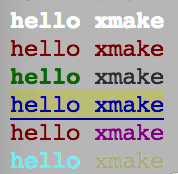 + +跟颜色相关的描述,都放置在 `${ }` 里面,可以同时设置多个不同的属性,例如: + +``` + ${bright red underline onyellow} +``` + +表示:高亮红色,背景黄色,并且带下滑线 + +所有这些描述,都会影响后面一整行字符,如果只想显示部分颜色的文字,可以在结束位置,插入`${clear}`清楚前面颜色描述 + +例如: + +``` + ${red}hello ${clear}xmake +``` + +这样的话,仅仅hello是显示红色,其他还是正常默认黑色显示。 + +其他颜色属于,我这里就不一一介绍,直接贴上xmake代码里面的属性列表吧: + +```lua + colors.keys = + { + -- 属性 + reset = 0 -- 重置属性 + , clear = 0 -- 清楚属性 + , default = 0 -- 默认属性 + , bright = 1 -- 高亮 + , dim = 2 -- 暗色 + , underline = 4 -- 下划线 + , blink = 5 -- 闪烁 + , reverse = 7 -- 反转颜色 + , hidden = 8 -- 隐藏文字 + + -- 前景色 + , black = 30 + , red = 31 + , green = 32 + , yellow = 33 + , blue = 34 + , magenta = 35 + , cyan = 36 + , white = 37 + + -- 背景色 + , onblack = 40 + , onred = 41 + , ongreen = 42 + , onyellow = 43 + , onblue = 44 + , onmagenta = 45 + , oncyan = 46 + , onwhite = 47 +``` + +除了可以色彩高亮显示外,如果你的终端是在macosx下,lion以上的系统,xmake还可以支持emoji表情的显示哦,对于不支持系统,会 +忽略显示,例如: + +```lua + cprint("hello xmake${beer}") + cprint("hello${ok_hand} xmake") +``` + +上面两行代码,我打印了一个homebrew里面经典的啤酒符号,下面那行打印了一个ok的手势符号,是不是很炫哈。。 + + + +所有的emoji表情,以及xmake里面对应的key,都可以通过[emoji符号](http://www.emoji-cheat-sheet.com/)里面找到。。 + +2.1.7版本支持24位真彩色输出,如果终端支持的话: + +```lua +import("core.base.colors") +if colors.truecolor() then + cprint("${255;0;0}hello") + cprint("${on;255;0;0}hello${clear} xmake") + cprint("${bright 255;0;0 underline}hello") + cprint("${bright on;255;0;0 0;255;0}hello${clear} xmake") +end +``` + +xmake对于truecolor的检测支持,是通过`$COLORTERM`环境变量来实现的,如果你的终端支持truecolor,可以手动设置此环境变量,来告诉xmake启用truecolor支持。 + +可以通过下面的命令来启用和测试: + +```bash +$ export COLORTERM=truecolor +$ xmake --version +``` + +##### cprintf + +###### 无换行彩色打印终端日志 + +此接口类似[cprint](#cprint),区别就是不换行输出。 + +##### format + +###### 格式化字符串 + +如果只是想格式化字符串,不进行输出,可以使用这个接口,此接口跟[string.format](#string-format)接口等价,只是个接口名简化版。 + +```lua +local s = format("hello %s", xmake) +``` + +##### vformat + +###### 格式化字符串,支持内置变量转义 + +此接口跟[format](#format)接口类似,只是增加对内置变量的获取和转义支持。 + +```lua +local s = vformat("hello %s $(mode) $(arch) $(env PATH)", xmake) +``` + +##### raise + +###### 抛出异常中断程序 + +如果想在自定义脚本、插件任务中中断xmake运行,可以使用这个接口跑出异常,如果上层没有显示调用[try-catch](#try-catch-finally)捕获的话,xmake就会中断执行,并且显示出错信息。 + +```lua +if (errors) raise(errors) +``` + +如果在try块中抛出异常,就会在catch和finally中进行errors信息捕获,具体见:[try-catch](#try-catch-finally) + +##### os + +系统操作模块,属于内置模块,无需使用[import](#import)导入,可直接脚本域调用其接口。 + +此模块也是lua的原生模块,xmake在其基础上进行了扩展,提供更多实用的接口。 + +| 接口 | 描述 | 支持版本 | +| ----------------------------------------------- | -------------------------------------------- | -------- | +| [os.cp](#os-cp) | 复制文件或目录 | >= 2.0.1 | +| [os.mv](#os-mv) | 移动重命名文件或目录 | >= 2.0.1 | +| [os.rm](#os-rm) | 删除文件或目录树 | >= 2.0.1 | +| [os.cd](#os-cd) | 进入指定目录 | >= 2.0.1 | +| [os.rmdir](#os-rmdir) | 删除目录树 | >= 2.0.1 | +| [os.mkdir](#os-mkdir) | 创建指定目录 | >= 2.0.1 | +| [os.isdir](#os-isdir) | 判断目录是否存在 | >= 2.0.1 | +| [os.isfile](#os-isfile) | 判断文件是否存在 | >= 2.0.1 | +| [os.exists](#os-exists) | 判断文件或目录是否存在 | >= 2.0.1 | +| [os.dirs](#os-dirs) | 遍历获取指定目录下的所有目录 | >= 2.0.1 | +| [os.files](#os-files) | 遍历获取指定目录下的所有文件 | >= 2.0.1 | +| [os.filedirs](#os-filedirs) | 遍历获取指定目录下的所有文件或目录 | >= 2.0.1 | +| [os.run](#os-run) | 安静运行程序 | >= 2.0.1 | +| [os.runv](#os-runv) | 安静运行程序,带参数列表 | >= 2.1.5 | +| [os.exec](#os-exec) | 回显运行程序 | >= 2.0.1 | +| [os.execv](#os-execv) | 回显运行程序,带参数列表 | >= 2.1.5 | +| [os.iorun](#os-iorun) | 运行并获取程序输出内容 | >= 2.0.1 | +| [os.iorunv](#os-iorunv) | 运行并获取程序输出内容,带参数列表 | >= 2.1.5 | +| [os.getenv](#os-getenv) | 获取环境变量 | >= 2.0.1 | +| [os.setenv](#os-setenv) | 设置环境变量 | >= 2.0.1 | +| [os.tmpdir](#os-tmpdir) | 获取临时目录路径 | >= 2.0.1 | +| [os.tmpfile](#os-tmpfile) | 获取临时文件路径 | >= 2.0.1 | +| [os.curdir](#os-curdir) | 获取当前目录路径 | >= 2.0.1 | +| [os.scriptdir](#os-scriptdir) | 获取脚本目录路径 | >= 2.0.1 | +| [os.programdir](#os-programdir) | 获取xmake安装主程序脚本目录 | >= 2.1.5 | +| [os.projectdir](#os-projectdir) | 获取工程主目录 | >= 2.1.5 | +| [os.arch](#os-arch) | 获取当前系统架构 | >= 2.0.1 | +| [os.host](#os-host) | 获取当前主机系统 | >= 2.0.1 | + +###### os.cp + +- 复制文件或目录 + +行为和shell中的`cp`命令类似,支持路径通配符匹配(使用的是lua模式匹配),支持多文件复制,以及内置变量支持。 + +例如: + +```lua +os.cp("$(scriptdir)/*.h", "$(projectdir)/src/test/**.h", "$(buildir)/inc") +``` + +上面的代码将:当前`xmake.lua`目录下的所有头文件、工程源码test目录下的头文件全部复制到`$(buildir)`输出目录中。 + +其中`$(scriptdir)`, `$(projectdir)` 这些变量是xmake的内置变量,具体详情见:[内置变量](#内置变量)的相关文档。 + +而`*.h`和`**.h`中的匹配模式,跟[add_files](#targetadd_files)中的类似,前者是单级目录匹配,后者是递归多级目录匹配。 + +此接口同时支持目录的`递归复制`,例如: + +```lua +-- 递归复制当前目录到临时目录 +os.cp("$(curdir)/test/", "$(tmpdir)/test") +``` + +<p class="tip"> +尽量使用`os.cp`接口,而不是`os.run("cp ..")`,这样更能保证平台一致性,实现跨平台构建描述。 +</p> + +###### os.mv + +- 移动重命名文件或目录 + +跟[os.cp](#os-cp)的使用类似,同样支持多文件移动操作和模式匹配,例如: + +```lua +-- 移动多个文件到临时目录 +os.mv("$(buildir)/test1", "$(buildir)/test2", "$(tmpdir)") + +-- 文件移动不支持批量操作,也就是文件重命名 +os.mv("$(buildir)/libtest.a", "$(buildir)/libdemo.a") +``` + +###### os.rm + +- 删除文件或目录树 + +支持递归删除目录,批量删除操作,以及模式匹配和内置变量,例如: + +```lua +os.rm("$(buildir)/inc/**.h", "$(buildir)/lib/") +``` + +###### os.cd + +- 进入指定目录 + +这个操作用于目录切换,同样也支持内置变量,但是不支持模式匹配和多目录处理,例如: + +```lua +-- 进入临时目录 +os.cd("$(tmpdir)") +``` + +如果要离开进入之前的目录,有多种方式: + +```lua +-- 进入上级目录 +os.cd("..") + +-- 进入先前的目录,相当于:cd - +os.cd("-") + +-- 进入目录前保存之前的目录,用于之后跨级直接切回 +local oldir = os.cd("./src") +... +os.cd(oldir) +``` + +###### os.rmdir + +- 仅删除目录 + +如果不是目录就无法删除。 + +###### os.mkdir + +- 创建目录 + +支持批量创建和内置变量,例如: + +```lua +os.mkdir("$(tmpdir)/test", "$(buildir)/inc") +``` + +###### os.isdir + +- 判断是否为目录 + +如果目录不存在,则返回false + +```lua +if os.isdir("src") then + -- ... +end +``` + +###### os.isfile + +- 判断是否为文件 + +如果文件不存在,则返回false + +```lua +if os.isfile("$(buildir)/libxxx.a") then + -- ... +end +``` + +###### os.exists + +- 判断文件或目录是否存在 + +如果文件或目录不存在,则返回false + +```lua +-- 判断目录存在 +if os.exists("$(buildir)") then + -- ... +end + +-- 判断文件存在 +if os.exists("$(buildir)/libxxx.a") then + -- ... +end +``` + +###### os.dirs + +- 遍历获取指定目录下的所有目录 + +支持[add_files](#targetadd_files)中的模式匹配,支持递归和非递归模式遍历,返回的结果是一个table数组,如果获取不到,返回空数组,例如: + +```lua +-- 递归遍历获取所有子目录 +for _, dir in ipairs(os.dirs("$(buildir)/inc/**")) do + print(dir) +end +``` + +###### os.files + +- 遍历获取指定目录下的所有文件 + +支持[add_files](#targetadd_files)中的模式匹配,支持递归和非递归模式遍历,返回的结果是一个table数组,如果获取不到,返回空数组,例如: + +```lua +-- 非递归遍历获取所有子文件 +for _, filepath in ipairs(os.files("$(buildir)/inc/*.h")) do + print(filepath) +end +``` + +###### os.filedirs + +- 遍历获取指定目录下的所有文件和目录 + +支持[add_files](#targetadd_files)中的模式匹配,支持递归和非递归模式遍历,返回的结果是一个table数组,如果获取不到,返回空数组,例如: + +```lua +-- 递归遍历获取所有子文件和目录 +for _, filedir in ipairs(os.filedirs("$(buildir)/**")) do + print(filedir) +end +``` + +###### os.run + +- 安静运行原生shell命令 + +用于执行第三方的shell命令,但不会回显输出,仅仅在出错后,高亮输出错误信息。 + +此接口支持参数格式化、内置变量,例如: + +```lua +-- 格式化参数传入 +os.run("echo hello %s!", "xmake") + +-- 列举构建目录文件 +os.run("ls -l $(buildir)") +``` + +<p class="warning"> +使用此接口执行shell命令,容易使构建跨平台性降低,对于`os.run("cp ..")`这种尽量使用`os.cp`代替。<br> +如果必须使用此接口运行shell程序,请自行使用[config.plat](#config-plat)接口判断平台支持。 +</p> + +更加高级的进程运行和控制,见[process](#process)模块接口。 + +###### os.runv + +- 安静运行原生shell命令,带参数列表 + +跟[os.run](#os-run)类似,只是传递参数的方式是通过参数列表传递,而不是字符串命令,例如: + +```lua +os.runv("echo", {"hello", "xmake!"}) +``` + +###### os.exec + +- 回显运行原生shell命令 + +与[os.run](#os-run)接口类似,唯一的不同是,此接口执行shell程序时,是带回显输出的,一般调试的时候用的比较多 + +###### os.execv + +- 回显运行原生shell命令,带参数列表 + +跟[os.execv](#os-execv)类似,只是传递参数的方式是通过参数列表传递,而不是字符串命令,例如: + +```lua +os.execv("echo", {"hello", "xmake!"}) +``` + +###### os.iorun + +- 安静运行原生shell命令并获取输出内容 + +与[os.run](#os-run)接口类似,唯一的不同是,此接口执行shell程序后,会获取shell程序的执行结果,相当于重定向输出。 + +可同时获取`stdout`, `stderr`中的内容,例如: + +```lua +local outdata, errdata = os.iorun("echo hello xmake!") +``` + +###### os.iorunv + +- 安静运行原生shell命令并获取输出内容,带参数列表 + +跟[os.iorunv](#os-iorunv)类似,只是传递参数的方式是通过参数列表传递,而不是字符串命令,例如: + +```lua +local result, errors = os.iorunv("echo", {"hello", "xmake!"}) +``` + +###### os.getenv + +- 获取系统环境变量 + +```lua +print(os.getenv("PATH")) +``` + +###### os.setenv + +- 设置系统环境变量 + +```lua +os.setenv("HOME", "/tmp/") +``` + +###### os.tmpdir + +- 获取临时目录 + +跟[$(tmpdir)](#var-tmpdir)结果一致,只不过是直接获取返回一个变量,可以用后续字符串维护。 + +```lua +print(path.join(os.tmpdir(), "file.txt")) +``` + +等价于: + +```lua +print("$(tmpdir)/file.txt")) +``` + +###### os.tmpfile + +- 获取临时文件路径 + +用于获取生成一个临时文件路径,仅仅是个路径,文件需要自己创建。 + +###### os.curdir + +- 获取当前目录路径 + +跟[$(curdir)](#var-curdir)结果一致,只不过是直接获取返回一个变量,可以用后续字符串维护。 + +用法参考:[os.tmpdir](#os-tmpdir)。 + +###### os.scriptdir + +- 获取当前描述脚本的路径 + +跟[$(scriptdir)](#var-scriptdir)结果一致,只不过是直接获取返回一个变量,可以用后续字符串维护。 + +用法参考:[os.tmpdir](#os-tmpdir)。 + +###### os.programdir + +- 获取xmake安装主程序脚本目录 + +跟[$(programdir)](#var-programdir)结果一致,只不过是直接获取返回一个变量,可以用后续字符串维护。 + +###### os.projectdir + +- 获取工程主目录 + +跟[$(projectdir)](#var-projectdir)结果一致,只不过是直接获取返回一个变量,可以用后续字符串维护。 + +###### os.arch + +- 获取当前系统架构 + +也就是当前主机系统的默认架构,例如我在`linux x86_64`上执行xmake进行构建,那么返回值是:`x86_64` + +###### os.host + +- 获取当前主机的操作系统 + +跟[$(host)](#var-host)结果一致,例如我在`linux x86_64`上执行xmake进行构建,那么返回值是:`linux` + +##### io + +io操作模块,扩展了lua内置的io模块,提供更多易用的接口。 + +| 接口 | 描述 | 支持版本 | +| ----------------------------------------------- | -------------------------------------------- | -------- | +| [io.open](#io-open) | 打开文件用于读写 | >= 2.0.1 | +| [io.load](#io-load) | 从指定路径文件反序列化加载所有table内容 | >= 2.0.1 | +| [io.save](#io-save) | 序列化保存所有table内容到指定路径文件 | >= 2.0.1 | +| [io.readfile](#io.readfile) | 从指定路径文件读取所有内容 | >= 2.1.3 | +| [io.writefile](#io.writefile) | 写入所有内容到指定路径文件 | >= 2.1.3 | +| [io.gsub](#io-gsub) | 全文替换指定路径文件的内容 | >= 2.0.1 | +| [io.tail](#io-tail) | 读取和显示文件的尾部内容 | >= 2.0.1 | +| [io.cat](#io-cat) | 读取和显示文件的所有内容 | >= 2.0.1 | +| [io.print](#io-print) | 带换行格式化输出内容到文件 | >= 2.0.1 | +| [io.printf](#io-printf) | 无换行格式化输出内容到文件 | >= 2.0.1 | + +###### io.open + +- 打开文件用于读写 + +这个是属于lua的原生接口,详细使用可以参看lua的官方文档:[The Complete I/O Model](https://www.lua.org/pil/21.2.html) + +如果要读取文件所有内容,可以这么写: + +```lua +local file = io.open("$(tmpdir)/file.txt", "r") +if file then + local data = file:read("*all") + file:close() +end +``` + +或者可以使用[io.readfile](#io.readfile)更加快速地读取。 + +如果要写文件,可以这么操作: + +```lua +-- 打开文件:w 为写模式, a 为追加写模式 +local file = io.open("xxx.txt", "w") +if file then + + -- 用原生的lua接口写入数据到文件,不支持格式化,无换行,不支持内置变量 + file:write("hello xmake\n") + + -- 用xmake扩展的接口写入数据到文件,支持格式化,无换行,不支持内置变量 + file:writef("hello %s\n", "xmake") + + -- 使用xmake扩展的格式化传参写入一行,带换行符,并且支持内置变量 + file:print("hello %s and $(buildir)", "xmake") + + -- 使用xmake扩展的格式化传参写入一行,无换行符,并且支持内置变量 + file:printf("hello %s and $(buildir) \n", "xmake") + + -- 关闭文件 + file:close() +end +``` + +###### io.load + +- 从指定路径文件反序列化加载所有table内容 + +可以从文件中加载序列化好的table内容,一般与[io.save](#io-save)配合使用,例如: + +```lua +-- 加载序列化文件的内容到table +local data = io.load("xxx.txt") +if data then + + -- 在终端中dump打印整个table中内容,格式化输出 + table.dump(data) +end +``` + +###### io.save + +- 序列化保存所有table内容到指定路径文件 + +可以序列化存储table内容到指定文件,一般与[io.load](#io-load)配合使用,例如: + +```lua +io.save("xxx.txt", {a = "a", b = "b", c = "c"}) +``` + +存储结果为: + +``` +{ + ["b"] = "b" +, ["a"] = "a" +, ["c"] = "c" +} +``` + +###### io.readfile + +- 从指定路径文件读取所有内容 + +可在不打开文件的情况下,直接读取整个文件的内容,更加的方便,例如: + +```lua +local data = io.readfile("xxx.txt") +``` + +###### io.writefile + +- 写入所有内容到指定路径文件 + +可在不打开文件的情况下,直接写入整个文件的内容,更加的方便,例如: + +```lua +io.writefile("xxx.txt", "all data") +``` + +###### io.gsub + +- 全文替换指定路径文件的内容 + +类似[string.gsub](#string-gsub)接口,全文模式匹配替换内容,不过这里是直接操作文件,例如: + +```lua +-- 移除文件所有的空白字符 +io.gsub("xxx.txt", "%s+", "") +``` + +###### io.tail + +- 读取和显示文件的尾部内容 + +读取文件尾部指定行数的数据,并显示,类似`cat xxx.txt | tail -n 10`命令,例如: + +```lua +-- 显示文件最后10行内容 +io.tail("xxx.txt", 10) +``` + +###### io.cat + +- 读取和显示文件的所有内容 + +读取文件的所有内容并显示,类似`cat xxx.txt`命令,例如: + +```lua +io.cat("xxx.txt") +``` + +###### io.print + +- 带换行格式化输出内容到文件 + +直接格式化传参输出一行字符串到文件,并且带换行,例如: + +```lua +io.print("xxx.txt", "hello %s!", "xmake") +``` + +###### io.printf + +- 无换行格式化输出内容到文件 + +直接格式化传参输出一行字符串到文件,不带换行,例如: + +```lua +io.printf("xxx.txt", "hello %s!\n", "xmake") +``` + +##### path + +路径操作模块,实现跨平台的路径操作,这是xmake的一个自定义的模块。 + +| 接口 | 描述 | 支持版本 | +| ----------------------------------------------- | -------------------------------------------- | -------- | +| [path.join](#path-join) | 拼接路径 | >= 2.0.1 | +| [path.translate](#path-translate) | 转换路径到当前平台的路径风格 | >= 2.0.1 | +| [path.basename](#path-basename) | 获取路径最后不带后缀的文件名 | >= 2.0.1 | +| [path.filename](#path-filename) | 获取路径最后带后缀的文件名 | >= 2.0.1 | +| [path.extension](#path-extension) | 获取路径的后缀名 | >= 2.0.1 | +| [path.directory](#path-directory) | 获取路径最后的目录名 | >= 2.0.1 | +| [path.relative](#path-relative) | 转换成相对路径 | >= 2.0.1 | +| [path.absolute](#path-absolute) | 转换成绝对路径 | >= 2.0.1 | +| [path.is_absolute](#path-is_absolute) | 判断是否为绝对路径 | >= 2.0.1 | + +###### path.join + +- 拼接路径 + +将多个路径项进行追加拼接,由于`windows/unix`风格的路径差异,使用api来追加路径更加跨平台,例如: + +```lua +print(path.join("$(tmpdir)", "dir1", "dir2", "file.txt")) +``` + +上述拼接在unix上相当于:`$(tmpdir)/dir1/dir2/file.txt`,而在windows上相当于:`$(tmpdir)\\dir1\\dir2\\file.txt` + +如果觉得这样很繁琐,不够清晰简洁,可以使用:[path.translate](path-translate)方式,格式化转换路径字符串到当前平台支持的格式。 + +###### path.translate + +- 转换路径到当前平台的路径风格 + +格式化转化指定路径字符串到当前平台支持的路径风格,同时支持`windows/unix`格式的路径字符串参数传入,甚至混合传入,例如: + +```lua +print(path.translate("$(tmpdir)/dir/file.txt")) +print(path.translate("$(tmpdir)\\dir\\file.txt")) +print(path.translate("$(tmpdir)\\dir/dir2//file.txt")) +``` + +上面这三种不同格式的路径字符串,经过`translate`规范化后,就会变成当前平台支持的格式,并且会去掉冗余的路径分隔符。 + +###### path.basename + +- 获取路径最后不带后缀的文件名 + +```lua +print(path.basename("$(tmpdir)/dir/file.txt")) +``` + +显示结果为:`file` + +###### path.filename + +- 获取路径最后带后缀的文件名 + +```lua +print(path.filename("$(tmpdir)/dir/file.txt")) +``` + +显示结果为:`file.txt` + +###### path.extension + +- 获取路径的后缀名 + +```lua +print(path.extensione("$(tmpdir)/dir/file.txt")) +``` + +显示结果为:`.txt` + +###### path.directory + +- 获取路径最后的目录名 + +```lua +print(path.directory("$(tmpdir)/dir/file.txt")) +``` + +显示结果为:`dir` + +###### path.relative + +- 转换成相对路径 + +```lua +print(path.relative("$(tmpdir)/dir/file.txt", "$(tmpdir)")) +``` + +显示结果为:`dir/file.txt` + +第二个参数是指定相对的根目录,如果不指定,则默认相对当前目录: + +```lua +os.cd("$(tmpdir)") +print(path.relative("$(tmpdir)/dir/file.txt")) +``` + +这样结果是一样的。 + +###### path.absolute + +- 转换成绝对路径 + +```lua +print(path.absolute("dir/file.txt", "$(tmpdir)")) +``` + +显示结果为:`$(tmpdir)/dir/file.txt` + +第二个参数是指定相对的根目录,如果不指定,则默认相对当前目录: + +```lua +os.cd("$(tmpdir)") +print(path.absolute("dir/file.txt")) +``` + +这样结果是一样的。 + +###### path.is_absolute + +- 判断是否为绝对路径 + +```lua +if path.is_absolute("/tmp/file.txt") then + -- 如果是绝对路径 +end +``` + +##### table + +table属于lua原生提供的模块,对于原生接口使用可以参考:[lua官方文档](http://www.lua.org/manual/5.1/manual.html#5.5) + +xmake中对其进行了扩展,增加了一些扩展接口: + +| 接口 | 描述 | 支持版本 | +| ----------------------------------------------- | -------------------------------------------- | -------- | +| [table.join](#table-join) | 合并多个table并返回 | >= 2.0.1 | +| [table.join2](#table-join2) | 合并多个table到第一个table | >= 2.0.1 | +| [table.dump](#table-dump) | 输出table的所有内容 | >= 2.0.1 | +| [table.unique](#table-unique) | 对table中的内容进行去重 | >= 2.0.1 | +| [table.slice](#table-slice) | 获取table的切片 | >= 2.0.1 | + +###### table.join + +- 合并多个table并返回 + +可以将多个table里面的元素进行合并后,返回到一个新的table中,例如: + +```lua +local newtable = table.join({1, 2, 3}, {4, 5, 6}, {7, 8, 9}) +``` + +结果为:`{1, 2, 3, 4, 5, 6, 7, 8, 9}` + +并且它也支持字典的合并: + +```lua +local newtable = table.join({a = "a", b = "b"}, {c = "c"}, {d = "d"}) +``` + +结果为:`{a = "a", b = "b", c = "c", d = "d"}` + +###### table.join2 + +- 合并多个table到第一个table + +类似[table.join](#table.join),唯一的区别是,合并的结果放置在第一个参数中,例如: + +```lua +local t = {0, 9} +table.join2(t, {1, 2, 3}) +``` + +结果为:`t = {0, 9, 1, 2, 3}` + +###### table.dump + +- 输出table的所有内容 + +递归格式化打印table中的所有内容,一般用于调试, 例如: + +```lua +table.dump({1, 2, 3}) +``` + +结果为:`{1, 2, 3}` + +###### table.unique + +- 对table中的内容进行去重 + +去重table的元素,一般用于数组table,例如: + +```lua +local newtable = table.unique({1, 1, 2, 3, 4, 4, 5}) +``` + +结果为:`{1, 2, 3, 4, 5}` + +###### table.slice + +- 获取table的切片 + +用于提取数组table的部分元素,例如: + +```lua +-- 提取第4个元素后面的所有元素,结果:{4, 5, 6, 7, 8, 9} +table.slice({1, 2, 3, 4, 5, 6, 7, 8, 9}, 4) + +-- 提取第4-8个元素,结果:{4, 5, 6, 7, 8} +table.slice({1, 2, 3, 4, 5, 6, 7, 8, 9}, 4, 8) + +-- 提取第4-8个元素,间隔步长为2,结果:{4, 6, 8} +table.slice({1, 2, 3, 4, 5, 6, 7, 8, 9}, 4, 8, 2) +``` + +##### string + +字符串模块为lua原生自带的模块,具体使用见:[lua官方手册](http://www.lua.org/manual/5.1/manual.html#5.4) + +xmake中对其进行了扩展,增加了一些扩展接口: + +| 接口 | 描述 | 支持版本 | +| ----------------------------------------------- | -------------------------------------------- | -------- | +| [string.startswith](#string-startswith) | 判断字符串开头是否匹配 | >= 1.0.1 | +| [string.endswith](#string-endswith) | 判断字符串结尾是否匹配 | >= 1.0.1 | +| [string.split](#string-split) | 分割字符串 | >= 1.0.1 | +| [string.trim](#string-trim) | 去掉字符串左右空白字符 | >= 1.0.1 | +| [string.ltrim](#string-ltrim) | 去掉字符串左边空白字符 | >= 1.0.1 | +| [string.rtrim](#string-rtrim) | 去掉字符串右边空白字符 | >= 1.0.1 | + +###### string.startswith + +- 判断字符串开头是否匹配 + +```lua +local s = "hello xmake" +if s:startswith("hello") then + print("match") +end +``` + +###### string.endswith + +- 判断字符串结尾是否匹配 + +```lua +local s = "hello xmake" +if s:endswith("xmake") then + print("match") +end +``` + +###### string.split + +- 分割字符串 + +通过指定的分隔符进行字符串分割,分隔符可以是:字符,字符串、模式匹配字符串,例如: + +```lua +local s = "hello xmake!" +s:split("%s+") +``` + +根据连续空白字符进行分割,结果为:`hello`, `xmake!` + +```lua +local s = "hello,xmake:123" +s:split("[,:]") +``` + +上面的代码根据`,`或者`:`字符进行分割,结果为:`hello`, `xmake`, `123` + +###### string.trim + +- 去掉字符串左右空白字符 + +```lua +string.trim(" hello xmake! ") +``` + +结果为:"hello xmake!" + +###### string.ltrim + +- 去掉字符串左边空白字符 + +```lua +string.ltrim(" hello xmake! ") +``` + +结果为:"hello xmake! " + +###### string.rtrim + +- 去掉字符串右边空白字符 + +```lua +string.rtrim(" hello xmake! ") +``` + +结果为:" hello xmake!" + +##### process + +这个是xmake扩展的进程控制模块,用于更加灵活的控制进程,比起:[os.run](#os-run)系列灵活性更高,也更底层。 + +| 接口 | 描述 | 支持版本 | +| ----------------------------------------------- | -------------------------------------------- | -------- | +| [process.open](#process-open) | 打开进程 | >= 2.0.1 | +| [process.wait](#process-wait) | 等待进程结束 | >= 2.0.1 | +| [process.close](#process-close) | 关闭进程对象 | >= 2.0.1 | +| [process.waitlist](#process-waitlist) | 同时等待多个进程 | >= 2.0.1 | + +###### process.open + +- 打开进程 + +通过路径创建运行一个指定程序,并且返回对应的进程对象: + +```lua +-- 打开进程,后面两个参数指定需要捕获的stdout, stderr文件路径 +local proc = process.open("echo hello xmake!", outfile, errfile) +if proc then + + -- 等待进程执行完成 + -- + -- 参数二为等待超时,-1为永久等待,0为尝试获取进程状态 + -- 返回值waitok为等待状态:1为等待进程正常结束,0为进程还在运行中,-1位等待失败 + -- 返回值status为,等待进程结束后,进程返回的状态码 + local waitok, status = process.wait(proc, -1) + + -- 释放进程对象 + process.close(proc) +end +``` + +###### process.wait + +- 等待进程结束 + +具体使用见:[process.open](#process-open) + +###### process.close + +- 关闭进程对象 + +具体使用见:[process.open](#process-open) + +###### process.waitlist + +- 同时等待多个进程 + +```lua +-- 第二个参数是等待超时,返回进程状态列表 +for _, procinfo in ipairs(process.waitlist(procs, -1)) do + + -- 每个进程的:进程对象、进程pid、进程结束状态码 + local proc = procinfo[1] + local procid = procinfo[2] + local status = procinfo[3] + +end +``` + +##### coroutine + +协程模块是lua原生自带的模块,具使用见:[lua官方手册](http://www.lua.org/manual/5.1/manual.html#5.2) + +#### Extension Modules + +所有扩展模块的使用,都需要通过[import](#import)接口,进行导入后才能使用。 + +##### core.base.option + +一般用于获取xmake命令参数选项的值,常用于插件开发。 + +| 接口 | 描述 | 支持版本 | +| ----------------------------------------------- | -------------------------------------------- | -------- | +| [option.get](#option-get) | 获取参数选项值 | >= 2.0.1 | + +###### option.get + +- 获取参数选项值 + +在插件开发中用于获取参数选项值,例如: + +```lua +-- 导入选项模块 +import("core.base.option") + +-- 插件入口函数 +function main(...) + print(option.get("info")) +end +``` + +上面的代码获取hello插件,执行:`xmake hello --info=xxxx` 命令时候传入的`--info=`选项的值,并显示:`xxxx` + +对于非main入口的task任务或插件,可以这么使用: + +```lua +task("hello") + on_run(function ()) + import("core.base.option") + print(option.get("info")) + end) +``` + +##### core.base.global + +用于获取xmake全局的配置信息,也就是`xmake g|global --xxx=val` 传入的参数选项值。 + +| 接口 | 描述 | 支持版本 | +| ----------------------------------------------- | -------------------------------------------- | -------- | +| [global.get](#global-get) | 获取指定配置值 | >= 2.0.1 | +| [global.load](#global-load) | 加载配置 | >= 2.0.1 | +| [global.directory](#global-directory) | 获取全局配置信息目录 | >= 2.0.1 | +| [global.dump](#global-dump) | 打印输出所有全局配置信息 | >= 2.0.1 | + +<p class="tip"> +2.1.5版本之前为`core.project.global`。 +</p> + +###### global.get + +- 获取指定配置值 + +类似[config.get](#config-get),唯一的区别就是这个是从全局配置中获取。 + +###### global.load + +- 加载配置 + +类似[global.get](#global-get),唯一的区别就是这个是从全局配置中加载。 + +###### global.directory + +- 获取全局配置信息目录 + +默认为`~/.config`目录。 + +###### global.dump + +- 打印输出所有全局配置信息 + +输出结果如下: + +```lua +{ + clean = true +, ccache = "ccache" +, xcode_dir = "/Applications/Xcode.app" +} +``` + +##### core.base.task + +用于任务操作,一般用于在自定义脚本中、插件任务中,调用运行其他task任务。 + +| 接口 | 描述 | 支持版本 | +| ----------------------------------------------- | -------------------------------------------- | -------- | +| [task.run](#task-run) | 运行指定任务 | >= 2.0.1 | + +<p class="tip"> +2.1.5版本之前为`core.project.task`。 +</p> + +###### task.run + +- 运行指定任务 + +用于在自定义脚本、插件任务中运行[task](#task)定义的任务或插件,例如: + +```lua +task("hello") + on_run(function () + print("hello xmake!") + end) + +target("demo") + on_clean(function(target) + + -- 导入task模块 + import("core.base.task") + + -- 运行这个hello task + task.run("hello") + end) +``` + +我们还可以在运行任务时,增加参数传递,例如: + +```lua +task("hello") + on_run(function (arg1, arg2) + print("hello xmake: %s %s!", arg1, arg2) + end) + +target("demo") + on_clean(function(target) + + -- 导入task + import("core.base.task") + + -- {} 这个是给第一种选项传参使用,这里置空,这里在最后面传入了两个参数:arg1, arg2 + task.run("hello", {}, "arg1", "arg2") + end) +``` + +对于`task.run`的第二个参数,用于传递命令行菜单中的选项,而不是直接传入`function (arg, ...)`函数入口中,例如: + +```lua +-- 导入task +import("core.base.task") + +-- 插件入口 +function main(...) + + -- 运行内置的xmake配置任务,相当于:xmake f|config --plat=iphoneos --arch=armv7 + task.run("config", {plat="iphoneos", arch="armv7"}) +emd +``` + +##### core.tool.linker + +链接器相关操作,常用于插件开发。 + +| 接口 | 描述 | 支持版本 | +| ----------------------------------------------- | -------------------------------------------- | -------- | +| [linker.link](#linker-link) | 执行链接 | >= 2.0.1 | +| [linker.linkcmd](#linker-linkcmd) | 获取链接命令行 | >= 2.0.1 | +| [linker.linkargv](#linker-linkargv) | 获取链接命令行列表 | >= 2.1.5 | +| [linker.linkflags](#linker-linkflags) | 获取链接选项 | >= 2.0.1 | +| [linker.has_flags](#linker-has_flags) | 判断指定链接选项是否支持 | >= 2.1.5 | + +###### linker.link + +- 执行链接 + +针对target,链接指定对象文件列表,生成对应的目标文件,例如: + +```lua +linker.link({"a.o", "b.o", "c.o"}, target:targetfile(), {target = target}) +``` + +其中[target](#target),为工程目标,这里传入,主要用于获取target特定的链接选项,具体如果获取工程目标对象,见:[core.project.project](#core-project-project) + +当然也可以不指定target,例如: + +```lua +linker.link("binary", "cc", {"a.o", "b.o", "c.o"}, "/tmp/targetfile") +``` + +###### linker.linkcmd + +- 获取链接命令行字符串 + +直接获取[linker.link](#linker-link)中执行的命令行字符串,相当于: + +```lua +local cmdstr = linker.linkcmd("static", "cxx", {"a.o", "b.o", "c.o"}, target:targetfile(), {target = target}) +``` + +注:后面`{target = target}`扩展参数部分是可选的,如果传递了target对象,那么生成的链接命令,会加上这个target配置对应的链接选项。 + +并且还可以自己传递各种配置,例如: + +```lua +local cmdstr = linker.linkcmd("static", "cxx", {"a.o", "b.o", "c.o"}, target:targetfile(), {config = {linkdirs = "/usr/lib"}}) +``` + +###### linker.linkargv + +- 获取链接命令行参数列表 + +跟[linker.linkcmd](#linker-linkcmd)稍微有点区别的是,此接口返回的是参数列表,table表示,更加方便操作: + +```lua +local program, argv = linker.linkargv("static", "cxx", {"a.o", "b.o", "c.o"}, target:targetfile(), {target = target}) +``` + +其中返回的第一个值是主程序名,后面是参数列表,而`os.args(table.join(program, argv))`等价于`linker.linkcmd`。 + +我们也可以通过传入返回值给[os.runv](#os-runv)来直接运行它:`os.runv(linker.linkargv(..))` + +###### linker.linkflags + +- 获取链接选项 + +获取[linker.linkcmd](#linker-linkcmd)中的链接选项字符串部分,不带shellname和对象文件列表,并且是按数组返回,例如: + +```lua +local flags = linker.linkflags("shared", "cc", {target = target}) +for _, flag in ipairs(flags) do + print(flag) +end +``` + +返回的是flags的列表数组。 + +###### linker.has_flags + +- 判断指定链接选项是否支持 + +虽然通过[lib.detect.has_flags](detect-has_flags)也能判断,但是那个接口更加底层,需要指定链接器名称 +而此接口只需要指定target的目标类型,源文件类型,它会自动切换选择当前支持的链接器。 + +```lua +if linker.has_flags(target:targetkind(), target:sourcekinds(), "-L/usr/lib -lpthread") then + -- ok +end +``` + +##### core.tool.compiler + +编译器相关操作,常用于插件开发。 + +| 接口 | 描述 | 支持版本 | +| ----------------------------------------------- | -------------------------------------------- | -------- | +| [compiler.compile](#compiler-compile) | 执行编译 | >= 2.0.1 | +| [compiler.compcmd](#compiler-compcmd) | 获取编译命令行 | >= 2.0.1 | +| [compiler.compargv](#compiler-compargv) | 获取编译命令行列表 | >= 2.1.5 | +| [compiler.compflags](#compiler-compflags) | 获取编译选项 | >= 2.0.1 | +| [compiler.has_flags](#compiler-has_flags) | 判断指定编译选项是否支持 | >= 2.1.5 | +| [compiler.features](#compiler-features) | 获取所有编译器特性 | >= 2.1.5 | +| [compiler.has_features](#compiler-has_features) | 判断指定编译特性是否支持 | >= 2.1.5 | + +###### compiler.compile + +- 执行编译 + +针对target,链接指定对象文件列表,生成对应的目标文件,例如: + +```lua +compiler.compile("xxx.c", "xxx.o", "xxx.h.d", {target = target}) +``` + +其中[target](#target),为工程目标,这里传入主要用于获取taeget的特定编译选项,具体如果获取工程目标对象,见:[core.project.project](#core-project-project) + +而`xxx.h.d`文件用于存储为此源文件的头文件依赖文件列表,最后这两个参数都是可选的,编译的时候可以不传他们: + +```lua +compiler.compile("xxx.c", "xxx.o") +``` + +来单纯编译一个源文件。 + +###### compiler.compcmd + +- 获取编译命令行 + +直接获取[compiler.compile](#compiler-compile)中执行的命令行字符串,相当于: + +```lua +local cmdstr = compiler.compcmd("xxx.c", "xxx.o", {target = target}) +``` + +注:后面`{target = target}`扩展参数部分是可选的,如果传递了target对象,那么生成的编译命令,会加上这个target配置对应的链接选项。 + +并且还可以自己传递各种配置,例如: + +```lua +local cmdstr = compiler.compcmd("xxx.c", "xxx.o", {config = {includedirs = "/usr/include", defines = "DEBUG"}}) +``` + +通过target,我们可以导出指定目标的所有源文件编译命令: + +```lua +import("core.project.project") + +for _, target in pairs(project.targets()) do + for sourcekind, sourcebatch in pairs(target:sourcebatches()) do + for index, objectfile in ipairs(sourcebatch.objectfiles) do + local cmdstr = compiler.compcmd(sourcebatch.sourcefiles[index], objectfile, {target = target}) + end + end +end +``` + +###### compiler.compargv + +- 获取编译命令行列表 + +跟[compiler.compargv](#compiler-compargv)稍微有点区别的是,此接口返回的是参数列表,table表示,更加方便操作: + +```lua +local program, argv = compiler.compargv("xxx.c", "xxx.o") +``` + +###### compiler.compflags + +- 获取编译选项 + +获取[compiler.compcmd](#compiler-compcmd)中的编译选项字符串部分,不带shellname和文件列表,例如: + +```lua +local flags = compiler.compflags(sourcefile, {target = target}) +for _, flag in ipairs(flags) do + print(flag) +end +``` + +返回的是flags的列表数组。 + +###### compiler.has_flags + +- 判断指定编译选项是否支持 + +虽然通过[lib.detect.has_flags](detect-has_flags)也能判断,但是那个接口更加底层,需要指定编译器名称。 +而此接口只需要指定语言类型,它会自动切换选择当前支持的编译器。 + +```lua +-- 判断c语言编译器是否支持选项: -g +if compiler.has_flags("c", "-g") then + -- ok +end + +-- 判断c++语言编译器是否支持选项: -g +if compiler.has_flags("cxx", "-g") then + -- ok +end +``` + +###### compiler.features + +- 获取所有编译器特性 + +虽然通过[lib.detect.features](detect-features)也能获取,但是那个接口更加底层,需要指定编译器名称。 +而此接口只需要指定语言类型,它会自动切换选择当前支持的编译器,然后获取当前的编译器特性列表。 + +```lua +-- 获取当前c语言编译器的所有特性 +local features = compiler.features("c") + +-- 获取当前c++语言编译器的所有特性,启用c++11标准,否则获取不到新标准的特性 +local features = compiler.features("cxx", {cofnig = {cxxflags = "-std=c++11"}}) + +-- 获取当前c++语言编译器的所有特性,传递工程target的所有配置信息 +local features = compiler.features("cxx", {target = target, config = {defines = "..", includedirs = ".."}}) +``` + +所有c编译器特性列表: + +| 特性名 | +| --------------------- | +| c_static_assert | +| c_restrict | +| c_variadic_macros | +| c_function_prototypes | + +所有c++编译器特性列表: + +| 特性名 | +| ------------------------------------ | +| cxx_variable_templates | +| cxx_relaxed_constexpr | +| cxx_aggregate_default_initializers | +| cxx_contextual_conversions | +| cxx_attribute_deprecated | +| cxx_decltype_auto | +| cxx_digit_separators | +| cxx_generic_lambdas | +| cxx_lambda_init_captures | +| cxx_binary_literals | +| cxx_return_type_deduction | +| cxx_decltype_incomplete_return_types | +| cxx_reference_qualified_functions | +| cxx_alignof | +| cxx_attributes | +| cxx_inheriting_constructors | +| cxx_thread_local | +| cxx_alias_templates | +| cxx_delegating_constructors | +| cxx_extended_friend_declarations | +| cxx_final | +| cxx_nonstatic_member_init | +| cxx_override | +| cxx_user_literals | +| cxx_constexpr | +| cxx_defaulted_move_initializers | +| cxx_enum_forward_declarations | +| cxx_noexcept | +| cxx_nullptr | +| cxx_range_for | +| cxx_unrestricted_unions | +| cxx_explicit_conversions | +| cxx_lambdas | +| cxx_local_type_template_args | +| cxx_raw_string_literals | +| cxx_auto_type | +| cxx_defaulted_functions | +| cxx_deleted_functions | +| cxx_generalized_initializers | +| cxx_inline_namespaces | +| cxx_sizeof_member | +| cxx_strong_enums | +| cxx_trailing_return_types | +| cxx_unicode_literals | +| cxx_uniform_initialization | +| cxx_variadic_templates | +| cxx_decltype | +| cxx_default_function_template_args | +| cxx_long_long_type | +| cxx_right_angle_brackets | +| cxx_rvalue_references | +| cxx_static_assert | +| cxx_extern_templates | +| cxx_func_identifier | +| cxx_variadic_macros | +| cxx_template_template_parameters | + +###### compiler.has_features + +- 判断指定的编译器特性是否支持 + +虽然通过[lib.detect.has_features](detect-has-features)也能获取,但是那个接口更加底层,需要指定编译器名称。 +而此接口只需要指定需要检测的特姓名称列表,就能自动切换选择当前支持的编译器,然后判断指定特性在当前的编译器中是否支持。 + +```lua +if compiler.has_features("c_static_assert") then + -- ok +end + +if compiler.has_features({"c_static_assert", "cxx_constexpr"}, {languages = "cxx11"}) then + -- ok +end + +if compiler.has_features("cxx_constexpr", {target = target, defines = "..", includedirs = ".."}) then + -- ok +end +``` + +具体特性名有哪些,可以参考:[compiler.features](#compiler-features)。 + +##### core.project.config + +用于获取工程编译时候的配置信息,也就是`xmake f|config --xxx=val` 传入的参数选项值。 + +| 接口 | 描述 | 支持版本 | +| ----------------------------------------------- | -------------------------------------------- | -------- | +| [config.get](#config-get) | 获取指定配置值 | >= 2.0.1 | +| [config.load](#config-load) | 加载配置 | >= 2.0.1 | +| [config.arch](#config-arch) | 获取当前工程的架构配置 | >= 2.0.1 | +| [config.plat](#config-plat) | 获取当前工程的平台配置 | >= 2.0.1 | +| [config.mode](#config-mode) | 获取当前工程的编译模式配置 | >= 2.0.1 | +| [config.buildir](#config-buildir) | 获取当前工程的输出目录配置 | >= 2.0.1 | +| [config.directory](#config-directory) | 获取当前工程的配置信息目录 | >= 2.0.1 | +| [config.dump](#config-dump) | 打印输出当前工程的所有配置信息 | >= 2.0.1 | + +###### config.get + +- 获取指定配置值 + +用于获取`xmake f|config --xxx=val`的配置值,例如: + +```lua +target("test") + on_run(function (target) + + -- 导入配置模块 + import("core.project.config") + + -- 获取配置值 + print(config.get("xxx")) + end) +``` + +###### config.load + +- 加载配置 + +一般用于插件开发中,插件任务中不像工程的自定义脚本,环境需要自己初始化加载,默认工程配置是没有被加载的,如果要用[config.get](#config-get)接口获取工程配置,那么需要先: + +```lua + +-- 导入配置模块 +import("core.project.config") + +function main(...) + + -- 先加载工程配置 + config.load() + + -- 获取配置值 + print(config.get("xxx")) +end +``` + +###### config.arch + +- 获取当前工程的架构配置 + +也就是获取`xmake f|config --arch=armv7`的平台配置,相当于`config.get("arch")`。 + +###### config.plat + +- 获取当前工程的平台配置 + +也就是获取`xmake f|config --plat=iphoneos`的平台配置,相当于`config.get("plat")`。 + +###### config.mode + +- 获取当前工程的编译模式配置 + +也就是获取`xmake f|config --mode=debug`的平台配置,相当于`config.get("mode")`。 + +###### config.buildir + +- 获取当前工程的输出目录配置 + +也就是获取`xmake f|config -o /tmp/output`的平台配置,相当于`config.get("buildir")`。 + +###### config.directory + +- 获取当前工程的配置信息目录 + +获取工程配置的存储目录,默认为:`projectdir/.config` + +###### config.dump + +- 打印输出当前工程的所有配置信息 + +输出结果例如: + +```lua +{ + sh = "xcrun -sdk macosx clang++" +, xcode_dir = "/Applications/Xcode.app" +, ar = "xcrun -sdk macosx ar" +, small = true +, object = false +, arch = "x86_64" +, xcode_sdkver = "10.12" +, ex = "xcrun -sdk macosx ar" +, cc = "xcrun -sdk macosx clang" +, rc = "rustc" +, plat = "macosx" +, micro = false +, host = "macosx" +, as = "xcrun -sdk macosx clang" +, dc = "dmd" +, gc = "go" +, openssl = false +, ccache = "ccache" +, cxx = "xcrun -sdk macosx clang" +, sc = "xcrun -sdk macosx swiftc" +, mm = "xcrun -sdk macosx clang" +, buildir = "build" +, mxx = "xcrun -sdk macosx clang++" +, ld = "xcrun -sdk macosx clang++" +, mode = "release" +, kind = "static" +} +``` + +##### core.project.global + +<p class="tip"> +此模块自2.1.5版本后迁移至[core.base.global](#core-base-global)。 +</p> + +##### core.project.task + +<p class="tip"> +此模块自2.1.5版本后迁移至[core.base.task](#core-base-task)。 +</p> + +##### core.project.project + +用于获取当前工程的一些描述信息,也就是在`xmake.lua`工程描述文件中定义的配置信息,例如:[target](#target)、[option](#option)等。 + +| 接口 | 描述 | 支持版本 | +| ----------------------------------------------- | -------------------------------------------- | -------------------- | +| [project.load](#project-load) | 加载工程配置 | >= 2.0.1 (2.1.5废弃) | +| [project.directory](#project-directory) | 获取工程目录 | >= 2.0.1 | +| [project.target](#project-target) | 获取指定工程目标对象 | >= 2.0.1 | +| [project.targets](#project-targets) | 获取工程目标对象列表 | >= 2.0.1 | +| [project.option](#project-option) | 获取指定的选项对象 | >= 2.1.5 | +| [project.options](#project-options) | 获取工程所有的选项对象 | >= 2.1.5 | +| [project.name](#project-name) | 获取当前工程名 | >= 2.0.1 | +| [project.version](#project-version) | 获取当前工程版本号 | >= 2.0.1 | + +###### project.load + +- 加载工程描述配置 + +仅在插件中使用,因为这个时候还没有加载工程配置信息,在工程目标的自定义脚本中,不需要执行此操作,就可以直接访问工程配置。 + +```lua +-- 导入工程模块 +import("core.project.project") + +-- 插件入口 +function main(...) + + -- 加载工程描述配置 + project.load() + + -- 访问工程描述,例如获取指定工程目标 + local target = project.target("test") +end +``` + +<p class="tip"> +2.1.5版本后,不在需要,工程加载会自动在合适时机延迟加载。 +</p> + +###### project.directory + +- 获取工程目录 + +获取当前工程目录,也就是`xmake -P xxx`中指定的目录,否则为默认当前`xmake`命令执行目录。 + +<p class="tip"> +2.1.5版本后,建议使用[os.projectdir](#os-projectdir)来获取。 +</p> + +###### project.target + +- 获取指定工程目标对象 + +获取和访问指定工程目标配置,例如: + +```lua +local target = project.target("test") +if target then + + -- 获取目标文件名 + print(target:targetfile()) + + -- 获取目标类型,也就是:binary, static, shared + print(target:targetkind()) + + -- 获取目标名 + print(target:name()) + + -- 获取目标源文件 + local sourcefiles = target:sourcefiles() + + -- 获取目标安装头文件列表 + local srcheaders, dstheaders = target:headerfiles() + + -- 获取目标依赖 + print(target:get("deps")) +end +``` + +###### project.targets + +- 获取工程目标对象列表 + +返回当前工程的所有编译目标,例如: + +```lua +for targetname, target in pairs(project.targets()) + print(target:targetfile()) +end +``` + +###### project.option + +- 获取指定选项对象 + +获取和访问工程中指定的选项对象,例如: + +```lua +local option = project.option("test") +if option:enabled() then + option:enable(false) +end +``` + +###### project.options + +- 获取工程所有选项对象 + +返回当前工程的所有编译目标,例如: + +```lua +for optionname, option in pairs(project.options()) + print(option:enabled()) +end +``` + +###### project.name + +- 获取当前工程名 + +也就是获取[set_project](#set_project)的工程名配置。 + +```lua +print(project.name()) +``` + +###### project.version + +- 获取当前工程版本号 + +也就是获取[set_version](#set_version)的工程版本配置。 + +```lua +print(project.version()) +``` + +##### core.language.language + +用于获取编译语言相关信息,一般用于代码文件的操作。 + +| 接口 | 描述 | 支持版本 | +| ----------------------------------------------- | -------------------------------------------- | -------- | +| [language.extensions](#language-extensions) | 获取所有语言的代码后缀名列表 | >= 2.1.1 | +| [language.targetkinds](#language-targetkinds) | 获取所有语言的目标类型列表 | >= 2.1.1 | +| [language.sourcekinds](#language-sourcekinds) | 获取所有语言的源文件类型列表 | >= 2.1.1 | +| [language.sourceflags](#language-sourceflags) | 加载所有语言的源文件编译选项名列表 | >= 2.1.1 | +| [language.load](#language-load) | 加载指定语言 | >= 2.1.1 | +| [language.load_sk](#language-load_sk) | 从源文件类型加载指定语言 | >= 2.1.1 | +| [language.load_ex](#language-load_ex) | 从源文件后缀名加载指定语言 | >= 2.1.1 | +| [language.sourcekind_of](#language-sourcekind_of) | 获取指定源文件的源文件类型 | >= 2.1.1 | + +###### language.extensions + +- 获取所有语言的代码后缀名列表 + +获取结果如下: + +```lua +{ + [".c"] = cc +, [".cc"] = cxx +, [".cpp"] = cxx +, [".m"] = mm +, [".mm"] = mxx +, [".swift"] = sc +, [".go"] = gc +} +``` + +###### language.targetkinds + +- 获取所有语言的目标类型列表 + +获取结果如下: + +```lua +{ + binary = {"ld", "gc-ld", "dc-ld"} +, static = {"ar", "gc-ar", "dc-ar"} +, shared = {"sh", "dc-sh"} +} +``` + +###### language.sourcekinds + +- 获取所有语言的源文件类型列表 + +获取结果如下: + +```lua +{ + cc = ".c" +, cxx = {".cc", ".cpp", ".cxx"} +, mm = ".m" +, mxx = ".mm" +, sc = ".swift" +, gc = ".go" +, rc = ".rs" +, dc = ".d" +, as = {".s", ".S", ".asm"} +} +``` + +###### language.sourceflags + +- 加载所有语言的源文件编译选项名列表 + +获取结果如下: + +```lua +{ + cc = {"cflags", "cxflags"} +, cxx = {"cxxflags", "cxflags"} +, ... +} +``` + +###### language.load + +- 加载指定语言 + +从语言名称加载具体语言对象,例如: + +```lua +local lang = language.load("c++") +if lang then + print(lang:name()) +end +``` + +###### language.load_sk + +- 从源文件类型加载指定语言 + +从源文件类型:`cc, cxx, mm, mxx, sc, gc, as ..`加载具体语言对象,例如: + +```lua +local lang = language.load_sk("cxx") +if lang then + print(lang:name()) +end +``` + +###### language.load_ex + +- 从源文件后缀名加载指定语言 + +从源文件后缀名:`.cc, .c, .cpp, .mm, .swift, .go ..`加载具体语言对象,例如: + +```lua +local lang = language.load_sk(".cpp") +if lang then + print(lang:name()) +end +``` + +###### language.sourcekind_of + +- 获取指定源文件的源文件类型 + +也就是从给定的一个源文件路径,获取它是属于那种源文件类型,例如: + +```lua +print(language.sourcekind_of("/xxxx/test.cpp")) +``` + +显示结果为:`cxx`,也就是`c++`类型,具体对应列表见:[language.sourcekinds](#language-sourcekinds) + +##### core.platform.platform + +平台信息相关操作 + +| 接口 | 描述 | 支持版本 | +| ----------------------------------------------- | -------------------------------------------- | -------- | +| [platform.get](#platform-get) | 获取指定平台相关配置信息 | >= 2.0.1 | + +###### platform.get + +- 获取指定平台相关配置信息 + +获取平台配置`xmake.lua`中设置的信息,一般只有在写插件的时候会用到,例如: + +```lua +-- 获取当前平台的所有支持架构 +print(platform.get("archs")) + +-- 获取指定iphoneos平台的目标文件格式信息 +local formats = platform.get("formats", "iphoneos") +table.dump(formats) +``` + +具体有哪些可读的平台配置信息,可参考:[platform](#platform) + +##### core.platform.environment + +环境相关操作,用于进入和离开指定环境变量对应的终端环境,一般用于`path`环境的进入和离开,尤其是一些需要特定环境的构建工具,例如:msvc的工具链。 + +| 接口 | 描述 | 支持版本 | +| ----------------------------------------------- | -------------------------------------------- | -------- | +| [environment.enter](#environment-enter) | 进入指定环境 | >= 2.0.1 | +| [environment.leave](#environment-leave) | 离开指定环境 | >= 2.0.1 | + +目前支持的环境有: + +| 接口 | 描述 | 支持版本 | +| ----------------------------------------------- | -------------------------------------------- | -------- | +| toolchains | 工具链执行环境 | >= 2.0.1 | + +###### environment.enter + +- 进入指定环境 + +进入指定环境,例如msvc有自己的环境变量环境用于运行构建工具,例如:`cl.exe`, `link.exe`这些,这个时候想要在xmake里面运行他们,需要: + +```lua +-- 进入工具链环境 +environment.enter("toolchains") + +-- 这个时候运行cl.exe才能正常运行,这个时候的path等环境变量都会进入msvc的环境模式 +os.run("cl.exe ..") + +-- 离开工具链环境 +environment.leave("toolchains") +``` + +因此为了通用性,默认xmake编译事都会设置这个环境,在linux下基本上内部环境不需要特殊切换,目前仅对windows下msvc进行了处理。 + +###### environment.leave + +- 离开指定环境 + +具体使用见:[environment.enter](#environment-enter) + +##### lib.detect + +此模块提供了非常强大的探测功能,用于探测程序、编译器、语言特性、依赖包等。 + +<p class="tip"> +此模块的接口分散在多个模块目录中,尽量通过导入单个接口来使用,这样效率更高,例如:`import("lib.detect.find_package")`,而不是通过`import("lib.detect")`导入所有来调用。 +</p> + +| 接口 | 描述 | 支持版本 | +| --------------------------------------------------- | -------------------------------------------- | -------------------- | +| [detect.find_file](#detect-find_file) | 查找文件 | >= 2.1.5 | +| [detect.find_path](#detect-find_path) | 查找文件路径 | >= 2.1.5 | +| [detect.find_library](#detect-find_library) | 查找库文件 | >= 2.1.5 | +| [detect.find_program](#detect-find_program) | 查找可执行程序 | >= 2.1.5 | +| [detect.find_programver](#detect-find_programver) | 查找可执行程序版本号 | >= 2.1.5 | +| [detect.find_package](#detect-find_package) | 查找包文件,包含库文件和搜索路径 | >= 2.1.5 | +| [detect.find_tool](#detect-find_tool) | 查找工具 | >= 2.1.5 | +| [detect.find_toolname](#detect-find_toolname) | 查找工具名 | >= 2.1.5 | +| [detect.features](#detect-features) | 获取指定工具的所有特性 | >= 2.1.5 | +| [detect.has_features](#detect-has_features) | 判断指定特性是否支持 | >= 2.1.5 | +| [detect.has_flags](#detect-has_flags) | 判断指定参数选项是否支持 | >= 2.1.5 | +| [detect.has_cfuncs](#detect-has_cfuncs) | 判断指定c函数是否存在 | >= 2.1.5 | +| [detect.has_cxxfuncs](#detect-has_cxxfuncs) | 判断指定c++函数是否存在 | >= 2.1.5 | +| [detect.has_cincludes](#detect-has_cincludes) | 判断指定c头文件是否存在 | >= 2.1.5 | +| [detect.has_cxxincludess](#detect-has_cxxincludes) | 判断指定c++头文件是否存在 | >= 2.1.5 | +| [detect.has_ctypes](#detect-has_ctypes) | 判断指定c类型是否存在 | >= 2.1.5 | +| [detect.has_cxxtypes](#detect-has_cxxtypes) | 判断指定c++类型是否存在 | >= 2.1.5 | +| [detect.check_cxsnippets](#detect-check_cxsnippets) | 检测c/c++代码片段是否能够编译通过 | >= 2.1.5 | + +###### detect.find_file + +- 查找文件 + +这个接口提供了比[os.files](#os-files)更加强大的工程, 可以同时指定多个搜索目录,并且还能对每个目录指定附加的子目录,来模式匹配查找,相当于是[os.files](#os-files)的增强版。 + +例如: + +```lua +import("lib.detect.find_file") + +local file = find_file("ccache", { "/usr/bin", "/usr/local/bin"}) +``` + +如果找到,返回的结果是:`/usr/bin/ccache` + +它同时也支持模式匹配路径,进行递归查找,类似`os.files`: + +```lua +local file = find_file("test.h", { "/usr/include", "/usr/local/include/**"}) +``` + +不仅如此,里面的路径也支持内建变量,来从环境变量和注册表中获取路径进行查找: + +```lua +local file = find_file("xxx.h", { "$(env PATH)", "$(reg HKEY_LOCAL_MACHINE\\SOFTWARE\\Microsoft\\Windows NT\\CurrentVersion\\XXXX;Name)"}) +``` + +如果路径规则比较复杂多变,还可以通过自定义脚本来动态生成路径传入: + +```lua +local file = find_file("xxx.h", { "$(env PATH)", function () return val("HKEY_LOCAL_MACHINE\\SOFTWARE\\Microsoft\\Windows NT\\CurrentVersion\\XXXX;Name"):match("\"(.-)\"") end}) +``` + +大部分场合下,上面的使用已经满足各种需求了,如果还需要一些扩展功能,可以通过传入第三个参数,自定义一些可选配置,例如: + +```lua +local file = find_file("test.h", { "/usr", "/usr/local"}, {suffixes = {"/include", "/lib"}}) +``` + +通过指定suffixes子目录列表,可以扩展路径列表(第二个参数),使得实际的搜索目录扩展为: + +``` +/usr/include +/usr/lib +/usr/local/include +/usr/local/lib +``` + +并且不用改变路径列表,就能动态切换子目录来搜索文件。 + +<p class="tip"> +我们也可以通过`xmake lua`插件来快速调用和测试此接口:`xmake lua lib.detect.find_file test.h /usr/local` +</p> + +###### detect.find_path + +- 查找路径 + +这个接口的用法跟[lib.detect.find_file](#detect-find_file)类似,唯一的区别是返回的结果不同。 +此接口查找到传入的文件路径后,返回的是对应的搜索路径,而不是文件路径本身,一般用于查找文件对应的父目录位置。 + +```lua +import("lib.detect.find_path") + +local p = find_path("include/test.h", { "/usr", "/usr/local"}) +``` + +上述代码如果查找成功,则返回:`/usr/local`,如果`test.h`在`/usr/local/include/test.h`的话。 + +还有一个区别就是,这个接口传入不只是文件路径,还可以传入目录路径来查找: + +```lua +local p = find_path("lib/xxx", { "$(env PATH)", "$(reg HKEY_LOCAL_MACHINE\\SOFTWARE\\Microsoft\\Windows NT\\CurrentVersion\\XXXX;Name)"}) +``` + +同样,此接口也支持模式匹配和后缀子目录: + +```lua +local p = find_path("include/*.h", { "/usr", "/usr/local/**"}, {suffixes = "/subdir"}) +``` + +###### detect.find_library + +- 查找库文件 + +此接口用于指定的搜索目录中查找库文件(静态库,动态库),例如: + +```lua +import("lib.detect.find_library") + +local library = find_library("crypto", {"/usr/lib", "/usr/local/lib"}) +``` + +在macosx上运行,返回的结果如下: + +```lua +{ + filename = libcrypto.dylib +, linkdir = /usr/lib +, link = crypto +, kind = shared +} +``` + +如果不指定是否需要静态库还是动态库,那么此接口会自动选择一个存在的库(有可能是静态库、也有可能是动态库)进行返回。 + +如果需要强制指定需要查找的库类型,可以指定kind参数为(`static/shared`): + +```lua +local library = find_library("crypto", {"/usr/lib", "/usr/local/lib"}, {kind = "static"}) +``` + +此接口也支持suffixes后缀子目录搜索和模式匹配操作: + +```lua +local library = find_library("cryp*", {"/usr", "/usr/local"}, {suffixes = "/lib"}) +``` + +###### detect.find_program + +- 查找可执行程序 + +这个接口比[lib.detect.find_tool](#detect-find_tool)较为原始底层,通过指定的参数目录来查找可执行程序。 + +```lua +import("lib.detect.find_program") + +local program = find_program("ccache") +``` + +上述代码犹如没有传递搜索目录,所以它会尝试直接执行指定程序,如果运行ok,那么直接返回:`ccache`,表示查找成功。 + +指定搜索目录,修改尝试运行的检测命令参数(默认是:`ccache --version`): + +```lua +local program = find_program("ccache", {"/usr/bin", "/usr/local/bin"}, "--help") +``` + +上述代码会尝试运行:`/usr/bin/ccache --help`,如果运行成功,则返回:`/usr/bin/ccache`。 + +如果`--help`也没法满足需求,有些程序没有`--version/--help`参数,那么可以自定义运行脚本,来运行检测: + +```lua +local program = find_program("ccache", {"/usr/bin", "/usr/local/bin"}, function (program) os.run("%s -h", program) end) +``` + +同样,搜索路径列表支持内建变量和自定义脚本: + +```lua +local program = find_program("ccache", {"$(env PATH)", "$(reg HKEY_LOCAL_MACHINE\\SOFTWARE\\Microsoft\\Windows NT\\CurrentVersion\\AeDebug;Debugger)"}) +local program = find_program("ccache", {"$(env PATH)", function () return "/usr/local/bin" end}) +``` + +<p class="tip"> +为了加速频发查找的效率,此接口是默认自带cache的,所以就算频繁查找相同的程序,也不会花太多时间。 +如果要禁用cache,可以在工程目录执行`xmake f -c`清除本地cache。 +</p> + +我们也可以通过`xmake lua lib.detect.find_program ccache` 来快速测试。 + +###### detect.find_programver + +- 查找可执行程序版本号 + + +```lua +import("lib.detect.find_programver") + +local programver = find_programver("ccache") +``` + +返回结果为:3.2.2 + +默认它会通过`ccache --version`尝试获取版本,如果不存在此参数,可以自己指定其他参数: + +```lua +local version = find_programver("ccache", "-v") +``` + +甚至自定义版本获取脚本: + +```lua +local version = find_programver("ccache", function () return os.iorun("ccache --version") end) +``` + +对于版本号的提取规则,如果内置的匹配模式不满足要求,也可以自定义: + +```lua +local version = find_programver("ccache", "--version", "(%d+%.?%d*%.?%d*.-)%s") +local version = find_programver("ccache", "--version", function (output) return output:match("(%d+%.?%d*%.?%d*.-)%s") end) +``` + +<p class="tip"> +为了加速频发查找的效率,此接口是默认自带cache的,如果要禁用cache,可以在工程目录执行`xmake f -c`清除本地cache。 +</p> + +我们也可以通过`xmake lua lib.detect.find_programver ccache` 来快速测试。 + +###### detect.find_package + +- 查找包文件 + +此接口也是用于查找库文件,但是比[lib.detect.find_library](#detect-find_library)更加上层,也更为强大和简单易用,因为它是以包为力度进行查找。 + +那怎样算是一个完整的包,它包含: + +1. 多个静态库或者动态库文件 +2. 库的搜索目录 +3. 头文件的搜索目录 +4. 可选的编译链接选项,例如:`defines`等 +5. 可选的版本号 + +例如我们查找一个openssl包: + +```lua +import("lib.detect.find_package") + +local package = find_package("openssl") +``` + +返回的结果如下: + +```lua +{links = {"ssl", "crypto", "z"}, linkdirs = {"/usr/local/lib"}, includedirs = {"/usr/local/include"}} +``` + +如果查找成功,则返回一个包含所有包信息的table,如果失败返回nil + +这里的返回结果可以直接作为`target:add`, `option:add`的参数传入,用于动态增加`target/option`的配置: + +```lua +option("zlib") + set_showmenu(true) + before_check(function (option) + import("lib.detect.find_package") + option:add(find_package("zlib")) + end) +``` + +```lua +target("test") + on_load(function (target) + import("lib.detect.find_package") + target:add(find_package("zlib")) + end) +``` + +如果系统上装有`homebrew`, `pkg-config`等第三方工具,那么此接口会尝试使用它们去改进查找结果。 + +我们也可以通过指定版本号,来选择查找指定版本的包(如果这个包获取不到版本信息或者没有匹配版本的包,则返回nil): + +```lua +local package = find_package("openssl", {version = "1.0.1"}) +``` + +默认情况下查找的包是根据如下规则匹配平台,架构和模式的: + +1. 如果参数传入指定了`{plat = "iphoneos", arch = "arm64", mode = "release"}`,则优先匹配,例如:`find_package("openssl", {plat = "iphoneos"})`。 +2. 如果是在当前工程环境,存在配置文件,则优先尝试从`config.get("plat")`, `config.get("arch")`和`config.get("mode")`获取平台架构进行匹配。 +3. 最后从`os.host()`和`os.arch()`中进行匹配,也就是当前主机的平台架构环境。 + +如果系统的库目录以及`pkg-config`都不能满足需求,找不到包,那么可以自己手动设置搜索路径: + +```lua +local package = find_package("openssl", {linkdirs = {"/usr/lib", "/usr/local/lib"}, includedirs = "/usr/local/include"}) +``` + +也可以同时指定需要搜索的链接名,头文件名: + +```lua +local package = find_package("openssl", {links = {"ssl", "crypto"}, includes = "ssl.h"}}) +``` + +甚至可以指定xmake的`packagedir/*.pkg`包目录,用于查找对应的`openssl.pkg`包,一般用于查找内置在工程目录中的本地包。 + +例如,tbox工程内置了`pkg/openssl.pkg`本地包载项目中,我们可以通过下面的脚本,传入`{packagedirs = ""}`参数优先查找本地包,如果找不到再去找系统包。 + +```lua +target("test") + on_load(function (target) + import("lib.detect.find_package") + target:add(find_package("openssl", {packagedirs = path.join(os.projectdir(), "pkg")})) + end) +``` + +总结下,现在的查找顺序: + +1. 如果指定`{packagedirs = ""}`参数,优先从这个参数指定的路径中查找本地包`*.pkg` +2. 如果在`xmake/modules`下面存在`detect.packages.find_xxx`脚本,那么尝试调用此脚本来改进查找结果 +3. 如果系统存在`pkg-config`,并且查找的是系统环境的库,则尝试使用`pkg-config`提供的路径和链接信息进行查找 +4. 如果系统存在`homebrew`,并且查找的是系统环境的库,则尝试使用`brew --prefix xxx`提供的信息进行查找 +5. 从参数中指定的pathes路径和一些已知的系统路径`/usr/lib`, `/usr/include`中进行查找 + +这里需要着重说下第二点,通过在`detect.packages.find_xxx`脚本来改进查找结果,很多时候自动的包探测是没法完全探测到包路径的, +尤其是针对windows平台,没有默认的库目录,也没有包管理app,很多库装的时候,都是自己所处放置在系统目录,或者添加注册表项。 + +因此查找起来没有同意的规则,这个时候,就可以自定义一个查找脚本,去改进`find_package`的查找机制,对指定包进行更精准的查找。 + +在xmake自带的`xmake/modules/detect/packages`目录下,已经有许多的内置包脚本,来对常用的包进行更好的查找支持。 +当然这不可能满足所有用户的需求,如果用户需要的包还是找不到,那么可以自己定义一个查找脚本,例如: + +查找一个名为`openssl`的包,可以编写一个`find_openssl.lua`的脚本放置在工程目录: + +``` +projectdir + - xmake + - modules + - detect/package/find_openssl.lua +``` + +然后在工程的`xmake.lua`文件的开头指定下这个modules的目录: + +```lua +add_moduledirs("$(projectdir)/xmake/modules") +``` + +这样xmake就能找到自定义的扩展模块了。 + +接下来我们看下`find_openssl.lua`的实现: + +```lua +-- imports +import("lib.detect.find_path") +import("lib.detect.find_library") + +-- find openssl +-- +-- @param opt the package options. e.g. see the options of find_package() +-- +-- @return see the return value of find_package() +-- +function main(opt) + + -- for windows platform + -- + -- http://www.slproweb.com/products/Win32OpenSSL.html + -- + if opt.plat == "windows" then + + -- init bits + local bits = ifelse(opt.arch == "x64", "64", "32") + + -- init search pathes + local pathes = {"$(reg HKEY_LOCAL_MACHINE\\SOFTWARE\\Microsoft\\Windows\\CurrentVersion\\Uninstall\\OpenSSL %(" .. bits .. "-bit%)_is1;Inno Setup: App Path)", + "$(env PROGRAMFILES)/OpenSSL", + "$(env PROGRAMFILES)/OpenSSL-Win" .. bits, + "C:/OpenSSL", + "C:/OpenSSL-Win" .. bits} + + -- find library + local result = {links = {}, linkdirs = {}, includedirs = {}} + for _, name in ipairs({"libssl", "libcrypto"}) do + local linkinfo = find_library(name, pathes, {suffixes = "lib"}) + if linkinfo then + table.insert(result.links, linkinfo.link) + table.insert(result.linkdirs, linkinfo.linkdir) + end + end + + -- not found? + if #result.links ~= 2 then + return + end + + -- find include + table.insert(result.includedirs, find_path("openssl/ssl.h", pathes, {suffixes = "include"})) + + -- ok + return result + end +end +``` + +里面对windows平台进行注册表读取,去查找指定的库文件,其底层其实也是调用的[find_library](#detect-find_library)等接口。 + +<p class="tip"> +为了加速频发查找的效率,此接口是默认自带cache的,如果要禁用cache,可以在工程目录执行`xmake f -c`清除本地cache。 +也可以通过指定force参数,来禁用cache,强制重新查找:`find_package("openssl", {force = true})` +</p> + +我们也可以通过`xmake lua lib.detect.find_package openssl` 来快速测试。 + +###### detect.find_tool + +- 查找工具 + +此接口也是用于查找可执行程序,不过比[lib.detect.find_program](#detect-find_program)更加的高级,功能也更加强大,它对可执行程序进行了封装,提供了工具这个概念: + +* toolname: 工具名,可执行程序的简称,用于标示某个工具,例如:`gcc`, `clang`等 +* program: 可执行程序命令,例如:`xcrun -sdk macosx clang` + +其对应关系如下: + +| toolname | program | +| --------- | ----------------------------------- | +| clang | `xcrun -sdk macosx clang` | +| gcc | `/usr/toolchains/bin/arm-linux-gcc` | +| link | `link.exe -lib` | + +[lib.detect.find_program](#detect-find_program)只能通过传入的原始program命令或路径,去判断该程序是否存在。 +而`find_tool`则可以通过更加一致的toolname去查找工具,并且返回对应的program完整命令路径,例如: + +```lua +import("lib.detect.find_tool") + +local tool = find_tool("clang") +``` + +返回的结果为:`{name = "clang", program = "clang"}`,这个时候还看不出区别,我们可以手动指定可执行的命令: + +```lua +local tool = find_tool("clang", {program = "xcrun -sdk macosx clang"}) +``` + +返回的结果为:`{name = "clang", program = "xcrun -sdk macosx clang"}` + +而在macosx下,gcc就是clang,如果我们执行`gcc --version`可以看到就是clang的一个马甲,我们可以通过`find_tool`接口进行智能识别: + +```lua +local tool = find_tool("gcc") +``` + +返回的结果为:`{name = "clang", program = "gcc"}` + +通过这个结果就可以看的区别来了,工具名实际会被标示为clang,但是可执行的命令用的是gcc。 + +我们也可以指定`{version = true}`参数去获取工具的版本,并且指定一个自定义的搜索路径,也支持内建变量和自定义脚本哦: + +```lua +local tool = find_tool("clang", {version = true, {pathes = {"/usr/bin", "/usr/local/bin", "$(env PATH)", function () return "/usr/xxx/bin" end}}) +``` + +返回的结果为:`{name = "clang", program = "/usr/bin/clang", version = "4.0"}` + +这个接口是对`find_program`的上层封装,因此也支持自定义脚本检测: + +```lua +local tool = find_tool("clang", {check = "--help"}) +local tool = find_tool("clang", {check = function (tool) os.run("%s -h", tool) end}) +``` + +最后总结下,`find_tool`的查找流程: + +1. 优先通过`{program = "xxx"}`的参数来尝试运行和检测。 +2. 如果在`xmake/modules/detect/tools`下存在`detect.tools.find_xxx`脚本,则调用此脚本进行更加精准的检测。 +3. 尝试从`/usr/bin`,`/usr/local/bin`等系统目录进行检测。 + +我们也可以在工程`xmake.lua`中`add_moduledirs`指定的模块目录中,添加自定义查找脚本,来改进检测机制: + +``` +projectdir + - xmake/modules + - detect/tools/find_xxx.lua +``` + +例如我们自定义一个`find_7z.lua`的查找脚本: + +```lua +import("lib.detect.find_program") +import("lib.detect.find_programver") + +function main(opt) + + -- init options + opt = opt or {} + + -- find program + local program = find_program(opt.program or "7z", opt.pathes, opt.check or "--help") + + -- find program version + local version = nil + if program and opt and opt.version then + version = find_programver(program, "--help", "(%d+%.?%d*)%s") + end + + -- ok? + return program, version +end +``` + +将它放置到工程的模块目录下后,执行:`xmake l lib.detect.find_tool 7z`就可以查找到了。 + +<p class="tip"> +为了加速频发查找的效率,此接口是默认自带cache的,如果要禁用cache,可以在工程目录执行`xmake f -c`清除本地cache。 +</p> + +我们也可以通过`xmake lua lib.detect.find_tool clang` 来快速测试。 + +###### detect.find_toolname + +- 查找工具名 + +通过program命令匹配对应的工具名,例如: + +| program | toolname | +| ------------------------- | ---------- | +| `xcrun -sdk macosx clang` | clang | +| `/usr/bin/arm-linux-gcc` | gcc | +| `link.exe -lib` | link | +| `gcc-5` | gcc | +| `arm-android-clang++` | clangxx | +| `pkg-config` | pkg_config | + +toolname相比program,更能唯一标示某个工具,也方便查找和加载对应的脚本`find_xxx.lua`。 + +###### detect.features + +- 获取指定工具的所有特性 + +此接口跟[compiler.features](#compiler-features)类似,区别就是此接口更加的原始,传入的参数是实际的工具名toolname。 + +并且此接口不仅能够获取编译器的特性,任何工具的特性都可以获取,因此更加通用。 + +```lua +import("lib.detect.features") + +local features = features("clang") +local features = features("clang", {flags = "-O0", program = "xcrun -sdk macosx clang"}) +local features = features("clang", {flags = {"-g", "-O0", "-std=c++11"}}) +``` + +通过传入flags,可以改变特性的获取结果,例如一些c++11的特性,默认情况下获取不到,通过启用`-std=c++11`后,就可以获取到了。 + +所有编译器的特性列表,可以见:[compiler.features](#compiler-features)。 + +###### detect.has_features + +- 判断指定特性是否支持 + +此接口跟[compiler.has_features](#compiler-has_features)类似,但是更加原始,传入的参数是实际的工具名toolname。 + +并且此接口不仅能够判断编译器的特性,任何工具的特性都可以判断,因此更加通用。 + +```lua +import("lib.detect.has_features") + +local features = has_features("clang", "cxx_constexpr") +local features = has_features("clang", {"cxx_constexpr", "c_static_assert"}, {flags = {"-g", "-O0"}, program = "xcrun -sdk macosx clang"}) +local features = has_features("clang", {"cxx_constexpr", "c_static_assert"}, {flags = "-g"}) +``` + +如果指定的特性列表存在,则返回实际支持的特性子列表,如果都不支持,则返回nil,我们也可以通过指定flags去改变特性的获取规则。 + +所有编译器的特性列表,可以见:[compiler.features](#compiler-features)。 + +###### detect.has_flags + +- 判断指定参数选项是否支持 + +此接口跟[compiler.has_flags](#compiler-has_flags)类似,但是更加原始,传入的参数是实际的工具名toolname。 + +```lua +import("lib.detect.has_flags") + +local ok = has_flags("clang", "-g") +local ok = has_flags("clang", {"-g", "-O0"}, {program = "xcrun -sdk macosx clang"}) +local ok = has_flags("clang", "-g -O0", {toolkind = "cxx"}) +``` + +如果检测通过,则返回true。 + +此接口的检测做了一些优化,除了cache机制外,大部分场合下,会去拉取工具的选项列表(`--help`)直接判断,如果选项列表里获取不到的话,才会通过尝试运行的方式来检测。 + +###### detect.has_cfuncs + +- 判断指定c函数是否存在 + +此接口是[lib.detect.check_cxsnippets](#detect-check_cxsnippets)的简化版本,仅用于检测函数。 + +```lua +import("lib.detect.has_cfuncs") + +local ok = has_cfuncs("setjmp") +local ok = has_cfuncs({"sigsetjmp((void*)0, 0)", "setjmp"}, {includes = "setjmp.h"}) +``` + +对于函数的描述规则如下: + +| 函数描述 | 说明 | +| ----------------------------------------------- | ------------- | +| `sigsetjmp` | 纯函数名 | +| `sigsetjmp((void*)0, 0)` | 函数调用 | +| `sigsetjmp{int a = 0; sigsetjmp((void*)a, a);}` | 函数名 + {}块 | + +在最后的可选参数中,除了可以指定`includes`外,还可以指定其他的一些参数用于控制编译检测的选项条件: + +```lua +{ verbose = false, target = [target|option], includes = .., config = {linkdirs = .., links = .., defines = ..}} +``` + +其中verbose用于回显检测信息,target用于在检测前追加target中的配置信息, 而config用于自定义配置跟target相关的编译选项。 + +###### detect.has_cxxfuncs + +- 判断指定c++函数是否存在 + +此接口跟[lib.detect.has_cfuncs](#detect-has_cfuncs)类似,请直接参考它的使用说明,唯一区别是这个接口用于检测c++函数。 + +###### detect.has_cincludes + +- 判断指定c头文件是否存在 + +此接口是[lib.detect.check_cxsnippets](#detect-check_cxsnippets)的简化版本,仅用于检测头文件。 + +```lua +import("lib.detect.has_cincludes") + +local ok = has_cincludes("stdio.h") +local ok = has_cincludes({"stdio.h", "stdlib.h"}, {target = target}) +local ok = has_cincludes({"stdio.h", "stdlib.h"}, {config = {defines = "_GNU_SOURCE=1", languages = "cxx11"}}) +``` + +###### detect.has_cxxincludes + +- 判断指定c++头文件是否存在 + +此接口跟[lib.detect.has_cincludess](#detect-has_cincludes)类似,请直接参考它的使用说明,唯一区别是这个接口用于检测c++头文件。 + +###### detect.has_ctypes + +- 判断指定c类型是否存在 + +此接口是[lib.detect.check_cxsnippets](#detect-check_cxsnippets)的简化版本,仅用于检测函数。 + +```lua +import("lib.detect.has_ctypes") + +local ok = has_ctypes("wchar_t") +local ok = has_ctypes({"char", "wchar_t"}, {includes = "stdio.h"}) +local ok = has_ctypes("wchar_t", {includes = {"stdio.h", "stdlib.h"}, config = {"defines = "_GNU_SOURCE=1", languages = "cxx11"}}) +``` + +###### detect.has_cxxtypes + +- 判断指定c++类型是否存在 + +此接口跟[lib.detect.has_ctypess](#detect-has_ctypes)类似,请直接参考它的使用说明,唯一区别是这个接口用于检测c++类型。 + +###### detect.check_cxsnippets + +- 检测c/c++代码片段是否能够编译通过 + +通用的c/c++代码片段检测接口,通过传入多个代码片段列表,它会自动生成一个编译文件,然后常识对它进行编译,如果编译通过返回true。 + +对于一些复杂的编译器特性,连[compiler.has_features](#compiler-has_features)都无法检测到的时候,可以通过此接口通过尝试编译来检测它。 + +```lua +import("lib.detect.check_cxsnippets") + +local ok = check_cxsnippets("void test() {}") +local ok = check_cxsnippets({"void test(){}", "#define TEST 1"}, {types = "wchar_t", includes = "stdio.h"}) +``` + +此接口是[detect.has_cfuncs](#detect-has_cfuncs), [detect.has_cincludes](#detect-has_cincludes)和[detect.has_ctypes](detect-has_ctypes)等接口的通用版本,也更加底层。 + +因此我们可以用它来检测:types, functions, includes 还有 links,或者是组合起来一起检测。 + +第一个参数为代码片段列表,一般用于一些自定义特性的检测,如果为空,则可以仅仅检测可选参数中条件,例如: + +```lua +local ok = check_cxsnippets({}, {types = {"wchar_t", "char*"}, includes = "stdio.h", funcs = {"sigsetjmp", "sigsetjmp((void*)0, 0)"}}) +``` + +上面那个调用,会去同时检测types, includes和funcs是否都满足,如果通过返回true。 + +还有其他一些可选参数: + +```lua +{ verbose = false, target = [target|option], sourcekind = "[cc|cxx]"} +``` + +其中verbose用于回显检测信息,target用于在检测前追加target中的配置信息, sourcekind 用于指定编译器等工具类型,例如传入`cxx`强制作为c++代码来检测。 + +##### net.http + +此模块提供http的各种操作支持,目前提供的接口如下: + +| 接口 | 描述 | 支持版本 | +| --------------------------------------------------- | -------------------------------------------- | -------------------- | +| [http.download](#http-download) | 下载http文件 | >= 2.1.5 | + +###### http.download + +- 下载http文件 + +这个接口比较简单,就是单纯的下载文件。 + +```lua +import("net.http") + +http.download("http://xmake.io", "/tmp/index.html") +``` + +##### privilege.sudo + +此接口用于通过`sudo`来运行命令,并且提供了平台一致性处理,对于一些需要root权限运行的脚本,可以使用此接口。 + +<p class="warning"> +为了保证安全性,除非必须使用的场合,其他情况下尽量不要使用此接口。 +</p> + +| 接口 | 描述 | 支持版本 | +| --------------------------------------------------- | -------------------------------------------- | -------------------- | +| [sudo.has](#sudo-has) | 判断sudo是否支持 | >= 2.1.5 | +| [sudo.run](#sudo-run) | 安静运行程序 | >= 2.1.5 | +| [sudo.runv](#sudo-runv) | 安静运行程序,带参数列表 | >= 2.1.5 | +| [sudo.exec](#sudo-exec) | 回显运行程序 | >= 2.1.5 | +| [sudo.execv](#sudo-execv) | 回显运行程序,带参数列表 | >= 2.1.5 | +| [sudo.iorun](#sudo-iorun) | 运行并获取程序输出内容 | >= 2.1.5 | +| [sudo.iorunv](#sudo-iorunv) | 运行并获取程序输出内容,带参数列表 | >= 2.1.5 | + +###### sudo.has + +- 判断sudo是否支持 + +目前仅在`macosx/linux`下支持sudo,windows上的管理员权限运行暂时还不支持,因此建议使用前可以通过此接口判断支持情况后,针对性处理。 + +```lua +import("privilege.sudo") + +if sudo.has() then + sudo.run("rm /system/file") +end +``` + +###### sudo.run + +- 安静运行原生shell命令 + +具体用法可参考:[os.run](#os-run)。 + +```lua +import("privilege.sudo") + +sudo.run("rm /system/file") +``` + +###### sudo.runv + +- 安静运行原生shell命令,带参数列表 + +具体用法可参考:[os.runv](#os-runv)。 + +###### sudo.exec + +- 回显运行原生shell命令 + +具体用法可参考:[os.exec](#os-exec)。 + +###### sudo.execv + +- 回显运行原生shell命令,带参数列表 + +具体用法可参考:[os.execv](#os-execv)。 + +###### sudo.iorun + +- 安静运行原生shell命令并获取输出内容 + +具体用法可参考:[os.iorun](#os-iorun)。 + +###### sudo.iorunv + +- 安静运行原生shell命令并获取输出内容,带参数列表 + +具体用法可参考:[os.iorunv](#os-iorunv)。 + +##### devel.git + +此接口提供了git各种命令的访问接口,相对于直接调用git命令,此模块提供了更加上层易用的封装接口,并且提供对git的自动检测和跨平台处理。 + +<p class="tip"> +目前windows上,需要手动安装git包后,才能检测到,后续版本会提供自动集成git功能,用户将不用关心如何安装git,就可以直接使用。 +</p> + +| 接口 | 描述 | 支持版本 | +| --------------------------------------------------- | -------------------------------------------- | -------------------- | +| [git.clone](#git-clone) | clone代码库 | >= 2.1.5 | +| [git.pull](#git-pull) | 拉取代码库最新提交 | >= 2.1.5 | +| [git.clean](#git-clean) | 清理代码库文件 | >= 2.1.5 | +| [git.checkout](#git-checkout) | 签出指定分支版本 | >= 2.1.5 | +| [git.refs](#git-refs) | 获取所有引用列表 | >= 2.1.5 | +| [git.tags](#git-tags) | 获取所有标记列表 | >= 2.1.5 | +| [git.branches](#git-branches) | 获取所有分支列表 | >= 2.1.5 | + +###### git.clone + +- clone代码库 + +此接口对应`git clone`命令 + +```lua +import("devel.git") + +git.clone("git@github.com:tboox/xmake.git") +git.clone("git@github.com:tboox/xmake.git", {depth = 1, branch = "master", outputdir = "/tmp/xmake"}) +``` + +###### git.pull + +- 拉取代码库最新提交 + +此接口对应`git pull`命令 + +```lua +import("devel.git") + +git.pull() +git.pull({remote = "origin", tags = true, branch = "master", repodir = "/tmp/xmake"}) +``` + +###### git.clean + +- 清理代码库文件 + +此接口对应`git clean`命令 + +```lua +import("devel.git") + +git.clean() +git.clean({repodir = "/tmp/xmake", force = true}) +``` + +###### git.checkout + +- 签出指定分支版本 + +此接口对应`git checkout`命令 + +```lua +import("devel.git") + +git.checkout("master", {repodir = "/tmp/xmake"}) +git.checkout("v1.0.1", {repodir = "/tmp/xmake"}) +``` + +###### git.refs + +- 获取所有引用列表 + +此接口对应`git ls-remote --refs`命令 + +```lua +import("devel.git") + +local refs = git.refs(url) +``` + +###### git.tags + +- 获取所有标记列表 + +此接口对应`git ls-remote --tags`命令 + +```lua +import("devel.git") + +local tags = git.tags(url) +``` + +###### git.branches + +- 获取所有分支列表 + +此接口对应`git ls-remote --heads`命令 + +```lua +import("devel.git") + +local branches = git.branches(url) +``` + +##### utils.archive + +此模块用于压缩和解压缩文件。 + +| 接口 | 描述 | 支持版本 | +| --------------------------------------------------- | -------------------------------------------- | -------------------- | +| [archive.extract](#archive-extract) | 解压文件 | >= 2.1.5 | + +###### archive.extract + +- 解压文件 + +支持大部分常用压缩文件的解压,它会自动检测系统提供了哪些解压工具,然后适配到最合适的解压器对指定压缩文件进行解压操作。 + +```lua +import("utils.archive") + +archive.extract("/tmp/a.zip", "/tmp/outputdir") +archive.extract("/tmp/a.7z", "/tmp/outputdir") +archive.extract("/tmp/a.gzip", "/tmp/outputdir") +archive.extract("/tmp/a.tar.bz2", "/tmp/outputdir") +``` diff --git a/pages/donation.html b/pages/donation.html new file mode 100644 index 00000000..d0873051 --- /dev/null +++ b/pages/donation.html @@ -0,0 +1,119 @@ +<!DOCTYPE html> +<html lang="en-us"> + + <head> + <meta charset="UTF-8"> + <title>xmake</title> + <meta name="viewport" content="width=device-width, initial-scale=1"> + <meta name="theme-color" content="#157878"> + <meta name="description" content="A cross-platform build utility based on Lua"> + <meta name="keywords" content="make,makefile,build,lua,cross-compile,linux" /> + + <link rel="stylesheet" href="/assets/css/normalize.css"> + <link rel='stylesheet' href="/assets/css/opensans.css" type='text/css'> + <link rel="stylesheet" href="/assets/css/cayman.css"> + + <!-- baidu stats --> + <script> + var _hmt = _hmt || []; + (function() { + var hm = document.createElement("script"); + hm.src = "//hm.baidu.com/hm.js?eb3c91c672a001d78a113bfb8e42017a"; + var s = document.getElementsByTagName("script")[0]; + s.parentNode.insertBefore(hm, s); + })(); + </script> +</head> + + + <body> + <section class="page-header"> + <h1 class="project-name">xmake</h1> + <h2 class="project-tagline">A cross-platform build utility based on Lua</h2> + <a href="/#/home" class="btn">GET STARTED</a> + <br><br> + <iframe src="https://ghbtns.com/github-btn.html?user=tboox&repo=xmake&type=star&count=true" frameborder="0" scrolling="0" width="110px" height="20px"></iframe> + <span class="donate" style="width: 100px"> + <img src="/assets/img/patreon.png"> + <a href="/pages/donation.html#donate">Support us</a> + </span> + <br><br> + <ul id="translations"> + <li><a href="/cn/" class="nav-link">中文</a></li> + <li class="delimiter">|</li> + <li><a href="/" class="nav-link">English</a></li> + </ul> +</section> + + + + <section class="main-content"> + + <div id="donate"></div> + +<p>The xmake projects is a personal open source projects, their development need your help.</p> + +<p>If you would like to support the development of xmake, welcome to donate to us.</p> + +<h2 id="paypal">Paypal</h2> + +<p><a href="http://paypal.me/tboox/5"><img src="/assets/img/paypal.png" alt="Paypal Me" /></a></p> + +<h2 id="backers">Backers</h2> + +<p><a href="https://opencollective.com/xmake#backers" target="_blank"><img src="https://opencollective.com/xmake/backers.svg?width=890" /></a></p> + +<table> + <tbody> + <tr> + <td>2016.11.10</td> + <td><a href="https://github.com/lc-soft">lc-soft</a></td> + <td>oschina</td> + <td>¥10</td> + </tr> + </tbody> +</table> + +<h2 id="sponsors">Sponsors</h2> + +<p>Support this project by becoming a sponsor. Your logo will show up here with a link to your website. [<a href="https://opencollective.com/xmake#sponsor">Become a sponsor</a>]</p> + +<p><a href="https://opencollective.com/xmake/sponsor/0/website" target="_blank"><img src="https://opencollective.com/xmake/sponsor/0/avatar.svg" /></a> +<a href="https://opencollective.com/xmake/sponsor/1/website" target="_blank"><img src="https://opencollective.com/xmake/sponsor/1/avatar.svg" /></a> +<a href="https://opencollective.com/xmake/sponsor/2/website" target="_blank"><img src="https://opencollective.com/xmake/sponsor/2/avatar.svg" /></a> +<a href="https://opencollective.com/xmake/sponsor/3/website" target="_blank"><img src="https://opencollective.com/xmake/sponsor/3/avatar.svg" /></a> +<a href="https://opencollective.com/xmake/sponsor/4/website" target="_blank"><img src="https://opencollective.com/xmake/sponsor/4/avatar.svg" /></a> +<a href="https://opencollective.com/xmake/sponsor/5/website" target="_blank"><img src="https://opencollective.com/xmake/sponsor/5/avatar.svg" /></a> +<a href="https://opencollective.com/xmake/sponsor/6/website" target="_blank"><img src="https://opencollective.com/xmake/sponsor/6/avatar.svg" /></a> +<a href="https://opencollective.com/xmake/sponsor/7/website" target="_blank"><img src="https://opencollective.com/xmake/sponsor/7/avatar.svg" /></a> +<a href="https://opencollective.com/xmake/sponsor/8/website" target="_blank"><img src="https://opencollective.com/xmake/sponsor/8/avatar.svg" /></a> +<a href="https://opencollective.com/xmake/sponsor/9/website" target="_blank"><img src="https://opencollective.com/xmake/sponsor/9/avatar.svg" /></a></p> + +<h2 id="alipay">Alipay</h2> + +<p><img src="/assets/img/alipay.png" alt="alipay" width="256" height="256" /></p> + +<h2 id="weixin">Weixin</h2> + +<p><img src="/assets/img/weixin.png" alt="weixin" width="218" height="218" /></p> + + + + <footer class="site-footer"> + <span class="site-footer-owner">Copyright (c) 2015-2017 <a href="http://www.tboox.org">tboox.org</a>.</span> + <span class="site-footer-power"> + <span> + <!--Site powered by <a href="https://jekyllrb.com/">Jekyll</a> & <a href="http://pages.coding.me">Coding Pages</a>.--> + Site powered by <a href="https://jekyllrb.com/">Jekyll</a> & <a href="https://pages.github.com/">Github Pages</a>. + </span> + <span> + Theme designed by <a href="https://github.com/pietromenna/jekyll-cayman-theme">cayman</a>. + </span> +</span> +</footer> + + + </section> + + </body> +</html> diff --git a/plugins.md b/plugins.md new file mode 100644 index 00000000..216c8a4a --- /dev/null +++ b/plugins.md @@ -0,0 +1,499 @@ +--- +search: en +--- + +## Plugin Development + +#### Introduction + +XMake supports the plugin module and we can develop ourself plugin module conveniently. + +We can run command `xmake -h` to look over some builtin plugins of xmake + +``` +Plugins: + l, lua Run the lua script. + m, macro Run the given macro. + doxygen Generate the doxygen document. + hello Hello xmake! + project Create the project file. +``` + +* lua: Run a given lua script. +* macro: Record and playback some xmake commands repeatly. +* doxygen:Generate doxygen document automatically. +* hello: The demo plugin and only print: 'hello xmake!' +* project:Generate project file for IDE, only generate makefile now and will generate vs, xcode project in the future + +#### Quick Start + +Now we write a simple plugin demo for printing 'hello xmake!' + +```lua +-- define a plugin task +task("hello") + + -- set the category for showing it in plugin category menu (optional) + set_category("plugin") + + -- the main entry of the plugin + on_run(function () + + -- print 'hello xmake!' + print("hello xmake!") + end) + + -- set the menu options, but we put empty options now. + set_menu { + -- usage + usage = "xmake hello [options]" + + -- description + , description = "Hello xmake!" + + -- options + , options = {} + } +``` + +The file tree of this plugin: + +``` +hello + - xmake.lua + +``` + +Now one of the most simple plugin finished, how was it to be xmake detected it, there are three ways: + +1. Put this plugin directory into xmake/plugins the source codes as the builtin plugin. +2. Put this plugin directory into ~/.xmake/plugins as the global user plugin. +3. Put this plugin directory to anywhere and call `add_plugindirs("./hello")` in xmake.lua as the local project plugin. + +#### Run Plugin + +Next we run this plugin + +```bash +xmake hello +``` + +The results is + +``` +hello xmake! +``` + +Finally, we can also run this plugin in the custom scripts of `xmake.lua` + +```lua + +target("demo") + + -- run this plugin after building target + after_build(function (target) + + -- import task module + import("core.project.task") + + -- run the plugin task + task.run("hello") + end) +``` + +## Builtin Plugins + +#### Macros Recording and Playback + +##### Introduction + +We can record and playback our xmake commands and save as macro quickly using this plugin. + +And we can run this macro to simplify our jobs repeatly. + +##### Record Commands + +```bash +# begin to record commands +$ xmake macro --begin + +# run some xmake commands +$ xmake f -p android --ndk=/xxx/ndk -a armv7-a +$ xmake p +$ xmake f -p mingw --sdk=/mingwsdk +$ xmake p +$ xmake f -p linux --sdk=/toolsdk --toolchains=/xxxx/bin +$ xmake p +$ xmake f -p iphoneos -a armv7 +$ xmake p +$ xmake f -p iphoneos -a arm64 +$ xmake p +$ xmake f -p iphoneos -a armv7s +$ xmake p +$ xmake f -p iphoneos -a i386 +$ xmake p +$ xmake f -p iphoneos -a x86_64 +$ xmake p + +# stop to record and save as anonymous macro +xmake macro --end +``` + +##### Playback Macro + +```bash +# playback the previous anonymous macro +$ xmake macro . +``` + +##### Named Macro + +```bash +$ xmake macro --begin +$ ... +$ xmake macro --end macroname +$ xmake macro macroname +``` + +##### Import and Export Macro + +Import the given macro file or directory. + +```bash +$ xmake macro --import=/xxx/macro.lua macroname +$ xmake macro --import=/xxx/macrodir +``` + +Export the given macro to file or directory. + +```bash +$ xmake macro --export=/xxx/macro.lua macroname +$ xmake macro --export=/xxx/macrodir +``` + +##### List and Show Macro + +List all builtin macros. + +```bash +$ xmake macro --list +``` + +Show the given macro script content. + +```bash +$ xmake macro --show macroname +``` + +##### Custom Macro Script + +Create and write a `macro.lua` script first. + +```lua +function main() + os.exec("xmake f -p android --ndk=/xxx/ndk -a armv7-a") + os.exec("xmake p") + os.exec("xmake f -p mingw --sdk=/mingwsdk") + os.exec("xmake p") + os.exec("xmake f -p linux --sdk=/toolsdk --toolchains=/xxxx/bin") + os.exec("xmake p") + os.exec("xmake f -p iphoneos -a armv7") + os.exec("xmake p") + os.exec("xmake f -p iphoneos -a arm64") + os.exec("xmake p") + os.exec("xmake f -p iphoneos -a armv7s") + os.exec("xmake p") + os.exec("xmake f -p iphoneos -a i386") + os.exec("xmake p") + os.exec("xmake f -p iphoneos -a x86_64") + os.exec("xmake p") +end +``` + +Import this macro script to xmake. + +```bash +$ xmake macro --import=/xxx/macro.lua [macroname] +``` + +Playback this macro script. + +```bash +$ xmake macro [.|macroname] +``` + +##### Builtin Macros + +XMake supports some builtins macros to simplify our jobs. + +For example, we use `package` macro to package all architectures of the iphoneos platform just for once. + +```bash +$ xmake macro package -p iphoneos +``` + +##### Advance Macro Script + +Let's see the `package` macro script: + +```lua +-- imports +import("core.base.option") +import("core.project.config") +import("core.project.project") +import("core.platform.platform") + +-- the options +local options = +{ + {'p', "plat", "kv", os.host(), "Set the platform." } +, {'f', "config", "kv", nil, "Pass the config arguments to \"xmake config\" .." } +, {'o', "outputdir", "kv", nil, "Set the output directory of the package." } +} + +-- package all +-- +-- .e.g +-- xmake m package +-- xmake m package -f "-m debug" +-- xmake m package -p linux +-- xmake m package -p iphoneos -f "-m debug --xxx ..." -o /tmp/xxx +-- xmake m package -f \"--mode=debug\" +-- +function main(argv) + + -- parse arguments + local args = option.parse(argv, options, "Package all architectures for the given the platform." + , "" + , "Usage: xmake macro package [options]") + + -- package all archs + local plat = args.plat + for _, arch in ipairs(platform.archs(plat)) do + + -- config it + os.exec("xmake f -p %s -a %s %s -c %s", plat, arch, args.config or "", ifelse(option.get("verbose"), "-v", "")) + + -- package it + if args.outputdir then + os.exec("xmake p -o %s %s", args.outputdir, ifelse(option.get("verbose"), "-v", "")) + else + os.exec("xmake p %s", ifelse(option.get("verbose"), "-v", "")) + end + end + + -- package universal for iphoneos, watchos ... + if plat == "iphoneos" or plat == "watchos" then + + -- load configure + config.load() + + -- load project + project.load() + + -- enter the project directory + os.cd(project.directory()) + + -- the outputdir directory + local outputdir = args.outputdir or config.get("buildir") + + -- package all targets + for _, target in pairs(project.targets()) do + + -- get all modes + local modedirs = os.match(format("%s/%s.pkg/lib/*", outputdir, target:name()), true) + for _, modedir in ipairs(modedirs) do + + -- get mode + local mode = path.basename(modedir) + + -- make lipo arguments + local lipoargs = nil + for _, arch in ipairs(platform.archs(plat)) do + local archfile = format("%s/%s.pkg/lib/%s/%s/%s/%s", outputdir, target:name(), mode, plat, arch, path.filename(target:targetfile())) + if os.isfile(archfile) then + lipoargs = format("%s -arch %s %s", lipoargs or "", arch, archfile) + end + end + if lipoargs then + + -- make full lipo arguments + lipoargs = format("-create %s -output %s/%s.pkg/lib/%s/%s/universal/%s", lipoargs, outputdir, target:name(), mode, plat, path.filename(target:targetfile())) + + -- make universal directory + os.mkdir(format("%s/%s.pkg/lib/%s/%s/universal", outputdir, target:name(), mode, plat)) + + -- package all archs + os.execv("xmake", {"l", "lipo", lipoargs}) + end + end + end + end +end +``` + +<p class="tip"> + If you want to known more options, please run: `xmake macro --help` +</p> + +#### Run the Custom Lua Script + +##### Run the given script + +Write a simple lua script: + +```lua +function main() + print("hello xmake!") +end +``` + +Run this lua script. + +```bash +$ xmake lua /tmp/test.lua +``` + +<p class="tip"> + You can also use `import` api to write a more advance lua script. +</p> + +##### Run the builtin script + +You can run `xmake lua -l` to list all builtin script name, for example: + +```bash +$ xmake lua -l +scripts: + cat + cp + echo + versioninfo + ... +``` + +And run them: + +```bash +$ xmake lua cat ~/file.txt +$ xmake lua echo "hello xmake" +$ xmake lua cp /tmp/file /tmp/file2 +$ xmake lua versioninfo +``` + +##### Run interactive commands (REPL) + +Enter interactive mode: + +```bash +$ xmake lua +> 1 + 2 +3 + +> a = 1 +> a +1 + +> for _, v in pairs({1, 2, 3}) do +>> print(v) +>> end +1 +2 +3 +``` + +And we can `import` modules: + +```bash +> task = import("core.project.task") +> task.run("hello") +hello xmake! +``` + +If you want to cancel multiline input, please input character `q`, for example: + +```bash +> for _, v in ipairs({1, 2}) do +>> print(v) +>> q <-- cancel multiline and clear previous input +> 1 + 2 +3 +``` + +#### Generate IDE Project Files + +##### Generate Makefile + +```bash +$ xmake project -k makefile +``` + +##### Generate compiler_commands + +We can export the compilation commands info of all source files and it is JSON compilation database format. + +```console +$ xmake project -k compile_commands +``` + +The the content of the output file: + +``` +[ + { "directory": "/home/user/llvm/build", + "command": "/usr/bin/clang++ -Irelative -DSOMEDEF=\"With spaces, quotes and \\-es.\" -c -o file.o file.cc", + "file": "file.cc" }, + ... +] + +``` + +Please see [JSONCompilationDatabase](#https://clang.llvm.org/docs/JSONCompilationDatabase.html) if need known more info about `compile_commands`. + +##### Generate VisualStudio Project + +```bash +$ xmake project -k [vs2008|vs2013|vs2015|..] +``` + +v2.1.2 or later, it supports multi-mode and multi-architecture generation for vs201x project. + +For example: + +```bash +$ xmake project -k vs2017 -m "debug,release" +``` + +It will generate four project configurations: `debug|x86`, `debug|x64`, `release|x86`, `release|x64`. + +Or you can set modes to `xmake.lua`: + +```lua +set_modes("debug", "release") +``` + +Then, we run the following command: + +```bash +$ xmake project -k vs2017 +``` + +The effect is same. + +#### Generate Doxygen Document + +Please ensure that the doxygen tool has been installed first. + +```bash +$ xmake doxygen +``` + +## More Plugins + +Please download and install from the plugins repository [xmake-plugins](https://github.com/tboox/xmake-plugins). + +#### Convert .app to .ipa + +```bash +$ xmake app2ipa --icon=/xxx.png /xxx/ios.app -o /xxx.ios.ipa +``` diff --git a/zh/README.md b/zh/README.md new file mode 100644 index 00000000..2e7a4c69 --- /dev/null +++ b/zh/README.md @@ -0,0 +1,645 @@ +--- +nav: zh +search: zh +--- + +<p> +<div align="center"> + <a href="http://xmake.io/cn"> + <img width="200" heigth="200" src="http://tboox.org/static/img/xmake/logo256c.png"> + </a> + + <h1>xmake</h1> + + <div> + <a href="https://travis-ci.org/tboox/xmake"> + <img src="https://img.shields.io/travis/tboox/xmake/master.svg?style=flat-square" alt="travis-ci" /> + </a> + <a href="https://ci.appveyor.com/project/waruqi/xmake/branch/master"> + <img src="https://img.shields.io/appveyor/ci/waruqi/xmake/master.svg?style=flat-square" alt="appveyor-ci" /> + </a> + <a href="https://codecov.io/gh/tboox/xmake"> + <img src="https://img.shields.io/codecov/c/github/tboox/xmake/master.svg?style=flat-square" alt="Coverage" /> + </a> + <a href="https://github.com/tboox/xmake/releases"> + <img src="https://img.shields.io/github/release/tboox/xmake.svg?style=flat-square" alt="Github All Releases" /> + </a> + <a href="https://aur.archlinux.org/packages/xmake"> + <img src="https://img.shields.io/aur/votes/xmake.svg?style=flat-square" alt="AUR votes" /> + </a> + </div> + <div> + <a href="https://github.com/tboox/xmake/blob/master/LICENSE.md"> + <img src="https://img.shields.io/github/license/tboox/xmake.svg?colorB=f48041&style=flat-square" alt="license" /> + </a> + <a href="https://gitter.im/tboox/tboox?utm_source=badge&utm_medium=badge&utm_campaign=pr-badge&utm_content=badge"> + <img src="https://img.shields.io/gitter/room/tboox/tboox.svg?style=flat-square&colorB=96c312" alt="Gitter" /> + </a> + <a href="http://xmake.io/cn/pages/donation.html#donate"> + <img src="https://img.shields.io/badge/donate-us-orange.svg?style=flat-square" alt="Donate" /> + </a> + </div> + + <p>一个基于Lua的轻量级跨平台自动构建工具</p> +</div> +</p> + +## 简介 + +XMake是一个基于Lua的轻量级跨平台自动构建工具,支持在各种主流平台上构建项目 + +xmake的目标是开发者更加关注于项目本身开发,简化项目的描述和构建,并且提供平台无关性,使得一次编写,随处构建 + +它跟cmake、automake、premake有点类似,但是机制不同,它默认不会去生成IDE相关的工程文件,采用直接编译,并且更加的方便易用 +采用lua的工程描述语法更简洁直观,支持在大部分常用平台上进行构建,以及交叉编译 + +并且xmake提供了创建、配置、编译、打包、安装、卸载、运行等一些actions,使得开发和构建更加的方便和流程化。 + +不仅如此,它还提供了许多更加高级的特性,例如插件扩展、脚本宏记录、批量打包、自动文档生成等等。。 + +## 安装 + +#### Master版本 + +##### 使用curl + +```bash +bash <(curl -fsSL https://raw.githubusercontent.com/tboox/xmake/master/scripts/get.sh) +``` + +##### 使用wget + +```bash +bash <(wget https://raw.githubusercontent.com/tboox/xmake/master/scripts/get.sh -O -) +``` + +##### 使用powershell + +```bash +Invoke-Expression (Invoke-Webrequest 'https://raw.githubusercontent.com/tboox/xmake/master/scripts/get.ps1' -UseBasicParsing).Content +``` + +#### Windows + +1. 从 [Releases](https://github.com/tboox/xmake/releases) 上下载windows安装包 +2. 运行安装程序 xmake-[version].exe + +#### MacOS + +```bash +$ ruby -e "$(curl -fsSL https://raw.githubusercontent.com/Homebrew/install/master/install)" +$ brew install xmake +``` + +或者: + +1. 从 [Releases](https://github.com/tboox/xmake/releases) 上下载pkg安装包 +2. 双击运行 + +或者安装master版本: + +```bash +# 使用homebrew安装master版本 +$ brew install xmake --HEAD + +# 或者直接调用shell下载安装 +$ bash <(curl -fsSL https://raw.githubusercontent.com/tboox/xmake/master/scripts/get.sh) +``` + +#### Linux + +在archlinux上安装: + +```bash +$ yaourt xmake +``` + +在ubuntu上安装: + +```bash +$ sudo add-apt-repository ppa:tboox/xmake +$ sudo apt-get update +$ sudo apt-get install xmake +``` + +或者手动添加包源: + +``` +deb http://ppa.launchpad.net/tboox/xmake/ubuntu yakkety main +deb-src http://ppa.launchpad.net/tboox/xmake/ubuntu yakkety main +``` + +然后执行: + +```bash +$ sudo apt-get update +$ sudo apt-get install xmake +``` + +或者下载deb包来安装: + +1. 从 [Releases](https://github.com/tboox/xmake/releases) 上下载deb安装包 +2. 运行: `dpkg -i xmake-xxxx.deb` + +在`redhat/centos`上安装: + +1. 从 [Releases](https://github.com/tboox/xmake/releases) 上下载rpm安装包 +2. 运行: `yum install xmake-xxx.rpm --nogpgcheck` + +#### 编译安装 + +```bash +$ git clone git@github.com:waruqi/xmake.git +$ cd ./xmake +$ ./scripts/get.sh __local__ +``` + +## 快速开始 + +[](https://asciinema.org/a/133693) + +#### 创建工程 + +创建一个名叫`hello`的`c`控制台工程: + +```bash +$ xmake create -l c -P ./hello +``` + +执行完后,将会生成一个简单工程结构: + +``` +hello +├── src +│ └── main.c +└── xmake.lua +``` + +其中`xmake.lua`是工程描述文件,内容非常简单,告诉xmake添加`src`目录下的所有`.c`源文件: + +```lua +target("hello") + set_kind("binary") + add_files("src/*.c") +``` + +目前支持的语言如下: + +* c/c++ +* objc/c++ +* asm +* swift +* dlang +* golang +* rust + +<p class="tip"> + 如果你想了解更多参数选项,请运行: `xmake create --help` +</p> + +#### 构建工程 + +```bash +$ xmake +``` + +#### 运行程序 + +```bash +$ xmake run hello +``` + +#### 调试程序 + +```bash +$ xmake run -d hello +``` + +xmake将会使用系统自带的调试器去加载程序运行,目前支持:lldb, gdb, windbg, vsjitdebugger, ollydbg 等各种调试器。 + +```bash +[lldb]$target create "build/hello" +Current executable set to 'build/hello' (x86_64). +[lldb]$b main +Breakpoint 1: where = hello`main, address = 0x0000000100000f50 +[lldb]$r +Process 7509 launched: '/private/tmp/hello/build/hello' (x86_64) +Process 7509 stopped +* thread #1: tid = 0x435a2, 0x0000000100000f50 hello`main, queue = 'com.apple.main-thread', stop reason = breakpoint 1.1 + frame #0: 0x0000000100000f50 hello`main +hello`main: +-> 0x100000f50 <+0>: pushq %rbp + 0x100000f51 <+1>: movq %rsp, %rbp + 0x100000f54 <+4>: leaq 0x2b(%rip), %rdi ; "hello world!" + 0x100000f5b <+11>: callq 0x100000f64 ; symbol stub for: puts +[lldb]$ +``` + +<p class="tip"> + 你也可以使用简写的命令行选项,例如: `xmake r` 或者 `xmake run` +</p> + +## 配置 + +通过`xmake f|config`配置命令,设置构建前的相关配置信息,详细参数选项,请运行: `xmake f --help`。 + +<p class="tip"> + 你可以使用命令行缩写来简化输入,也可以使用全名,例如: <br> + `xmake f` 或者 `xmake config`.<br> + `xmake f -p linux` 或者 `xmake config --plat=linux`. +</p> + +#### 目标平台 + +##### 主机平台 + +```bash +$ xmake +``` + +<p class="tip"> + xmake将会自动探测当前主机平台,默认自动生成对应的目标程序。 +</p> + +##### Linux + +```bash +$ xmake f -p linux [-a i386|x86_64] +$ xmake +``` + +##### Android + +```bash +$ xmake f -p android --ndk=~/files/android-ndk-r10e/ [-a armv5te|armv6|armv7-a|armv8-a|arm64-v8a] +$ xmake +``` + +如果要手动指定ndk中具体某个工具链,而不是使用默认检测的配置,可以通过[--toolchains](#-toolchains)来设置,例如: + +```bash +$ xmake f -p android --ndk=~/files/android-ndk-r10e/ -a arm64-v8a --toolchains=~/files/android-ndk-r10e/toolchains/aarch64-linux-android-4.9/prebuilt/darwin-x86_64/bin +``` + +[--toolchains](#-toolchains)主要用于设置选择编译工具的具体bin目录,这个的使用跟[交叉编译](#交叉编译)中的[--toolchains](#-toolchains)的行为是一致的。 + +<p class="tip"> +如果手动设置了`toolchains`的bin目录,没有通过检测,可以看下是否`--arch=`参数没有匹配对。 +</p> + +##### iPhoneOS + +```bash +$ xmake f -p iphoneos [-a armv7|armv7s|arm64|i386|x86_64] +$ xmake +``` + +##### Windows + +```bash +$ xmake f -p windows [-a x86|x64] +$ xmake +``` + +##### Mingw + +```bash +$ xmake f -p mingw --sdk=/usr/local/i386-mingw32-4.3.0/ [-a i386|x86_64] +$ xmake +``` + +##### Apple WatchOS + +```bash +$ xmake f -p watchos [-a i386|armv7k] +$ xmake +``` + +##### 交叉编译 + +linux平台的交叉编译: + +```bash +$ xmake f -p linux --sdk=/usr/local/arm-linux-gcc/ [--toolchains=/sdk/bin] [--cross=arm-linux-] +$ xmake +``` + +其他平台的交叉编译: + +```bash +$ xmake f -p cross --sdk=/usr/local/arm-xxx-gcc/ [--toolchains=/sdk/bin] [--cross=arm-linux-] +$ xmake +``` + +如果不关心实际的平台名,只想交叉编译,可以直接用上面的命令,如果需要通过`is_plat("myplat")`判断自己的平台逻辑,则: + +```bash +$ xmake f -p myplat --sdk=/usr/local/arm-xxx-gcc/ [--toolchains=/sdk/bin] [--cross=arm-linux-] +$ xmake +``` + +其中: + +| 参数名 | 描述 | +| ---------------------------- | -------------------------------- | +| [--sdk](#-sdk) | 设置交叉工具链的sdk根目录 | +| [--toolchains](#-toolchains) | 设置工具链bin目录 | +| [--cross](#-cross) | 设置交叉工具链工具前缀 | +| [--as](#-as) | 设置`asm`汇编器 | +| [--cc](#-cc) | 设置`c`编译器 | +| [--cxx](#-cxx) | 设置`c++`编译器 | +| [--mm](#-mm) | 设置`objc`编译器 | +| [--mxx](#-mxx) | 设置`objc++`编译器 | +| [--sc](#-sc) | 设置`swift`编译器 | +| [--gc](#-gc) | 设置`golang`编译器 | +| [--dc](#-dc) | 设置`dlang`编译器 | +| [--rc](#-rc) | 设置`rust`编译器 | +| [--ld](#-ld) | 设置`c/c++/objc/asm`链接器 | +| [--sh](#-sh) | 设置`c/c++/objc/asm`共享库链接器 | +| [--ar](#-ar) | 设置`c/c++/objc/asm`静态库归档器 | +| [--sc-ld](#-sc-ld) | 设置`swift`链接器 | +| [--sc-sh](#-sc-sh) | 设置`swift`共享库链接器 | +| [--gc-ld](#-gc-ld) | 设置`golang`链接器 | +| [--gc-ar](#-gc-ar) | 设置`golang`静态库归档器 | +| [--dc-ld](#-dc-ld) | 设置`dlang`链接器 | +| [--dc-sh](#-dc-sh) | 设置`dlang`共享库链接器 | +| [--dc-ar](#-dc-ar) | 设置`dlang`静态库归档器 | +| [--rc-ld](#-rc-ld) | 设置`rust`链接器 | +| [--rc-sh](#-rc-sh) | 设置`rust`共享库链接器 | +| [--rc-ar](#-rc-ar) | 设置`rust`静态库归档器 | +| [--asflags](#-asflags) | 设置`asm`汇编编译选项 | +| [--cflags](#-cflags) | 设置`c`编译选项 | +| [--cxflags](#-cxflags) | 设置`c/c++`编译选项 | +| [--cxxflags](#-cxxflags) | 设置`c++`编译选项 | +| [--mflags](#-mflags) | 设置`objc`编译选项 | +| [--mxflags](#-mxflags) | 设置`objc/c++`编译选项 | +| [--mxxflags](#-mxxflags) | 设置`objc++`编译选项 | +| [--scflags](#-scflags) | 设置`swift`编译选项 | +| [--gcflags](#-gcflags) | 设置`golang`编译选项 | +| [--dcflags](#-dcflags) | 设置`dlang`编译选项 | +| [--rcflags](#-rcflags) | 设置`rust`编译选项 | +| [--ldflags](#-ldflags) | 设置链接选项 | +| [--shflags](#-shflags) | 设置共享库链接选项 | +| [--arflags](#-arflags) | 设置静态库归档选项 | + +<p class="tip"> +如果你想要了解更多参数选项,请运行: `xmake f --help`。 +</p> + +###### --sdk + +- 设置交叉工具链的sdk根目录 + +大部分情况下,都不需要配置很复杂的toolchains前缀,例如:`arm-linux-` 什么的 + +只要这个工具链的sdk目录满足如下结构(大部分的交叉工具链都是这个结构): + +``` +/home/toolchains_sdkdir + - bin + - arm-linux-gcc + - arm-linux-ld + - ... + - lib + - libxxx.a + - include + - xxx.h +``` + +那么,使用xmake进行交叉编译的时候,只需要进行如下配置和编译: + +```bash +$ xmake f -p linux --sdk=/home/toolchains_sdkdir +$ xmake +``` + +这个时候,xmake会去自动探测,gcc等编译器的前缀名:`arm-linux-`,并且编译的时候,也会自动加上`链接库`和`头文件`的搜索选项,例如: + +``` +-I/home/toolchains_sdkdir/include -L/home/toolchains_sdkdir/lib +``` + +这些都是xmake自动处理的,不需要手动配置他们。。 + +###### --toolchains + +- 设置工具链bin目录 + +对于不规则工具链目录结构,靠单纯地[--sdk](#-sdk)选项设置,没法完全检测通过的情况下,可以通过这个选项继续附加设置工具链的bin目录位置。 + +例如:一些特殊的交叉工具链的,编译器bin目录,并不在 `/home/toolchains_sdkdir/bin` 这个位置,而是独立到了 `/usr/opt/bin` + +```bash +$ xmake f -p linux --sdk=/home/toolchains_sdkdir --toolchains=/usr/opt/bin +$ xmake +``` + +###### --cross + +- 设置交叉工具链工具前缀 + +像`aarch64-linux-android-`这种,通常如果你配置了[--sdk](-sdk)或者[--toolchains](-toolchains)的情况下,xmake会去自动检测的,不需要自己手动设置。 + +但是对于一些极特殊的工具链,一个目录下同时有多个cross前缀的工具bin混在一起的情况,你需要手动设置这个配置,来区分到底需要选用哪个bin。 + +例如,toolchains的bin目录下同时存在两个不同的编译器: + +``` +/opt/bin + - armv7-linux-gcc + - aarch64-linux-gcc +``` + +我们现在想要选用armv7的版本,则配置如下: + +```bash +$ xmake f -p linux --sdk=/usr/toolsdk --toolchains=/opt/bin --cross=armv7-linux- +``` + +###### --as + +- 设置`asm`汇编器 + +如果还要继续细分选择编译器,则继续追加相关编译器选项,例如: + +```bash +$ xmake f -p linux --sdk=/user/toolsdk --as=armv7-linux-as +``` + +如果存在`AS`环境变量的话,会优先使用当前环境变量中指定的值。 + +###### --cc + +- 设置c编译器 + +如果还要继续细分选择编译器,则继续追加相关编译器选项,例如: + +```bash +$ xmake f -p linux --sdk=/user/toolsdk --cc=armv7-linux-clang +``` + +如果存在`CC`环境变量的话,会优先使用当前环境变量中指定的值。 + +###### --cxx + +- 设置`c++`编译器 + +如果还要继续细分选择编译器,则继续追加相关编译器选项,例如: + +```bash +$ xmake f -p linux --sdk=/user/toolsdk --cxx=armv7-linux-clang++ +``` + +如果存在`CXX`环境变量的话,会优先使用当前环境变量中指定的值。 + +###### --ld + +- 设置`c/c++/objc/asm`链接器 + +如果还要继续细分选择链接器,则继续追加相关编译器选项,例如: + +```bash +$ xmake f -p linux --sdk=/user/toolsdk --ld=armv7-linux-clang++ +``` + +如果存在`LD`环境变量的话,会优先使用当前环境变量中指定的值。 + +###### --sh + +- 设置`c/c++/objc/asm`共享库链接器 + +```bash +$ xmake f -p linux --sdk=/user/toolsdk --sh=armv7-linux-clang++ +``` + +如果存在`SH`环境变量的话,会优先使用当前环境变量中指定的值。 + +###### --ar + +- 设置`c/c++/objc/asm`静态库归档器 + +```bash +$ xmake f -p linux --sdk=/user/toolsdk --ar=armv7-linux-ar +``` + +如果存在`AR`环境变量的话,会优先使用当前环境变量中指定的值。 + +#### 全局配置 + +我们也可以将一些常用配置保存到全局配置中,来简化频繁地输入: + +例如: + +```bash +$ xmake g --ndk=~/files/android-ndk-r10e/ +``` + +现在,我们重新配置和编译`android`程序: + +```bash +$ xmake f -p android +$ xmake +``` + +以后,就不需要每次重复配置`--ndk=`参数了。 + +<p class="tip"> + 每个命令都有其简写,例如: `xmake g` 或者 `xmake global`.<br> +</p> + +#### 清除配置 + +有时候,配置出了问题编译不过,或者需要重新检测各种依赖库和接口,可以加上`-c`参数,清除缓存的配置,强制重新检测和配置 + +```bash +$ xmake f -c +$ xmake +``` + +或者: + +```bash +$ xmake f -p iphoneos -c +$ xmake +``` + +## 问答 + +#### 怎样获取更多参数选项信息? + +获取主菜单的帮助信息,里面有所有action和plugin的列表描述。 + +```bash +$ xmake [-h|--help] +``` + +获取配置菜单的帮助信息,里面有所有配置选项的描述信息,以及支持平台、架构列表。 + +```bash +$ xmake f [-h|--help] +``` + +获取action和plugin命令菜单的帮助信息,里面有所有内置命令和插件任务的参数使用信息。 + +```bash +$ xmake [action|plugin] [-h|--help] +``` + +例如,获取`run`命令的参数信息: + +```bash +$ xmake run --help +``` + +#### 怎样实现静默构建,不输出任何信息? + +```bash +$ xmake [-q|--quiet] +``` + +#### 如果xmake运行失败了怎么办? + +可以先尝试清除下配置,重新构建下: + +```bash +$ xmake f -c +$ xmake +``` + +如果还是失败了,请加上 `-v` 或者 `--verbose` 选项重新执行xmake后,获取更加详细的输出信息 + +例如: + +```hash +$ xmake -v +$ xmake --verbose +``` + +并且可以加上 `--backtrace` 选项获取出错时的xmake的调试栈信息, 然后你可以提交这些信息到[issues](https://github.com/tboox/xmake/issues). + +```bash +$ xmake -v --backtrace +``` + +## 支持项目 + +xmake项目属于个人开源项目,它的发展需要您的帮助,如果您愿意支持xmake项目的开发,欢迎为其捐赠,支持它的发展。 🙏 [[支持此项目](https://opencollective.com/xmake#backer)] + +<a href="https://opencollective.com/xmake#backers" target="_blank"><img src="https://opencollective.com/xmake/backers.svg?width=890"></a> + +## 赞助项目 + +通过赞助支持此项目,您的logo和网站链接将显示在这里。[[赞助此项目](https://opencollective.com/xmake#sponsor)] + +<a href="https://opencollective.com/xmake/sponsor/0/website" target="_blank"><img src="https://opencollective.com/xmake/sponsor/0/avatar.svg"></a> +<a href="https://opencollective.com/xmake/sponsor/1/website" target="_blank"><img src="https://opencollective.com/xmake/sponsor/1/avatar.svg"></a> +<a href="https://opencollective.com/xmake/sponsor/2/website" target="_blank"><img src="https://opencollective.com/xmake/sponsor/2/avatar.svg"></a> +<a href="https://opencollective.com/xmake/sponsor/3/website" target="_blank"><img src="https://opencollective.com/xmake/sponsor/3/avatar.svg"></a> +<a href="https://opencollective.com/xmake/sponsor/4/website" target="_blank"><img src="https://opencollective.com/xmake/sponsor/4/avatar.svg"></a> +<a href="https://opencollective.com/xmake/sponsor/5/website" target="_blank"><img src="https://opencollective.com/xmake/sponsor/5/avatar.svg"></a> +<a href="https://opencollective.com/xmake/sponsor/6/website" target="_blank"><img src="https://opencollective.com/xmake/sponsor/6/avatar.svg"></a> +<a href="https://opencollective.com/xmake/sponsor/7/website" target="_blank"><img src="https://opencollective.com/xmake/sponsor/7/avatar.svg"></a> +<a href="https://opencollective.com/xmake/sponsor/8/website" target="_blank"><img src="https://opencollective.com/xmake/sponsor/8/avatar.svg"></a> +<a href="https://opencollective.com/xmake/sponsor/9/website" target="_blank"><img src="https://opencollective.com/xmake/sponsor/9/avatar.svg"></a> + + diff --git a/zh/manual.md b/zh/manual.md new file mode 100644 index 00000000..6c8fe5e4 --- /dev/null +++ b/zh/manual.md @@ -0,0 +1,6835 @@ +--- +nav: zh +search: zh +--- + +## 接口规范 + +#### 命名规范 + +接口的命名,是有按照预定义的一些规范来命名的,这样更加方便理解和易于使用,目前命名按照如下一些规则: + +| 接口规则 | 描述 | +| --------------------- | ------------------------------------------------------------ | +| `is_`前缀的接口 | 表示为条件判断 | +| `set_`前缀的接口 | 表示为覆盖设置 | +| `add_`前缀的接口 | 表示为追加设置 | +| `s`后缀的接口 | 表示支持多值传入,例如:`add_files("*.c", "test.cpp")` | +| `on_`前缀的接口 | 表示为覆盖内置脚本 | +| `before_`前缀的接口 | 表示为在内置脚本运行前,执行此脚本 | +| `after_`前缀的接口 | 表示为在内置脚本运行后,执行此脚本 | +| `scope("name")`的接口 | 表示为定义一个描述域,例如:`target("xxx")`, `option("xxx")` | +| 描述域/描述设置 | 建议缩进表示 | + + +## 接口文档 + +#### 条件判断 + +条件判断的api,一般用于必须要处理特定平台的编译逻辑的场合。。通常跟lua的if语句配合使用。 + +| 接口 | 描述 | 支持版本 | +| ------------------------- | ----------------------------- | -------- | +| [is_os](#is_os) | 判断当前构建目标的操作系统 | >= 2.0.1 | +| [is_arch](#is_arch) | 判断当前编译架构 | >= 2.0.1 | +| [is_plat](#is_plat) | 判断当前编译平台 | >= 2.0.1 | +| [is_host](#is_host) | 判断当前主机环境操作系统 | >= 2.1.4 | +| [is_mode](#is_mode) | 判断当前编译模式 | >= 2.0.1 | +| [is_kind](#is_kind) | 判断当前编译类型 | >= 2.0.1 | +| [is_option](#is_option) | 判断选项是否启用 | >= 2.0.1 | + +##### is_os + +###### 判断当前构建目标的操作系统 + +```lua +-- 如果当前操作系统是ios +if is_os("ios") then + add_files("src/xxx/*.m") +end +``` + +目前支持的操作系统有: + +* windows +* linux +* android +* macosx +* ios + +##### is_arch + +###### 判断当前编译架构 + +用于检测编译配置:`xmake f -a armv7` + +```lua +-- 如果当前架构是x86_64或者i386 +if is_arch("x86_64", "i386") then + add_files("src/xxx/*.c") +end + +-- 如果当前平台是armv7, arm64, armv7s, armv7-a +if is_arch("armv7", "arm64", "armv7s", "armv7-a") then + -- ... +end +``` + +如果像上面那样一个个去判断所有arm架构,也许会很繁琐,毕竟每个平台的架构类型很多,xmake提供了类似[add_files](#targetadd_files)中的通配符匹配模式,来更加简洁的进行判断: + +```lua +--如果当前平台是arm平台 +if is_arch("arm*") then + -- ... +end +``` + +用`*`就可以匹配所有了。。 + +##### is_plat + +###### 判断当前编译平台 + +用于检测编译配置:`xmake f -p iphoneos` + +```lua +-- 如果当前平台是android +if is_plat("android") then + add_files("src/xxx/*.c") +end + +-- 如果当前平台是macosx或者iphoneos +if is_plat("macosx", "iphoneos") then + add_mxflags("-framework Foundation") + add_ldflags("-framework Foundation") +end +``` + +目前支持的平台有: + +* windows +* cross +* linux +* macosx +* android +* iphoneos +* watchos + +当然你也可以自己扩展添加自己的平台,甚至直接指定自己的平台名: + +```bash +$ xmake f -p other --sdk=... +``` + +如果指定的平台名不存在,就会自动切到`cross`平台进行交叉编译,但是缺可以通过`is_plat("other")`来判断自己的平台逻辑。 + +##### is_host + +###### 判断当前主机环境的操作系统 + +有些编译平台是可以在多个不同的操作系统进行构建的,例如:android的ndk就支持linux,macOS还有windows环境。 + +这个时候就可以通过这个接口,区分当前是在哪个系统环境下进行的构建。 + +```lua +-- 如果当前主机环境是windows +if is_host("windows") then + add_includes("C:\\includes") +else + add_includes("/usr/includess") +end +``` + +目前支持的主机环境有: + +* windows +* linux +* macosx + +你也可以通过[$(host)](#var-host)内置变量或者[os.host](#os-host)接口,来进行获取 + +##### is_mode + +###### 判断当前编译模式 + +用于检测编译配置:`xmake f -m debug` + +编译模式的类型并不是内置的,可以自由指定,一般指定:`debug`, `release`, `profile` 这些就够用了,当然你也可以在xmake.lua使用其他模式名来判断。 + +```lua +-- 如果当前编译模式是debug +if is_mode("debug") then + + -- 添加DEBUG编译宏 + add_defines("DEBUG") + + -- 启用调试符号 + set_symbols("debug") + + -- 禁用优化 + set_optimize("none") + +end + +-- 如果是release或者profile模式 +if is_mode("release", "profile") then + + -- 如果是release模式 + if is_mode("release") then + + -- 隐藏符号 + set_symbols("hidden") + + -- strip所有符号 + set_strip("all") + + -- 忽略帧指针 + add_cxflags("-fomit-frame-pointer") + add_mxflags("-fomit-frame-pointer") + + -- 如果是profile模式 + else + + -- 启用调试符号 + set_symbols("debug") + + end + + -- 添加扩展指令集 + add_vectorexts("sse2", "sse3", "ssse3", "mmx") +end +``` + +##### is_kind + +###### 判断当前编译类型 + +判断当前是否编译的是动态库还是静态库,用于检测编译配置:`xmake f -k [static|shared]` + +一般用于如下场景: + +```lua +target("test") + + -- 通过配置设置目标的kind + set_kind("$(kind)") + add_files("src/*c") + + -- 如果当前编译的是静态库,那么添加指定文件 + if is_kind("static") then + add_files("src/xxx.c") + end +``` + +编译配置的时候,可手动切换,编译类型: + +```bash +# 编译静态库 +$ xmake f -k static +$ xmake +``` + +```bash +# 编译动态库 +$ xmake f -k shared +$ xmake +``` + +##### is_option + +###### 判断选项是否启用 + +用于检测自定义的编译配置选型:`xmake f --xxxx=y` + +如果某个自动检测选项、手动设置选项被启用,那么可以通过`is_option`接口来判断,例如: + +```lua +-- 如果手动启用了xmake f --demo=y 选项 +if is_option("demo") then + + -- 编译demo目录下的代码 + add_subdirs("src/demo") +end +``` + +#### 全局接口 + +全局接口影响整个工程描述,被调用后,后面被包含进来的所有子`xmake.lua`都会受影响。 + +| 接口 | 描述 | 支持版本 | +| ------------------------------------- | ----------------------------- | -------- | +| [includes](#includes) | 添加子工程文件和目录 | >= 2.1.5 | +| [set_modes](#set_modes) | 设置支持的编译模式 | >= 2.1.2 | +| [set_project](#set_project) | 设置工程名 | >= 2.0.1 | +| [set_version](#set_version) | 设置工程版本 | >= 2.0.1 | +| [set_xmakever](#set_xmakever) | 设置最小xmake版本 | >= 2.1.1 | +| [add_subdirs](#add_subdirs) | 添加子工程目录 | >= 1.0.1 | +| [add_subfiles](#add_subfiles) | 添加子工程文件 | >= 1.0.1 | +| [add_moduledirs](#add_moduledirs) | 添加模块目录 | >= 2.1.5 | +| [add_plugindirs](#add_plugindirs) | 添加插件目录 | >= 2.0.1 | +| [add_packagedirs](#add_packagedirs) | 添加包目录 | >= 2.0.1 | + +##### includes + +###### 添加子工程文件和目录 + +同时支持子工程文件和目录的添加,用于替代[add_subdirs](#add_subdirs)和[add_subfiles](#add_subfiles)接口。 + +##### set_modes + +###### 设置支持的编译模式 + +这个是可选接口,一般情况下不需要设置,目前仅用于对工程增加更加细致的描述信息,方便vs工程的多模式生成,以及其他xmake插件中获取模式信息。 + +例如: + +```lua +set_modes("debug", "release") +``` + +如果设置了这个,xmake就知道当前工程支持哪些编译模式,这样生成vs工程文件的时候,只需要: + +```bash +$ xmake project -k vs2017 +``` + +不再需要额外手动指定需要的编译模式了,此外其他一些想要获取工程信息的插件,也许也会需要这些设置信息。 + +<p class="tip"> +当然,对于[is_mode](#is_mode)接口,`set_modes`不是必须的,就算不设置,也是可以通过`is_mode`正常判断当前的编译模式。 +</p> + +##### set_project + +###### 设置工程名 + +设置工程名,在doxygen自动文档生成插件、工程文件生成插件中会用到,一般设置在xmake.lua的最开头,当然放在其他地方也是可以的 + +```lua +-- 设置工程名 +set_project("tbox") + +-- 设置工程版本 +set_version("1.5.1") +``` + +##### set_version + +###### 设置工程版本 + +设置项目版本,可以放在xmake.lua任何地方,一般放在最开头,例如: + +```lua +set_version("1.5.1") +``` + +以tbox为例,如果调用[set_config_header](#targetset_config_header)设置了`config.h`,那么会自动生成如下宏: + +```c +// version +#define TB_CONFIG_VERSION "1.5.1" +#define TB_CONFIG_VERSION_MAJOR 1 +#define TB_CONFIG_VERSION_MINOR 5 +#define TB_CONFIG_VERSION_ALTER 1 +#define TB_CONFIG_VERSION_BUILD 201510220917 +``` + +2.1.7版本支持buildversion的配置: + +```lua +set_version("1.5.1", {build = "%Y%m%d%H%M"}) +``` + +##### set_xmakever + +###### 设置最小xmake版本 + +用于处理xmake版本兼容性问题,如果项目的`xmake.lua`,通过这个接口设置了最小xmake版本支持,那么用户环境装的xmake低于要求的版本,就会提示错误。 + +一般情况下,建议默认对其进行设置,这样对用户比较友好,如果`xmake.lua`中用到了高版本的api接口,用户那边至少可以知道是否因为版本不对导致的构建失败。 + +设置如下: + +```lua +-- 设置最小版本为:2.1.0,低于此版本的xmake编译此工程将会提示版本错误信息 +set_xmakever("2.1.0") +``` + +##### add_subdirs + +###### 添加子工程目录 + +每个子工程对应一个`xmake.lua`的工程描述文件。 + +虽然一个`xmake.lua`也可以描述多个子工程模块,但是如果工程越来越大,越来越复杂,适当的模块化是很有必要的。。 + +这就需要`add_subdirs`了,将每个子模块放到不同目录中,并为其建立一个新的`xmake.lua`独立去维护它,例如: + +``` +./tbox +├── src +│ ├── demo +│ │ └── xmake.lua (用来描述测试模块) +│ └── tbox +│ └── xmake.lua(用来描述libtbox库模块) +└── xmake.lua(用该描述通用配置信息,以及对子模块的维护) +```` + +在`tbox/xmake.lua`中通过`add_subdirs`将拥有`xmale.lua`的子模块的目录,添加进来,就可以了,例如: + +```lua +-- 添加libtbox库模块目录 +add_subdirs("src/tbox") + +-- 如果xmake f --demo=y,启用了demo模块,那么包含demo目录 +if is_option("demo") then + add_subdirs("src/demo") +end +``` + +默认情况下,xmake会去编译在所有xmake.lua中描述的所有target目标,如果只想编译指定目标,可以执行: + +```bash +# 仅仅编译tbox库模块 +$ xmake build tbox +``` + +需要注意的是,每个子`xmake.lua`中所有的路径设置都是相对于当前这个子`xmake.lua`所在的目录的,都是相对路径,这样方便维护 + +##### add_subfiles + +###### 添加子工程文件 + +`add_subfiles`的作用与[add_subdirs](#add_subdirs)类似,唯一的区别就是:这个接口直接指定`xmake.lua`文件所在的路径,而不是目录,例如: + +```lua +add_subfiles("src/tbox/xmake.lua") +``` + +##### add_moduledirs + +###### 添加模块目录 + +xmake内置的扩展模块都在`xmake/modules`目录下,可通过[import](#import)来导入他们,如果自己在工程里面实现了一些扩展模块, +可以放置在这个接口指定的目录下,import也就会能找到,并且优先进行导入。 + +例如定义一个`find_openssl.lua`的扩展模块,用于扩展内置的[lib.detect.find_package](#detect-find_package)接口,则只需要将它放置在: + +``` +projectdir/xmake/modules/detect/packages/find_openssl.lua +``` + +然后在工程`xmake.lua`下指定这个模块目录,`find_package`就可以自动找到了: + +```lua +add_moduledirs("projectdir/xmake/modules") +``` + +##### add_plugindirs + +###### 添加插件目录 + +xmake内置的插件都是放在`xmake/plugins`目录下,但是对于用户自定义的一些特定工程的插件,如果不想放置在xmake安装目录下,那么可以在`xmake.lua`中进行配置指定的其他插件路径。 + +```lua +-- 将当前工程下的plugins目录设置为自定义插件目录 +add_plugindirs("$(projectdir)/plugins") +``` + +这样,xmake在编译此工程的时候,也就加载这些插件。 + +##### add_packagedirs + +###### 添加包目录 + +通过设置依赖包目录,可以方便的集成一些第三方的依赖库,以tbox工程为例,其包目录如下: + +``` +tbox.pkg +- base.pkg +- zlib.pkg +- polarssl.pkg +- openssl.pkg +- mysql.pkg +- pcre.pkg +- ... +``` + +如果要让当前工程识别加载这些包,首先要指定包目录路径,例如: + +```lua +add_packagedirs("pkg") +``` + +指定好后,就可以在target作用域中,通过[add_packages](#add_packages)接口,来添加集成包依赖了,例如: + +```lua +target("tbox") + add_packages("zlib", "polarssl", "pcre", "mysql") +``` + +#### 工程目标 + +定义和设置子工程模块,每个`target`对应一个子工程,最后会生成一个目标程序,有可能是可执行程序,也有可能是库模块。 + +<p class="tip"> +target的接口,都是可以放置在target外面的全局作用域中的,如果在全局中设置,那么会影响所有子工程target。 +</p> + +例如: + +```lua +-- 会同时影响test和test2目标 +add_defines("DEBUG") + +target("test") + add_files("*.c") + +target("test2") + add_files("*.c") +``` + +<p class="tip"> +`target`域是可以重复进入来实现分离设置的。 +</p> + + +| 接口 | 描述 | 支持版本 | +| --------------------------------------------- | ------------------------------------ | -------- | +| [target](#target) | 定义工程目标 | >= 1.0.1 | +| [target_end](#target_end) | 结束定义工程目标 | >= 2.1.1 | +| [set_kind](#targetset_kind) | 设置目标编译类型 | >= 1.0.1 | +| [set_strip](#targetset_strip) | 设置是否strip信息 | >= 1.0.1 | +| [set_default](#targetset_default) | 设置是否为默认构建安装目标 | >= 2.1.3 | +| [set_options](#targetset_options) | 设置关联选项 | >= 1.0.1 | +| [set_symbols](#targetset_symbols) | 设置符号信息 | >= 1.0.1 | +| [set_basename](#targetset_basename) | 设置目标文件名 | >= 2.1.2 | +| [set_warnings](#targetset_warnings) | 设置警告级别 | >= 1.0.1 | +| [set_optimize](#targetset_optimize) | 设置优化级别 | >= 1.0.1 | +| [set_languages](#targetset_languages) | 设置代码语言标准 | >= 1.0.1 | +| [set_headerdir](#targetset_headerdir) | 设置头文件安装目录 | >= 1.0.1 | +| [set_targetdir](#targetset_targetdir) | 设置生成目标文件目录 | >= 1.0.1 | +| [set_objectdir](#targetset_objectdir) | 设置对象文件生成目录 | >= 1.0.1 | +| [on_load](#targeton_load) | 自定义目标加载脚本 | >= 2.1.5 | +| [on_build](#targeton_build) | 自定义编译脚本 | >= 2.0.1 | +| [on_clean](#targeton_clean) | 自定义清理脚本 | >= 2.0.1 | +| [on_package](#targeton_package) | 自定义打包脚本 | >= 2.0.1 | +| [on_install](#targeton_install) | 自定义安装脚本 | >= 2.0.1 | +| [on_uninstall](#targeton_uninstall) | 自定义卸载脚本 | >= 2.0.1 | +| [on_run](#targeton_run) | 自定义运行脚本 | >= 2.0.1 | +| [before_build](#targetbefore_build) | 在构建之前执行一些自定义脚本 | >= 2.0.1 | +| [before_clean](#targetbefore_clean) | 在清除之前执行一些自定义脚本 | >= 2.0.1 | +| [before_package](#targetbefore_package) | 在打包之前执行一些自定义脚本 | >= 2.0.1 | +| [before_install](#targetbefore_install) | 在安装之前执行一些自定义脚本 | >= 2.0.1 | +| [before_uninstall](#targetbefore_uninstall) | 在卸载之前执行一些自定义脚本 | >= 2.0.1 | +| [before_run](#targetbefore_run) | 在运行之前执行一些自定义脚本 | >= 2.0.1 | +| [after_build](#targetafter_build) | 在构建之后执行一些自定义脚本 | >= 2.0.1 | +| [after_clean](#targetafter_clean) | 在清除之后执行一些自定义脚本 | >= 2.0.1 | +| [after_package](#targetafter_package) | 在打包之后执行一些自定义脚本 | >= 2.0.1 | +| [after_install](#targetafter_install) | 在安装之后执行一些自定义脚本 | >= 2.0.1 | +| [after_uninstall](#targetafter_uninstall) | 在卸载之后执行一些自定义脚本 | >= 2.0.1 | +| [after_run](#targetafter_run) | 在运行之后执行一些自定义脚本 | >= 2.0.1 | +| [set_config_h](#targetset_config_h) | 设置自动生成的配置头文件路径 | >= 1.0.1 < 2.1.5 已废弃 | +| [set_config_h_prefix](#targetset_config_h) | 设置自动生成的头文件中宏定义命名前缀 | >= 1.0.1 < 2.1.5 已废弃 | +| [set_config_header](#targetset_config_header) | 设置自动生成的配置头文件路径和前缀 | >= 2.1.5 | +| [set_pcheader](#targetset_pcheader) | 设置c预编译头文件 | >= 2.1.5 | +| [set_pcxxheader](#targetset_pcxxheader) | 设置c++预编译头文件 | >= 2.1.5 | +| [add_deps](#targetadd_deps) | 添加子工程目标依赖 | >= 1.0.1 | +| [add_links](#targetadd_links) | 添加链接库名 | >= 1.0.1 | +| [add_files](#targetadd_files) | 添加源代码文件 | >= 1.0.1 | +| [add_headers](#targetadd_headers) | 添加安装的头文件 | >= 1.0.1 | +| [add_linkdirs](#targetadd_linkdirs) | 添加链接库搜索目录 | >= 1.0.1 | +| [add_rpathdirs](#targetadd_rpathdirs) | 添加运行时候动态链接库搜索目录 | >= 2.1.3 | +| [add_includedirs](#targetadd_includedirs) | 添加头文件搜索目录 | >= 1.0.1 | +| [add_defines](#targetadd_defines) | 添加宏定义 | >= 1.0.1 | +| [add_undefines](#targetadd_undefines) | 取消宏定义 | >= 1.0.1 | +| [add_defines_h](#targetadd_defines_h) | 添加宏定义到头文件 | >= 1.0.1 | +| [add_undefines_h](#targetadd_undefines_h) | 取消宏定义到头文件 | >= 1.0.1 | +| [add_cflags](#targetadd_cflags) | 添加c编译选项 | >= 1.0.1 | +| [add_cxflags](#targetadd_cxflags) | 添加c/c++编译选项 | >= 1.0.1 | +| [add_cxxflags](#targetadd_cxxflags) | 添加c++编译选项 | >= 1.0.1 | +| [add_mflags](#targetadd_mflags) | 添加objc编译选项 | >= 1.0.1 | +| [add_mxflags](#targetadd_mxflags) | 添加objc/objc++编译选项 | >= 1.0.1 | +| [add_mxxflags](#targetadd_mxxflags) | 添加objc++编译选项 | >= 1.0.1 | +| [add_scflags](#targetadd_scflags) | 添加swift编译选项 | >= 2.0.1 | +| [add_asflags](#targetadd_asflags) | 添加汇编编译选项 | >= 2.0.1 | +| [add_gcflags](#targetadd_gcflags) | 添加go编译选项 | >= 2.1.1 | +| [add_ldflags](#targetadd_ldflags) | 添加链接选项 | >= 1.0.1 | +| [add_arflags](#targetadd_arflags) | 添加静态库归档选项 | >= 1.0.1 | +| [add_shflags](#targetadd_shflags) | 添加动态库链接选项 | >= 1.0.1 | +| [add_cfunc](#targetadd_cfunc) | 添加单个c库函数检测 | >= 2.0.1 | +| [add_cxxfunc](#targetadd_cxxfunc) | 添加单个c++库函数检测 | >= 2.0.1 | +| [add_cfuncs](#targetadd_cfuncs) | 添加c库函数检测 | >= 2.0.1 | +| [add_cxxfuncs](#targetadd_cxxfuncs) | 添加c++库函数接口 | >= 2.0.1 | +| [add_packages](#targetadd_packages) | 添加包依赖 | >= 2.0.1 | +| [add_options](#targetadd_options) | 添加关联选项 | >= 2.0.1 | +| [add_languages](#targetadd_languages) | 添加语言标准 | >= 1.0.1 | +| [add_vectorexts](#targetadd_vectorexts) | 添加向量扩展指令 | >= 1.0.1 | +| [add_frameworks](#targetadd_frameworks) | 添加链接框架 | >= 2.1.1 | +| [add_frameworkdirs](#targetadd_frameworkdirs) | 添加链接框架的搜索目录 | >= 2.1.5 | + +##### target + +###### 定义工程目标 + +定义一个新的控制台工程目标,工程名为`test`,最后生成的目标名也是`test`。 + +```lua +target("test") + set_kind("binary") + add_files("src/*.c") +``` + +可以重复调用这个api,进入target域修改设置 + +```lua +-- 定义目标demo,并进入demo设置模式 +target("demo") + set_kind("binary") + add_files("src/demo.c") + +-- 定义和设置其他目标 +target("other") + ... + +-- 重新进入demo目标域,添加test.c文件 +target("demo") + add_files("src/test.c") +``` + +<p class="tip"> +所有根域的设置,会全局影响所有target目标,但是不会影响option的定义。 +</p> + +```lua +-- 在根域对所有target添加-DDEBUG的宏定义,影响所有target(demo和test都会加上此宏定义) +add_defines("DEBUG") + +target("demo") + set_kind("binary") + add_files("src/demo.c") + +target("test") + set_kind("binary") + add_files("src/test.c") +``` + +##### target_end + +###### 结束定义工程目标 + +这是一个可选的api,如果不调用,那么`target("xxx")`之后的所有设置都是针对这个target进行的,除非进入其他`target`, `option`, `task`域。 + +如果想设置完当前`target`后,显示离开`target`域,进入根域设置,那么可以通过这个api才操作,例如: + +```lua +target("test") + set_kind("static") + add_files("src/*.c") +target_end() + +-- 此处已在根域 +-- ... +``` + +如果不调用这个api的话: + +```lua +target("test") + set_kind("static") + add_files("src/*.c") + +-- 此处还在上面target域中,之后的设置还是针对test进行的设置 +-- ... + +-- 这个时候才离开test,进入另外一个target域中 +target("test2") + ... +``` + +##### target:set_kind + +###### 设置目标编译类型 + +设置目标类型,目前支持的类型有: + +| 值 | 描述 | +| ------ | -----------| +| binary | 二进制程序 | +| static | 静态库程序 | +| shared | 动态库程序 | + +```lua +target("demo") + set_kind("binary") +``` + +##### target:set_strip + +###### 设置是否strip信息 + +设置当前目标的strip模式,目前支持一下模式: + +| 值 | 描述 | +| ------ | ----------------------------------------- | +| debug | 链接的时候,strip掉调试符号 | +| all | 链接的时候,strip掉所有符号,包括调试符号 | + +这个api一般在release模式下使用,可以生成更小的二进制程序。。 + +```lua +target("xxxx") + set_strip("all") +``` + +<p class="tip"> +这个api不一定非得在target之后使用,如果没有target指定,那么将会设置到全局模式。。 +</p> + +##### target:set_default + +###### 设置是否为默认构建安装目标 + +这个接口用于设置给定工程目标是否作为默认构建,如果没有调用此接口进行设置,那么这个目标就是默认被构建的,例如: + +```lua +target("test1") + set_default(false) + +target("test2") + set_default(true) + +target("test3") + ... +``` + +上述代码的三个目标,在执行`xmake`, `xmake install`, `xmake package`, `xmake run`等命令的时候,如果不指定目标名,那么: + +| 目标名 | 行为 | +| ------ | -------------------------------- | +| test1 | 不会被默认构建、安装、打包和运行 | +| test2 | 默认构建、安装、打包和运行 | +| test3 | 默认构建、安装、打包和运行 | + +通过上面的例子,可以看到默认目标可以设置多个,运行的时候也会依次运行。 + +<p class="tip"> + 需要注意的是,`xmake uninstall`和`xmake clean`命令不受此接口设置影响,因为用户大部分情况下都是喜欢清除和卸载所有。 +</p> + +如果不想使用默认的目标,那么可以手动指定需要构建安装的目标: + +```bash +$ xmake build targetname +$ xmake install targetname +``` + +如果要强制构建安装所有目标,可以传入`[-a|--all]`参数: + +```bash +$ xmake build [-a|--all] +$ xmake install [-a|--all] +``` + +##### target:set_options + +###### 设置关联选项 + +添加选项依赖,如果通过[option](#option)接口自定义了一些选项,那么只有在指定`target`目标域下,添加此选项,才能进行关联生效。 + +```lua +-- 定义一个hello选项 +option("hello") + set_default(false) + set_showmenu(true) + add_defines("HELLO_ENABLE") + +target("test") + -- 如果hello选项被启用了,这个时候就会将-DHELLO_ENABLE宏应用到test目标上去 + set_options("hello") +``` + +<p class="warning"> +只有调用`set_options`进行关联生效后,[option](#option) 中定义的一些设置才会影响到此`target`目标,例如:宏定义、链接库、编译选项等等 +</p> + +##### target:set_symbols + +###### 设置符号信息 + +设置目标的符号模式,如果当前没有定义target,那么将会设置到全局状态中,影响所有后续的目标。 + +目前主要支持一下几个级别: + +| 值 | 描述 | +| ------ | ---------------------- | +| debug | 添加调试符号 | +| hidden | 设置符号不可见 | + +这两个值也可以同时被设置,例如: + +```lua +-- 添加调试符号, 设置符号不可见 +set_symbols("debug", "hidden") +``` + +如果没有调用这个api,默认是禁用调试符号的。。 + +##### target:set_basename + +###### 设置目标文件名 + +默认情况下,生成的目标文件名基于`target("name")`中配置的值,例如: + +```lua +-- 目标文件名为:libxxx.a +target("xxx") + set_kind("static") + +-- 目标文件名为:libxxx2.so +target("xxx2") + set_kind("shared") +``` + +默认的命名方式,基本上可以满足大部分情况下的需求,但是如果有时候想要更加定制化目标文件名 + +例如,按编译模式和架构区分目标名,这个时候可以使用这个接口,来设置: + +```lua +target("xxx") + set_kind("static") + set_basename("xxx_$(mode)_$(arch)") +``` + +如果这个时候,编译配置为:`xmake f -m debug -a armv7`,那么生成的文件名为:`libxxx_debug_armv7.a` + +如果还想进一步定制目标文件的目录名,可参考:[set_targetdir](#targetset_targetdir)。 + +或者通过编写自定义脚本,实现更高级的逻辑,具体见:[after_build](#targetafter_build)和[os.mv](#os-mv)。 + +##### target:set_warnings + +###### 设置警告级别 + +设置当前目标的编译的警告级别,一般支持一下几个级别: + +| 值 | 描述 | +| ----- | ---------------------- | +| none | 禁用所有警告 | +| less | 启用较少的警告 | +| more | 启用较多的警告 | +| all | 启用所有警告 | +| error | 将所有警告作为编译错误 | + +这个api的参数是可以混合添加的,例如: + +```lua +-- 启用所有警告,并且作为编译错误处理 +set_warnings("all", "error") +``` + +如果当前没有目标,调用这个api将会设置到全局模式。。 + +##### target:set_optimize + +###### 设置优化级别 + +设置目标的编译优化等级,如果当前没有设置目标,那么将会设置到全局状态中,影响所有后续的目标。 + +目前主要支持一下几个级别: + +| 值 | 描述 | +| ---------- | ---------------------- | +| none | 禁用优化 | +| fast | 快速优化 | +| faster | 更快的优化 | +| fastest | 最快运行速度的优化 | +| smallest | 最小化代码优化 | +| aggressive | 过度优化 | + +例如: + +```lua +-- 最快运行速度的优化 +set_optimize("fastest") +``` + +##### target:set_languages + +###### 设置代码语言标准 + +设置目标代码编译的语言标准,如果当前没有目标存在,将会设置到全局模式中。。。 + +支持的语言标准目前主要有以下几个: + +| 值 | 描述 | +| ---------- | ---------------------- | +| ansi | c语言标准: ansi | +| c89 | c语言标准: c89 | +| gnu89 | c语言标准: gnu89 | +| c99 | c语言标准: c99 | +| gnu99 | c语言标准: gnu99 | +| cxx98 | c++语言标准: `c++98` | +| gnuxx98 | c++语言标准: `gnu++98` | +| cxx11 | c++语言标准: `c++11` | +| gnuxx11 | c++语言标准: `gnu++11` | +| cxx14 | c++语言标准: `c++14` | +| gnuxx14 | c++语言标准: `gnu++14` | +| cxx1z | c++语言标准: `c++1z` | +| gnuxx1z | c++语言标准: `gnu++1z` | +| cxx17 | c++语言标准: `c++17` | +| gnuxx17 | c++语言标准: `gnu++17` | + +c标准和c++标准可同时进行设置,例如: + +```lua +-- 设置c代码标准:c99, c++代码标准:c++11 +set_languages("c99", "cxx11") +``` + +<p class="warning"> +并不是设置了指定的标准,编译器就一定会按这个标准来编译,毕竟每个编译器支持的力度不一样,但是xmake会尽最大可能的去适配当前编译工具的支持标准。。。 +<br><br> +例如: +<br> +windows下vs的编译器并不支持按c99的标准来编译c代码,只能支持到c89,但是xmake为了尽可能的支持它,所以在设置c99的标准后,xmake会强制按c++代码模式去编译c代码,从一定程度上解决了windows下编译c99的c代码问题。。 +用户不需要去额外做任何修改。。 +</p> + +##### target:set_headerdir + +###### 设置头文件安装目录 + +设置头文件的输出目录,默认输出到build目录中。 + +```lua +target("test") + set_headerdir("$(buildir)/include") +``` + +对于需要安装哪些头文件,可参考[add_headers](#targetadd_headers)接口。 + +##### target:set_targetdir + +###### 设置生成目标文件目录 + +设置目标程序文件的输出目录,一般情况下,不需要设置,默认会输出在build目录下 + +而build的目录可以在工程配置的时候,手动修改: + +```bash +xmake f -o /tmp/build +``` + +修改成`/tmp/build`后,目标文件默认输出到`/tmp/build`下面。 + +而如果用这个接口去设置,就不需要每次敲命令修改了,例如: + +```lua +target("test") + set_targetdir("/tmp/build") +``` + +<p class="tip"> +如果显示设置了`set_targetdir`, 那么优先选择`set_targetdir`指定的目录为目标文件的输出目录。 +</p> + +##### target:set_objectdir + +###### 设置对象文件生成目录 + +设置目标target的对象文件(`*.o/obj`)的输出目录,例如: + +```lua +target("test") + set_objectdir("$(buildir)/.objs") +``` + +##### target:on_load + +###### 自定义目标加载脚本 + +在target初始化加载的时候,将会执行此脚本,在里面可以做一些动态的目标配置,实现更灵活的目标描述定义,例如: + +```lua +target("test") + on_load(function (target) + target:add("defines", "DEBUG", "TEST=\"hello\"") + target:add("linkdirs", "/usr/lib", "/usr/local/lib") + target:add({includedirs = "/usr/include", "links" = "pthread"}) + end) +``` + +可以在`on_load`里面,通过`target:set`, `target:add` 来动态添加各种target属性。 + +##### target:on_build + +###### 自定义编译脚本 + +覆盖target目标默认的构建行为,实现自定义的编译过程,一般情况下,并不需要这么做,除非确实需要做一些xmake默认没有提供的编译操作。 + +你可以通过下面的方式覆盖它,来自定义编译操作: + +```lua +target("test") + + -- 设置自定义编译脚本 + on_build(function (target) + print("build it") + end) +``` + +注:2.1.5版本之后,所有target的自定义脚本都可以针对不同平台和架构,分别处理,例如: + +```lua +target("test") + on_build("iphoneos|arm*", function (target) + print("build for iphoneos and arm") + end) +``` + +其中如果第一个参数为字符串,那么就是指定这个脚本需要在哪个`平台|架构`下,才会被执行,并且支持模式匹配,例如`arm*`匹配所有arm架构。 + +当然也可以只设置平台,不设置架构,这样就是匹配指定平台下,执行脚本: + +```lua +target("test") + on_build("windows", function (target) + print("build for windows") + end) +``` + +<p class="tip"> +一旦对这个target目标设置了自己的build过程,那么xmake默认的构建过程将不再被执行。 +</p> + +##### target:on_clean + +###### 自定义清理脚本 + +覆盖target目标的`xmake [c|clean}`的清理操作,实现自定义清理过程。 + +```lua +target("test") + + -- 设置自定义清理脚本 + on_clean(function (target) + + -- 仅删掉目标文件 + os.rm(target:targetfile()) + end) +``` + +一些target接口描述如下: + +| target接口 | 描述 | +| ----------------------------------- | ---------------------------------------------------------------- | +| target:name() | 获取目标名 | +| target:targetfile() | 获取目标文件路径 | +| target:get("kind") | 获取目标的构建类型 | +| target:get("defines") | 获取目标的宏定义 | +| target:get("xxx") | 其他通过 `set_/add_`接口设置的target信息,都可以通过此接口来获取 | +| target:add("links", "pthread") | 添加目标设置 | +| target:set("links", "pthread", "z") | 覆写目标设置 | +| target:deps() | 获取目标的所有依赖目标 | +| target:dep("depname") | 获取指定的依赖目标 | +| target:sourcebatches() | 获取目标的所有源文件列表 | + +##### target:on_package + +###### 自定义打包脚本 + +覆盖target目标的`xmake [p|package}`的打包操作,实现自定义打包过程,如果你想对指定target打包成自己想要的格式,可以通过这个接口自定义它。 + +这个接口还是挺实用的,例如,编译玩jni后,将生成的so,打包进apk包中。 + +```lua +-- 定义一个android app的测试demo +target("demo") + + -- 生成动态库:libdemo.so + set_kind("shared") + + -- 设置对象的输出目录,可选 + set_objectdir("$(buildir)/.objs") + + -- 每次编译完的libdemo.so的生成目录,设置为app/libs/armeabi + set_targetdir("libs/armeabi") + + -- 添加jni的代码文件 + add_files("jni/*.c") + + -- 设置自定义打包脚本,在使用xmake编译完libdemo.so后,执行xmake p进行打包 + -- 会自动使用ant将app编译成apk文件 + -- + on_package(function (target) + + -- 使用ant编译app成apk文件,输出信息重定向到日志文件 + os.run("ant debug") + end) +``` + +##### target:on_install + +###### 自定义安装脚本 + +覆盖target目标的`xmake [i|install}`的安装操作,实现自定义安装过程。 + +例如,将生成的apk包,进行安装。 + +```lua +target("test") + + -- 设置自定义安装脚本,自动安装apk文件 + on_install(function (target) + + -- 使用adb安装打包生成的apk文件 + os.run("adb install -r ./bin/Demo-debug.apk") + end) +``` + +##### target:on_uninstall + +###### 自定义卸载脚本 + +覆盖target目标的`xmake [u|uninstall}`的卸载操作,实现自定义卸载过程。 + +```lua +target("test") + on_uninstall(function (target) + ... + end) +``` + +##### target:on_run + +###### 自定义运行脚本 + +覆盖target目标的`xmake [r|run}`的运行操作,实现自定义运行过程。 + +例如,运行安装好的apk程序: + +```lua +target("test") + + -- 设置自定义运行脚本,自动运行安装好的app程序,并且自动获取设备输出信息 + on_run(function (target) + + os.run("adb shell am start -n com.demo/com.demo.DemoTest") + os.run("adb logcat") + end) +``` + +##### target:before_build + +###### 在构建之前执行一些自定义脚本 + +并不会覆盖默认的构建操作,只是在构建之前增加一些自定义的操作。 + +```lua +target("test") + before_build(function (target) + print("") + end) +``` + +##### target:before_clean + +###### 在清理之前执行一些自定义脚本 + +并不会覆盖默认的清理操作,只是在清理之前增加一些自定义的操作。 + +```lua +target("test") + before_clean(function (target) + print("") + end) +``` + +##### target:before_package + +###### 在打包之前执行一些自定义脚本 + +并不会覆盖默认的打包操作,只是在打包之前增加一些自定义的操作。 + +```lua +target("test") + before_package(function (target) + print("") + end) +``` + +##### target:before_install + +###### 在安装之前执行一些自定义脚本 + +并不会覆盖默认的安装操作,只是在安装之前增加一些自定义的操作。 + +```lua +target("test") + before_install(function (target) + print("") + end) +``` + +##### target:before_uninstall + +###### 在卸载之前执行一些自定义脚本 + +并不会覆盖默认的卸载操作,只是在卸载之前增加一些自定义的操作。 + +```lua +target("test") + before_uninstall(function (target) + print("") + end) +``` + +##### target:before_run + +###### 在运行之前执行一些自定义脚本 + +并不会覆盖默认的运行操作,只是在运行之前增加一些自定义的操作。 + +```lua +target("test") + before_run(function (target) + print("") + end) +``` + +##### target:after_build + +###### 在构建之后执行一些自定义脚本 + +并不会覆盖默认的构建操作,只是在构建之后增加一些自定义的操作。 + +例如,对于ios的越狱开发,构建完程序后,需要用`ldid`进行签名操作 + +```lua +target("test") + after_build(function (target) + os.run("ldid -S %s", target:targetfile()) + end) +``` + +##### target:after_clean + +###### 在清理之后执行一些自定义脚本 + +并不会覆盖默认的清理操作,只是在清理之后增加一些自定义的操作。 + +一般可用于清理编译某target自动生成的一些额外的临时文件,这些文件xmake默认的清理规则可能没有清理到,例如: + +```lua +target("test") + after_clean(function (target) + os.rm("$(buildir)/otherfiles") + end) +``` + +##### target:after_package + +###### 在打包之后执行一些自定义脚本 + +并不会覆盖默认的打包操作,只是在打包之后增加一些自定义的操作。 + +```lua +target("test") + after_package(function (target) + print("") + end) +``` + +##### target:after_install + +###### 在安装之后执行一些自定义脚本 + +并不会覆盖默认的安装操作,只是在安装之后增加一些自定义的操作。 + +```lua +target("test") + after_install(function (target) + print("") + end) +``` +##### target:after_uninstall + +###### 在卸载之后执行一些自定义脚本 + +并不会覆盖默认的卸载操作,只是在卸载之后增加一些自定义的操作。 + +```lua +target("test") + after_uninstall(function (target) + print("") + end) +``` + +##### target:after_run + +###### 在运行之后执行一些自定义脚本 + +并不会覆盖默认的运行操作,只是在运行之后增加一些自定义的操作。 + +```lua +target("test") + after_run(function (target) + print("") + end) +``` + +##### target:set_config_h + +###### 设置自动生成的配置头文件路径 + +<p class="warning"> +2.1.5版本之后,此接口已废弃,请使用[set_config_header](#targetset_config_header)。 +</p> + +如果你想在xmake配置项目成功后,或者自动检测某个选项通过后,把检测的结果写入配置头文件,那么需要调用这个接口来启用自动生成`config.h`文件。 + +使用方式例如: + +```lua +target("test") + + -- 启用并设置需要自动生成的config.h文件路径 + set_config_h("$(buildir)/config.h") + + -- 设置自动检测生成的宏开关的名字前缀 + set_config_h_prefix("TB_CONFIG") +``` + +当这个target中通过下面的这些接口,对这个target添加了相关的选项依赖、包依赖、接口依赖后,如果某依赖被启用,那么对应的一些宏定义配置,会自动写入被设置的`config.h`文件中去。 + +* [add_options](#targetadd_options) +* [add_packages](#targetadd_packages) +* [add_cfuncs](#targetadd_cfuncs) +* [add_cxxfuncs](#targetadd_cxxfuncs) + +这些接口,其实底层都用到了[option](#option)选项中的一些检测设置,例如: + +```lua +option("wchar") + + -- 添加对wchar_t类型的检测 + add_ctypes("wchar_t") + + -- 如果检测通过,自动生成 TB_CONFIG_TYPE_HAVE_WCHAR的宏开关到config.h + add_defines_h("$(prefix)_TYPE_HAVE_WCHAR") + +target("test") + + -- 启用头文件自动生成 + set_config_h("$(buildir)/config.h") + set_config_h_prefix("TB_CONFIG") + + -- 添加对wchar选项的依赖关联,只有加上这个关联,wchar选项的检测结果才会写入指定的config.h中去 + add_options("wchar") +``` + +##### target:set_config_h_prefix + +###### 设置自动生成的头文件中宏定义命名前缀 + +<p class="warning"> +2.1.5版本之后,此接口已废弃,请使用[set_config_header](#targetset_config_header)。 +</p> + +具体使用见:[set_config_h](#targetset_config_h) + +如果设置了: + +```lua +target("test") + set_config_h_prefix("TB_CONFIG") +``` + +那么,选项中`add_defines_h("$(prefix)_TYPE_HAVE_WCHAR")`的$(prefix)会自动被替换成新的前缀值。 + +##### target:set_config_header + +###### 设置自动生成的配置头文件路径和前缀 + +此接口是[set_config_h](#targetset_config_h)和[set_config_h_prefix](#targetset_config_h_prefix)的升级版本,2.1.5之后支持。 + +如果你想在xmake配置项目成功后,或者自动检测某个选项通过后,把检测的结果写入配置头文件,那么需要调用这个接口来启用自动生成`config.h`文件。 + +使用方式例如: + +```lua +target("test") + set_config_header("$(buildir)/config.h", {prefix = "TB_CONFIG"}) +``` + +上面的代码,启用并设置需要自动生成的config.h文件路径,并且设置自动检测生成的宏开关的名字前缀:`TB_CONFIG`, 当然这个前缀的设置是可选的。 + +```lua +target("test") + set_config_header("$(buildir)/config.h") +``` + +如果不设置前缀,将会自动根据target名生成一个唯一字串。 + +当这个target中通过下面的这些接口,对这个target添加了相关的选项依赖、包依赖、接口依赖后,如果某依赖被启用,那么对应的一些宏定义配置,会自动写入被设置的`config.h`文件中去。 + +* [add_options](#targetadd_options) +* [add_packages](#targetadd_packages) +* [add_cfuncs](#targetadd_cfuncs) +* [add_cxxfuncs](#targetadd_cxxfuncs) + +这些接口,其实底层都用到了[option](#option)选项中的一些检测设置,例如: + +```lua +option("wchar") + + -- 添加对wchar_t类型的检测 + add_ctypes("wchar_t") + + -- 如果检测通过,自动生成 TB_CONFIG_TYPE_HAVE_WCHAR的宏开关到config.h + add_defines_h("$(prefix)_TYPE_HAVE_WCHAR") + +target("test") + + -- 启用头文件自动生成 + set_config_header("$(buildir)/config.h", {prefix = "TB_CONFIG"}) + + -- 添加对wchar选项的依赖关联,只有加上这个关联,wchar选项的检测结果才会写入指定的config.h中去 + add_options("wchar") +``` + +##### target:set_pcheader + +###### 设置c预编译头文件 + +xmake支持通过预编译头文件去加速c程序编译,目前支持的编译器有:gcc, clang和msvc。 + +使用方式如下: + +```lua +target("test") + set_pcheader("header.h") +``` + +##### target:set_pcxxheader + +###### 设置c++预编译头文件 + +xmake支持通过预编译头文件去加速c++程序编译,目前支持的编译器有:gcc, clang和msvc。 + +使用方式如下: + +```lua +target("test") + set_pcxxheader("header.h") +``` + +##### target:add_deps + +###### 添加子工程目标依赖 + +添加当前目标的依赖目标,编译的时候,会去优先编译依赖的目标,然后再编译当前目标。。。 + +```lua +target("test1") + set_kind("static") + set_files("*.c") + +target("test2") + set_kind("static") + set_files("*.c") + +target("demo") + + -- 添加依赖目标:test1, test2 + add_deps("test1", "test2") + + -- 链接libtest1.a,libtest2.a + add_links("test1", "test2") +``` + +上面的例子,在编译目标demo的时候,需要先编译test1, test2目标,因为demo会去用到他们 + +<p class="tip"> +2.1.5版本后,target会自动继承依赖目标中的配置和属性,不再需要额外调用`add_links`, `add_includedirs`和`add_linkdirs`等接口去关联依赖目标了。 +</p> + +2.1.5版本之后,上述代码可简化为: + +```lua +target("test1") + set_kind("static") + set_files("*.c") + +target("test2") + set_kind("static") + set_files("*.c") + +target("demo") + add_deps("test1", "test2") -- 会自动链接依赖目标 +``` + +并且继承关系是支持级联的,例如: + +```lua +target("library1") + set_kind("static") + add_files("*.c") + add_headers("inc1/*.h") + +target("library2") + set_kind("static") + add_deps("library1") + add_files("*.c") + add_headers("inc2/*.h") + +target("test") + set_kind("binary") + add_deps("library2") +``` + +如果我们还是想以前那样,并不想继承依赖target的任何配置,如何操作呢?这个在2.1.6版本中也对其进行了支持,通过: + +```lua +add_deps("dep1", "dep2", {inherit = false}) +``` + +通过显示设置inherit配置,来告诉xmake,这两个依赖的配置是否需要被继承,如果不设置,默认就是启用继承的。 + +##### target:add_links + +###### 添加链接库名 + +为当前目标添加链接库,一般这个要与[add_linkdirs](#targetadd_linkdirs)配对使用。 + +```lua +target("demo") + + -- 添加对libtest.a的链接,相当于 -ltest + add_links("test") + + -- 添加链接搜索目录 + add_linkdirs("$(buildir)/lib") +``` + +##### target:add_files + +###### 添加源代码文件 + +用于添加目标工程的源文件,甚至库文件,目前支持的一些文件类型: + +| 支持的源文件类型 | 描述 | +| ------------------ | ---------------------------------- | +| .c/.cpp/.cc/.cxx | c++文件 | +| .s/.S/.asm | 汇编文件 | +| .m/.mm | objc文件 | +| .swift | swift文件 | +| .go | golang文件 | +| .o/.obj | 对象文件 | +| .a/.lib | 静态库文件,会自动合并库到目标程序 | +| .rc | msvc的资源文件 | + +其中通配符`*`表示匹配当前目录下文件,而`**`则匹配多级目录下的文件。 + +例如: + +```lua +add_files("src/test_*.c") +add_files("src/xxx/**.cpp") +add_files("src/asm/*.S", "src/objc/**/hello.m") +``` + +`add_files`的使用其实是相当灵活方便的,其匹配模式借鉴了premake的风格,但是又对其进行了改善和增强。 + +使得不仅可以匹配文件,还有可以在添加文件同时,过滤排除指定模式的一批文件。 + +例如: + +```lua +-- 递归添加src下的所有c文件,但是不包括src/impl/下的所有c文件 +add_files("src/**.c|impl/*.c") + +-- 添加src下的所有cpp文件,但是不包括src/test.cpp、src/hello.cpp以及src下所有带xx_前缀的cpp文件 +add_files("src/*.cpp|test.cpp|hello.cpp|xx_*.cpp") +``` + +其中分隔符`|`之后的都是需要排除的文件,这些文件也同样支持匹配模式,并且可以同时添加多个过滤模式,只要中间用`|`分割就行了。。 + +添加文件的时候支持过滤一些文件的一个好处就是,可以为后续根据不同开关逻辑添加文件提供基础。 + +<p class="tip"> +为了使得描述上更加的精简,`|`之后的过滤描述都是基于起一个模式:`src/*.cpp` 中`*`之前的目录为基础的。 +所以上面的例子后面过滤的都是在src下的文件,这个是要注意的。 +</p> + +2.1.6版本之后,对`add_files`进行了改进,支持基于files更细粒度的编译选项控制,例如: + +```lua +target("test") + add_defines("TEST1") + add_files("src/*.c") + add_files("test/*.c", "test2/test2.c", {defines = "TEST2", languages = "c99", includedirs = ".", cflags = "-O0"}) +``` + +可以在`add_files`的最后一个参数,传入一个配置table,去控制指定files的编译选项,里面的配置参数跟target的一致,并且这些文件还会继承target的通用配置`-DTEST1`。 + +##### target:add_headers + +###### 添加安装的头文件 + +安装指定的头文件到build目录,如果设置了[set_headerdir](#targetset_headerdir), 则输出到指定目录。 + +安装规则的语法跟[add_files](#targetadd_files)类似,例如: + +```lua + -- 安装tbox目录下所有的头文件(忽略impl目录下的文件),并且按()指定部分作为相对路径,进行安装 + add_headers("../(tbox/**.h)|**/impl/**.h") +``` + +##### target:add_linkdirs + +###### 添加链接库搜索目录 + +设置链接库的搜索目录,这个接口的使用方式如下: + +```lua +target("test") + add_linkdirs("$(buildir)/lib") +``` + +此接口相当于gcc的`-Lxxx`链接选项。 + +一般他是与[add_links](#targetadd_links)配合使用的,当然也可以直接通过[add_ldflags](#targetadd_ldflags)或者[add_shflags](#targetadd_shflags)接口来添加,也是可以的。 + +<p class="tip"> +如果不想在工程中写死,可以通过:`xmake f --linkdirs=xxx`或者`xmake f --ldflags="-L/xxx"`的方式来设置,当然这种手动设置的目录搜索优先级更高。 +</p> + +##### target:add_rpathdirs + +###### 添加程序运行时动态库的加载搜索目录 + +通过[add_linkdirs](#targetadd_linkdirs)设置动态库的链接搜索目录后,程序被正常链接,但是在linux平台想要正常运行编译后的程序,会报加载动态库失败。 + +因为没找到动态库的加载目录,想要正常运行依赖动态库的程序,需要设置`LD_LIBRARY_PATH`环境变量,指定需要加载的动态库目录。 + +但是这种方式是全局的,影响太广,更好的方式是通过`-rpath=xxx`的链接器选项,在链接程序的时候设置好需要加载的动态库搜索路径,而xmake对其进行了封装,通过`add_rpathdirs`更好的处理跨平台问题。 + +具体使用如下: + +```lua +target("test") + set_kind("binary") + add_linkdirs("$(buildir)/lib") + add_rpathdirs("$(buildir)/lib") +``` + +只需要在链接的时候,在设置下rpath目录就好了,虽然也可以通过`add_ldflags("-Wl,-rpath=xxx")`达到相同的目的,但是这个接口更加通用。 + +内部会对不同平台进行处理,像在macOS下,是不需要`-rpath`设置的,也是可以正常加载运行程序,因此针对这个平台,xmake内部会直接忽略器设置,避免链接报错。 + +而在为dlang程序进行动态库链接时,xmake会自动处理成`-L-rpath=xxx`来传入dlang的链接器,这样就避免了直接使用`add_ldflags`需要自己判断和处理不同平台和编译器问题。 + +2.1.7版本对这个接口进行了改进,支持:`@loader_path`, `@executable_path` 和 `$ORIGIN`的内置变量,来指定程序的加载目录,它们的效果基本上是一样的,主要是为了同时兼容macho, elf。 + +例如: + +```lua +target("test") + set_kind("binary") + add_linkdirs("$(buildir)/lib") + add_rpathdirs("@loader_path/lib") +``` + +指定test程序加载当前执行目录下`lib/*.[so|dylib]`的动态库文件,这将有助于提升程序的可移植性,不用写死绝对路径和相对路径,导致程序和目录切换引起程序加载动态库失败。 + +##### target:add_includedirs + +###### 添加头文件搜索目录 + +设置头文件的搜索目录,这个接口的使用方式如下: + +```lua +target("test") + add_includedirs("$(buildir)/include") +``` + +当然也可以直接通过[add_cxflags](#targetadd_cxflags)或者[add_mxflags](#targetadd_mxflags)等接口来设置,也是可以的。 + +<p class="tip"> +如果不想在工程中写死,可以通过:`xmake f --includedirs=xxx`或者`xmake f --cxflags="-I/xxx"`的方式来设置,当然这种手动设置的目录搜索优先级更高。 +</p> + +##### target:add_defines + +###### 添加宏定义 + +```lua +add_defines("DEBUG", "TEST=0", "TEST2=\"hello\"") +``` + +相当于设置了编译选项: + +``` +-DDEBUG -DTEST=0 -DTEST2=\"hello\" +``` + +##### target:add_undefines + +###### 取消宏定义 + +```lua +add_undefines("DEBUG") +``` + +相当于设置了编译选项:`-UDEBUG` + +在代码中相当于:`#undef DEBUG` + +##### target:add_defines_h + +###### 添加宏定义到头文件 + +添加宏定义到`config.h`配置文件,`config.h`的设置,可参考[set_config_h](#targetset_config_h)接口。 + +##### target:add_undefines_h + +###### 取消宏定义到头文件 + +在`config.h`配置文件中通过`undef`禁用宏定义,`config.h`的设置,可参考[set_config_h](#targetset_config_h)接口。 + +##### target:add_cflags + +###### 添加c编译选项 + +仅对c代码添加编译选项 + +```lua +add_cflags("-g", "-O2", "-DDEBUG") +``` + +<p class="warning"> +所有选项值都基于gcc的定义为标准,如果其他编译器不兼容(例如:vc),xmake会自动内部将其转换成对应编译器支持的选项值。 +用户无需操心其兼容性,如果其他编译器没有对应的匹配值,那么xmake会自动忽略器设置。 +</p> + +##### target:add_cxflags + +###### 添加c/c++编译选项 + +同时对c/c++代码添加编译选项 + +##### target:add_cxxflags + +###### 添加c++编译选项 + +仅对c++代码添加编译选项 + +##### target:add_mflags + +###### 添加objcc编译选项 + +仅对objc代码添加编译选项 + +```lua +add_mflags("-g", "-O2", "-DDEBUG") +``` + +##### target:add_mxflags + +###### 添加objc/objc++编译选项 + +同时对objc/objc++代码添加编译选项 + +```lua +add_mxflags("-framework CoreFoundation") +``` + +##### target:add_mxxflags + +###### 添加objc++编译选项 + +仅对objc++代码添加编译选项 + +```lua +add_mxxflags("-framework CoreFoundation") +``` + +##### target:add_scflags + +###### 添加swift编译选项 + +对swift代码添加编译选项 + +```lua +add_scflags("xxx") +``` + +##### target:add_asflags + +###### 添加汇编编译选项 + +对汇编代码添加编译选项 + +```lua +add_asflags("xxx") +``` + +##### target:add_gcflags + +###### 添加go编译选项 + +对golang代码添加编译选项 + +```lua +add_gcflags("xxx") +``` + +##### target:add_dcflags + +###### 添加dlang编译选项 + +对dlang代码添加编译选项 + +```lua +add_dcflags("xxx") +``` + +##### target:add_rcflags + +###### 添加rust编译选项 + +对rust代码添加编译选项 + +```lua +add_rcflags("xxx") +``` + +##### target:add_ldflags + +###### 添加链接选项 + +添加静态链接库选项 + +```lua +add_ldflags("-L/xxx", "-lxxx") +``` + +##### target:add_arflags + +###### 添加静态库归档选项 + +影响对静态库的生成 + +```lua +add_arflags("xxx") +``` +##### target:add_shflags + +###### 添加动态库链接选项 + +影响对动态库的生成 + +```lua +add_shflags("xxx") +``` + +##### target:add_cfunc + +###### 添加单个c库函数检测 + +与[add_cfuncs](#targetadd_cfuncs)类似,只是仅对单个函数接口进行设置,并且仅对`target`域生效,`option`中不存在此接口。 + +此接口的目的主要是为了在`config.h`中更加高度定制化的生成宏开关,例如: + +```lua +target("demo") + + -- 设置和启用config.h + set_config_h("$(buildir)/config.h") + set_config_h_prefix("TEST") + + -- 仅通过参数一设置模块名前缀 + add_cfunc("libc", nil, nil, {"sys/select.h"}, "select") + + -- 通过参数三,设置同时检测链接库:libpthread.a + add_cfunc("pthread", nil, "pthread", "pthread.h", "pthread_create") + + -- 通过参数二设置接口别名 + add_cfunc(nil, "PTHREAD", nil, "pthread.h", "pthread_create") +``` + +生成的结果如下: + +```c +#ifndef TEST_H +#define TEST_H + +// 宏命名规则:$(prefix)前缀 _ 模块名(如果非nil)_ HAVE _ 接口名或者别名 (大写) +#define TEST_LIBC_HAVE_SELECT 1 +#define TEST_PTHREAD_HAVE_PTHREAD_CREATE 1 +#define TEST_HAVE_PTHREAD 1 + +#endif +``` + +如果要更加灵活的函数检测,可以通过[lib.detect.has_cfuncs](#detect-has_cfuncs)在自定义脚本中实现。 + +##### target:add_cxxfunc + +###### 添加单个c++库函数检测 + +与[add_cfunc](#targetadd_cfunc)类似,只是检测的函数接口是c++函数。 + +##### target:add_cfuncs + +###### 添加c库函数检测 + +<p class="warning"> +此接口是`target`和`option`共用的接口,但是接口行为稍有不同。 +</p> + +| 接口域 | 描述 | 例子 | +| ------ | ------------------------------------------------------------------------- | -------------------------------------------------------------------------------------------------------------------------------- | +| target | 头文件、链接库和函数接口同时指定 | `add_cfuncs("libc", nil, {"signal.h", "setjmp.h"}, "signal", "setjmp", "sigsetjmp{sigjmp_buf buf; sigsetjmp(buf, 0);}", "kill")` | +| option | 仅指定函数接口,头文件依赖[add_cincludes](#targetadd_cincludes)等独立接口 | `add_cincludes("setjmp.h")` `add_cfuncs("sigsetjmp")` | + +对于`option`,这个接口的使用很简单,跟[add_cincludes](#targetadd_cincludes)类似,例如: + +```lua +option("setjmp") + set_default(false) + add_cincludes("setjmp.h") + add_cfuncs("sigsetjmp", "setjmp") + add_defines("HAVE_SETJMP") + +target("test") + add_options("setjmp") +``` + +此选项检测是否存在`setjmp`的一些接口,如果检测通过那么`test`目标程序将会加上`HAVE_SETJMP`的宏定义。 + +<p class="warning"> +需要注意的是,在`option`中使用此接口检测依赖函数,需要同时使用独立的[add_cincludes](#targetadd_cincludes)增加头文件搜索路径,指定[add_links](#targetadd_links)链接库(可选),否则检测不到指定函数。 +<br><br> +并且某些头文件接口是通过宏开关分别定义的,那么检测的时候最好通过[add_defines](#targetadd_defines)带上依赖的宏开关。 +</p> + +对于`target`,此接口可以同时设置:依赖的头文件、依赖的链接模块、依赖的函数接口,保证检测环境的完整性,例如: + +```lua +target("test") + + -- 添加libc库接口相关检测 + -- 第一个参数:模块名,用于最后的宏定义前缀生成 + -- 第二个参数:链接库 + -- 第三个参数:头文件 + -- 之后的都是函数接口列表 + add_cfuncs("libc", nil, {"signal.h", "setjmp.h"}, "signal", "setjmp", "sigsetjmp{sigjmp_buf buf; sigsetjmp(buf, 0);}", "kill") + + -- 添加pthread库接口相关检测,同时指定需要检测`libpthread.a`链接库是否存在 + add_cfuncs("posix", "pthread", "pthread.h", "pthread_mutex_init", + "pthread_create", + "pthread_setspecific", + "pthread_getspecific", + "pthread_key_create", + "pthread_key_delete") +``` + +设置`test`目标,依赖这些接口,构建时会预先检测他们,并且如果通过[set_config_h](#targetset_config_h)接口设置的自动生成头文件:`config.h` + +那么,检测结果会自动加到对应的`config.h`上去,这也是`option`没有的功能,例如: + +```c +#define TB_CONFIG_LIBC_HAVE_SIGNAL 1 +#define TB_CONFIG_LIBC_HAVE_SETJMP 1 +#define TB_CONFIG_LIBC_HAVE_SIGSETJMP 1 +#define TB_CONFIG_LIBC_HAVE_KILL 1 + +#define TB_CONFIG_POSIX_HAVE_PTHREAD_MUTEX_INIT 1 +#define TB_CONFIG_POSIX_HAVE_PTHREAD_CREATE 1 +#define TB_CONFIG_POSIX_HAVE_PTHREAD_SETSPECIFIC 1 +#define TB_CONFIG_POSIX_HAVE_PTHREAD_GETSPECIFIC 1 +#define TB_CONFIG_POSIX_HAVE_PTHREAD_KEY_CREATE 1 +#define TB_CONFIG_POSIX_HAVE_PTHREAD_KEY_DELETE 1 +``` + +由于,不同头文件中,函数的定义方式不完全相同,例如:宏函数、静态内联函数、extern函数等。 + +要想完全检测成功,检测语法上需要一定程度的灵活性,下面是一些语法规则: + +| 检测语法 | 例子 | +| ------------- | ----------------------------------------------- | +| 纯函数名 | `sigsetjmp` | +| 单行调用 | `sigsetjmp((void*)0, 0)` | +| 函数块调用 | `sigsetjmp{sigsetjmp((void*)0, 0);}` | +| 函数块 + 变量 | `sigsetjmp{int a = 0; sigsetjmp((void*)a, a);}` | + +##### target:add_cxxfuncs + +###### 添加c++库函数检测 + +与[add_cfuncs](#targetadd_cfuncs)类似,只是检测的函数接口是c++函数。 + +##### target:add_options + +###### 添加关联选项 + +这个接口跟[set_options](#targetset_options)类似,唯一的区别就是,此处是追加选项,而[set_options](#targetset_options)每次设置会覆盖先前的设置。 + +##### target:add_packages + +###### 添加包依赖 + +在target作用域中,添加集成包依赖,例如: + +```lua +target("test") + add_packages("zlib", "polarssl", "pcre", "mysql") +``` + +这样,在编译test目标时,如果这个包存在的,将会自动追加包里面的宏定义、头文件搜索路径、链接库目录,也会自动链接包中所有库。 + +用户不再需要自己单独调用[add_links](#targetadd_links),[add_includedirs](#targetadd_includedirs), [add_ldflags](#targetadd_ldflags)等接口,来配置依赖库链接了。 + +对于如何设置包搜索目录,可参考:[add_packagedirs](#targetadd_packagedirs) 接口 + +##### target:add_languages + +###### 添加语言标准 + +与[set_languages](#targetset_languages)类似,唯一区别是这个接口不会覆盖掉之前的设置,而是追加设置。 + +##### target:add_vectorexts + +###### 添加向量扩展指令 + +添加扩展指令优化选项,目前支持以下几种扩展指令集: + +```lua +add_vectorexts("mmx") +add_vectorexts("neon") +add_vectorexts("avx", "avx2") +add_vectorexts("sse", "sse2", "sse3", "ssse3") +``` + +<p class="tip"> +如果当前设置的指令集编译器不支持,xmake会自动忽略掉,所以不需要用户手动去判断维护,只需要将你需要的指令集全部设置上就行了。 +</p> + +##### target:add_frameworks + +###### 添加链接框架 + +目前主要用于`ios`和`macosx`平台的`objc`和`swift`程序,例如: + +```lua +target("test") + add_frameworks("Foundation", "CoreFoundation") +``` + +当然也可以使用[add_mxflags](#targetadd_mxflags)和[add_ldflags](#targetadd_ldflags)来设置,不过比较繁琐,不建议这样设置。 + +```lua +target("test") + add_mxflags("-framework Foundation", "-framework CoreFoundation") + add_ldflags("-framework Foundation", "-framework CoreFoundation") +``` + +如果不是这两个平台,这些设置将会被忽略。 + +##### target:add_frameworkdirs + +###### 添加链接框架搜索目录 + +对于一些第三方framework,那么仅仅通过[add_frameworks](#targetadd_frameworks)是没法找到的,还需要通过这个接口来添加搜索目录。 + +```lua +target("test") + add_frameworks("MyFramework") + add_frameworkdirs("/tmp/frameworkdir", "/tmp/frameworkdir2") +``` + +#### 选项定义 + +定义和设置选项开关,每个`option`对应一个选项,可用于自定义编译配置选项、开关设置。 + +<p class="tip"> +除了`target`以外的所有域接口,例如`option`,`task`等的接口,默认不能放置在外面的全局作用域中的(除非部分跟target共用的接口除外)。 +如果要设置值影响所有`option`,`task`等选项,可以通过匿名全局域来设置。 +</p> + +例如: + +```lua +-- 进入option的匿名全局域,里面的设置会同时影响test和test2选项 +option() + add_defines("DEBUG") + +option("test") + -- ... + -- 尽量保持缩进,因为这个之后的所有设置,都是针对test选项的 + +option("test2") + -- ... +``` + +<p class="tip"> +`option`域是可以重复进入来实现分离设置的,如果要显示离开当前选项的作用域设置,可以手动调用[option_end](#option_end)接口。 +</p> + + +| 接口 | 描述 | 支持版本 | +| ----------------------------------------------------- | -------------------------------------------- | -------- | +| [option](#option) | 定义选项 | >= 2.0.1 | +| [option_end](#option_end) | 结束定义选项 | >= 2.1.1 | +| [add_deps](#optionadd_deps) | 添加选项依赖 | >= 2.1.5 | +| [before_check](#optionbefore_check) | 选项检测之前执行此脚本 | >= 2.1.5 | +| [on_check](#optionon_check) | 自定义选项检测脚本 | >= 2.1.5 | +| [after_check](#optionafter_check) | 选项检测之后执行此脚本 | >= 2.1.5 | +| [set_default](#optionset_default) | 设置默认值 | >= 2.0.1 | +| [set_showmenu](#optionset_showmenu) | 设置是否启用菜单显示 | >= 1.0.1 | +| [set_category](#optionset_category) | 设置选项分类,仅用于菜单显示 | >= 1.0.1 | +| [set_description](#optionset_description) | 设置菜单显示描述 | >= 1.0.1 | +| [add_links](#optionadd_links) | 添加链接库检测 | >= 1.0.1 | +| [add_linkdirs](#optionadd_linkdirs) | 添加链接库检测需要的搜索目录 | >= 1.0.1 | +| [add_rpathdirs](#optionadd_rpathdirs) | 添加运行时候动态链接库搜索目录 | >= 2.1.3 | +| [add_cincludes](#optionadd_cincludes) | 添加c头文件检测 | >= 1.0.1 | +| [add_cxxincludes](#optionadd_cxxincludes) | 添加c++头文件检测 | >= 1.0.1 | +| [add_ctypes](#optionadd_ctypes) | 添加c类型检测 | >= 1.0.1 | +| [add_cxxtypes](#optionadd_cxxtypes) | 添加c++类型检测 | >= 1.0.1 | +| [add_csnippet](#optionadd_csnippet) | 添加c代码片段检测 | >= 2.1.5 | +| [add_cxxsnippet](#optionadd_cxxsnippet) | 添加c++代码片段检测 | >= 2.1.5 | +| [set_warnings](#targetset_warnings) | 设置警告级别 | >= 1.0.1 | +| [set_optimize](#targetset_optimize) | 设置优化级别 | >= 1.0.1 | +| [set_languages](#targetset_languages) | 设置代码语言标准 | >= 1.0.1 | +| [add_includedirs](#targetadd_includedirs) | 添加头文件搜索目录 | >= 1.0.1 | +| [add_defines](#targetadd_defines) | 添加宏定义 | >= 1.0.1 | +| [add_undefines](#targetadd_undefines) | 取消宏定义 | >= 1.0.1 | +| [add_defines_h](#targetadd_defines_h) | 添加宏定义到头文件 | >= 1.0.1 | +| [add_undefines_h](#targetadd_undefines_h) | 取消宏定义到头文件 | >= 1.0.1 | +| [add_cflags](#targetadd_cflags) | 添加c编译选项 | >= 1.0.1 | +| [add_cxflags](#targetadd_cxflags) | 添加c/c++编译选项 | >= 1.0.1 | +| [add_cxxflags](#targetadd_cxxflags) | 添加c++编译选项 | >= 1.0.1 | +| [add_mflags](#targetadd_mflags) | 添加objc编译选项 | >= 2.0.1 | +| [add_mxflags](#targetadd_mxflags) | 添加objc/objc++编译选项 | >= 2.0.1 | +| [add_mxxflags](#targetadd_mxxflags) | 添加objc++编译选项 | >= 2.0.1 | +| [add_scflags](#targetadd_scflags) | 添加swift编译选项 | >= 2.1.1 | +| [add_asflags](#targetadd_asflags) | 添加汇编编译选项 | >= 2.1.1 | +| [add_gcflags](#targetadd_gcflags) | 添加go编译选项 | >= 2.1.1 | +| [add_dcflags](#targetadd_dcflags) | 添加dlang编译选项 | >= 2.1.1 | +| [add_rcflags](#targetadd_rcflags) | 添加rust编译选项 | >= 2.1.1 | +| [add_ldflags](#targetadd_ldflags) | 添加链接选项 | >= 2.1.1 | +| [add_arflags](#targetadd_arflags) | 添加静态库归档选项 | >= 2.1.1 | +| [add_shflags](#targetadd_shflags) | 添加动态库链接选项 | >= 2.0.1 | +| [add_cfuncs](#targetadd_cfuncs) | 添加c库函数检测 | >= 1.0.1 | +| [add_cxxfuncs](#targetadd_cxxfuncs) | 添加c++库函数接口 | >= 1.0.1 | +| [add_languages](#targetadd_languages) | 添加语言标准 | >= 2.0.1 | +| [add_vectorexts](#targetadd_vectorexts) | 添加向量扩展指令 | >= 2.0.1 | +| [add_frameworks](#targetadd_frameworks) | 添加链接框架 | >= 2.1.1 | +| [add_frameworkdirs](#targetadd_frameworkdirs) | 添加链接框架 | >= 2.1.5 | + +| 废弃接口 | 描述 | 支持版本 | +| ----------------------------------------------------- | -------------------------------------------- | ---------------- | +| [add_bindings](#optionadd_bindings) | 添加正向关联选项,同步启用和禁用 | >= 2.0.1 < 2.1.5 | +| [add_rbindings](#optionadd_rbindings) | 添加逆向关联选项,同步启用和禁用 | >= 2.0.1 < 2.1.5 | +| [add_defines_if_ok](#optionadd_defines_if_ok) | 如果检测选项通过,则添加宏定义 | >= 1.0.1 < 2.1.5 | +| [add_defines_h_if_ok](#optionadd_defines_h_if_ok) | 如果检测选项通过,则添加宏定义到配置头文件 | >= 1.0.1 < 2.1.5 | +| [add_undefines_if_ok](#optionadd_undefines_if_ok) | 如果检测选项通过,则取消宏定义 | >= 1.0.1 < 2.1.5 | +| [add_undefines_h_if_ok](#optionadd_undefines_h_if_ok) | 如果检测选项通过,则在配置头文件中取消宏定义 | >= 1.0.1 < 2.1.5 | + +##### option + +###### 定义选项 + +定义和设置选项开关,可用于自定义编译配置选项、开关设置。 + +例如,定义一个是否启用test的选项: + +```lua +option("test") + set_default(false) + set_showmenu(true) + add_defines("-DTEST") +``` + +然后关联到指定的target中去: + +```lua +target("demo") + add_options("test") +``` + +这样,一个选项就算定义好了,如果这个选项被启用,那么编译这个target的时候,就会自动加上`-DTEST`的宏定义。 + +```lua +# 手动启用这个选项 +$ xmake f --test=y +$ xmake +``` + +##### option_end + +###### 结束定义选项 + +这是一个可选api,显示离开选项作用域,用法和[target_end](#target_end)类似。 + +##### option:add_deps + +###### 添加选项依赖 + +通过设置依赖,可以调整选项的检测顺序,一般用于[on_check](#optionon_check)等检测脚本的调用时机。 + +```lua +option("small") + set_default(true) + on_check(function (option) + -- ... + end) + +option("test") + add_deps("small") + set_default(true) + on_check(function (option) + if option:dep("small"):enabled() then + option:enable(false) + end + end) +``` + +当依赖的small选项检测完成后,通过判断small选项的状态,来控制test的选项状态。 + +##### option:before_check + +###### 选项检测之前执行此脚本 + +例如:在检测之前,通过[find_package](#detect-find_package)来查找包,将`links`, `includedirs`和`linkdirs`等信息添加到option中去, +然后开始选项检测,通过后就会自动链接到target上。 + +```lua +option("zlib") + before_check(function (option) + import("lib.detect.find_package") + option:add(find_package("zlib")) + end) +``` + +##### option:on_check + +###### 自定义选项检测脚本 + +此脚本会覆盖内置的选项检测逻辑。 + +```lua +option("test") + add_deps("small") + set_default(true) + on_check(function (option) + if option:dep("small"):enabled() then + option:enable(false) + end + end) +``` + +如果test依赖的选项通过,则禁用test选项。 + +##### option:after_check + +###### 选项检测之后执行此脚本 + +在选项检测完成后,执行此脚本做一些后期处理,也可以在此时重新禁用选项: + +```lua +option("test") + add_deps("small") + add_links("pthread") + after_check(function (option) + option:enable(false) + end) +``` + +##### option:set_default + +###### 设置选项默认值 + +在没有通过`xmake f --option=[y|n}`等命令修改选项值的时候,这个选项本身也是有个默认值的,可以通过这个接口来设置: + +```lua +option("test") + -- 默认禁用这个选项 + set_default(false) +``` + +选项的值不仅支持boolean类型,也可以是字符串类型,例如: + +```lua +option("test") + set_default("value") +``` + +| 值类型 | 描述 | 配置 | +| ------ | -------------------------------------- | -----------------------------------------------| +| boolean | 一般用作参数开关,值范围:`true/false` | `xmake f --optionname=[y/n/yes/no/true/false]` | +| string | 可以是任意字符串,一般用于模式判断 | `xmake f --optionname=value` | + +如果是`boolean`值的选项,可以通过[is_option](#is_option)来进行判断,选项是否被启用。 + +如果是`string`类型的选项,可以在内建变量中直接使用,例如: + +```lua +-- 定义一个路径配置选项,默认使用临时目录 +option("rootdir") + set_default("$(tmpdir)") + set_showmenu(true) + +target("test") + -- 添加指定选项目录中的源文件 + add_files("$(rootdir)/*.c") +``` + +其中,`$(rootdir)` 就是自定义的选项内建变量,通过手动配置,可以动态修改它的值: + +```bash +$ xmake f --rootdir=~/projectdir/src +$ xmake +``` + +给这个`rootdir`选项指定一个其他的源码目录路径,然后编译。 + +选项的检测行为: + +| default值 | 检测行为 | +| ---------- | --------------------------------------------------------------------------------------------- | +| 没有设置 | 优先手动配置修改,默认禁用,否则自动检测,可根据手动传入的值类型,自动切换boolean和string类型 | +| false | 开关选项,不自动检测,默认禁用,可手动配置修改 | +| true | 开关选项,不自动检测,默认启用,可手动配置修改 | +| string类型 | 无开关状态,不自动检测,可手动配置修改,一般用于配置变量传递 | + +##### option:set_showmenu + +###### 设置是否启用菜单显示 + +如果设置为`true`,那么在`xmake f --help`里面就会出现这个选项,也就能通过`xmake f --optionname=xxx`进行配置,否则只能在`xmake.lua`内部使用,无法手动配置修改。 + +```lua +option("test") + set_showmenu(true) +``` + +设置为启用菜单后,执行`xmake f --help`可以看到,帮助菜单里面多了一项: + +``` +Options: + ... + + --test=TEST +``` + +##### option:set_category + +###### 设置选项分类,仅用于菜单显示 + +这个是个可选配置,仅用于在帮助菜单中,进行分类显示选项,同一类别的选项,会在同一个分组里面显示,这样菜单看起来更加的美观。 + +例如: + +```lua +option("test1") + set_showmenu(true) + set_category("test") + +option("test2") + set_showmenu(true) + set_category("test") + +option("demo1") + set_showmenu(true) + set_category("demo") + +option("demo2") + set_showmenu(true) + set_category("demo") +``` + +这里四个选项分别归类于两个分组:`test`和`demo`,那么显示的布局类似这样: + +```bash +Options: + ... + + --test1=TEST1 + --test2=TEST2 + + --demo1=DEMO1 + --demo2=DEMO2 +``` + +这个接口,仅仅是为了调整显示布局,更加美观而已,没其他用途。 + +##### option:set_description + +###### 设置菜单显示描述 + +设置选项菜单显示时,右边的描述信息,用于帮助用户更加清楚的知道这个选项的用途,例如: + +```lua +option("test") + set_default(false) + set_showmenu(true) + set_description("Enable or disable test") +``` + +生成的菜单内容如下: + +``` +Options: + ... + + --test=TEST Enable or disable test (default: false) +``` + +这个接口也支持多行显示,输出更加详细的描述信息,例如: + +```lua +option("mode") + set_default("debug") + set_showmenu(true) + set_description("Set build mode" + " - debug" + " - release" + " - profile") +``` + +生成的菜单内容如下: + +``` +Options: + ... + + --mode=MODE Set build mode (default: debug) + - debug + - release + - profile +``` + +看到这个菜单,用户就能清楚地知道,定义的这个`mode`选项的具体用处,以及如何使用了: + +```bash +$ xmake f --mode=release +``` + +##### option:add_bindings + +###### 添加正向关联选项,同步启用和禁用 + +<p class="tip"> +2.1.5版本之后已废弃,请用[add_deps](#optionadd_deps), [on_check](#optionon_check), [after_check](#optionafter_check)等接口代替。 +</p> + +绑定关联选项,例如我想在命令行中配置一个`smallest`的参数:`xmake f --smallest=y` + +这个时候,需要同时禁用多个其他的选项开关,来禁止编译多个模块,就是这个需求,相当于一个选项 与其他 多个选项之间 是有联动效应的。 + +而这个接口就是用来设置需要正向绑定的一些关联选项,例如: + +```lua +-- 定义选项开关: --smallest=y|n +option("smallest") + + -- 添加正向绑定,如果smallest被启用,下面的所有选项开关也会同步被启用 + add_bindings("nozip", "noxml", "nojson") +``` + +##### option:add_rbindings + +###### 添加逆向关联选项,同步启用和禁用 + +<p class="tip"> +2.1.5版本之后已废弃,请用[add_deps](#optionadd_deps), [on_check](#optionon_check), [after_check](#optionafter_check)等接口代替。 +</p> + +逆向绑定关联选项,被关联选项的开关状态是相反的。 + +```lua +-- 定义选项开关: --smallest=y|n +option("smallest") + + -- 添加反向绑定,如果smallest被启用,下面的所有模块全部禁用 + add_rbindings("xml", "zip", "asio", "regex", "object", "thread", "network", "charset", "database") + add_rbindings("zlib", "mysql", "sqlite3", "openssl", "polarssl", "pcre2", "pcre", "base") +``` + +<p class="warning"> +需要注意的是,命令行配置是有顺序的,你可以先通过启用smallest禁用所有模块,然后添加其他选项,逐一启用。 +</p> + +例如: + +```bash +-- 禁用所有模块,然后仅仅启用xml和zip模块 +$ xmake f --smallest=y --xml=y --zip=y +``` + +##### option:add_links + +###### 添加链接库检测 + +如果指定的链接库检测通过,此选项将被启用,并且对应关联的target会自动加上此链接,例如: + +```lua +option("pthread") + set_default(false) + add_links("pthread") + add_linkdirs("/usr/local/lib") + +target("test") + add_options("pthread") +``` + +如果检测通过,`test`目标编译的时候就会自动加上:`-L/usr/local/lib -lpthread` 编译选项 + + +##### option:add_linkdirs + +###### 添加链接库检测时候需要的搜索目录 + +这个是可选的,一般系统库不需要加这个,也能检测通过,如果确实没找到,可以自己追加搜索目录,提高检测通过率。具体使用见:[add_links](#optionadd_links) + +##### option:add_rpathdirs + +###### 添加程序运行时动态库的加载搜索目录 + +在选项通过检测后,会自动添加到对应的target上去,具体使用见:[target.add_rpathdirs](#targetadd_rpathdirs)。 + +##### option:add_cincludes + +###### 添加c头文件检测 + +如果c头文件检测通过,此选项将被启用,例如: + +```lua +option("pthread") + set_default(false) + add_cincludes("pthread.h") + add_defines("ENABLE_PTHREAD") + +target("test") + add_options("pthread") +``` + +此选项检测是否存在`pthread.h`的头文件,如果检测通过那么`test`目标程序将会加上`ENABLE_PTHREAD`的宏定义。 + +如果想要更加灵活的检测,可以通过[lib.detect.has_cincludes](#detect-has_cincludes)在[option.on_check](#optionon_check)中去实现。 + +##### option:add_cxxincludes + +###### 添加c++头文件检测 + +与[add_cincludes](#optionadd_cincludes)类似,只是检测的头文件类型是c++头文件。 + +##### option:add_ctypes + +###### 添加c类型检测 + +如果c类型检测通过,此选项将被启用,例如: + +```lua +option("wchar") + set_default(false) + add_cincludes("wchar_t") + add_defines("HAVE_WCHAR") + +target("test") + add_options("wchar") +``` + +此选项检测是否存在`wchar_t`的类型,如果检测通过那么`test`目标程序将会加上`HAVE_WCHAR`的宏定义。 + +如果想要更加灵活的检测,可以通过[lib.detect.has_ctypes](#detect-has_ctypes)在[option.on_check](#optionon_check)中去实现。 + +##### option:add_cxxtypes + +###### 添加c++类型检测 + +与[add_ctypes](#optionadd_ctypes)类似,只是检测的类型是c++类型。 + +##### option:add_csnippet + +###### 添加c代码片段检测 + +如果现有的[add_ctypes](#optionadd_ctypes), [add_cfuncs](#optionadd_cfuncs)等不能满足当前的检测需求, +可以用这个接口实现更加定制化检测一些编译器特性检测,具体见: [add_cxxsnippet](#optionadd_cxxsnippet)。 + +##### option:add_cxxsnippet + +###### 添加c++代码片段检测 + +可以用这个接口实现更加定制化检测一些编译器特性检测,尤其是c++的各种特性的检测支持,例如: + +```lua +option("constexpr") + add_cxxsnippet("constexpr int f(int x) { int sum=0; for (int i=0; i<=x; ++i) sum += i; return sum; } constexpr int x = f(5); static_assert(x == 15);") +``` + +上述代码,实现对c++的constexpr特性的检测,如果检测通过,则启用constexpr选项,当然这里只是个例子。 + +对于编译器特性的检测,有更加方便高效的检测模块,提供更强大的检测支持,具体见:[compiler.has_features](#compiler-has_features)和[detect.check_cxsnippets](#detect-check_cxsnippets) + +如果想要更加灵活的检测,可以通过[lib.detect.check_cxsnippets](#detect-check_cxsnippets)在[option.on_check](#optionon_check)中去实现。 + +##### option:add_defines_if_ok + +###### 如果检测选项通过,则添加宏定义 + +<p class="tip"> +2.1.5版本之后已废弃,请用[add_defines](#targetadd_defines)接口代替。 +</p> + +检测选项通过后才会被设置,具体使用见[add_cincludes](#optionadd_cincludes)中的例子。 + +##### option:add_defines_h_if_ok + +###### 如果检测选项通过,则添加宏定义到配置头文件 + +<p class="tip"> +2.1.5版本之后已废弃,请用[add_defines_h](#targetadd_defines_h)接口代替。 +</p> + +跟[add_defines_if_ok](#optionadd_defines_if_ok)类似,只是检测通过后,会在`config.h`头文件中自动加上被设置的宏定义。 + +例如: + +```lua +option("pthread") + set_default(false) + add_cincludes("pthread.h") + add_defines_h_if_ok("ENABLE_PTHREAD") + +target("test") + add_options("pthread") +``` + +通过后,会在`config.h`中加上: + +```c +#define ENABLE_PTHREAD 1 +``` + +具体`config.h`如何设置,见:[set_config_h](#targetset_config_h) + +##### option:add_undefines_if_ok + +###### 如果检测选项通过,则取消宏定义 + +<p class="tip"> +2.1.5版本之后已废弃,请用[add_undefines](#targetadd_undefines)接口代替。 +</p> + +跟[add_defines_if_ok](#optionadd_defines_if_ok)类似,只是检测通过后,取消被设置的宏定义。 + +##### option:add_undefines_h_if_ok + +###### 如果检测选项通过,则在配置头文件中取消宏定义 + +<p class="tip"> +2.1.5版本之后已废弃,请用[add_undefines_h](#targetadd_undefines_h)接口代替。 +</p> + +跟[add_defines_h_if_ok](#optionadd_defines_h_if_ok)类似,只是检测通过后,会在`config.h`中取消被设置的宏定义。 + +```c +#undef DEFINED_MACRO +``` + +具体`config.h`如何设置,见:[set_config_h](#targetset_config_h) + +#### 插件任务 + +xmake可以实现自定义任务或者插件,其两者的核心就是`task`任务,其两者实际上是一样的,xmake的插件都是用`task`实现的。 + +本质上都是任务,只是[set_category](#taskset_category)分类不同而已。 + +| 接口 | 描述 | 支持版本 | +| ----------------------------------------------- | -------------------------------------------- | -------- | +| [task](#task) | 定义插件或者任务 | >= 2.0.1 | +| [task_end](#task_end) | 结束定义插件或任务 | >= 2.1.1 | +| [set_menu](#taskset_menu) | 设置任务菜单 | >= 2.0.1 | +| [set_category](#taskset_category) | 设置任务类别 | >= 2.0.1 | +| [on_run](#taskon_run) | 设置任务运行脚本 | >= 2.0.1 | + +##### task + +###### 定义插件或者任务 + +`task`域用于描述一个自定义的任务实现,与[target](#target)和[option](#option)同级。 + +例如,这里定义一个最简单的任务: + +```lua +task("hello") + + -- 设置运行脚本 + on_run(function () + print("hello xmake!") + end) +``` + +这个任务只需要打印`hello xmake!`,那如何来运行呢? + +由于这里没有使用[set_menu](#taskset_menu)设置菜单,因此这个任务只能再`xmake.lua`的自定义脚本或者其他任务内部调用,例如: + +```lua +target("test") + + after_build(function (target) + + -- 导入task模块 + import("core.project.task") + + -- 运行hello任务 + task.run("hello") + end) +``` + +在构建完`test`目标后运行`hello`任务。 + +##### task_end + +###### 结束定义插件或任务 + +这是一个可选api,显示离开选项作用域,用法和[target_end](#target_end)类似。 + +##### task:set_menu + +###### 设置任务菜单 + +通过设置一个菜单,这个任务就可以开放给用户自己通过命令行手动调用,菜单的设置如下: + +```lua +task("echo") + + -- 设置运行脚本 + on_run(function () + + -- 导入参数选项模块 + import("core.base.option") + + -- 初始化颜色模式 + local modes = "" + for _, mode in ipairs({"bright", "dim", "blink", "reverse"}) do + if option.get(mode) then + modes = modes .. " " .. mode + end + end + + -- 获取参数内容并且显示信息 + cprint("${%s%s}%s", option.get("color"), modes, table.concat(option.get("contents") or {}, " ")) + end) + + -- 设置插件的命令行选项,这里没有任何参数选项,仅仅显示插件描述 + set_menu { + -- 设置菜单用法 + usage = "xmake echo [options]" + + -- 设置菜单描述 + , description = "Echo the given info!" + + -- 设置菜单选项,如果没有选项,可以设置为{} + , options = + { + -- 设置k模式作为key-only型bool参数 + {'b', "bright", "k", nil, "Enable bright." } + , {'d', "dim", "k", nil, "Enable dim." } + , {'-', "blink", "k", nil, "Enable blink." } + , {'r', "reverse", "k", nil, "Reverse color." } + + -- 菜单显示时,空白一行 + , {} + + -- 设置kv作为key-value型参数,并且设置默认值:black + , {'c', "color", "kv", "black", "Set the output color." + , " - red" + , " - blue" + , " - yellow" + , " - green" + , " - magenta" + , " - cyan" + , " - white" } + + -- 设置`vs`作为values多值型参数,还有`v`单值类型 + -- 一般放置在最后,用于获取可变参数列表 + , {} + , {nil, "contents", "vs", nil, "The info contents." } + } + } +``` + +定义完这个任务后,执行`xmake --help`,就会多出一个任务项来: + +``` +Tasks: + + ... + + echo Echo the given info! +``` + +如果通过[set_category](#taskset_category)设置分类为`plugin`,那么这个任务就是一个插件了: + +``` +Plugins: + + ... + + echo Echo the given info! +``` + +想要手动运行这个任务,可以执行: + +```bash +$ xmake echo hello xmake! +``` + +就行了,如果要看这个任务定义的菜单,只需要执行:`xmake echo [-h|--help]`,显示结果如下: + +```bash +Usage: $xmake echo [options] + +Echo the given info! + +Options: + -v, --verbose Print lots of verbose information. + --backtrace Print backtrace information for debugging. + --profile Print performance data for debugging. + --version Print the version number and exit. + -h, --help Print this help message and exit. + + -F FILE, --file=FILE Read a given xmake.lua file. + -P PROJECT, --project=PROJECT Change to the given project directory. + Search priority: + 1. The Given Command Argument + 2. The Envirnoment Variable: XMAKE_PROJECT_DIR + 3. The Current Directory + + -b, --bright Enable bright. + -d, --dim Enable dim. + --, --blink Enable blink. + -r, --reverse Reverse color. + + -c COLOR, --color=COLOR Set the output color. (default: black) + - red + - blue + - yellow + - green + - magenta + - cyan + - white + + contents ... The info contents. +``` + +<p class="tip"> +其中菜单最开头的部分选项,是xmake内置的常用选项,基本上每个任务都会用到,不需要自己额外定义,简化菜单定义。 +</p> + +下面,我们来实际运行下这个任务,例如我要显示红色的`hello xmake!`,只需要: + +```bash +$ xmake echo -c red hello xmake! +``` + +也可以使用选项全名,并且加上高亮: + +```bash +$ xmake echo --color=red --bright hello xmake! +``` + +最后面的可变参数列表,在`run`脚本中通过`option.get("contents")`获取,返回的是一个`table`类型的数组。 + +##### task:set_category + +###### 设置任务类别 + +仅仅用于菜单的分组显示,当然插件默认会用`plugin`,内置任务默认会用:`action`,但也仅仅只是个约定。 + +<p class="tips"> +你可以使用任何自己定义的名字,相同名字会分组归类到一起显示,如果设置为`plugin`,就会显示到xmake的Plugins分组中去。 +</p> + +例如: + +```lua +Plugins: + l, lua Run the lua script. + m, macro Run the given macro. + doxygen Generate the doxygen document. + project Generate the project file. + hello Hello xmake! + app2ipa Generate .ipa file from the given .app + echo Echo the given info! +``` + +如果没有调用这个接口设置分类,默认使用`Tasks`分组显示,代表普通任务。 + +##### task:on_run + +###### 设置任务运行脚本 + +可以有两种设置方式,最简单的就是设置内嵌函数: + +```lua +task("hello") + + on_run(function () + print("hello xmake!") + end) +``` + +这种对于小任务很方便,也很简洁,但是对于大型任务就不太适用了,例如插件等,需要复杂的脚本支持。 + +这个时候就需要独立的模块文件来设置运行脚本,例如: + +```lua +task("hello") + on_run("main") +``` + +这里的`main`设置为脚本运行主入口模块,文件名为`main.lua`,放在定义`task`的`xmake.lua`的同目录下,当然你可以起其他文件名。 + +目录结构如下: + +``` +projectdir + - xmake.lua + - main.lua +``` + +`main.lua`里面内容如下: + +```lua +function main(...) + print("hello xmake!") +end +``` + +就是一个简单的带`main`主函数的脚本文件,你可以通过[import](#import)导入各种扩展模块,实现复杂功能,例如: + +```lua +-- 导入参数选项模块 +import("core.base.option") + +-- 入口函数 +function main(...) + + -- 获取参数内容 + print("color: %s", option.get("color")) +end +``` + +你也可以在当前目录下,创建多个自定义的模块文件,通过[import](#import)导入后使用,例如: + +``` +projectdir + - xmake.lua + - main.lua + - module.lua +``` + +`module.lua`的内容如下: + +```lua +-- 定义一个导出接口 +function hello() + print("hello xmake!") +end +``` + +<p class="tip"> +私有接口,通过`_hello`带下滑线前缀命名,这样导入的模块就不会包含此接口,只在模块自身内部使用。 +</p> + +然后在`main.lua`进行调用: + + +```lua +import("module") + +function main(...) + module.hello() +end +``` + +更多模块介绍见:[内置模块](#内置模块)和[扩展模块](扩展模块) + +其中,`main(...)`中参数,是通过`task.run`指定的,例如: + +```lua +task.run("hello", {color="red"}, arg1, arg2, arg3) +``` + +里面的`arg1, arg2`这些就是传入`hello`任务`main(...)`入口的参数列表,而`{color="red"}`用来指定任务菜单中的参数选项。 + +更加详细的`task.run`描述,见:[task.run](#task-run) + +#### 平台扩展 + +xmake除了内置的一些构建平台,还可以自己扩展自定义构建平台,可以将自己实现的平台放置在以下目录即可, xmake会自动检测并且加载他们: + +| 平台目录 | 描述 | +| --------------------------- | ------------------------------------ | +| projectdir/.xmake/platforms | 当前工程的平台目录, 只对当前工程有效 | +| globaldir/.xmake/platforms | 全局配置的平台目录,当前主机全局有效 | +| installdir/xmake/platforms | xmake安装后内置的平台目录 | + +用户可根据不同需求,将自定义的平台放置在对应的目录中。 + +<p class="warning"> +平台的扩展定义,尽量不要放到工程`xmake.lua`中去,新建一个单独的平台目录放置相关描述实现。 +</p> + +平台描述的目录结构: + +``` +platforms + + - myplat1 + - xmake.lua + + - myplat2 + - xmake.lua +``` + +其中`xmake.lua`为每个平台的主描述文件,相当于入口描述。 + +| 接口 | 描述 | 支持版本 | +| ----------------------------------------------- | -------------------------------------------- | -------- | +| [platform](#platform) | 定义平台 | >= 2.0.1 | +| [platform_end](#platform_end) | 结束定义平台 | >= 2.1.1 | +| [set_os](#platformset_os) | 设置平台系统 | >= 2.0.1 | +| [set_menu](#platformset_menu) | 设置平台菜单 | >= 2.0.1 | +| [set_hosts](#platformset_hosts) | 设置平台支持的主机环境 | >= 2.0.1 | +| [set_archs](#platformset_archs) | 设置平台支持的架构环境 | >= 2.0.1 | +| [set_tooldirs](#platformset_tooldirs) | 设置平台工具的搜索目录 | >= 2.0.1 | +| [on_load](#platformon_load) | 设置加载平台环境配置脚本 | >= 2.0.1 | +| [on_check](#platformon_check) | 设置平台工具的检测脚本 | >= 2.0.1 | +| [on_install](#platformon_install) | 设置平台相关的工程目标安装脚本 | >= 2.0.5 | +| [on_uninstall](#platformon_uninstall) | 设置平台相关的工程目标卸载脚本 | >= 2.0.5 | + +##### platform + +###### 定义平台 + +自定义一个平台域,例如: + +```lua +platform("iphoneos") + + -- 设置操作系统 + set_os("ios") + + -- 设置主机环境 + set_hosts("macosx") + + -- 设置支持的架构 + set_archs("armv7", "armv7s", "arm64", "i386", "x86_64") + + -- 设置gcc, clang等平台相关工具的搜索目录 + set_tooldirs("/usr/bin", "/usr/local/bin", "/opt/bin", "/opt/local/bin") + + -- 设置gcc,clang等工具的检测脚本文件 + on_check("check") + + -- 设置平台初始化加载脚本文件,如果实现不复杂的话,可以使用内嵌函数 + on_load("load") + + -- 设置平台的帮助菜单 + set_menu { + config = + { + {} + , {nil, "xcode_dir", "kv", "auto", "the xcode application directory" } + , {nil, "xcode_sdkver", "kv", "auto", "the sdk version for xcode" } + , {nil, "target_minver", "kv", "auto", "the target minimal version" } + , {} + , {nil, "mobileprovision","kv", "auto", "The Provisioning Profile File" } + , {nil, "codesign", "kv", "auto", "The Code Signing Indentity" } + , {nil, "entitlements", "kv", "auto", "The Code Signing Entitlements" } + } + + , global = + { + {} + , {nil, "xcode_dir", "kv", "auto", "the xcode application directory" } + , {} + , {nil, "mobileprovision","kv", "auto", "The Provisioning Profile File" } + , {nil, "codesign", "kv", "auto", "The Code Signing Indentity" } + , {nil, "entitlements", "kv", "auto", "The Code Signing Entitlements" } + } + } + +``` + +<p class="warning"> +是在`platforms`目录相关平台的`xmake.lua`中编写,而不是在工程目录的`xmake.lua`中。 +</p> + +##### platform_end + +###### 结束定义平台 + +这是一个可选api,显示离开选项作用域,用法和[target_end](#target_end)类似。 + +##### set_os + +###### 设置平台系统 + +设置目标平台的操作系统,例如:`ios`, `android`, `linux`, `windows` 等 + +```lua +platform("iphoneos") + set_os("ios") +``` + +这个一般用于在自定义脚本和插件开发中,[core.platform.platform](#core-platform-platform)模块中进行访问,获取当前平台的操作系统。 + +##### set_menu + +###### 设置平台菜单 + +先给个设置的例子: + +```lua +platform("iphoneos") + ... + + -- 设置平台的帮助菜单 + set_menu { + config = + { + {} + , {nil, "xcode_dir", "kv", "auto", "the xcode application directory" } + , {nil, "xcode_sdkver", "kv", "auto", "the sdk version for xcode" } + , {nil, "target_minver", "kv", "auto", "the target minimal version" } + , {} + , {nil, "mobileprovision","kv", "auto", "The Provisioning Profile File" } + , {nil, "codesign", "kv", "auto", "The Code Signing Indentity" } + , {nil, "entitlements", "kv", "auto", "The Code Signing Entitlements" } + } + + , global = + { + {} + , {nil, "xcode_dir", "kv", "auto", "the xcode application directory" } + , {} + , {nil, "mobileprovision","kv", "auto", "The Provisioning Profile File" } + , {nil, "codesign", "kv", "auto", "The Code Signing Indentity" } + , {nil, "entitlements", "kv", "auto", "The Code Signing Entitlements" } + } + } +``` + +其中`config`组用来设置:`xmake f --help`中的本地工程菜单,`global`用来设置:`xmake g --help`全局平台配置中的菜单。 + +具体设置格式可参考:[task:set_menu](#taskset_menu)。 + +##### set_hosts + +###### 设置平台支持的主机环境 + +用来设置当前目标平台支持主机构建环境,例如`iphoneos`平台可以在`macosx`主机系统上构建,那么可以设置为: + +```lua +platform("iphoneos") + set_hosts("macosx") +``` + +而`android`平台可以同时在`linux`, "macosx", `windows`主机环境中构建,那么可以设置为: + +```lua +platform("android") + set_hosts("linux", "macosx", "windows") +``` + +##### set_archs + +###### 设置平台支持的架构环境 + +用来设置当前目标平台支持的编译架构环境,例如`iphoneos`平台可以构建`armv7`, `armv7s`, `arm64`, `i386`, `x86_64`等架构,那么可以设置为: + +```lua +platform("iphoneos") + set_archs("armv7", "armv7s", "arm64", "i386", "x86_64") +``` + +配置好架构后,执行:`xmake f -h`,就会在对应arch参数描述,自动显示设置的架构列表: + +``` + -a ARCH, --arch=ARCH Compile for the given architecture. (default: auto) + - android: armv5te armv6 armv7-a armv8-a arm64-v8a + - iphoneos: armv7 armv7s arm64 i386 x86_64 + - linux: i386 x86_64 + - macosx: i386 x86_64 + - mingw: i386 x86_64 + - watchos: armv7k i386 + - windows: x86 x64 amd64 x86_amd64 +``` + +##### set_tooldirs + +###### 设置平台工具的搜索目录 + +xmake会自动检测当前平台支持的一些构建工具是否存在,例如编译器、链接器等,如果要提高检测通过率,可以在平台配置的时候,设置一些工具环境搜索目录,例如: + +```lua +platform("linux") + + -- 在linux下检测这些目录环境 + set_tooldirs("/usr/bin", "/usr/local/bin", "/opt/bin", "/opt/local/bin") +``` + +##### on_load + +###### 设置加载平台环境配置脚本 + +一般用于在平台刚加载时,设置一些基本配置:生成目标文件命名格式、平台相关编译选项等 + +```lua +platform("windows") + + -- on load + on_load(function () + + -- init the file formats + _g.formats = {} + _g.formats.static = {"", ".lib"} + _g.formats.object = {"", ".obj"} + _g.formats.shared = {"", ".dll"} + _g.formats.binary = {"", ".exe"} + _g.formats.symbol = {"", ".pdb"} + + -- init flags for dlang + local dc_archs = { x86 = "-m32", x64 = "-m64", amd64 = "-m64", x86_amd64 = "-m64" } + _g.dcflags = { dc_archs[arch] or "" } + _g["dc-shflags"] = { dc_archs[arch] or "" } + _g["dc-ldflags"] = { dc_archs[arch] or "" } + + -- ok + return _g + end) +``` + +如果加载逻辑比较复杂,可以独立成单独`init.lua`文件,然后设置为: + +```lua +platform("xxxx") + on_load("init") +``` + +通过这种方式,会自动加载平台脚本目录下对应的`init.lua`文件,调用`function main() end`函数入口,完成复杂加载逻辑。 + +##### on_check + +###### 设置平台工具的检测脚本 + +由于每个平台检测的工具非常多,脚本比较复杂,一般直接独立成`check.lua`文件来实现检测逻辑,例如: + +```lua +platform("xxx") + on_check("check") +``` + +具体的检测代码入口如下: + +```lua +-- check it +function main(kind) + + -- init the check list of config + _g.config = + { + __check_arch + , checker.check_ccache + , _check_toolchains + } + + -- init the check list of global + _g.global = + { + checker.check_ccache + , _check_ndk_sdkver + } + + -- check it + checker.check(kind, _g) +end +``` + +具体实现这里就不介绍了,可以参考xmake源码目录下的`platforms`平台配置代码: [check.lua](https://github.com/tboox/xmake/blob/master/xmake/platforms/macosx/check.lua) + +##### on_install + +###### 设置目标工程在指定平台的安装脚本 + +具体实现逻辑见xmake源码:[install.lua](https://github.com/tboox/xmake/blob/master/xmake/platforms/macosx/install.lua) + +##### on_uninstall + +###### 设置目标工程在指定平台的卸载脚本 + +具体实现逻辑见xmake源码:[uninstall.lua](https://github.com/tboox/xmake/blob/master/xmake/platforms/macosx/uninstall.lua) + +#### 语言扩展 + +有待后续完善。。 + +#### 工程模板 + +##### template +##### set_description +##### set_projectdir +##### add_macros +##### add_macrofiles + +#### 内置变量 + +xmake提供了 `$(varname)` 的语法,来支持内置变量的获取,例如: + +```lua +add_cxflags("-I$(buildir)") +``` + +它将会在在实际编译的时候,将内置的 `buildir` 变量转换为实际的构建输出目录:`-I./build` + +一般内置变量可用于在传参时快速获取和拼接变量字符串,例如: + +```lua +target("test") + + -- 添加工程源码目录下的源文件 + add_files("$(projectdir)/src/*.c") + + -- 添加构建目录下的头文件搜索路径 + add_includedirs("$(buildir)/inc") +``` + +也可以在自定义脚本的模块接口中使用,例如: + +```lua +target("test") + on_run(function (target) + -- 复制当前脚本目录下的头文件到输出目录 + os.cp("$(scriptdir)/xxx.h", "$(buildir)/inc") + end) +``` + +所有的内置变量,也可以通过[val](#val)接口,来获取他们的值。 + +这种使用内置变量的方式,使得描述编写更加的简洁易读,下面是一些xmake内置的变量,可以直接获取: + +| 接口 | 描述 | 支持版本 | +| ----------------------------------------------- | -------------------------------------------- | -------- | +| [$(os)](#var-os) | 获取当前编译平台的操作系统 | >= 2.0.1 | +| [$(host)](#var-host) | 获取本机操作系统 | >= 2.0.1 | +| [$(tmpdir)](#var-tmpdir) | 获取临时目录 | >= 2.0.1 | +| [$(curdir)](#var-curdir) | 获取当前目录 | >= 2.0.1 | +| [$(buildir)](#var-buildir) | 获取构建输出目录 | >= 2.0.1 | +| [$(scriptdir)](#var-scriptdir) | 获取工程描述脚本目录 | >= 2.1.1 | +| [$(globaldir)](#var-globaldir) | 获取全局配置目录 | >= 2.0.1 | +| [$(configdir)](#var-configdir) | 获取本地工程配置目录 | >= 2.0.1 | +| [$(programdir)](#var-programdir) | xmake安装脚本目录 | >= 2.1.5 | +| [$(projectdir)](#var-projectdir) | 获取工程根目录 | >= 2.0.1 | +| [$(shell)](#var-shell) | 执行外部shell命令 | >= 2.0.1 | +| [$(env)](#var-env) | 获取外部环境变量 | >= 2.1.5 | +| [$(reg)](#var-reg) | 获取windows注册表配置项的值 | >= 2.1.5 | + +当然这种变量模式,也是可以扩展的,默认通过`xmake f --var=val`命令,配置的参数都是可以直接获取,例如: + +```lua +target("test") + add_defines("-DTEST=$(var)") +``` + +<p class="tip"> +所有`xmake f --xxx=...`配置的参数值,都是可以通过内置变量获取到,例如:`xmake f --arch=x86`对应`$(arch)`,其他的还有`$(plat)`, `$(mode)`等等。 +具体有哪些参数,可以通过:`xmake f -h`才查看。 +</p> + +既然支持直接从配置选项中获取,那么当然也就能很方便的扩展自定义的选项,来获取自定义的变量了,具体如何自定义选项见:[option](#option) + +##### var.$(os) + +###### 获取当前编译平台的操作系统 + +如果当前编译的是iphoneos,那么这个值就是:`ios`,以此类推。 + +##### var.$(host) + +###### 获取本机操作系统 + +指的是当前本机环境的主机系统,如果你是在macOS上编译,那么系统就是:`macosx` + +##### var.$(tmpdir) + +###### 获取临时目录 + +一般用于临时存放一些非永久性文件。 + +##### var.$(curdir) + +###### 获取当前目录 + +一般默认是执行`xmake`命令时的工程根目录,当然如果通过[os.cd](#os-cd)改变了目录的话,这个值也会一起改变。 + +##### var.$(buildir) + +###### 获取当前的构建输出目录 + +默认一般为当前工程根目录下的:`./build`目录,也可以通过执行:`xmake f -o /tmp/build`命令来修改默认的输出目录。 + +##### var.$(scriptdir) + +###### 获取当前工程描述脚本的目录 + +也就是对应`xmake.lua`所在的目录路径。 + +##### var.$(globaldir) + +###### 全局配置目录 + +xmake的`xmake g|global`全局配置命令,数据存储的目录路径,在里面可以放置一些自己的插件、平台脚本。 + +默认为:`~/.config` + +##### var.$(configdir) + +###### 当前工程配置目录 + +当前工程的配置存储目录,也就是`xmake f|config`配置命令的存储目录,默认为:`projectdir/.config` + +##### var.$(programdir) + +###### xmake安装脚本目录 + +也就是`XMAKE_PROGRAM_DIR`环境变量所在目录,我们也可以通过设置这个环境量,来修改xmake的加载脚本,实现版本切换。 + +##### var.$(projectdir) + +###### 工程根目录 + +也就是`xmake -P xxx`命令中指定的目录路径,默认不指定就是`xmake`命令执行时的当前目录,一般用于定位工程文件。 + +##### var.$(shell) + +###### 执行外部shell命令 + +除了内置的变量处理,xmake还支持原生shell的运行,来处理一些xmake内置不支持的功能 + +例如,现在有个需求,我想用在编译linux程序时,调用`pkg-config`获取到实际的第三方链接库名,可以这么做: + +```lua +target("test") + set_kind("binary") + if is_plat("linux") then + add_ldflags("$(shell pkg-config --libs sqlite3)") + end +``` + +当然,xmake有自己的自动化第三库检测机制,一般情况下不需要这么麻烦,而且lua自身的脚本化已经很不错了。。 + +但是这个例子可以说明,xmake是完全可以通过原生shell,来与一些第三方的工具进行配合使用。。 + +##### var.$(env) + +###### 获取外部环境变量 + +例如,可以通过获取环境变量中的路径: + +```lua +target("test") + add_includedirs("$(env PROGRAMFILES)/OpenSSL/inc") +``` + +##### var.$(reg) + +###### 获取windows注册表配置项的值 + +通过 `regpath; name` 的方式获取注册表中某个项的值: + +```lua +print("$(reg HKEY_LOCAL_MACHINE\\SOFTWARE\\Microsoft\\Windows NT\\CurrentVersion\\XXXX;Name)") +``` + +#### 内置模块 + +在自定义脚本、插件脚本、任务脚本、平台扩展、模板扩展等脚本代码中使用,也就是在类似下面的代码块中,可以使用这些模块接口: + +```lua +on_run(function (target) + print("hello xmake!") +end) +``` + +<p class="warning"> +为了保证外层的描述域尽可能简洁、安全,一般不建议在这个域使用接口和模块操作api,因此大部分模块接口只能再脚本域使用,来实现复杂功能。</br> +当然少部分只读的内置接口还是可以在描述域使用的,具体见下表: +</p> + +| 接口 | 描述 | 可使用域 | 支持版本 | +| ----------------------------------------------- | -------------------------------------------- | -------------------------- | -------- | +| [val](#val) | 获取内置变量的值 | 脚本域 | >= 2.1.5 | +| [import](#import) | 导入扩展摸块 | 脚本域 | >= 2.0.1 | +| [inherit](#inherit) | 导入并继承基类模块 | 脚本域 | >= 2.0.1 | +| [ifelse](#ifelse) | 类似三元条件判断 | 描述域、脚本域 | >= 2.0.1 | +| [try-catch-finally](#try-catch-finally) | 异常捕获 | 脚本域 | >= 2.0.1 | +| [pairs](#pairs) | 用于遍历字典 | 描述域、脚本域 | >= 2.0.1 | +| [ipairs](#ipairs) | 用于遍历数组 | 描述域、脚本域 | >= 2.0.1 | +| [print](#print) | 换行打印终端日志 | 描述域、脚本域 | >= 2.0.1 | +| [printf](#printf) | 无换行打印终端日志 | 脚本域 | >= 2.0.1 | +| [cprint](#cprint) | 换行彩色打印终端日志 | 脚本域 | >= 2.0.1 | +| [cprintf](#cprintf) | 无换行彩色打印终端日志 | 脚本域 | >= 2.0.1 | +| [format](#format) | 格式化字符串 | 描述域、脚本域 | >= 2.0.1 | +| [vformat](#vformat) | 格式化字符串,支持内置变量转义 | 脚本域 | >= 2.0.1 | +| [raise](#raise) | 抛出异常中断程序 | 脚本域 | >= 2.0.1 | +| [os](#os) | 系统操作模块 | 部分只读操作描述域、脚本域 | >= 2.0.1 | +| [io](#io) | 文件操作模块 | 脚本域 | >= 2.0.1 | +| [path](#path) | 路径操作模块 | 描述域、脚本域 | >= 2.0.1 | +| [table](#table) | 数组和字典操作模块 | 描述域、脚本域 | >= 2.0.1 | +| [string](#string) | 字符串操作模块 | 描述域、脚本域 | >= 2.0.1 | +| [process](#process) | 进程操作模块 | 脚本域 | >= 2.0.1 | +| [coroutine](#coroutine) | 协程操作模块 | 脚本域 | >= 2.0.1 | + +在描述域使用接口调用的实例如下,一般仅用于条件控制: + +```lua +-- 扫描当前xmake.lua目录下的所有子目录,以每个目录的名字定义一个task任务 +for _, taskname in ipairs(os.dirs("*"), path.basename) do + task(taskname) + on_run(function () + end) +end +``` + +上面所说的脚本域、描述域主要是指: + +```lua +-- 描述域 +target("test") + + -- 描述域 + set_kind("static") + add_files("src/*.c") + + on_run(function (target) + -- 脚本域 + end) + +-- 描述域 +``` + +##### val + +###### 获取内置变量的值 + +[内置变量](#内置变量)可以通过此接口直接获取,而不需要再加`$()`的包裹,使用更加简单,例如: + +```lua +print(val("host")) +print(val("env PATH")) +local s = val("shell echo hello") +``` + +而用[vformat](#vformat)就比较繁琐了: + +```lua +local s = vformat("$(shell echo hello)") +``` + +不过`vformat`支持字符串参数格式化,更加强大, 所以应用场景不同。 + +##### import + +###### 导入扩展摸块 + +import的主要用于导入xmake的扩展类库以及一些自定义的类库模块,一般用于: + +* 自定义脚本([on_build](#targeton_build), [on_run](#targeton_run) ..) +* 插件开发 +* 模板开发 +* 平台扩展 +* 自定义任务task + +导入机制如下: + +1. 优先从当前脚本目录下导入 +2. 再从扩展类库中导入 + +导入的语法规则: + +基于`.`的类库路径规则,例如: + +导入core核心扩展模块 + +```lua +import("core.base.option") +import("core.project") +import("core.base.task") -- 2.1.5 以前是 core.project.task +import("core") + +function main() + + -- 获取参数选项 + print(option.get("version")) + + -- 运行任务和插件 + task.run("hello") + project.task.run("hello") + core.base.task.run("hello") +end +``` + +导入当前目录下的自定义模块: + +目录结构: + +``` +plugin + - xmake.lua + - main.lua + - modules + - hello1.lua + - hello2.lua +``` + +在main.lua中导入modules + +```lua +import("modules.hello1") +import("modules.hello2") +``` + +导入后就可以直接使用里面的所有公有接口,私有接口用`_`前缀标示,表明不会被导出,不会被外部调用到。。 + +除了当前目录,我们还可以导入其他指定目录里面的类库,例如: + +```lua +import("hello3", {rootdir = "/home/xxx/modules"}) +``` + +为了防止命名冲突,导入后还可以指定的别名: + +```lua +import("core.platform.platform", {alias = "p"}) + +function main() + + -- 这样我们就可以使用p来调用platform模块的plats接口,获取所有xmake支持的平台列表了 + table.dump(p.plats()) +end +``` + +import不仅可以导入类库,还支持导入的同时作为继承导入,实现模块间的继承关系 + +```lua +import("xxx.xxx", {inherit = true}) +``` + +这样导入的不是这个模块的引用,而是导入的这个模块的所有公有接口本身,这样就会跟当前模块的接口进行合并,实现模块间的继承。 + +2.1.5版本新增两个新属性:`import("xxx.xxx", {try = true, anonymous = true})` + +try为true,则导入的模块不存在的话,仅仅返回nil,并不会抛异常后中断xmake. +anonymous为true,则导入的模块不会引入当前作用域,仅仅在import接口返回导入的对象引用。 + +##### inherit + +###### 导入并继承基类模块 + +这个等价于[import](#import)接口的`inherit`模式,也就是: + +```lua +import("xxx.xxx", {inherit = true}) +``` + +用`inherit`接口的话,会更简洁些: + +```lu +inherit("xxx.xxx") +``` + +使用实例,可以参看xmake的tools目录下的脚本:[clang.lua](#https://github.com/tboox/xmake/blob/master/xmake/tools/clang.lua) + +这个就是clang工具模块继承了gcc的部分实现。 + +##### ifelse + +###### 类似三元条件判断 + +由于lua没有内置的三元运算符,通过封装`ifelse`接口,实现更加简洁的条件选择: + +```lua +local ok = ifelse(a == 0, "ok", "no") +``` + +##### try-catch-finally + +###### 异常捕获 + +lua原生并没有提供try-catch的语法来捕获异常处理,但是提供了`pcall/xpcall`等接口,可在保护模式下执行lua函数。 + +因此,可以通过封装这两个接口,来实现try-catch块的捕获机制。 + +我们可以先来看下,封装后的try-catch使用方式: + +```lua +try +{ + -- try 代码块 + function () + error("error message") + end, + + -- catch 代码块 + catch + { + -- 发生异常后,被执行 + function (errors) + print(errors) + end + } +} +``` + +上面的代码中,在try块内部认为引发了一个异常,并且抛出错误消息,在catch中进行了捕获,并且将错误消息进行输出显示。 + +而finally的处理,这个的作用是对于`try{}`代码块,不管是否执行成功,都会执行到finally块中 + +也就说,其实上面的实现,完整的支持语法是:`try-catch-finally`模式,其中catch和finally都是可选的,根据自己的实际需求提供 + +例如: + +```lua +try +{ + -- try 代码块 + function () + error("error message") + end, + + -- catch 代码块 + catch + { + -- 发生异常后,被执行 + function (errors) + print(errors) + end + }, + + -- finally 代码块 + finally + { + -- 最后都会执行到这里 + function (ok, errors) + -- 如果try{}中存在异常,ok为true,errors为错误信息,否则为false,errors为try中的返回值 + end + } +} + +``` + +或者只有finally块: + +```lua +try +{ + -- try 代码块 + function () + return "info" + end, + + -- finally 代码块 + finally + { + -- 由于此try代码没发生异常,因此ok为true,errors为返回值: "info" + function (ok, errors) + end + } +} +``` + +处理可以在finally中获取try里面的正常返回值,其实在仅有try的情况下,也是可以获取返回值的: + +```lua +-- 如果没发生异常,result 为返回值:"xxxx",否则为nil +local result = try +{ + function () + return "xxxx" + end +} +``` + +在xmake的自定义脚本、插件开发中,也是完全基于此异常捕获机制 + +这样使得扩展脚本的开发非常的精简可读,省去了繁琐的`if err ~= nil then`返回值判断,在发生错误时,xmake会直接抛出异常进行中断,然后高亮提示详细的错误信息。 + +例如: + +```lua +target("test") + set_kind("binary") + add_files("src/*.c") + + -- 在编译完ios程序后,对目标程序进行ldid签名 + after_build(function (target)) + os.run("ldid -S %s", target:targetfile()) + end +``` + +只需要一行`os.run`就行了,也不需要返回值判断是否运行成功,因为运行失败后,xmake会自动抛异常,中断程序并且提示错误 + +如果你想在运行失败后,不直接中断xmake,继续往下运行,可以自己加个try快就行了: + +```lua +target("test") + set_kind("binary") + add_files("src/*.c") + + after_build(function (target)) + try + { + function () + os.run("ldid -S %s", target:targetfile()) + end + } + end +``` + +如果还想捕获出错信息,可以再加个catch: + +```lua +target("test") + set_kind("binary") + add_files("src/*.c") + + after_build(function (target)) + try + { + function () + os.run("ldid -S %s", target:targetfile()) + end, + catch + { + function (errors) + print(errors) + end + } + } + end +``` + +不过一般情况下,在xmake中写自定义脚本,是不需要手动加try-catch的,直接调用各种api,出错后让xmake默认的处理程序接管,直接中断就行了。。 + +##### pairs + +###### 用于遍历字典 + +这个是lua原生的内置api,在xmake中,在原有的行为上对其进行了一些扩展,来简化一些日常的lua遍历代码。 + +先看下默认的原生写法: + +```lua +local t = {a = "a", b = "b", c = "c", d = "d", e = "e", f = "f"} + +for key, val in pairs(t) do + print("%s: %s", key, val) +end +``` + +这对于通常的遍历操作就足够了,但是如果我们相对其中每个遍历出来的元素,获取其大写,我们可以这么写: + +```lua +for key, val in pairs(t, function (v) return v:upper() end) do + print("%s: %s", key, val) +end +``` + +甚至传入一些参数到第二个`function`中,例如: + +```lua +for key, val in pairs(t, function (v, a, b) return v:upper() .. a .. b end, "a", "b") do + print("%s: %s", key, val) +end +``` + +##### ipairs + +###### 用于遍历数组 + +这个是lua原生的内置api,在xmake中,在原有的行为上对其进行了一些扩展,来简化一些日常的lua遍历代码。 + +先看下默认的原生写法: + +```lua +for idx, val in ipairs({"a", "b", "c", "d", "e", "f"}) do + print("%d %s", idx, val) +end +``` + +扩展写法类似[pairs](#pairs)接口,例如: + +```lua +for idx, val in ipairs({"a", "b", "c", "d", "e", "f"}, function (v) return v:upper() end) do + print("%d %s", idx, val) +end + +for idx, val in ipairs({"a", "b", "c", "d", "e", "f"}, function (v, a, b) return v:upper() .. a .. b end, "a", "b") do + print("%d %s", idx, val) +end +``` + +这样可以简化`for`块代码的逻辑,例如我要遍历指定目录,获取其中的文件名,但不包括路径,就可以通过这种扩展方式,简化写法: + +```lua +for _, filename in ipairs(os.dirs("*"), path.filename) do + -- ... +end +``` + +##### print + +###### 换行打印终端日志 + +此接口也是lua的原生接口,xmake在原有行为不变的基础上也进行了扩展,同时支持:格式化输出、多变量输出。 + +先看下原生支持的方式: + +```lua +print("hello xmake!") +print("hello", "xmake!", 123) +``` + +并且同时还支持扩展的格式化写法: + +```lua +print("hello %s!", "xmake") +print("hello xmake! %d", 123) +``` + +xmake会同时支持这两种写法,内部会去自动智能检测,选择输出行为。 + +##### printf + +###### 无换行打印终端日志 + +类似[print](#print)接口,唯一的区别就是不换行。 + +##### cprint + +###### 换行彩色打印终端日志 + +行为类似[print](#print),区别就是此接口还支持彩色终端输出,并且支持`emoji`字符输出。 + +例如: + +```lua + cprint('${bright}hello xmake') + cprint('${red}hello xmake') + cprint('${bright green}hello ${clear}xmake') + cprint('${blue onyellow underline}hello xmake${clear}') + cprint('${red}hello ${magenta}xmake') + cprint('${cyan}hello ${dim yellow}xmake') +``` + +显示结果如下: + + + +跟颜色相关的描述,都放置在 `${ }` 里面,可以同时设置多个不同的属性,例如: + +``` + ${bright red underline onyellow} +``` + +表示:高亮红色,背景黄色,并且带下滑线 + +所有这些描述,都会影响后面一整行字符,如果只想显示部分颜色的文字,可以在结束位置,插入`${clear}`清楚前面颜色描述 + +例如: + +``` + ${red}hello ${clear}xmake +``` + +这样的话,仅仅hello是显示红色,其他还是正常默认黑色显示。 + +其他颜色属于,我这里就不一一介绍,直接贴上xmake代码里面的属性列表吧: + +```lua + colors.keys = + { + -- 属性 + reset = 0 -- 重置属性 + , clear = 0 -- 清楚属性 + , default = 0 -- 默认属性 + , bright = 1 -- 高亮 + , dim = 2 -- 暗色 + , underline = 4 -- 下划线 + , blink = 5 -- 闪烁 + , reverse = 7 -- 反转颜色 + , hidden = 8 -- 隐藏文字 + + -- 前景色 + , black = 30 + , red = 31 + , green = 32 + , yellow = 33 + , blue = 34 + , magenta = 35 + , cyan = 36 + , white = 37 + + -- 背景色 + , onblack = 40 + , onred = 41 + , ongreen = 42 + , onyellow = 43 + , onblue = 44 + , onmagenta = 45 + , oncyan = 46 + , onwhite = 47 +``` + +除了可以色彩高亮显示外,如果你的终端是在macosx下,lion以上的系统,xmake还可以支持emoji表情的显示哦,对于不支持系统,会 +忽略显示,例如: + +```lua + cprint("hello xmake${beer}") + cprint("hello${ok_hand} xmake") +``` + +上面两行代码,我打印了一个homebrew里面经典的啤酒符号,下面那行打印了一个ok的手势符号,是不是很炫哈。。 + + + +所有的emoji表情,以及xmake里面对应的key,都可以通过[emoji符号](http://www.emoji-cheat-sheet.com/)里面找到。。 + +2.1.7版本支持24位真彩色输出,如果终端支持的话: + +```lua +import("core.base.colors") +if colors.truecolor() then + cprint("${255;0;0}hello") + cprint("${on;255;0;0}hello${clear} xmake") + cprint("${bright 255;0;0 underline}hello") + cprint("${bright on;255;0;0 0;255;0}hello${clear} xmake") +end +``` + +xmake对于truecolor的检测支持,是通过`$COLORTERM`环境变量来实现的,如果你的终端支持truecolor,可以手动设置此环境变量,来告诉xmake启用truecolor支持。 + +可以通过下面的命令来启用和测试: + +```bash +$ export COLORTERM=truecolor +$ xmake --version +``` + +##### cprintf + +###### 无换行彩色打印终端日志 + +此接口类似[cprint](#cprint),区别就是不换行输出。 + +##### format + +###### 格式化字符串 + +如果只是想格式化字符串,不进行输出,可以使用这个接口,此接口跟[string.format](#string-format)接口等价,只是个接口名简化版。 + +```lua +local s = format("hello %s", xmake) +``` + +##### vformat + +###### 格式化字符串,支持内置变量转义 + +此接口跟[format](#format)接口类似,只是增加对内置变量的获取和转义支持。 + +```lua +local s = vformat("hello %s $(mode) $(arch) $(env PATH)", xmake) +``` + +##### raise + +###### 抛出异常中断程序 + +如果想在自定义脚本、插件任务中中断xmake运行,可以使用这个接口跑出异常,如果上层没有显示调用[try-catch](#try-catch-finally)捕获的话,xmake就会中断执行,并且显示出错信息。 + +```lua +if (errors) raise(errors) +``` + +如果在try块中抛出异常,就会在catch和finally中进行errors信息捕获,具体见:[try-catch](#try-catch-finally) + +##### os + +系统操作模块,属于内置模块,无需使用[import](#import)导入,可直接脚本域调用其接口。 + +此模块也是lua的原生模块,xmake在其基础上进行了扩展,提供更多实用的接口。 + +| 接口 | 描述 | 支持版本 | +| ----------------------------------------------- | -------------------------------------------- | -------- | +| [os.cp](#os-cp) | 复制文件或目录 | >= 2.0.1 | +| [os.mv](#os-mv) | 移动重命名文件或目录 | >= 2.0.1 | +| [os.rm](#os-rm) | 删除文件或目录树 | >= 2.0.1 | +| [os.cd](#os-cd) | 进入指定目录 | >= 2.0.1 | +| [os.rmdir](#os-rmdir) | 删除目录树 | >= 2.0.1 | +| [os.mkdir](#os-mkdir) | 创建指定目录 | >= 2.0.1 | +| [os.isdir](#os-isdir) | 判断目录是否存在 | >= 2.0.1 | +| [os.isfile](#os-isfile) | 判断文件是否存在 | >= 2.0.1 | +| [os.exists](#os-exists) | 判断文件或目录是否存在 | >= 2.0.1 | +| [os.dirs](#os-dirs) | 遍历获取指定目录下的所有目录 | >= 2.0.1 | +| [os.files](#os-files) | 遍历获取指定目录下的所有文件 | >= 2.0.1 | +| [os.filedirs](#os-filedirs) | 遍历获取指定目录下的所有文件或目录 | >= 2.0.1 | +| [os.run](#os-run) | 安静运行程序 | >= 2.0.1 | +| [os.runv](#os-runv) | 安静运行程序,带参数列表 | >= 2.1.5 | +| [os.exec](#os-exec) | 回显运行程序 | >= 2.0.1 | +| [os.execv](#os-execv) | 回显运行程序,带参数列表 | >= 2.1.5 | +| [os.iorun](#os-iorun) | 运行并获取程序输出内容 | >= 2.0.1 | +| [os.iorunv](#os-iorunv) | 运行并获取程序输出内容,带参数列表 | >= 2.1.5 | +| [os.getenv](#os-getenv) | 获取环境变量 | >= 2.0.1 | +| [os.setenv](#os-setenv) | 设置环境变量 | >= 2.0.1 | +| [os.tmpdir](#os-tmpdir) | 获取临时目录路径 | >= 2.0.1 | +| [os.tmpfile](#os-tmpfile) | 获取临时文件路径 | >= 2.0.1 | +| [os.curdir](#os-curdir) | 获取当前目录路径 | >= 2.0.1 | +| [os.scriptdir](#os-scriptdir) | 获取脚本目录路径 | >= 2.0.1 | +| [os.programdir](#os-programdir) | 获取xmake安装主程序脚本目录 | >= 2.1.5 | +| [os.projectdir](#os-projectdir) | 获取工程主目录 | >= 2.1.5 | +| [os.arch](#os-arch) | 获取当前系统架构 | >= 2.0.1 | +| [os.host](#os-host) | 获取当前主机系统 | >= 2.0.1 | + +###### os.cp + +- 复制文件或目录 + +行为和shell中的`cp`命令类似,支持路径通配符匹配(使用的是lua模式匹配),支持多文件复制,以及内置变量支持。 + +例如: + +```lua +os.cp("$(scriptdir)/*.h", "$(projectdir)/src/test/**.h", "$(buildir)/inc") +``` + +上面的代码将:当前`xmake.lua`目录下的所有头文件、工程源码test目录下的头文件全部复制到`$(buildir)`输出目录中。 + +其中`$(scriptdir)`, `$(projectdir)` 这些变量是xmake的内置变量,具体详情见:[内置变量](#内置变量)的相关文档。 + +而`*.h`和`**.h`中的匹配模式,跟[add_files](#targetadd_files)中的类似,前者是单级目录匹配,后者是递归多级目录匹配。 + +此接口同时支持目录的`递归复制`,例如: + +```lua +-- 递归复制当前目录到临时目录 +os.cp("$(curdir)/test/", "$(tmpdir)/test") +``` + +<p class="tip"> +尽量使用`os.cp`接口,而不是`os.run("cp ..")`,这样更能保证平台一致性,实现跨平台构建描述。 +</p> + +###### os.mv + +- 移动重命名文件或目录 + +跟[os.cp](#os-cp)的使用类似,同样支持多文件移动操作和模式匹配,例如: + +```lua +-- 移动多个文件到临时目录 +os.mv("$(buildir)/test1", "$(buildir)/test2", "$(tmpdir)") + +-- 文件移动不支持批量操作,也就是文件重命名 +os.mv("$(buildir)/libtest.a", "$(buildir)/libdemo.a") +``` + +###### os.rm + +- 删除文件或目录树 + +支持递归删除目录,批量删除操作,以及模式匹配和内置变量,例如: + +```lua +os.rm("$(buildir)/inc/**.h", "$(buildir)/lib/") +``` + +###### os.cd + +- 进入指定目录 + +这个操作用于目录切换,同样也支持内置变量,但是不支持模式匹配和多目录处理,例如: + +```lua +-- 进入临时目录 +os.cd("$(tmpdir)") +``` + +如果要离开进入之前的目录,有多种方式: + +```lua +-- 进入上级目录 +os.cd("..") + +-- 进入先前的目录,相当于:cd - +os.cd("-") + +-- 进入目录前保存之前的目录,用于之后跨级直接切回 +local oldir = os.cd("./src") +... +os.cd(oldir) +``` + +###### os.rmdir + +- 仅删除目录 + +如果不是目录就无法删除。 + +###### os.mkdir + +- 创建目录 + +支持批量创建和内置变量,例如: + +```lua +os.mkdir("$(tmpdir)/test", "$(buildir)/inc") +``` + +###### os.isdir + +- 判断是否为目录 + +如果目录不存在,则返回false + +```lua +if os.isdir("src") then + -- ... +end +``` + +###### os.isfile + +- 判断是否为文件 + +如果文件不存在,则返回false + +```lua +if os.isfile("$(buildir)/libxxx.a") then + -- ... +end +``` + +###### os.exists + +- 判断文件或目录是否存在 + +如果文件或目录不存在,则返回false + +```lua +-- 判断目录存在 +if os.exists("$(buildir)") then + -- ... +end + +-- 判断文件存在 +if os.exists("$(buildir)/libxxx.a") then + -- ... +end +``` + +###### os.dirs + +- 遍历获取指定目录下的所有目录 + +支持[add_files](#targetadd_files)中的模式匹配,支持递归和非递归模式遍历,返回的结果是一个table数组,如果获取不到,返回空数组,例如: + +```lua +-- 递归遍历获取所有子目录 +for _, dir in ipairs(os.dirs("$(buildir)/inc/**")) do + print(dir) +end +``` + +###### os.files + +- 遍历获取指定目录下的所有文件 + +支持[add_files](#targetadd_files)中的模式匹配,支持递归和非递归模式遍历,返回的结果是一个table数组,如果获取不到,返回空数组,例如: + +```lua +-- 非递归遍历获取所有子文件 +for _, filepath in ipairs(os.files("$(buildir)/inc/*.h")) do + print(filepath) +end +``` + +###### os.filedirs + +- 遍历获取指定目录下的所有文件和目录 + +支持[add_files](#targetadd_files)中的模式匹配,支持递归和非递归模式遍历,返回的结果是一个table数组,如果获取不到,返回空数组,例如: + +```lua +-- 递归遍历获取所有子文件和目录 +for _, filedir in ipairs(os.filedirs("$(buildir)/**")) do + print(filedir) +end +``` + +###### os.run + +- 安静运行原生shell命令 + +用于执行第三方的shell命令,但不会回显输出,仅仅在出错后,高亮输出错误信息。 + +此接口支持参数格式化、内置变量,例如: + +```lua +-- 格式化参数传入 +os.run("echo hello %s!", "xmake") + +-- 列举构建目录文件 +os.run("ls -l $(buildir)") +``` + +<p class="warning"> +使用此接口执行shell命令,容易使构建跨平台性降低,对于`os.run("cp ..")`这种尽量使用`os.cp`代替。<br> +如果必须使用此接口运行shell程序,请自行使用[config.plat](#config-plat)接口判断平台支持。 +</p> + +更加高级的进程运行和控制,见[process](#process)模块接口。 + +###### os.runv + +- 安静运行原生shell命令,带参数列表 + +跟[os.run](#os-run)类似,只是传递参数的方式是通过参数列表传递,而不是字符串命令,例如: + +```lua +os.runv("echo", {"hello", "xmake!"}) +``` + +###### os.exec + +- 回显运行原生shell命令 + +与[os.run](#os-run)接口类似,唯一的不同是,此接口执行shell程序时,是带回显输出的,一般调试的时候用的比较多 + +###### os.execv + +- 回显运行原生shell命令,带参数列表 + +跟[os.execv](#os-execv)类似,只是传递参数的方式是通过参数列表传递,而不是字符串命令,例如: + +```lua +os.execv("echo", {"hello", "xmake!"}) +``` + +###### os.iorun + +- 安静运行原生shell命令并获取输出内容 + +与[os.run](#os-run)接口类似,唯一的不同是,此接口执行shell程序后,会获取shell程序的执行结果,相当于重定向输出。 + +可同时获取`stdout`, `stderr`中的内容,例如: + +```lua +local outdata, errdata = os.iorun("echo hello xmake!") +``` + +###### os.iorunv + +- 安静运行原生shell命令并获取输出内容,带参数列表 + +跟[os.iorunv](#os-iorunv)类似,只是传递参数的方式是通过参数列表传递,而不是字符串命令,例如: + +```lua +local result, errors = os.iorunv("echo", {"hello", "xmake!"}) +``` + +###### os.getenv + +- 获取系统环境变量 + +```lua +print(os.getenv("PATH")) +``` + +###### os.setenv + +- 设置系统环境变量 + +```lua +os.setenv("HOME", "/tmp/") +``` + +###### os.tmpdir + +- 获取临时目录 + +跟[$(tmpdir)](#var-tmpdir)结果一致,只不过是直接获取返回一个变量,可以用后续字符串维护。 + +```lua +print(path.join(os.tmpdir(), "file.txt")) +``` + +等价于: + +```lua +print("$(tmpdir)/file.txt")) +``` + +###### os.tmpfile + +- 获取临时文件路径 + +用于获取生成一个临时文件路径,仅仅是个路径,文件需要自己创建。 + +###### os.curdir + +- 获取当前目录路径 + +跟[$(curdir)](#var-curdir)结果一致,只不过是直接获取返回一个变量,可以用后续字符串维护。 + +用法参考:[os.tmpdir](#os-tmpdir)。 + +###### os.scriptdir + +- 获取当前描述脚本的路径 + +跟[$(scriptdir)](#var-scriptdir)结果一致,只不过是直接获取返回一个变量,可以用后续字符串维护。 + +用法参考:[os.tmpdir](#os-tmpdir)。 + +###### os.programdir + +- 获取xmake安装主程序脚本目录 + +跟[$(programdir)](#var-programdir)结果一致,只不过是直接获取返回一个变量,可以用后续字符串维护。 + +###### os.projectdir + +- 获取工程主目录 + +跟[$(projectdir)](#var-projectdir)结果一致,只不过是直接获取返回一个变量,可以用后续字符串维护。 + +###### os.arch + +- 获取当前系统架构 + +也就是当前主机系统的默认架构,例如我在`linux x86_64`上执行xmake进行构建,那么返回值是:`x86_64` + +###### os.host + +- 获取当前主机的操作系统 + +跟[$(host)](#var-host)结果一致,例如我在`linux x86_64`上执行xmake进行构建,那么返回值是:`linux` + +##### io + +io操作模块,扩展了lua内置的io模块,提供更多易用的接口。 + +| 接口 | 描述 | 支持版本 | +| ----------------------------------------------- | -------------------------------------------- | -------- | +| [io.open](#io-open) | 打开文件用于读写 | >= 2.0.1 | +| [io.load](#io-load) | 从指定路径文件反序列化加载所有table内容 | >= 2.0.1 | +| [io.save](#io-save) | 序列化保存所有table内容到指定路径文件 | >= 2.0.1 | +| [io.readfile](#io.readfile) | 从指定路径文件读取所有内容 | >= 2.1.3 | +| [io.writefile](#io.writefile) | 写入所有内容到指定路径文件 | >= 2.1.3 | +| [io.gsub](#io-gsub) | 全文替换指定路径文件的内容 | >= 2.0.1 | +| [io.tail](#io-tail) | 读取和显示文件的尾部内容 | >= 2.0.1 | +| [io.cat](#io-cat) | 读取和显示文件的所有内容 | >= 2.0.1 | +| [io.print](#io-print) | 带换行格式化输出内容到文件 | >= 2.0.1 | +| [io.printf](#io-printf) | 无换行格式化输出内容到文件 | >= 2.0.1 | + +###### io.open + +- 打开文件用于读写 + +这个是属于lua的原生接口,详细使用可以参看lua的官方文档:[The Complete I/O Model](https://www.lua.org/pil/21.2.html) + +如果要读取文件所有内容,可以这么写: + +```lua +local file = io.open("$(tmpdir)/file.txt", "r") +if file then + local data = file:read("*all") + file:close() +end +``` + +或者可以使用[io.readfile](#io.readfile)更加快速地读取。 + +如果要写文件,可以这么操作: + +```lua +-- 打开文件:w 为写模式, a 为追加写模式 +local file = io.open("xxx.txt", "w") +if file then + + -- 用原生的lua接口写入数据到文件,不支持格式化,无换行,不支持内置变量 + file:write("hello xmake\n") + + -- 用xmake扩展的接口写入数据到文件,支持格式化,无换行,不支持内置变量 + file:writef("hello %s\n", "xmake") + + -- 使用xmake扩展的格式化传参写入一行,带换行符,并且支持内置变量 + file:print("hello %s and $(buildir)", "xmake") + + -- 使用xmake扩展的格式化传参写入一行,无换行符,并且支持内置变量 + file:printf("hello %s and $(buildir) \n", "xmake") + + -- 关闭文件 + file:close() +end +``` + +###### io.load + +- 从指定路径文件反序列化加载所有table内容 + +可以从文件中加载序列化好的table内容,一般与[io.save](#io-save)配合使用,例如: + +```lua +-- 加载序列化文件的内容到table +local data = io.load("xxx.txt") +if data then + + -- 在终端中dump打印整个table中内容,格式化输出 + table.dump(data) +end +``` + +###### io.save + +- 序列化保存所有table内容到指定路径文件 + +可以序列化存储table内容到指定文件,一般与[io.load](#io-load)配合使用,例如: + +```lua +io.save("xxx.txt", {a = "a", b = "b", c = "c"}) +``` + +存储结果为: + +``` +{ + ["b"] = "b" +, ["a"] = "a" +, ["c"] = "c" +} +``` + +###### io.readfile + +- 从指定路径文件读取所有内容 + +可在不打开文件的情况下,直接读取整个文件的内容,更加的方便,例如: + +```lua +local data = io.readfile("xxx.txt") +``` + +###### io.writefile + +- 写入所有内容到指定路径文件 + +可在不打开文件的情况下,直接写入整个文件的内容,更加的方便,例如: + +```lua +io.writefile("xxx.txt", "all data") +``` + +###### io.gsub + +- 全文替换指定路径文件的内容 + +类似[string.gsub](#string-gsub)接口,全文模式匹配替换内容,不过这里是直接操作文件,例如: + +```lua +-- 移除文件所有的空白字符 +io.gsub("xxx.txt", "%s+", "") +``` + +###### io.tail + +- 读取和显示文件的尾部内容 + +读取文件尾部指定行数的数据,并显示,类似`cat xxx.txt | tail -n 10`命令,例如: + +```lua +-- 显示文件最后10行内容 +io.tail("xxx.txt", 10) +``` + +###### io.cat + +- 读取和显示文件的所有内容 + +读取文件的所有内容并显示,类似`cat xxx.txt`命令,例如: + +```lua +io.cat("xxx.txt") +``` + +###### io.print + +- 带换行格式化输出内容到文件 + +直接格式化传参输出一行字符串到文件,并且带换行,例如: + +```lua +io.print("xxx.txt", "hello %s!", "xmake") +``` + +###### io.printf + +- 无换行格式化输出内容到文件 + +直接格式化传参输出一行字符串到文件,不带换行,例如: + +```lua +io.printf("xxx.txt", "hello %s!\n", "xmake") +``` + +##### path + +路径操作模块,实现跨平台的路径操作,这是xmake的一个自定义的模块。 + +| 接口 | 描述 | 支持版本 | +| ----------------------------------------------- | -------------------------------------------- | -------- | +| [path.join](#path-join) | 拼接路径 | >= 2.0.1 | +| [path.translate](#path-translate) | 转换路径到当前平台的路径风格 | >= 2.0.1 | +| [path.basename](#path-basename) | 获取路径最后不带后缀的文件名 | >= 2.0.1 | +| [path.filename](#path-filename) | 获取路径最后带后缀的文件名 | >= 2.0.1 | +| [path.extension](#path-extension) | 获取路径的后缀名 | >= 2.0.1 | +| [path.directory](#path-directory) | 获取路径最后的目录名 | >= 2.0.1 | +| [path.relative](#path-relative) | 转换成相对路径 | >= 2.0.1 | +| [path.absolute](#path-absolute) | 转换成绝对路径 | >= 2.0.1 | +| [path.is_absolute](#path-is_absolute) | 判断是否为绝对路径 | >= 2.0.1 | + +###### path.join + +- 拼接路径 + +将多个路径项进行追加拼接,由于`windows/unix`风格的路径差异,使用api来追加路径更加跨平台,例如: + +```lua +print(path.join("$(tmpdir)", "dir1", "dir2", "file.txt")) +``` + +上述拼接在unix上相当于:`$(tmpdir)/dir1/dir2/file.txt`,而在windows上相当于:`$(tmpdir)\\dir1\\dir2\\file.txt` + +如果觉得这样很繁琐,不够清晰简洁,可以使用:[path.translate](path-translate)方式,格式化转换路径字符串到当前平台支持的格式。 + +###### path.translate + +- 转换路径到当前平台的路径风格 + +格式化转化指定路径字符串到当前平台支持的路径风格,同时支持`windows/unix`格式的路径字符串参数传入,甚至混合传入,例如: + +```lua +print(path.translate("$(tmpdir)/dir/file.txt")) +print(path.translate("$(tmpdir)\\dir\\file.txt")) +print(path.translate("$(tmpdir)\\dir/dir2//file.txt")) +``` + +上面这三种不同格式的路径字符串,经过`translate`规范化后,就会变成当前平台支持的格式,并且会去掉冗余的路径分隔符。 + +###### path.basename + +- 获取路径最后不带后缀的文件名 + +```lua +print(path.basename("$(tmpdir)/dir/file.txt")) +``` + +显示结果为:`file` + +###### path.filename + +- 获取路径最后带后缀的文件名 + +```lua +print(path.filename("$(tmpdir)/dir/file.txt")) +``` + +显示结果为:`file.txt` + +###### path.extension + +- 获取路径的后缀名 + +```lua +print(path.extensione("$(tmpdir)/dir/file.txt")) +``` + +显示结果为:`.txt` + +###### path.directory + +- 获取路径最后的目录名 + +```lua +print(path.directory("$(tmpdir)/dir/file.txt")) +``` + +显示结果为:`dir` + +###### path.relative + +- 转换成相对路径 + +```lua +print(path.relative("$(tmpdir)/dir/file.txt", "$(tmpdir)")) +``` + +显示结果为:`dir/file.txt` + +第二个参数是指定相对的根目录,如果不指定,则默认相对当前目录: + +```lua +os.cd("$(tmpdir)") +print(path.relative("$(tmpdir)/dir/file.txt")) +``` + +这样结果是一样的。 + +###### path.absolute + +- 转换成绝对路径 + +```lua +print(path.absolute("dir/file.txt", "$(tmpdir)")) +``` + +显示结果为:`$(tmpdir)/dir/file.txt` + +第二个参数是指定相对的根目录,如果不指定,则默认相对当前目录: + +```lua +os.cd("$(tmpdir)") +print(path.absolute("dir/file.txt")) +``` + +这样结果是一样的。 + +###### path.is_absolute + +- 判断是否为绝对路径 + +```lua +if path.is_absolute("/tmp/file.txt") then + -- 如果是绝对路径 +end +``` + +##### table + +table属于lua原生提供的模块,对于原生接口使用可以参考:[lua官方文档](http://www.lua.org/manual/5.1/manual.html#5.5) + +xmake中对其进行了扩展,增加了一些扩展接口: + +| 接口 | 描述 | 支持版本 | +| ----------------------------------------------- | -------------------------------------------- | -------- | +| [table.join](#table-join) | 合并多个table并返回 | >= 2.0.1 | +| [table.join2](#table-join2) | 合并多个table到第一个table | >= 2.0.1 | +| [table.dump](#table-dump) | 输出table的所有内容 | >= 2.0.1 | +| [table.unique](#table-unique) | 对table中的内容进行去重 | >= 2.0.1 | +| [table.slice](#table-slice) | 获取table的切片 | >= 2.0.1 | + +###### table.join + +- 合并多个table并返回 + +可以将多个table里面的元素进行合并后,返回到一个新的table中,例如: + +```lua +local newtable = table.join({1, 2, 3}, {4, 5, 6}, {7, 8, 9}) +``` + +结果为:`{1, 2, 3, 4, 5, 6, 7, 8, 9}` + +并且它也支持字典的合并: + +```lua +local newtable = table.join({a = "a", b = "b"}, {c = "c"}, {d = "d"}) +``` + +结果为:`{a = "a", b = "b", c = "c", d = "d"}` + +###### table.join2 + +- 合并多个table到第一个table + +类似[table.join](#table.join),唯一的区别是,合并的结果放置在第一个参数中,例如: + +```lua +local t = {0, 9} +table.join2(t, {1, 2, 3}) +``` + +结果为:`t = {0, 9, 1, 2, 3}` + +###### table.dump + +- 输出table的所有内容 + +递归格式化打印table中的所有内容,一般用于调试, 例如: + +```lua +table.dump({1, 2, 3}) +``` + +结果为:`{1, 2, 3}` + +###### table.unique + +- 对table中的内容进行去重 + +去重table的元素,一般用于数组table,例如: + +```lua +local newtable = table.unique({1, 1, 2, 3, 4, 4, 5}) +``` + +结果为:`{1, 2, 3, 4, 5}` + +###### table.slice + +- 获取table的切片 + +用于提取数组table的部分元素,例如: + +```lua +-- 提取第4个元素后面的所有元素,结果:{4, 5, 6, 7, 8, 9} +table.slice({1, 2, 3, 4, 5, 6, 7, 8, 9}, 4) + +-- 提取第4-8个元素,结果:{4, 5, 6, 7, 8} +table.slice({1, 2, 3, 4, 5, 6, 7, 8, 9}, 4, 8) + +-- 提取第4-8个元素,间隔步长为2,结果:{4, 6, 8} +table.slice({1, 2, 3, 4, 5, 6, 7, 8, 9}, 4, 8, 2) +``` + +##### string + +字符串模块为lua原生自带的模块,具体使用见:[lua官方手册](http://www.lua.org/manual/5.1/manual.html#5.4) + +xmake中对其进行了扩展,增加了一些扩展接口: + +| 接口 | 描述 | 支持版本 | +| ----------------------------------------------- | -------------------------------------------- | -------- | +| [string.startswith](#string-startswith) | 判断字符串开头是否匹配 | >= 1.0.1 | +| [string.endswith](#string-endswith) | 判断字符串结尾是否匹配 | >= 1.0.1 | +| [string.split](#string-split) | 分割字符串 | >= 1.0.1 | +| [string.trim](#string-trim) | 去掉字符串左右空白字符 | >= 1.0.1 | +| [string.ltrim](#string-ltrim) | 去掉字符串左边空白字符 | >= 1.0.1 | +| [string.rtrim](#string-rtrim) | 去掉字符串右边空白字符 | >= 1.0.1 | + +###### string.startswith + +- 判断字符串开头是否匹配 + +```lua +local s = "hello xmake" +if s:startswith("hello") then + print("match") +end +``` + +###### string.endswith + +- 判断字符串结尾是否匹配 + +```lua +local s = "hello xmake" +if s:endswith("xmake") then + print("match") +end +``` + +###### string.split + +- 分割字符串 + +通过指定的分隔符进行字符串分割,分隔符可以是:字符,字符串、模式匹配字符串,例如: + +```lua +local s = "hello xmake!" +s:split("%s+") +``` + +根据连续空白字符进行分割,结果为:`hello`, `xmake!` + +```lua +local s = "hello,xmake:123" +s:split("[,:]") +``` + +上面的代码根据`,`或者`:`字符进行分割,结果为:`hello`, `xmake`, `123` + +###### string.trim + +- 去掉字符串左右空白字符 + +```lua +string.trim(" hello xmake! ") +``` + +结果为:"hello xmake!" + +###### string.ltrim + +- 去掉字符串左边空白字符 + +```lua +string.ltrim(" hello xmake! ") +``` + +结果为:"hello xmake! " + +###### string.rtrim + +- 去掉字符串右边空白字符 + +```lua +string.rtrim(" hello xmake! ") +``` + +结果为:" hello xmake!" + +##### process + +这个是xmake扩展的进程控制模块,用于更加灵活的控制进程,比起:[os.run](#os-run)系列灵活性更高,也更底层。 + +| 接口 | 描述 | 支持版本 | +| ----------------------------------------------- | -------------------------------------------- | -------- | +| [process.open](#process-open) | 打开进程 | >= 2.0.1 | +| [process.wait](#process-wait) | 等待进程结束 | >= 2.0.1 | +| [process.close](#process-close) | 关闭进程对象 | >= 2.0.1 | +| [process.waitlist](#process-waitlist) | 同时等待多个进程 | >= 2.0.1 | + +###### process.open + +- 打开进程 + +通过路径创建运行一个指定程序,并且返回对应的进程对象: + +```lua +-- 打开进程,后面两个参数指定需要捕获的stdout, stderr文件路径 +local proc = process.open("echo hello xmake!", outfile, errfile) +if proc then + + -- 等待进程执行完成 + -- + -- 参数二为等待超时,-1为永久等待,0为尝试获取进程状态 + -- 返回值waitok为等待状态:1为等待进程正常结束,0为进程还在运行中,-1位等待失败 + -- 返回值status为,等待进程结束后,进程返回的状态码 + local waitok, status = process.wait(proc, -1) + + -- 释放进程对象 + process.close(proc) +end +``` + +###### process.wait + +- 等待进程结束 + +具体使用见:[process.open](#process-open) + +###### process.close + +- 关闭进程对象 + +具体使用见:[process.open](#process-open) + +###### process.waitlist + +- 同时等待多个进程 + +```lua +-- 第二个参数是等待超时,返回进程状态列表 +for _, procinfo in ipairs(process.waitlist(procs, -1)) do + + -- 每个进程的:进程对象、进程pid、进程结束状态码 + local proc = procinfo[1] + local procid = procinfo[2] + local status = procinfo[3] + +end +``` + +##### coroutine + +协程模块是lua原生自带的模块,具使用见:[lua官方手册](http://www.lua.org/manual/5.1/manual.html#5.2) + +#### 扩展模块 + +所有扩展模块的使用,都需要通过[import](#import)接口,进行导入后才能使用。 + +##### core.base.option + +一般用于获取xmake命令参数选项的值,常用于插件开发。 + +| 接口 | 描述 | 支持版本 | +| ----------------------------------------------- | -------------------------------------------- | -------- | +| [option.get](#option-get) | 获取参数选项值 | >= 2.0.1 | + +###### option.get + +- 获取参数选项值 + +在插件开发中用于获取参数选项值,例如: + +```lua +-- 导入选项模块 +import("core.base.option") + +-- 插件入口函数 +function main(...) + print(option.get("info")) +end +``` + +上面的代码获取hello插件,执行:`xmake hello --info=xxxx` 命令时候传入的`--info=`选项的值,并显示:`xxxx` + +对于非main入口的task任务或插件,可以这么使用: + +```lua +task("hello") + on_run(function ()) + import("core.base.option") + print(option.get("info")) + end) +``` + +##### core.base.global + +用于获取xmake全局的配置信息,也就是`xmake g|global --xxx=val` 传入的参数选项值。 + +| 接口 | 描述 | 支持版本 | +| ----------------------------------------------- | -------------------------------------------- | -------- | +| [global.get](#global-get) | 获取指定配置值 | >= 2.0.1 | +| [global.load](#global-load) | 加载配置 | >= 2.0.1 | +| [global.directory](#global-directory) | 获取全局配置信息目录 | >= 2.0.1 | +| [global.dump](#global-dump) | 打印输出所有全局配置信息 | >= 2.0.1 | + +<p class="tip"> +2.1.5版本之前为`core.project.global`。 +</p> + +###### global.get + +- 获取指定配置值 + +类似[config.get](#config-get),唯一的区别就是这个是从全局配置中获取。 + +###### global.load + +- 加载配置 + +类似[global.get](#global-get),唯一的区别就是这个是从全局配置中加载。 + +###### global.directory + +- 获取全局配置信息目录 + +默认为`~/.config`目录。 + +###### global.dump + +- 打印输出所有全局配置信息 + +输出结果如下: + +```lua +{ + clean = true +, ccache = "ccache" +, xcode_dir = "/Applications/Xcode.app" +} +``` + +##### core.base.task + +用于任务操作,一般用于在自定义脚本中、插件任务中,调用运行其他task任务。 + +| 接口 | 描述 | 支持版本 | +| ----------------------------------------------- | -------------------------------------------- | -------- | +| [task.run](#task-run) | 运行指定任务 | >= 2.0.1 | + +<p class="tip"> +2.1.5版本之前为`core.project.task`。 +</p> + +###### task.run + +- 运行指定任务 + +用于在自定义脚本、插件任务中运行[task](#task)定义的任务或插件,例如: + +```lua +task("hello") + on_run(function () + print("hello xmake!") + end) + +target("demo") + on_clean(function(target) + + -- 导入task模块 + import("core.base.task") + + -- 运行这个hello task + task.run("hello") + end) +``` + +我们还可以在运行任务时,增加参数传递,例如: + +```lua +task("hello") + on_run(function (arg1, arg2) + print("hello xmake: %s %s!", arg1, arg2) + end) + +target("demo") + on_clean(function(target) + + -- 导入task + import("core.base.task") + + -- {} 这个是给第一种选项传参使用,这里置空,这里在最后面传入了两个参数:arg1, arg2 + task.run("hello", {}, "arg1", "arg2") + end) +``` + +对于`task.run`的第二个参数,用于传递命令行菜单中的选项,而不是直接传入`function (arg, ...)`函数入口中,例如: + +```lua +-- 导入task +import("core.base.task") + +-- 插件入口 +function main(...) + + -- 运行内置的xmake配置任务,相当于:xmake f|config --plat=iphoneos --arch=armv7 + task.run("config", {plat="iphoneos", arch="armv7"}) +emd +``` + +##### core.tool.linker + +链接器相关操作,常用于插件开发。 + +| 接口 | 描述 | 支持版本 | +| ----------------------------------------------- | -------------------------------------------- | -------- | +| [linker.link](#linker-link) | 执行链接 | >= 2.0.1 | +| [linker.linkcmd](#linker-linkcmd) | 获取链接命令行 | >= 2.0.1 | +| [linker.linkargv](#linker-linkargv) | 获取链接命令行列表 | >= 2.1.5 | +| [linker.linkflags](#linker-linkflags) | 获取链接选项 | >= 2.0.1 | +| [linker.has_flags](#linker-has_flags) | 判断指定链接选项是否支持 | >= 2.1.5 | + +###### linker.link + +- 执行链接 + +针对target,链接指定对象文件列表,生成对应的目标文件,例如: + +```lua +linker.link({"a.o", "b.o", "c.o"}, target:targetfile(), {target = target}) +``` + +其中[target](#target),为工程目标,这里传入,主要用于获取target特定的链接选项,具体如果获取工程目标对象,见:[core.project.project](#core-project-project) + +当然也可以不指定target,例如: + +```lua +linker.link("binary", "cc", {"a.o", "b.o", "c.o"}, "/tmp/targetfile") +``` + +###### linker.linkcmd + +- 获取链接命令行字符串 + +直接获取[linker.link](#linker-link)中执行的命令行字符串,相当于: + +```lua +local cmdstr = linker.linkcmd("static", "cxx", {"a.o", "b.o", "c.o"}, target:targetfile(), {target = target}) +``` + +注:后面`{target = target}`扩展参数部分是可选的,如果传递了target对象,那么生成的链接命令,会加上这个target配置对应的链接选项。 + +并且还可以自己传递各种配置,例如: + +```lua +local cmdstr = linker.linkcmd("static", "cxx", {"a.o", "b.o", "c.o"}, target:targetfile(), {config = {linkdirs = "/usr/lib"}}) +``` + +###### linker.linkargv + +- 获取链接命令行参数列表 + +跟[linker.linkcmd](#linker-linkcmd)稍微有点区别的是,此接口返回的是参数列表,table表示,更加方便操作: + +```lua +local program, argv = linker.linkargv("static", "cxx", {"a.o", "b.o", "c.o"}, target:targetfile(), {target = target}) +``` + +其中返回的第一个值是主程序名,后面是参数列表,而`os.args(table.join(program, argv))`等价于`linker.linkcmd`。 + +我们也可以通过传入返回值给[os.runv](#os-runv)来直接运行它:`os.runv(linker.linkargv(..))` + +###### linker.linkflags + +- 获取链接选项 + +获取[linker.linkcmd](#linker-linkcmd)中的链接选项字符串部分,不带shellname和对象文件列表,并且是按数组返回,例如: + +```lua +local flags = linker.linkflags("shared", "cc", {target = target}) +for _, flag in ipairs(flags) do + print(flag) +end +``` + +返回的是flags的列表数组。 + +###### linker.has_flags + +- 判断指定链接选项是否支持 + +虽然通过[lib.detect.has_flags](detect-has_flags)也能判断,但是那个接口更加底层,需要指定链接器名称 +而此接口只需要指定target的目标类型,源文件类型,它会自动切换选择当前支持的链接器。 + +```lua +if linker.has_flags(target:targetkind(), target:sourcekinds(), "-L/usr/lib -lpthread") then + -- ok +end +``` + +##### core.tool.compiler + +编译器相关操作,常用于插件开发。 + +| 接口 | 描述 | 支持版本 | +| ----------------------------------------------- | -------------------------------------------- | -------- | +| [compiler.compile](#compiler-compile) | 执行编译 | >= 2.0.1 | +| [compiler.compcmd](#compiler-compcmd) | 获取编译命令行 | >= 2.0.1 | +| [compiler.compargv](#compiler-compargv) | 获取编译命令行列表 | >= 2.1.5 | +| [compiler.compflags](#compiler-compflags) | 获取编译选项 | >= 2.0.1 | +| [compiler.has_flags](#compiler-has_flags) | 判断指定编译选项是否支持 | >= 2.1.5 | +| [compiler.features](#compiler-features) | 获取所有编译器特性 | >= 2.1.5 | +| [compiler.has_features](#compiler-has_features) | 判断指定编译特性是否支持 | >= 2.1.5 | + +###### compiler.compile + +- 执行编译 + +针对target,链接指定对象文件列表,生成对应的目标文件,例如: + +```lua +compiler.compile("xxx.c", "xxx.o", "xxx.h.d", {target = target}) +``` + +其中[target](#target),为工程目标,这里传入主要用于获取taeget的特定编译选项,具体如果获取工程目标对象,见:[core.project.project](#core-project-project) + +而`xxx.h.d`文件用于存储为此源文件的头文件依赖文件列表,最后这两个参数都是可选的,编译的时候可以不传他们: + +```lua +compiler.compile("xxx.c", "xxx.o") +``` + +来单纯编译一个源文件。 + +###### compiler.compcmd + +- 获取编译命令行 + +直接获取[compiler.compile](#compiler-compile)中执行的命令行字符串,相当于: + +```lua +local cmdstr = compiler.compcmd("xxx.c", "xxx.o", {target = target}) +``` + +注:后面`{target = target}`扩展参数部分是可选的,如果传递了target对象,那么生成的编译命令,会加上这个target配置对应的链接选项。 + +并且还可以自己传递各种配置,例如: + +```lua +local cmdstr = compiler.compcmd("xxx.c", "xxx.o", {config = {includedirs = "/usr/include", defines = "DEBUG"}}) +``` + +通过target,我们可以导出指定目标的所有源文件编译命令: + +```lua +import("core.project.project") + +for _, target in pairs(project.targets()) do + for sourcekind, sourcebatch in pairs(target:sourcebatches()) do + for index, objectfile in ipairs(sourcebatch.objectfiles) do + local cmdstr = compiler.compcmd(sourcebatch.sourcefiles[index], objectfile, {target = target}) + end + end +end +``` + +###### compiler.compargv + +- 获取编译命令行列表 + +跟[compiler.compargv](#compiler-compargv)稍微有点区别的是,此接口返回的是参数列表,table表示,更加方便操作: + +```lua +local program, argv = compiler.compargv("xxx.c", "xxx.o") +``` + +###### compiler.compflags + +- 获取编译选项 + +获取[compiler.compcmd](#compiler-compcmd)中的编译选项字符串部分,不带shellname和文件列表,例如: + +```lua +local flags = compiler.compflags(sourcefile, {target = target}) +for _, flag in ipairs(flags) do + print(flag) +end +``` + +返回的是flags的列表数组。 + +###### compiler.has_flags + +- 判断指定编译选项是否支持 + +虽然通过[lib.detect.has_flags](detect-has_flags)也能判断,但是那个接口更加底层,需要指定编译器名称。 +而此接口只需要指定语言类型,它会自动切换选择当前支持的编译器。 + +```lua +-- 判断c语言编译器是否支持选项: -g +if compiler.has_flags("c", "-g") then + -- ok +end + +-- 判断c++语言编译器是否支持选项: -g +if compiler.has_flags("cxx", "-g") then + -- ok +end +``` + +###### compiler.features + +- 获取所有编译器特性 + +虽然通过[lib.detect.features](detect-features)也能获取,但是那个接口更加底层,需要指定编译器名称。 +而此接口只需要指定语言类型,它会自动切换选择当前支持的编译器,然后获取当前的编译器特性列表。 + +```lua +-- 获取当前c语言编译器的所有特性 +local features = compiler.features("c") + +-- 获取当前c++语言编译器的所有特性,启用c++11标准,否则获取不到新标准的特性 +local features = compiler.features("cxx", {config = {cxxflags = "-std=c++11"}}) + +-- 获取当前c++语言编译器的所有特性,传递工程target的所有配置信息 +local features = compiler.features("cxx", {target = target, config = {defines = "..", includedirs = ".."}}) +``` + +所有c编译器特性列表: + +| 特性名 | +| --------------------- | +| c_static_assert | +| c_restrict | +| c_variadic_macros | +| c_function_prototypes | + +所有c++编译器特性列表: + +| 特性名 | +| ------------------------------------ | +| cxx_variable_templates | +| cxx_relaxed_constexpr | +| cxx_aggregate_default_initializers | +| cxx_contextual_conversions | +| cxx_attribute_deprecated | +| cxx_decltype_auto | +| cxx_digit_separators | +| cxx_generic_lambdas | +| cxx_lambda_init_captures | +| cxx_binary_literals | +| cxx_return_type_deduction | +| cxx_decltype_incomplete_return_types | +| cxx_reference_qualified_functions | +| cxx_alignof | +| cxx_attributes | +| cxx_inheriting_constructors | +| cxx_thread_local | +| cxx_alias_templates | +| cxx_delegating_constructors | +| cxx_extended_friend_declarations | +| cxx_final | +| cxx_nonstatic_member_init | +| cxx_override | +| cxx_user_literals | +| cxx_constexpr | +| cxx_defaulted_move_initializers | +| cxx_enum_forward_declarations | +| cxx_noexcept | +| cxx_nullptr | +| cxx_range_for | +| cxx_unrestricted_unions | +| cxx_explicit_conversions | +| cxx_lambdas | +| cxx_local_type_template_args | +| cxx_raw_string_literals | +| cxx_auto_type | +| cxx_defaulted_functions | +| cxx_deleted_functions | +| cxx_generalized_initializers | +| cxx_inline_namespaces | +| cxx_sizeof_member | +| cxx_strong_enums | +| cxx_trailing_return_types | +| cxx_unicode_literals | +| cxx_uniform_initialization | +| cxx_variadic_templates | +| cxx_decltype | +| cxx_default_function_template_args | +| cxx_long_long_type | +| cxx_right_angle_brackets | +| cxx_rvalue_references | +| cxx_static_assert | +| cxx_extern_templates | +| cxx_func_identifier | +| cxx_variadic_macros | +| cxx_template_template_parameters | + +###### compiler.has_features + +- 判断指定的编译器特性是否支持 + +虽然通过[lib.detect.has_features](detect-has-features)也能获取,但是那个接口更加底层,需要指定编译器名称。 +而此接口只需要指定需要检测的特姓名称列表,就能自动切换选择当前支持的编译器,然后判断指定特性在当前的编译器中是否支持。 + +```lua +if compiler.has_features("c_static_assert") then + -- ok +end + +if compiler.has_features({"c_static_assert", "cxx_constexpr"}, {languages = "cxx11"}) then + -- ok +end + +if compiler.has_features("cxx_constexpr", {target = target, defines = "..", includedirs = ".."}) then + -- ok +end +``` + +具体特性名有哪些,可以参考:[compiler.features](#compiler-features)。 + +##### core.project.config + +用于获取工程编译时候的配置信息,也就是`xmake f|config --xxx=val` 传入的参数选项值。 + +| 接口 | 描述 | 支持版本 | +| ----------------------------------------------- | -------------------------------------------- | -------- | +| [config.get](#config-get) | 获取指定配置值 | >= 2.0.1 | +| [config.load](#config-load) | 加载配置 | >= 2.0.1 | +| [config.arch](#config-arch) | 获取当前工程的架构配置 | >= 2.0.1 | +| [config.plat](#config-plat) | 获取当前工程的平台配置 | >= 2.0.1 | +| [config.mode](#config-mode) | 获取当前工程的编译模式配置 | >= 2.0.1 | +| [config.buildir](#config-buildir) | 获取当前工程的输出目录配置 | >= 2.0.1 | +| [config.directory](#config-directory) | 获取当前工程的配置信息目录 | >= 2.0.1 | +| [config.dump](#config-dump) | 打印输出当前工程的所有配置信息 | >= 2.0.1 | + +###### config.get + +- 获取指定配置值 + +用于获取`xmake f|config --xxx=val`的配置值,例如: + +```lua +target("test") + on_run(function (target) + + -- 导入配置模块 + import("core.project.config") + + -- 获取配置值 + print(config.get("xxx")) + end) +``` + +###### config.load + +- 加载配置 + +一般用于插件开发中,插件任务中不像工程的自定义脚本,环境需要自己初始化加载,默认工程配置是没有被加载的,如果要用[config.get](#config-get)接口获取工程配置,那么需要先: + +```lua + +-- 导入配置模块 +import("core.project.config") + +function main(...) + + -- 先加载工程配置 + config.load() + + -- 获取配置值 + print(config.get("xxx")) +end +``` + +###### config.arch + +- 获取当前工程的架构配置 + +也就是获取`xmake f|config --arch=armv7`的平台配置,相当于`config.get("arch")`。 + +###### config.plat + +- 获取当前工程的平台配置 + +也就是获取`xmake f|config --plat=iphoneos`的平台配置,相当于`config.get("plat")`。 + +###### config.mode + +- 获取当前工程的编译模式配置 + +也就是获取`xmake f|config --mode=debug`的平台配置,相当于`config.get("mode")`。 + +###### config.buildir + +- 获取当前工程的输出目录配置 + +也就是获取`xmake f|config -o /tmp/output`的平台配置,相当于`config.get("buildir")`。 + +###### config.directory + +- 获取当前工程的配置信息目录 + +获取工程配置的存储目录,默认为:`projectdir/.config` + +###### config.dump + +- 打印输出当前工程的所有配置信息 + +输出结果例如: + +```lua +{ + sh = "xcrun -sdk macosx clang++" +, xcode_dir = "/Applications/Xcode.app" +, ar = "xcrun -sdk macosx ar" +, small = true +, object = false +, arch = "x86_64" +, xcode_sdkver = "10.12" +, ex = "xcrun -sdk macosx ar" +, cc = "xcrun -sdk macosx clang" +, rc = "rustc" +, plat = "macosx" +, micro = false +, host = "macosx" +, as = "xcrun -sdk macosx clang" +, dc = "dmd" +, gc = "go" +, openssl = false +, ccache = "ccache" +, cxx = "xcrun -sdk macosx clang" +, sc = "xcrun -sdk macosx swiftc" +, mm = "xcrun -sdk macosx clang" +, buildir = "build" +, mxx = "xcrun -sdk macosx clang++" +, ld = "xcrun -sdk macosx clang++" +, mode = "release" +, kind = "static" +} +``` + +##### core.project.global + +<p class="tip"> +此模块自2.1.5版本后迁移至[core.base.global](#core-base-global)。 +</p> + +##### core.project.task + +<p class="tip"> +此模块自2.1.5版本后迁移至[core.base.task](#core-base-task)。 +</p> + +##### core.project.project + +用于获取当前工程的一些描述信息,也就是在`xmake.lua`工程描述文件中定义的配置信息,例如:[target](#target)、[option](#option)等。 + +| 接口 | 描述 | 支持版本 | +| ----------------------------------------------- | -------------------------------------------- | -------------------- | +| [project.load](#project-load) | 加载工程配置 | >= 2.0.1 (2.1.5废弃) | +| [project.directory](#project-directory) | 获取工程目录 | >= 2.0.1 | +| [project.target](#project-target) | 获取指定工程目标对象 | >= 2.0.1 | +| [project.targets](#project-targets) | 获取工程目标对象列表 | >= 2.0.1 | +| [project.option](#project-option) | 获取指定的选项对象 | >= 2.1.5 | +| [project.options](#project-options) | 获取工程所有的选项对象 | >= 2.1.5 | +| [project.name](#project-name) | 获取当前工程名 | >= 2.0.1 | +| [project.version](#project-version) | 获取当前工程版本号 | >= 2.0.1 | + +###### project.load + +- 加载工程描述配置 + +仅在插件中使用,因为这个时候还没有加载工程配置信息,在工程目标的自定义脚本中,不需要执行此操作,就可以直接访问工程配置。 + +```lua +-- 导入工程模块 +import("core.project.project") + +-- 插件入口 +function main(...) + + -- 加载工程描述配置 + project.load() + + -- 访问工程描述,例如获取指定工程目标 + local target = project.target("test") +end +``` + +<p class="tip"> +2.1.5版本后,不在需要,工程加载会自动在合适时机延迟加载。 +</p> + +###### project.directory + +- 获取工程目录 + +获取当前工程目录,也就是`xmake -P xxx`中指定的目录,否则为默认当前`xmake`命令执行目录。 + +<p class="tip"> +2.1.5版本后,建议使用[os.projectdir](#os-projectdir)来获取。 +</p> + +###### project.target + +- 获取指定工程目标对象 + +获取和访问指定工程目标配置,例如: + +```lua +local target = project.target("test") +if target then + + -- 获取目标文件名 + print(target:targetfile()) + + -- 获取目标类型,也就是:binary, static, shared + print(target:targetkind()) + + -- 获取目标名 + print(target:name()) + + -- 获取目标源文件 + local sourcefiles = target:sourcefiles() + + -- 获取目标安装头文件列表 + local srcheaders, dstheaders = target:headerfiles() + + -- 获取目标依赖 + print(target:get("deps")) +end +``` + +###### project.targets + +- 获取工程目标对象列表 + +返回当前工程的所有编译目标,例如: + +```lua +for targetname, target in pairs(project.targets()) + print(target:targetfile()) +end +``` + +###### project.option + +- 获取指定选项对象 + +获取和访问工程中指定的选项对象,例如: + +```lua +local option = project.option("test") +if option:enabled() then + option:enable(false) +end +``` + +###### project.options + +- 获取工程所有选项对象 + +返回当前工程的所有编译目标,例如: + +```lua +for optionname, option in pairs(project.options()) + print(option:enabled()) +end +``` + +###### project.name + +- 获取当前工程名 + +也就是获取[set_project](#set_project)的工程名配置。 + +```lua +print(project.name()) +``` + +###### project.version + +- 获取当前工程版本号 + +也就是获取[set_version](#set_version)的工程版本配置。 + +```lua +print(project.version()) +``` + +##### core.language.language + +用于获取编译语言相关信息,一般用于代码文件的操作。 + +| 接口 | 描述 | 支持版本 | +| ----------------------------------------------- | -------------------------------------------- | -------- | +| [language.extensions](#language-extensions) | 获取所有语言的代码后缀名列表 | >= 2.1.1 | +| [language.targetkinds](#language-targetkinds) | 获取所有语言的目标类型列表 | >= 2.1.1 | +| [language.sourcekinds](#language-sourcekinds) | 获取所有语言的源文件类型列表 | >= 2.1.1 | +| [language.sourceflags](#language-sourceflags) | 加载所有语言的源文件编译选项名列表 | >= 2.1.1 | +| [language.load](#language-load) | 加载指定语言 | >= 2.1.1 | +| [language.load_sk](#language-load_sk) | 从源文件类型加载指定语言 | >= 2.1.1 | +| [language.load_ex](#language-load_ex) | 从源文件后缀名加载指定语言 | >= 2.1.1 | +| [language.sourcekind_of](#language-sourcekind_of) | 获取指定源文件的源文件类型 | >= 2.1.1 | + +###### language.extensions + +- 获取所有语言的代码后缀名列表 + +获取结果如下: + +```lua +{ + [".c"] = cc +, [".cc"] = cxx +, [".cpp"] = cxx +, [".m"] = mm +, [".mm"] = mxx +, [".swift"] = sc +, [".go"] = gc +} +``` + +###### language.targetkinds + +- 获取所有语言的目标类型列表 + +获取结果如下: + +```lua +{ + binary = {"ld", "gc-ld", "dc-ld"} +, static = {"ar", "gc-ar", "dc-ar"} +, shared = {"sh", "dc-sh"} +} +``` + +###### language.sourcekinds + +- 获取所有语言的源文件类型列表 + +获取结果如下: + +```lua +{ + cc = ".c" +, cxx = {".cc", ".cpp", ".cxx"} +, mm = ".m" +, mxx = ".mm" +, sc = ".swift" +, gc = ".go" +, rc = ".rs" +, dc = ".d" +, as = {".s", ".S", ".asm"} +} +``` + +###### language.sourceflags + +- 加载所有语言的源文件编译选项名列表 + +获取结果如下: + +```lua +{ + cc = {"cflags", "cxflags"} +, cxx = {"cxxflags", "cxflags"} +, ... +} +``` + +###### language.load + +- 加载指定语言 + +从语言名称加载具体语言对象,例如: + +```lua +local lang = language.load("c++") +if lang then + print(lang:name()) +end +``` + +###### language.load_sk + +- 从源文件类型加载指定语言 + +从源文件类型:`cc, cxx, mm, mxx, sc, gc, as ..`加载具体语言对象,例如: + +```lua +local lang = language.load_sk("cxx") +if lang then + print(lang:name()) +end +``` + +###### language.load_ex + +- 从源文件后缀名加载指定语言 + +从源文件后缀名:`.cc, .c, .cpp, .mm, .swift, .go ..`加载具体语言对象,例如: + +```lua +local lang = language.load_sk(".cpp") +if lang then + print(lang:name()) +end +``` + +###### language.sourcekind_of + +- 获取指定源文件的源文件类型 + +也就是从给定的一个源文件路径,获取它是属于那种源文件类型,例如: + +```lua +print(language.sourcekind_of("/xxxx/test.cpp")) +``` + +显示结果为:`cxx`,也就是`c++`类型,具体对应列表见:[language.sourcekinds](#language-sourcekinds) + +##### core.platform.platform + +平台信息相关操作 + +| 接口 | 描述 | 支持版本 | +| ----------------------------------------------- | -------------------------------------------- | -------- | +| [platform.get](#platform-get) | 获取指定平台相关配置信息 | >= 2.0.1 | + +###### platform.get + +- 获取指定平台相关配置信息 + +获取平台配置`xmake.lua`中设置的信息,一般只有在写插件的时候会用到,例如: + +```lua +-- 获取当前平台的所有支持架构 +print(platform.get("archs")) + +-- 获取指定iphoneos平台的目标文件格式信息 +local formats = platform.get("formats", "iphoneos") +table.dump(formats) +``` + +具体有哪些可读的平台配置信息,可参考:[platform](#platform) + +##### core.platform.environment + +环境相关操作,用于进入和离开指定环境变量对应的终端环境,一般用于`path`环境的进入和离开,尤其是一些需要特定环境的构建工具,例如:msvc的工具链。 + +| 接口 | 描述 | 支持版本 | +| ----------------------------------------------- | -------------------------------------------- | -------- | +| [environment.enter](#environment-enter) | 进入指定环境 | >= 2.0.1 | +| [environment.leave](#environment-leave) | 离开指定环境 | >= 2.0.1 | + +目前支持的环境有: + +| 接口 | 描述 | 支持版本 | +| ----------------------------------------------- | -------------------------------------------- | -------- | +| toolchains | 工具链执行环境 | >= 2.0.1 | + +###### environment.enter + +- 进入指定环境 + +进入指定环境,例如msvc有自己的环境变量环境用于运行构建工具,例如:`cl.exe`, `link.exe`这些,这个时候想要在xmake里面运行他们,需要: + +```lua +-- 进入工具链环境 +environment.enter("toolchains") + +-- 这个时候运行cl.exe才能正常运行,这个时候的path等环境变量都会进入msvc的环境模式 +os.run("cl.exe ..") + +-- 离开工具链环境 +environment.leave("toolchains") +``` + +因此为了通用性,默认xmake编译事都会设置这个环境,在linux下基本上内部环境不需要特殊切换,目前仅对windows下msvc进行了处理。 + +###### environment.leave + +- 离开指定环境 + +具体使用见:[environment.enter](#environment-enter) + +##### lib.detect + +此模块提供了非常强大的探测功能,用于探测程序、编译器、语言特性、依赖包等。 + +<p class="tip"> +此模块的接口分散在多个模块目录中,尽量通过导入单个接口来使用,这样效率更高,例如:`import("lib.detect.find_package")`,而不是通过`import("lib.detect")`导入所有来调用。 +</p> + +| 接口 | 描述 | 支持版本 | +| --------------------------------------------------- | -------------------------------------------- | -------------------- | +| [detect.find_file](#detect-find_file) | 查找文件 | >= 2.1.5 | +| [detect.find_path](#detect-find_path) | 查找文件路径 | >= 2.1.5 | +| [detect.find_library](#detect-find_library) | 查找库文件 | >= 2.1.5 | +| [detect.find_program](#detect-find_program) | 查找可执行程序 | >= 2.1.5 | +| [detect.find_programver](#detect-find_programver) | 查找可执行程序版本号 | >= 2.1.5 | +| [detect.find_package](#detect-find_package) | 查找包文件,包含库文件和搜索路径 | >= 2.1.5 | +| [detect.find_tool](#detect-find_tool) | 查找工具 | >= 2.1.5 | +| [detect.find_toolname](#detect-find_toolname) | 查找工具名 | >= 2.1.5 | +| [detect.features](#detect-features) | 获取指定工具的所有特性 | >= 2.1.5 | +| [detect.has_features](#detect-has_features) | 判断指定特性是否支持 | >= 2.1.5 | +| [detect.has_flags](#detect-has_flags) | 判断指定参数选项是否支持 | >= 2.1.5 | +| [detect.has_cfuncs](#detect-has_cfuncs) | 判断指定c函数是否存在 | >= 2.1.5 | +| [detect.has_cxxfuncs](#detect-has_cxxfuncs) | 判断指定c++函数是否存在 | >= 2.1.5 | +| [detect.has_cincludes](#detect-has_cincludes) | 判断指定c头文件是否存在 | >= 2.1.5 | +| [detect.has_cxxincludess](#detect-has_cxxincludes) | 判断指定c++头文件是否存在 | >= 2.1.5 | +| [detect.has_ctypes](#detect-has_ctypes) | 判断指定c类型是否存在 | >= 2.1.5 | +| [detect.has_cxxtypes](#detect-has_cxxtypes) | 判断指定c++类型是否存在 | >= 2.1.5 | +| [detect.check_cxsnippets](#detect-check_cxsnippets) | 检测c/c++代码片段是否能够编译通过 | >= 2.1.5 | + +###### detect.find_file + +- 查找文件 + +这个接口提供了比[os.files](#os-files)更加强大的工程, 可以同时指定多个搜索目录,并且还能对每个目录指定附加的子目录,来模式匹配查找,相当于是[os.files](#os-files)的增强版。 + +例如: + +```lua +import("lib.detect.find_file") + +local file = find_file("ccache", { "/usr/bin", "/usr/local/bin"}) +``` + +如果找到,返回的结果是:`/usr/bin/ccache` + +它同时也支持模式匹配路径,进行递归查找,类似`os.files`: + +```lua +local file = find_file("test.h", { "/usr/include", "/usr/local/include/**"}) +``` + +不仅如此,里面的路径也支持内建变量,来从环境变量和注册表中获取路径进行查找: + +```lua +local file = find_file("xxx.h", { "$(env PATH)", "$(reg HKEY_LOCAL_MACHINE\\SOFTWARE\\Microsoft\\Windows NT\\CurrentVersion\\XXXX;Name)"}) +``` + +如果路径规则比较复杂多变,还可以通过自定义脚本来动态生成路径传入: + +```lua +local file = find_file("xxx.h", { "$(env PATH)", function () return val("HKEY_LOCAL_MACHINE\\SOFTWARE\\Microsoft\\Windows NT\\CurrentVersion\\XXXX;Name"):match("\"(.-)\"") end}) +``` + +大部分场合下,上面的使用已经满足各种需求了,如果还需要一些扩展功能,可以通过传入第三个参数,自定义一些可选配置,例如: + +```lua +local file = find_file("test.h", { "/usr", "/usr/local"}, {suffixes = {"/include", "/lib"}}) +``` + +通过指定suffixes子目录列表,可以扩展路径列表(第二个参数),使得实际的搜索目录扩展为: + +``` +/usr/include +/usr/lib +/usr/local/include +/usr/local/lib +``` + +并且不用改变路径列表,就能动态切换子目录来搜索文件。 + +<p class="tip"> +我们也可以通过`xmake lua`插件来快速调用和测试此接口:`xmake lua lib.detect.find_file test.h /usr/local` +</p> + +###### detect.find_path + +- 查找路径 + +这个接口的用法跟[lib.detect.find_file](#detect-find_file)类似,唯一的区别是返回的结果不同。 +此接口查找到传入的文件路径后,返回的是对应的搜索路径,而不是文件路径本身,一般用于查找文件对应的父目录位置。 + +```lua +import("lib.detect.find_path") + +local p = find_path("include/test.h", { "/usr", "/usr/local"}) +``` + +上述代码如果查找成功,则返回:`/usr/local`,如果`test.h`在`/usr/local/include/test.h`的话。 + +还有一个区别就是,这个接口传入不只是文件路径,还可以传入目录路径来查找: + +```lua +local p = find_path("lib/xxx", { "$(env PATH)", "$(reg HKEY_LOCAL_MACHINE\\SOFTWARE\\Microsoft\\Windows NT\\CurrentVersion\\XXXX;Name)"}) +``` + +同样,此接口也支持模式匹配和后缀子目录: + +```lua +local p = find_path("include/*.h", { "/usr", "/usr/local/**"}, {suffixes = "/subdir"}) +``` + +###### detect.find_library + +- 查找库文件 + +此接口用于指定的搜索目录中查找库文件(静态库,动态库),例如: + +```lua +import("lib.detect.find_library") + +local library = find_library("crypto", {"/usr/lib", "/usr/local/lib"}) +``` + +在macosx上运行,返回的结果如下: + +```lua +{ + filename = libcrypto.dylib +, linkdir = /usr/lib +, link = crypto +, kind = shared +} +``` + +如果不指定是否需要静态库还是动态库,那么此接口会自动选择一个存在的库(有可能是静态库、也有可能是动态库)进行返回。 + +如果需要强制指定需要查找的库类型,可以指定kind参数为(`static/shared`): + +```lua +local library = find_library("crypto", {"/usr/lib", "/usr/local/lib"}, {kind = "static"}) +``` + +此接口也支持suffixes后缀子目录搜索和模式匹配操作: + +```lua +local library = find_library("cryp*", {"/usr", "/usr/local"}, {suffixes = "/lib"}) +``` + +###### detect.find_program + +- 查找可执行程序 + +这个接口比[lib.detect.find_tool](#detect-find_tool)较为原始底层,通过指定的参数目录来查找可执行程序。 + +```lua +import("lib.detect.find_program") + +local program = find_program("ccache") +``` + +上述代码犹如没有传递搜索目录,所以它会尝试直接执行指定程序,如果运行ok,那么直接返回:`ccache`,表示查找成功。 + +指定搜索目录,修改尝试运行的检测命令参数(默认是:`ccache --version`): + +```lua +local program = find_program("ccache", {"/usr/bin", "/usr/local/bin"}, "--help") +``` + +上述代码会尝试运行:`/usr/bin/ccache --help`,如果运行成功,则返回:`/usr/bin/ccache`。 + +如果`--help`也没法满足需求,有些程序没有`--version/--help`参数,那么可以自定义运行脚本,来运行检测: + +```lua +local program = find_program("ccache", {"/usr/bin", "/usr/local/bin"}, function (program) os.run("%s -h", program) end) +``` + +同样,搜索路径列表支持内建变量和自定义脚本: + +```lua +local program = find_program("ccache", {"$(env PATH)", "$(reg HKEY_LOCAL_MACHINE\\SOFTWARE\\Microsoft\\Windows NT\\CurrentVersion\\AeDebug;Debugger)"}) +local program = find_program("ccache", {"$(env PATH)", function () return "/usr/local/bin" end}) +``` + +<p class="tip"> +为了加速频发查找的效率,此接口是默认自带cache的,所以就算频繁查找相同的程序,也不会花太多时间。 +如果要禁用cache,可以在工程目录执行`xmake f -c`清除本地cache。 +</p> + +我们也可以通过`xmake lua lib.detect.find_program ccache` 来快速测试。 + +###### detect.find_programver + +- 查找可执行程序版本号 + + +```lua +import("lib.detect.find_programver") + +local programver = find_programver("ccache") +``` + +返回结果为:3.2.2 + +默认它会通过`ccache --version`尝试获取版本,如果不存在此参数,可以自己指定其他参数: + +```lua +local version = find_programver("ccache", "-v") +``` + +甚至自定义版本获取脚本: + +```lua +local version = find_programver("ccache", function () return os.iorun("ccache --version") end) +``` + +对于版本号的提取规则,如果内置的匹配模式不满足要求,也可以自定义: + +```lua +local version = find_programver("ccache", "--version", "(%d+%.?%d*%.?%d*.-)%s") +local version = find_programver("ccache", "--version", function (output) return output:match("(%d+%.?%d*%.?%d*.-)%s") end) +``` + +<p class="tip"> +为了加速频发查找的效率,此接口是默认自带cache的,如果要禁用cache,可以在工程目录执行`xmake f -c`清除本地cache。 +</p> + +我们也可以通过`xmake lua lib.detect.find_programver ccache` 来快速测试。 + +###### detect.find_package + +- 查找包文件 + +此接口也是用于查找库文件,但是比[lib.detect.find_library](#detect-find_library)更加上层,也更为强大和简单易用,因为它是以包为力度进行查找。 + +那怎样算是一个完整的包,它包含: + +1. 多个静态库或者动态库文件 +2. 库的搜索目录 +3. 头文件的搜索目录 +4. 可选的编译链接选项,例如:`defines`等 +5. 可选的版本号 + +例如我们查找一个openssl包: + +```lua +import("lib.detect.find_package") + +local package = find_package("openssl") +``` + +返回的结果如下: + +```lua +{links = {"ssl", "crypto", "z"}, linkdirs = {"/usr/local/lib"}, includedirs = {"/usr/local/include"}} +``` + +如果查找成功,则返回一个包含所有包信息的table,如果失败返回nil + +这里的返回结果可以直接作为`target:add`, `option:add`的参数传入,用于动态增加`target/option`的配置: + +```lua +option("zlib") + set_showmenu(true) + before_check(function (option) + import("lib.detect.find_package") + option:add(find_package("zlib")) + end) +``` + +```lua +target("test") + on_load(function (target) + import("lib.detect.find_package") + target:add(find_package("zlib")) + end) +``` + +如果系统上装有`homebrew`, `pkg-config`等第三方工具,那么此接口会尝试使用它们去改进查找结果。 + +我们也可以通过指定版本号,来选择查找指定版本的包(如果这个包获取不到版本信息或者没有匹配版本的包,则返回nil): + +```lua +local package = find_package("openssl", {version = "1.0.1"}) +``` + +默认情况下查找的包是根据如下规则匹配平台,架构和模式的: + +1. 如果参数传入指定了`{plat = "iphoneos", arch = "arm64", mode = "release"}`,则优先匹配,例如:`find_package("openssl", {plat = "iphoneos"})`。 +2. 如果是在当前工程环境,存在配置文件,则优先尝试从`config.get("plat")`, `config.get("arch")`和`config.get("mode")`获取平台架构进行匹配。 +3. 最后从`os.host()`和`os.arch()`中进行匹配,也就是当前主机的平台架构环境。 + +如果系统的库目录以及`pkg-config`都不能满足需求,找不到包,那么可以自己手动设置搜索路径: + +```lua +local package = find_package("openssl", {linkdirs = {"/usr/lib", "/usr/local/lib"}, includedirs = "/usr/local/include"}) +``` + +也可以同时指定需要搜索的链接名,头文件名: + +```lua +local package = find_package("openssl", {links = {"ssl", "crypto"}, includes = "ssl.h"}}) +``` + +甚至可以指定xmake的`packagedir/*.pkg`包目录,用于查找对应的`openssl.pkg`包,一般用于查找内置在工程目录中的本地包。 + +例如,tbox工程内置了`pkg/openssl.pkg`本地包载项目中,我们可以通过下面的脚本,传入`{packagedirs = ""}`参数优先查找本地包,如果找不到再去找系统包。 + +```lua +target("test") + on_load(function (target) + import("lib.detect.find_package") + target:add(find_package("openssl", {packagedirs = path.join(os.projectdir(), "pkg")})) + end) +``` + +总结下,现在的查找顺序: + +1. 如果指定`{packagedirs = ""}`参数,优先从这个参数指定的路径中查找本地包`*.pkg` +2. 如果在`xmake/modules`下面存在`detect.packages.find_xxx`脚本,那么尝试调用此脚本来改进查找结果 +3. 如果系统存在`pkg-config`,并且查找的是系统环境的库,则尝试使用`pkg-config`提供的路径和链接信息进行查找 +4. 如果系统存在`homebrew`,并且查找的是系统环境的库,则尝试使用`brew --prefix xxx`提供的信息进行查找 +5. 从参数中指定的pathes路径和一些已知的系统路径`/usr/lib`, `/usr/include`中进行查找 + +这里需要着重说下第二点,通过在`detect.packages.find_xxx`脚本来改进查找结果,很多时候自动的包探测是没法完全探测到包路径的, +尤其是针对windows平台,没有默认的库目录,也没有包管理app,很多库装的时候,都是自己所处放置在系统目录,或者添加注册表项。 + +因此查找起来没有同意的规则,这个时候,就可以自定义一个查找脚本,去改进`find_package`的查找机制,对指定包进行更精准的查找。 + +在xmake自带的`xmake/modules/detect/packages`目录下,已经有许多的内置包脚本,来对常用的包进行更好的查找支持。 +当然这不可能满足所有用户的需求,如果用户需要的包还是找不到,那么可以自己定义一个查找脚本,例如: + +查找一个名为`openssl`的包,可以编写一个`find_openssl.lua`的脚本放置在工程目录: + +``` +projectdir + - xmake + - modules + - detect/package/find_openssl.lua +``` + +然后在工程的`xmake.lua`文件的开头指定下这个modules的目录: + +```lua +add_moduledirs("$(projectdir)/xmake/modules") +``` + +这样xmake就能找到自定义的扩展模块了。 + +接下来我们看下`find_openssl.lua`的实现: + +```lua +-- imports +import("lib.detect.find_path") +import("lib.detect.find_library") + +-- find openssl +-- +-- @param opt the package options. e.g. see the options of find_package() +-- +-- @return see the return value of find_package() +-- +function main(opt) + + -- for windows platform + -- + -- http://www.slproweb.com/products/Win32OpenSSL.html + -- + if opt.plat == "windows" then + + -- init bits + local bits = ifelse(opt.arch == "x64", "64", "32") + + -- init search pathes + local pathes = {"$(reg HKEY_LOCAL_MACHINE\\SOFTWARE\\Microsoft\\Windows\\CurrentVersion\\Uninstall\\OpenSSL %(" .. bits .. "-bit%)_is1;Inno Setup: App Path)", + "$(env PROGRAMFILES)/OpenSSL", + "$(env PROGRAMFILES)/OpenSSL-Win" .. bits, + "C:/OpenSSL", + "C:/OpenSSL-Win" .. bits} + + -- find library + local result = {links = {}, linkdirs = {}, includedirs = {}} + for _, name in ipairs({"libssl", "libcrypto"}) do + local linkinfo = find_library(name, pathes, {suffixes = "lib"}) + if linkinfo then + table.insert(result.links, linkinfo.link) + table.insert(result.linkdirs, linkinfo.linkdir) + end + end + + -- not found? + if #result.links ~= 2 then + return + end + + -- find include + table.insert(result.includedirs, find_path("openssl/ssl.h", pathes, {suffixes = "include"})) + + -- ok + return result + end +end +``` + +里面对windows平台进行注册表读取,去查找指定的库文件,其底层其实也是调用的[find_library](#detect-find_library)等接口。 + +<p class="tip"> +为了加速频发查找的效率,此接口是默认自带cache的,如果要禁用cache,可以在工程目录执行`xmake f -c`清除本地cache。 +也可以通过指定force参数,来禁用cache,强制重新查找:`find_package("openssl", {force = true})` +</p> + +我们也可以通过`xmake lua lib.detect.find_package openssl` 来快速测试。 + +###### detect.find_tool + +- 查找工具 + +此接口也是用于查找可执行程序,不过比[lib.detect.find_program](#detect-find_program)更加的高级,功能也更加强大,它对可执行程序进行了封装,提供了工具这个概念: + +* toolname: 工具名,可执行程序的简称,用于标示某个工具,例如:`gcc`, `clang`等 +* program: 可执行程序命令,例如:`xcrun -sdk macosx clang` + +其对应关系如下: + +| toolname | program | +| --------- | ----------------------------------- | +| clang | `xcrun -sdk macosx clang` | +| gcc | `/usr/toolchains/bin/arm-linux-gcc` | +| link | `link.exe -lib` | + +[lib.detect.find_program](#detect-find_program)只能通过传入的原始program命令或路径,去判断该程序是否存在。 +而`find_tool`则可以通过更加一致的toolname去查找工具,并且返回对应的program完整命令路径,例如: + +```lua +import("lib.detect.find_tool") + +local tool = find_tool("clang") +``` + +返回的结果为:`{name = "clang", program = "clang"}`,这个时候还看不出区别,我们可以手动指定可执行的命令: + +```lua +local tool = find_tool("clang", {program = "xcrun -sdk macosx clang"}) +``` + +返回的结果为:`{name = "clang", program = "xcrun -sdk macosx clang"}` + +而在macosx下,gcc就是clang,如果我们执行`gcc --version`可以看到就是clang的一个马甲,我们可以通过`find_tool`接口进行智能识别: + +```lua +local tool = find_tool("gcc") +``` + +返回的结果为:`{name = "clang", program = "gcc"}` + +通过这个结果就可以看的区别来了,工具名实际会被标示为clang,但是可执行的命令用的是gcc。 + +我们也可以指定`{version = true}`参数去获取工具的版本,并且指定一个自定义的搜索路径,也支持内建变量和自定义脚本哦: + +```lua +local tool = find_tool("clang", {version = true, {pathes = {"/usr/bin", "/usr/local/bin", "$(env PATH)", function () return "/usr/xxx/bin" end}}) +``` + +返回的结果为:`{name = "clang", program = "/usr/bin/clang", version = "4.0"}` + +这个接口是对`find_program`的上层封装,因此也支持自定义脚本检测: + +```lua +local tool = find_tool("clang", {check = "--help"}) +local tool = find_tool("clang", {check = function (tool) os.run("%s -h", tool) end}) +``` + +最后总结下,`find_tool`的查找流程: + +1. 优先通过`{program = "xxx"}`的参数来尝试运行和检测。 +2. 如果在`xmake/modules/detect/tools`下存在`detect.tools.find_xxx`脚本,则调用此脚本进行更加精准的检测。 +3. 尝试从`/usr/bin`,`/usr/local/bin`等系统目录进行检测。 + +我们也可以在工程`xmake.lua`中`add_moduledirs`指定的模块目录中,添加自定义查找脚本,来改进检测机制: + +``` +projectdir + - xmake/modules + - detect/tools/find_xxx.lua +``` + +例如我们自定义一个`find_7z.lua`的查找脚本: + +```lua +import("lib.detect.find_program") +import("lib.detect.find_programver") + +function main(opt) + + -- init options + opt = opt or {} + + -- find program + local program = find_program(opt.program or "7z", opt.pathes, opt.check or "--help") + + -- find program version + local version = nil + if program and opt and opt.version then + version = find_programver(program, "--help", "(%d+%.?%d*)%s") + end + + -- ok? + return program, version +end +``` + +将它放置到工程的模块目录下后,执行:`xmake l lib.detect.find_tool 7z`就可以查找到了。 + +<p class="tip"> +为了加速频发查找的效率,此接口是默认自带cache的,如果要禁用cache,可以在工程目录执行`xmake f -c`清除本地cache。 +</p> + +我们也可以通过`xmake lua lib.detect.find_tool clang` 来快速测试。 + +###### detect.find_toolname + +- 查找工具名 + +通过program命令匹配对应的工具名,例如: + +| program | toolname | +| ------------------------- | ---------- | +| `xcrun -sdk macosx clang` | clang | +| `/usr/bin/arm-linux-gcc` | gcc | +| `link.exe -lib` | link | +| `gcc-5` | gcc | +| `arm-android-clang++` | clangxx | +| `pkg-config` | pkg_config | + +toolname相比program,更能唯一标示某个工具,也方便查找和加载对应的脚本`find_xxx.lua`。 + +###### detect.features + +- 获取指定工具的所有特性 + +此接口跟[compiler.features](#compiler-features)类似,区别就是此接口更加的原始,传入的参数是实际的工具名toolname。 + +并且此接口不仅能够获取编译器的特性,任何工具的特性都可以获取,因此更加通用。 + +```lua +import("lib.detect.features") + +local features = features("clang") +local features = features("clang", {flags = "-O0", program = "xcrun -sdk macosx clang"}) +local features = features("clang", {flags = {"-g", "-O0", "-std=c++11"}}) +``` + +通过传入flags,可以改变特性的获取结果,例如一些c++11的特性,默认情况下获取不到,通过启用`-std=c++11`后,就可以获取到了。 + +所有编译器的特性列表,可以见:[compiler.features](#compiler-features)。 + +###### detect.has_features + +- 判断指定特性是否支持 + +此接口跟[compiler.has_features](#compiler-has_features)类似,但是更加原始,传入的参数是实际的工具名toolname。 + +并且此接口不仅能够判断编译器的特性,任何工具的特性都可以判断,因此更加通用。 + +```lua +import("lib.detect.has_features") + +local features = has_features("clang", "cxx_constexpr") +local features = has_features("clang", {"cxx_constexpr", "c_static_assert"}, {flags = {"-g", "-O0"}, program = "xcrun -sdk macosx clang"}) +local features = has_features("clang", {"cxx_constexpr", "c_static_assert"}, {flags = "-g"}) +``` + +如果指定的特性列表存在,则返回实际支持的特性子列表,如果都不支持,则返回nil,我们也可以通过指定flags去改变特性的获取规则。 + +所有编译器的特性列表,可以见:[compiler.features](#compiler-features)。 + +###### detect.has_flags + +- 判断指定参数选项是否支持 + +此接口跟[compiler.has_flags](#compiler-has_flags)类似,但是更加原始,传入的参数是实际的工具名toolname。 + +```lua +import("lib.detect.has_flags") + +local ok = has_flags("clang", "-g") +local ok = has_flags("clang", {"-g", "-O0"}, {program = "xcrun -sdk macosx clang"}) +local ok = has_flags("clang", "-g -O0", {toolkind = "cxx"}) +``` + +如果检测通过,则返回true。 + +此接口的检测做了一些优化,除了cache机制外,大部分场合下,会去拉取工具的选项列表(`--help`)直接判断,如果选项列表里获取不到的话,才会通过尝试运行的方式来检测。 + +###### detect.has_cfuncs + +- 判断指定c函数是否存在 + +此接口是[lib.detect.check_cxsnippets](#detect-check_cxsnippets)的简化版本,仅用于检测函数。 + +```lua +import("lib.detect.has_cfuncs") + +local ok = has_cfuncs("setjmp") +local ok = has_cfuncs({"sigsetjmp((void*)0, 0)", "setjmp"}, {includes = "setjmp.h"}) +``` + +对于函数的描述规则如下: + +| 函数描述 | 说明 | +| ----------------------------------------------- | ------------- | +| `sigsetjmp` | 纯函数名 | +| `sigsetjmp((void*)0, 0)` | 函数调用 | +| `sigsetjmp{int a = 0; sigsetjmp((void*)a, a);}` | 函数名 + {}块 | + +在最后的可选参数中,除了可以指定`includes`外,还可以指定其他的一些参数用于控制编译检测的选项条件: + +```lua +{ verbose = false, target = [target|option], includes = .., config = {linkdirs = .., links = .., defines = ..}} +``` + +其中verbose用于回显检测信息,target用于在检测前追加target中的配置信息, 而config用于自定义配置跟target相关的编译选项。 + +###### detect.has_cxxfuncs + +- 判断指定c++函数是否存在 + +此接口跟[lib.detect.has_cfuncs](#detect-has_cfuncs)类似,请直接参考它的使用说明,唯一区别是这个接口用于检测c++函数。 + +###### detect.has_cincludes + +- 判断指定c头文件是否存在 + +此接口是[lib.detect.check_cxsnippets](#detect-check_cxsnippets)的简化版本,仅用于检测头文件。 + +```lua +import("lib.detect.has_cincludes") + +local ok = has_cincludes("stdio.h") +local ok = has_cincludes({"stdio.h", "stdlib.h"}, {target = target}) +local ok = has_cincludes({"stdio.h", "stdlib.h"}, {config = {defines = "_GNU_SOURCE=1", languages = "cxx11"}}) +``` + +###### detect.has_cxxincludes + +- 判断指定c++头文件是否存在 + +此接口跟[lib.detect.has_cincludess](#detect-has_cincludes)类似,请直接参考它的使用说明,唯一区别是这个接口用于检测c++头文件。 + +###### detect.has_ctypes + +- 判断指定c类型是否存在 + +此接口是[lib.detect.check_cxsnippets](#detect-check_cxsnippets)的简化版本,仅用于检测函数。 + +```lua +import("lib.detect.has_ctypes") + +local ok = has_ctypes("wchar_t") +local ok = has_ctypes({"char", "wchar_t"}, {includes = "stdio.h"}) +local ok = has_ctypes("wchar_t", {includes = {"stdio.h", "stdlib.h"}, config = {"defines = "_GNU_SOURCE=1", languages = "cxx11"}}) +``` + +###### detect.has_cxxtypes + +- 判断指定c++类型是否存在 + +此接口跟[lib.detect.has_ctypess](#detect-has_ctypes)类似,请直接参考它的使用说明,唯一区别是这个接口用于检测c++类型。 + +###### detect.check_cxsnippets + +- 检测c/c++代码片段是否能够编译通过 + +通用的c/c++代码片段检测接口,通过传入多个代码片段列表,它会自动生成一个编译文件,然后常识对它进行编译,如果编译通过返回true。 + +对于一些复杂的编译器特性,连[compiler.has_features](#compiler-has_features)都无法检测到的时候,可以通过此接口通过尝试编译来检测它。 + +```lua +import("lib.detect.check_cxsnippets") + +local ok = check_cxsnippets("void test() {}") +local ok = check_cxsnippets({"void test(){}", "#define TEST 1"}, {types = "wchar_t", includes = "stdio.h"}) +``` + +此接口是[detect.has_cfuncs](#detect-has_cfuncs), [detect.has_cincludes](#detect-has_cincludes)和[detect.has_ctypes](detect-has_ctypes)等接口的通用版本,也更加底层。 + +因此我们可以用它来检测:types, functions, includes 还有 links,或者是组合起来一起检测。 + +第一个参数为代码片段列表,一般用于一些自定义特性的检测,如果为空,则可以仅仅检测可选参数中条件,例如: + +```lua +local ok = check_cxsnippets({}, {types = {"wchar_t", "char*"}, includes = "stdio.h", funcs = {"sigsetjmp", "sigsetjmp((void*)0, 0)"}}) +``` + +上面那个调用,会去同时检测types, includes和funcs是否都满足,如果通过返回true。 + +还有其他一些可选参数: + +```lua +{ verbose = false, target = [target|option], sourcekind = "[cc|cxx]"} +``` + +其中verbose用于回显检测信息,target用于在检测前追加target中的配置信息, sourcekind 用于指定编译器等工具类型,例如传入`cxx`强制作为c++代码来检测。 + +##### net.http + +此模块提供http的各种操作支持,目前提供的接口如下: + +| 接口 | 描述 | 支持版本 | +| --------------------------------------------------- | -------------------------------------------- | -------------------- | +| [http.download](#http-download) | 下载http文件 | >= 2.1.5 | + +###### http.download + +- 下载http文件 + +这个接口比较简单,就是单纯的下载文件。 + +```lua +import("net.http") + +http.download("http://xmake.io", "/tmp/index.html") +``` + +##### privilege.sudo + +此接口用于通过`sudo`来运行命令,并且提供了平台一致性处理,对于一些需要root权限运行的脚本,可以使用此接口。 + +<p class="warning"> +为了保证安全性,除非必须使用的场合,其他情况下尽量不要使用此接口。 +</p> + +| 接口 | 描述 | 支持版本 | +| --------------------------------------------------- | -------------------------------------------- | -------------------- | +| [sudo.has](#sudo-has) | 判断sudo是否支持 | >= 2.1.5 | +| [sudo.run](#sudo-run) | 安静运行程序 | >= 2.1.5 | +| [sudo.runv](#sudo-runv) | 安静运行程序,带参数列表 | >= 2.1.5 | +| [sudo.exec](#sudo-exec) | 回显运行程序 | >= 2.1.5 | +| [sudo.execv](#sudo-execv) | 回显运行程序,带参数列表 | >= 2.1.5 | +| [sudo.iorun](#sudo-iorun) | 运行并获取程序输出内容 | >= 2.1.5 | +| [sudo.iorunv](#sudo-iorunv) | 运行并获取程序输出内容,带参数列表 | >= 2.1.5 | + +###### sudo.has + +- 判断sudo是否支持 + +目前仅在`macosx/linux`下支持sudo,windows上的管理员权限运行暂时还不支持,因此建议使用前可以通过此接口判断支持情况后,针对性处理。 + +```lua +import("privilege.sudo") + +if sudo.has() then + sudo.run("rm /system/file") +end +``` + +###### sudo.run + +- 安静运行原生shell命令 + +具体用法可参考:[os.run](#os-run)。 + +```lua +import("privilege.sudo") + +sudo.run("rm /system/file") +``` + +###### sudo.runv + +- 安静运行原生shell命令,带参数列表 + +具体用法可参考:[os.runv](#os-runv)。 + +###### sudo.exec + +- 回显运行原生shell命令 + +具体用法可参考:[os.exec](#os-exec)。 + +###### sudo.execv + +- 回显运行原生shell命令,带参数列表 + +具体用法可参考:[os.execv](#os-execv)。 + +###### sudo.iorun + +- 安静运行原生shell命令并获取输出内容 + +具体用法可参考:[os.iorun](#os-iorun)。 + +###### sudo.iorunv + +- 安静运行原生shell命令并获取输出内容,带参数列表 + +具体用法可参考:[os.iorunv](#os-iorunv)。 + +##### devel.git + +此接口提供了git各种命令的访问接口,相对于直接调用git命令,此模块提供了更加上层易用的封装接口,并且提供对git的自动检测和跨平台处理。 + +<p class="tip"> +目前windows上,需要手动安装git包后,才能检测到,后续版本会提供自动集成git功能,用户将不用关心如何安装git,就可以直接使用。 +</p> + +| 接口 | 描述 | 支持版本 | +| --------------------------------------------------- | -------------------------------------------- | -------------------- | +| [git.clone](#git-clone) | clone代码库 | >= 2.1.5 | +| [git.pull](#git-pull) | 拉取代码库最新提交 | >= 2.1.5 | +| [git.clean](#git-clean) | 清理代码库文件 | >= 2.1.5 | +| [git.checkout](#git-checkout) | 签出指定分支版本 | >= 2.1.5 | +| [git.refs](#git-refs) | 获取所有引用列表 | >= 2.1.5 | +| [git.tags](#git-tags) | 获取所有标记列表 | >= 2.1.5 | +| [git.branches](#git-branches) | 获取所有分支列表 | >= 2.1.5 | + +###### git.clone + +- clone代码库 + +此接口对应`git clone`命令 + +```lua +import("devel.git") + +git.clone("git@github.com:tboox/xmake.git") +git.clone("git@github.com:tboox/xmake.git", {depth = 1, branch = "master", outputdir = "/tmp/xmake"}) +``` + +###### git.pull + +- 拉取代码库最新提交 + +此接口对应`git pull`命令 + +```lua +import("devel.git") + +git.pull() +git.pull({remote = "origin", tags = true, branch = "master", repodir = "/tmp/xmake"}) +``` + +###### git.clean + +- 清理代码库文件 + +此接口对应`git clean`命令 + +```lua +import("devel.git") + +git.clean() +git.clean({repodir = "/tmp/xmake", force = true}) +``` + +###### git.checkout + +- 签出指定分支版本 + +此接口对应`git checkout`命令 + +```lua +import("devel.git") + +git.checkout("master", {repodir = "/tmp/xmake"}) +git.checkout("v1.0.1", {repodir = "/tmp/xmake"}) +``` + +###### git.refs + +- 获取所有引用列表 + +此接口对应`git ls-remote --refs`命令 + +```lua +import("devel.git") + +local refs = git.refs(url) +``` + +###### git.tags + +- 获取所有标记列表 + +此接口对应`git ls-remote --tags`命令 + +```lua +import("devel.git") + +local tags = git.tags(url) +``` + +###### git.branches + +- 获取所有分支列表 + +此接口对应`git ls-remote --heads`命令 + +```lua +import("devel.git") + +local branches = git.branches(url) +``` + +##### utils.archive + +此模块用于压缩和解压缩文件。 + +| 接口 | 描述 | 支持版本 | +| --------------------------------------------------- | -------------------------------------------- | -------------------- | +| [archive.extract](#archive-extract) | 解压文件 | >= 2.1.5 | + +###### archive.extract + +- 解压文件 + +支持大部分常用压缩文件的解压,它会自动检测系统提供了哪些解压工具,然后适配到最合适的解压器对指定压缩文件进行解压操作。 + +```lua +import("utils.archive") + +archive.extract("/tmp/a.zip", "/tmp/outputdir") +archive.extract("/tmp/a.7z", "/tmp/outputdir") +archive.extract("/tmp/a.gzip", "/tmp/outputdir") +archive.extract("/tmp/a.tar.bz2", "/tmp/outputdir") +``` diff --git a/zh/plugins.md b/zh/plugins.md new file mode 100644 index 00000000..36b1a948 --- /dev/null +++ b/zh/plugins.md @@ -0,0 +1,525 @@ +--- +nav: zh +search: zh +--- + +## 插件开发 + +#### 简介 + +XMake完全支持插件模式,我们可以很方便的扩展实现自己的插件,并且xmake也提供了一些内建的使用插件。 + +我们可以执行下 `xmake -h` 看下当前支持的插件: + +``` +Plugins: + l, lua Run the lua script. + m, macro Run the given macro. + doxygen Generate the doxygen document. + hello Hello xmake! + project Create the project file. +``` + +* lua: 运行lua脚本的插件 +* macro: 这个很实用,宏脚本插件,可以手动录制多条xmake命令并且回放,也可以通过脚本实现一些复杂的宏脚本,这个我们后续会更加详细的介绍 +* doxygen:一键生成doxygen文档的插件 +* hello: 插件demo,仅仅显示一句话:'hello xmake!' +* project: 生成工程文件的插件,目前仅支持(makefile),后续还会支持(vs,xcode等工程)的生成 + +#### 快速开始 + +接下来我们介绍下本文的重点,一个简单的hello xmake插件的开发,代码如下: + +```lua +-- 定义一个名叫hello的插件任务 +task("hello") + + -- 设置类型为插件 + set_category("plugin") + + -- 插件运行的入口 + on_run(function () + + -- 显示hello xmake! + print("hello xmake!") + + end) + + -- 设置插件的命令行选项,这里没有任何参数选项,仅仅显示插件描述 + set_menu { + -- usage + usage = "xmake hello [options]" + + -- description + , description = "Hello xmake!" + + -- options + , options = {} + } +``` + +这个插件的文件结构如下: + +``` +hello + - xmake.lua + +``` + +现在一个最简单的插件写完了,那怎么让它被xmake检测到呢,有三种方式: + +1. 把 hello 这个文件夹放置在 xmake的插件安装目录 `xmake/plugins`,这个里面都是些内建的插件 +2. 把 hello 文件夹放置在 `~/.xmake/plugins` 用户全局目录,这样对当前xmake 全局生效 +3. 把 hello 文件夹放置在任意地方,通过在工程描述文件xmake.lua中调用`add_plugindirs("./hello")` 添加当前的工程的插件搜索目录,这样只对当前工程生效 + +#### 运行插件 + +接下来,我们尝试运行下这个插件: + +```console +xmake hello +``` + +显示结果: + +``` +hello xmake! +``` + +最后我们还可以在target自定义的脚本中运行这个插件: + +```lua +target("demo") + + -- 构建之后运行插件 + after_build(function (target) + + -- 导入task模块 + import("core.project.task") + + -- 运行插件任务 + task.run("hello") + end) +``` + +## 内置插件 + +#### 宏记录和回放 + +##### 简介 + +我们可以通过这个插件,快速记录和回放我们平常频繁使用到的一些xmake操作,来简化我们日常的开发工作。 + +它提供了一些功能: + +* 手动记录和回放多条执行过的xmake命令 +* 支持快速的匿名宏创建和回放 +* 支持命名宏的长久记录和重用 +* 支持宏脚本的批量导入和导出 +* 支持宏脚本的删除、显示等管理功能 +* 支持自定义高级宏脚本,以及参数配置 + +##### 记录操作 + +```console +# 开始记录宏 +$ xmake macro --begin + +# 执行一些xmake命令 +$ xmake f -p android --ndk=/xxx/ndk -a armv7-a +$ xmake p +$ xmake f -p mingw --sdk=/mingwsdk +$ xmake p +$ xmake f -p linux --sdk=/toolsdk --toolchains=/xxxx/bin +$ xmake p +$ xmake f -p iphoneos -a armv7 +$ xmake p +$ xmake f -p iphoneos -a arm64 +$ xmake p +$ xmake f -p iphoneos -a armv7s +$ xmake p +$ xmake f -p iphoneos -a i386 +$ xmake p +$ xmake f -p iphoneos -a x86_64 +$ xmake p + +# 结束宏记录,这里不设置宏名字,所以记录的是一个匿名宏 +xmake macro --end +``` + +##### 回放 + +```console +# 回放一个匿名宏 +$ xmake macro . +``` + +##### 命名宏 + +匿名宏的好处就是快速记录,快速回放,如果需要长久保存,就需要给宏取个名字。 + +```console +$ xmake macro --begin +$ ... +$ xmake macro --end macroname +$ xmake macro macroname +``` + +##### 导入导出宏 + +导入指定的宏脚本或者宏目录: + +```console +$ xmake macro --import=/xxx/macro.lua macroname +$ xmake macro --import=/xxx/macrodir +``` + +导出指定的宏到脚本或者目录: + +```console +$ xmake macro --export=/xxx/macro.lua macroname +$ xmake macro --export=/xxx/macrodir +``` + +##### 列举显示宏 + +列举所有`xmake`内置的宏脚本: + +```console +$ xmake macro --list +``` + +显示指定的宏脚本内容: + +```console +$ xmake macro --show macroname +``` + +##### 自定义宏脚本 + +我们也可以自己编写个宏脚本 `macro.lua` 然后导入到xmake中去。 + +```lua +function main() + os.exec("xmake f -p android --ndk=/xxx/ndk -a armv7-a") + os.exec("xmake p") + os.exec("xmake f -p mingw --sdk=/mingwsdk") + os.exec("xmake p") + os.exec("xmake f -p linux --sdk=/toolsdk --toolchains=/xxxx/bin") + os.exec("xmake p") + os.exec("xmake f -p iphoneos -a armv7") + os.exec("xmake p") + os.exec("xmake f -p iphoneos -a arm64") + os.exec("xmake p") + os.exec("xmake f -p iphoneos -a armv7s") + os.exec("xmake p") + os.exec("xmake f -p iphoneos -a i386") + os.exec("xmake p") + os.exec("xmake f -p iphoneos -a x86_64") + os.exec("xmake p") +end +``` + +导入到xmake,并且定义宏名字: + +```console +$ xmake macro --import=/xxx/macro.lua [macroname] +``` + +回放这个宏脚本: + +```console +$ xmake macro [.|macroname] +``` + +##### 内置的宏脚本 + +XMake 提供了一些内置的宏脚本,来简化我们的日常开发工作。 + +例如,我们可以使用 `package` 宏来对`iphoneos`平台的所有架构,一次性批量构建和打包: + +```console +$ xmake macro package -p iphoneos +``` + +##### 高级的宏脚本编写 + +以上面提到的`package`宏为例,我们看下其具体代码,里面通过`import`导入一些扩展模块,实现了复杂的脚本操作。 + + +```lua +-- imports +import("core.base.option") +import("core.project.config") +import("core.project.project") +import("core.platform.platform") + +-- the options +local options = +{ + {'p', "plat", "kv", os.host(), "Set the platform." } +, {'f', "config", "kv", nil, "Pass the config arguments to \"xmake config\" .." } +, {'o', "outputdir", "kv", nil, "Set the output directory of the package." } +} + +-- package all +-- +-- .e.g +-- xmake m package +-- xmake m package -f "-m debug" +-- xmake m package -p linux +-- xmake m package -p iphoneos -f "-m debug --xxx ..." -o /tmp/xxx +-- xmake m package -f \"--mode=debug\" +-- +function main(argv) + + -- parse arguments + local args = option.parse(argv, options, "Package all architectures for the given the platform." + , "" + , "Usage: xmake macro package [options]") + + -- package all archs + local plat = args.plat + for _, arch in ipairs(platform.archs(plat)) do + + -- config it + os.exec("xmake f -p %s -a %s %s -c %s", plat, arch, args.config or "", ifelse(option.get("verbose"), "-v", "")) + + -- package it + if args.outputdir then + os.exec("xmake p -o %s %s", args.outputdir, ifelse(option.get("verbose"), "-v", "")) + else + os.exec("xmake p %s", ifelse(option.get("verbose"), "-v", "")) + end + end + + -- package universal for iphoneos, watchos ... + if plat == "iphoneos" or plat == "watchos" then + + -- load configure + config.load() + + -- load project + project.load() + + -- enter the project directory + os.cd(project.directory()) + + -- the outputdir directory + local outputdir = args.outputdir or config.get("buildir") + + -- package all targets + for _, target in pairs(project.targets()) do + + -- get all modes + local modedirs = os.match(format("%s/%s.pkg/lib/*", outputdir, target:name()), true) + for _, modedir in ipairs(modedirs) do + + -- get mode + local mode = path.basename(modedir) + + -- make lipo arguments + local lipoargs = nil + for _, arch in ipairs(platform.archs(plat)) do + local archfile = format("%s/%s.pkg/lib/%s/%s/%s/%s", outputdir, target:name(), mode, plat, arch, path.filename(target:targetfile())) + if os.isfile(archfile) then + lipoargs = format("%s -arch %s %s", lipoargs or "", arch, archfile) + end + end + if lipoargs then + + -- make full lipo arguments + lipoargs = format("-create %s -output %s/%s.pkg/lib/%s/%s/universal/%s", lipoargs, outputdir, target:name(), mode, plat, path.filename(target:targetfile())) + + -- make universal directory + os.mkdir(format("%s/%s.pkg/lib/%s/%s/universal", outputdir, target:name(), mode, plat)) + + -- package all archs + os.execv("xmake", {"l", "lipo", lipoargs}) + end + end + end + end +end +``` + +<p class="tip"> + 如果你想要获取更多宏参数选项信息,请运行: `xmake macro --help` +</p> + +#### 运行自定义lua脚本 + +这个跟宏脚本类似,只是省去了导入导出操作,直接指定lua脚本来加载运行,这对于想要快速测试一些接口模块,验证自己的某些思路,都是一个不错的方式。 + +##### 运行指定的脚本文件 + +我们先写个简单的lua脚本: + +```lua +function main() + print("hello xmake!") +end +``` + +然后直接运行它就行了: + +```console +$ xmake lua /tmp/test.lua +``` + +<p class="tip"> + 当然,你也可以像宏脚本那样,使用`import`接口导入扩展模块,实现复杂的功能。 +</p> + +##### 运行内置的脚本命令 + +你可以运行 `xmake lua -l` 来列举所有内置的脚本名,例如: + +```console +$ xmake lua -l +scripts: + cat + cp + echo + versioninfo + ... +``` + +并且运行它们: + +```console +$ xmake lua cat ~/file.txt +$ xmake lua echo "hello xmake" +$ xmake lua cp /tmp/file /tmp/file2 +$ xmake lua versioninfo +``` + +##### 运行交互命令 (REPL) + +有时候在交互模式下,运行命令更加的方便测试和验证一些模块和api,也更加的灵活,不需要再去额外写一个脚本文件来加载。 + +我们先看下,如何进入交互模式: + +```console +# 不带任何参数执行,就可以进入 +$ xmake lua +> + +# 进行表达式计算 +> 1 + 2 +3 + +# 赋值和打印变量值 +> a = 1 +> a +1 + +# 多行输入和执行 +> for _, v in pairs({1, 2, 3}) do +>> print(v) +>> end +1 +2 +3 +``` + +我们也能够通过 `import` 来导入扩展模块: + +```console +> task = import("core.project.task") +> task.run("hello") +hello xmake! +``` + +如果要中途取消多行输入,只需要输入字符:`q` 就行了 + +```console +> for _, v in ipairs({1, 2}) do +>> print(v) +>> q <-- 取消多行输入,清空先前的输入数据 +> 1 + 2 +3 +``` + +#### 生成IDE工程文件 + +##### 简介 + +XMake跟`cmake`, `premake`等其他一些构建工具的区别在于: + +<p class="warning"> +`xmake`默认是直接构建运行的,生成第三方的IDE的工程文件仅仅作为`插件`来提供。 +</p> + +这样做的一个好处是:插件更加容易扩展,维护也更加独立和方便。 + +##### 生成Makefile + +```console +$ xmake project -k makefile +``` + +##### 生成compiler_commands + +导出每个源文件的编译信息,生成基于clang的编译数据库文件,json格式,可用于跟ide,编辑器,静态分析工具进行交互。 + +```console +$ xmake project -k compile_commands +``` + +输出的内容格式如下: + +``` +[ + { "directory": "/home/user/llvm/build", + "command": "/usr/bin/clang++ -Irelative -DSOMEDEF=\"With spaces, quotes and \\-es.\" -c -o file.o file.cc", + "file": "file.cc" }, + ... +] + +``` + +对于`compile_commands`的详细说明见:[JSONCompilationDatabase](#https://clang.llvm.org/docs/JSONCompilationDatabase.html) + +##### 生成VisualStudio工程 + +```console +$ xmake project -k [vs2008|vs2013|vs2015|..] +``` + +v2.1.2以上版本,增强了vs201x版本工程的生成,支持多模式+多架构生成,生成的时候只需要指定: + +```console +$ xmake project -k vs2017 -m "debug,release" +``` + +生成后的工程文件,同时支持`debug|x86`, `debug|x64`, `release|x86`, `release|x64`四种配置模式。 + +如果不想每次生成的时候,指定模式,可以把模式配置加到`xmake.lua`的中,例如: + +```lua +-- 配置当前的工程,支持哪些编译模式 +set_modes("debug", "release") +``` + +具体`set_modes`的使用,可以参考对应的接口手册文档。 + +#### 生成doxygen文档 + +请先确保本机已安装`doxygen`工具,然后在工程目录下运行: + +```console +$ xmake doxygen +``` + +## 更多插件 + +请到插件仓库进行下载安装: [xmake-plugins](https://github.com/tboox/xmake-plugins). + +#### 从app生成ipa包 + +这仅仅是一个小插件,ios开发的同学,可能会用的到。 + +```console +$ xmake app2ipa --icon=/xxx.png /xxx/ios.app -o /xxx.ios.ipa +``` |


